


Audio to Animation AI: Turn Voice into Animated Characters
Upload your audio or choose a biult-in voice, and watch Anijam's AI instantly generate a talking animated character with perfectly synced lip movements, facial expressions, and emotion. No animation skills, no keyframing, no separate tools required.
All-in-One AI Audio to Animation Creation
Anijam is the world's first AI-native animation agent purpose-built for audio-driven character animation. Upload any voice recording or choose a built-in voice sample, and Anijam's AI automatically generates a fully animated character - with perfectly synced lip movements, facial expressions, and natural head motion - all on a single canvas.
Unlike standalone audio to animation converters that require you to bring a pre-existing video, Anijam unifies every step - character creation, voice synthesis, audio lip sync, and timeline editing - inside one seamless workflow. No animation skills, no keyframing, no switching between tools. Just upload your audio and watch your character speak.
How to Use Anijam's Audio to Animation AI
Step 1: Create or Upload Your Character
Describe your character in a text prompt - Anijam's AI generates a fully animated character in your chosen style (anime, 3D, cartoon, realistic, and more). Or upload an existing character image and Anijam brings it to life. Your character stays visually consistent across every scene.
Step 2: Add Your Audio or Choose a Built-In Voice
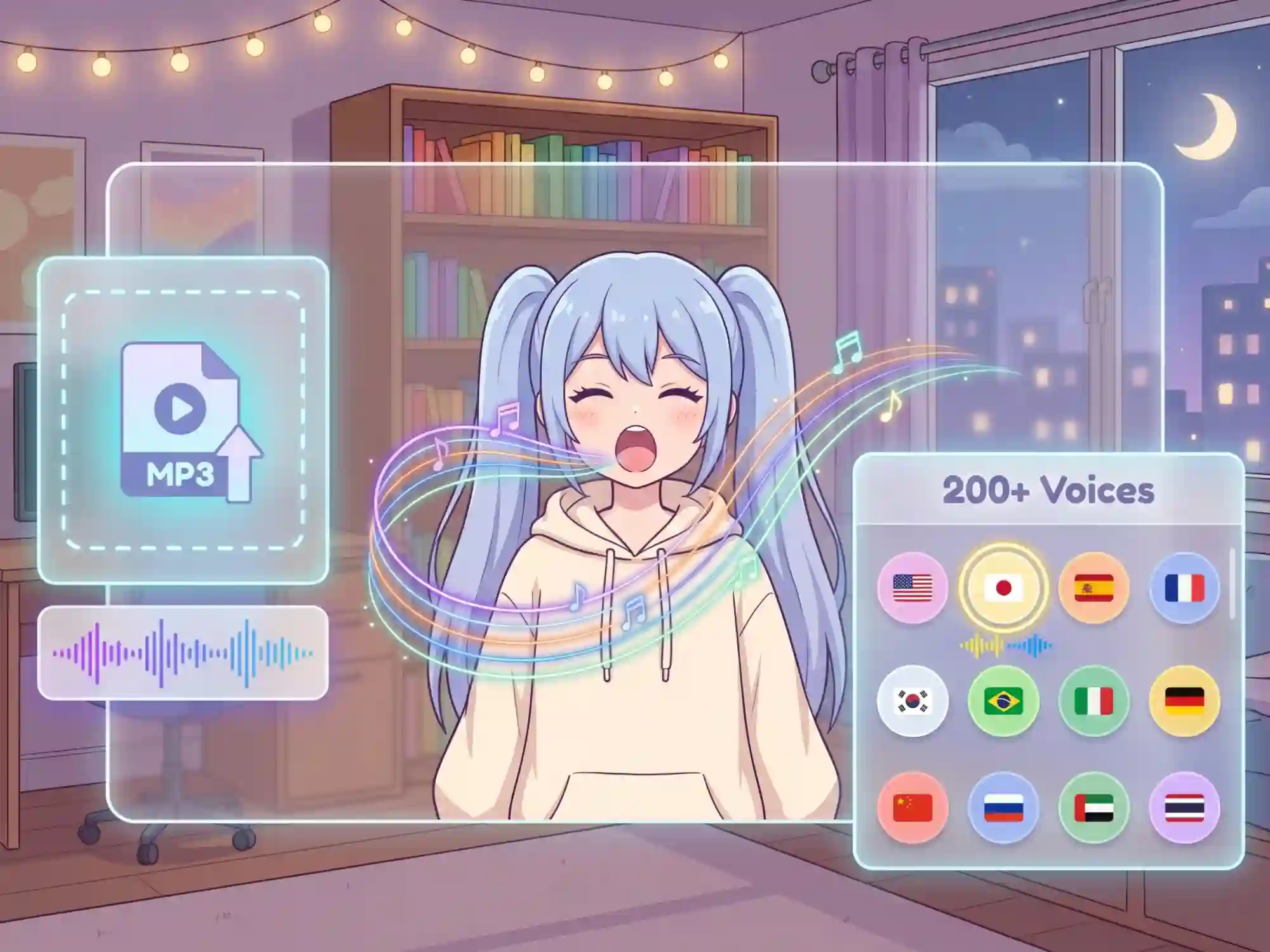
Upload any audio file (MP3, WAV) and Anijam maps it directly to your character's lip movements, frame by frame. Or select a voice from the 200+ multilingual built-in library - the AI generates the speech and syncs the animation automatically.
Step 3: Fine-Tune, Export & Share
Use the built-in timeline editor to adjust timing, swap voices, or add emotion beats. Export watermark-free in 1080p (or 4K on premium) and publish directly to TikTok, YouTube, Instagram, or any platform.
Audio to Anime Character Animation
Turn any voice clip into an expressive anime character animation. Anijam captures the exaggerated mouth shapes and emotional range anime fans expect — from whispered secrets to dramatic declarations — all synced automatically to your audio.
Upload Your Audio Or Choose from Wealthy Voice Library
Upload any MP3 or WAV file and Anijam maps it directly to your character's lip movements, frame by frame — this is the fastest way to turn existing audio into a talking animated character. Or type your character's dialogue and choose from our online voice library: Anijam synthesizes the speech and syncs the animation automatically. Either way, phonemes are analyzed, mouth shapes are applied at the frame level, and your character performs without a single manual adjustment.
Animate Up to 4 Characters from Audio Simultaneously
Most audio to animation tools handle one face at a time. Anijam supports up to 4 characters speaking in the same scene — each with its own voice track, mouth shape sequence, and facial expression. Animate dialogue exchanges, group conversations, podcast-style discussions, or ensemble cast scenes all in a single generation. No compositing. No manual layering.
One Character, Any Language — Multilingual Audio Animation
Build your animated character once, then generate lip sync animation in any language without rebuilding anything. Swap the voice track from Anijam's 200+ multilingual voice library — the engine automatically recalculates mouth shapes to match the phoneme patterns of the new language. English, Japanese, Spanish, French, Korean, and beyond: your character speaks every language with accurate, culturally adapted lip movements every time.
Frame-Level Control with the Built-In Timeline Editor
Auto lip sync gets you 90% there in seconds. Anijam's built-in timeline editor gets you to 100%. Fine-tune when each character starts speaking, control pause length between lines, and adjust the gap between characters in a dialogue exchange — all at the frame level. Unlike one-click-only audio animation tools, Anijam gives you full precision control after generation — without switching to any external editor.
See What Creators Are Making with Anijam Audio to Animation AI
From anime dialogue scenes to branded talking avatars — upload your audio or choose a built-in voice, and Anijam generates the character animation with perfect lip sync automatically. No recording setup, no animation skills, no extra tools.
Everything You Can Do with Anijam Audio to Animation AI
From free lip sync animation clips for social media to multilingual talking avatar campaigns — Anijam's audio to animation AI gives every creator the power to produce professional animated character videos with voice, expression, and motion. No studio. No skills. No limits.
Social Media Talking Avatars
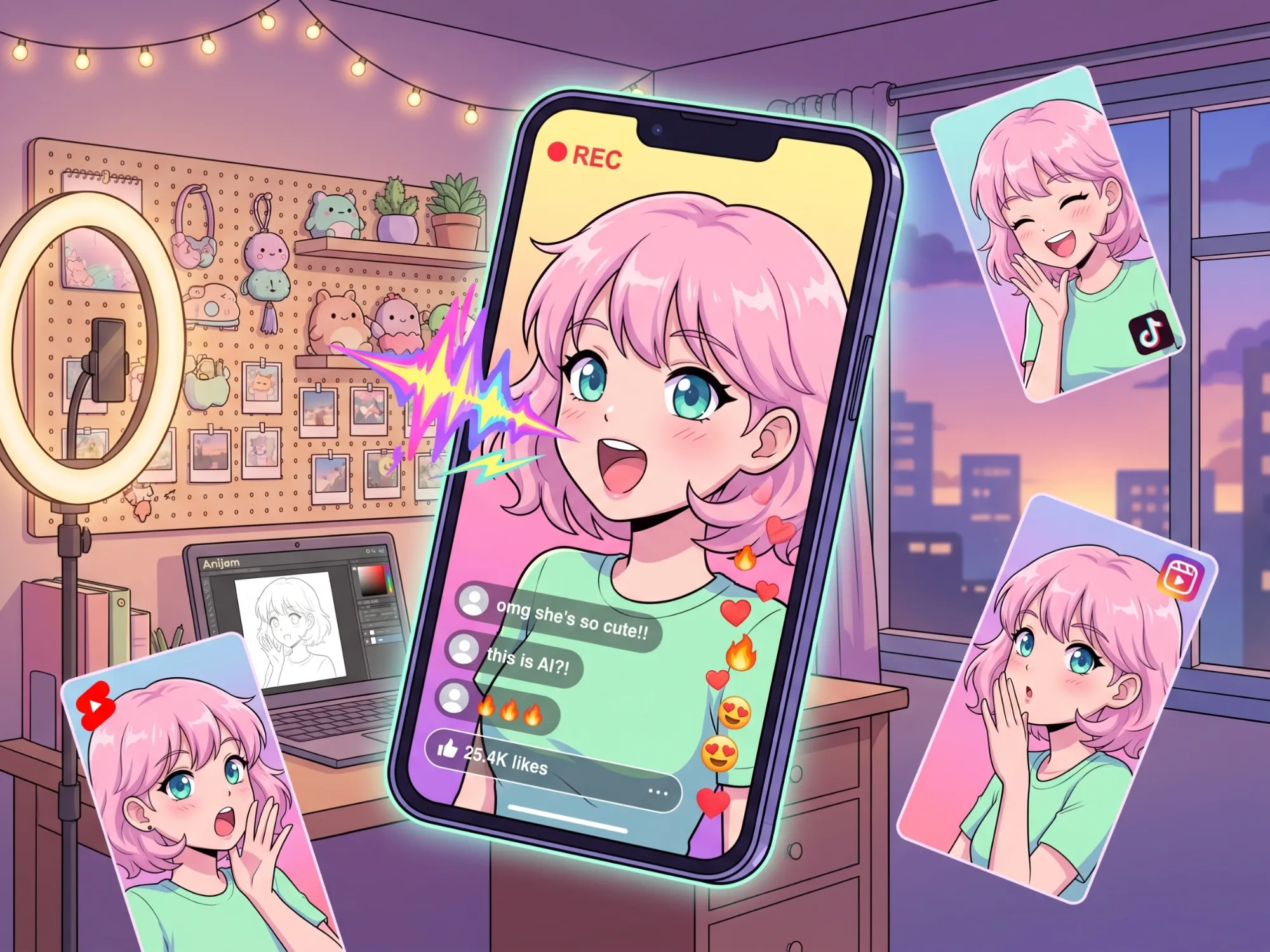
Create scroll-stopping animated talking characters for TikTok, Instagram Reels, and YouTube Shorts. Animate original characters speaking your script or trending audio in seconds — no filming required.
Why Anijam Stands Out as an AI Audio-to-Animation Generator

One-Click Audio to Lip Sync
Upload your audio and Anijam's AI automatically analyzes phonemes, generates mouth shapes, and produces a perfectly timed lip sync animation — no manual frame adjustment, no technical skills needed.

Free to Start — No Credit Card
Anijam offers free daily credits upon sign-up. Experience the full audio to animation pipeline — upload audio, generate characters, export watermark-free — with zero upfront cost.

200+ Voices & Multilingual Support
Choose from 200+ AI voices across every language, emotion, and accent. Or upload your own audio. Anijam generates accurate lip sync for every language — making global animated content effortless.

Full Motion, Not Just Mouth Sync
Lip sync is the start. Control character gestures, camera movement, scene positioning, and emotional expression from Anijam's canvas. Your characters don't just talk — they perform.

All-in-One Canvas — No App Switching
Script, character, voice, audio animation, timeline editing, and export — everything happens in one place. Unlike standalone lip sync tools, Anijam is a complete animation production system.

Watermark-Free Export
Export clean, professional animated character videos ready for publishing — watermark-free on free and premium plans. Download in 1080p or upgrade to 4K for commercial-grade output.
Explore More Anijam AI Animation Tools



What Creators Say About Anijam Audio to Animation AI
FAQ
What is audio to animation AI?
Audio to animation AI is technology that automatically converts a voice recording or audio file into an animated character video — with synchronized lip movements, facial expressions, and emotion. Instead of manually keyframing every mouth shape, an AI audio to animation generator like Anijam analyzes the audio's phonemes and generates perfectly timed character animation from your voice in minutes. The result is a talking animated avatar that looks like it was produced by a professional animation studio.
Is Anijam's audio to animation AI free?
Yes. Anijam offers free daily credits upon sign-up — no credit card required. Free users can upload audio, generate lip-synced animated characters, and export watermark-free videos in 1080p. Premium plans unlock 4K exports, additional voice options, extended generation credits, and full commercial usage rights.
How does Anijam convert audio to animation?
Upload any MP3 or WAV audio file into Anijam's canvas, or type a script and generate a voice from the 200+ voice library. Anijam's AI engine then analyzes the phonemes in your audio, maps them to the correct mouth shapes frame by frame, applies facial expressions and head motion to the character, and renders the complete lip-synced animation automatically — all without any manual animation input from you.
Can I animate a character from audio for free online?
Yes. Anijam is a free audio to animation AI tool online — no download, no installation, no credit card. Sign up, use your free daily credits, and animate characters from audio directly in your browser. The free plan includes watermark-free 1080p exports and access to the full audio-to-animation pipeline, making it the best free online audio to animation AI for creators just getting started.
What is audio to face animation AI?
Audio to face animation AI specifically focuses on animating a character's face — particularly mouth movements, lip sync, eye movement, and micro-expressions — driven by audio input. Anijam's audio to face animation AI analyzes phonemes from your voice and renders accurate, expressive facial animation at the frame level. This is the core technology behind talking avatars, AI spokespersons, and animated dialogue scenes.
Does Anijam support multilingual audio to animation?
Yes. Anijam supports audio and voice generation in multiple languages including English, Japanese, Spanish, French, Korean, and more. When you switch languages, the AI automatically adapts the lip sync and mouth shapes to match the phoneme patterns of the new language. This makes Anijam ideal for creating multilingual animated character content for global audiences without rebuilding your scenes.
How is Anijam different from other audio to animation AI converters?
Most audio to animation AI converters are standalone tools: you upload a pre-existing image or video, add an audio file, and they sync the mouth to it. Anijam is a complete AI animation agent — it creates characters, generates voices, applies audio-driven lip sync, controls full-body motion and scene composition, and includes a timeline editor for precision adjustments, all within one canvas. You can go from an idea or audio file to a finished, professional animated character video without leaving the platform or switching tools.
What animation styles does Anijam's audio to animation AI support?
Anijam supports a wide range of animation styles including anime, 3D character animation, cartoon, chibi, fantasy, cinematic realism, and game-art aesthetics. You can also train a custom animation style to match your brand or creative direction. Audio to animation and lip sync is available across all supported styles — the AI adapts mouth shape rendering and facial expression to fit each visual aesthetic automatically.
Can I use Anijam's audio to animation videos commercially?
Yes. Commercial usage is included with premium plans. Free plan exports are watermark-free and suitable for personal use, social media, and non-commercial content. Upgrade to a premium plan to unlock full commercial rights for ads, client work, branded content, and monetized platforms. All exports are clean, high-resolution, and platform-ready.