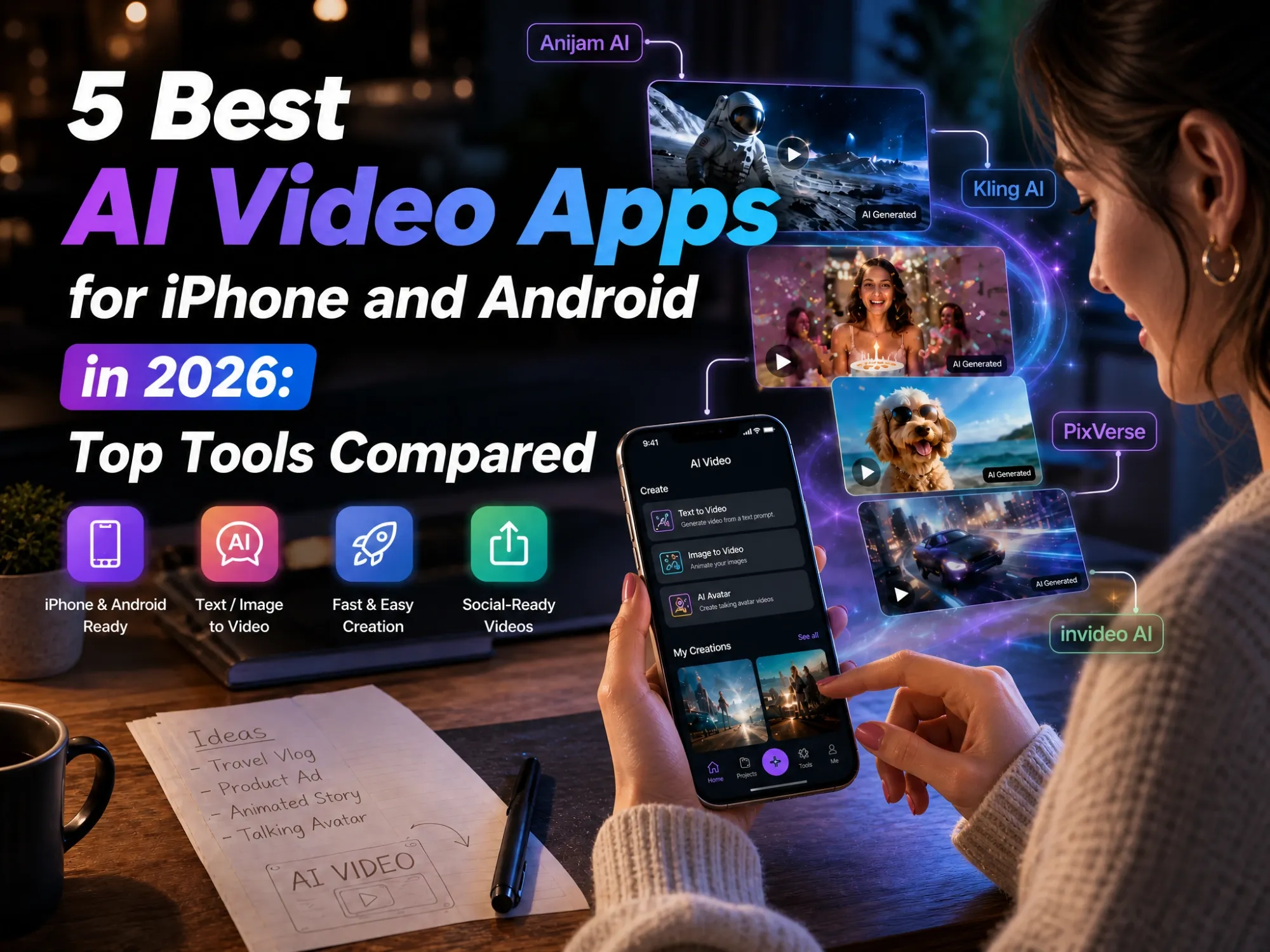
5 Best AI Video Apps for iPhone and Android in 2026: Top Tools Compared
Your phone’s camera roll is probably full of photos and clips that could be so much more - a cinematic scene, an anime-style story, a talking pet video, a polished product ad. Not long ago, turning any of that into something video-worthy meant learning editing software, or paying someone who already had.
That’s changed. The best AI video apps for phone now let you type an idea, tap a template, or upload a photo, and get a finished video back in minutes - no desktop, no editing skills required.
This guide breaks down what actually makes a good AI video app for iPhone or Android, compares five of the top options available right now, and walks through exactly how to make your first AI video using Anijam AI.
Why Choose an AI Video App on Your Phone?
Not long ago, making any kind of video meant sitting down at a computer - importing footage, learning a timeline, waiting for a render. A good AI video app for mobile skips most of that.
A few reasons this shift matters:
- Create anywhere, anytime: No desktop required - your phone is a full AI video studio in your pocket, whether you’re commuting or waiting in line.
- Simple and intuitive by design: Touch-based interfaces and guided AI prompts mean you don’t need traditional editing skills to get a good result.
- Shoot and generate in one flow: Snap a photo or clip with your phone’s camera and turn it into an AI video instantly, without transferring files between devices.
- Publish in seconds: Export straight to TikTok, Instagram, or YouTube Shorts the moment your video is ready - ideal for fast-paced, short-form content.
If you’re working on a long-form project or need frame-by-frame color grading, a desktop app still has its place. But for the kind of short, social-ready AI videos most people actually want to make, your phone is more than capable.
What Makes a Good AI Video App for Your Phone?
Not all AI video apps are built the same - some prioritize speed, others realism, others sheer creative range. Before comparing specific apps, it helps to know what actually separates a good one from a forgettable one.
Ease of Use - Intuitive Mobile UI, Templates & Guided Prompts
The best apps get you from idea to finished video without a learning curve. On a phone, a clean and intuitive interface matters - look for clearly organized tools, easy-to-find controls, guided AI Agents or chat-style creation flows, and ready-made templates.
AI Video Quality & Generation Capabilities
Some apps lean toward photorealistic, cinematic motion; others favor stylized, playful, or anime-inspired output. Check whether an app supports both text-to-video and image-to-video, how long a single generation can run, and whether it keeps a character looking consistent across multiple scenes - a common weak spot even in 2026.
Output Speed & Social-Ready Formats
A good mobile AI video app exports in vertical 9:16 format by default and gets you a finished clip in under a few minutes - not stuck in a rendering queue. If you’re making content for TikTok, Reels, or Shorts regularly, that speed adds up fast.
iOS and Android Availability
Not every app is available on both platforms, and a few use different names on each app store. Before you get attached to a tool, confirm it actually works on your device - otherwise you may end up testing a limited web version instead.
Free Tier / Free Credits
Nearly every AI video app for mobile runs on a freemium model: a set number of free credits that refresh daily, weekly, or just once. Very few apps are unlimited-free, so it’s worth checking watermark policies and daily caps before assuming “free” means “no strings attached.”
Top AI Video Apps for Phones in 2026
With so many AI video tools competing for attention, the best choice depends less on having the most features and more on what you actually want to create.
Here’s how five of the popular AI video apps for phones stack up, at a glance:
| App | Platform | Built For | Free Tier | Best For |
|---|---|---|---|---|
| Anijam AI Mobile App | iOS & Android | All-in-one, guided AI Agent, style library, trend templates | Sign-up credits and daily check-in bonuses; watermarked, non-commercial | Beginners, storytellers, and social creators |
| Kling AI Mobile App | iOS & Android | Cinematic realism, physics-accurate motion | 66 credits/day; watermarked; capped resolution | Creators and hobbyist filmmakers |
| Runway Mobile App | iOS & Android | Advanced control, Gen-4.5 models, Chat Mode | 125 one-time credits, no refresh; watermarked; capped resolution | More experienced creators |
| PixVerse Mobile App | iOS & Android | Fast, trend-driven effects, weekly refresh | 90 signup + 60 credits/day; watermarked; capped resolution | Social media creators and trend-chasers |
| invideo AI Mobile App | iOS & Android | Script-to-full-video with voiceover & captions | Limited credits; watermarked; capped resolution | Marketers, educators, and YouTubers |
Anijam AI - Guided AI Agent for All-in-One Video Creation (iOS & Android)
Anijam AI is built around the idea that you shouldn’t need any technical background to make a good-looking video. You describe what you want - a mood, a character, a story - in plain language, and an AI Agent takes it from there: generating scenes, suggesting a storyline, and building out the visuals.
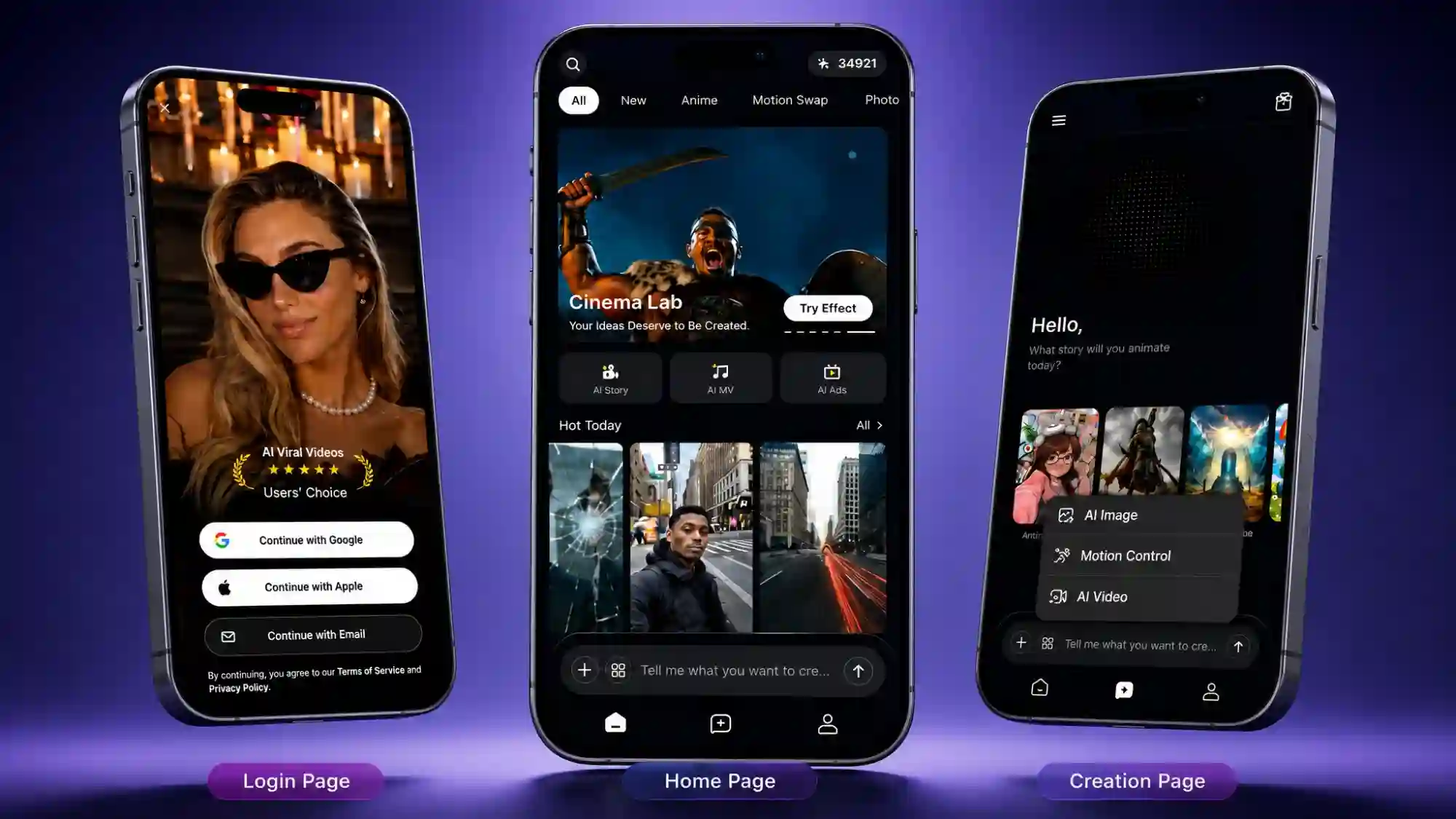
Key Features
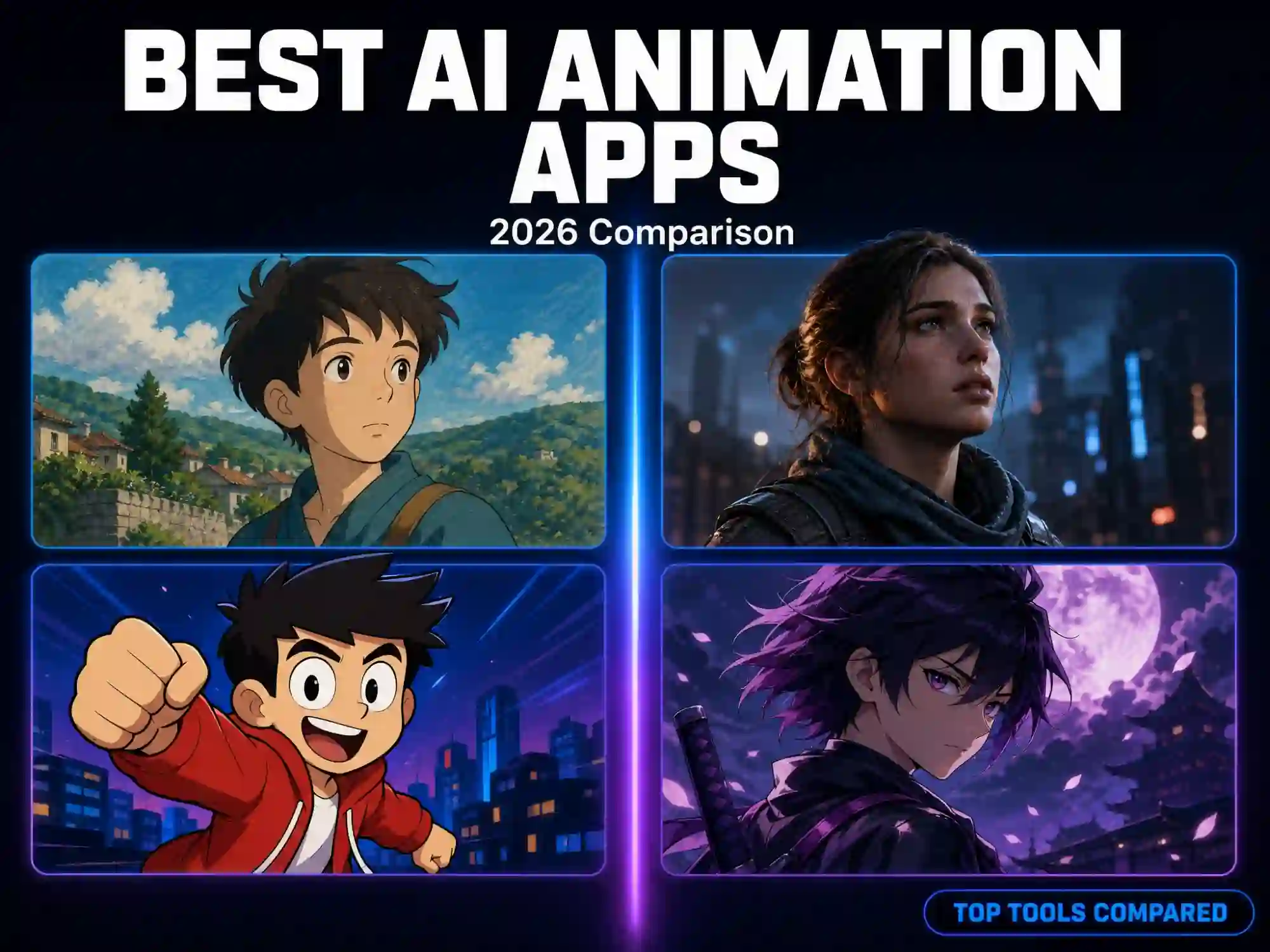
- Wide style library & trending templates - anime, cartoon, cinematic, 3D, and Ghibli-inspired looks, plus a constantly updated feed of trending templates to start from.
- Consistent characters & Lip-sync - a built-in Character Animation Toolkit keeps a character’s face, outfit, and personality consistent scene to scene. Upload your own audio or pick from a large AI voice library (with 200+ voices in 30+ languages) - mouth movement matches automatically.
- Mobile-to-web sync - start a project on your phone and pick it up on desktop later - characters, scenes, and progress carry over automatically.
Pros
- Guided AI Agent walks you through the whole process.
- Wide style library (anime, cartoon, cinematic, 3D, realistic, fantasy) plus weekly trending templates.
- Automatic lip-sync with no manual keyframing, useful for talking-character content.
Cons
- Free-tier exports carry a watermark and are for non-commercial use only, in line with most apps on this list.
- Bigger, multi-scene projects go more smoothly on a paid tier with a larger credit balance.
- Generation can take longer during peak usage hours, or for longer, more complex multi-scene videos.
Best for: beginners, storytellers, and social creators who want a guided, all-in-one workflow and template-driven creation with no learning curve.
Kling AI - Realistic, Cinematic AI Motion (iOS & Android)
Kling AI has built its reputation on physics-accurate motion and cinematic realism - camera movement, lighting, and depth that lean closer to film footage than typical AI clips. It supports text-to-video and image-to-video generation with resolution options up to native 4K on its newest models, and clips can be extended to three minutes.
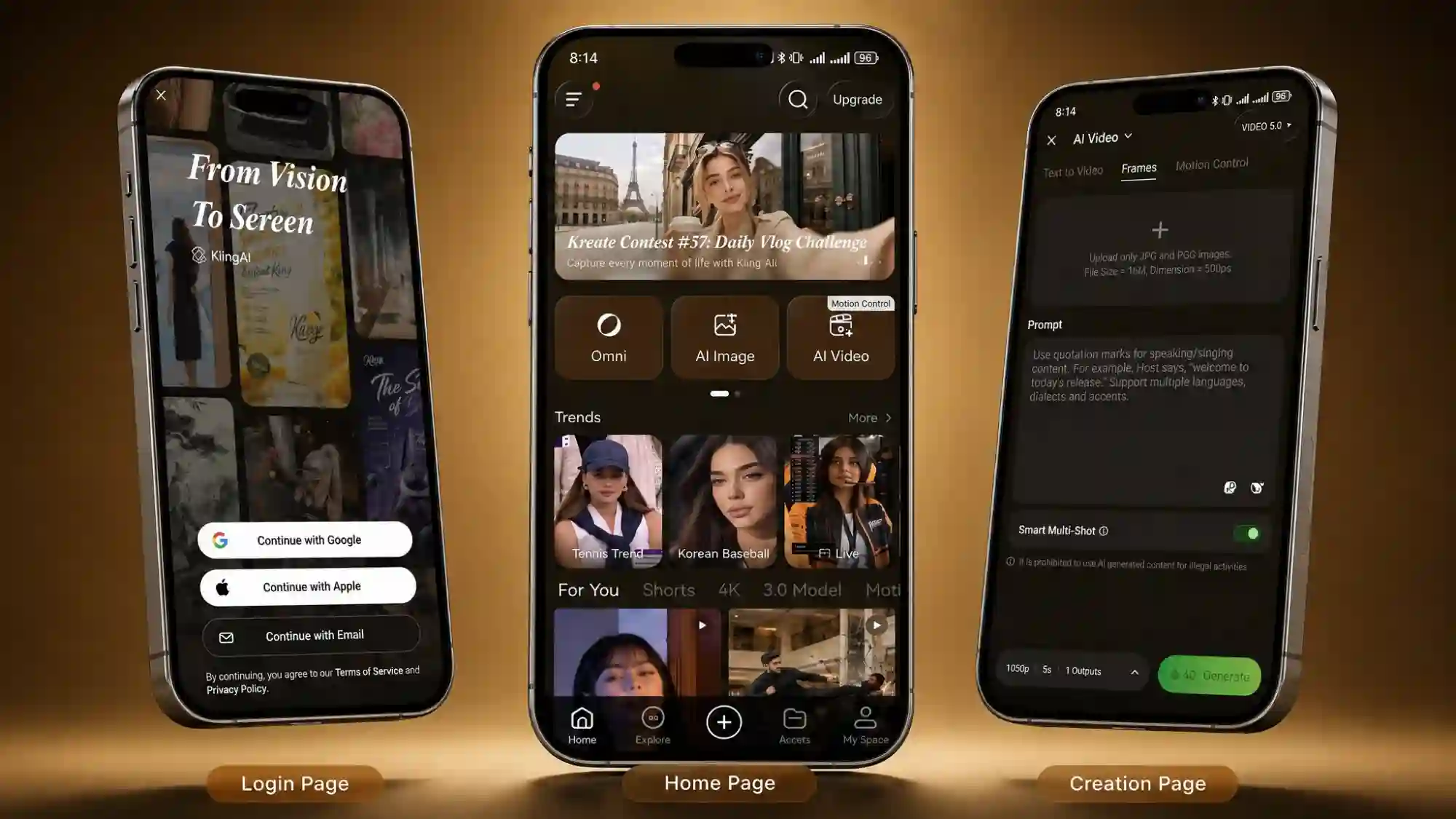
Key Features
- Physics-accurate motion engine - camera movement, lighting, and depth that behave like real footage rather than typical AI motion.
- Text-to-video & image-to-video - generate from a prompt or a photo, with resolution options up to native 4K on its newest models.
- Extend clips up to 3 minutes - chain generations together for longer sequences, and browse a community feed to remix other creators’ prompts.
Pros
- Physics-accurate motion and camera work that reads as genuinely cinematic.
- A relatively generous, recurring daily free-credit reset compared with a one-time trial.
- Community feed for browsing and remixing other creators’ prompts.
Cons
- Free tier is capped at 720p, watermarked, and good for roughly six short clips a day.
- Takes more prompt experimentation to get a polished result than more guided, template-first apps.
- The app is fairly large and can feel a little cramped on smaller phone screens, per user reviews.
Best for: creators and hobbyist filmmakers chasing realistic, cinematic-quality motion over speed or simplicity.
Runway - Pro-Grade Control with Gen-4.5 Models (iOS & Android)
Runway is one of the more established names in AI video, known among filmmakers and professional creators for its Gen-series models and fine camera control. The mobile app - listed as Runway on the App Store and Runway ML on Google Play - brings a version of that same toolkit to your phone, including Chat Mode, which generates images and video from a single conversational interface instead of juggling separate tools.
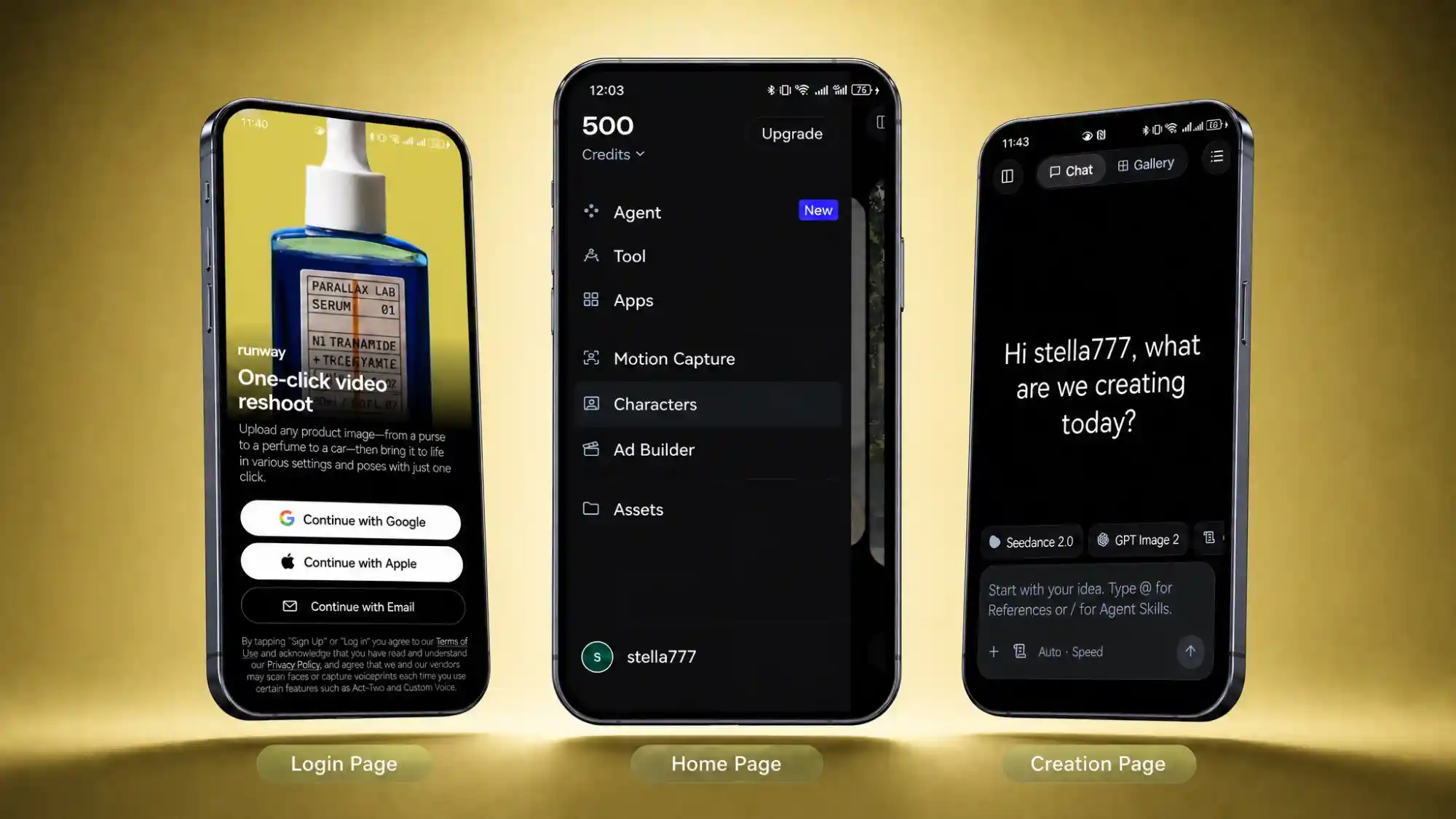
Key Features
- Gen-4.5 model family - Runway’s flagship model, known for fine camera control - pans, zooms, and tracking shots that hold up in complex scenes.
- Chat Mode - generate and refine both images and video from a single conversational interface instead of switching between separate tools.
- Frequent model updates - Runway tends to roll out new models and features faster than most apps on this list.
Pros
- Trusted by professional filmmakers and creators for fine-grained camera and motion control.
- Chat Mode makes its pro-grade models more approachable from a phone.
- Frequent model updates keep it near the front of AI video quality.
Cons
- The free plan is a one-time pool of credits that never refreshes - closer to a single evaluation than an ongoing free tier.
- More of a learning curve than template-driven apps, especially for first-time users.
- Watermark removal and the full model lineup require a paid plan.
Best for: more experienced creators who want finer control over AI-generated video.
PixVerse - Fast, Trend-Driven Short Clips (iOS & Android)
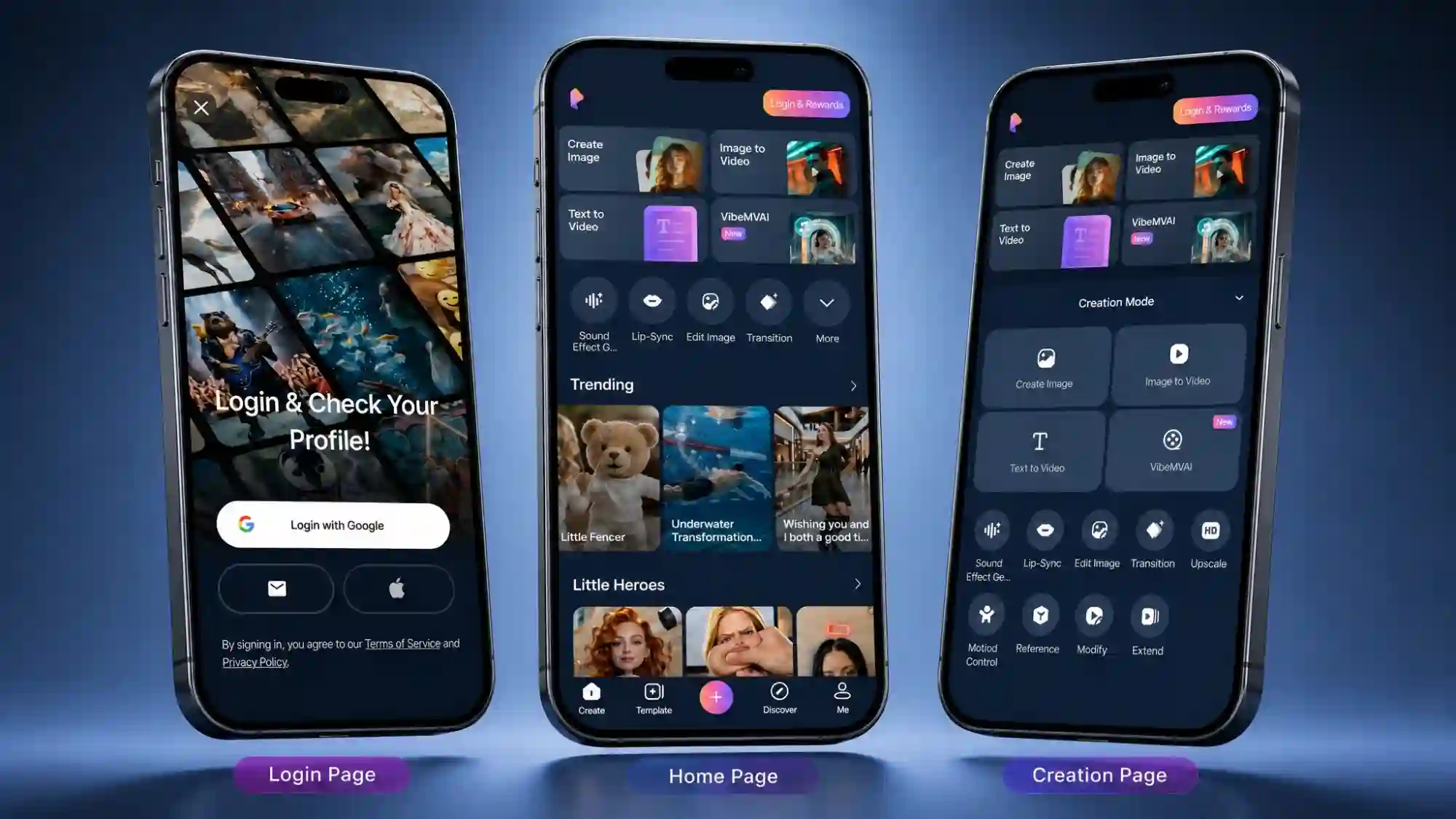
PixVerse is built around speed and trend-chasing: describe a scene or drop in a photo, and it turns that into a short clip in seconds. Its built-in Agent scripts and assembles content for you, and one-tap “viral effects” refresh weekly, so there’s usually something new to try before it peaks on social media. It also includes more practical tools from Motion Control to mimic a reference video’s movement.
Key Features
- Built-in AI Agent - scripts and assembles a short video for you from a simple prompt.
- Motion Control, Fusion & Video Extension - mimic a reference video’s movement, blend multiple images into one scene, or stitch shorter clips into a longer sequence.
- Weekly-refreshed viral effects - a library of one-tap trending effects that updates regularly, so there’s usually something new to try.
Pros
- One of the more generous recurring free tiers here - 90 signup credits plus 60 more every day.
- Fast generation, often well under a minute per clip.
- Weekly-refreshed trending effects make it easy to jump on a format before it’s everywhere.
Cons
- Free exports are watermarked and capped at a lower resolution.
- Complex scenes (hands, faces, fast motion) can look inconsistent, as with most AI video models.
- Better suited to short trend clips than longer, narrative-driven projects.
Best for: social media creators and trend-chasers who want fast, casual short clips.
invideo AI - Scripts into Full Ready-to-Post Videos (iOS & Android)
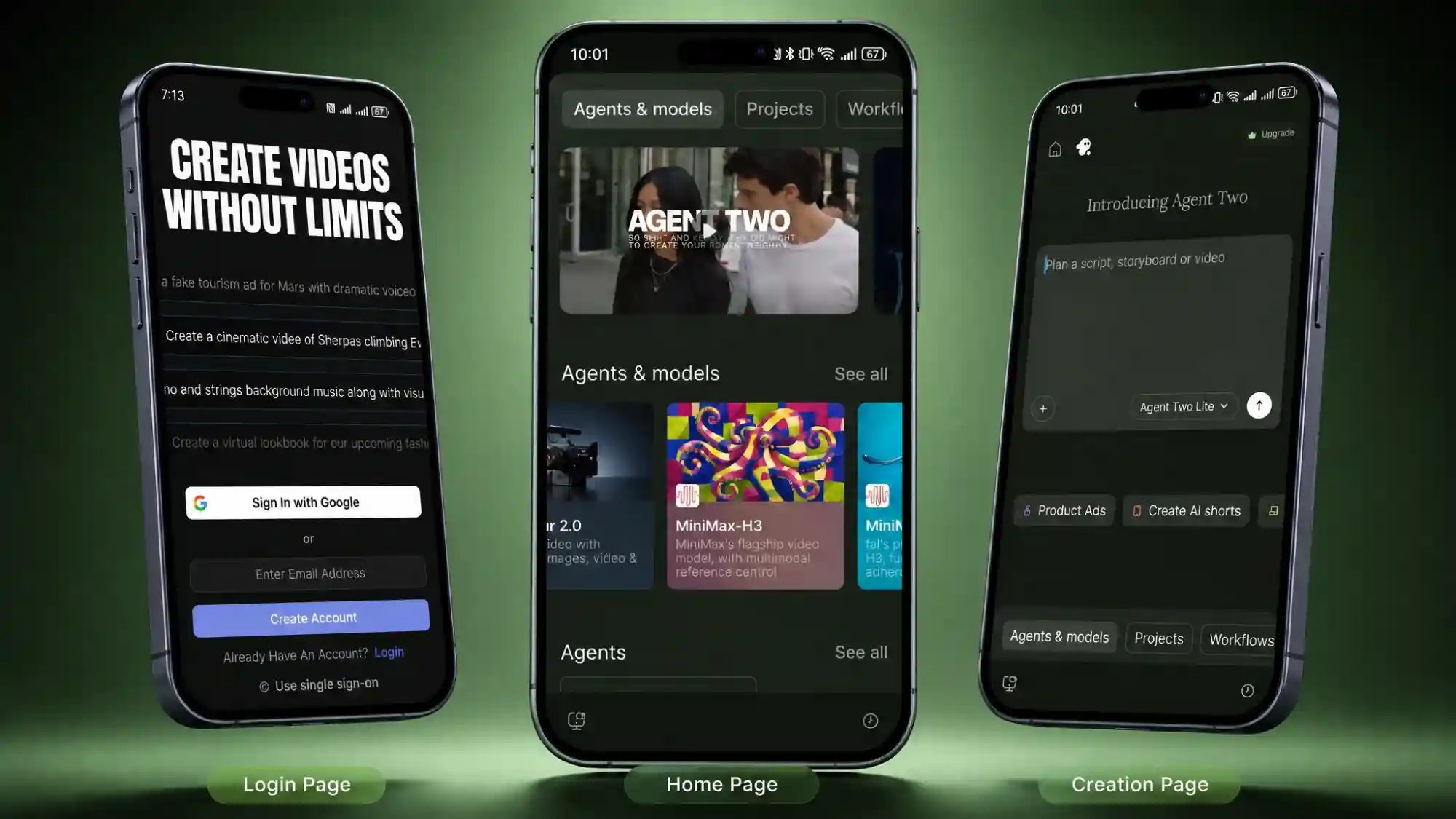
invideo AI is built to take a topic or script and turn it into a fully assembled video - visuals, voiceover, captions, and music included. Type a prompt like a short brief, and it drafts a complete, ready-to-post video rather than a single scene. It’s a strong fit for anyone making explainer content, YouTube videos, or marketing material.
Key Features
- Script or topic to full video - feed it a topic or script and it drafts a complete video - visuals, voiceover, captions, and music included.
- AI voiceover, captions & music - assembled automatically as part of the draft, not left for you to add separately.
- Chat-based editing - revise the finished draft in plain language, so tweaking the pacing or swapping a visual doesn’t mean starting over.
Pros
- Generate a full narrated video - script, voiceover, captions, and music - automatically.
- Well suited to explainer, YouTube, and marketing content, not just short social clips.
- Chat-based editing lets you revise the whole video rather than re-prompting scene by scene.
Cons
- The free tier is fairly tight - around 10 AI credits a week, enough for roughly one short test video.
- Free exports are watermarked.
- A heavier tool overall if all you want is one quick, single-clip social post.
Best for: marketers, educators, and YouTubers who need a complete narrated video without editing software.
Which AI Video App Should You Go With?
- Want a guided, beginner-friendly experience with a wide style library and trend-ready templates? → Anijam AI
- Chasing cinematic, realistic motion and don’t mind experimenting with prompts? → Kling AI
- Already comfortable with AI tools and want more creative control? → Runway
- Want to jump on a viral trend fast, with minimal setup? → PixVerse
- Need a full narrated video from a script or topic, not just a clip? → invideo AI
Still not sure? The next section walks through exactly how to make your first AI video on your phone with Anijam AI - a good way to see the process before committing to a specific tool.
How to Make an AI Video on Your Phone with Anijam AI
Anijam AI folds the entire video creation process - writing, visuals, motion, voice, and editing - into one guided flow, so you don’t need to plan every step yourself. Here’s what that looks like in practice.
Two Ways to Start
Way 1: Start from a template
Browse Anijam AI’s Inspiration Gallery on the mobile app for ready-made templates sorted by use case, then swap in your own characters, story details, or narration - a fast way to get a finished video without starting from a blank page.
Way 2: Chat with the AI video agent
If you’d rather build something from scratch, describe your idea directly to Anijam AI’s AI video agent, and it walks you through the rest step by step.
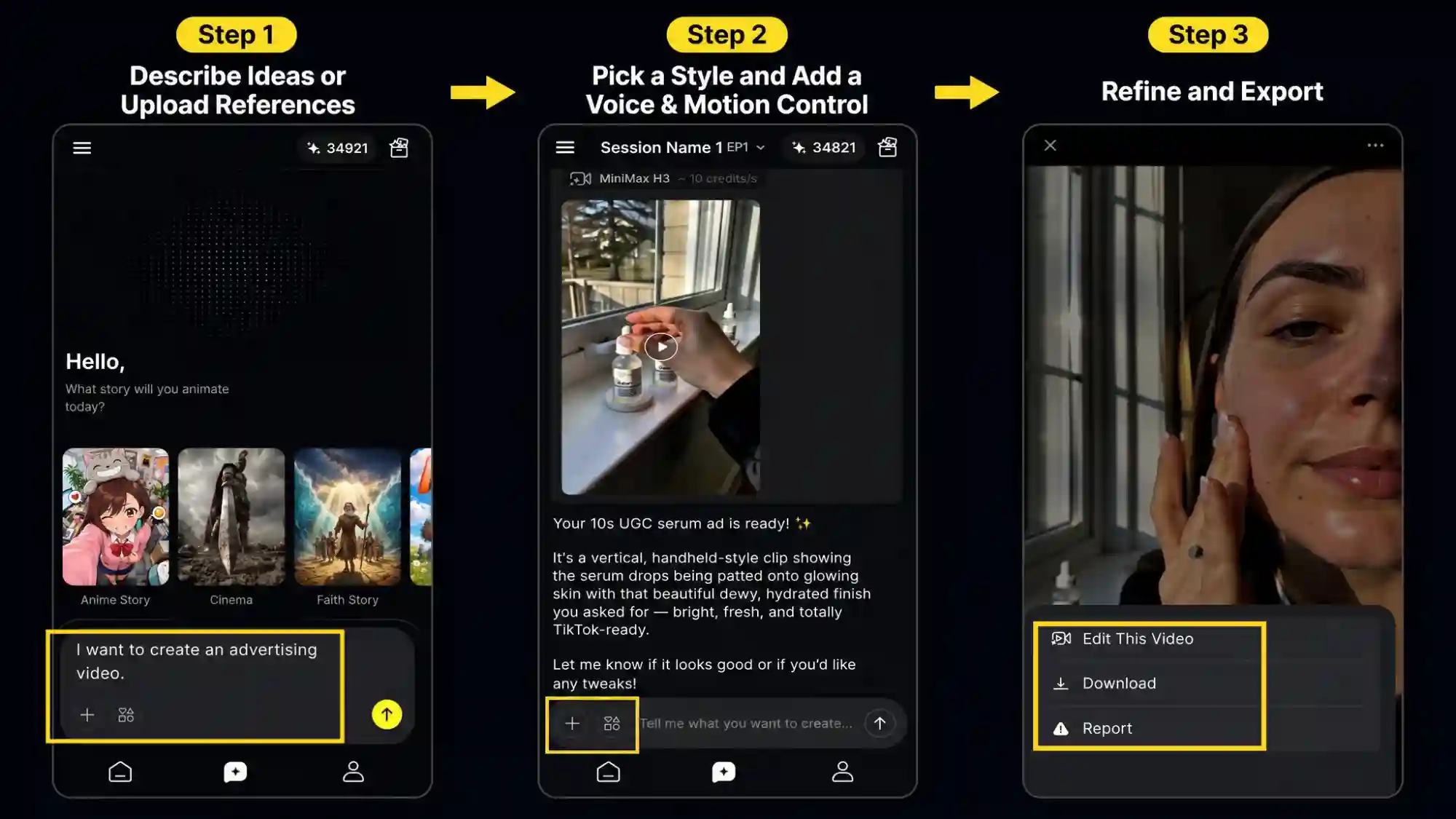
Step 1: Describe Your Idea or Upload References
- Type what you want in plain language - a scene, a character, a mood, or a full story concept.
- Or skip the prompt and upload an audio or reference image instead. Anijam AI’s AI Agent turns that into a scene-by-scene outline.
Step 2: Pick a Style and Add a Voice & Motion Control
- Choose from the style library - anime, cartoon, cinematic, realistic, 3D, Ghibli-inspired, and more.
- Then add a voice track or generate a voice directly in the app. Anijam AI’s Lip-Sync Animation automatically matches mouth movement to the dialogue. If your video features a recurring character, the agent keeps their face, outfit, and personality consistent scene to scene.
Step 3: Refine Your Video and Export
- Adjust scene duration, reorder scenes, and preview your video before exporting it in a format ready for TikTok, Reels, or Shorts.
What Can You Create with a Mobile AI Video App?
What can you actually make with a mobile AI video app? Quite a lot. Whether you want to tell a quick story, showcase a product, try the latest viral effect, or bring a character to life, your phone can handle it. Here are some video ideas worth trying.
-
AI story videos
Create short stories with recurring characters, simple scenes, and AI-generated narration - a practical format for quick storytelling without a desktop editing workflow.
-
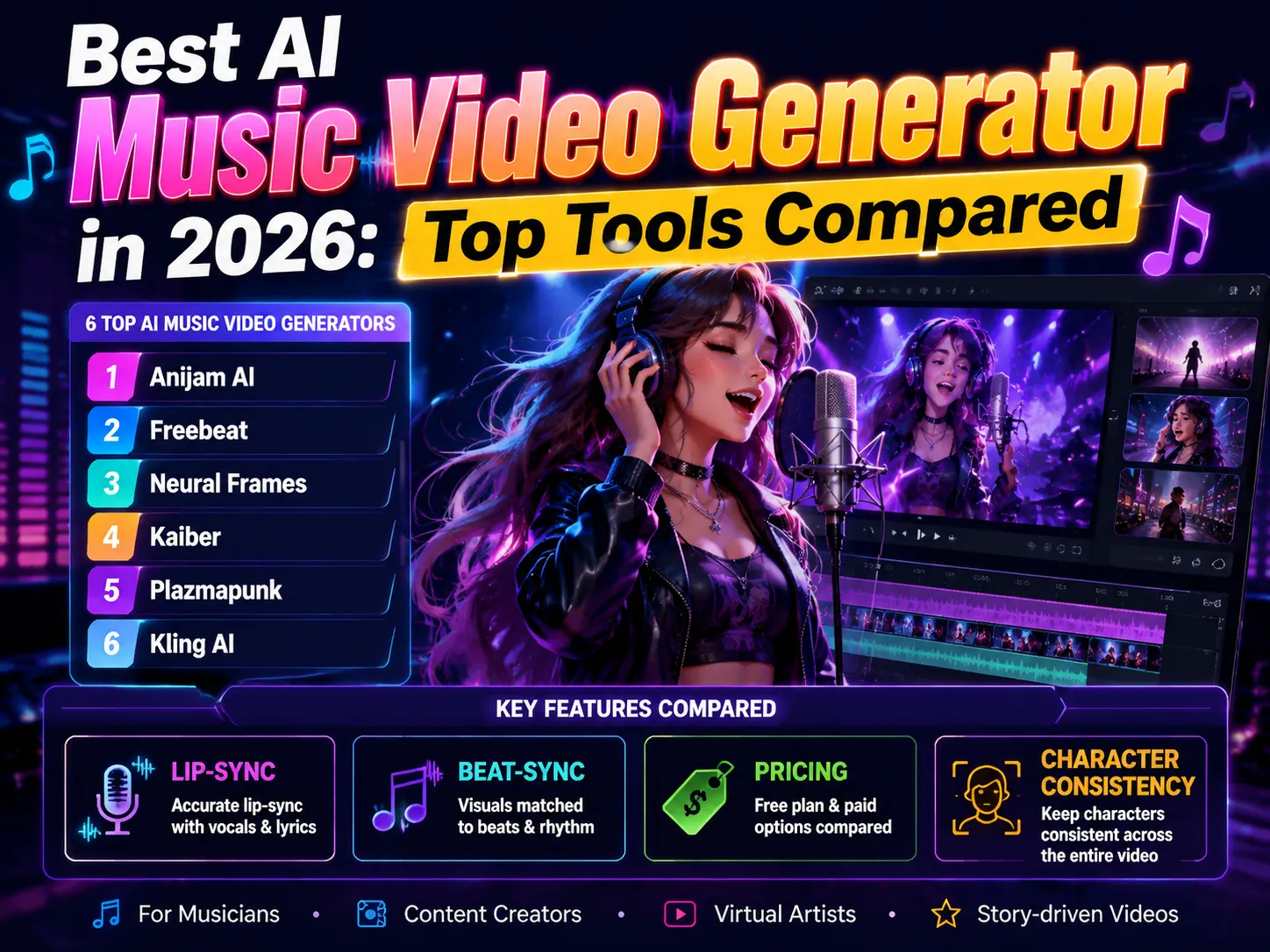
Music videos & sound-synced content Turn a song, a set of lyrics, or just a concept into a beat-synced video - upload a track (even from Suno or Udio) or type a mood, and Anijam AI’s AI Music Video Generator syncs an animated character’s lip movements and dance moves to the music.
-
Travel & lifestyle videos
Turn travel photos, everyday moments, or pet snapshots into polished, cinematic videos - perfect for recapping a trip, sharing a day-in-the-life, or turning a routine moment into something worth posting.
-
Trending effects and viral-style videos
Try new effects, challenges, and visual formats while they’re trending. Anijam AI’s AI TikTok Video Generator keeps a feed of trending templates updated regularly, so it’s easy to jump on a format before it’s everywhere.
-
Short-form promotional videos
Create quick ads, product teasers, announcements, and promotional videos in vertical formats suited to TikTok, Reels, and Shorts.
Tips for Better AI Videos on Your Phone
The right AI video app can make creation easier, but the quality of the final result still depends on how you use it. A few simple habits can help you get more consistent visuals, smoother storytelling, and better results from your phone.
- Be specific in your prompts - Give the AI clear details about the subject, setting, action, camera movement, and mood. “A woman walking through a rainy city at night, neon lights reflecting on wet pavement” gives the model more direction than simply asking for “a city scene.”
- Start from a template when you’re stuck - Templates aren’t just shortcuts - they also show you what a well-structured prompt looks like.
- Keep each scene focused - Avoid packing too many actions or camera movements into a single generation. One clear action per scene usually gives AI models more room to produce stable motion and cleaner visuals.
- Reuse a character or style across a project - If an app supports character consistency, lean on it - switching styles mid-project usually looks disjointed.
- Review and refine before exporting - Don’t settle for the first generation. Check for visual inconsistencies, awkward motion, or mismatched details, then regenerate or refine the problem scenes before putting the clips together.
Final Thoughts
Not long ago, making a decent AI video on a phone meant grainy, inconsistent clips. Today, the best AI video apps for phone can turn a written idea, a photo, or a script into something genuinely watchable - no editing software required.
If you’re chasing realism, Kling AI or Runway will get you closer to cinematic footage. If speed and trend-chasing are the goal, PixVerse fits. If you need a fully narrated, ready-to-post video from a script, invideo AI does that end to end.
But if you’re starting from scratch and want the most guided, beginner-friendly path from idea to finished video - with a style library that stretches from anime to realistic, and templates that update with what’s trending - Anijam video generator is built for exactly that. Download it free on iOS or Android and bring your next idea into life today.
Frequently Asked Questions
Is there a truly free AI video generator app for phone? Most apps offer a genuinely usable free tier - daily or weekly credits, sometimes with a watermark - rather than fully unlimited free generation. Anijam AI, Kling AI, PixVerse, Runway, and invideo AI are all free to download, with paid plans unlocking more credits, higher resolution, or watermark-free exports.
Can I make AI videos on my phone without any editing experience? Yes. Apps built around a guided AI Agent or chat-style prompts - like Anijam AI - handle scene generation, motion, and pacing automatically, so you describe what you want instead of manually editing a timeline.
What’s the difference between AI video apps for iPhone and Android? Most major apps, including Anijam AI, Kling AI, PixVerse, Runway, and invideo AI, are available on both platforms. A few use different app names per store - Runway’s iOS app is listed as “Runway,” while the Android version is “Runway ML” - so it’s worth double-checking the exact app name before downloading.
How long does it take to generate an AI video on a phone app? Short clips typically render in under a minute to a few minutes, depending on length and complexity. Multi-scene projects through a guided AI Agent take a bit longer but still finish in minutes rather than the hours a manual edit would take.
Which AI video app is best for beginners in 2026? For most beginners, an app with a guided AI Agent and ready-made templates - like Anijam AI - offers the shortest path from idea to finished video. More advanced tools like Runway offer greater creative control, but come with more of a learning curve.
by Evan
Evan is an AI content creator and video technology writer at Anijam AI, focused on how generative AI is transforming storytelling and video production. He shares social trends, creative workflows, prompt strategies, and practical insights to help creators turn ideas into engaging videos and visual content.