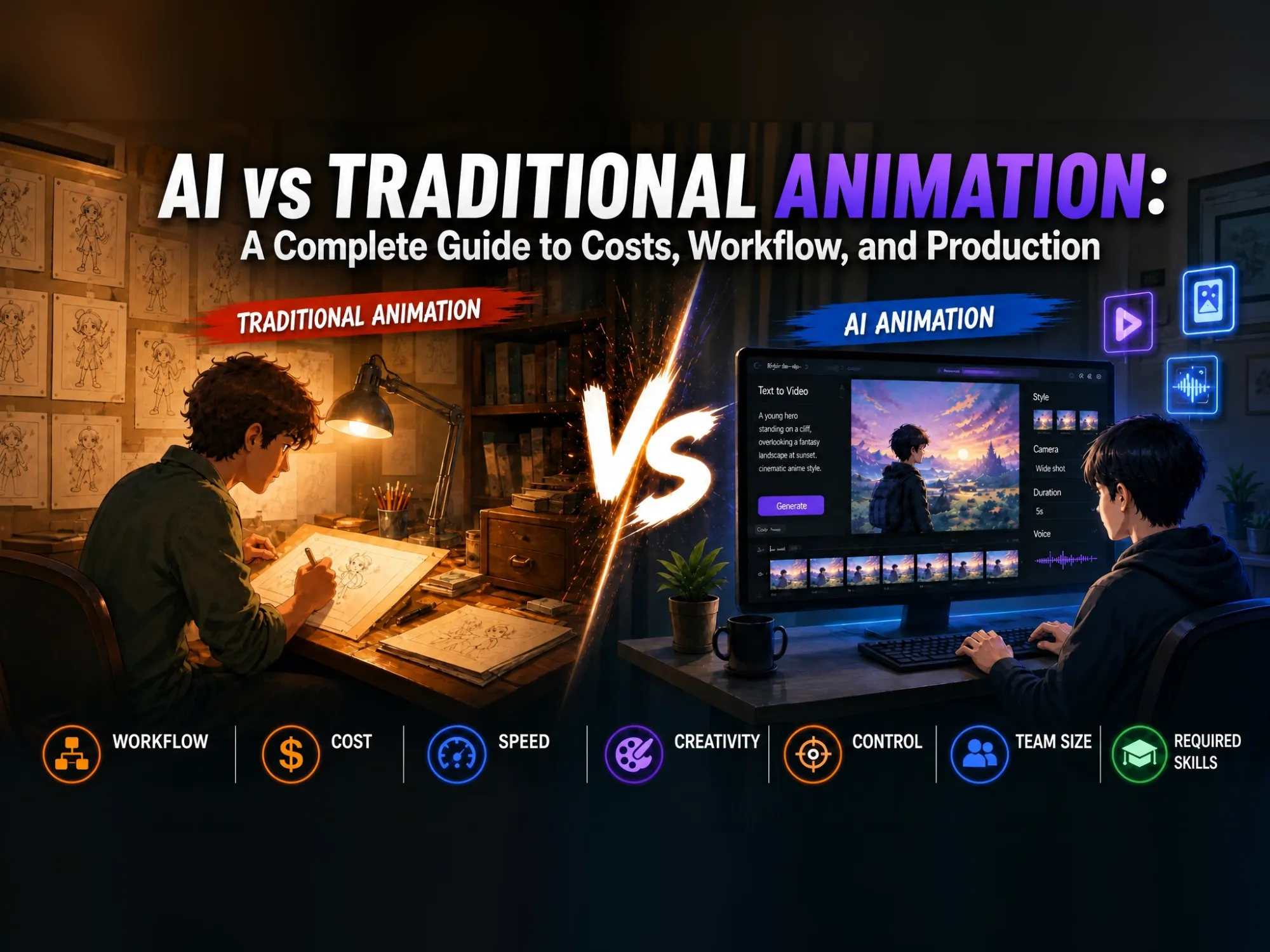
AI vs Traditional Animation: A Complete Guide to Costs, Workflow, and Production
Picture two studios working on the exact same 30-second brand video. In one, an animator opens a blank timeline and starts blocking keyframes by hand, frame by frame. In the other, someone types a short script into a browser tab, picks a style, and has a rough cut before their coffee gets cold. That contrast is basically the whole AI vs traditional animation debate in miniature.
Neither side is doing it wrong. One trades speed for total creative control. The other trades a longer timeline for hand-crafted precision that’s hard to replicate any other way.
This guide breaks down exactly how AI animation and traditional animation differ in production workflow, cost, speed, efficiency, and control, who each approach is actually built for, and how to make your own animation with an AI animation tool in a single sitting.
What Is Traditional Animation?
Traditional animation is the original approach to bringing still images to life: a person - or a full team of people - creates each frame or keyframe by hand, then plays the sequence back fast enough (usually 12 to 24 frames per second) for the eye to perceive smooth motion.
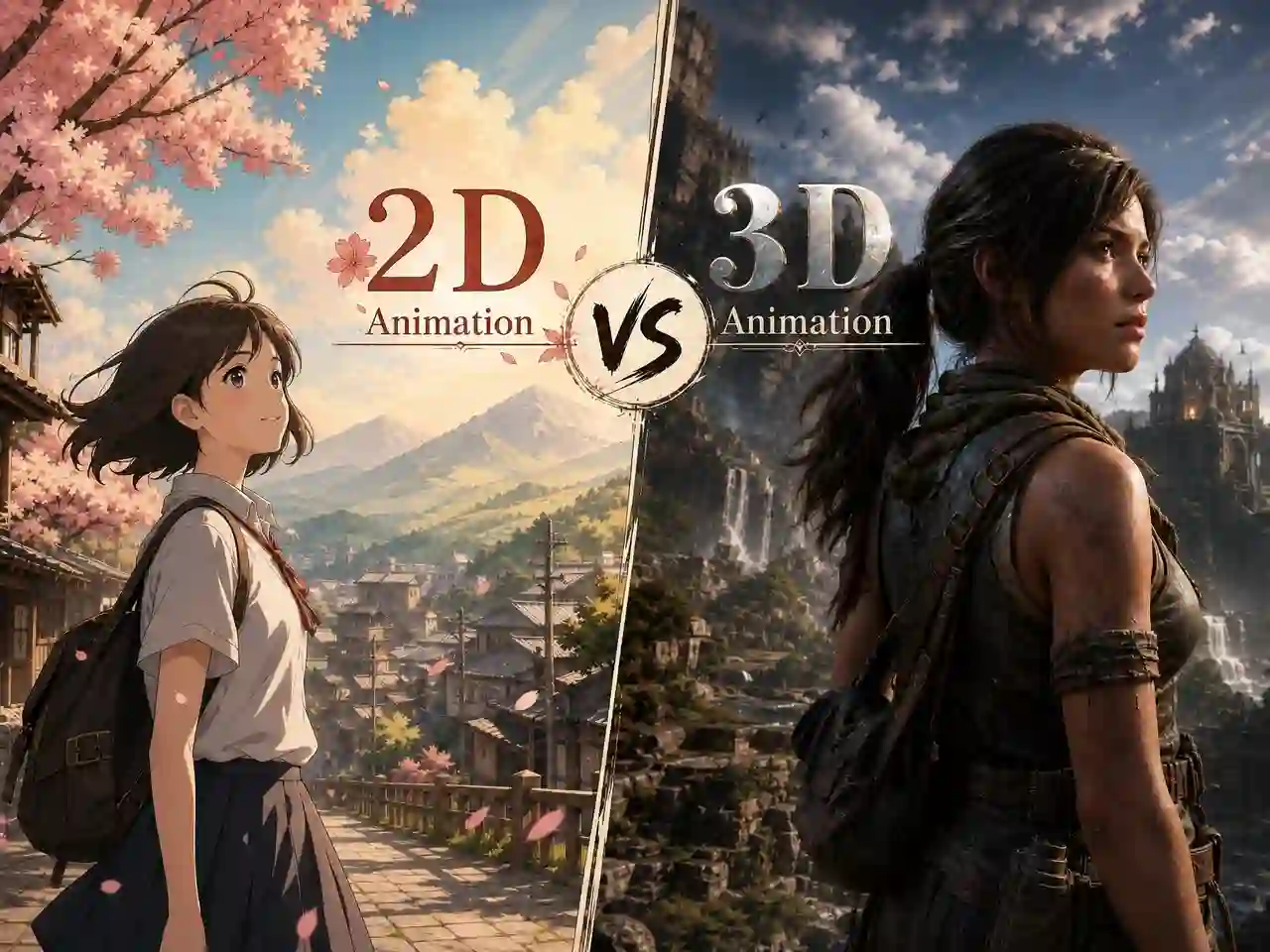
It covers everything from classic hand-drawn 2D cartoons to fully rigged 3D characters in a game engine. What makes it “traditional” isn’t the software, it’s that a human is making every creative and technical decision along the way.
How Does It Work?
A traditional animation project typically moves through the same core stages, regardless of style:
- Story and storyboard: the script is broken into a shot-by-shot visual plan
- Design and modeling: characters and environments are drawn (2D) or built and textured (3D)
- Rigging: a digital “skeleton” is added so characters can be posed and moved
- Keyframing and in-betweening: animators set major poses, then fill in the motion between them
- Rendering and compositing: final frames are rendered, layered, and polished
Each stage requires a different specialist - a storyboard artist, a rigger, an animator, a compositor - which is exactly why traditional productions take weeks or months, and why studios are staffed with dozens of people rather than one generalist.
Traditional Animation Examples
Traditional animation has taken many forms over the years, from hand-drawn 2D animation to digitally created 3D animation and stop-motion techniques. Some well-known examples include:
-
2D Hand-Drawn Animation: Disney classics like Snow White and the Seven Dwarfs and The Lion King, along with many anime series such as Naruto, showcase traditional 2D animation where artists create movement through carefully designed drawings and frames.
-
3D Computer Animation: Pixar’s Toy Story and DreamWorks’ Shrek represent 3D CGI animation. Instead of drawing every frame on paper, animators build and control digital characters and environments using 3D software.
-
Stop-Motion Animation: Aardman’s Wallace & Gromit uses stop-motion techniques, where physical models and figures are adjusted and photographed frame by frame to create animated movement.
Despite their different methods, these animation styles share one key element: human creativity and artistic decisions remain central to designing characters, movements, and stories.
What Is AI Animation?
AI animation flips that process around. Instead of a person drawing or posing every frame, an AI animation tool generates the motion itself, based on whatever direction you give it - a text prompt, a script, a reference image, or an audio track. The person still directs the outcome (choosing the story, the style, the pacing, and what to keep or regenerate), but the AI handles the technical execution: drawing, motion, lighting, and often voice and lip sync too.
This is sometimes called AI assisted animation, though that phrase undersells how much of the pipeline is now automated. AI in animation isn’t limited to fully AI-generated shots, either - plenty of traditional and VFX studios use it in a supporting role, while keeping human animators in charge of hero characters and key story beats.
How Does AI Animation Work?
Instead of separate stages handled by separate specialists, an AI animation platform folds writing, art, animation, voice, and editing into a single connected pipeline:
- You describe the idea - a story, a character, a mood, or a full script
- The AI generates scenes - a scene-by-scene draft, in a style you choose
- You review the output, keep what works, and regenerate
- Voice, lip sync, and timing are added and fine-tuned
- Export the final video
AI vs Traditional Animation: Production Workflow
Workflow is where the AI vs traditional animation difference is most visible. The two approaches aren’t just faster or slower versions of the same process - they’re structured completely differently.
| Stage | Traditional Animation Workflow | AI Animation Workflow |
|---|---|---|
| Pre-production | Story Development & Planning: Artists create scripts, storyboards, animatics, character concepts, and visual references to establish the creative direction | Idea & Story Planning: Creators provide prompts, story ideas, character concepts, or scripts; AI helps organize ideas, structure scenes, and plan visual direction |
| Character & Visual Design | Manual Design Process: Artists create character designs, environments, props, and style guides to maintain visual consistency throughout production | AI-Assisted Design: AI generates characters, environments, and visual styles based on prompts or reference images while helping maintain consistency across scenes |
| Animation Production | Manual Animation Creation: 2D animators create movement frame by frame, while 3D teams use modeling, rigging, and keyframe animation to create character motion | AI Animation Generation: AI generates animated scenes, movements, expressions, and camera effects based on scripts, scene plans, and character designs |
| Editing & Refinement | Multiple Review Stages: Directors, animators, and editors review scenes, refine animation details, adjust timing, and improve visual quality through several production rounds | Rapid Iteration & Editing: Creators review AI outputs, regenerate scenes, adjust prompts, refine timing, and add voice, subtitles, music, or effects |
| Post-production & Final Output | Rendering & Compositing: Teams complete rendering, compositing, sound editing, quality checks, and final delivery | Final Adjustment & Export: After refinement, creators export the completed animation video for social media, marketing, entertainment, or other uses |
Traditional animation follows a structured, linear pipeline that requires specialized teams and multiple review stages. In contrast, AI animation introduces a more flexible workflow, allowing creators to move from ideas to finished videos faster with AI-assisted generation and editing.
AI vs Traditional Animation Key Differences: Cost, Speed, and Control
Beyond the workflow differences, the choice between AI and traditional animation often comes down to practical factors like cost, speed, creative control, and production requirements.
AI vs Traditional Animation: Key Differences at a Glance
| Factor | AI Animation | Traditional Animation |
|---|---|---|
| Cost | Generally lower - reduces the manual labor hours behind drawing, modeling, and rigging | Generally higher - cost scales with team size, detail, and project length |
| Speed | Minutes to hours | Days per shot; full projects run weeks to months |
| Control & Precision | Limited; less frame-level control | Full manual control over every single frame |
| Consistency across scenes | Consistency maintained when pipelines are stable (but still needs active review and supervision) | Consistency depends on team supervision and guides |
| Creativity & Quality | Fast at generating variations from learned patterns; can be resistant to deliberately unconventional choices | Can originate new visual styles and intentionally break physical realism |
| Skills required | Prompting, creative direction, and review/editing skills | Specialized training in drawing, rigging, animation, or 3D modeling |
| Copyright & ownership | Legal status of AI-generated output is still evolving and varies by jurisdiction | Fully original, human-authored work with clear ownership |
| Team size | Often 1 person, start to finish | Multiple specialists per production stage |
Cost, Speed and Control: A Detailed Comparison
Cost is usually the first question, and the AI animation vs traditional animation cost gap is significant: traditional 2D animation typically runs $1,500 to $50,000+ per finished minute, and 3D/CGI can run even higher, because you’re paying for a team’s time across weeks or months. AI animation tools work on a subscription or credit basis instead, which is why a finished minute can cost a fraction of that - though it’s worth budgeting extra review and revision time, since a fast first draft isn’t always a final one.
Speed and turnaround time follow the same logic: an AI-generated draft can go from idea to a watchable cut in hours, while a traditional production needs enough calendar time for storyboarding, animating, and rendering in sequence. That makes AI animation the clear choice for short-deadline social content, and traditional animation the safer bet for anything with a longer production runway.
Control and precision is where traditional animation still wins outright. A human animator can decide exactly how a character’s eyebrow moves on a specific frame; an AI animation tool gives you strong overall direction but less certainty over that kind of frame-level detail. That gap is exactly why so many teams now use AI for the fast, high-volume parts of a project and bring in traditional, hands-on polish for the handful of shots where precision matters most.
Creativity and Quality: A Closer Look
Creativity plays out differently on each side. AI animation is very good at generating a wide range of options quickly, which makes it a great tool for exploring a story before committing. But because it’s trained on existing motion and imagery, it can be hesitant to make the kind of deliberately “wrong” choices - a squash-and-stretch exaggeration, a physically impossible camera move - that gives traditional animation so much of its personality.
Quality follows a similar pattern. A traditional animation team, working from a style guide, can hold a consistent look across an entire series or film. AI-generated scenes can vary more from shot to shot unless a creator actively directs and reviews each one - which is exactly why the human-in-the-loop step (reviewing and regenerating scenes) matters so much in an AI animation workflow.
AI vs Traditional Animation: Which One Is Better for Different Creators?
There’s no universal answer to AI vs traditional animation - the right choice depends entirely on who’s making the video and what it needs to do.
Choose AI Animation If You’re a Beginner, Solo Creator, or Working on a Deadline
AI animation for beginners removes the biggest traditional barrier — years of specialized drawing, rigging, or 3D modeling skill — and replaces it with something much closer to writing: describe what you want, and refine it.
Examples:
- A marketer who needs a 30-second product explainer for next week’s launch
- A teacher building an animated lesson recap with zero animation budget
- A YouTuber or social creator publishing short-form content on a weekly schedule
Choose Traditional Animation If Precision and Emotional Nuance Are Non-Negotiable
Long-form storytelling, feature films, and any project where a character needs to carry real emotional weight still lean on traditional animation’s frame-level control.
Examples:
- A studio producing a feature film or a long-running animated series
- A director who needs an exact, deliberate performance in a hero shot
- A brand whose visual identity depends on total consistency across dozens of episodes
Choose a Hybrid Workflow If You Want Both Speed and Polish
Increasingly, the answer isn’t AI or traditional — it’s both. A hybrid workflow uses AI animation to move fast on early-stage work (storyboards, background scenes, first-pass drafts) and brings in traditional, hands-on animation for the shots that need the most precision and emotional nuance.
Examples:
- An indie studio prototyping an episode with AI before committing animator hours to it
- A freelancer using AI for background scenes while hand-animating the hero character
- A production team using AI drafts to pitch a concept before greenlighting a full traditional build
How to Make an Animation Using an AI Animation Tool
AI animation tools simplify the traditional production process, making it easier to turn ideas into finished animated videos with fewer technical barriers. But how does the process actually work? Let’s walk through the steps using Anijam AI, an all-in-one AI animation agent, as an example.
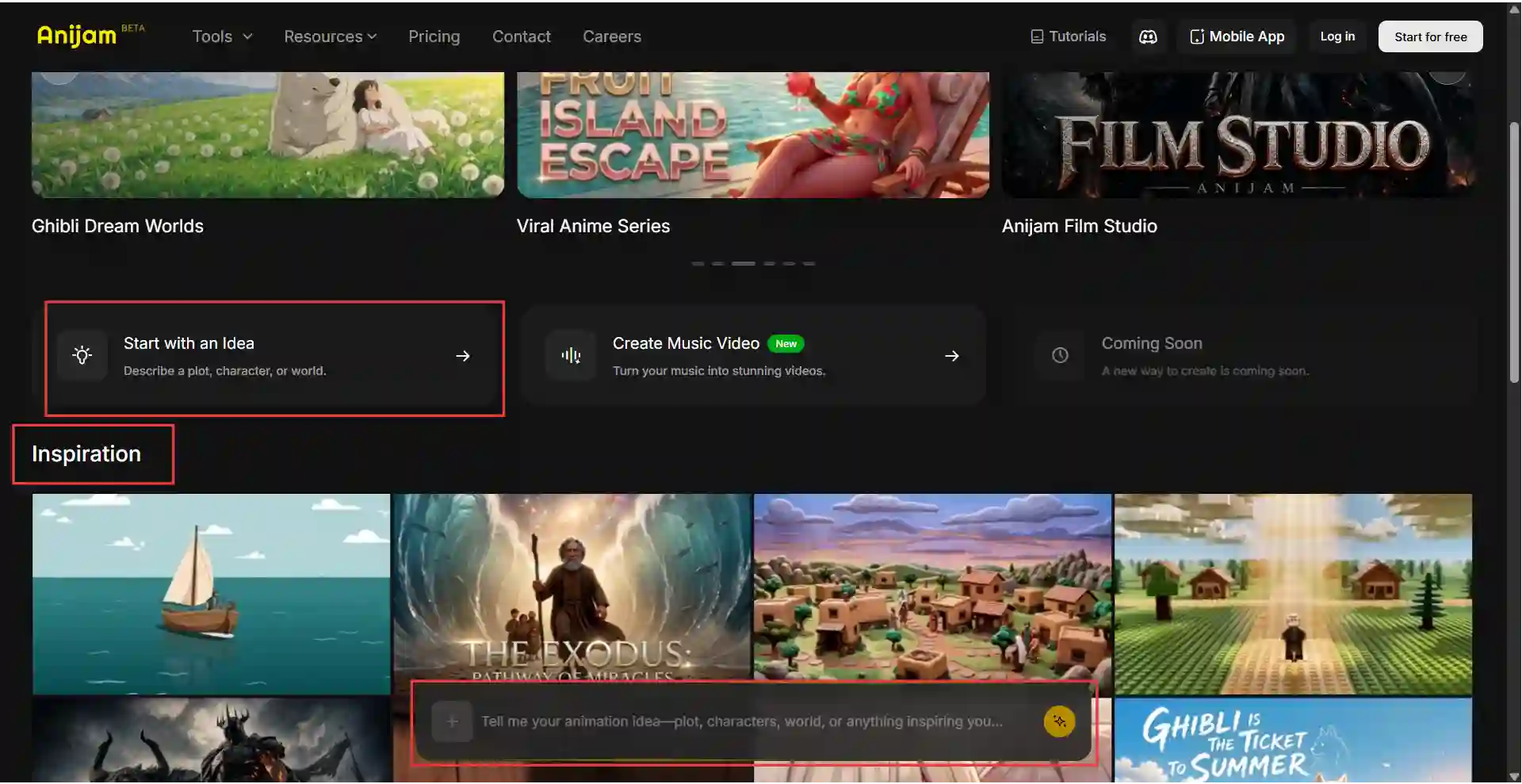
Two Ways to Start
- From the Inspiration Gallery: browse ready-made templates sorted by use case - YouTube, marketing, social media, education, business, and more
- From scratch: you can go with “Start with an Idea” by uploading images, video, script or audio, or just describing your idea.
The Workflow, Step by Step
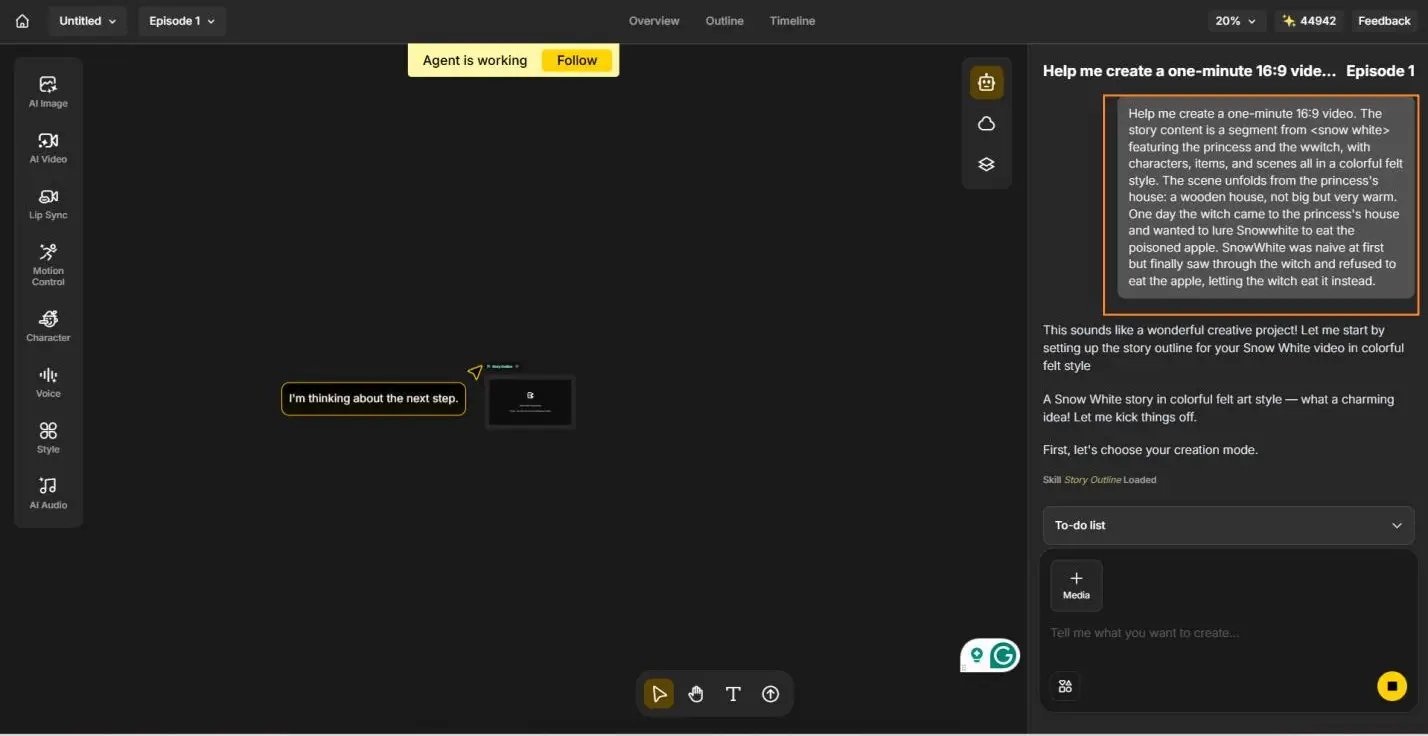
- Step 1: Put In Your Idea
Pick your creation mode and video model, then simply tell the AI Agent what you want - something like “a one-minute story about Snow White and the witch, in a colorful felt style.”
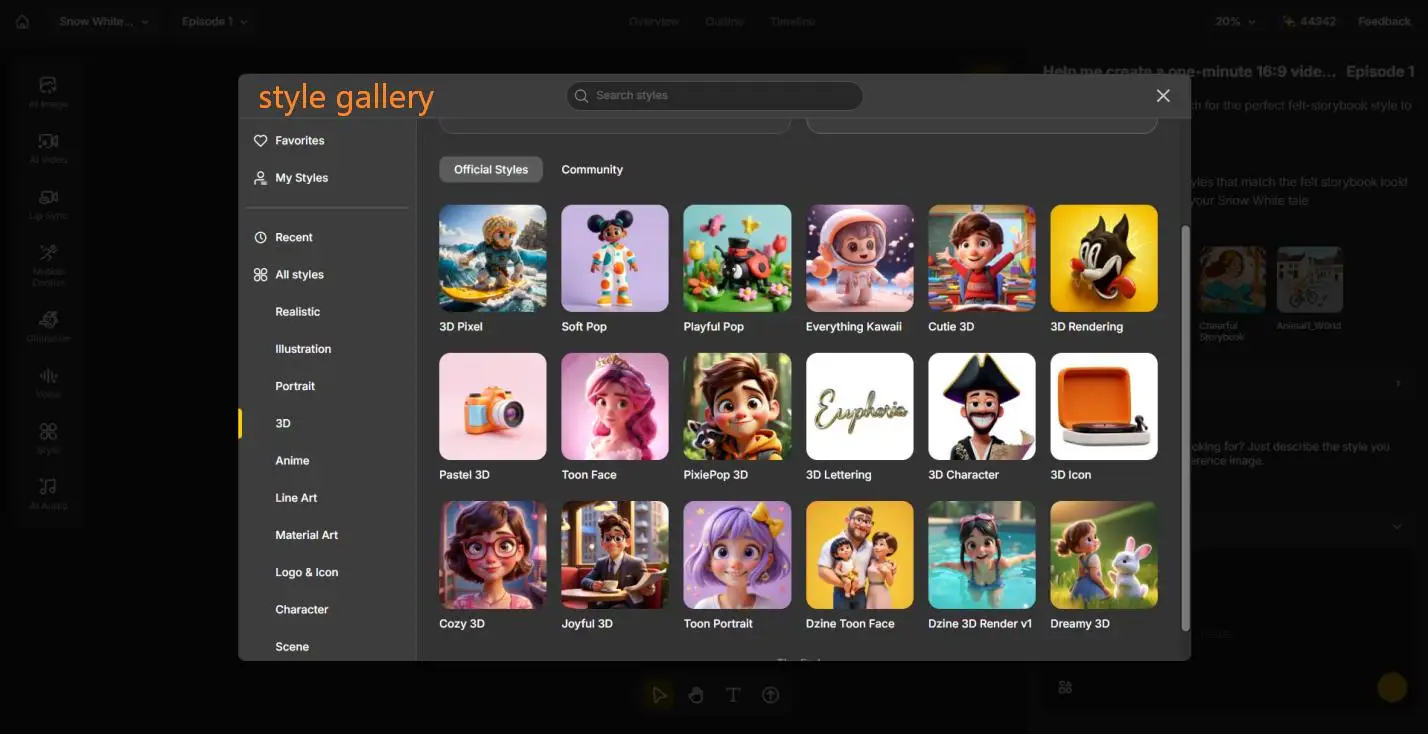
- Step 2: Design the Style
Decide what the world should look like. Browse the style below the conversation or open the full style gallery for more choices from 3D to Realistic. This single decision sets the visual identity for the entire video, so it’s worth a proper scroll before locking it in.
- Step 3: Sketch Out the Concepts
With a style chosen, Anijam breaks your story into its core building blocks: characters, locations, and key items. This is where your cast takes shape - and where the Consistent Character AI keeps each character looking consistent from the first scene to the last, so your heroine isn’t mysteriously wearing a different outfit by the third shot.
- Step 4: Generate Your Concept Images
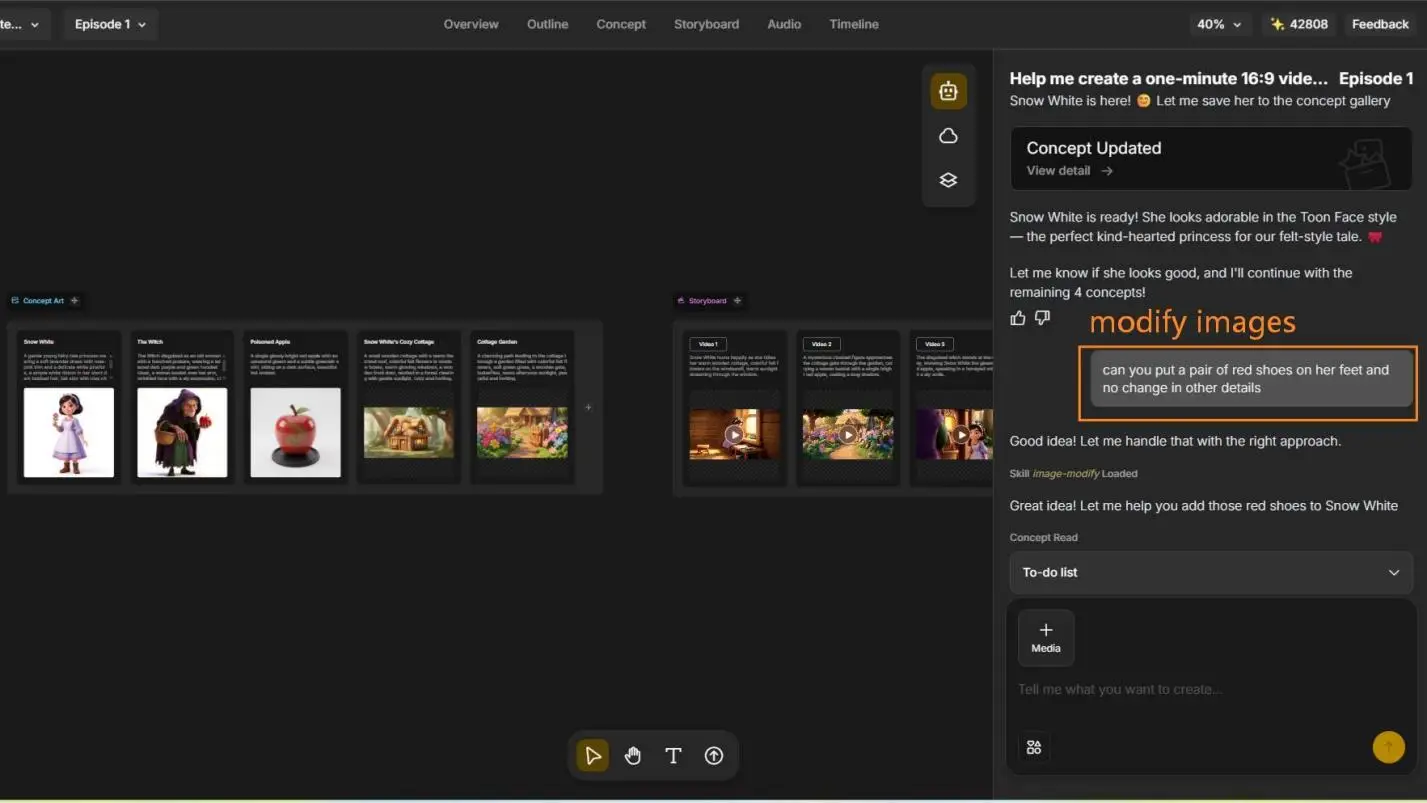
Generate just the first concept to sanity-check the direction, or let Anijam generate all of them at once. Not quite right? Two easy fixes: type a prompt to adjust a specific detail - a change as small as “add a pair of red shoes” - or switch to a different image model, anywhere from Nano Banana Pro to GPT Image 2, for a different look. If a concept isn’t working at all, regenerate it from scratch and try again.
- Step 5: Generate the Video
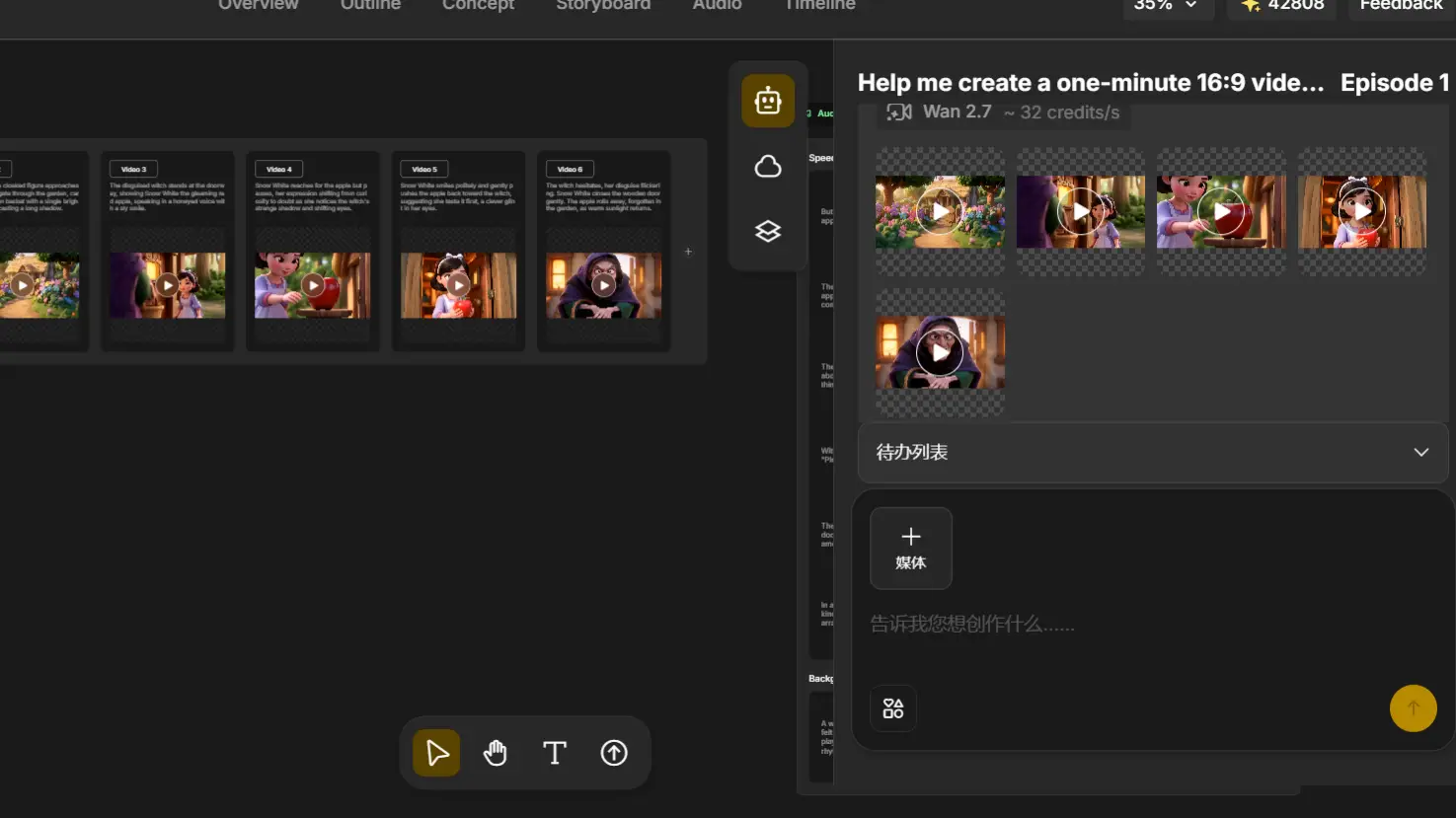
Once the concepts are approved, Anijam turns each one into a full video clip, scene by scene. This is the step where still concept art actually starts moving - characters walk, witches cackle, apples get offered - and your storyboard becomes a real animated sequence.
- Step 6: Add Narration and Music
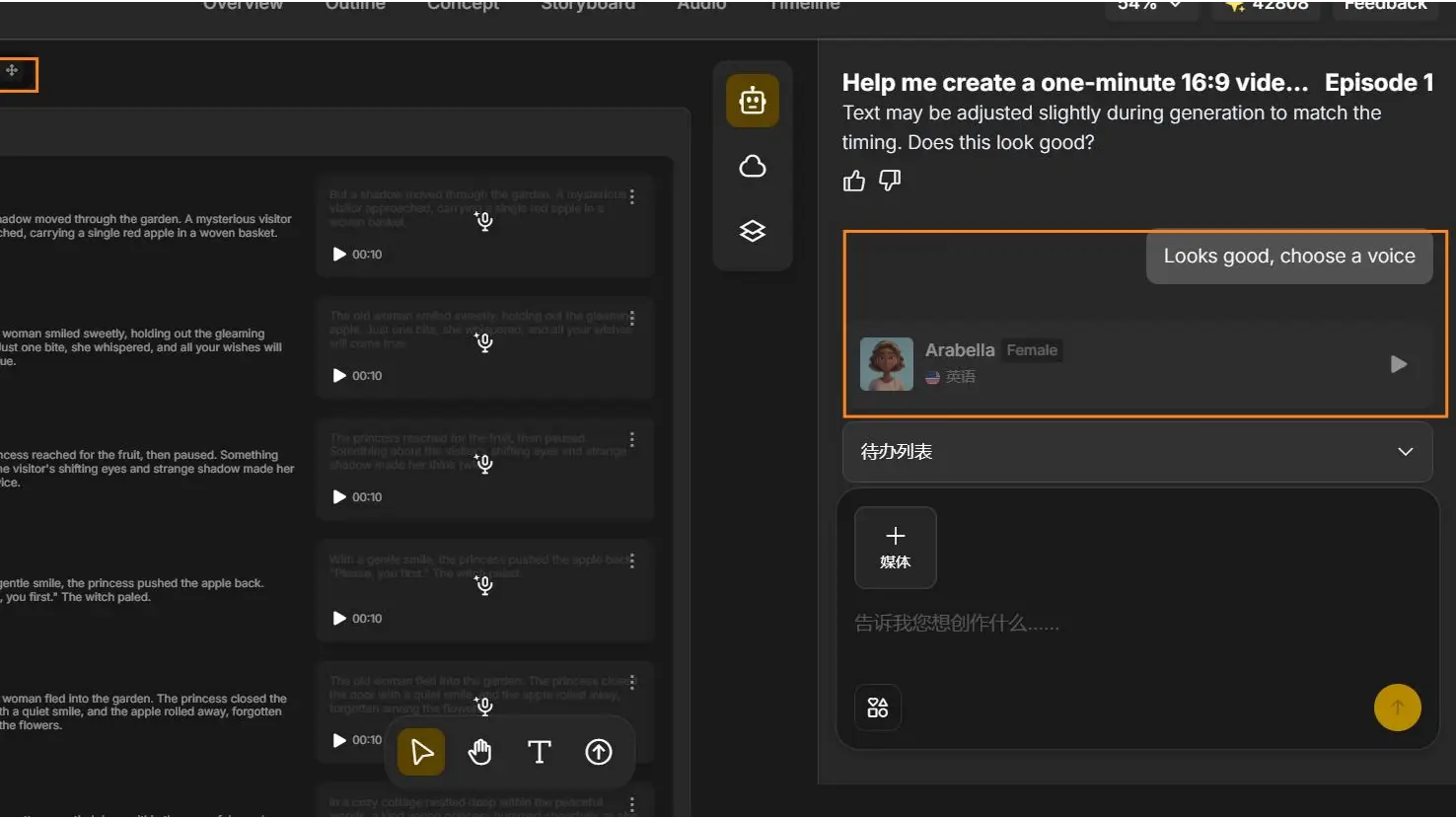
Every story needs a voice. Anijam auto-generates narration lines timed to match your scenes, and you can pick a voice from the voice library to set the tone and the Character Animation Toolkit automatically maps phonemes to mouth shapes and syncs facial expressions.
- Step 7: Edit the Timeline and Export
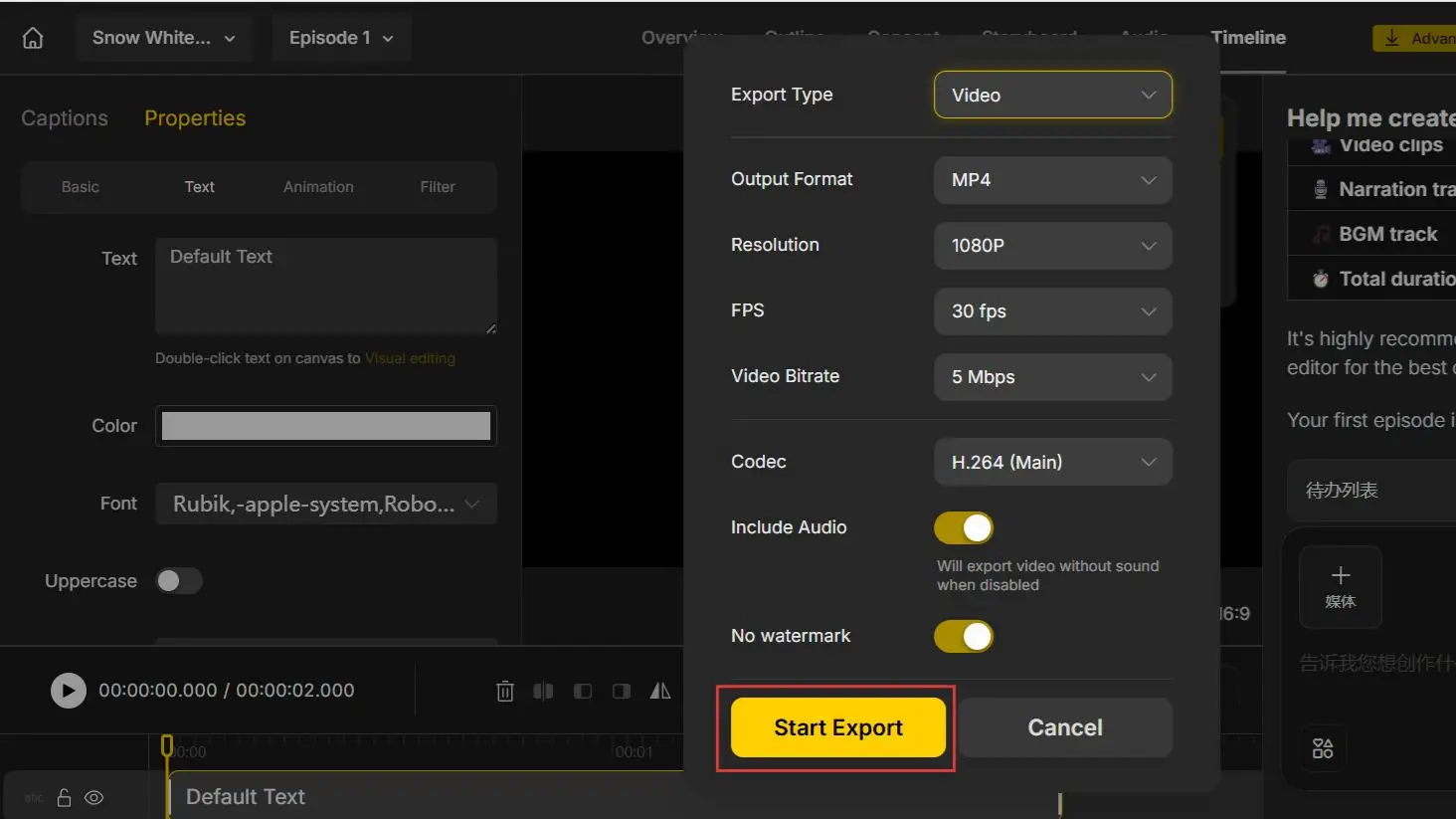
Last step: fine-tune pacing in the timeline editor, then export. Choose your resolution, frame rate, and file format, toggle captions on if you need them, and switch off the watermark with a paid plan. A few minutes later, you have a finished, ready-to-publish animated video - without ever opening a traditional animation program.
Final Thoughts
AI vs traditional animation was never really a fight to the death - it’s a question of which tool fits the job in front of you. Traditional animation still owns precision, frame-level control, and hand-crafted emotional nuance. AI animation owns speed, cost, and accessibility, and it’s closing the quality gap fast.
For most creators, the smartest move is to treat them as two ends of the same toolkit: prototype and produce quickly with an AI animation tool, and reach for traditional methods when a project genuinely needs that extra layer of precision.
If you want to see the difference for yourself, start with a project in Anijam AI animation generator - describe your idea, pick a style, and see a finished animation before you’d normally finish a first storyboard.
Frequently Asked Questions
Is AI animation replacing traditional animation? Not entirely. AI is taking over repetitive, high-volume tasks - rough drafts, background motion, quick previews - while traditional animation still handles the shots that need frame-level precision and emotional nuance. Most studios now use both, not one instead of the other.
Can I make an AI animation without any drawing or animation skills? Yes. Anijam AI is built specifically so you don’t need any drawing, rigging, or animation software experience - you describe your story or upload a script, image, or audio track, and the platform handles the rest, from scene generation to lip sync and export.
Can AI animation match the quality of traditional animation? For fast-turnaround content like social ads and short explainers, AI animation quality is often good enough to publish as-is. For long-form, character-driven storytelling where subtle emotion and exact timing matter, traditional animation - or an AI draft polished by a human animator - still tends to produce the more consistent results.
Can I use AI-generated animation commercially? Yes - on most platforms, including Anijam AI, a paid plan removes the watermark and includes commercial usage rights. Copyright treatment of AI-generated content is still evolving and varies by country, so it’s worth checking a platform’s specific license terms.
What is a hybrid animation workflow, and should I use one? A hybrid workflow uses AI animation for fast, early-stage work - storyboards, background scenes, first drafts - and traditional, hand-animated polish for the shots that need the most precision. It’s worth using whenever you want AI’s speed without giving up control over your most important scenes.
by Evan
Evan is an AI content creator and video technology writer at Anijam AI, focused on how generative AI is transforming storytelling and video production. He shares social trends, creative workflows, prompt strategies, and practical insights to help creators turn ideas into engaging videos and visual content.