


AI Face Swap
Swap any face in a photo or video in seconds without editing skills or software to download. Start free with a trending template or your own upload.
How to Use AI Face Swap on Anijam
Step 1: Pick a Template or Tool
Start with a trending face swap template, or choose an AI Image Model for photos or AI Video Model for clips if you want to use your face swap idea.
Step 2: Upload Your Photos
Upload your face photo, and add your target photo or video if you aren't using a template. Keep the template prompt, or describe the swap in one short sentence.
Step 3: Generate and Download
Click the Generate button, preview the result, tweak your prompt if needed, then download your finished photo or video.
What Will You Create with AI Face Swap?
From funny memes and character transformations to profile photos and shareable videos, bring your face swap ideas to life with Anijam AI.
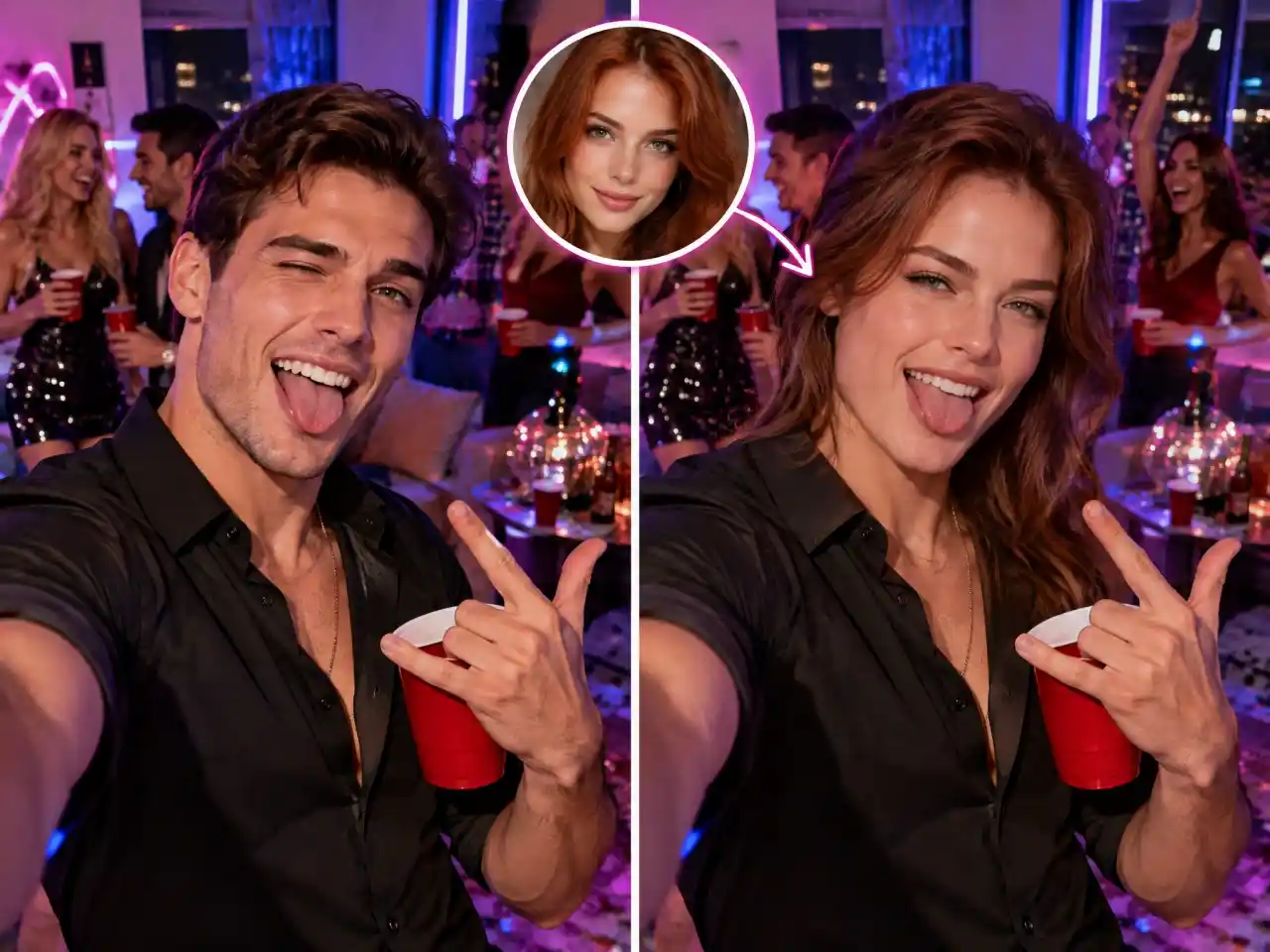
Make Viral Content Your Own
Put your face or a friend's into funny memes, reaction images, and shareable social content. Create personalized edits that are ready for TikTok, Instagram, and group chats.
Swap Faces in Any Photo or Video With One Tool
Want to see yourself in a movie scene, a viral clip, or a group photo without a reshoot? Anijam brings AI face swap for photos, videos, and trending templates into one chat-based workspace, where leading AI models and Consistent Character keep the same face recognizable across every clip.
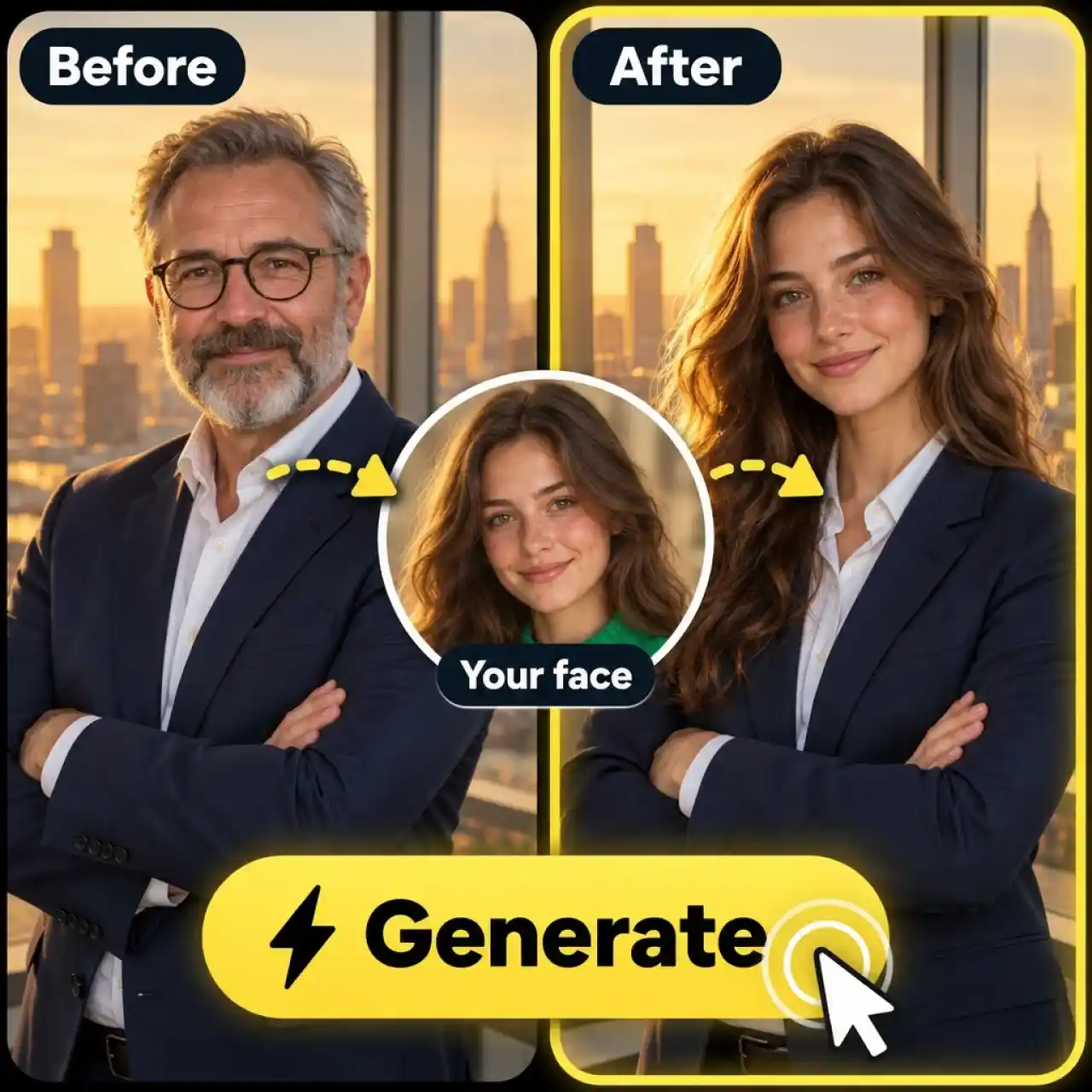
Swap Faces in Photos in One Click
Photo swaps take one click in Anijam. Upload your face and a target photo in AI Image, add a short prompt, and our AI face swap matches skin tone, lighting, and angle so every face swap ai photo result looks natural.
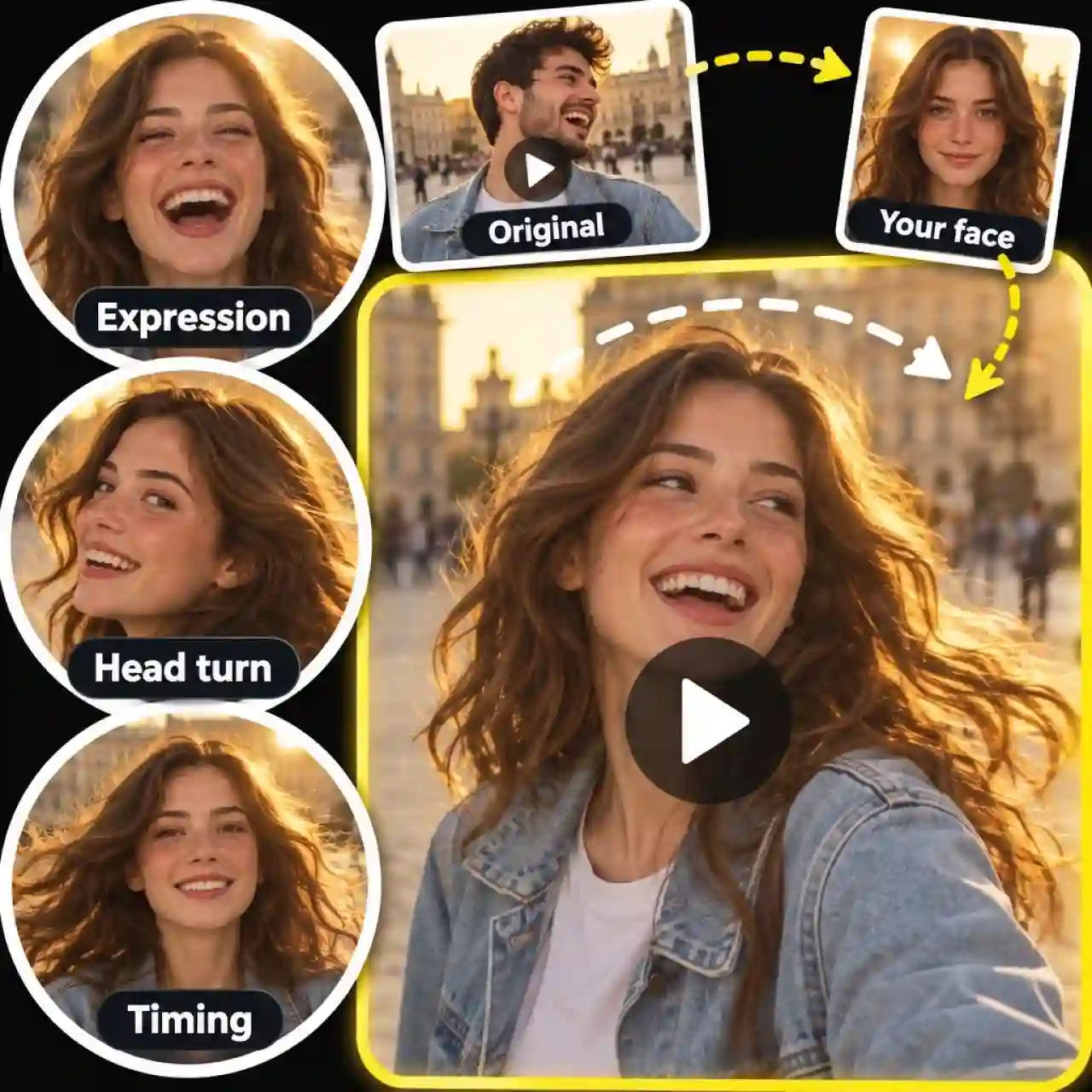
Face Swap Video With Natural Motion
Video swaps keep the original motion, expressions, and timing. Upload a clip in AI Video, add your face photo, and describe the change to create a face swap ai video that is ready for TikTok, Reels, or Shorts, with our AI face swap keeping your face steady through head turns and camera moves.
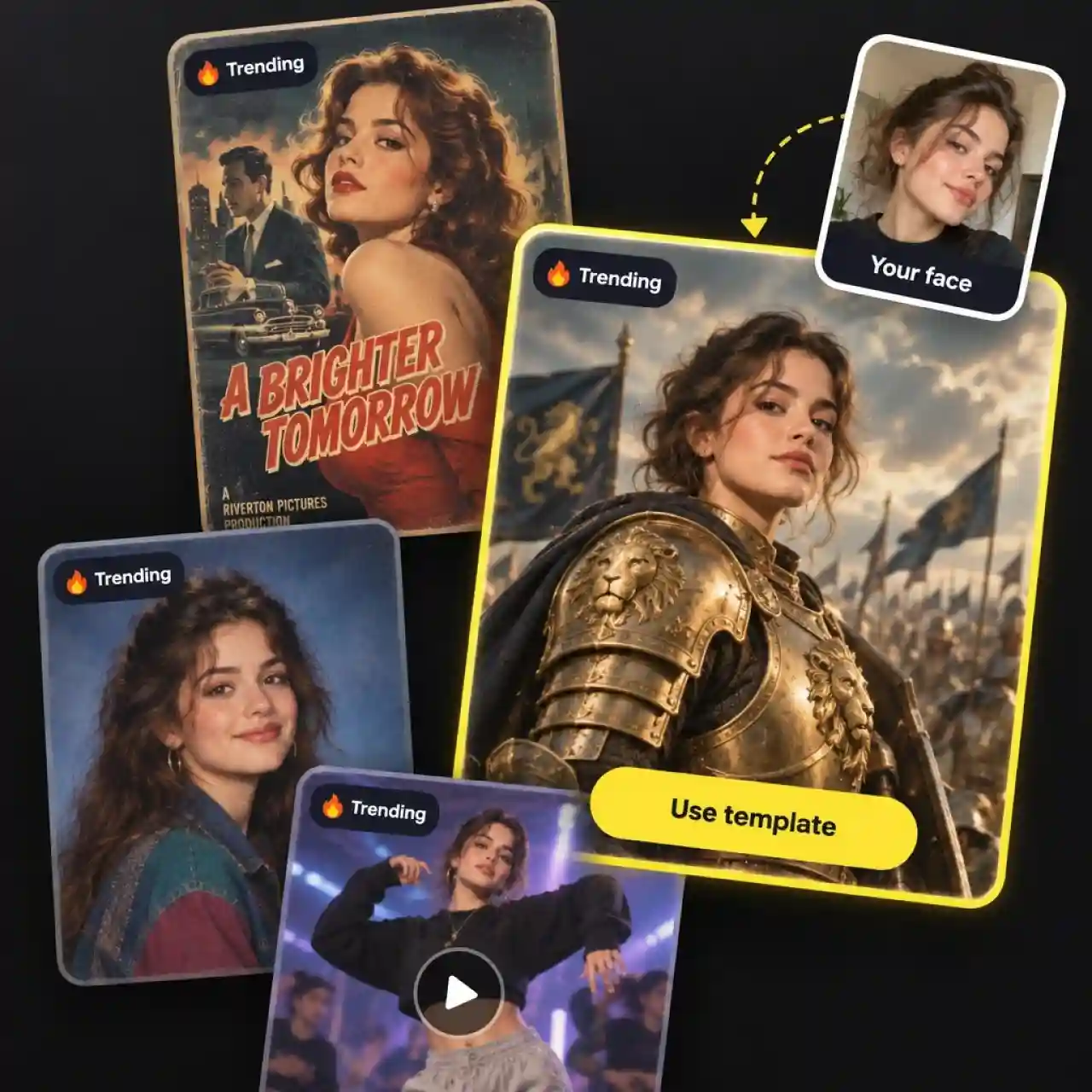
Trending Face Swap Templates Ready to Use
Templates are the fastest way to get a finished swap. Browse trending scenes, drop in your photo, and generate a share-ready clip without writing a prompt, because our AI face swap handles the matching for you.
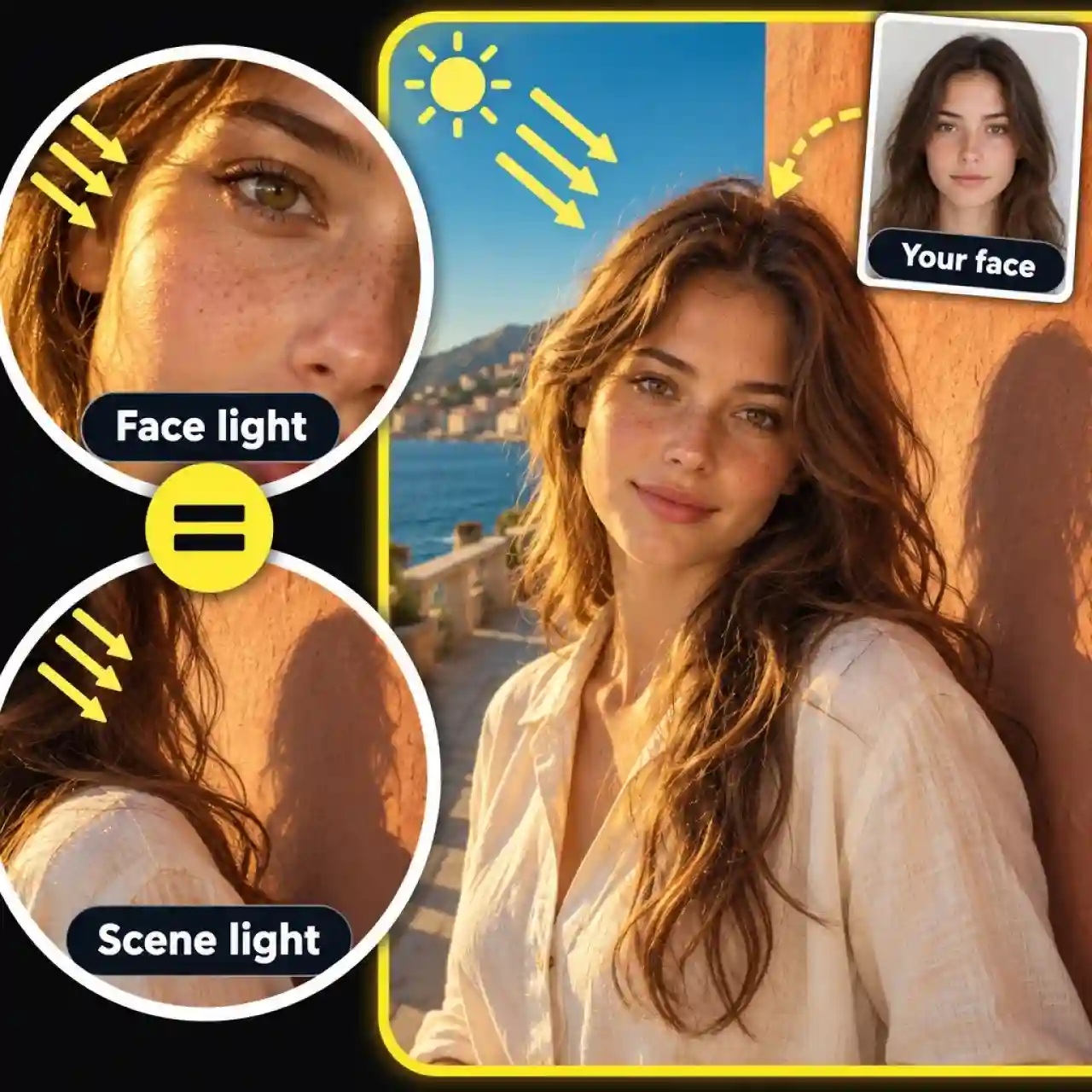
Realistic Face Swaps That Match Lighting
Realistic results come from matching the whole scene, not just pasting a face. Anijam's AI face swap adapts skin tone, light direction, and head angle so the new face belongs in the original shot.
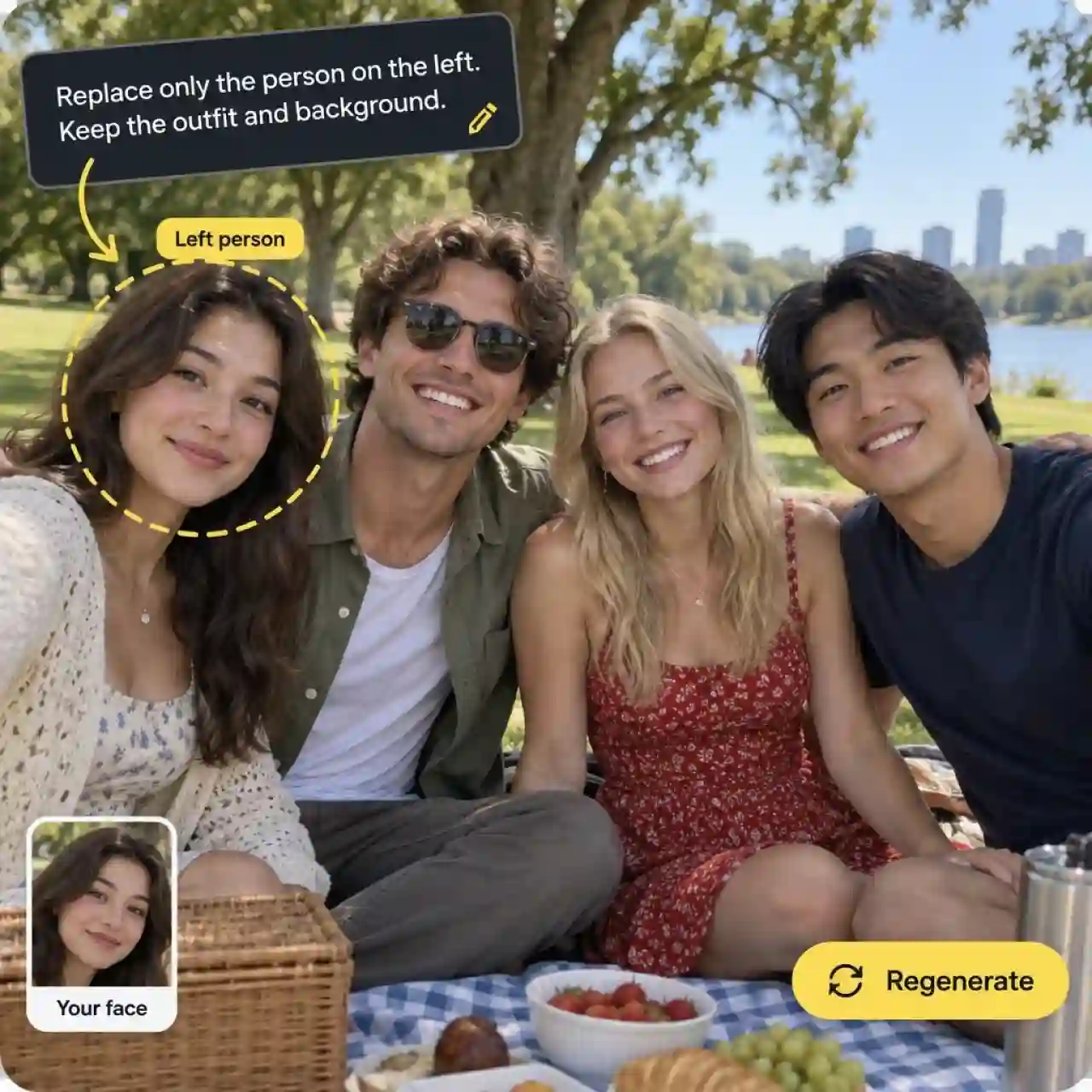
Prompt Control for Precise Face Swaps
A short prompt gives you control over which face changes and what stays the same. Tell our AI face swap to replace only the person on the left, keep the outfit, or hold the background, then regenerate until it looks right.
Why Choose Anijam for AI Face Swap

Free Credits to Start
New accounts get free credits plus a daily check-in bonus, so you can try face swap ai free online before choosing a plan. No credit card is required to sign up.

Easy to Use
Swap faces in photos, video clips, or trending templates with a simple workflow. Upload your images, describe the change, and generate your result.

Web and Mobile Workflow
Use face swap ai online in your browser, or pick up the same project in the Anijam mobile app. Your work stays synced between devices.

High-Quality Face Swap Results
Create natural-looking face swaps with realistic skin tones, facial details, and lighting that fit the original scene.

Watermark-Free
Download your AI face swap photos and videos without watermarks for clean, ready-to-share results.

Private by Default
Keep your creations private by default and stay in control of what you choose to share.
Explore More Anijam AI Creative Tools


FAQ
What is AI face swap?
It replaces a face in a photo or video with another face while keeping the original expression, lighting, and head angle. Deep learning models map facial landmarks, blend skin tone, and render the result in seconds.
Is face swap video AI free to use on Anijam?
You can start for free. New accounts get free credits plus a daily check-in bonus, and no credit card is required to sign up. When you need more credits, you can upgrade to a paid plan at any time.
Can I swap faces in both photos and videos?
Yes. Use AI Image for photo swaps and AI Video for clips, or start from a trending template and swap in your own photo. Each path takes the same three steps: choose, upload, and generate.
Is face swapping legal and safe?
Face swapping is generally fine when you have permission, but laws differ by country and platform, and this is not legal advice. Only swap faces you have the right to use, never use swaps to mislead, impersonate, or harass anyone, and never create intimate imagery of a person without their consent. Please review our Terms of Service before you create.
How do I get the most realistic face swap?
Start with a sharp, well-lit, front-facing photo where hair, hands, or sunglasses don't cover the face. Pick a target whose angle and lighting are close to your photo, and if the first result looks off, adjust your prompt or try another model.