OiiOii AI Review 2026: Features, Pricing, New Updates and the Alternatives
Picture this: you type a single paragraph describing a story, and by the next morning a fully-storyboarded, character-consistent animated short is waiting in your dashboard - no drawing tablet, no rigging, no timeline touched by hand. That’s the promise behind OiiOii AI, the invite-only animation platform that’s been circulating through Discord servers and creator group chats for months.
This OiiOii AI review breaks down what the platform actually does, what’s changed in the 2026 update cycle, how much it costs, and - if the waitlist gives you pause - where else creators are turning to get a similar automated animation workflow today.
What Is OiiOii AI?
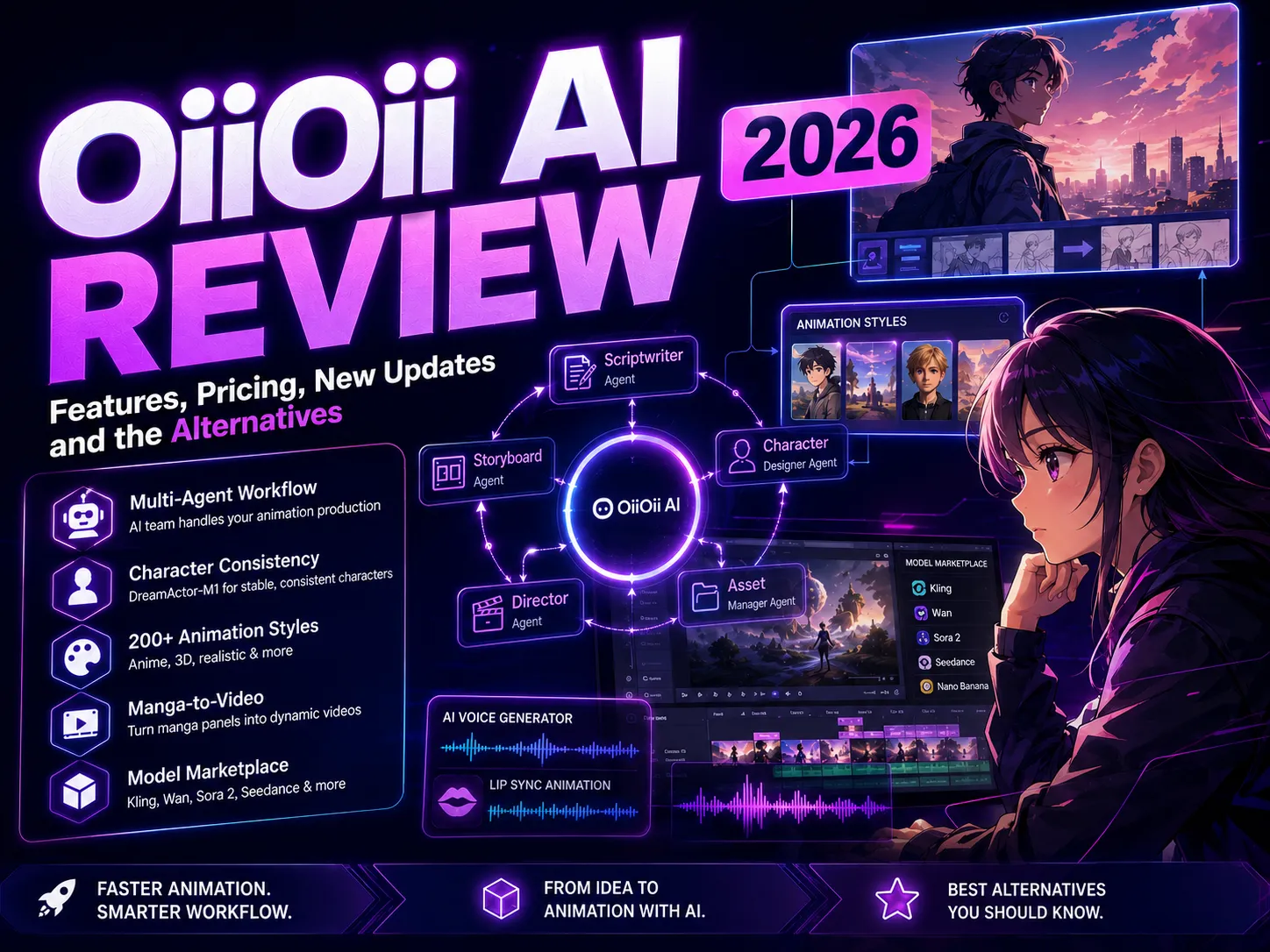
OiiOii AI positions itself as an “AI animation agent team” rather than a conventional video generator. Instead of a single model turning one prompt into one clip, the platform frames animation production as a small virtual studio: a scriptwriter agent, a storyboard artist, a character designer, and a director agent are meant to work in sequence, handling the parts of pre-production that usually eat up the most time.
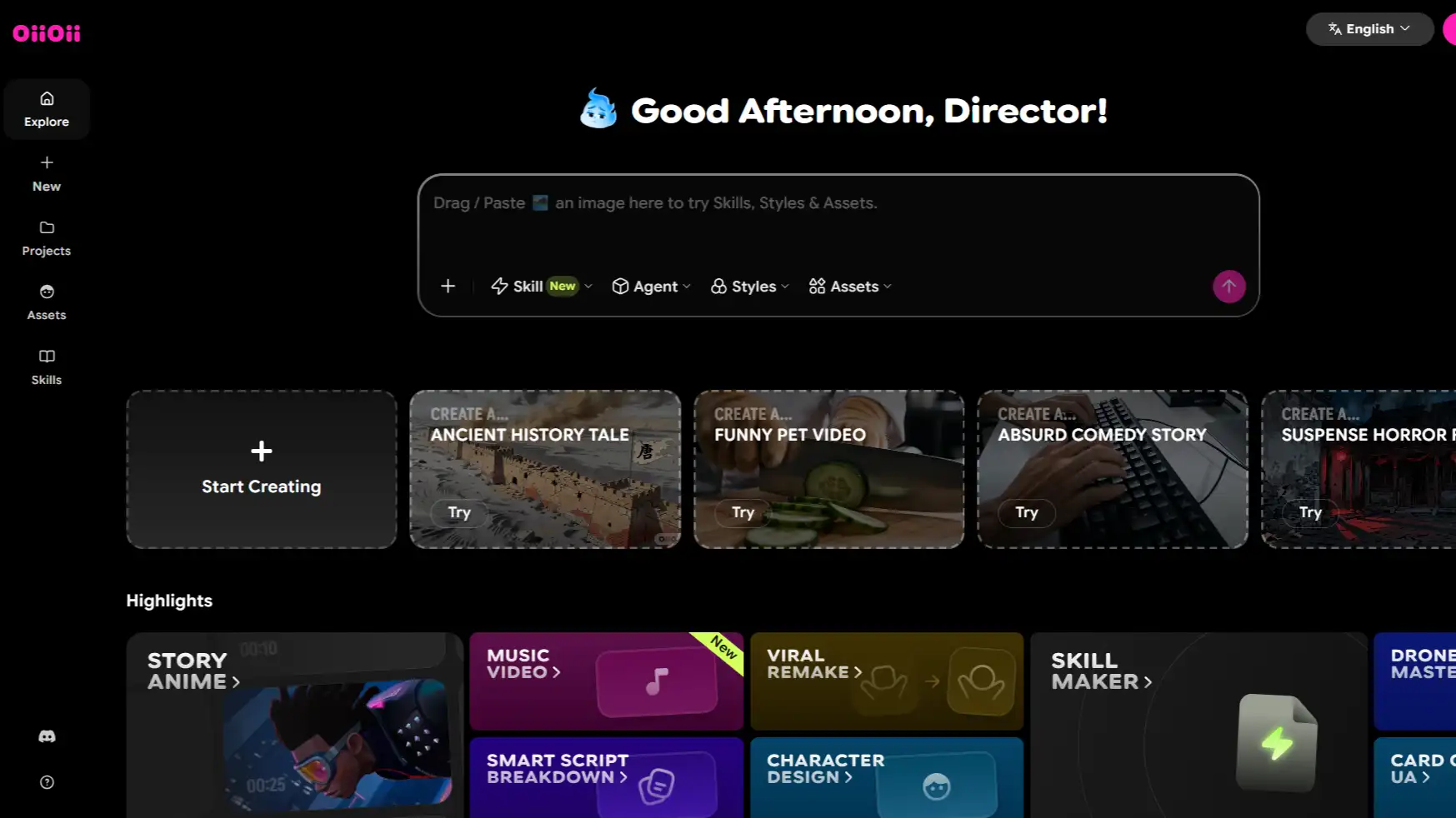
Today, OiiOii has grown well past a single “prompt in, film out” tool. The current version is built around an AI Animation Canvas, where creators generate characters and scenes, save reusable assets, apply pre-built “Skills,” and - increasingly - tap into a growing library of third-party video and image models rather than relying only on OiiOii’s own agents.
Key Features
- Multi-Agent Workflow - separate AI roles draft the script, block out shots, design characters, and assemble the final sequence, automating much of what a small animation studio would normally do by hand.
- Character Consistency via DreamActor-M1 - a character built once can, in principle, keep the same face, outfit, and proportions across different scenes and camera angles, tackling one of AI video’s most persistent problems: character drift.
- Hosted Mode vs. Dialogue Mode - Hosted Mode is a one-click flow with no mid-process editing, built for quick tests. Dialogue Mode is slower but interactive, letting you review the script, shots, or character design before committing to a final render.
- 200+ Animation Styles - from Japanese anime and Chinese donghua to Western 3D and painterly looks, plus support for describing a fully custom style directly in a prompt.
- Manga-to-Video - one of OiiOii’s most specific selling points: turning static manga or comic panels into animated sequences, complete with camera movement and motion.
- A Growing Model Marketplace - beyond its own agents, OiiOii’s Canvas now gives creators direct access to a long roster of third-party models, including Kling, Wan, Seedream, Seedance, Sora 2, and Nano Banana, so a project isn’t limited to one proprietary pipeline.
Pros & Cons
Pros
- A genuinely ambitious approach - few competitors attempt full pre-production automation rather than single-clip generation
- DreamActor-M1-backed character consistency is a real differentiator for narrative or episodic content
- Dialogue Mode gives meaningful creative control for users who don’t want a pure black-box result
- A growing model marketplace means projects aren’t locked into one engine for every shot
- Major backing suggests real resourcing behind ongoing development
Cons
- Access has historically been invite-only, and even the recent public launch was tied to a limited beta cohort
- Output between agents can be inconsistent - testers report multi-agent hand-offs don’t always land cleanly on the first pass
- A steeper learning curve than one-click generators, especially inside Dialogue Mode
- Pricing still isn’t fully transparent, with figures varying across sources
- Strict content filters mean straightforward action or conflict prompts often need indirect rewording to pass moderation
OiiOii AI Pricing
OiiOii runs on a credit-based system (referred to on the platform as “boxes”) layered under named membership tiers - BASE, STAR, PRO, and APEX.
New users start with a free credit balance (currently 60 credits, plus a daily check-in bonus and +200 credits for each successful referral), and can then either subscribe to a recurring plan or buy credits as a one-time top-up, so heavier users aren’t locked into a monthly subscription if they’d rather pay per batch.
Note: OiiOii’s official pricing page displays rates in Chinese yuan (CNY); approximate USD figures are included below for reference, but always check the live page for your region’s current pricing.
| Tier | Price (CNY/mo) | ≈ USD/mo* | Monthly Credits |
|---|---|---|---|
| Free | - | - | Starter credits, plus a daily check-in bonus and referral credits |
| BASE | ¥88 | ~$12 | 1,620 |
| STAR (Most Popular) | ¥259 | ~$36 | 3,930 |
| PRO | ¥639 | ~$89 | 9,240 |
| APEX | ¥1,319 | ~$184 | 19,550 |
*USD figures are approximate conversions for reference only and may not reflect OiiOii’s actual regional pricing.
All paid tiers include watermark-free export, 1080p HD export, and access to OiiOii’s core video models (Seedance 2.0 Pro/Fast/mini plus additional third-party engines at up to 33% off) and image models (up to 36% off), with concurrent storyboard limits - and discount depth - scaling up by tier. Always check OiiOii’s official pricing page before subscribing, since rates and promotions can change.
What’s New in OiiOii AI (2026)
That’s the platform as most reviewers have described it so far, but OiiOii hasn’t stood still. Its release pace picked up noticeably in mid-2026, marking a shift from a closed community experiment toward a more public product.
U.S. Launch (July 2026) - OiiOii officially announced its U.S. launch on July 28, 2026, bringing its team of seven specialized AI agents, from scriptwriter to sound director, to American creators and studios. The announcement noted the platform had already drawn 100,000 sign-ups for just 100 beta spots before this wider release, and confirmed creators keep full ownership and commercial rights over everything they generate.
Music Video Feature - OiiOii added an end-to-end music video pipeline that analyzes a song’s music and lyrics, builds a narrative script around it, generates matching visuals, and assembles a fully edited video with cinematic subtitles, turning a single audio file into a finished video without a separate editing pass.
Voice Cloning - creators can now build a custom voice profile from an audio sample and reuse it across future projects, so an animated character keeps the same voice without re-recording every time.
Expanded Model Marketplace - OiiOii’s Canvas now plugs into 30+ third-party foundation models, including Kling’s newer releases (a model family we cover in more depth in our Kling AI review), Wan, Seedream, and Sora 2, a shift from a single closed pipeline toward more of a hub for multiple video models.
How OiiOii AI Works
Here’s what the OiiOii AI workflow actually looks like once you have access, from securing an invite to exporting a finished clip.
- 1. Get an invite code - access still runs through invite codes distributed via OiiOii’s Discord server and X account, and occasionally through partner sites.
- 2. Start a project and choose your mode - pick Hosted Mode for a fast, one-click result, or Dialogue Mode if you want to review and adjust each stage.
- 3. Let the agent team build it out - the script, storyboard, character design, and scene assembly move through OiiOii’s agents in sequence.
- 4. Review and refine - in Dialogue Mode, you can adjust dialogue, reframe shots, or redesign characters before committing resources to final rendering.
- 5. Export your animation - finished projects can be exported once rendering completes, and creators retain full ownership and commercial rights over everything they generate.
Who Is OiiOii AI Best For?
OiiOii tends to reward a fairly specific type of creator rather than working equally well for everyone. Use the checklist below to see how closely your own workflow matches what the platform is actually built for.
OiiOii AI is likely a good fit if:
- you’re a solo creator building narrative or character-driven content, especially anime-style shorts or manga adaptations
- you’re comfortable navigating an evolving beta product - some inconsistency in exchange for early access to a genuinely different workflow
- character continuity across scenes matters more to you than guaranteed, instant output
- you don’t mind rewording prompts around content filters for anything involving conflict or mature themes
OiiOii AI is probably not the right fit if:
- you need reliable, fast turnaround today rather than waiting on an invite code
- you want transparent, flat pricing before committing to a subscription
- you’d rather use a familiar one-click generator than learn a multi-agent workflow
- real-time team collaboration is a requirement for your production process
Popular Use Cases
- Content Creators - faceless or narrative-driven YouTube and social channels that need pre-production handled automatically
- Educators - animated explainer content built from a script rather than manual illustration
- Game Studios - quick character concept animation and story previsualization
- Brands - short, story-driven marketing or promotional content with a distinct animated look
Is OiiOii AI Worth It?
For creators who specifically want manga-to-video conversion, multi-agent pre-production automation, and are willing to tolerate an invite gate and occasional agent inconsistency, OiiOii is one of the more technically interesting options available right now - DreamActor-M1’s character consistency alone puts it ahead of many single-model competitors.
For everyone else - creators who want to start today, need predictable pricing, or don’t want to learn a new multi-agent interface - the appeal is harder to justify while access and pricing remain this unsettled. If that’s where you land, it’s worth looking at platforms that offer a comparable automated workflow without the waitlist.
Popular OiiOii AI Alternatives 2026
OiiOii isn’t the only platform chasing “describe an idea, get a finished animation.” A few other tools are worth knowing about before you commit to a beta code.
A Few Other OiiOii AI Alternatives
- Anijam AI - the closest match to what OiiOii is trying to do: automated scene planning, built-in character consistency, and a single connected pipeline from idea to finished video, but open to sign up today, with no invite code or waitlist. Covered in detail below.
- Pollo AI - built around a broader creative agent with more workflow variety (marketing video, UGC ads, news-style content) on top of storytelling, plus a built-in lip-sync, upscaling, and editing toolkit that OiiOii doesn’t offer natively.
- Higgsfield AI - a multi-model AI video platform that leans on switching between engines rather than a scripted agent handoff, giving creators more manual, shot-by-shot control for those who’d rather art-direct than delegate.
How to Get Started with Anijam AI
Anijam AI is one of the most direct OiiOii alternatives - automated planning, consistent characters, and a single connected pipeline, without an invite code or waitlist standing between you and your first project.
- No waitlist - sign up and start generating immediately
- A full pipeline in one place - Anijam AI plans scenes, animates characters, syncs dialogue, and assembles a finished video from text, a script, an image, or audio
- Built-in character consistency, so the same character can appear across multiple scenes without redesigning it each time
- Access to multiple leading video models inside one canvas, so you’re not limited to a single engine
- Trending video templates on the app - jump-start a project with a proven, trend-ready format instead of starting from a blank prompt
- Built-in episode tools to create, add, and manage episodes - keeps recurring characters and a consistent visual style locked in from one episode to the next
- Transparent, published pricing with a clear entry-level plan
Creating animations takes a few steps:
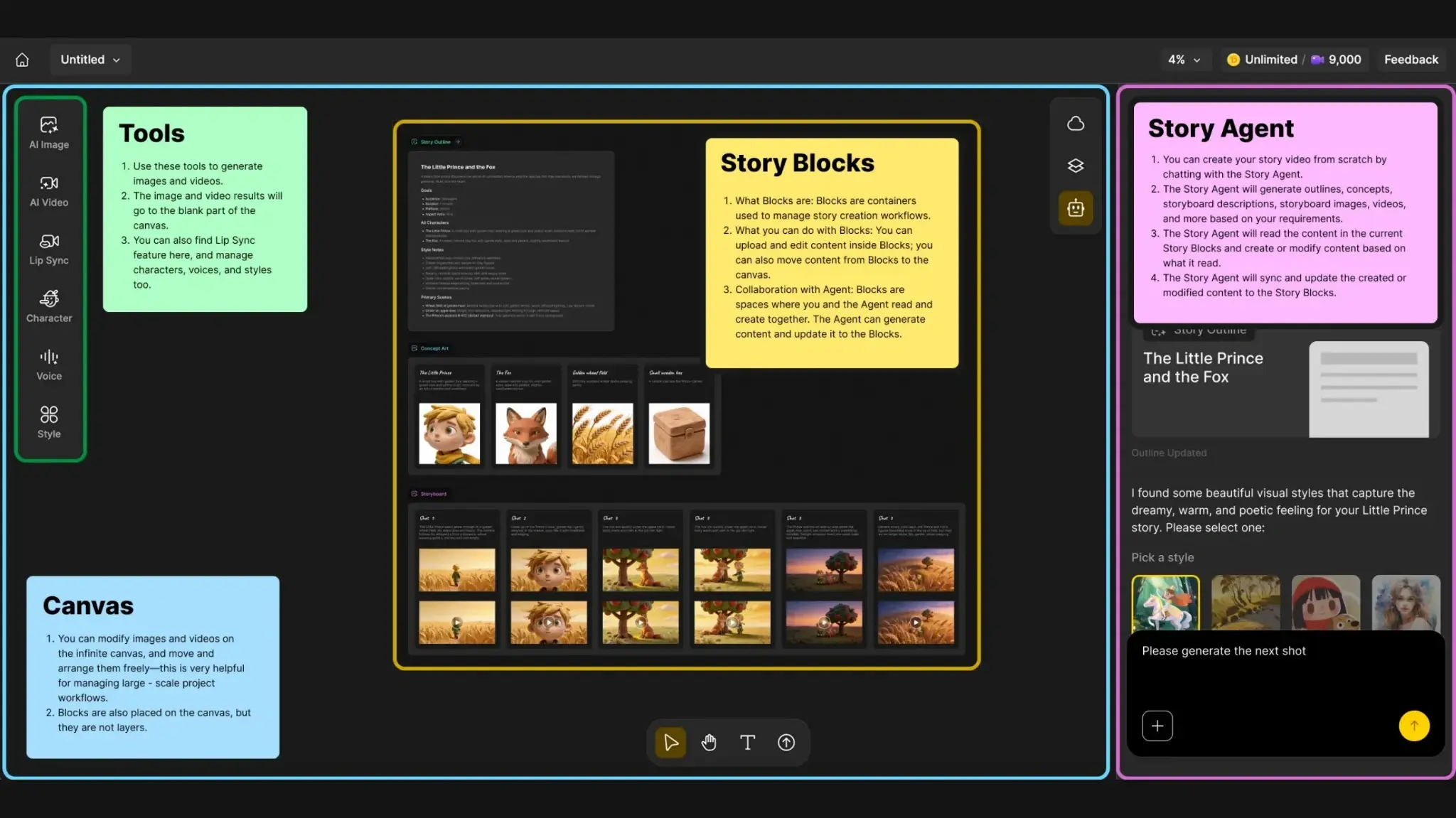
Step 1: Describe your idea and generate a story outline
Start with a simple prompt describing your video idea, characters, appearance, setting, or drop in a script, image, video or audio clips. Anijam AI can optimize your scripts and generate animations using the Script to Animation AI tool.
Anijam AI will use your input to generate a story outline with suggested characters and scenes, giving you a starting point for the rest of the production.
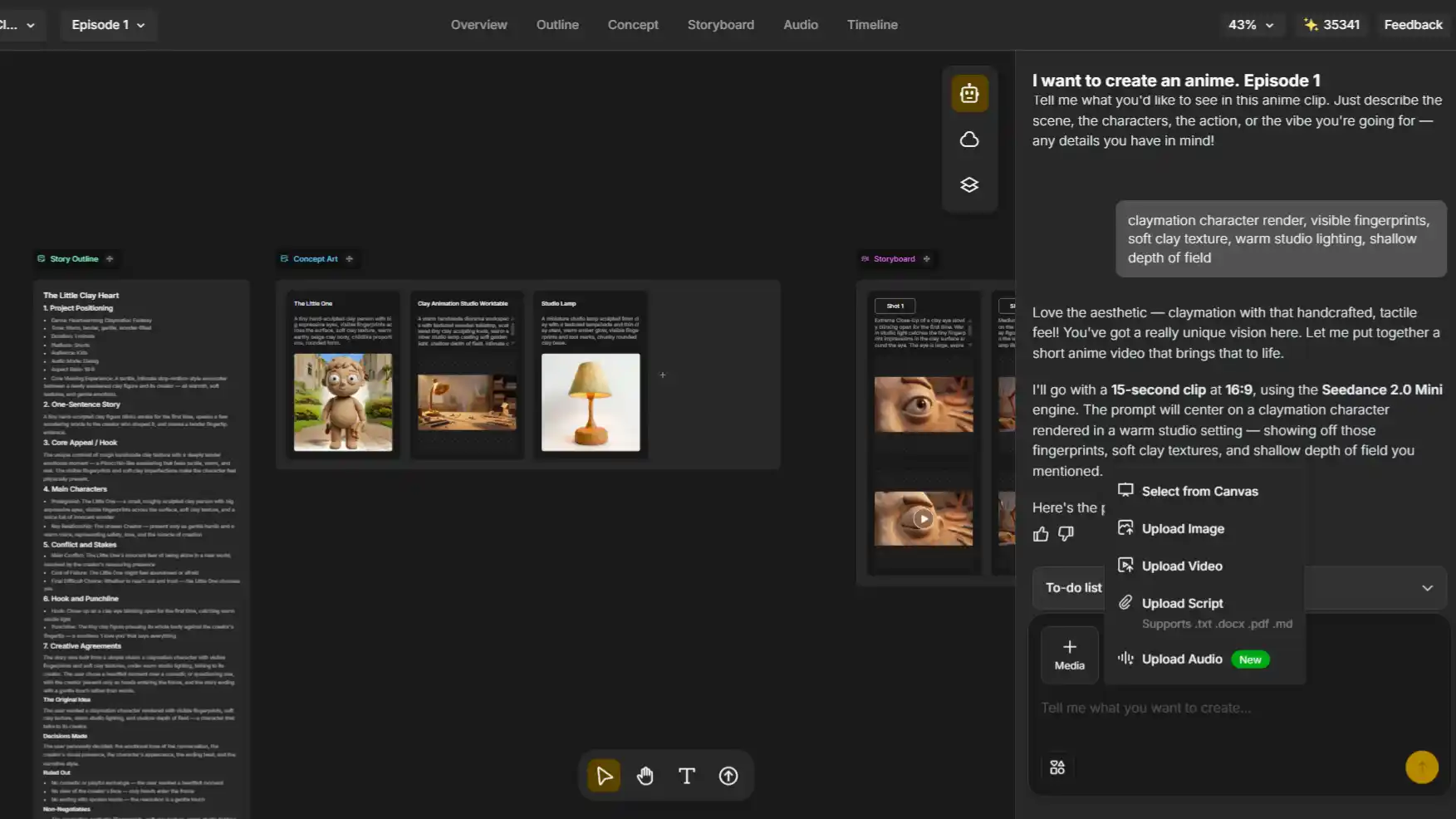
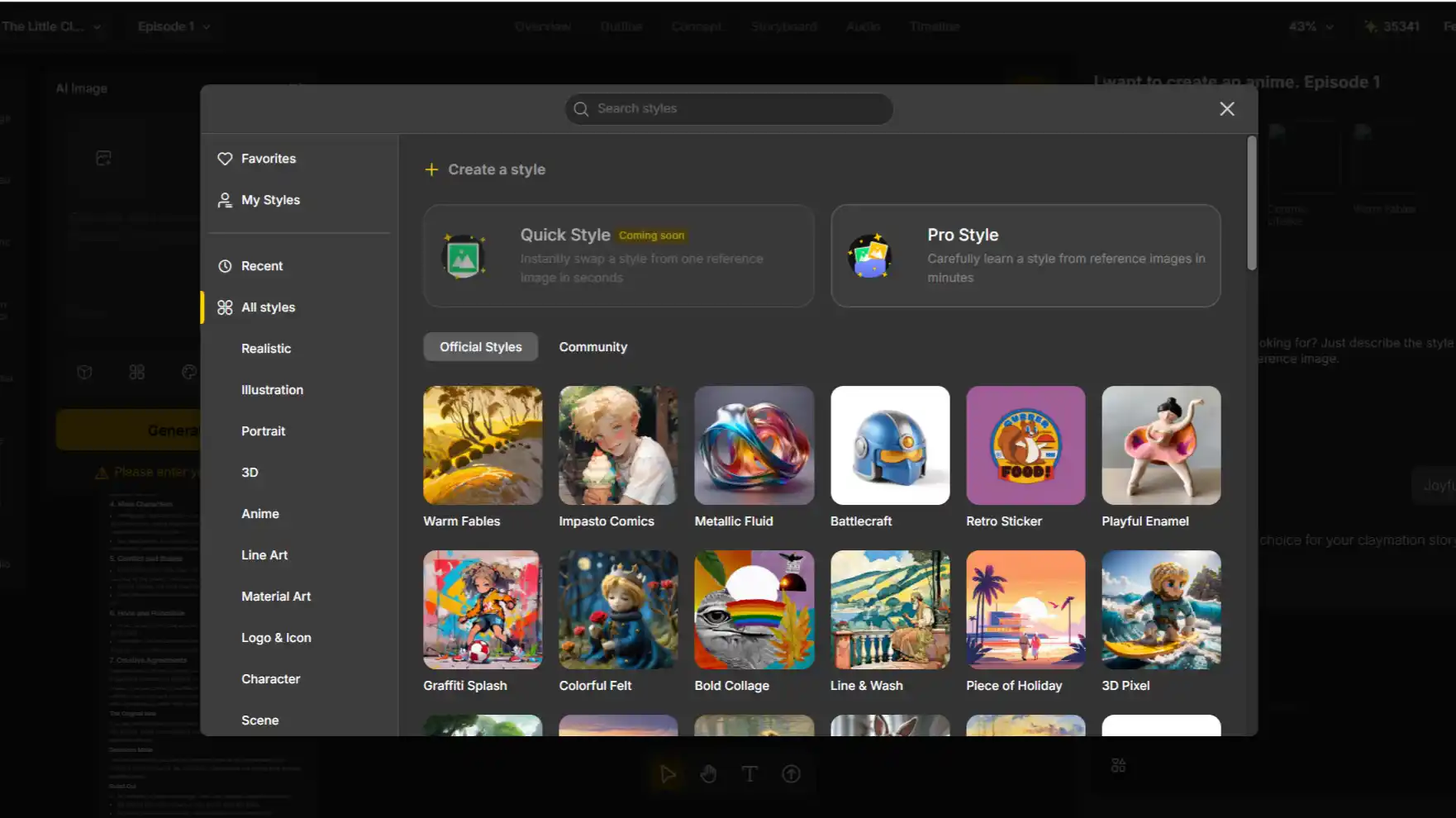
Step 2: Choose your animation style
Select from the style options suggested by the agent based on your story, or explore more options in the Style Library from Ghibli-inspired to 3D cinematic. Pick the style that best matches the mood and look you want for your video before moving on to generation.
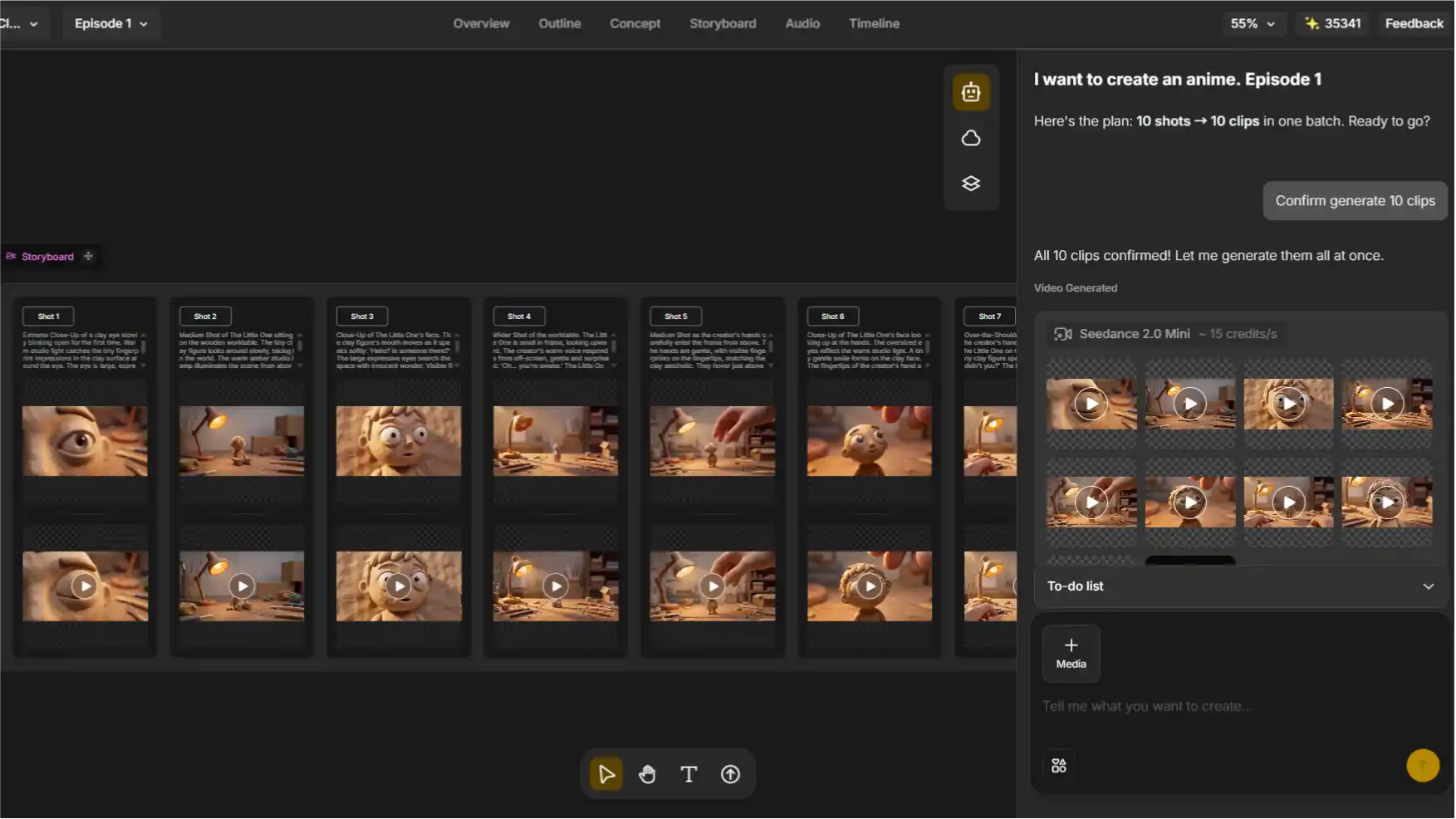
Step 3: Generate images, shots, clips, and your video
Anijam AI turns the outline into animated shots while keeping character appearance consistent across the sequence. You can review the generated content as the project develops before bringing the shots together into a complete video.
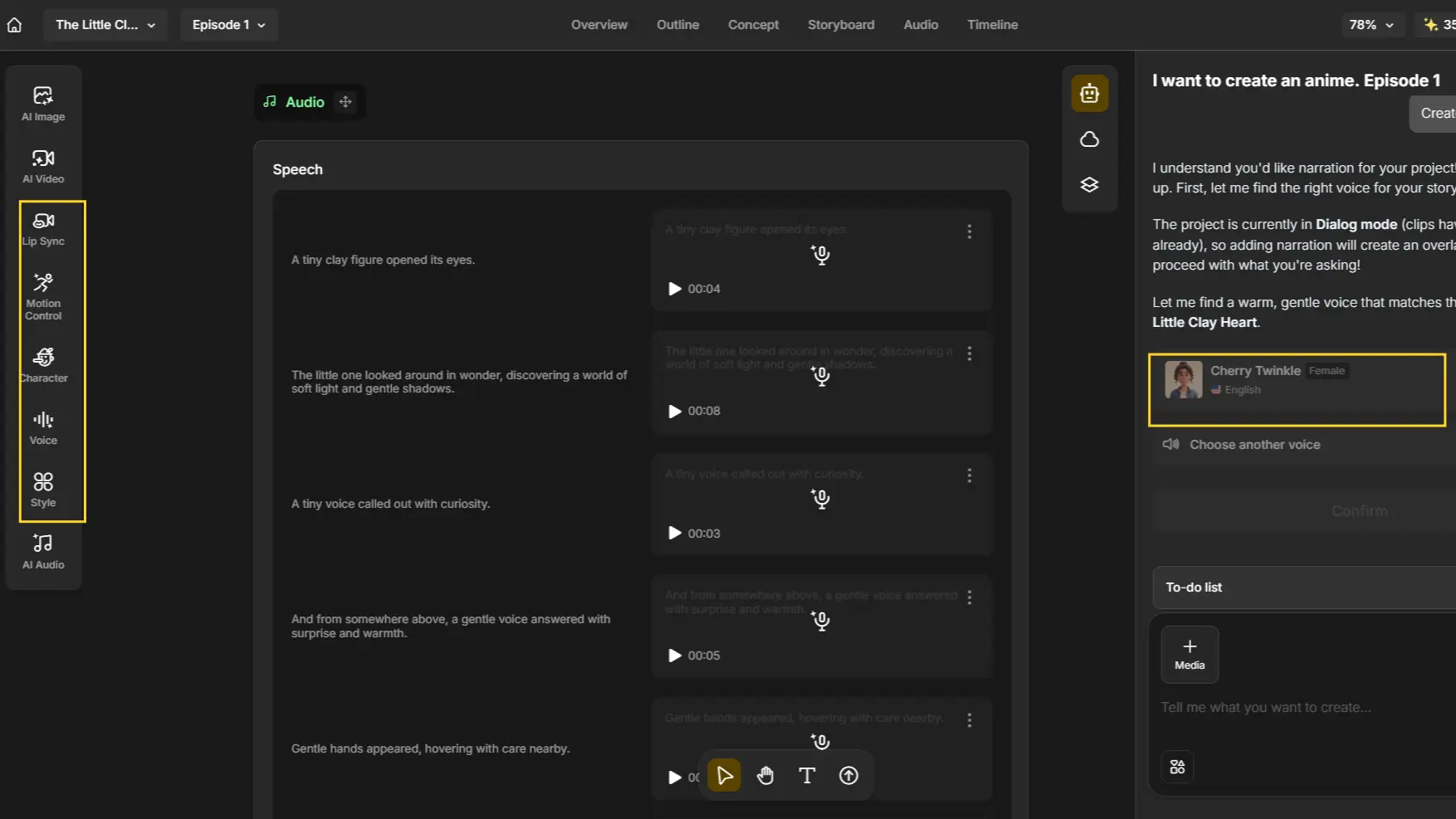
Step 4: Add music, voice, lip-sync and motion
Anijam AI can generate background music for your project, or you can add speech by exploring available voices. If you prefer to use your own voice, upload your audio and use it for the character’s dialogue.
You can also open the Voice Module, where the Anime Voice Generator creates an anime-style voice and automatically syncs it to your character’s lip movements.
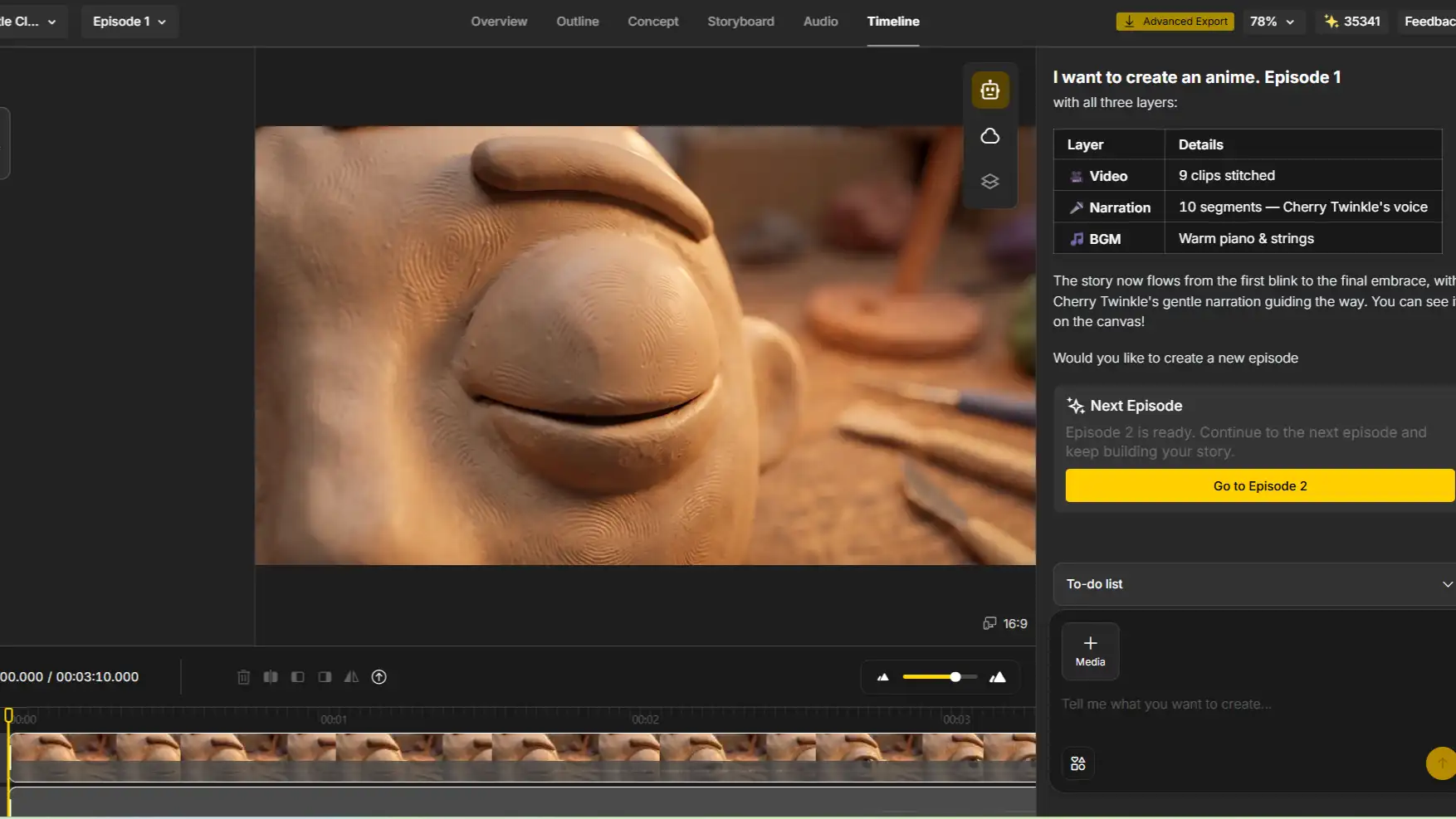
Step 5: Polish and export
Review the complete animation and make any necessary adjustments to the visuals, audio, or timing.
Once everything looks and sounds right, you can export the finished video and share it on your preferred platform.
For creators who like OiiOii’s “AI does the heavy lifting” pitch but don’t want to gamble on beta access, Anijam offers a comparable creative workflow that’s ready to use today.
Final Thoughts
OiiOii AI remains one of the more ambitious ideas in AI animation - a real attempt at automating the full creative pipeline, backed by genuinely differentiated character-consistency technology. The 2026 updates, from the U.S. launch to the expanded model marketplace, show a team actively building it out rather than standing still.
That said, it’s still a work in progress: limited access, inconsistent agent output, and pricing that’s hard to pin down make it a bigger commitment than most AI video tools right now. If you’d rather start creating immediately with a similarly automated, character-consistent workflow, Anijam AI is built to take you from idea to finished animation without the wait.
Frequently Asked Questions
Is OiiOii AI free? OiiOii offers a limited free allowance - reportedly around 1,000 tokens - on signup during its beta. Paid subscriptions reportedly start around $15/month for the entry BASE tier. Always confirm current numbers on OiiOii’s official pricing page, since beta pricing has shifted more than once.
Is there an OiiOii AI app? Not a native app-store app at this time. OiiOii is web-based, and its site can be installed as a mobile web app via “Add to Home Screen” in your browser, but there’s no confirmed, widely available iOS or Android app as of writing. If having a dedicated mobile app matters to your workflow, Anijam AI offers native iOS and Android apps, with projects synced to your account so you can start an animation on desktop and pick it back up on your phone.
How do I get an OiiOii AI invite code?
Codes circulate primarily through OiiOii’s official Discord server and X account, and occasionally through partner creators or affiliated sites. There’s no public self-serve signup that guarantees immediate access.
Does OiiOii AI support voice and dialogue?
Yes - OiiOii includes built-in text-to-speech and, as of 2026, voice cloning from an audio sample, though English TTS quality is still considered a weaker point compared to dedicated voice tools.
Can teams collaborate on OiiOii AI?
Real-time collaboration isn’t currently supported. Teams typically work around this by sharing an account or exporting assets for teammates to import into their own projects.
What’s the best OiiOii AI alternative?
It depends on what you need most. Anijam AI is the closest match for OiiOii’s core pitch - automated, character-consistent animation - without an invite code. Pollo AI suits creators who want a broader marketing-and-UGC toolkit, and Higgsfield AI suits those who’d rather switch between models manually than follow a fixed agent pipeline.
by Evan
Evan is an AI content creator and video technology writer at Anijam AI, focused on how generative AI is transforming storytelling and video production. He shares social trends, creative workflows, prompt strategies, and practical insights to help creators turn ideas into engaging videos and visual content.