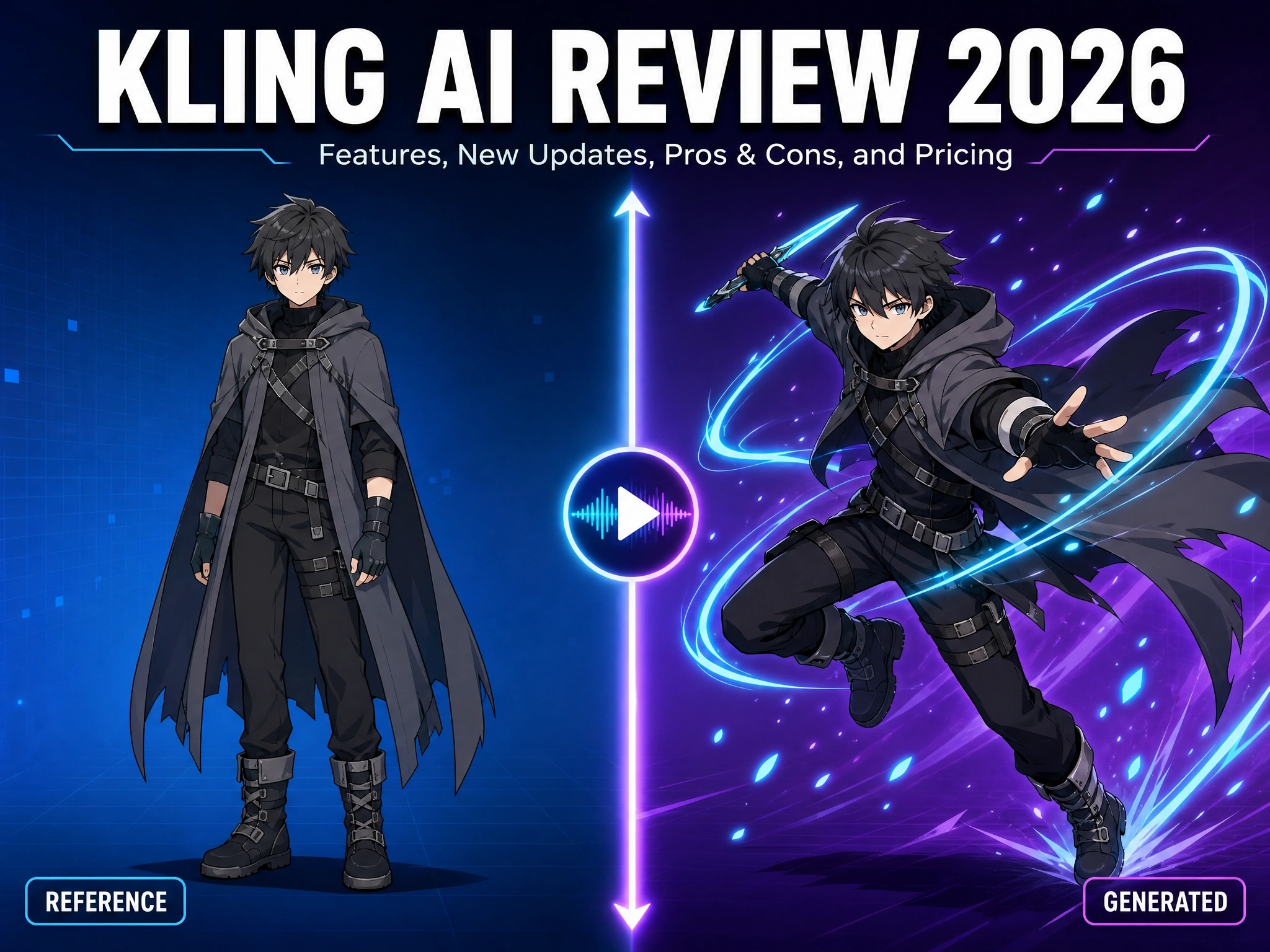
Kling AI Review 2026: Features, New Updates, Pros & Cons, and Pricing
If you’ve spent any time in AI video communities lately, you’ve seen the name everywhere: Kling AI. It regularly tops independent video-model leaderboards, it’s the tool creators point to when they talk about “the most realistic AI video generator,” and its Motion Control feature has become one of the most talked-about releases of the year - and the all-new Kling 4.0, now available to everyone, has raised the bar even further. But is the hype backed by substance, or is Kling AI just another crowded entry in an increasingly noisy AI video market?
We dug through Kling’s official product pages, release notes, and pricing documentation, alongside independent testing and reporting from across the AI video space, to put together this full breakdown: what Kling AI actually does, what’s new in 2026, where it shines, where it falls short, and what it really costs once you look past the marketing price tag.
What Is Kling AI?
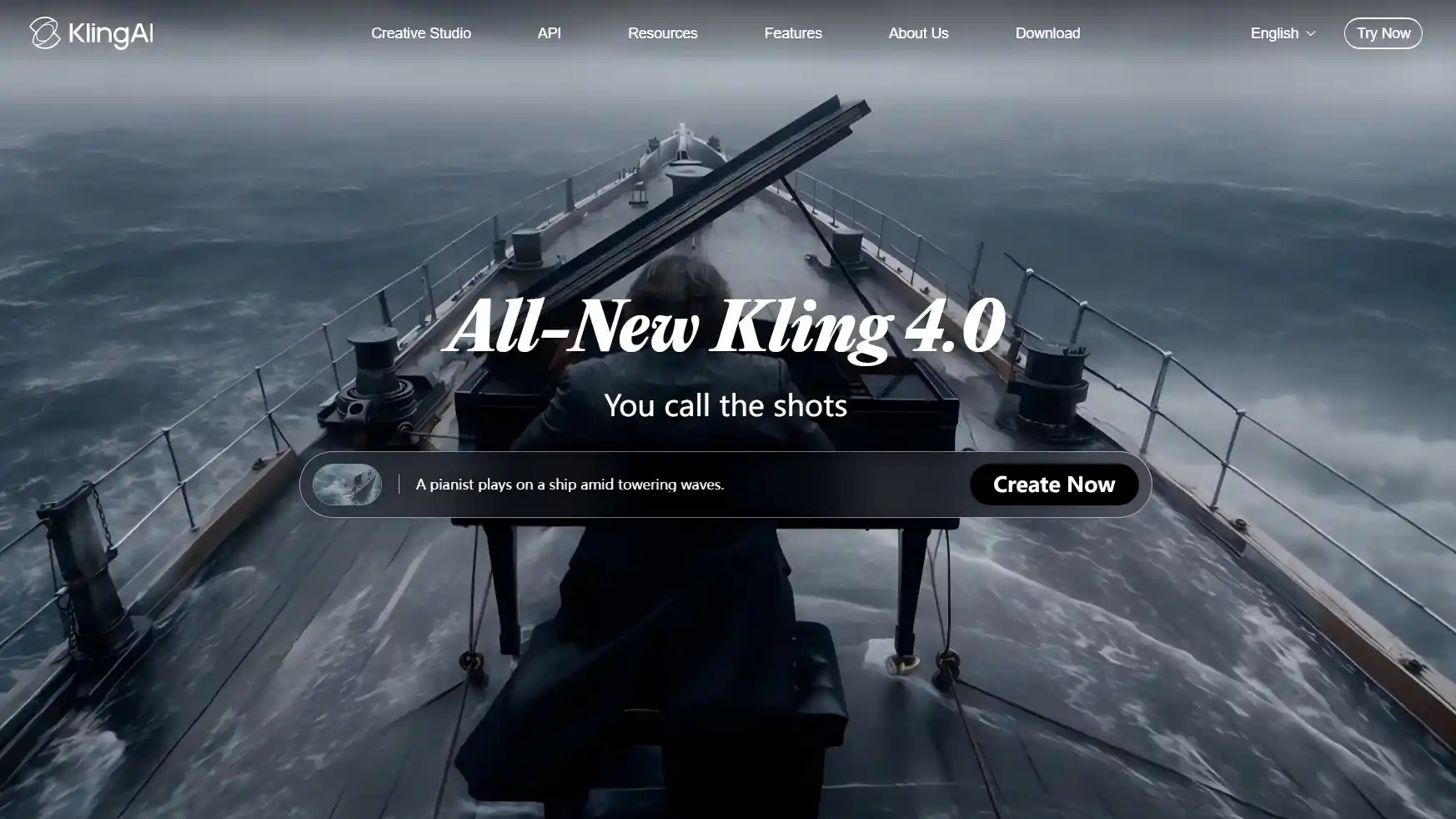
Kling AI is a generative video and image platform behind one of the fastest-growing AI video ecosystems today. It first launched in beta in June 2024, and has since gone through more than 30 model iterations. After Kling 3.0 reached stable release in February 2026, Kling launched the all-new Kling 4.0, which became available to everyone on October 15, 2026.
On its official site, Kling AI describes itself as a studio for turning text prompts, images, and reference material into multimodal creative content - video, image, and sound - in a single workflow. In practice, that means Kling functions less like a single “type a prompt, get a clip” tool and more like a full production suite, covering text-to-video, image-to-video, sound generation, character animation, and visual effects under one roof. The latest release, Kling 4.0, pushes that suite further with finer creative control and more professional-grade output.
Key Features of Kling AI
- Native 4K & Physics-Aware Motion - Kling markets itself as the world’s first video model with native 4K output, built around what it calls the “Omni One” engine, designed to simulate real-world physics - gravity, contact between objects, and how light behaves - rather than generating rough frame-by-frame approximations. Kling 4.0 builds on this with smoother, more stable large-scale motion and complex camera moves, and adds 10-bit HDR dynamic range at 1080p and 4K.
- Motion Control - Kling’s headline feature right now. Upload a static character image plus a reference video showing the movement or expression you want, and Kling replicates it - including subtle facial expressions - without distorting the character. It holds facial consistency from any camera angle, captures complex emotional expressions, and stays stable even when the subject is partially blocked or the shot changes from close-up to wide. It works across human, anime, and 3D character styles.
- Native Audio & Multilingual Lip-Sync - Kling can generate synchronized, lip-synced audio directly from a text prompt, no separate audio file needed, spanning several languages and accents, with dialogue able to shift between languages within multi-character scenes. Kling 4.0 refines this with two-channel stereo output, more accurate lip sync, and added languages including German, French, and Hindi.
- Elements - Character & Scene Consistency - Kling’s “Elements” system lets you lock in a character’s face, clothing, voice, and even props using up to four reference images, keeping the same character visually consistent across different shots and scenes. Kling 4.0 expands this idea with Omni Reference, which accepts up to 15 items across images, videos, voice references, and elements, and also enables precise video editing and easy video recreation.
- Multi-Keyframes Storytelling (New in 4.0) - Feed in up to 10 flexible keyframe images and generate clips of up to 30 seconds in one go, with better results even from simple prompts.
Pros & Cons
Pros
- Consistently ranks near the top of independent AI video benchmarks for realism and motion quality
- Motion Control is a genuinely differentiated feature - few competitors offer comparable reference-video-driven video with this level of facial fidelity
- Native 4K output holds up on larger screens, not just mobile-sized clips, and Kling 4.0 adds 10-bit HDR output at 4K and 1080p
- Commercial usage rights are included starting from the entry-level paid plan
- Large, mature user base means abundant community tutorials and prompt libraries
- Omni Reference (up to 15 references), up to 10 keyframes, and 30-second single-pass generation give creators far more control over longer, more consistent storytelling
- Flash offers a faster generation option for frequent creators who need to iterate quickly
Cons
- Fine detail - hands and fingers in particular - is still an occasional weak point, a challenge shared across most AI video models
- High-quality 4K generations can take several minutes per clip, which adds up fast during iterative work
- Content moderation is notably strict, following Chinese regulatory requirements, blocking political content, protest imagery, or anything touching sensitive government-related topics
- The credit system is genuinely confusing: credits expire monthly with no rollover, and different modes burn credits at very different rates
Kling AI Pricing
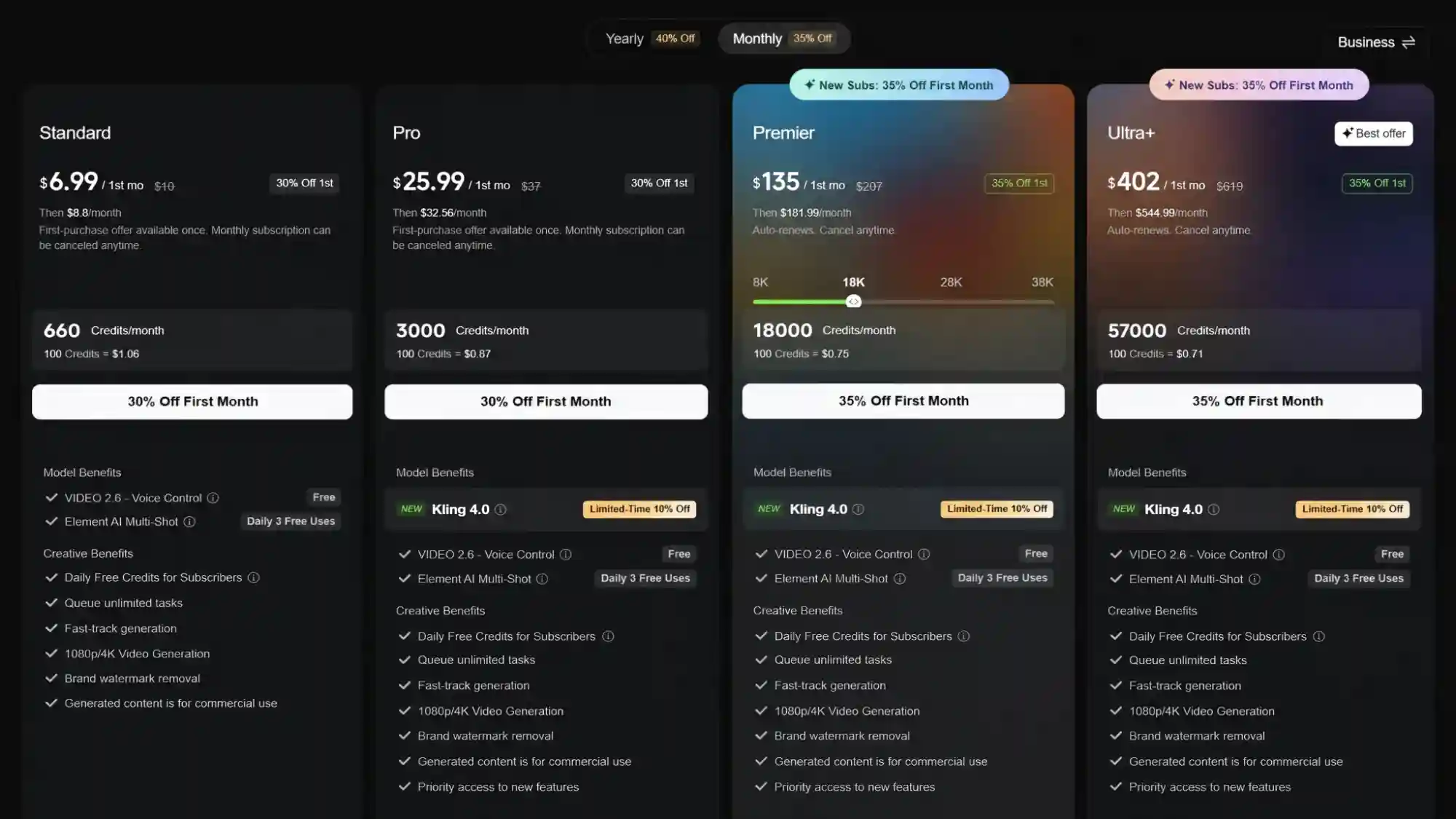
Kling runs on a free plan plus four paid tiers, all built around a monthly credit system rather than a flat per-video price.
Note: pricing and promotions shift fairly often, so always refer to Kling’s latest official membership pricing. This applies to Kling 4.0 as well: credit costs vary by model, resolution, and duration, so check the credits shown on Kling’s creation page before generating.
| Plan | Price | What You Get |
|---|---|---|
| Free (Basic) | $0/month | Daily login credits (~66/day), watermarked, non-commercial use only |
| Standard | ~$6-10/month | Commercial rights, watermark removed, entry-level credit allowance |
| Pro | ~$25-37/month | Higher credit ceiling, suited to regular freelance/creator output |
| Premier | ~$135-207/month | Built for small studios or agencies producing at volume |
| Ultra | $400+/month | Highest credit ceiling, priority processing, earliest access to new models |
What’s New in Kling AI (2026)
Kling’s release pace has been aggressive this year, with the biggest updates arriving in two waves: the 3.0 model generation, followed by the all-new Kling 4.0 in October.
Kling 4.0 / Kling 4.0 Flash Launch
The all-new Kling 4.0 officially became available to everyone on October 15, 2026 with realism, control, and professional quality at the heart of this upgrade. It brings major improvements in visual realism, creative control, and narrative completeness, alongside breakthroughs in audiovisual quality, multi-keyframes, lip-sync, text generation, and creative recreation.
Built for frequent creation, Kling 4.0 Flash combines fast generation with reliable quality, helping you turn ideas into videos with ease. Here is what’s new:
Audiovisual performance
Kling 4.0 aims for true-to-life visuals and a more immersive audiovisual experience, with improvements in four areas:
- Large-scale scenes handled with ease - dynamic motion and complex camera movements stay smooth and stable, whether it’s high-speed movement, continuous action, tracking shots, or orbit shots.
- A major leap in audiovisual quality - supports high-quality, two-channel stereo audio, and more accurate lip sync keeps voices, dialogue, and performances naturally synchronized.
- Lifelike visuals, down to the details - greater visual realism and more expressive characters bring out facial details and lighting, while expressions, body language, and emotions come through with more nuance.
- 10-bit HDR dynamic range - available at 1080p and 4K, a dynamic-range upgrade that sits alongside resolution (720p, 1080p, and 4K) rather than replacing it.
Omni Reference
Omni Reference lets you guide a generation with multiple types of reference material at once.
- Up to 15 references in total - images (up to 10), videos (up to 5, with a combined length of up to 30 seconds), voice references, and elements (up to 7, including up to 3 video-based elements).
- Stronger consistency - characters, products, and scenes stay more consistent across a generation.
- Precise video editing - supports up to 5 input video clips, including 1 primary video, each 3-30 seconds long, with the combined length not exceeding 30 seconds.
- Easy video recreation - rebuild or reimagine an existing video through reference-driven generation.
Multi-Keyframes & Complete storytelling
Kling 4.0 takes storyboarding further than Multi-Shot alone, giving you more control over how a longer scene unfolds.
- Up to 10 flexible keyframes - feed in up to 10 keyframe images as input, a new addition alongside text-to-video, image-to-video, and first and last frames.
- Up to 30 seconds in one go - video duration now spans 3-30 seconds.
- Better results from simple prompts - text prompts can be up to 8,000 tokens, but simple prompts now deliver stronger results too.
More ways to create
- Extend videos - keep building on a generated clip.
- More languages and accents - German, French, and Hindi join Chinese, English, Japanese, Korean, Spanish, and Portuguese, with regional Chinese dialects and English accents supported.
- Text generation - generate on-screen text in the supported languages and emojis.
- Wider range of visual styles and aspect ratios - explore more looks, including the new 21:9 format alongside 16:9, 1:1, 9:16, and Auto.
Kling 3.0 / VIDEO 3.0 Omni Launch
Kling 3.0 Turbo and the VIDEO 3.0 Omni model officially launched on June 17, 2026, introducing 4K editing capabilities, longer clip generation, and the new “Omni One” underlying architecture - the update that unified video, image, audio, and text processing into a single system rather than separate models bolted together.
Multi-Shot
One of the most practical additions in the 3.0 generation is Multi-Shot, which produces up to six connected camera shots in a single video instead of one isolated clip. Kling offers two ways to work with it:
- Smart Storyboard mode - write one high-level description of your scene or story, and Kling automatically breaks it into multiple shots, choosing camera angles, pacing, and transitions. Prioritizes speed, best for quick exploration.
- Custom Storyboard mode - manually define each shot’s duration, camera movement, and action, for full directorial control over the sequence.
Kling also carries audio logic across shot transitions automatically - for example, ambient sound shifts convincingly when a scene cuts from a loud street to a quiet interior - a small but meaningful detail for anything meant to feel professionally edited rather than stitched together.
Longer Clips & Extend Feature
Native generation is still capped at a relatively short window - up to 15 seconds per shot on Kling 3.0 - but the Extend feature lets you chain generations together into sequences that stretch toward roughly three minutes, without manually splicing separate clips in an external editor.
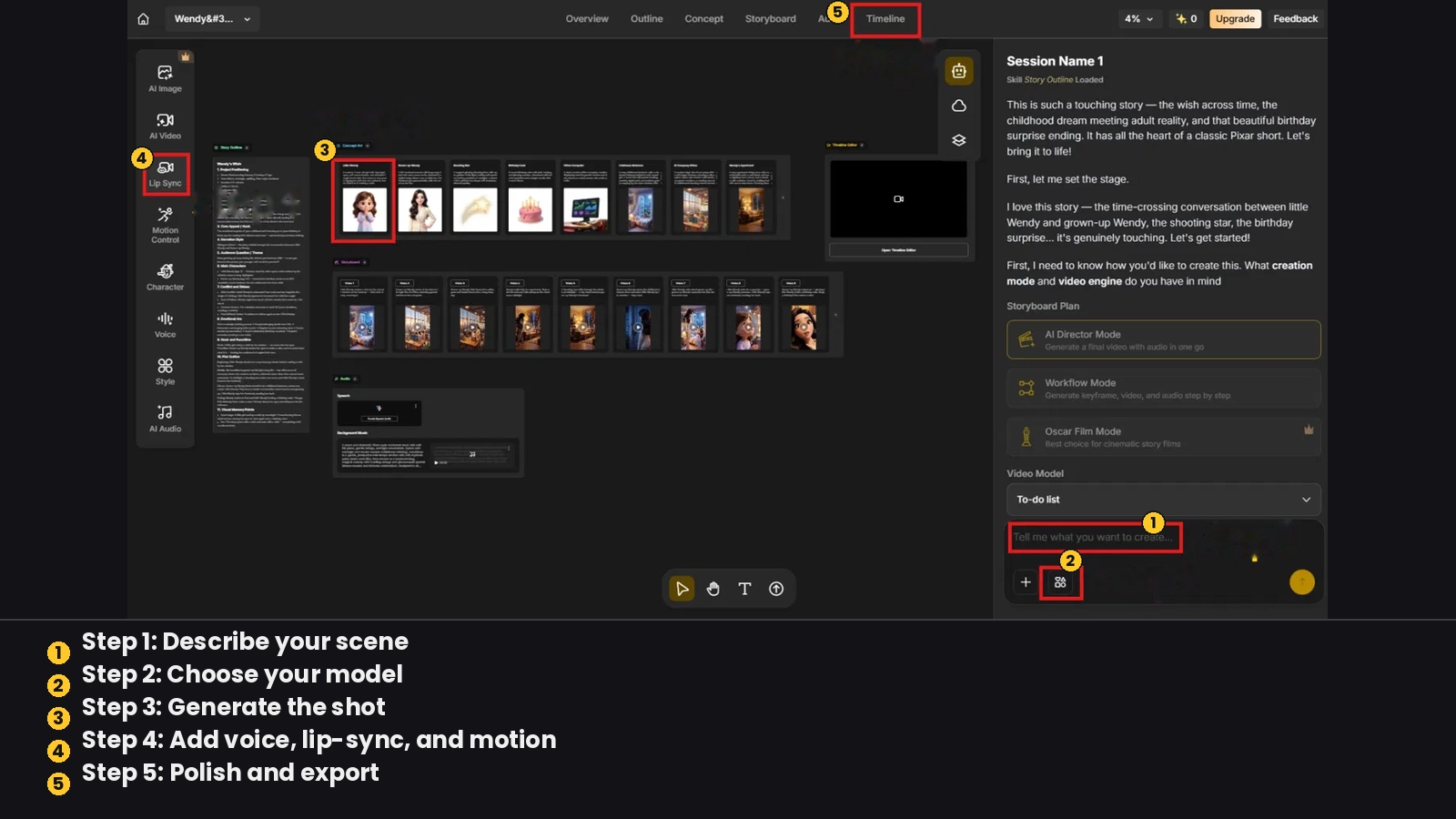
How to Access Kling AI and Popular AI Video Models in Anijam
Is Kling worth the price? Casual use is fine on the free tier, but regular commercial work makes more sense on Standard or Pro - and costs climb fast with native audio, 4K Professional mode, or Kling 4.0’s higher-spec outputs, especially since most creators don’t stick to just one model.
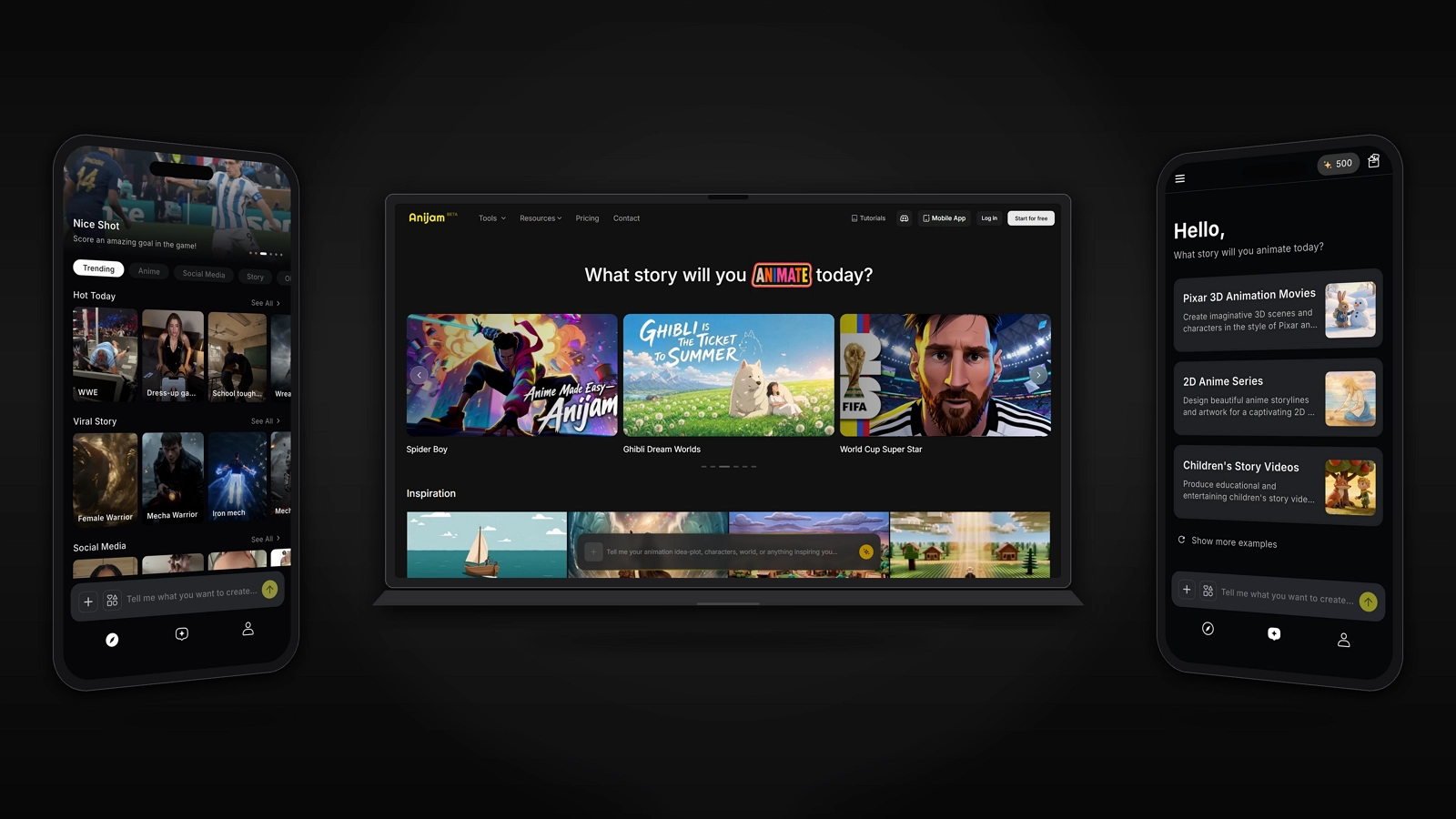
That’s where Anijam AI helps: an all-in-one video platform that orchestrates leading video models - including Kling, Wan, and Seedance - in a single canvas, so you can bring Kling’s realistic motion into your project alongside other models, all from one workflow.
Step 1: Describe your scene
Type your concept in plain language and Anijam generates a story outline and initial assets - characters, setting, and a rough shot breakdown - to build on.
Step 2: Choose your model
Select Kling (or another supported model like Seedance or Wan) for the shot you’re generating, based on which engine best fits the look or motion you’re after.
Step 3: Generate the shot
Anijam sends your prompt and reference assets to the selected model and returns the generated clip directly into your project’s timeline.
Step 4: Add voice, lip-sync, and motion
Layer in dialogue with AI lip-sync, and fine-tune character movement or camera work with simple text commands - the same consistency and editing tools apply regardless of which underlying model generated the shot.
Step 5: Polish and export
Adjust timing and transitions across shots in the timeline editor, mixing clips from different models into one cohesive video, then export your finished video.
Conclusion
Kling AI earns its reputation. Native 4K, physics-aware motion, and Motion Control put it near the top of the AI video field for realism, and the 2026 updates - culminating in Kling 4.0’s 10-bit HDR output, Omni Reference, multi-keyframes, and 30-second clips - show a team shipping fast. For creators who need photorealistic footage with reliable character consistency, it’s a strong pick.
It’s not without friction, though. Hands and fine detail still slip occasionally, 4K Professional mode is slow, content moderation is strict, and the credit system takes some getting used to. None of that erases what Kling does well - it just means the price tag deserves a closer look before you commit.
Kling AI is a strong choice on its own - and if you want to try it alongside other leading models in one place, Anijam AI brings Kling’s motion quality together with tools like character consistency, lip-sync, and timeline editing, all in a single workflow.
Frequently Asked Questions
Is Kling AI free to use?
Yes. Kling AI’s Basic plan is free and includes daily login credits (roughly 66 per day), but generated videos carry a watermark and can’t be used commercially. If you want to use your videos commercially, you’ll need a paid plan.
Is Kling’s Motion Control good?
Yes - it’s one of the standout features in the current AI video field. Motion Control lets you upload a static character image along with a reference video showing a specific movement or facial expression, and Kling replicates that motion onto your character with minimal distortion, holding up well even across different angles or when the subject is partially blocked - a level of facial consistency few competitors currently match.
How much does Kling AI cost a month?
Kling AI uses a subscription-plus-credits model with roughly four paid tiers, from around $7-10/month for the entry-level Standard plan up to $125+/month for the top Ultra tier, plus a free Basic plan. Pricing and promotions shift fairly often, so always refer to Kling’s latest official membership pricing. Kling 4.0 generations also run on credits, with the exact cost depending on factors like model, resolution, and clip length.
What’s the difference between Kling 4.0 and Kling 3.0?
Kling 4.0 upgrades Kling 3.0 across the board: longer generation (up to 30 seconds in one go versus up to 15 seconds per shot on 3.0), multi-keyframe input with up to 10 keyframe images, Omni Reference with up to 15 multimodal references, smoother large-scale motion and camera moves, more accurate lip sync, and 10-bit HDR output at 4K and 1080p. Kling 3.0 remains a solid option for straightforward text/image-to-video work, while 4.0 suits projects that need more control and consistency.
Kling 4.0 vs Seedance 2.0: which is better?
Neither wins across the board, so the better pick depends on what you’re making. Kling 4.0 leads on length and control, with clips of up to 30 seconds (versus 15 on Seedance 2.0), up to 10 keyframes, and up to 15 reference items. Seedance 2.0 stays stronger for audio-led work, since it accepts up to 3 audio files as references, while Kling 4.0 takes voice references only. If you need long, tightly controlled shots or fast drafts with Kling 4.0 Flash, start with Kling; if your scene is built around a specific voiceover or soundtrack, go with Seedance.
What’s the difference between Kling 3.0 and Kling 3.0 Omni?
Both share the same underlying architecture and support the same core specs - 3-15 second clips, up to 4K resolution, and multi-shot sequences. The difference is in focus: standard Kling 3.0 is tuned for prompt-led, video-first generation, while Kling 3.0 Omni is the multimodal version, built for stronger reference consistency, native audio, and character voice continuity across shots. In short, use Kling 3.0 for straightforward text/image-to-video work, and Omni when a specific character, product, or voice needs to stay consistent across a scene.
by Evan
Evan is an AI content creator and video technology writer at Anijam AI, focused on how generative AI is transforming storytelling and video production. He shares social trends, creative workflows, prompt strategies, and practical insights to help creators turn ideas into engaging videos and visual content.