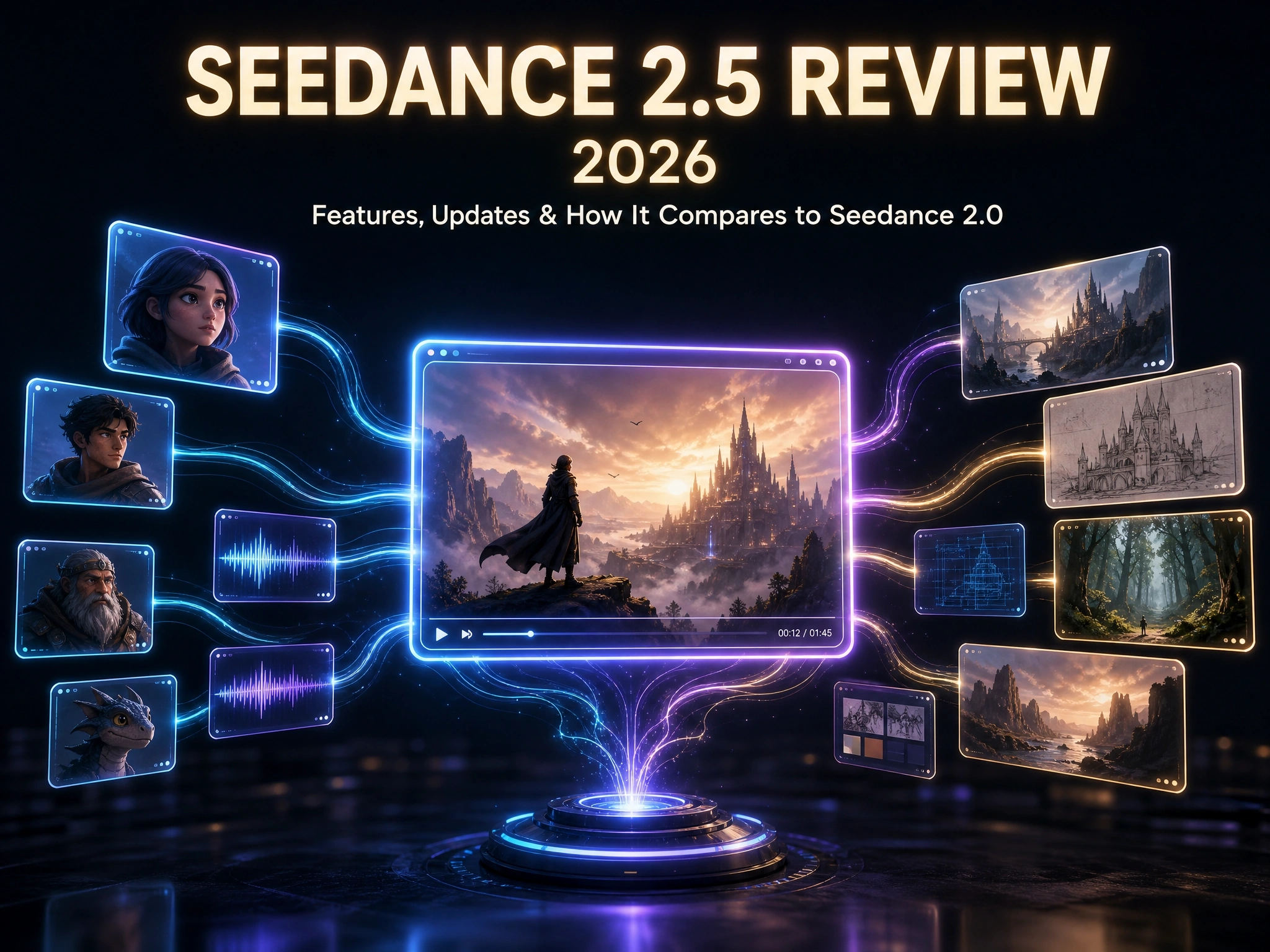
Seedance 2.5 Review: From Short Clips to Complete Stories
A camera drifts through a gap in a red curtain, catches a singer adjusting her earpiece backstage, follows her down a corridor as she high-fives her dancers, and arcs out over a packed arena as the crowd roars - all in one unbroken 30-second shot.
No cuts. No stitched-together clips. Just one continuous take that most AI video models simply weren’t built to hold.
That’s Seedance 2.5, released on July 31, 2026 - a model less interested in five-second demos and more focused on finishing an actual story in a single pass.
This piece breaks down what changed, how it stacks up against Seedance 2.0, and how to start using it - including through Anijam’s growing lineup of supported models.
What Is Seedance 2.5?
From “Generating a Clip” to “Completing a Creative Work”
Seedance 2.5 is a new-generation video creation model, built on top of the unified multimodal audio-video architecture introduced in Seedance 2.0.
Its release notes point to a shift in how people actually use these tools: users increasingly expect to complete a creative work, not just generate an isolated clip. That shift shows up directly in the three areas Seedance 2.5 focuses on - longer, more coherent storytelling in a single pass; a much larger and more flexible reference system; and more precise, professional-grade editing controls.
The result is a model meant to carry a project from idea to finished video with more control at every step - not just a longer render.
Core Features Deep Dive
30-Second One-Take Storytelling with Multi-Round Extension
The headline change is duration: Seedance 2.5 extends single-pass generation from 15 to 30 seconds. But the more interesting part is what happens inside those 30 seconds.
Rather than stretching a single moment, the model organizes multiple logically connected shots so a story actually unfolds - setup, development, turning point, resolution - in one continuous take.
For content that needs to run longer than 30 seconds, multi-round extension lets you append new shots to an existing output while the model maintains consistency in the main characters, environment, and pacing - producing multi-minute sequences without manually splicing clips together and patching transitions.
The release notes also report gains in image, audio, and motion quality generally, including better handling of textures, lighting, and skin/eye detail, aimed at reducing the “overly artificial” look common in AI-generated video.
Fully Upgraded Multimodal Referencing (Clay Render, Motion & Creative Reference)
Seedance 2.5 accepts up to 30 images, 10 video clips, and 10 audio clips as reference material in a single pass - a significant jump from Seedance 2.0. More reference material means the model can better capture intent across more subjects, richer scenes, and more flexible camera work.
- Understands and applies visual composition, scene, style, characters, and props across all provided materials
- Preserves the appearance and voice of multiple characters even in multi-character or group scenes
- Clay render referencing: build a scene’s spatial structure, character poses, motion paths, and camera angles using textureless 3D models, which the model then uses to match composition and blocking
- Improved lighting control: using spatial data from a clay render, the model generates physically plausible lighting - light direction, color temperature, intensity, and shadows
This is aimed squarely at complex, multi-subject creative work - think a full orchestra scene with a dozen individually referenced performers, not just a single character walking down a street.
Precise, Timestamp-Level Editing
Seedance 2.5 adds timestamp-level control over both generation and post-generation edits. During generation, prompts can control narrative, camera perspective, movement, and pacing for a specific time window. After generation, users can make targeted changes to characters, actions, or plot elements within a specific clip while keeping continuity intact before and after the edit.
On top of that, the model strengthens several editing features aimed at professional workflows:
- Green screen editing - replace backgrounds while keeping the subject intact, including how clothing, hair, and lighting respond to the new environment
- Camera perspective editing - adjust camera movement on an existing clip without changing characters, actions, or style
- Reference-based editing - use a reference video or image to guide targeted changes to an existing generation
Real-World Applications
Beyond creative and marketing use cases, two areas stand out where Seedance 2.5 is already being applied:
Education
The model is being used to turn the historical context, characters, and storylines behind a lesson into more immersive visuals, and to help teachers convert abstract content - scientific principles, historical events, experimental procedures - into dynamic demonstrations.
Industrial Manufacturing, Embodied Intelligence & Autonomous Driving
Seedance 2.5 is also being applied to generate synthetic training video for robot perception and manipulation, support industrial simulation and equipment demonstrations, and simulate long-tail scenarios - extreme weather, complex traffic - for autonomous driving system testing.
Seedance 2.5 vs. Seedance 2.0 - What’s New
On paper, the jump from 2.0 to 2.5 comes down to three numbers and one new capability category: duration, reference volume, and editing precision.
| Capability | Seedance 2.0 | Seedance 2.5 |
|---|---|---|
| Max single-pass clip length | 15 seconds | 30 seconds, with multi-round extension to several minutes |
| Reference images | Up to 9 | Up to 30 |
| Reference video clips | Up to 3 | Up to 10 |
| Reference audio clips | Up to 3 | Up to 10 |
| Reference types supported | Text, image, video, audio | Text, image, video, audio, plus clay render, motion & creative reference |
| Editing precision | Prompt-based generation | Timestamp-level editing, green screen, camera-perspective & reference-based editing |
Clip Length: 15s to 30s Native, with Multi-Round Extension
Seedance 2.0 topped out at 15 seconds per generation. Seedance 2.5 doubles that to 30 seconds natively, and adds multi-round extension so a project can run to several minutes without leaving the single-take narrative style.
Reference Inputs: From 9/3/3 to 30/10/10
Seedance 2.0 supported up to 9 reference images, 3 reference video clips, and 3 reference audio clips per task. Seedance 2.5 more than triples the image ceiling and more than triples the video and audio ceilings - a meaningful jump for anyone referencing multiple characters, props, or locations in one scene.
Visual & Motion Quality Improvements
The release notes point to smoother camera-movement transitions, more stable main subjects across cuts, and better audio-visual sync in longer sequences, along with general improvements to texture, lighting, and color realism.
New Editing Controls
Timestamp-level editing, in the form described above, is introduced as part of the 2.5 release, alongside enhanced green screen, camera-perspective, and reference-based editing aimed at film and advertising-grade workflows.
How to Access Seedance 2.5 (and Other Popular Models) via Anijam
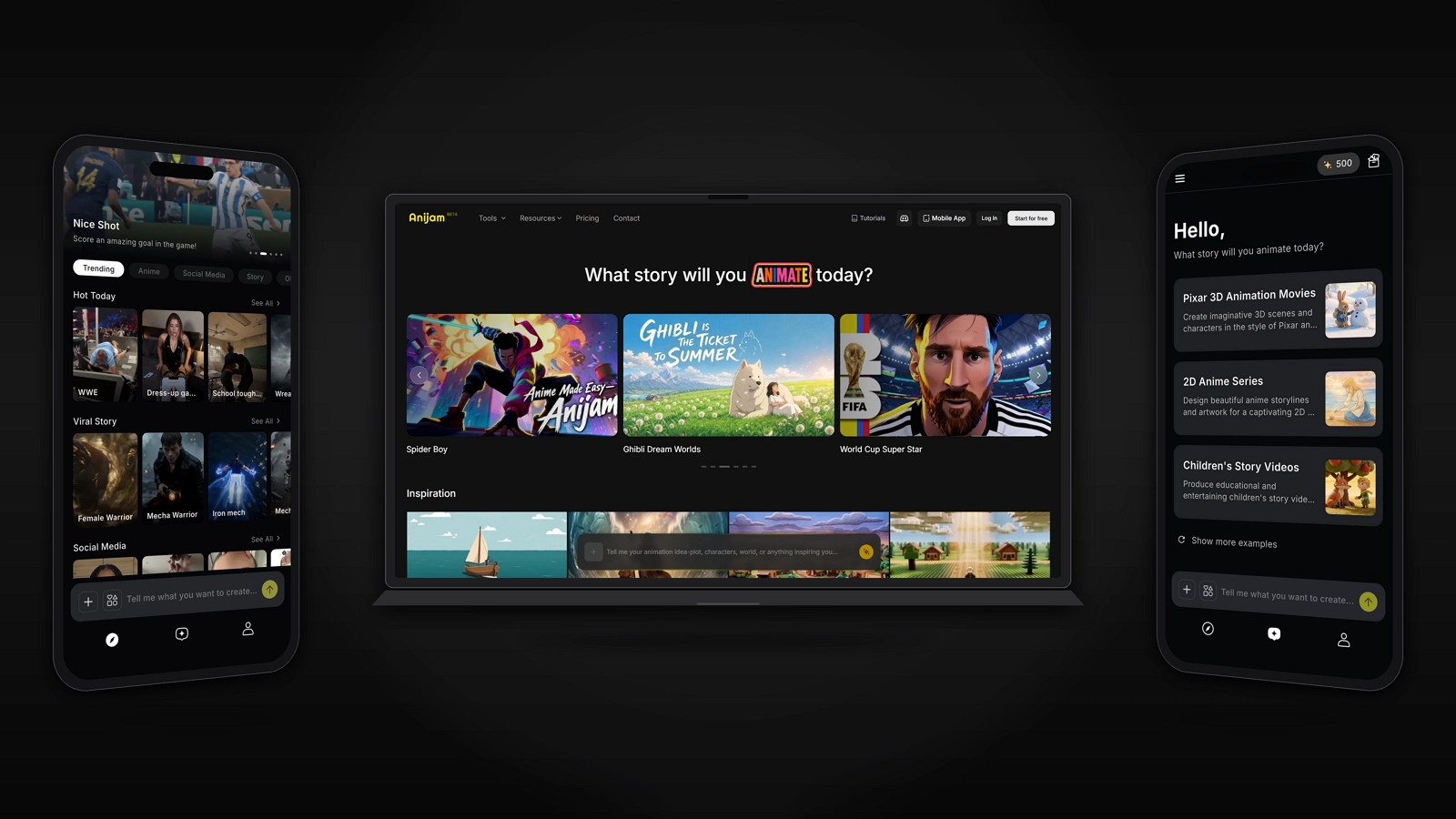
Anijam AI is an all-in-one AI animation platform that takes a project from a written idea to a finished animated video - handling story outlining, character consistency, lip sync, and timeline editing within a single workspace, rather than requiring separate tools for each step. It’s available on both web and app, so you can create wherever you are.
Anijam’s One Canvas already lets you work across leading video models inside a single workflow, without switching between separate platforms or accounts. Seedance 2.5 is joining that lineup in the coming days, and Anijam is continuously updated as new frontier models launch, so the platform’s model lineup keeps expanding.
Here’s the general workflow once a model is available inside Anijam:
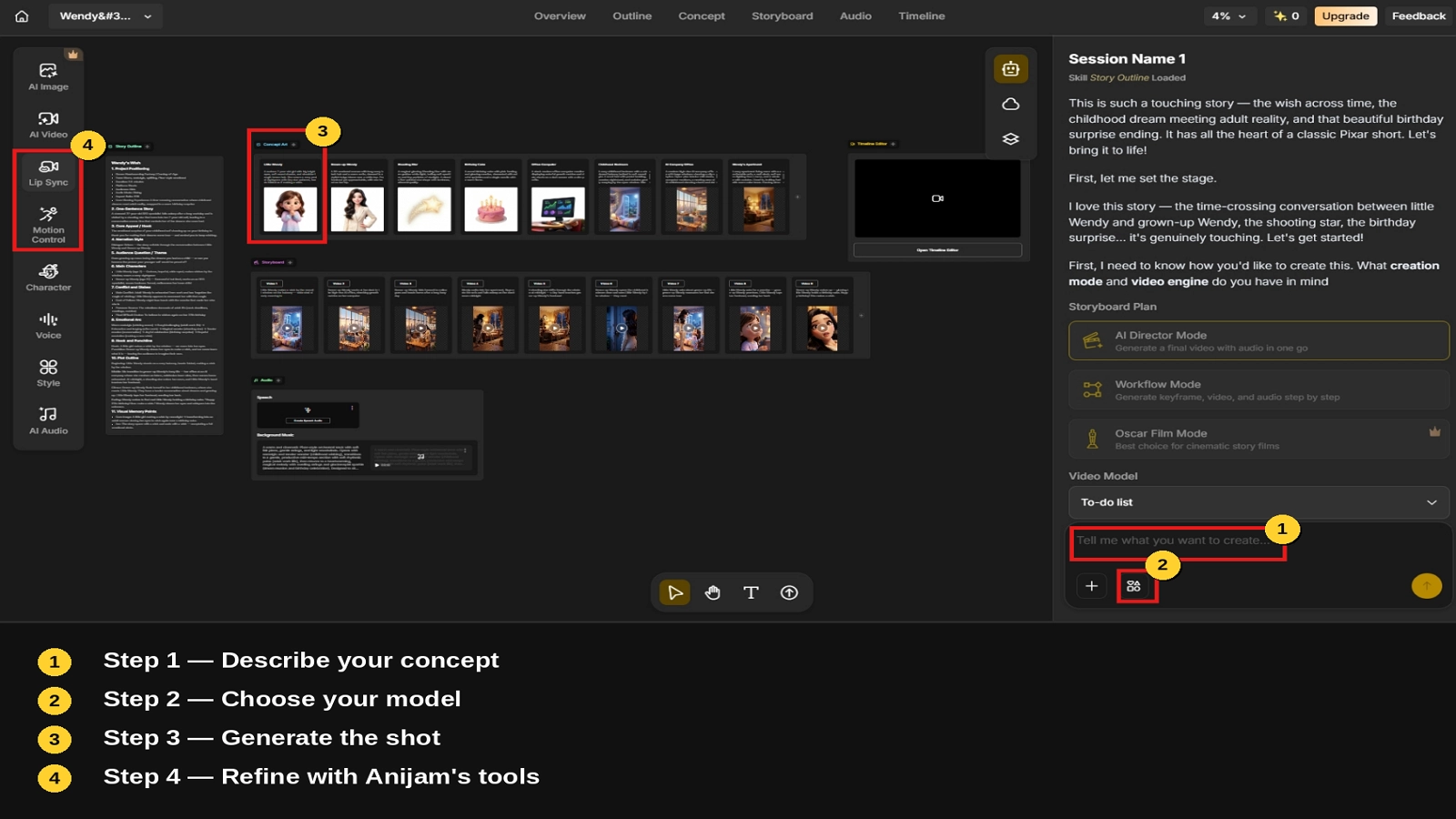
Step 1: Describe your concept
Type your idea in plain language - a scene, a story beat, or a full concept. Anijam interprets the input and generates a story outline along with initial assets, such as characters, settings, and a rough shot breakdown, to build on.
Step 2: Choose your model
For each shot, you can select the underlying model that best fits the look or motion you’re after - for example, Seedance 2.0 for multimodal reference control, or another supported engine depending on the visual style you need.
Step 3: Generate the shot
Anijam sends your prompt and any reference materials (images, video, or audio) to the selected model and returns the generated clip within the canvas.
Step 4: Refine with Anijam’s tools
Once shots are generated, you can layer on Anijam’s own capabilities - character consistency across scenes, lip sync, and timeline editing - to turn individual clips into a finished, coherent piece.
Seedance 2.5 Community Prompts
Here are a few examples we came across on X, from creators putting Seedance 2.5 to the test.
Example 1
Example 2
Example 3
Conclusion
Seedance 2.5’s biggest change isn’t really the 30-second cap - it’s the shift in what the model is trying to be good at. Longer one-take storytelling, a much larger reference system, and timestamp-level editing all point the same direction: fewer isolated clips, more finished work in a single pass.
As Seedance 2.5 rolls out more broadly - including onto Anijam’s One Canvas in the coming days - it’ll be easier to see how it performs alongside the other models already in active use.
Frequently Asked Questions
What is the main difference between Seedance 2.5 and Seedance 2.0? The three biggest changes are duration (15s to 30s per generation, with multi-round extension for longer sequences), reference capacity (9 images/3 videos/3 audio to 30 images/10 videos/10 audio), and a new set of timestamp-level editing controls that Seedance 2.0 did not offer in the same form.
Is Seedance 2.5’s API available yet? At launch on July 31, 2026, Seedance 2.5 was live on Jimeng Web and Doubao Pro, with API access via BytePlus ModelArk listed as “coming soon” in the release notes. Teams planning around the API should check current availability before building a launch timeline around it.
Can I use Seedance 2.5 inside Anijam? Anijam’s One Canvas already supports multiple leading video models, including Kling and Wan, in a single workflow. Seedance 2.5 is joining that lineup in the coming days as part of Anijam’s ongoing model updates.
How much does Seedance 2.5 cost? Official pricing hasn’t been published in the release notes - the model is currently accessible through Jimeng Web and Doubao Pro without a listed rate card. Third-party estimates exist based on Seedance 2.0’s pricing tiers, but treat them as unofficial until a rate card is confirmed.
by Evan
Evan is an AI content creator and video technology writer at Anijam AI, focused on how generative AI is transforming storytelling and video production. He shares social trends, creative workflows, prompt strategies, and practical insights to help creators turn ideas into engaging videos and visual content.