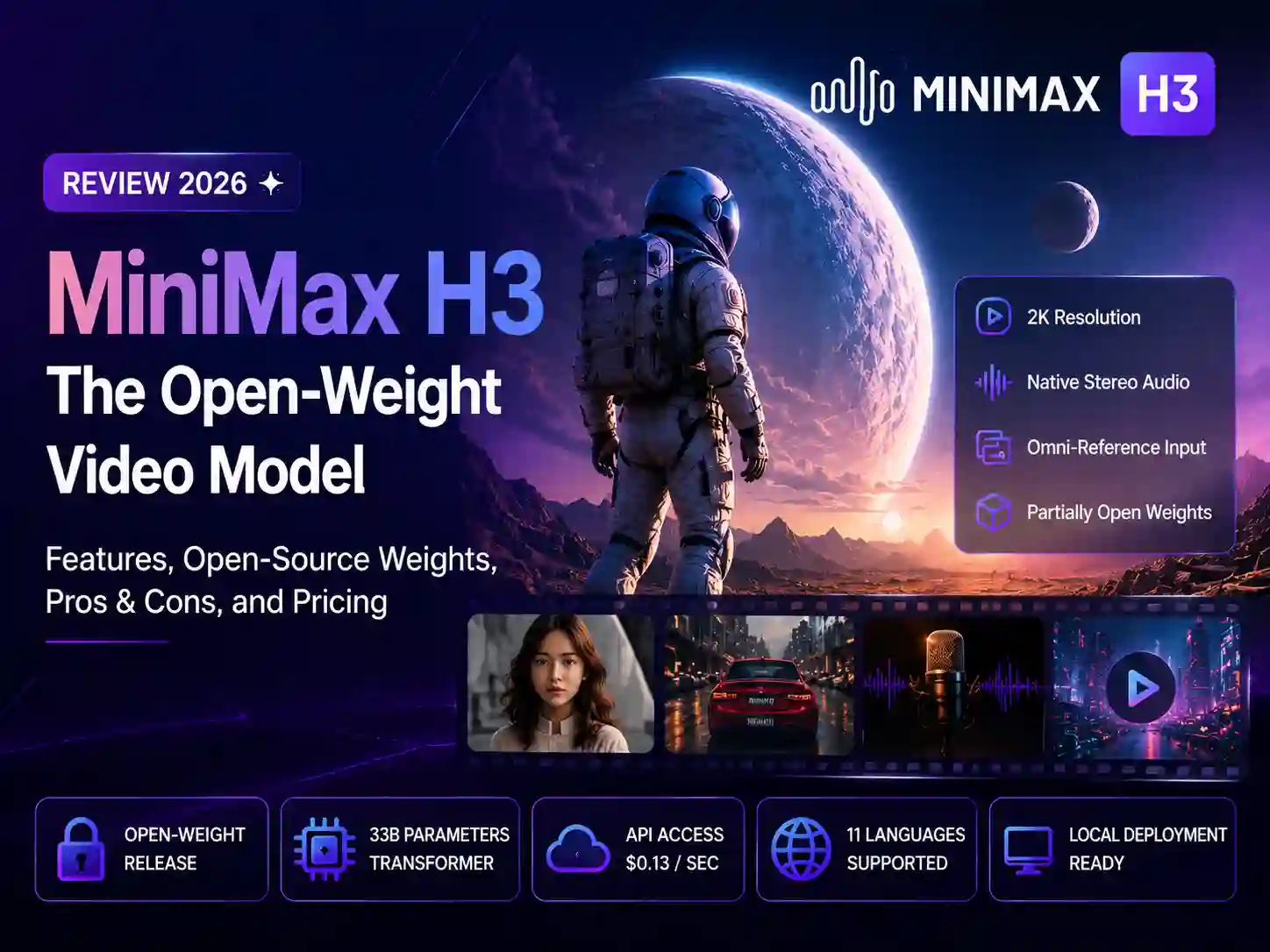
MiniMax H3 Review 2026: Features, Open-Source Weights, Pros & Cons, and Pricing
On July 31, 2026, MiniMax launched its next-generation video model, MiniMax H3 — widely known in the community as Hailuo 3.0 or Hailuo 03. Within days it was topping independent leaderboards, and on August 3 MiniMax went a step further and released the model’s weights, a rare move in a field where the biggest labs have generally kept video models closed.
We went through MiniMax’s official blog, its Hugging Face model card, the API docs, and the pricing pages, and cross-referenced that against Reddit threads, ComfyUI community reports, and independent reviews to put together this full breakdown: what MiniMax H3 actually is, what’s genuinely new, where it shines, where it falls short, and whether “open source” is really the right word for it.
What Is MiniMax H3?
MiniMax H3 is a general-purpose, omni-modal generation model built by MiniMax, the company behind the Hailuo video line. Instead of routing text-to-video, image-to-video, and video editing through separate specialized models — the way most video stacks still work — H3 reads text, images, video, and audio as one unified context, then generates video with native stereo audio in a single pass. No separate dubbing or audio-sync stage required.MiniMax positions it as commercial-ready for advertising, branding, e-commerce, product design, UI/UX, gaming, and more.
H3 is the third generation of the Hailuo line, following Hailuo 2.3. It was unveiled alongside MiniMax’s M3 text model around WAIC 2026. MiniMax is a Shanghai-based AI company that completed its Hong Kong IPO in January 2026, with Alibaba and Tencent among its backers.
At launch, H3 was available only through the API and the consumer Hailuo AI app. Three days later, MiniMax published the model weights on Hugging Face under a license called the “MiniMax H3 Community License” — the basis for its “open-weight” label.
How MiniMax H3 Is Built
MiniMax describes the full H3 system as three separate modules, and understanding the split matters for figuring out what you can actually run yourself:
- H3-Context-IR — reads the relationships across whatever text, images, reference video, and reference audio you provide, and converts that free-form input into a structured representation the model can act on. This piece is still a hosted service; it wasn’t released with the open weights.
- H3-Base — the actual generation engine, a roughly 33-billion-parameter dense, single-stream transformer using a Qwen3-VL-32B text encoder. It outputs video and audio at 768p. This is the part that’s open-sourced, split into two task-specific checkpoints: FL2VA (text and first/last-frame conditioning) and Ref2VA (multimodal reference generation).
- H3-Regenerate-2K — feeds the 768p output back through the model together with the original context to reconstruct a 2K result, rather than relying on a conventional super-resolution module. This part also hasn’t been open-sourced and still runs through MiniMax’s API.
In practice, that means what you can run on your own GPU today is 768p H3-Base. Getting the 2K quality shown in MiniMax’s demos still requires a round trip through MiniMax’s cloud API.
Key Features of MiniMax H3
- Native 2K + Synced Stereo Audio — Generates 4–15 second clips at up to 2K resolution and 24fps, with native 32kHz stereo audio. Dialogue, sound effects, and ambient tone are produced in the same generation pass as the picture, not bolted on afterward.
- Omni-Reference Inputs — A single generation can take up to 9 reference images, 3 reference video clips (2–15 seconds each, 15 seconds total), and 3 reference audio clips (max 12 files combined). MiniMax’s own demo prompt sums up the idea: reference the camera movement from Video 1, have the character in Image 2 sing, and match the vocals to Audio 3.
- Instruction-Based Video Editing — Swap a product, rewrite on-screen text, relight a scene from day to night, or add and remove objects using a single natural-language instruction, without re-rolling the whole clip.
- Multilingual Dialogue & Voice Reference — Stable support for 11 languages (Arabic, Chinese, English, French, German, Italian, Japanese, Korean, Portuguese, Russian, Spanish), with the ability to reference an audio clip to carry a specific voice timbre into the generated dialogue.
- Partially Open Weights — The H3-Base FL2VA and Ref2VA checkpoints are published on Hugging Face and run through SGLang, vLLM, Diffusers, and ComfyUI — a level of local access that’s still unusual among 2K-class video models.
Pros & Cons
Pros
- Ranks near the top of independent benchmarks like Artificial Analysis across video editing, image-to-video, and text-to-video
- Genuinely flexible omni-reference input — mixing images, video, and audio in one prompt to lock character, motion, and voice is rare at this level
- Native audio-video generation removes a whole post-production step for ad and short-form content
- H3-Base weights are downloadable, giving developers a real path to research, fine-tune, and self-host part of the stack
- Priced at $0.13/second at 2K — MiniMax claims that undercuts mainstream competitors at the same tier by a wide margin
Cons
- The “open” label is partial: H3-Context-IR and H3-Regenerate-2K, the modules that handle complex instruction understanding and 2K upscaling, are not open-sourced — local runs top out at 768p
- The license isn’t a permissive one; commercial use requires checking revenue thresholds, attribution terms, and territory restrictions before shipping a product built on it
- Local deployment isn’t trivial: MiniMax’s own SGLang example assumes 4 GPUs, and even community-optimized quantized builds recommend 24GB of VRAM for reliable use (12GB is reported to “work” but isn’t guaranteed to be fast or stable)
- H3 is pay-as-you-go only right now — it hasn’t been folded into Hailuo’s existing subscription credit packages, which makes budgeting less predictable
- Fine detail and complex physics still occasionally break, as with most current video models — early reviews flagged anatomically odd results in some generations
- Content moderation follows Chinese regulatory requirements and is notably strict around political and sensitive topics
MiniMax H3 Pricing
MiniMax H3 currently runs on two separate access paths — a pay-as-you-go developer API and the subscription-based Hailuo AI consumer app — and the two aren’t connected yet. MiniMax’s own pricing page states that existing Hailuo video credit packages do not currently support H3.
Developer API (pay-as-you-go)
| Tier | Official Rate | Notes |
|---|---|---|
| 2K resolution | $0.13 / second | A 15-second 2K clip runs about $1.95 |
| 768P resolution | $0.09 / second | Currently in closed beta; requires contacting sales |
| Reference images | First 5 free, then $0.04 each | Up to 9 images per generation |
| Reference audio | Free | Must be paired with at least one image or video — audio alone isn’t accepted |
| Reference video | Billed at the output tier’s rate, by input duration | Up to 3 clips, 2–15 seconds each |
Note: video-model pricing changes fairly often. Always check MiniMax’s live pricing page before budgeting a production run.
Hailuo AI App (subscription, H3 credits not yet included)
| Plan | Approx. Price | What You Get |
|---|---|---|
| Free | $0/month | Small daily login credits, watermarked, capped below 768p |
| Standard | ~$7.99–14.99/month | ~1,000 credits/month, watermark removed |
| Pro | ~$24.99–54.99/month | ~4,500 credits/month, suited to regular creator output |
| Master / Premier | ~$63.99–119.99/month | ~10,000 credits/month, built for studio-level volume |
| Ultra / Max | $124.99–199.99/month | Highest credit ceiling, unlimited “relax mode” on older models |
MiniMax H3 vs Kling 3.0 vs Seedance 2.5
MiniMax H3 launched on July 31, 2026 — the same day ByteDance released Seedance 2.5 on Jimeng AI and Doubao Pro. The timing puts the two head-to-head almost by default, and it’s a useful contrast: MiniMax opened its weights the same day ByteDance kept its newest model fully closed. Kuaishou’s Kling 3.0, which launched February 5, 2026 and remains the company’s current flagship, rounds out the comparison as the third major player in AI video right now.
Here’s how the three stack up on paper:
| MiniMax H3 | Kling 3.0 (Turbo) | Seedance 2.5 | |
|---|---|---|---|
| Developer | MiniMax | Kuaishou | ByteDance |
| Launched | July 31, 2026 | February 5, 2026 | July 31, 2026 |
| Max resolution | 2K (768p native locally) | 4K at 60fps | 4K |
| Clip length | 4–15 seconds (single pass) | Up to 15 seconds | Up to 30 seconds single pass; multi-round extension to ~180s in beta |
| Native audio | Yes, 32kHz stereo, generated in the same pass | Yes, via Omni One architecture | Yes |
| Reference inputs | Up to 9 images, 3 videos, 3 audio (12 files max) | Motion Brush for custom motion paths; multi-shot storyboarding | Up to 50 files (30 images, 10 videos, 10 audio) |
| Multi-shot / long-form control | Not a dedicated feature | Up to 6 connected shots in one generation | Timestamp-level editing across a continuous long take |
| Weights / access model | Partial open weights (H3-Base only, 768p); API already live | Closed; API and consumer app live | Closed; consumer app live, third-party API access still rolling out |
| API price | $0.13/sec at 2K | ~$0.084–$0.126/sec (resolution/audio dependent) | Not officially published yet; third-party estimates vary and shouldn’t be treated as confirmed |
| Consumer plan starting price | N/A yet (API-only) | ~$6.99/month | Bundled into Jimeng AI / Doubao Pro; no separate published price yet |
How they actually differ in practice
Kling 3.0 leans hardest into director-style control among the three. Motion Brush lets you draw a literal motion path for the model to follow, and Multi-Shot can chain up to six connected camera setups into one generation — genuinely useful if you’re storyboarding a sequence rather than generating isolated clips.
Seedance 2.5 is the duration and reference-volume play. A single-pass 30-second clip and up to 50 combined reference files is roughly double what H3 offers on both counts, which matters for continuous scenes or brand work that needs to hold many assets consistent at once. The catch: as of this writing, ByteDance hasn’t published official API pricing, third-party access is still rolling out, and it remains fully closed — there’s no path to running it yourself.
MiniMax H3 is the one built around cross-modal reference blending and access flexibility rather than raw duration or resolution. No other model here lets you feed in a reference video for motion, a reference image for a character, and a reference audio clip for a voice, then blend all three into one generation with synced dialogue. It’s also the only one with any open-weight release — though as covered above, that openness only covers the 768p base model, not the full 2K pipeline — and unlike Seedance 2.5, its API was already live and callable at launch.
None of the three is a strict upgrade over the others. If your work leans on precise camera choreography, Kling 3.0’s Motion Brush and multi-shot tools are hard to match. If a brief genuinely needs a continuous 20–30 second take or a large reference library, it’s worth waiting on Seedance 2.5’s API access rather than forcing it into H3’s 15-second ceiling. If your shots depend on combining reference material across modalities, or you want the option to self-host part of the pipeline, MiniMax H3 is the more purpose-built — and currently more accessible — tool.
If you’d rather not commit to one model before testing it on your own footage, platforms like Anijam AI and Dzine AI give you a single workspace to try MiniMax H3, Kling, and Seedance side by side, so you can match the model to the shot instead of the shot to whichever model you happened to sign up for.
Is MiniMax H3 Actually Open Source?
This is the most argued-over point since launch, and a recurring thread on Reddit. The honest answer has three layers:
- The weights are real. The two H3-Base checkpoints (FL2VA and Ref2VA) are genuinely downloadable from Hugging Face and can be loaded into SGLang, vLLM, Diffusers, or ComfyUI. This isn’t a marketing-only “open” release.
- But it’s not the full system. MiniMax’s own model card states that H3-Context-IR and H3-Regenerate-2K are excluded from this release because they depend on a multi-stage, multi-model hosted pipeline. That means local generation defaults to 768p — the 2K polish in MiniMax’s demo reel still runs through the company’s cloud.
- The license has strings attached. H3 ships under the MiniMax H3 Community License, not a permissive license like MIT or Apache. Before using it commercially, check the revenue threshold, attribution requirement, and content-compliance obligations — community discussion has also flagged territory restrictions worth reading closely before you rely on it.
Can You Run MiniMax H3 Locally? Hardware Requirements
If you want to run H3-Base on your own machine, here’s what the community has reported so far:
- Official reference config: MiniMax’s own SGLang example is built around a 4-GPU setup for full-precision (BF16) inference, with a total footprint around 123.6GB.
- Community-optimized builds: The ComfyUI team pruned roughly 40% of the model’s modulation parameters (the AdaLN branches, which can be precomputed and cached for inference) and layered on INT8/NVFP4 quantization, bringing the minimum footprint down to about 42.5GB. Combined with dynamic VRAM offloading, that’s reportedly enough to run on a 12GB card like an RTX 3060 — though both MiniMax and independent reviewers caution that “runs” doesn’t mean “runs fast or reliably.” For production use, 24GB of VRAM is the more realistic recommendation.
- Resolution ceiling locally: H3-Base’s native canvas tops out at a 768-pixel short edge. Hitting the marketed 2K output still requires a hybrid workflow that calls MiniMax’s H3-Context-IR and H3-Regenerate-2K APIs.
For most creators, chasing a local setup is more effort than it’s worth — going through the API or an aggregator platform is a much faster path to the full 2K, native-audio experience.
How to Use MiniMax H3 in Anijam
MiniMax H3’s omni-reference capability is powerful, but its prompt structure is genuinely more complex than a typical video model — it involves shot descriptions, soundscape notes, dialogue, and explicit reference relationships. Anijam AI brings MiniMax H3 into the same canvas as Kling, Seedance, Wan, and other leading video models, so you don’t have to juggle separate logins or hand-write structured prompts.
Beyond model access, Anijam AI is built to keep pace with how people actually want to create. The platform’s trending AI video template library updates regularly, pulling from what’s resonating across TikTok, Reels, and Shorts — so instead of starting from a blank prompt, you can pick a proven format and adapt it to your own footage or idea in minutes.
For creators working on longer-form content, Anijam AI also offers an AI video agent purpose-built for extended narratives — think AI Episodes or AI Series. Rather than stitching together isolated clips, the agent maintains continuity across scenes: consistent characters, settings, and pacing over multiple shots, letting you go from a single concept to a multi-part story without manually managing every reference and transition yourself.
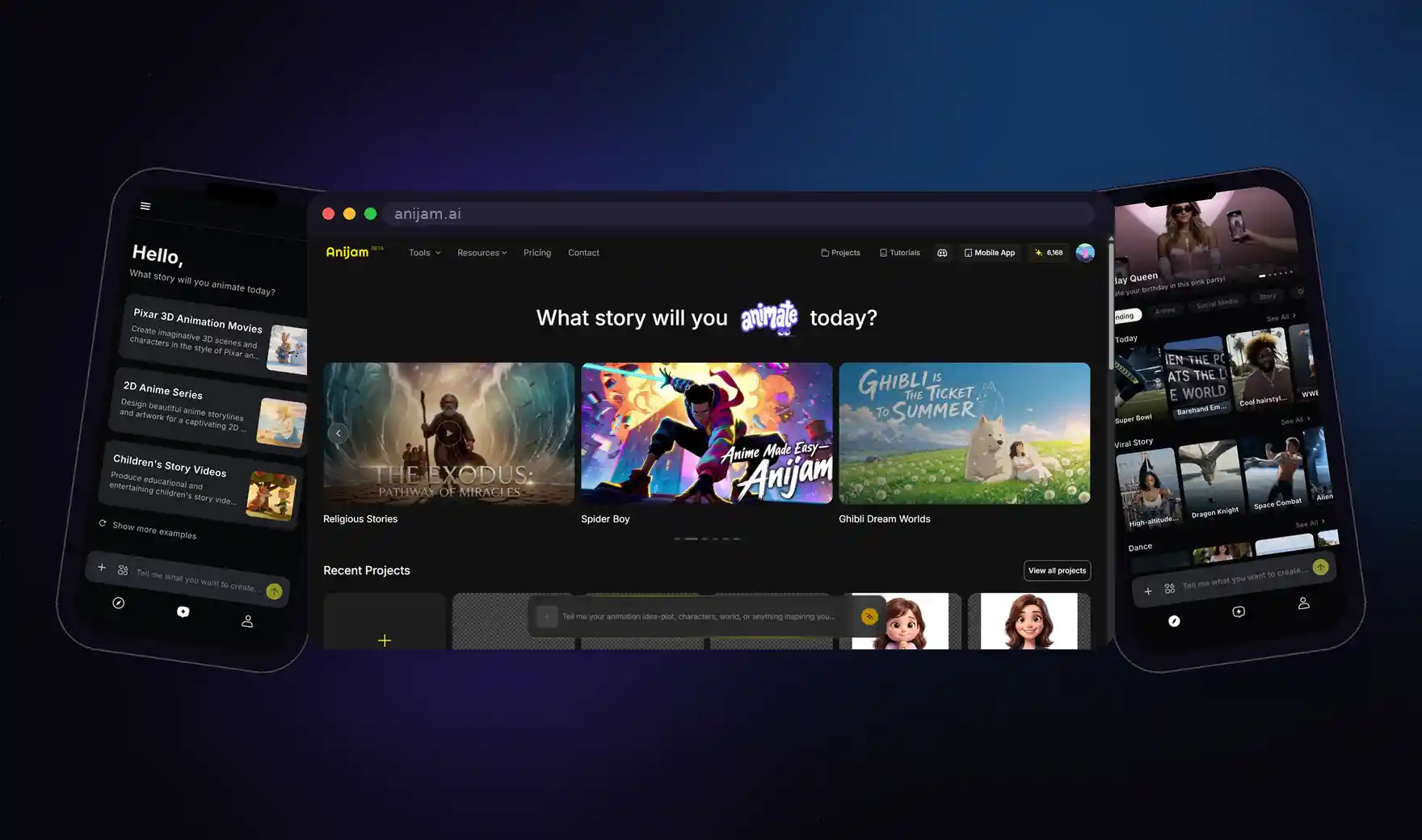
Step 1: Describe your scene
Type your concept into Anijam in plain language, and it generates a story outline, characters, and a rough shot breakdown to build on.
Step 2: Select MiniMax H3 as your model
Pick MiniMax H3 for shots that need native audio-video sync or a mix of reference material — for example, a character delivering a line of dialogue, or transferring the camera motion from a reference clip onto a new character.
Step 3: Upload your reference assets and generate
Drag in reference images, motion clips, and voice samples directly on the canvas. Anijam packages them according to H3’s input limits (up to 9 images, 3 video clips, 3 audio clips) and sends the generated clip straight into your project’s timeline.
Step 4: Layer in lip-sync and fine-tune motion
Even with H3’s native audio, you can further refine dialogue timing using Anijam’s lip-sync tool, or adjust camera work and motion with simple text commands — the same consistency tools apply regardless of which underlying model generated the shot.
Step 5: Polish and export
Adjust pacing and transitions in the timeline editor, mix H3-generated shots with clips from other models, then export your finished video.
Conclusion
MiniMax H3 is one of the few 2K-class video models to actually put weights in the public’s hands, and its unified text-image-video-audio context genuinely solves a real pain point — no more stitching together separate models for motion, voice, and editing. Native synced audio is a clear efficiency win for ads, short-form content, and product videos.
That said, it’s not without trade-offs. Full 2K output still depends on two modules that remain closed, local deployment isn’t trivial, the license needs a careful read before commercial use, and per-second pricing makes budgeting less predictable than a flat subscription. If you just want to try what it can do without setting up a local environment, generating through the API or an aggregator platform is the more practical route.
MiniMax H3 stands on its own as a serious pick — and if you want to put it side by side with Kling, Seedance, and other leading models in the same project, Anijam AI gives you one canvas where character consistency, lip-sync, and timeline editing work the same way no matter which model generated the shot.
Frequently Asked Questions
Is MiniMax H3 the same as Hailuo 3.0? Yes. MiniMax H3 is the official model name; Hailuo 3.0 (also written Hailuo 03) is the name it goes by inside the Hailuo AI app. Both refer to the same model. It’s unrelated to Kuaishou’s Kling line, despite the similar-sounding naming.
Can MiniMax H3 run locally? What GPU do I need? Partially. The H3-Base weights (768p) are open on Hugging Face, and MiniMax’s own example deployment uses 4 GPUs for full precision. Community-quantized builds reportedly run on consumer cards with as little as 12GB of VRAM, though 24GB is the safer bar for production work. Reaching the marketed 2K output still requires MiniMax’s cloud API.
How do I write good prompts for MiniMax H3? H3 prompts read more like a shot script than a single description — you typically need to describe the visual action, the overall soundscape, and any background music separately, and if you’re using reference material, spell out what role each reference plays in the final video. MiniMax publishes a full prompt-writing guide alongside the model card on Hugging Face.
How much does MiniMax H3 cost? It’s currently pay-as-you-go only: $0.13 per second at 2K (about $1.95 for a 15-second clip), or $0.09 per second at 768P, which is still in closed beta. Hailuo AI’s existing subscription plans (roughly $7.99 to $199.99/month) don’t yet include H3 usage — the two pricing systems are separate for now.
MiniMax H3 vs Kling 3.0: which is better? They’re built around different strengths rather than one clearly beating the other. Kling 3.0 tends to lead on prompt-following accuracy and generation speed, making it a strong fit for high-volume, motion-heavy content. MiniMax H3’s edge is native synced audio and its more flexible omni-reference input, which suits scenes that need dialogue, sound design, or blending multiple reference assets. Many creators switch between the two depending on what a given shot needs.
MiniMax H3 vs Seedance 2.5: which should I use? They launched on the same day (July 31, 2026) with opposite strategies, so the choice mostly comes down to access and shot length. Seedance 2.5 generates up to 30 seconds in a single pass and accepts far more reference files (up to 50 vs H3’s 12), but it’s closed, ByteDance hasn’t published official API pricing yet, and third-party access is still rolling out. MiniMax H3 tops out at 15 seconds per generation but has a live, callable API today and a partial open-weight release. If you need something you can call right now, H3 is the more accessible option; if your shot genuinely needs a continuous 20–30 second take, it’s worth waiting for Seedance 2.5’s API access to mature before committing.
by Wendy
Wendy is a passionate writer and AI video enthusiast at Anijam, exploring creative ways to bring stories to life with AI-powered image and video tools. She shares practical tips, prompt ideas, and insights to help creators turn their imagination into engaging visual content.