Hailuo AI Review 2026: Features, Pricing, Updates & Alternatives
Hailuo AI built its reputation on speed: type a sentence, wait less than a minute, and watch a short AI-generated video render in front of you. Backed by MiniMax, one of the more talked-about names in AI video right now, it has become a go-to option for creators testing ideas on a tight budget.
This Hailuo AI review takes a closer look at what the platform actually delivers in 2026: how the video generator, image generator, and audio tools hold up, what the pricing plans really cost once credits are factored in, what changed with the newest model, and - based on real feedback from Reddit and Trustpilot - where it still falls short. By the end, you’ll also find a few solid Hailuo AI alternatives worth considering, depending on what you’re trying to make.
What Is Hailuo AI?
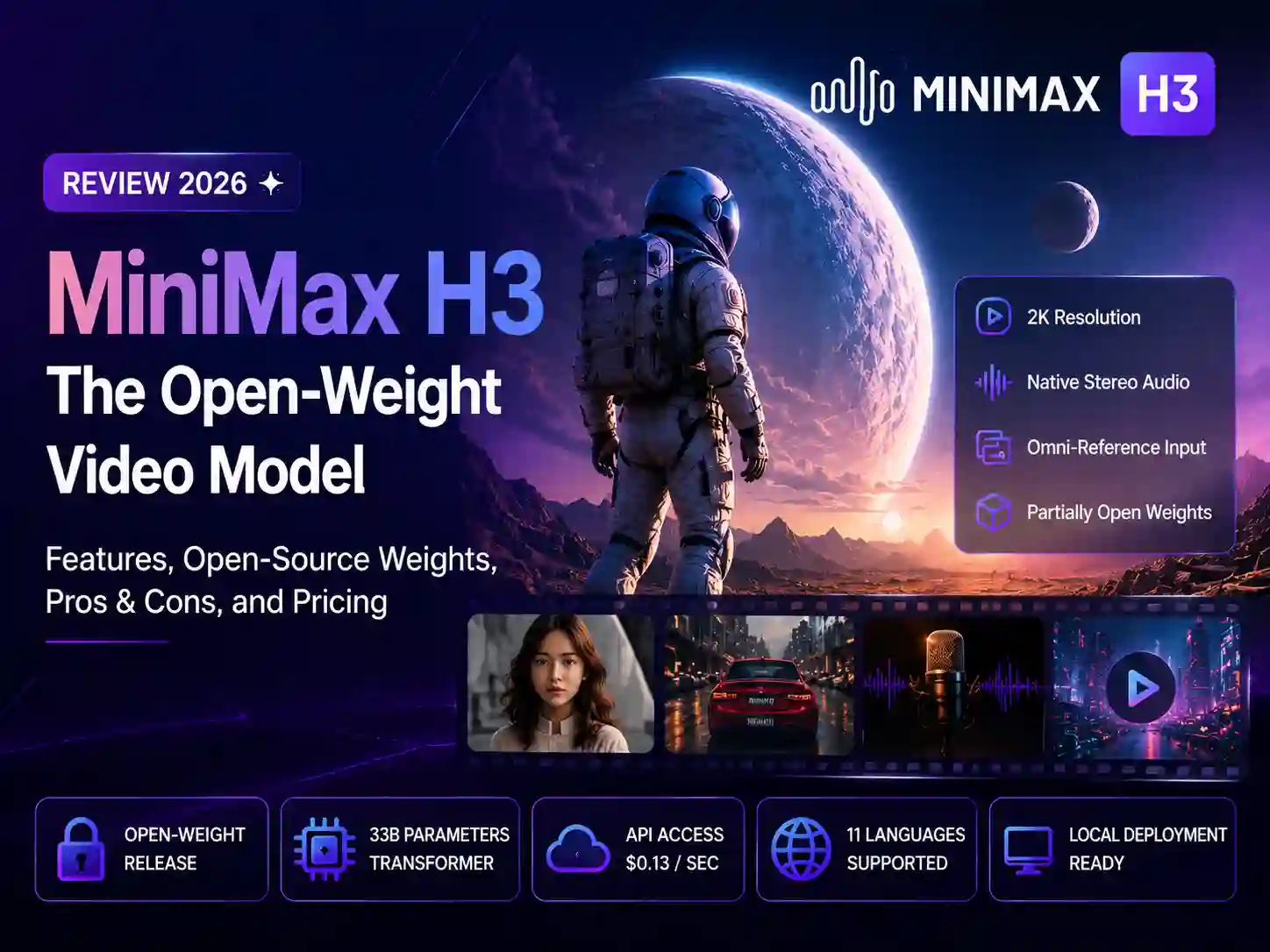
Hailuo AI is MiniMax’s AI video generation platform, available through its website, mobile apps, and the MiniMax Open Platform API for developers. It turns a short text prompt or a single reference image into a finished video clip in under a minute, and its latest MiniMax H3 model extends that into a broader multimodal workflow - what MiniMax calls Omni Reference - that folds in up to 12 image, video, and audio references within the same generation.
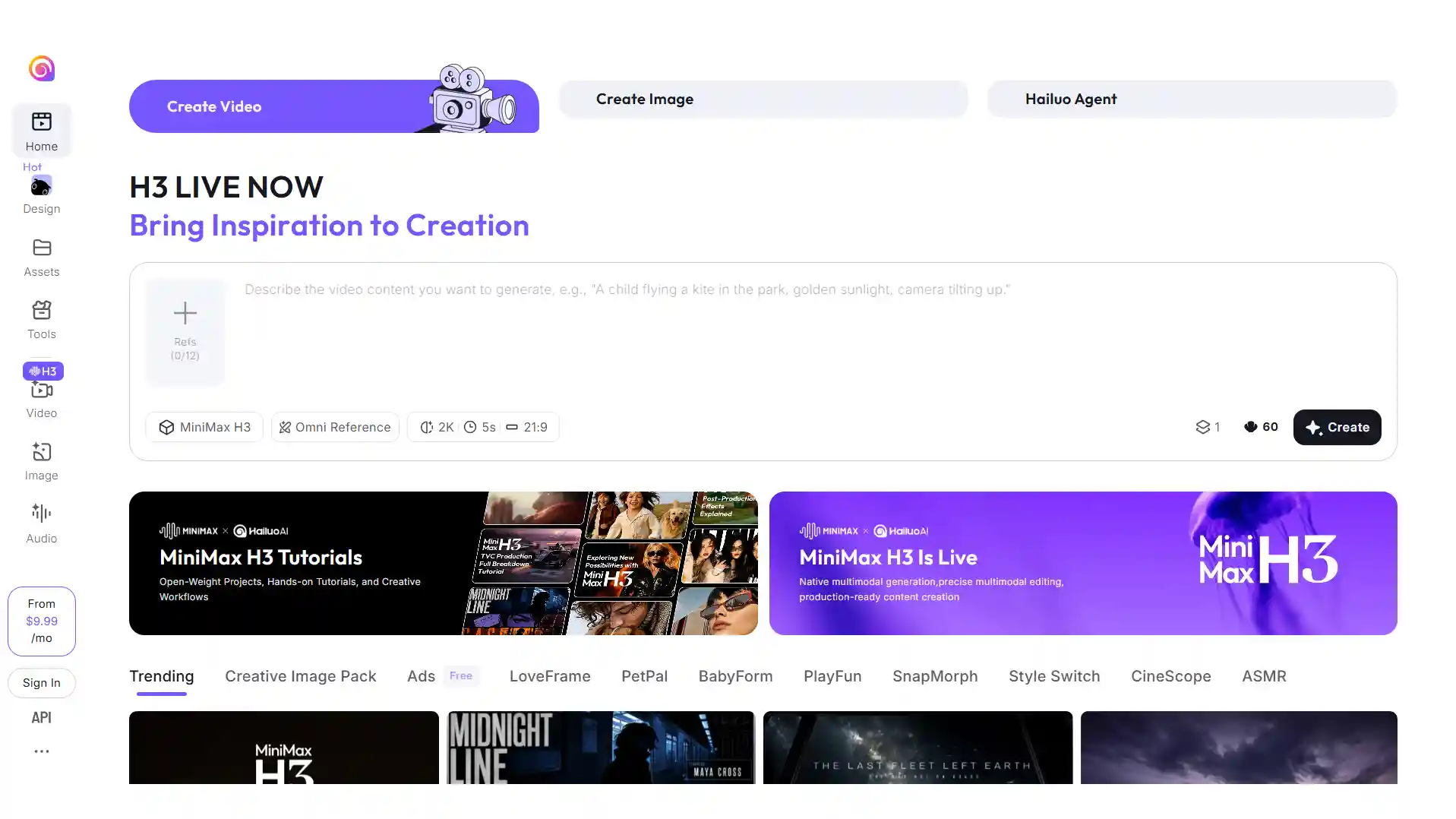
Alongside the video generator, the Hailuo AI image generator handles stills - concept art, a thumbnail, or a reference frame to animate later - so the two tools sit in the same workspace rather than requiring a separate app.
In practice, that makes Hailuo less of a full production suite and more of a fast, low-cost sandbox for short-form ideas - strong for single clips, less built for anything that needs to carry across multiple scenes.
Key Features at a Glance
Here’s what’s actually inside the platform:
| Feature | What it does |
|---|---|
| Text-to-video | Turns a written description into a short video clip |
| Image-to-video | Animates an uploaded still image into motion |
| Audio generation | Standard models: separate text-to-speech add-on billed by character. MiniMax H3: native stereo audio generated together with the video |
| Start and end frames | Supported on MiniMax H3, Hailuo 2.0 and the bundled Veo 3.1 model, for guiding a transition between a first and last image |
| Multiple resolutions | Ranges from 480p up to 2K depending on the model and plan - MiniMax H3 tops out at 2K, while Hailuo 2.0/2.3 models cap at 1080p; the bundled Sora 2 access is limited to 720p, while Veo 3.1 is limited to 1080p |
| Camera and motion control | Prompts can describe camera movement and the desired action |
| Multi-Platform Access | Available on web, iOS, and Android, plus desktop apps for Windows & Mac |
What’s New in Hailuo AI in 2026
The biggest update this year is MiniMax H3, Hailuo AI’s latest-generation video model. It expands the platform beyond conventional text-to-video and image-to-video generation with a more unified multimodal workflow.
-
MiniMax H3 adds multimodal video generation - H3 can understand text, images, video, and audio within the same creative context. This allows creators to combine different references to guide characters, motion, camera direction, voice, and style rather than relying on a text prompt alone.
-
Native stereo sound comes with the video - Unlike workflows that generate visuals first and add sound separately, H3 can generate video with native stereo audio. It can also use audio as a reference and support changes to dialogue and voice during editing.
-
Higher resolution and longer clips - MiniMax’s H3 model supports video generation of up to 15 seconds at 2K resolution. The current Hailuo implementation supports 5-15-second clips, with its product page listing up to 2K output depending on the available setting.
-
More flexible references and editing - Hailuo’s H3 workflow supports up to 12 reference files, including images, video, and audio. Users can use these references to guide subjects, movement, camera work, and sound, while H3 also supports targeted edits such as changing people, objects, backgrounds, lighting, dialogue, or effects.
Overall, H3 marks a shift in Hailuo AI from standalone clip generation toward a more integrated multimodal video workflow, bringing text, visual references, video, audio, and editing into the same generation process.
For a deeper breakdown of what H3 gets right, where it still needs manual review, and how much it costs per generation, we covered it in detail in our MiniMax H3 review.
Pros & Cons
With the introduction of MiniMax H3, several things that used to count against Hailuo AI - the resolution ceiling, the lack of native audio - aren’t limitations anymore. The list below reflects where things actually stand with H3 in place.
Pros
-
Native audio on H3 - sound is generated in the same pass as the video, no separate voice track or extra billing required
-
Higher ceiling than before - H3 pushes output up to 2K and 15 seconds, closing part of the gap with Runway, Kling, and Veo
-
Fast turnaround - most clips render in under a minute
-
Motion and physics that hold up well for short, action-heavy shots
-
Generally cheaper per video than Runway, Sora, or Veo at the entry tier
-
Solid image-to-video results, particularly for human subjects and lifestyle content
Cons
-
Credits burn through fast at 1080p and 2K, and a failed or rejected generation doesn’t always get refunded
-
Bundled third-party models (Sora 2, Veo 3.1) are capped at 720p or 1080p, well below what Hailuo’s own MiniMax H3 model can output
-
Results may require several generations before reaching the desired shot
-
Moderation is strict across content categories (violence, IP, political material, and more), and may have occasional false-positive flags on otherwise legitimate prompts according to creators’ reports
Pricing and Plans in 2026
Hailuo AI runs on a credit-based subscription model, with five monthly plans ranging from a free tier to a high-volume Max plan. Higher-tier plans provide more monthly credits and lower generation costs for some models, making them better suited to creators who generate videos regularly.
| Plan | Price/month | What you get |
|---|---|---|
| Free | $0 | One-time free trial credits; access limited to Hailuo series models such as Hailuo 2.0, MiniMax H3 and MiniMax H3 Max; watermarked |
| Standard | $10.50/mo | 1,000 credits/mo; access to MiniMax H3 (2K and 768P) and MiniMax H3 Max (768P and 480P); access to Sora 2 and Veo 3.1 (720p)watermark-free |
| Pro | $38.00/mo | 4,500 credits/mo; same model access as Standard at lower per-second H3 rates and faster generation speed; watermark-free |
| Master | $89.00/mo | 10,500 credits/mo; same model access with substantially higher monthly usage and a faster generation rate; |
| Max | $216.00/mo | 27,000 credits/mo; lowest listed per-second rates on H3 models, plus unlimited generation with Hailuo 2.0/2.3 series models; watermark-free |
Note: the prices above reflect a current promotional discount (roughly 26-31% off list price). Hailuo AI’s pricing, credits, model availability, and plan benefits may change over time - check the official Hailuo AI pricing page for the latest rates before subscribing.
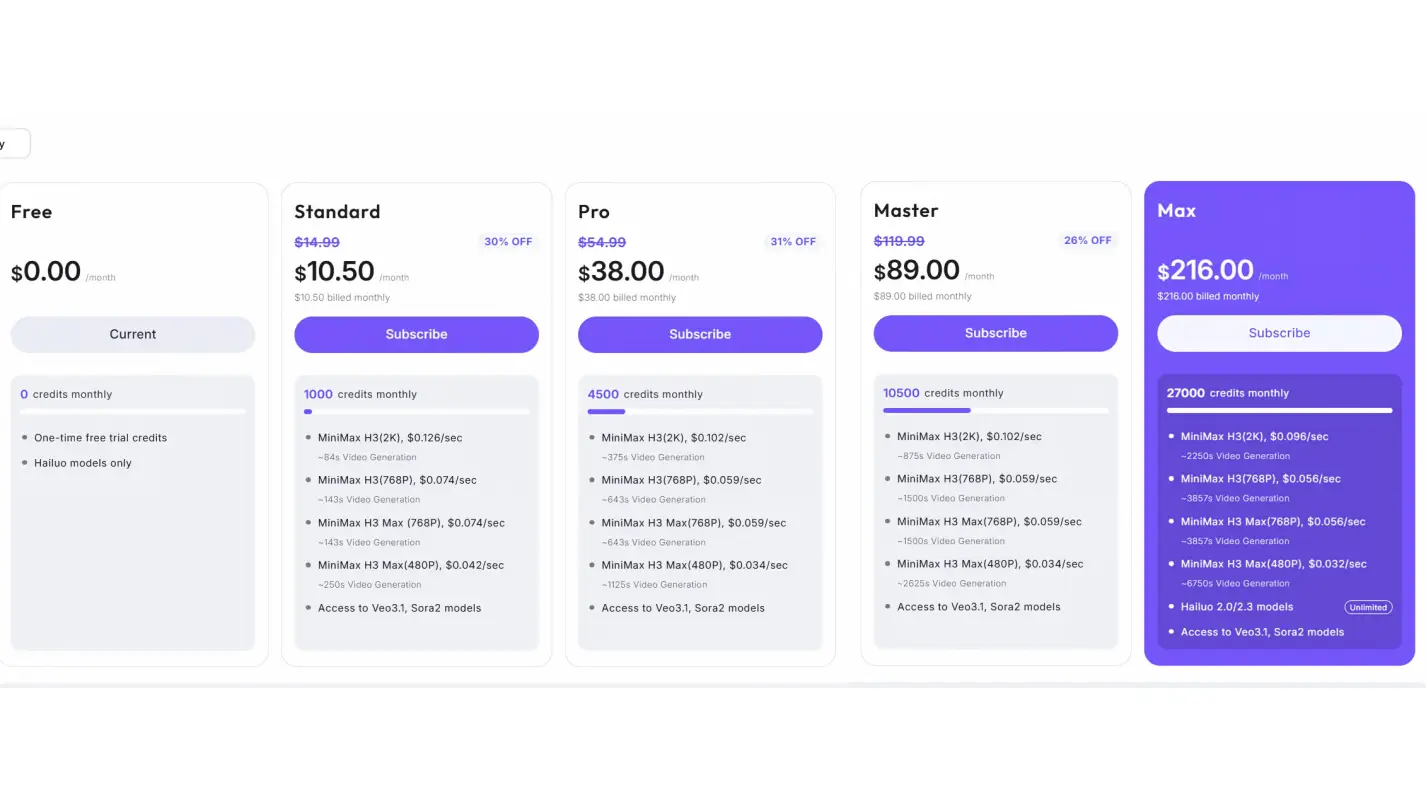
The exact amount of video you can generate depends on the model, resolution, and video length. For example, on the Standard plan, MiniMax H3 costs $0.126/sec at 2K and $0.074/sec at 768P - roughly enough for 84 seconds of 2K footage or 143 seconds at 768P per month, before factoring in H3 Max or any other model. Higher tiers lower these per-second rates and multiply the available seconds accordingly.
How Hailuo AI Works
Hailuo AI uses generative AI to turn text prompts, images, and reference materials into short video clips. Instead of building a video manually frame by frame, you describe the scene you want and the model works out the motion, composition, camera movement, and visual details in a single generation pass.
The overall logic breaks down into three layers: what you feed the model, which engine actually processes it, and how the result gets refined.
Creative input drives what the model has to work with
-
A text prompt can specify the subject, action, environment, visual style, and camera movement on its own
-
A reference image adds visual grounding for how a character or scene should look
-
On MiniMax H3 specifically, text, image, video, and audio references can all be combined in the same generation, rather than being limited to one input type
Model choice determines what the request is actually capable of
-
MiniMax H3 - accepts the widest range of references, outputs up to 2K
-
MiniMax H3 Max - trades that range for a faster, lower-cost pass capped at 768p
-
Hailuo 2.0/2.3 - a simpler text-or-image-only pipeline, output capped at 1080p
-
Bundled third-party models (Sora 2, Veo 3.1) - route the request to a different engine entirely, each with its own resolution ceiling
Settings like aspect ratio, resolution, and duration sit on top of whichever model is selected, so the model and the settings together - not just the prompt - decide what’s actually achievable in a given generation.
Refinement works differently depending on the model
-
On Hailuo’s earlier models (2.0/2.3), each generation is self-contained - there’s no way to modify an existing render, so revising a shot means resubmitting an adjusted prompt, reference image, or setting and generating from scratch
-
MiniMax H3 breaks from that pattern with two levels of editing: instruction-based edits that swap a character, background, or line of dialogue across the whole clip, and finer frame-local redraws that fix just a problem area without regenerating the rest
-
Audio follows a similar split - MiniMax H3 produces sound in the same generation pass as the video, using any audio reference supplied, while every other model generates audio as a separate text-to-speech pass applied after the video already exists
Practical Use Cases for Hailuo AI
Product and ad concept testing - turning a rough idea into a visual clip before committing budget to a full shoot, useful for solo creators and small marketing teams validating a concept early
-
Short-form social content - quick, attention-grabbing clips for TikTok, Instagram Reels, and YouTube Shorts, where content needs to be produced and iterated on a tight turnaround
-
Trend and meme-driven content - turning a simple idea into a clip fast enough to catch a trending format before it loses momentum
-
Bringing a still image to life - animating a photo, illustration, or piece of concept art into motion, without needing a full video production setup
-
Prototyping before a bigger production - testing how a scene, camera move, or visual style looks before investing in a more involved workflow or a higher-cost model
Popular Hailuo AI Alternatives 2026
Hailuo AI is one option among a growing range of AI video generators, and no single platform is the best fit for every project. The right choice depends on what matters most to you, whether that’s generation speed, motion quality, creative control, character consistency, audio, editing, or a more complete production workflow.
If you’re exploring alternatives, the following platforms offer different approaches to AI video creation. Here’s how they compare at a glance:
| Tool | Best for | Standout feature |
|---|---|---|
| Anijam AI | Story-driven, character-consistent videos | Scene-based video creation with consistent characters, voice, and built-in lip sync |
| Pollo AI | Comparing multiple raw video models | A wide range of leading video models (15+ integrated AI video models) and dedicated video creation tools in one platformin |
| InVideo AI | Fast, publish-ready marketing videos | AI-assisted script, visuals, voiceover, stock media, and text-based editing |
| OpenArt | Consistent AI characters across many scenes | Broad model selection with character tools, video generation, and AI video direction |
Anijam AI
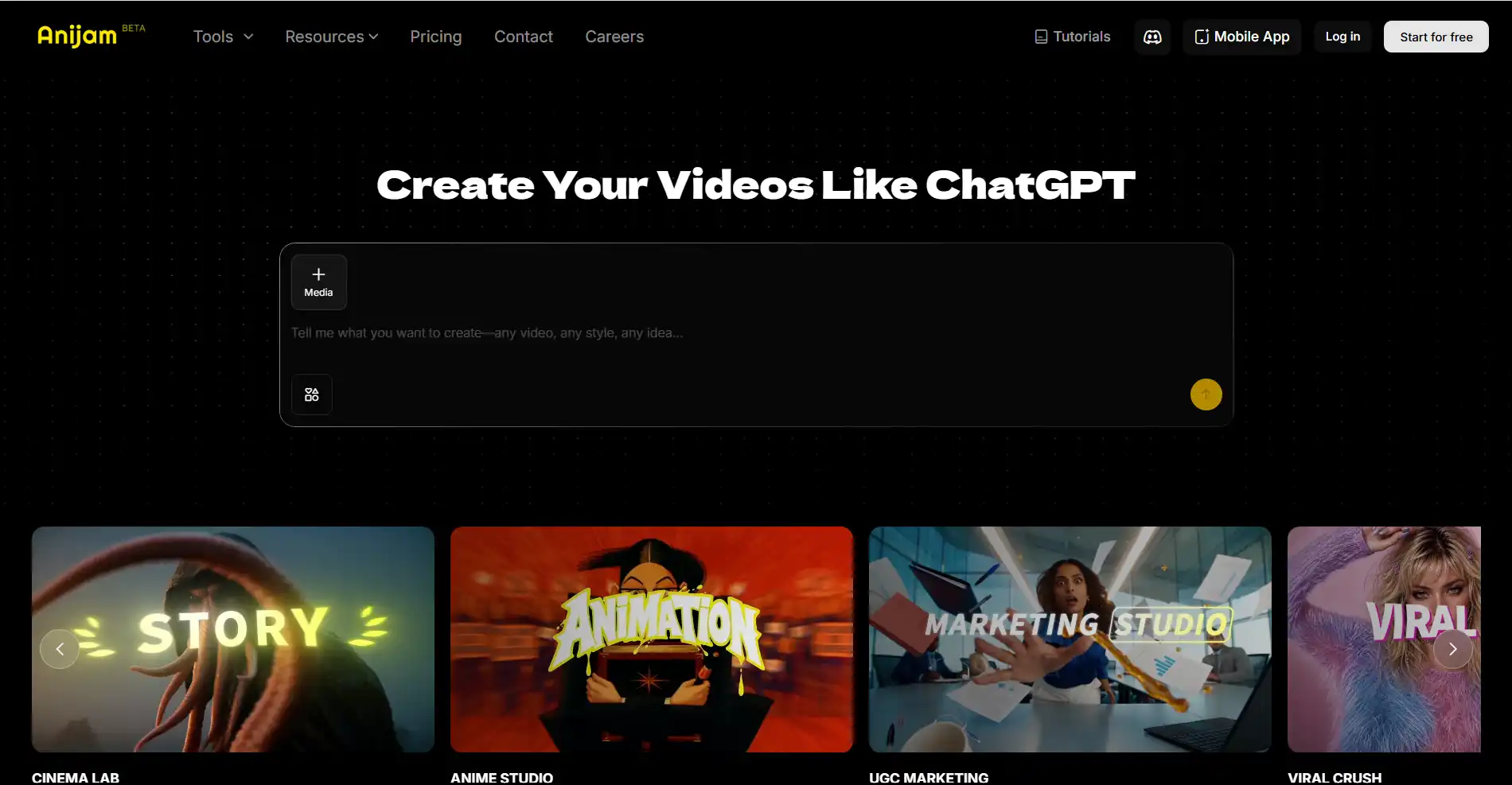
Anijam AI is an AI video generator and creative platform built around the whole video. You start from a written idea, a full script, an image, or even a voice track, and it’s carried through as a scene-by-scene video rather than a one-off clip.
Key features
-
Character consistency & Built-in lip sync Designed to keep recurring characters recognizable with lip-sync across multiple scenes and episodes
-
Series video creation - Turn an idea into a multi-episode animated series and create content designed for ongoing social media publishing across platforms such as TikTok, Instagram, and YouTube
-
Ready-to-use templates & Multiple visual styles - Start with ready-to-use templates to quickly build videos with a predefined visual direction and choose from styles such as Ghibli-inspired, realistic, 3D cinematic, and Minecraft-style
-
Multiple AI video models - bring H3 into the same workspace as Kling, Seedance, and other leading video models, giving creators more flexibility when choosing a generation approach
Pros
-
Less repetitive prompting - once a character is set up, it carries over automatically across scenes instead of being re-described each time
-
Cross-model flexibility - a shot that underperforms on one engine can be re-run on another without leaving the platform
-
Built for ongoing series - revisions and new episodes fit into a repeatable pipeline rather than starting from scratch each time
Cons
-
Peak-hour queuing - generation can queue up during busy periods, like most cloud-based video platforms
-
Prompt precision matters more - complex or highly personalized scenes need a more detailed, well-structured prompt for consistent results
-
Less suited to spontaneous one-offs - works best when a project is planned around a script or series structure
If you want anything with a recurring character, story-driven videos, or a specific style running across multiple scenes - a script-to-animation project, a character that needs to show up consistently, or dialogue that needs lip-synced audio - that’s exactly the workflow Anijam is built for, on both web and mobile.
Pollo AI
Pollo AI is a multi-model AI creative platform that brings a wide range of image and video models together in one workspace. It currently provides access to models such as Hailuo, Kling, Runway, Veo, Sora, Seedance, and MiniMax H3.

Key features
-
Multiple video models in one platform - Switch between different models instead of relying on a single generation engine
-
Text-to-video and image-to-video - Generate clips from prompts or reference images using different underlying models
-
Video editing and transformation tools - Includes features such as video-to-video, motion imitation, video upscaling, and other creative effects
-
Specialized creative apps - Offer workflows for areas such as product videos, video ads, anime, music videos, and other short-form content
Pros
-
One bill, several premium models - covers models that would otherwise require separate accounts and separate subscriptions
-
Easy side-by-side testing - the same prompt can be run across engines to see which one nails a specific shot
-
Built-in fallback option - useful when a preferred model is mid-queue or its output doesn’t land
Cons
-
Less predictable cost - credits and pricing can vary by model, so spend isn’t as consistent as on a single-model platform
-
Style can shift between models - switching engines means output quality and look aren’t always uniform
-
Better for comparing than committing - best fit for creators testing engines rather than wanting one consistent visual identity
Pollo AI is a good option for creators who want to compare different AI video models and switch between them within one platform.
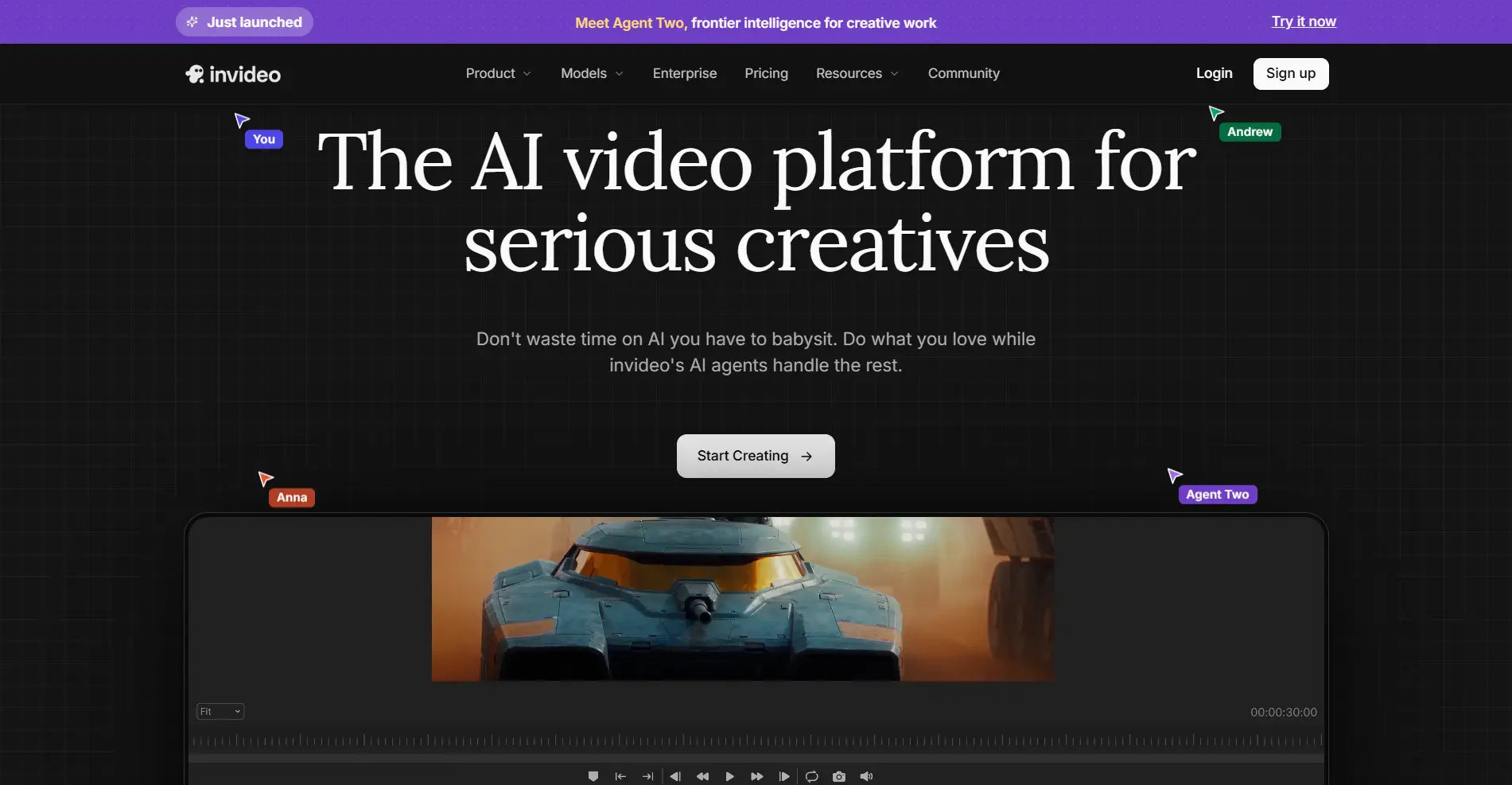
InVideo AI
InVideo AI takes a broader approach to video creation, combining AI generation with a workflow designed to turn ideas or scripts into more complete videos. Its current platform also provides access to models such as Sora 2 and Veo 3.1 for users who want more advanced generative video capabilities.
Key features
-
Prompt-to-video generation - Turn a topic or simple idea into a video draft with AI-generated scripts, visuals, voiceovers, and basic edits, reducing the amount of manual work needed to get started
-
AI-powered script and scene planning - Generate structured scripts and organize them into scenes, helping maintain a clear narrative as the video is developed and revised
-
Integrated stock media and voice tools - Draw from a large stock-media library and add AI voiceovers, avatars, or other audio elements without switching between separate production tools
-
Text-based video editing - Make changes using natural-language instructions, such as modifying scenes, visuals, or narration, instead of working through a traditional timeline for every adjustment
Pros
-
Faster first draft - shortens the gap between an idea and a shareable video compared to starting from a blank prompt
-
Fewer external tools needed - reduces reliance on separate services for voiceover and stock footage
-
Lower editing barrier - instruction-based revisions suit creators without a traditional editing background
Cons
-
Marketing-leaning output - leans more toward template-assisted videos than freeform AI-generated clips
-
Steeper learning curve - the heavier feature set takes longer to learn than a single-prompt tool
-
Less distinct AI look - not the best fit for creators who want a strongly AI-generated visual style throughout
InVideo AI is a strong fit for marketers and content creators who want to move from an idea or script to a finished, publish-ready video with less manual assembly.
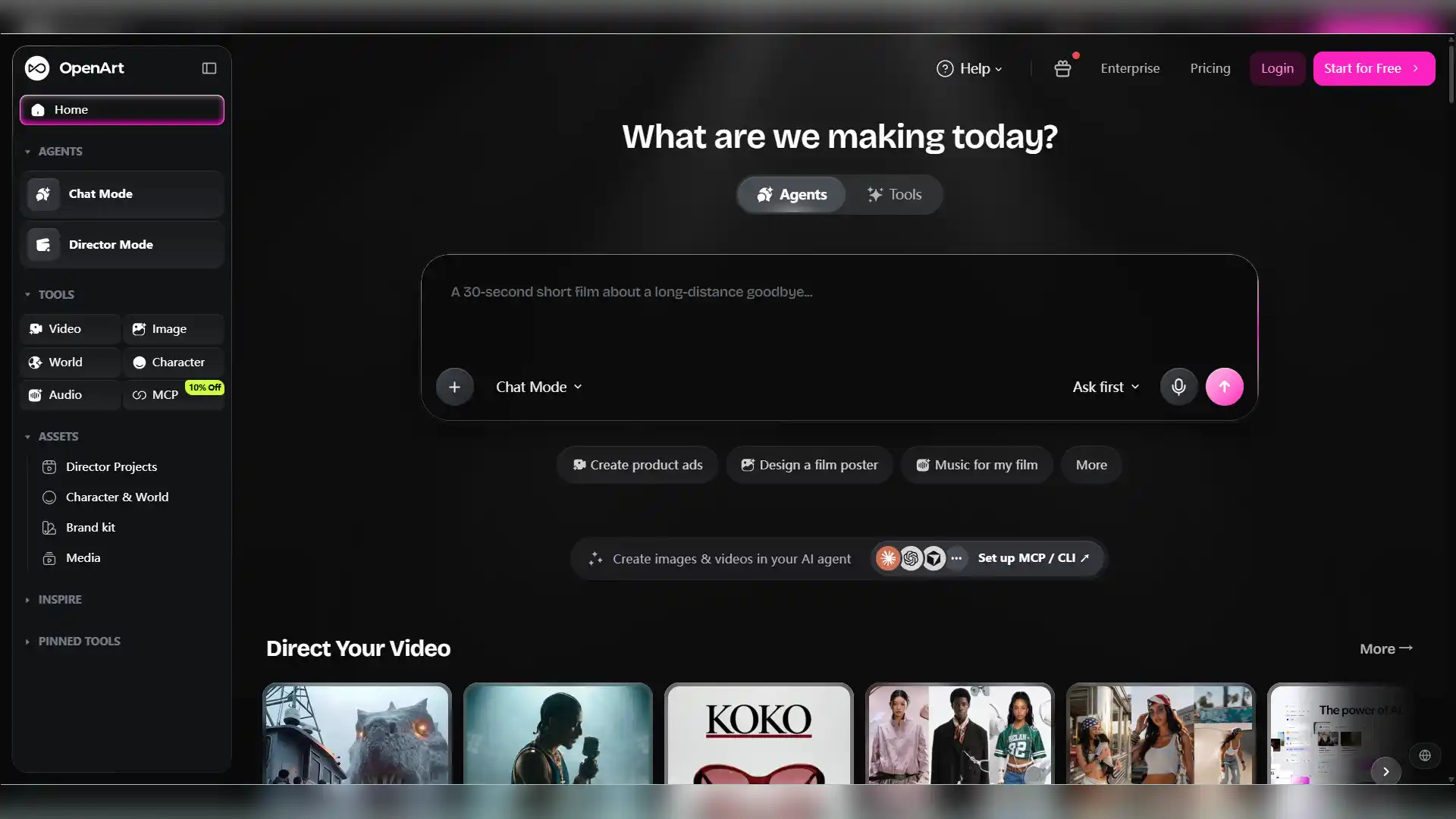
OpenArt
OpenArt is a broader AI creative platform that combines image and video generation with tools for character creation and visual workflows. It gives creators access to multiple AI models and specialized tools for developing and directing visual content.
Key features
-
Access to Multiple AI Models - Choose from a broad selection of image and video models to explore different visual styles, from photorealistic and cinematic content to anime and other creative formats
-
Consistent Character Creation - Build reusable AI characters by defining facial features, clothing, and other traits, helping maintain visual continuity across different scenes and generations
-
Video-to-video and editing tools - Supports restyling footage, changing backgrounds, replacing characters, and other video transformations while preserving the original motion
-
Broader creative toolkit - Combines video generation with image creation, character development, VFX, audio, and other visual workflows
Pros
-
Stills and video from one character - useful when a project needs both formats built from the same consistent character
-
Middle-ground control - more creative flexibility than pure prompt-based tools, without a full manual editing workflow
-
Style matching without switching platforms - model variety lets you match visual style to a project in one place
Cons
-
Bigger toolkit to learn - takes more time to explore than a single-purpose video generator
-
Upfront setup required - consistent-character workflows need some configuration before generation
-
Better for multi-tool users - suits creators comfortable navigating several tools more than those wanting one streamlined workflow
OpenArt is a good fit for creators who want to experiment with multiple AI models while combining video generation, character development, and broader visual creation tools in one platform.
Is Hailuo AI Worth It?
Short answer: it depends on what you’re making. For fast, short, experimental clips at a low cost, Hailuo AI is a solid pick. It’s a harder match for a full production: MiniMax H3’s Omni Reference can lock a character’s face, wardrobe, and voice into a single generation from a handful of reference images, but it’s built around one shot at a time rather than a repeatable series pipeline, so continuity across many scenes still takes more manual work than a tool designed specifically for that.
Here’s the quick verdict:
| Category | Verdict |
|---|---|
| Video quality | Strong motion and physics for short clips; occasional issues with hands, on-screen text, and fine detail |
| Pricing | Cheaper per clip than Runway or Sora at entry level, but the credit system is easy to misjudge |
| Ease of use | Simple prompt-based workflow with almost no learning curve |
| Best for | Quick social clips, product teasers, meme-style content, rapid prompt testing |
| Where it struggles | Long-form continuity, character consistency, built-in audio on non-H3 models, billing and support |
Final Thoughts
Hailuo AI remains a strong option for short-form AI video generation, especially when speed, motion quality, and quick experimentation are the priorities. Its text-to-video, image-to-video, and newer MiniMax H3 capabilities make it worth considering, but its credit-based pricing and 15-second ceiling per clip mean it isn’t built for continuous long-form scenes.
Hailuo AI does what it’s built for well - fast, cheap, short-form experimentation. Once your project needs more than a single clip - a recurring character, a multi-scene story, or built-in lip sync - that’s where a broader workflow makes sense. Alternatives like Anijam AI Video Generator may be a better, with character consistency, series creation, and lip sync across scenes.
Frequently Asked Questions
Is Hailuo AI free to use?
Yes. Hailuo AI has a free plan with limited trial credits, so you can test its video generation before paying. Free generations come with restrictions such as watermarked downloads, while paid plans provide more credits and additional benefits.
Is Hailuo AI safe to use?
It’s a legitimate product from MiniMax, a publicly listed company. Three things to know before you commit: content moderation occasionally flags legitimate prompts, Trustpilot reviews frequently cite billing and refund friction, and Disney, Universal, and Warner Bros. Discovery sued Hailuo AI in September 2025 over generated content. None of these make the tool unusable, but all are worth factoring into a commercial decision.
Is there a Hailuo AI app?
Yes. Hailuo AI has official apps for iOS and Android, plus desktop apps for Windows and Mac. The mobile app supports core AI video and image creation, making it possible to generate and edit content directly from your phone.
What is MiniMax H3?
MiniMax H3 is Hailuo AI’s latest-generation multimodal video model. It can work with text, images, video, and audio references, generate clips up to 15 seconds at up to 2K resolution, and supports more precise control over characters, motion, camera direction, and sound. It also has an open-weight version creators can run locally. For more details, you can read the full breakdown in our MiniMax H3 review (referenced earlier in this article).
What’s the best Hailuo AI alternative?
For character-driven and story-based videos, Anijam AI is a strong alternative to consider. It focuses on scene-based video creation with character consistency, series creation, voice, and built-in lip sync, making it a better fit when a project extends beyond a single short clip.
by Evan
Evan is an AI content creator and video technology writer at Anijam AI, focused on how generative AI is transforming storytelling and video production. He shares social trends, creative workflows, prompt strategies, and practical insights to help creators turn ideas into engaging videos and visual content.