Renderforest AI Review (2026): Features, Pricing, Updates & Alternatives
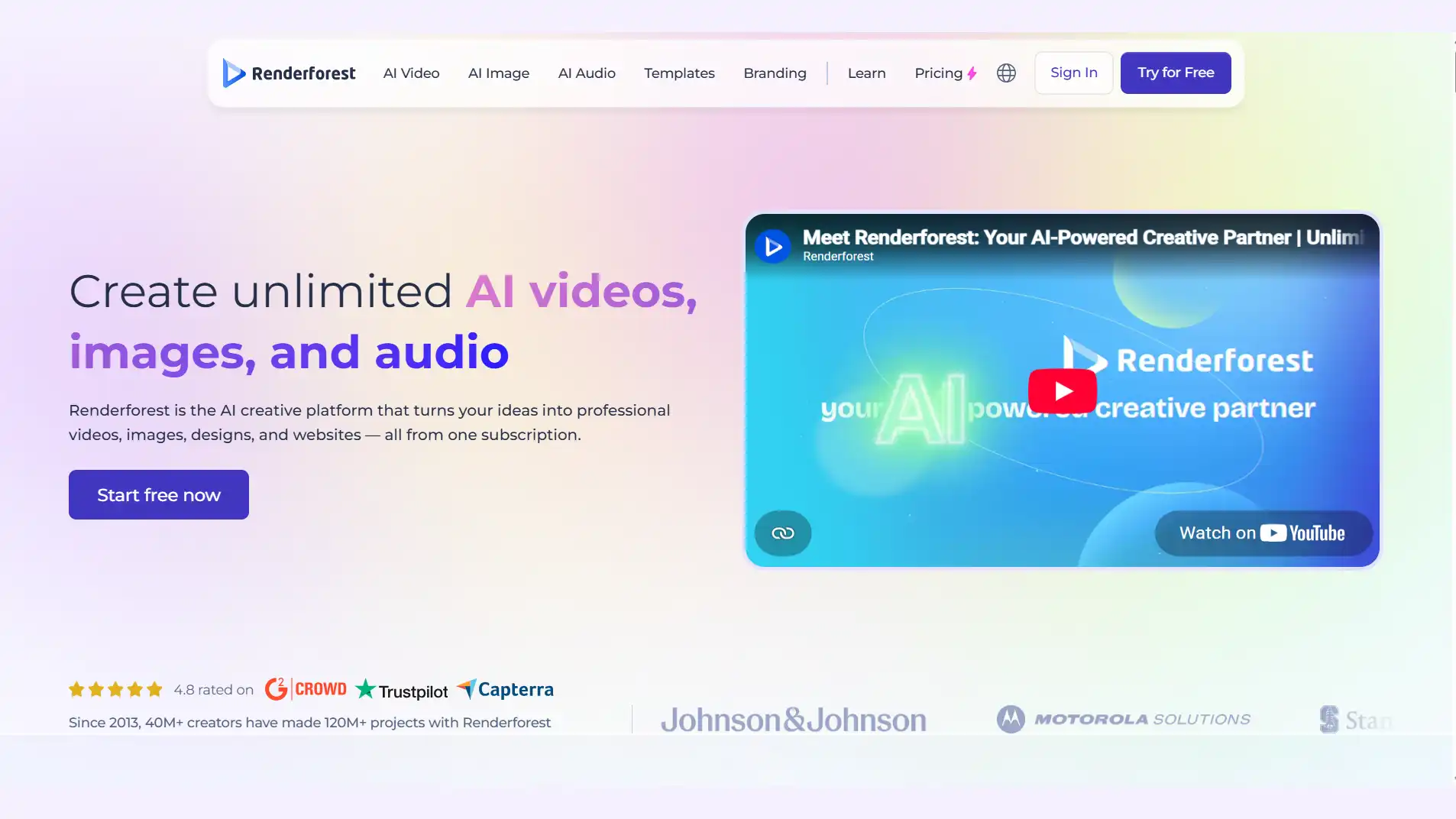
Renderforest is an all-in-one AI creative platform - generating unlimited videos, images, and audio across web and mobile. If you’re looking for an AI video generator in 2026, the real question isn’t simply whether Renderforest can make a video - it’s how much creative control, flexibility, and value you actually get from it.
In this Renderforest review, we’ll look at its core features, 2026 updates, pricing, how its AI generation system works, practical use cases, strengths and limitations, and how it compares with other AI video generation tools. By the end, you’ll have a clearer idea of whether Renderforest fits quick branded content or whether a more specialized platform would be a better match.
What Is Renderforest AI?
Renderforest AI is a browser-based tool inside the wider Renderforest platform that turns a text description or short script into an AI video. You pick “Text-to-Video” or “Idea-to-Video,” describe the concept, choose a style and voice, and the AI assembles a first draft you then edit inside Renderforest’s timeline.
Key Features
-
Text, Image & Script-to-Video Generation - Start with a prompt, image, or script, and Renderforest can generate scenes with visuals, voiceovers, and music, turning an idea into a complete video draft.
-
All-in-one Creative workspace - One account covers video, logo, mockups, and website creation, giving solo creators and small businesses several creative tools in one place.
-
Multiple AI video models in one platform - Renderforest brings its own AI models together with Kling 3.0, Veo 3.1, Seedance 2.5, MiniMax H3, and Pixverse V6, giving creators different options for visual styles, motion, and generation needs.
-
Extensive Styles and templates - Renderforest offers 1,200+ video templates covering animations, explainers, social videos, promos, and other formats, giving users both AI-generated and template-based ways to create content.
-
Built-in Video Editing and Customization - Generated content can be refined in Renderforest’s editor, where users can adjust scenes and add or customize elements such as music, voiceovers, subtitles, and branding.
Pros & Cons
Renderforest’s average rating sits around 4.2-4.7 across review sites, but the detail behind that score is more mixed. Here’s what actually shows up in G2 reviews, Trustpilot, and Reddit threads.
Pros
-
Beginner-friendly: easy to use with a low learning curve and no skills required.
-
Good value for template-based and branded content: For users who mainly need explainers, promos, presentations, or other structured videos, the combination of templates, editing tools, and AI features can reduce the need for separate software.
-
Real-Time Layout Adjustment: Review and reposition text, elements, or safe zones for vertical formats after changing the ratio.
-
Responsive customer support: User feedback includes positive mentions of Renderforest’s support team, and the company actively responds to customer issues and reviews.
Cons
-
AI Credit Usage varies by model - Different models can consume credits at significantly different rates.
-
Less suited to highly specialized visual styles - Users looking for advanced character consistency or highly original visual styles may prefer more specialized tools.
-
Rendering can take longer during busy periods - Some recent user feedback reports slower rendering and preview times during peak hours.
What’s New in Renderforest AI (2026)
Renderforest’s 2026 updates point to a broader shift from a template-focused video maker toward a more flexible AI creation platform. The biggest changes include:
-
Upgraded AI models with Fast and Pro modes: Renderforest introduced its own Fast and Pro models for different generation needs. Fast prioritizes speed and lower credit usage, generating short scenes quickly, while Pro focuses more on cinematic quality, with longer shots and improved motion, physical realism, and optional voiceovers.
-
More synchronized generation: As part of the Renderforest 2.0 upgrade, the platform emphasizes faster generation, with output speeds reported at up to twice those of earlier versions. The updated system also adds automated lip-sync and synchronized sound effects, making generated clips more complete without as much manual editing.
-
Multi-model AI workspace: Renderforest has expanded beyond its own models by bringing third-party AI models into the same platform, including Google Veo 3.1, Kling 3.0, Seedance 2.5, and MiniMax H3. This gives creators more flexibility when different shots require different generation capabilities.
-
More output flexibility: AI video generation now supports 480p, 720p, 1080p, and 4K output across 16:9, 1:1, and 9:16 aspect ratio, making the platform more suitable for different social and video publishing formats.
-
Longer AI-assisted projects: The timeline workflow has been expanded to support projects of up to 12 minutes, allowing creators to combine multiple AI-generated scenes into longer videos.
-
Broader creative and branding capabilities: Renderforest’s AI video tools cover more than 60 design styles and support multilingual voiceovers in more than 50 languages, while its wider ecosystem connects video creation with branding and other visual-content tools.
Overall, the 2026 update is less about adding one isolated AI feature and more about expanding Renderforest into a multi-model, multi-format AI creation workspace.
Pricing Plans in 2026
So - is Renderforest’s AI actually free? Yes, there’s a real free tier, but it’s built for testing, not publishing.
| Plan | Price | What You Get |
|---|---|---|
| Free | $0/mo | One-time free trial credits (usually 20 credits), up to 720p video exports, Renderforest watermark, no commercial use |
| Lite | Annual: ~$8/mo; Monthly: ~$12/mo | 400 credits/mo, Export Quality: 720p, full access to Gen AI video, audio, and image models, 720 video template exports and video editing, 5 export/mo with no watermarks or ads, 10 GB cloud storage |
| Pro | Monthly: ~$39/mo; Annual: ~$11.4/mo for the first month and ~$19/mo after the first year | 1,600 credits/mo, Export Quality: 1080p, unlimited 720p AI video generations/mo, full access to Gen AI video, audio, and image models, unlimited 1080p video template exports, premium website on your own domain, millions of stock footage, music, and photos, no watermark or ads, 50 GB cloud storage |
| Business | Monthly: ~$59/mo; Annual: ~$39/mo | 3,000 credits/mo, Export Quality: 4K, unlimited 1080p AI video generations, full access to Gen AI video, audio, and image models, unlimited 4K video template exports, no watermark or ads, 100 GB cloud storage per seat |
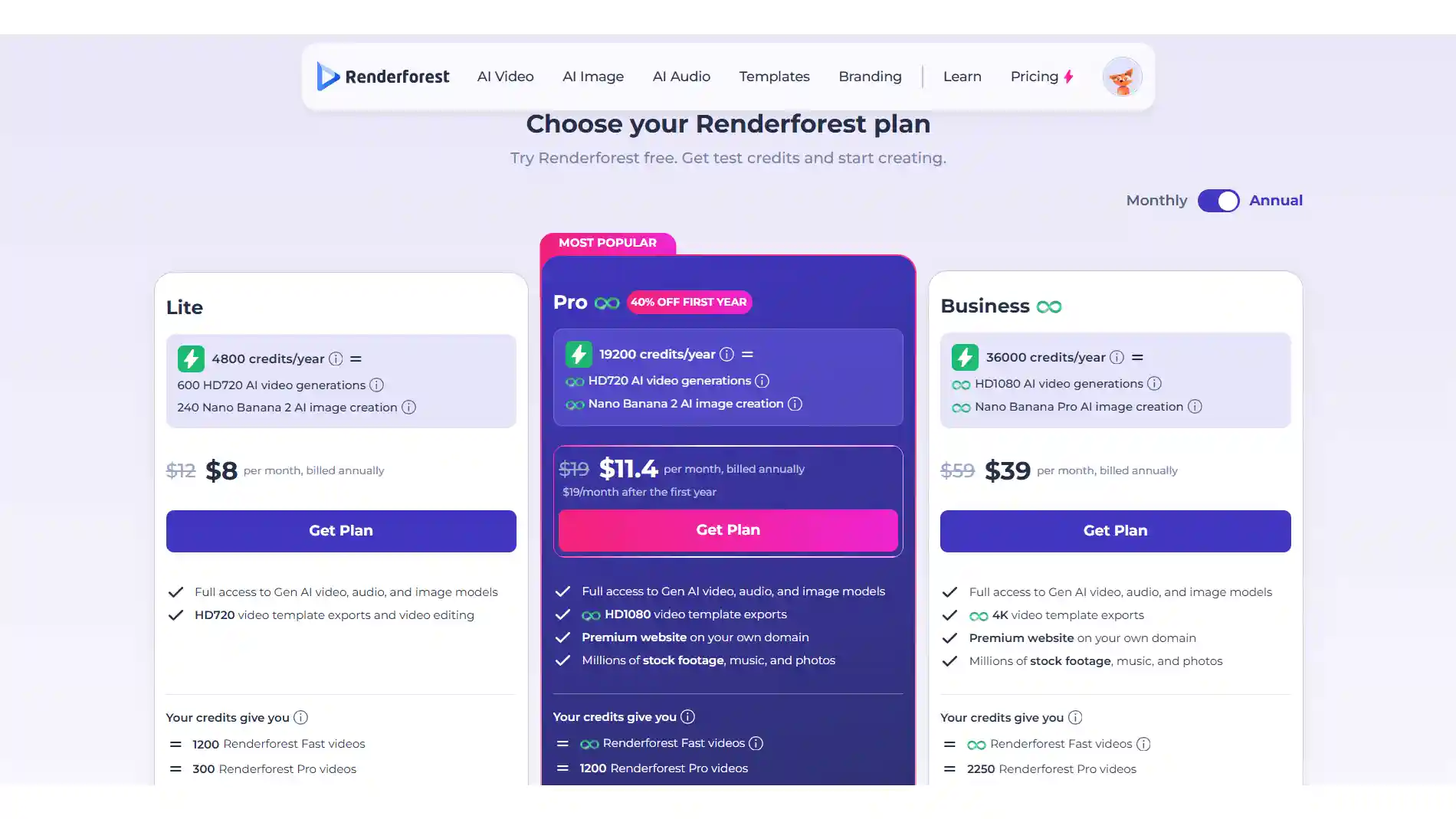
Monthly billing runs noticeably higher than the annual rate on every tier - so check the current numbers on Renderforest’s pricing page before committing to a plan. Also worth knowing: credit cost per clip depends heavily on which AI model you use, so the same plan can feel generous on one model and tight on another.
How Renderforest AI Works
Renderforest AI works by turning a text-based creative brief into a structured video draft, then combining AI generation with Renderforest’s templates, assets, editing tools, and timeline workflow. Rather than generating everything from scratch as a single video model, the platform connects several generation technologies within the same creative environment.
The workflow can be understood through three main layers:
-
Idea interpretation: The system analyzes a prompt or script to identify the video’s subject, structure, scenes, and overall direction. This gives the generation process a basic narrative or visual framework to work from.
-
AI generation and model selection: Depending on the selected tool or generation mode, Renderforest can use its own AI capabilities or route video creation through different models. Its 2026 multi-model setup includes options such as Kling, Veo, Seedance, and MiniMax H3, allowing different models to handle different visual requirements.
-
Scene assembly and editing: Generated content is brought into Renderforest’s editing environment, where scenes, text, music, voiceover, colors, and other elements can be adjusted. The timeline then acts as the layer connecting AI-generated material with Renderforest’s existing templates and editing capabilities.
In short, Renderforest’s approach is a hybrid of AI generation and structured video creation: AI handles much of the initial content generation, while templates, assets, and timeline editing provide control over the finished video.
Best Use Cases for Renderforest AI
Based on how Renderforest positions the tool and how reviewers actually use it, a few use cases stand out:
-
Marketing and social ads - Quick promotional clips and branded social content, especially when a matching logo or mockup is also needed
-
YouTube intros and explainers - Short, template-backed openers where speed matters more than a fully custom look
-
Educational and training videos - HR onboarding and course-style explainers that lean on voiceover and text on screen.
-
Corporate presentations - Simple animated slides or product walkthroughs for internal use.
-
Logo intros - Turning a static logo into a short branded video intro, one of Renderforest’s more consistently praised features
Is Renderforest AI Worth It?
Short answer: it depends on what you’re making. If you need a quick way to create videos, explainers, social content, or branded projects, Renderforest can be a practical choice, especially if you also want access to templates, video editing, and other creative tools in the same workspace. Its free plan also lets you try the platform before committing to a paid subscription.
For more specialized projects, the fit depends on your workflow. Renderforest gives you access to multiple AI video models and a range of templates and editing tools, so it can work well when you want flexibility within one platform. However, if your project depends heavily on a particular visual style, highly specific creative control, or a workflow built around consistent characters and story-driven content, you may want to compare it with tools designed more specifically for those needs.
Renderforest AI vs Other Popular AI Video Tools
Renderforest isn’t the only platform blending templates with AI generation, and no single tool is the best fit for every project. The right pick depends on what matters most - speed and bundled branding tools, story length, character consistency, or template variety.
If you’re exploring alternatives, here’s how three commonly considered tools compare.
Anijam AI
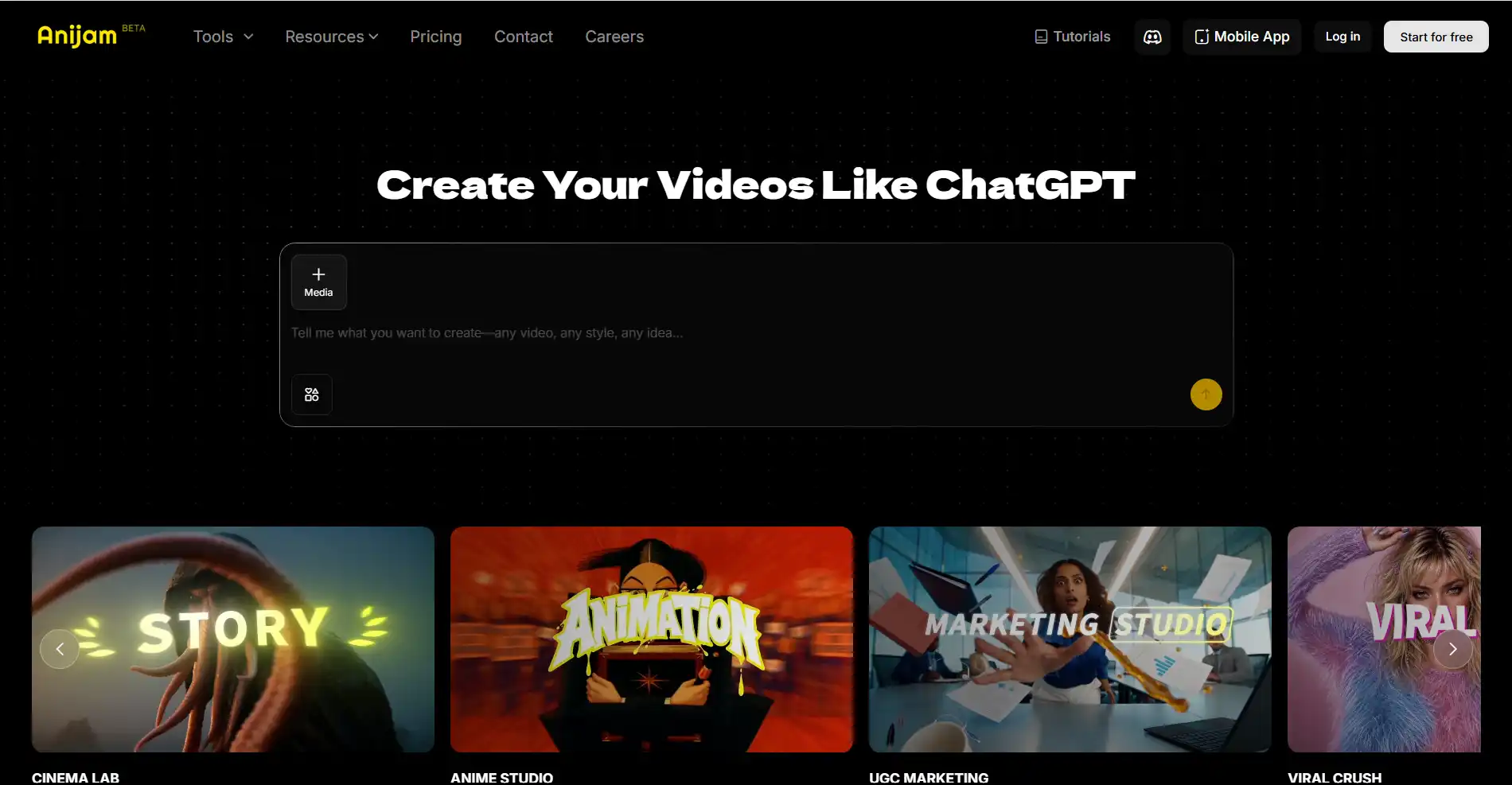
Anijam AI is a chat-based AI video maker and creative platform built around the whole video - from character design to final export - instead of stopping at a single generated clip. You can start with a story, script, image, or audio input, or pick from its template library, and turn it into a scene-by-scene video while maintaining character consistency across scenes.
Key features
-
AI agent workflow - Anijam acts as an AI agent that carries out the whole creative process - character design, scene building, motion, voice, and lip-sync - on one canvas, without switching between separate tools or tabs.
-
Character consistency & built-in lip sync - Recurring characters keep the same face, outfit, and voice across scenes, with 30+ languages and automatic lip-sync built in.
-
Multiple visual styles - Ghibli-inspired, 3D cinematic, classic 2D cartoon, and Minecraft-style, covering both AI 3D and 2D video generator needs in one workspace.
-
Rich Template Library - Anijam offers a growing library of ready-made templates both on web and mobile app for different video types and use cases, including character-driven videos, social videos, tutorials, marketing content, and more.
-
Script/ idea-to-scene workflow - A full script or story idea gets broken into a scene-by-scene storyboard automatically.
Pros
-
Character consistency carries over automatically, with no need to redescribe a character every scene.
-
story-driven visual styles - Supports styles such as anime, 3D cinematic, 2D cartoon, and Minecraft-style visuals, giving creators more options for story-driven and character-based content.
-
Built for ongoing content - a series or multi-scene story fits the same workflow as a single clip.
Cons
-
Best results come from a clearer creative brief - quick one-line prompts work, but a bit of planning goes further.
-
Generation can queue during busy periods, like most cloud-based platforms.
Magiclight AI
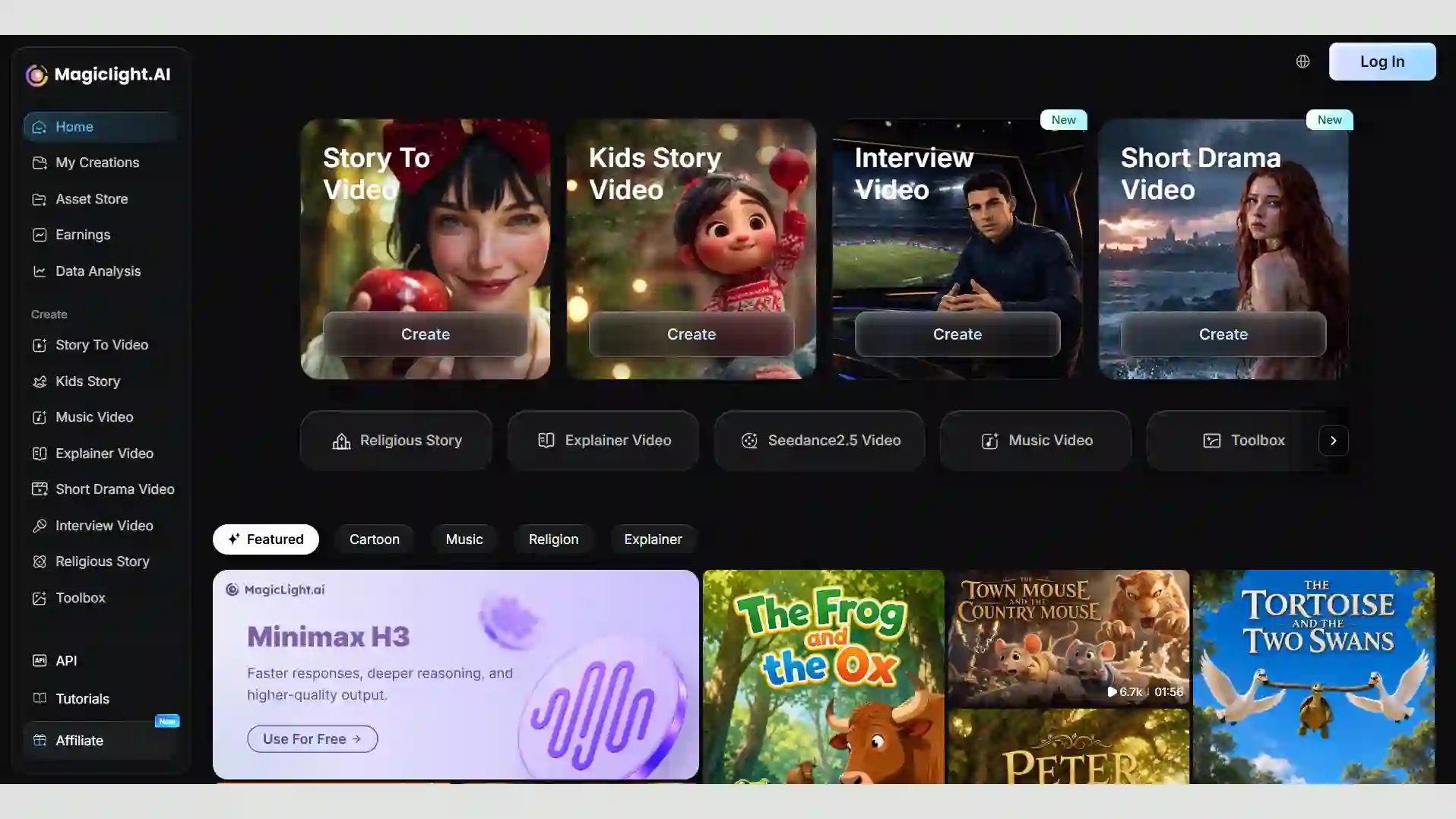
Magiclight AI is a long-form, story-to-video platform built for scripts that run far longer than a typical explainer - generating videos up to 50 minutes from a single story or script.
Key features
-
Smart script generator - Expands a single line or rough outline into a full screenplay, complete with a synopsis, scene breakdowns, and dialogue.
-
Long-form generation - Full videos up to 30-50 minutes from one script or story idea.
-
Character & style locks - Uses scene controls to keep faces, outfits, and traits consistent across scenes, with support for anime, 2D/3D cartoon, illustration, and cinematic styles.
-
Multiple AI models - Draws on several frontier models, including Kling, Sora, and Veo, within a single workspace.
Pros
-
Good fit for story-driven genres: kids’ content, dramatized history, educational narratives.
-
Handles far longer scripts than most AI video tools attempt in one pass - up to 50 minutes and roughly 12,000 characters per project.
-
Supports a genuinely wide style range - anime, 2D/3D cartoon, illustration, and cinematic - rather than one fixed look.
Cons
-
No advanced frame-by-frame or timeline-level editing.
-
Built around narrative/story formats, less suited to short branded or marketing clips.
-
Credit consumption scales quickly with resolution and length, per user reports.
Pollo AI
Pollo AI takes a different approach from the first two tools on this list: rather than building around a single generation engine, it brings several leading video and image models together in one workspace, then layers on dedicated workspaces for e-commerce and social content on top.

Key features
-
Multi-model access - Combines several leading video and image generation engines in a single workspace, so you’re not limited to one model’s style or capabilities.
-
Dedicated commerce workspace - A built-in Commerce Studio handles product photography and virtual try-ons alongside the general video and image tools, aimed specifically at e-commerce and marketing assets.
-
Character and object consistency - Keeps faces and objects steady across multiple scenes, with basic built-in video and image adjustments.
-
One-click templates and batch output - Trending effects apply with a single click, and multiple variations can be generated at once (for example, four video versions from one prompt), which helps when testing creative directions.
Pros
-
Bundling several AI generation tools under one subscription can work out cheaper than paying for each separately
-
The interface is organized by use case - marketing, e-commerce, UGC - so it’s approachable without much prompt-engineering experience
-
Rendering is fast, turning a static image or a short text prompt into a finished clip quickly
-
A free tier lets you test the workflow before committing to a paid plan
Cons
-
Free plan is fairly restrictive, with a watermark and capped monthly generations
-
Credits can drain quickly on longer duration, higher resolutions, or premium models
-
Content moderation is fairly strict, which can limit some creative use cases
Final Thoughts
Renderforest is a strong option for beginners, marketers, and small businesses that want an easy way to create structured videos while keeping branding and other creative tools in the same workspace. Its 2026 updates also make the platform more flexible, with multiple AI models, broader output options, and longer AI-assisted projects.
The main trade-offs are its model-dependent credit costs and more limited flexibility for highly specialized visual styles. If your priority is quick explainers, branded content, presentations, or template-based videos, Renderforest is worth considering. If you need consistent characters, story-driven videos, or a more specialized workflow, a specialized platform such as Anijam AI may be a better fit.
Frequently Asked Questions
Is Renderforest AI Free to Use?
Yes. Renderforest offers a free plan that lets you create AI videos without a credit card or paid subscription. The free plan includes 480p and 720p video generation with the Renderforest model, while premium models such as Veo 3.1, Kling 3.0, Seedance 2.5, and MiniMax H3 require a paid plan. Free exports may include a Renderforest watermark, and commercial use requires an active paid subscription.
Can I use Renderforest AI video generator online without installing anything?
Yes. Renderforest’s core AI generation and video tools work directly in your browser, so you don’t need to install desktop software. Just sign in to a Renderforest account, create your video online, and continue editing it in the same workspace.
Which Renderforest AI model should I use?
It depends on what you want the final clip to look and feel like. Renderforest’s Fast model is better suited to quick, shorter generations with lower credit use, while Pro is designed for longer, more cinematic shots with stronger motion and physical realism. If you need a particular visual style or capability, you can also choose from other available models, such as Veo, Kling, Seedance, or MiniMax H3.
Can Renderforest AI create long-form videos?
Yes. Renderforest AI supports videos of up to 12 minutes, making it suitable for longer explainers, tutorials and multi-scene content. However, the AI does not produce a continuous 12-minute clip; it generates shorter scenes that can be combined and refined in the timeline. You can also add voiceover, music, subtitles, and other editing elements to turn those scenes into a complete long-form video.
What’s the best free alternative to Renderforest for AI video?
There isn’t a single best free alternative-it depends on the type of video you want to create. Renderforest works well for template-based explainers and branded content, while Anijam may be a better fit for story-driven video, consistent characters, and more varied visual styles.
by Evan
Evan is an AI content creator and video technology writer at Anijam AI, focused on how generative AI is transforming storytelling and video production. He shares social trends, creative workflows, prompt strategies, and practical insights to help creators turn ideas into engaging videos and visual content.