


AI Virtual Try-On for Fashion & UGC Creators
Turn any outfit photos into a natural-looking AI virtual try-on videos with Anijam AI. Explore diverse fashion styles, bring different looks to life with realistic motion, and create scroll-stopping fashion content for TikTok, Instagram Reels, and more.
What You Can Do with Anijam AI's Virtual Try-On
From a single outfit reveal to a full try-on haul, Anijam AI gives you the model, the motion, and the voice - all from one photo and one prompt.
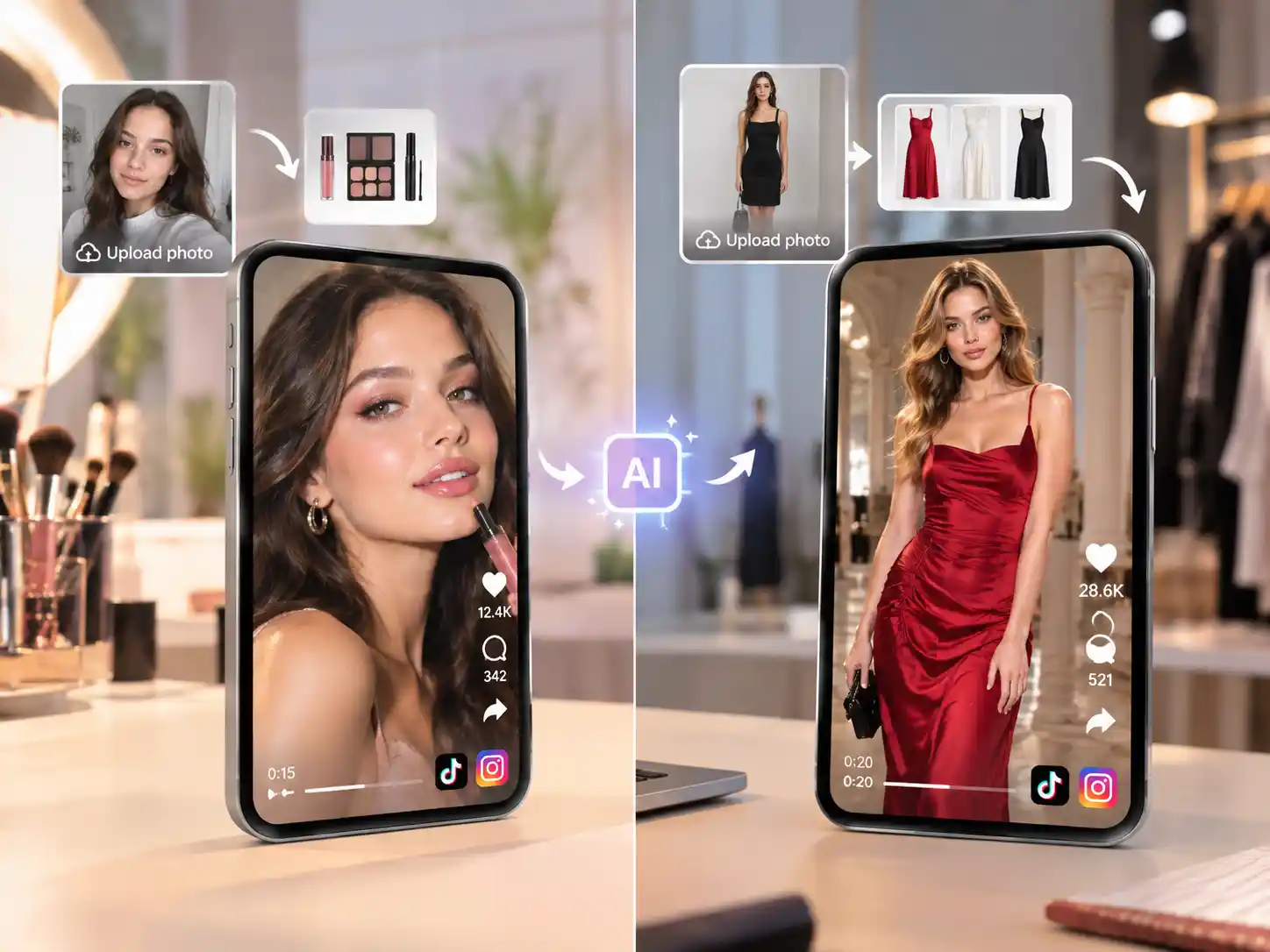
Create Outfit & Beauty Look Reveals for Instagram & TikTok
Upload an outfit or makeup photo and get a scroll-stopping reveal video. See how you look in runway styles from trending shows like the Victoria's Secret Fashion Show, from statement outfits to glam beauty looks, and post your reveal video in minutes.
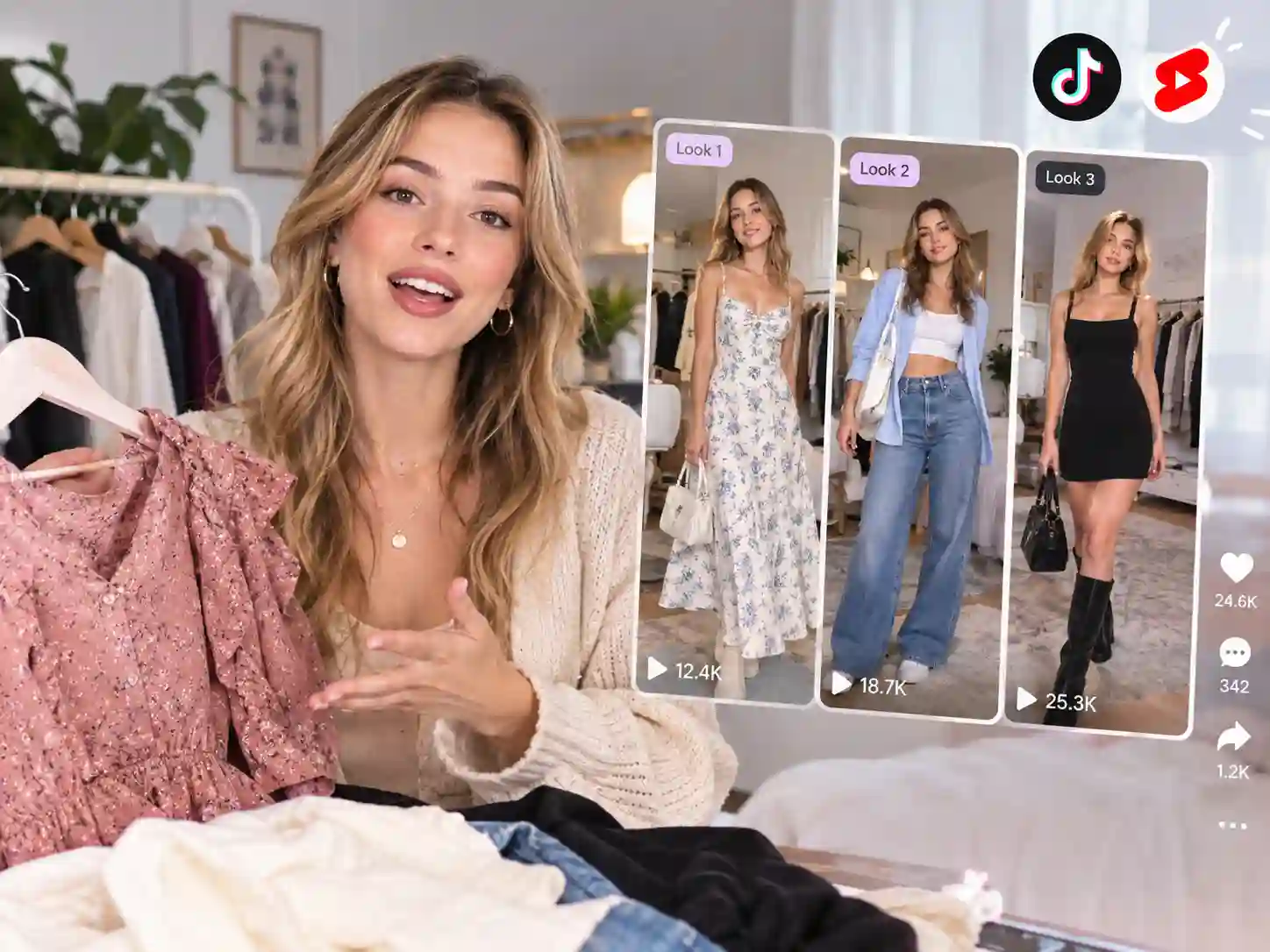
Create UGC-Style Haul Videos for TikTok & YouTube Shorts
Batch multiple garment photos into one continuous try-on haul - the format built for growing an audience - complete with natural transitions and creator-style narration.
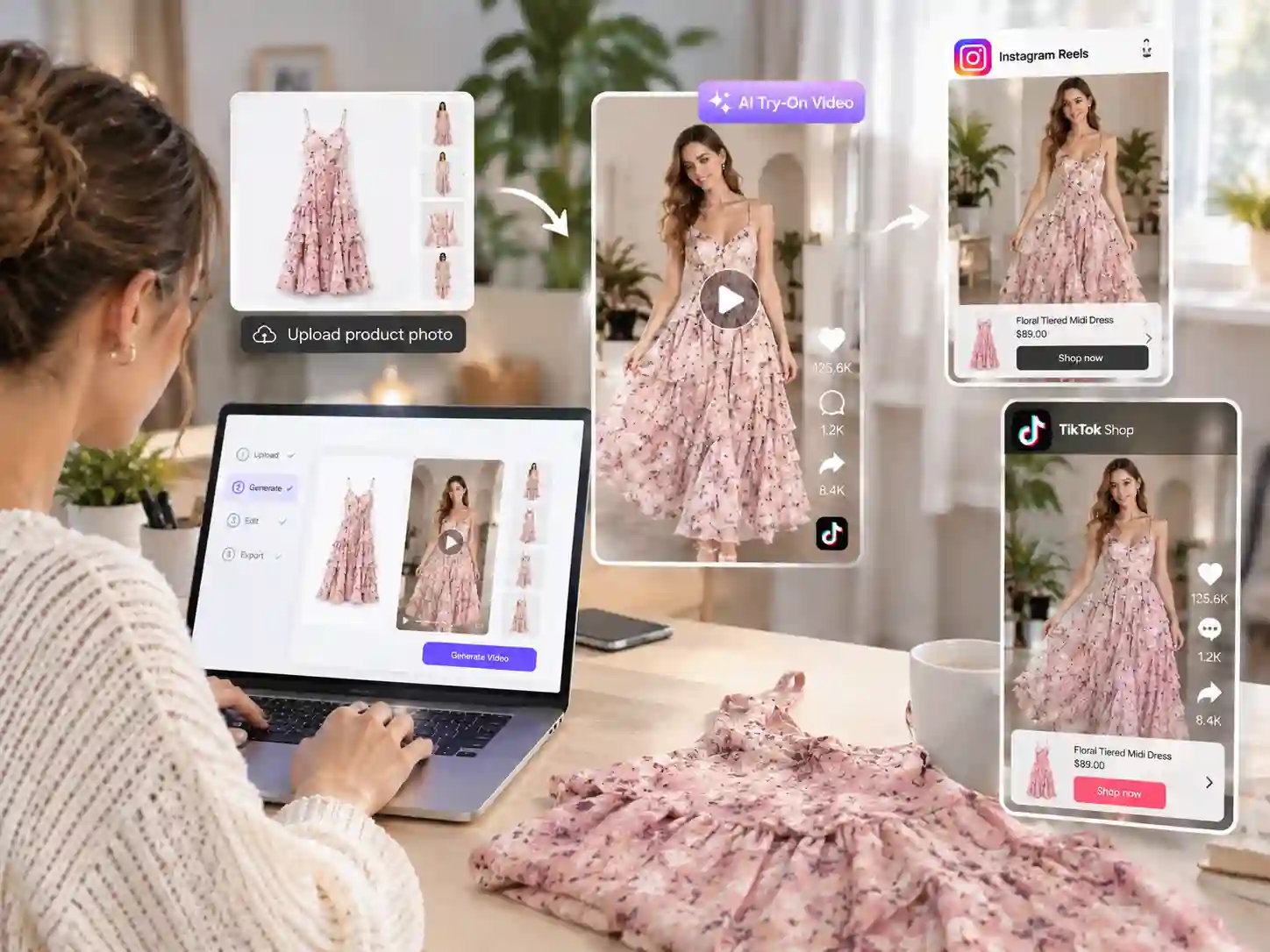
Create Shoppable Try-On Videos for Social Ads & Storefronts
Turn any product photo into ad-ready try-on video creative for Facebook, Instagram Shop, and TikTok Shop - built to convert, not just to entertain.
The All-in-One AI Virtual Try-On
Anijam AI virtual try-on turns photos and prompts into a finished try-on video that looks seamless and natural for any look. Describe the look you want - "model turns to reveal a red dress, then smiles at the camera" - and Anijam's AI agent builds a Story Outline, generates the styled scene, assembles it into a Storyboard, and adds motion, lip sync, and narration on a single canvas. No switching between apps for the outfit, the motion, and the voiceover.
Whether you're a shopper previewing a look, a creator building a haul series, or a brand producing ad-ready try-on content, Anijam AI turns a photo and prompts into a finished virtual try-on video - no shoot, no model booking, no editing skills required.
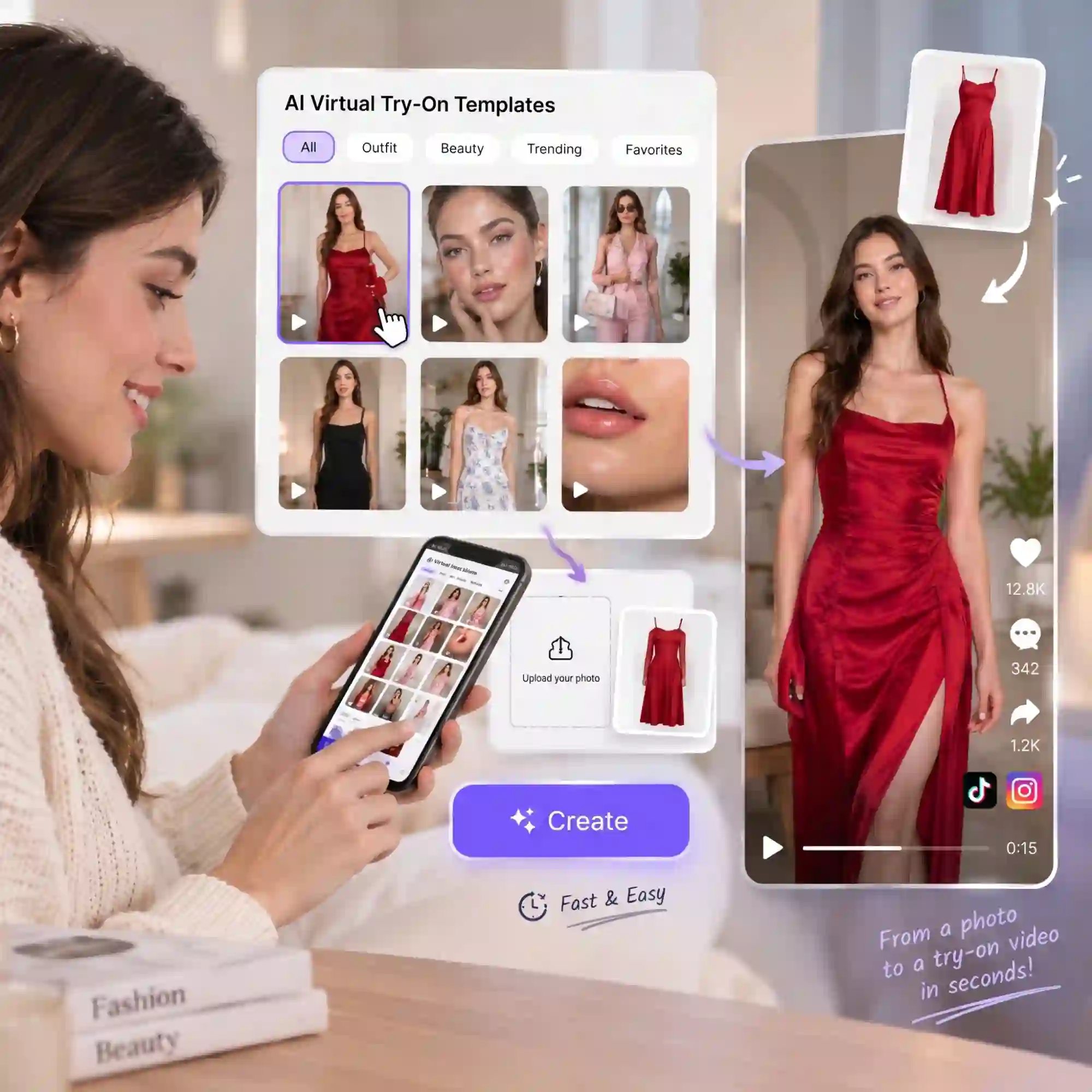
Start in One Click with AI Virtual Try-On Templates
Pick a trending AI virtual try-on video template, drop in your garment photo, and Anijam AI does the rest. The library is constantly updated with whatever's performing on TikTok, YouTube and more. You can also generate on the Anijam AI app from your phone, then keep editing on desktop - every project syncs automatically.
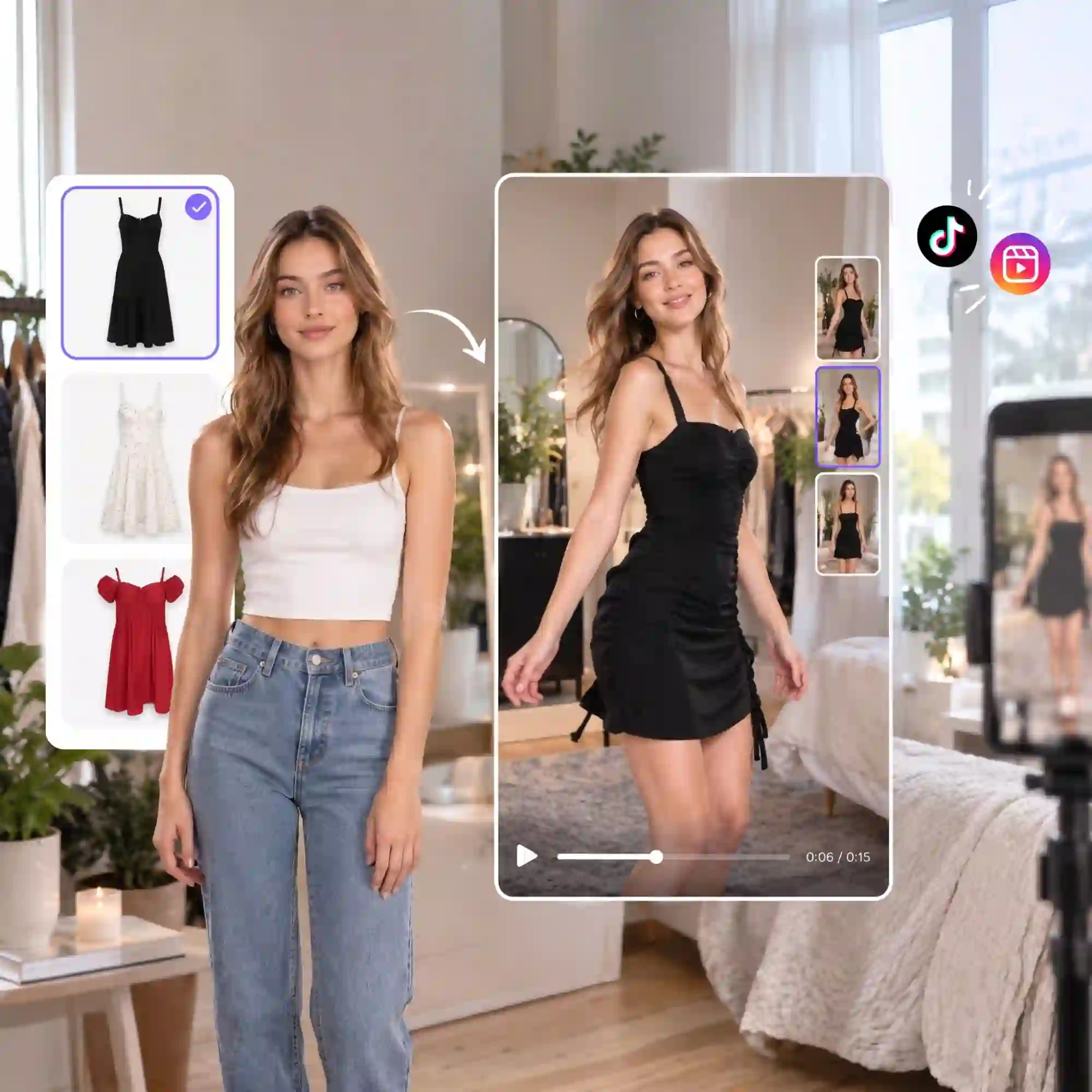
Seamless Try-On Fit with Natural Fabric Movement
Anijam AI maps each outfit onto your model's body, matching fit, drape, and lighting so every outfit looks seamless. Describe the motion in plain language -"turn to the side, walk forward, pause and smile" - or upload a reference video, and the fabric moves naturally with it.
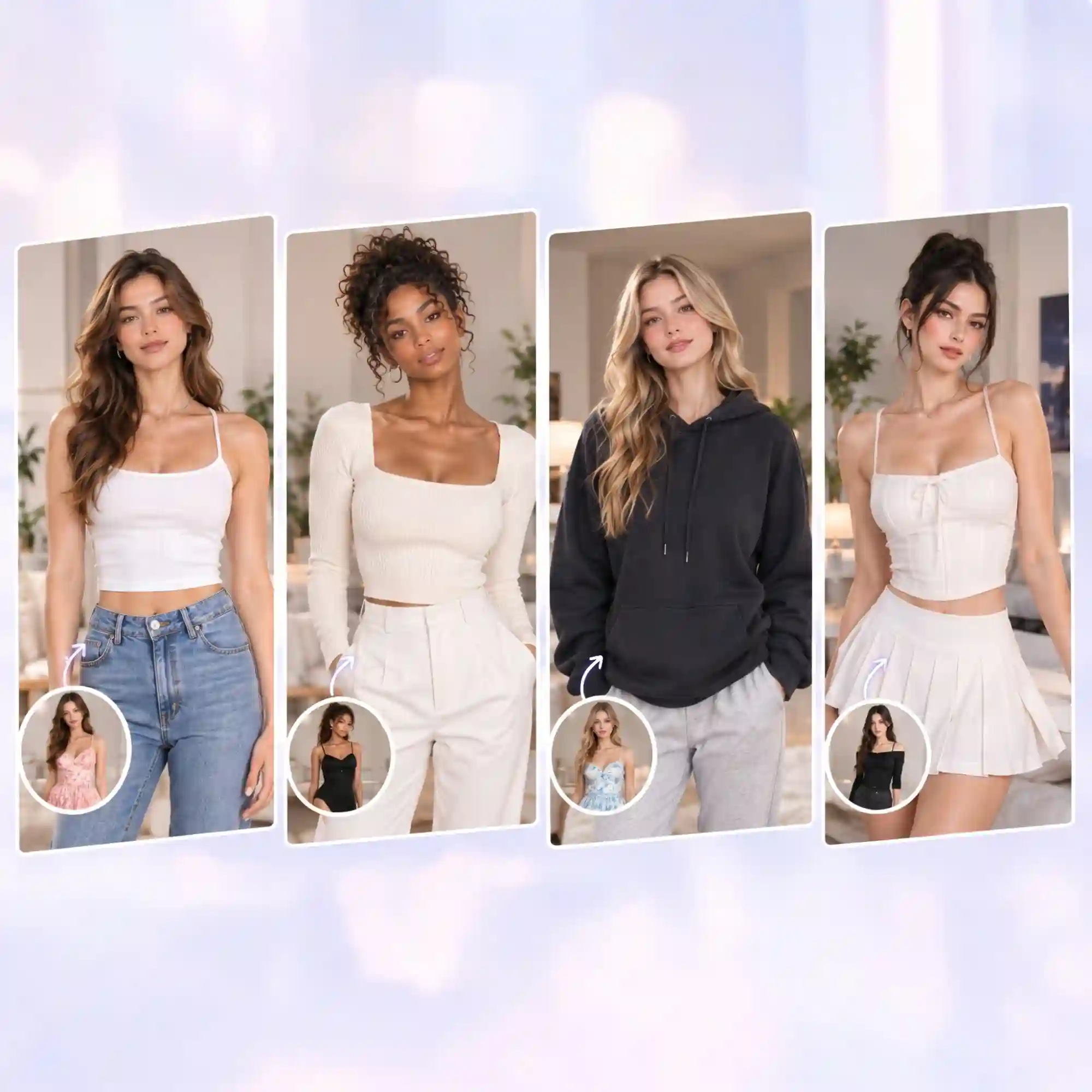
Design AI Models for Any Look
Generate an AI model from a text description, or upload your own photo. Choose any style, skin tone, body type, or aesthetic, and Anijam AI keeps the face and proportions consistent across every outfit.
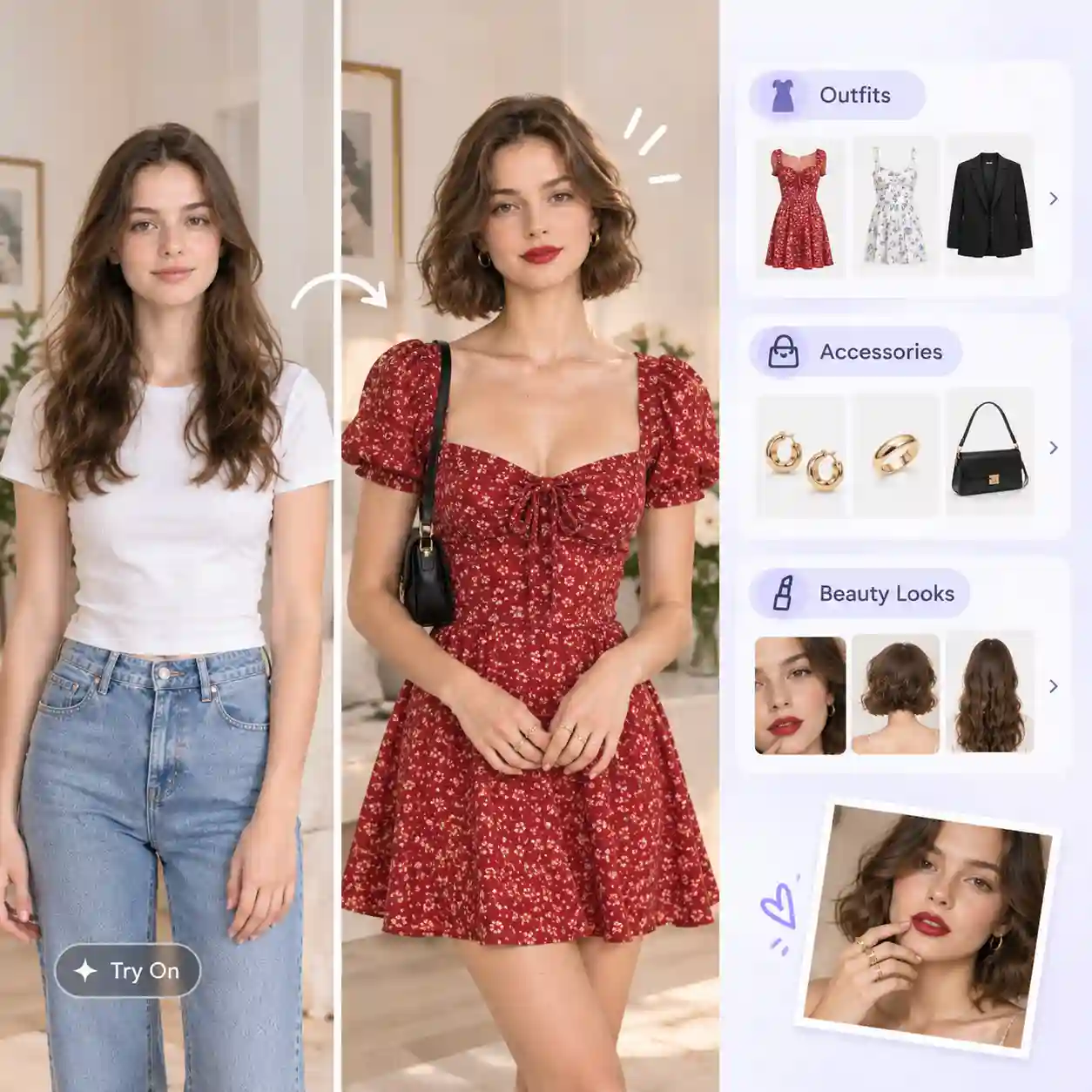
Try On Outfits, Accessories & Beauty Looks in Any Style
Try on dresses, streetwear, bags, jewelry, and makeup looks in any style and color for any occasion. Pick the look, upload your item, and see it come to life in a try-on video in minutes.
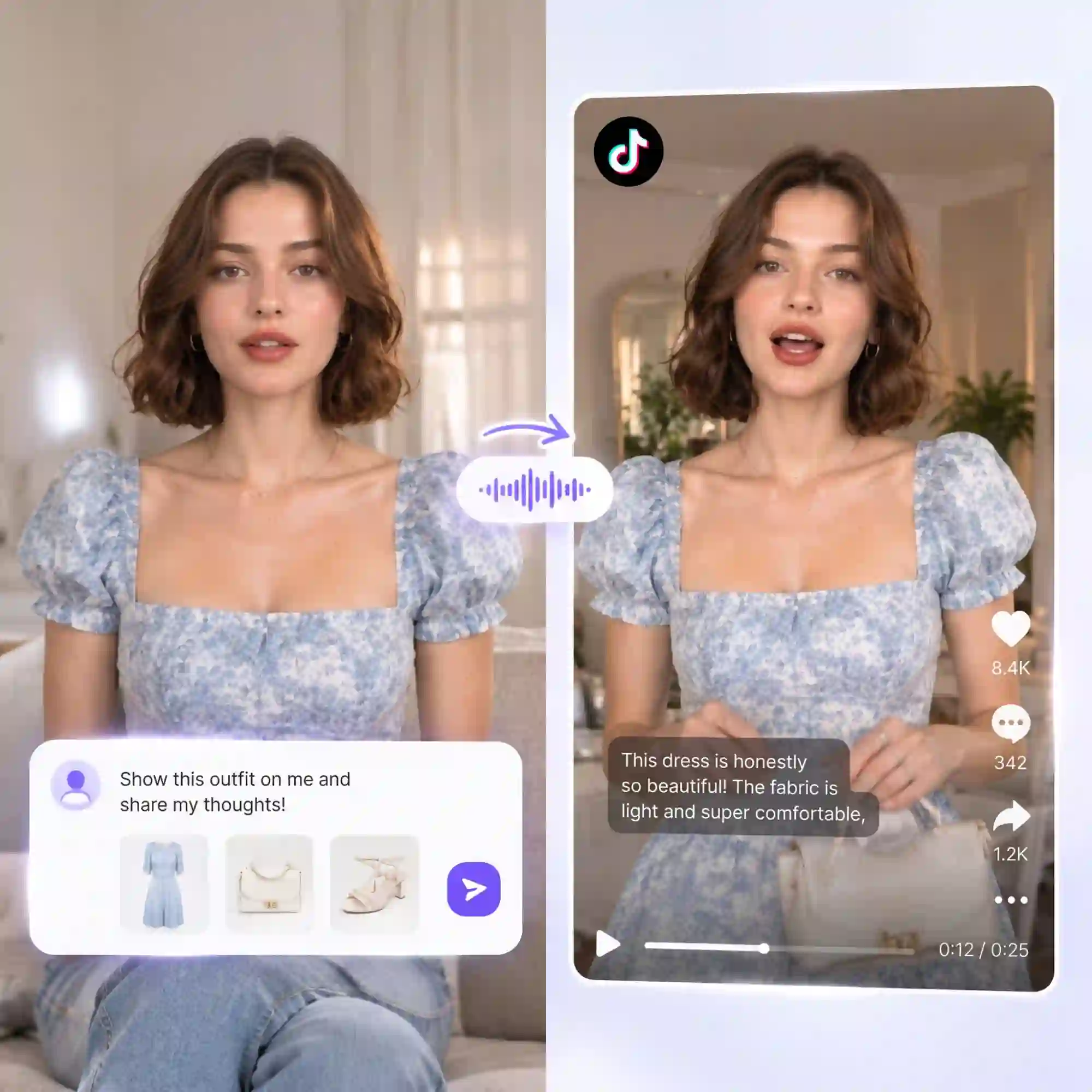
Make UGC-Style Try-On Videos with Lip Sync
Bring fashion content to life with natural lip sync and expressive AI presenters. Create authentic UGC-style try-on videos featuring outfit reviews, styling tips, and product recommendations that feel engaging and relatable.
Everyone Can Create AI Virtual Try-On Videos
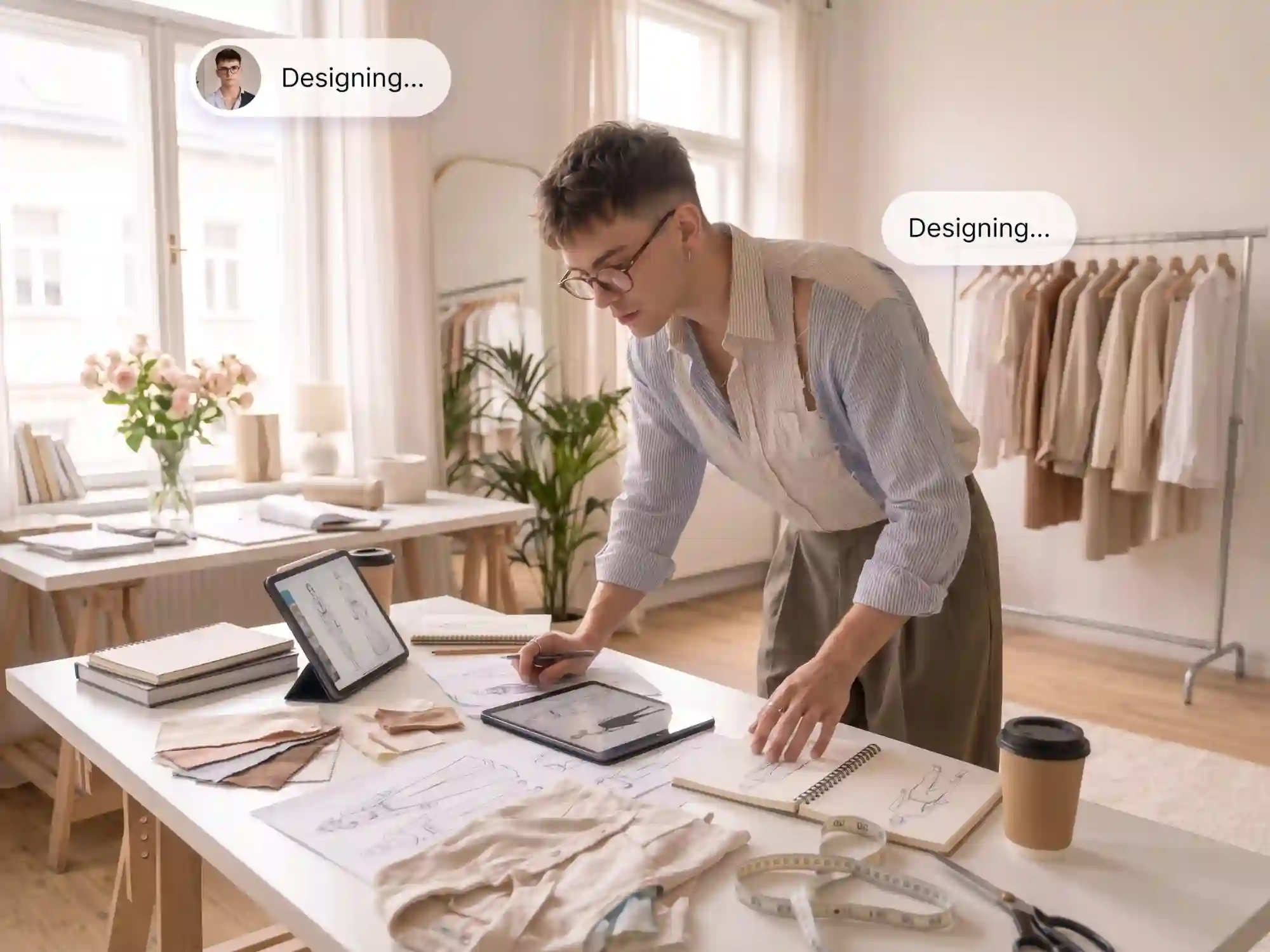
Fashion Designers & Stylists
Preview designs and styling ideas on realistic AI models before you sample or shoot. Turn sketches, flat lays, or product photos into try-on videos for lookbooks, client pitches, and styling presentations - and test as many looks as you like.
How to Create an AI Virtual Try-On Video with Anijam
Step 01: Pick a Virtual Try-On Template or Use AI Video Tool
Pick a trending virtual try-on video template and swap in your own resources, or open a new project, choose the "AI Video" tool, select a video model, and set your video parameters.
Step 02: Upload Your Media Resources & Prompts
Upload your own model images (or generate a model from text) and garment photos. Direct the motion and style in your prompts, add a voice or script for narration and lip sync - then hit Generate.
Step 03: Edit, Refine & Export Your Try-on Video
Fine-tune motion, timing, lip sync, and outfit details directly on the canvas. When you're happy with the result, export and share it without watermarks.
Why Choose Anijam for Virtual Try-On Videos

Natural Fit & Lighting
Anijam AI virtual try-on video generator matches garment fit, fabric drape, and lighting to your model automatically, so outfits and beauty looks appear naturally on-body instead of pasted on.

Free to Start
Anijam AI offers a free credits with immediate access to AI virtual try-on video generation - no credit card required. Create your first try-on video and explore core features at zero cost.

No Skills Required
No modeling, filming, or video editing expertise needed. Just upload a photo and describe the look - Anijam's AI agent handles every technical step of the virtual try-on video.

Commercial-Ready Output
On eligible plans, use your AI virtual try-on videos for product pages, paid social ads, and monetized content - fully cleared for commercial use.

4K Export
Every virtual try-on video exports in up to 1080p, with 4K available on premium plans - sharp enough for product pages, ads, and marketplace listings.

Watermark-Free Output
Export clean virtual try-on videos without watermarks on free and premium plans, so your content is ready to publish, pitch, or run as an ad.
Explore More Anijam AI Video Tools
What Our Users Are Saying
FAQ
What is virtual try-on?
Virtual try-on is technology that shows how clothing, accessories, or beauty looks would appear on a person without physically wearing them. AI-powered virtual try-on tools like Anijam generate a realistic image or video of a model wearing the item, based on a garment photo and a model photo you provide.
How does AI virtual try-on work?
Upload a model photo and a garment photo, or generate a model from text, then describe the look and motion you want. Anijam's AI agent maps the garment onto the model's body, matches lighting and fabric fit, and animates natural movement - turning two static photos into a complete AI virtual try-on video, with optional lip sync and narration.
Is Anijam's AI virtual try-on video free to use?
Yes. Anijam AI lets you create AI virtual try-on videos with free credits. Sign up or log in to get credits, and check in daily to earn more. Export videos in HD, or upgrade for 4K exports, more credits, and full commercial usage rights.
Is there a virtual try-on app?
Yes. The Anijam app lets you generate, edit, and share AI virtual try-on videos directly from your phone. Your projects sync automatically across desktop and mobile, and the app includes a regularly updated library of trending virtual try-on video templates.
What's the difference between AI virtual try-on and AR virtual try-on?
AR virtual try-on overlays a product on a live camera feed in real time, usually through a phone or webcam - the item disappears once the camera moves away. AI virtual try-on, like Anijam, generates a standalone photo or video from uploaded images, producing shareable, downloadable content that isn't tied to a live camera session.
Can I use AI virtual try-on results commercially?
Yes, with an eligible premium plan. Once upgraded, all AI virtual try-on videos and images you generate with Anijam can be used commercially - including product pages, paid social ads, and client deliverables. Free plan generations are for personal or evaluation use.