


Reference to Video AI
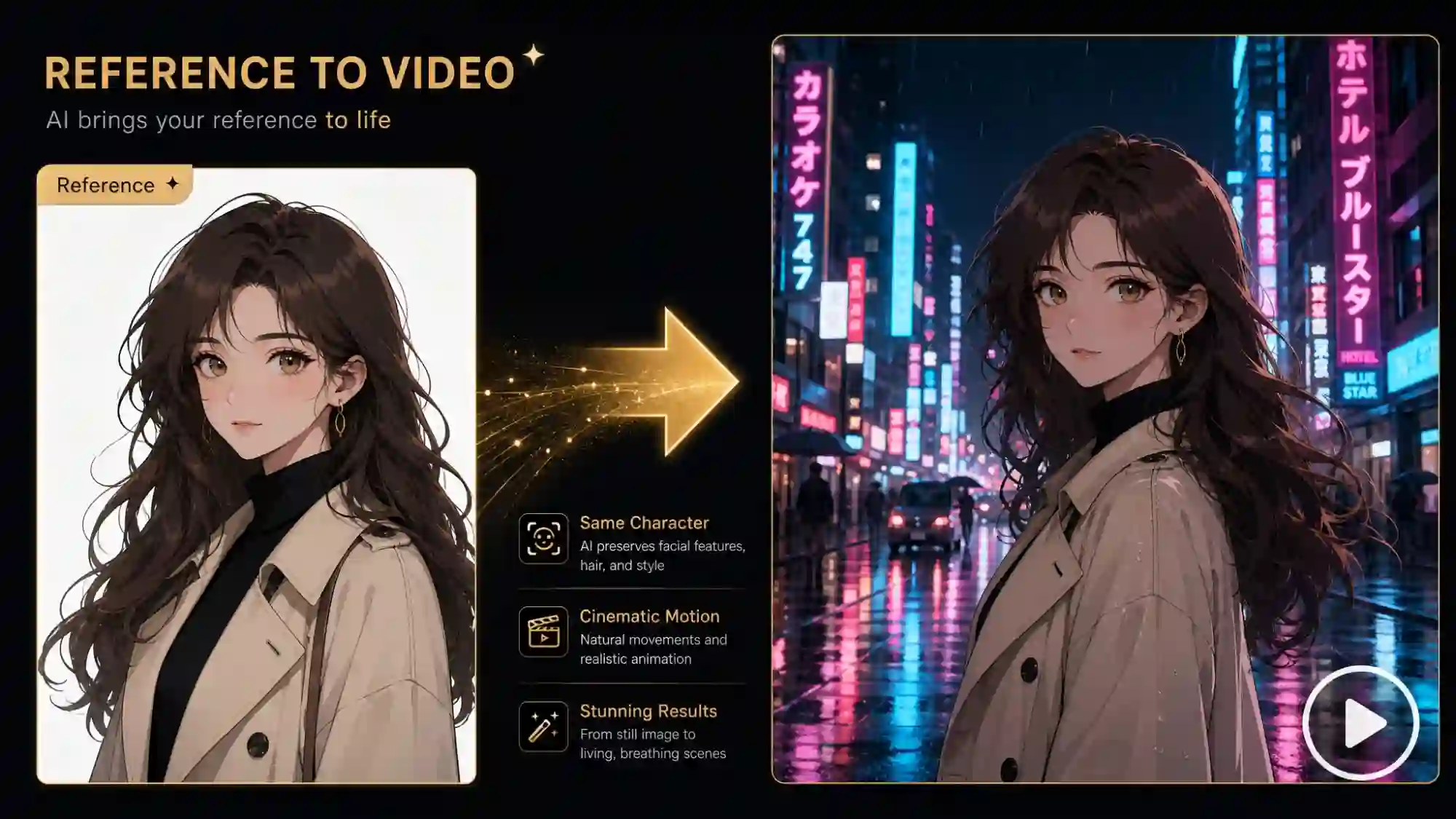
Upload reference images and generate engaging videos where your character, object, or scene looks exactly the same in every frame - no drifting faces, no changing outfits, no inconsistency between shots.
Keep Every Character, Object & Scene Perfectly Consistent - Across Every Frame
Anijam turns up to 20 reference images into videos while preserving key visual details. Upload references of your character, product, object, or scene, then create new shots while keeping their appearance, style, and colors consistent.
Build character-driven content, product videos, and multi-scene stories without losing the look of your original references.
Turn Characters Into Consistent AI Videos
Upload a character illustration, character sheet, or portrait as your reference. Anijam preserves every detail — face structure, outfit, color palette, and art style—across every generated scene. Your character stays on-model from the first frame to the last, whether you're making a 3-scene short or a 30-episode series.
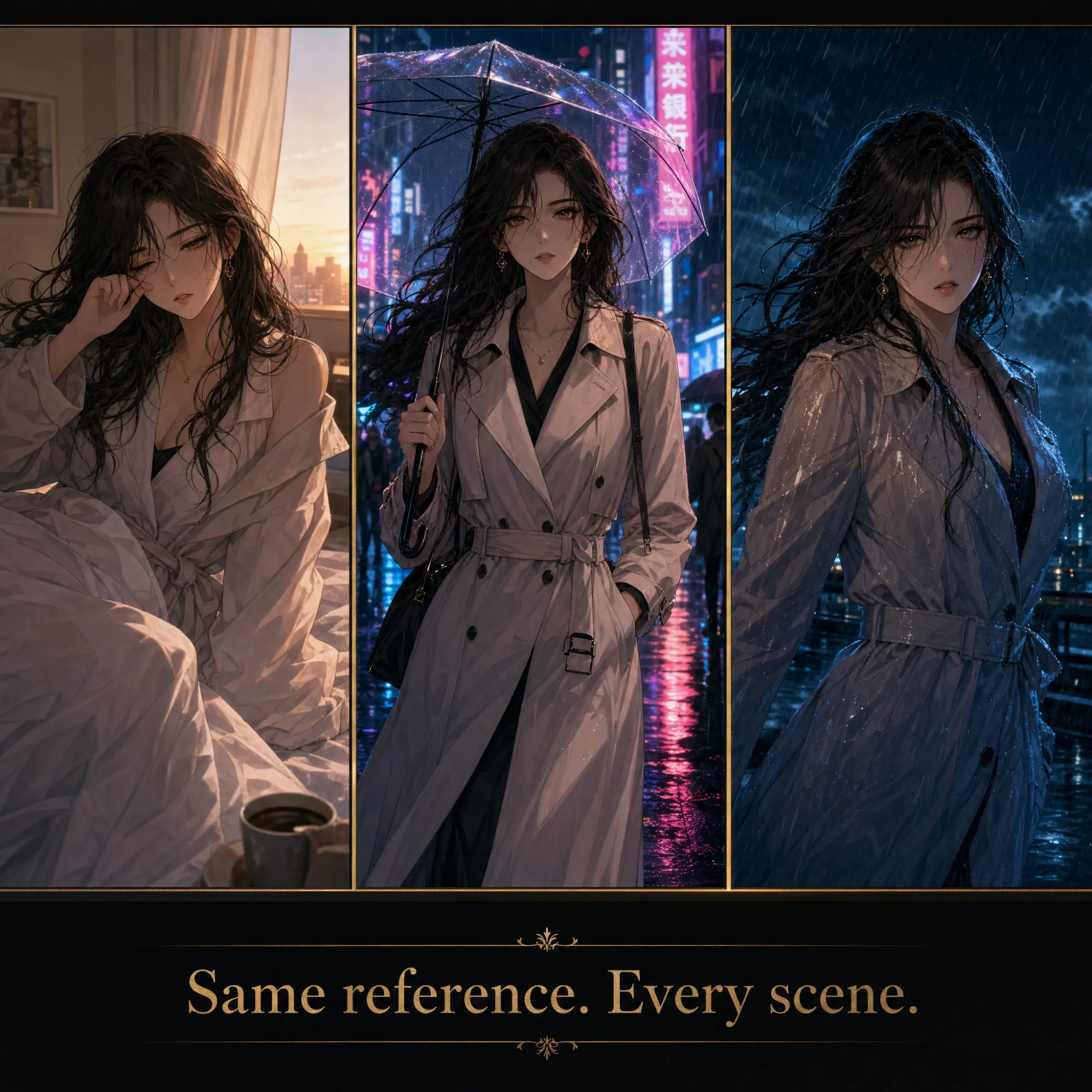
Lock Your Character's Look Across Every Scene
With most AI video tools, every generation is a gamble - will the character's face look right this time? With Anijam, you stop guessing. Upload your reference once, and Anijam's character consistency engine keeps your subject visually identical no matter how many scenes you create, how many camera angles you use, or how different the backgrounds become. The character who wakes up in a bedroom at the start of your story is the same character who runs through a rainstorm in the climax-same eyes, same hair, same jacket, same proportions. Always.
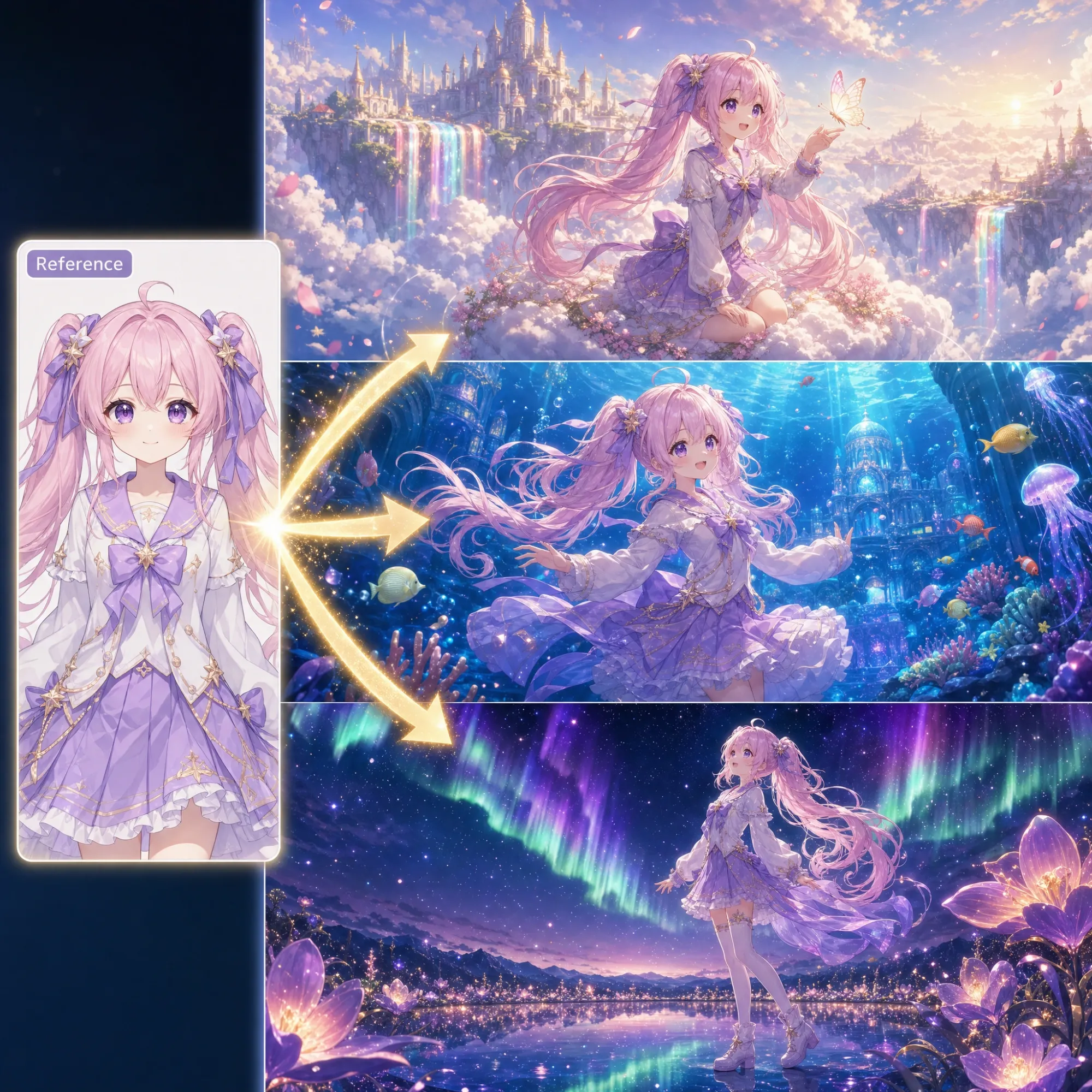
Put Your Character Into Any World You Imagine
Your reference image defines who your character is. Anijam handles where they go. Describe any scene-a snow-covered mountain pass, a crowded subway station, an alien landscape at dusk—and Anijam places your reference character into it with accurate lighting, natural motion, and seamless visual integration. The character's appearance never changes. Only the world around them does. This is how you build a story that spans multiple locations while keeping a single consistent protagonist across every shot.
Keep Every Reference Consistent in One Video
Real productions have more than one reference. More than one asset that needs to stay consistent. Anijam lets you upload multiple reference images at once - a reference for your main character, another for a supporting character, another for a product or a scene element. The AI processes all of them simultaneously, keeping every element true to its own reference within the same generated video.
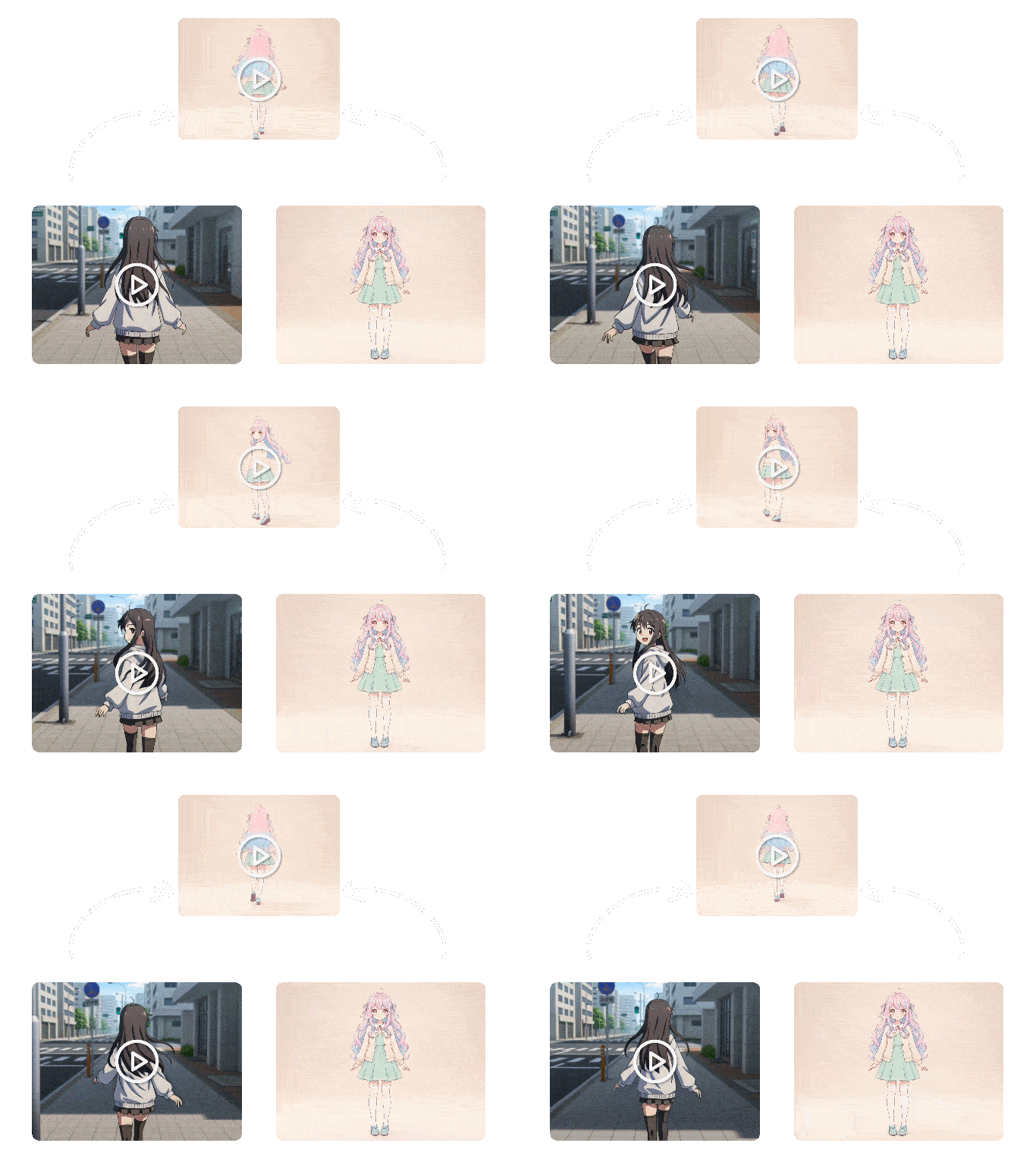
Control Motion With a Reference Video
Prefer to show rather than describe? Upload a reference video and Anijam's AI Motion Control extracts the motion pattern directly, applying it to your character with frame-accurate precision. Chain motion sequences—"walk forward, pause, look back, then run"—and the AI animates each action smoothly and continuously. Both text prompts and video references produce natural, fluid animation.
Make Your Reference Character Talk
Once your character's appearance is locked to your reference image, make them speak — in one click. Type a script and Anijam generates the voice and syncs mouth movements automatically. Or upload your own audio and the engine maps every phoneme to the precise mouth shape, frame by frame. Your reference character doesn't just look consistent. They perform.
How to Turn Reference to Video with Anijam
Step 1: Choose Your Video Model and Upload References
Go to Tool → AI Video and pick a video model based on your needs, such as Wan 3.0 for multimodal reference generation or Seedance 2.0 for all-in-one power. Upload up to 20 references — mixing images, videos, and audio — of your character, product, or scene.
Step 2: Describe the Scene and Motion
Tell Anijam what you want to happen in plain language. Anijam handles the motion and scene composition automatically.
Step 3: Generate, Refine & Download
Click Generate. Anijam produces a polished video where your subject looks exactly as defined in your reference - across every frame. Refine and download your watermark-free MP4 and share it anywhere.
Who Uses Anijam Reference to Video AI
Anyone who needs the same character, product, or visual element to look identical across multiple AI-generated video scenes.
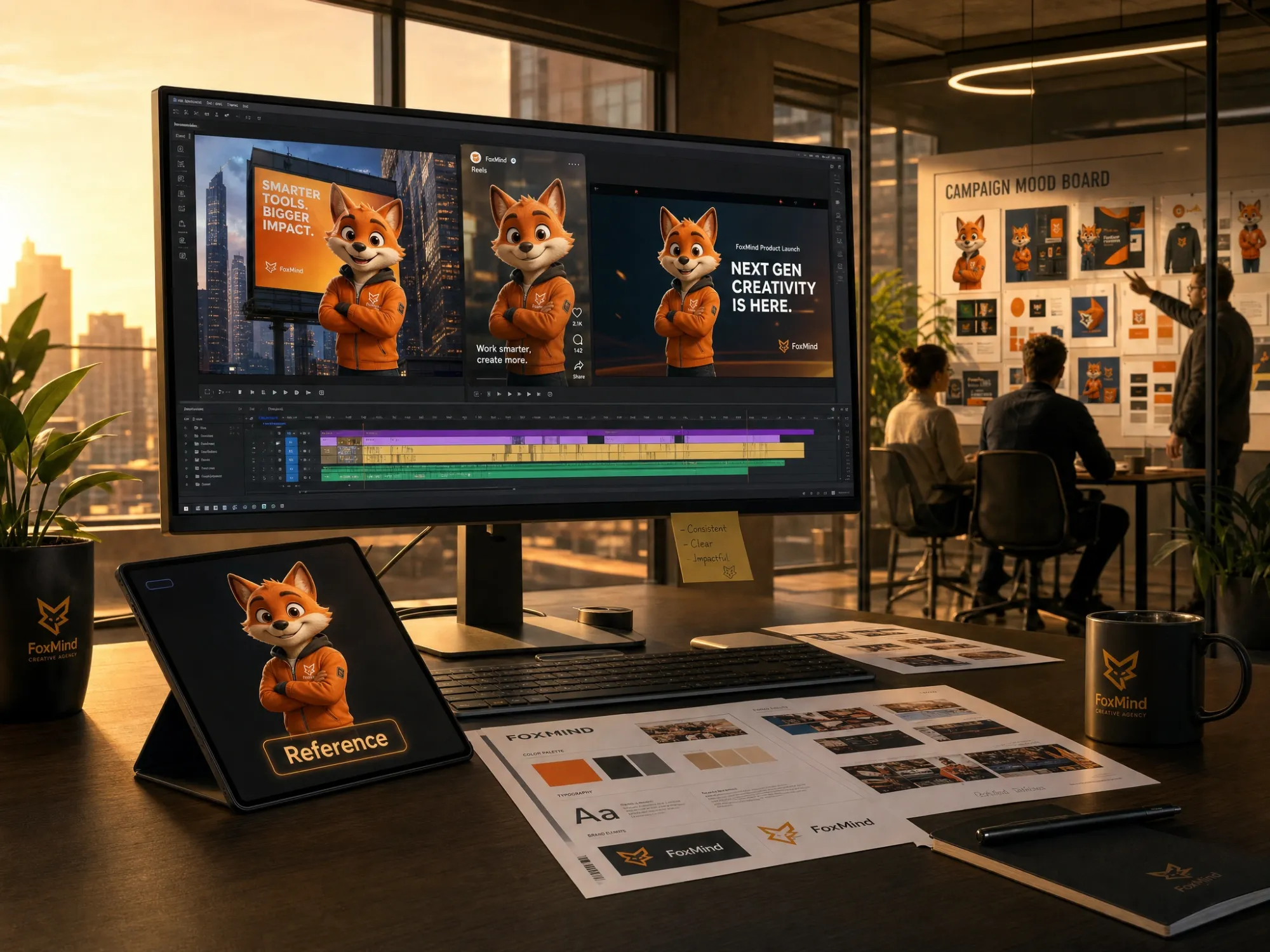
Brand & Marketing Teams
Keep brand mascots, campaign characters, and product visuals identical across every video asset. Reference to video AI eliminates the inconsistency that makes AI-generated brand content look off. Every video looks like it was made by the same creative team.
Why Choose Anijam Reference to Video

Free Credits to Start
Try Anijam reference to video AI for free. New users receive free credits plus daily rewards to keep creating.

Fast AI Video Generation
Turn a single reference image into a polished animation in minutes instead of spending hours on manual animation and editing.

Realistic Lip Sync & AI Voices
Generate talking characters with natural voiceovers and accurate mouth movements synchronized frame by frame.

Inspiration Gallery
No reference image ready? Anijam's Inspiration gallery offers curated animation templates across every style-anime, 3D cinematic, cartoon, and more. Browse, pick a template, and use it as your reference to start generating immediately.

Face Detection & Motion Tracking
Advanced face-aware generation helps preserve identity and expressions while maintaining smooth motion across scenes and camera angles.

Watermark-Free Downloads
Export clean MP4 videos without watermarks, ready for YouTube, TikTok, presentations, client work, and commercial content.
What Creators Are Saying
Explore More Anijam AI Animation Tools
FAQ
What is reference to video AI?
Reference to video AI is an AI video generation method where you upload one or more images as a reference-rather than relying entirely on text prompts-to anchor the visual output. The AI continuously checks each generated frame against your reference to ensure that your character's face, outfit, colors, and proportions stay identical throughout the entire video. This solves the most common problem with AI video generation: characters or objects that look different in every scene. Anijam supports single and multiple reference images for generating consistent character, product, and scene videos.
How is reference to video different from image to video?
With image to video, your uploaded image is the first frame of a short animated clip. The image starts the video and motion is added-it's a single clip tied to that one starting frame. Reference to video is fundamentally different: your uploaded image is not the first frame, it's a persistent visual anchor used across multiple scenes and shots throughout an entire video project. While image to video produces one animated clip, reference to video ensures visual consistency across an unlimited number of generated scenes-making it the right choice for any project where the same character or object appears more than once.
Can I use multiple reference images?
Yes. Anijam allows you to upload multiple reference images for the same project. This is especially useful for multi-character scenes or productions where you need to keep different elements consistent simultaneously-for example, a main character, a secondary character, and a product, all within the same video. Each element is kept consistent to its own reference image throughout the generated output.
What if I don't have a reference image ready?
Browse Anijam's Inspiration gallery on the homepage-a curated library of ready-made animation templates across dozens of styles including anime, 3D cinematic, cartoon, Ghibli, and more. Pick any template that fits your creative direction, use it as your starting reference, and describe the scene you want. It's the fastest way to start generating consistent videos when you don't yet have a specific reference asset prepared.
Does reference to video work for products and objects, not just characters?
Yes. Reference to video works for any subject you upload. Product teams upload product photos to generate lifestyle videos across different settings while keeping every product detail-shape, label, color, texture-exactly as it appears in the reference. Object references (furniture, food, accessories) work the same way. Whatever your reference contains, Anijam preserves it across every generated scene.
Is Anijam's reference to video AI free?
Yes. Anijam offers a free plan that includes reference image upload, video generation, and watermark-free 1080p MP4 downloads-no credit card required. You receive free generation credits on sign-up plus a daily check-in bonus to keep creating. Premium plans unlock more credits, longer video durations, and commercial usage rights.
What animation styles can I apply to my reference character?
Anijam's style library offers a wide range of animation aesthetics you can apply to any reference character: 2D anime, Studio Ghibli-inspired watercolor, classic cartoon, cinematic 3D, pixel art, and more. You can choose a style from the library, upload custom style reference artwork to train a style model, or pick a styled template from the Inspiration gallery. Your character's visual identity from the reference image is preserved regardless of which animation style is applied.