


Multi Character Lip Sync AI
Make up to 4 faces talk in one image or video, each with their own voice, without recording footage, layering clips, or syncing mouths by hand.
Make Multiple Characters Talk with AI
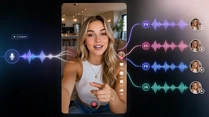
With Anijam, select up to four faces in an image or video and assign each character a unique voice. Their dialogue and lip movements are synchronized in a single generation.
Unlike single-face lip sync tools that require you to process each character separately, Anijam combines automatic face detection, individual speaker tracks, and multi-character lip sync in one seamless workflow. No need to generate separate clips or piece everything together in another editing app.
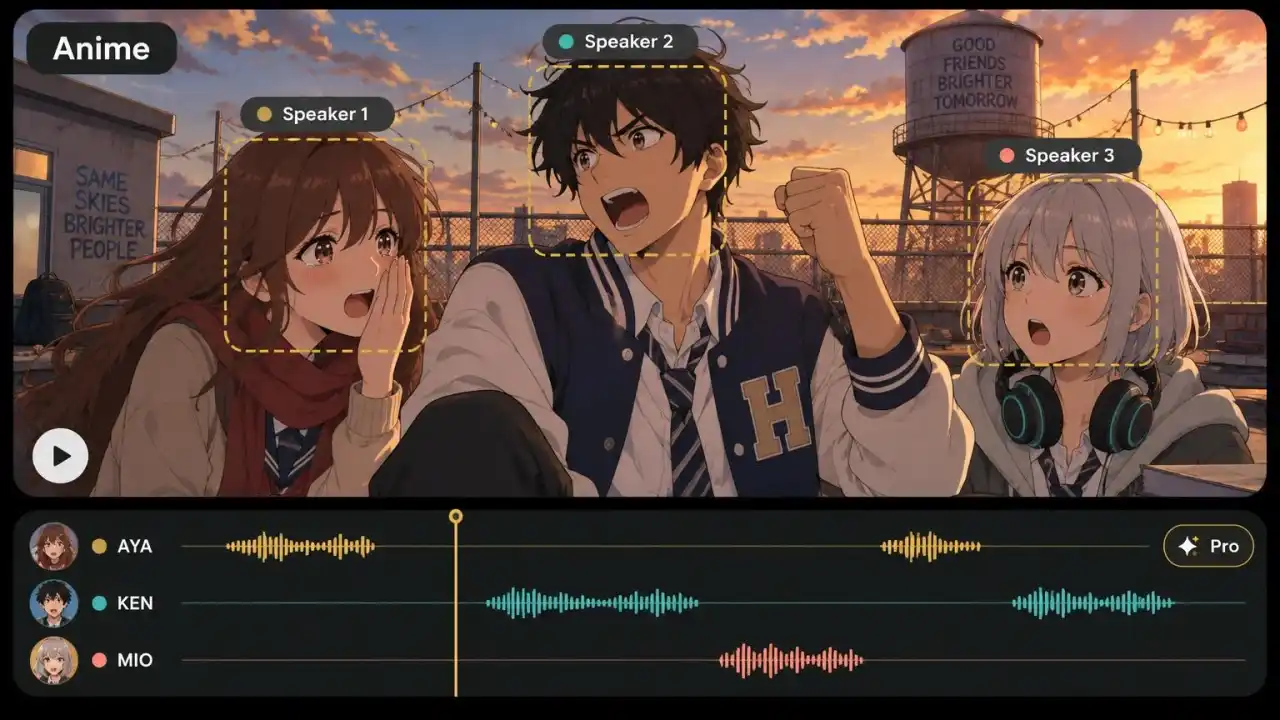
Anime Dialogue Scenes
Two or more anime characters trade lines with expressive mouth shapes that fit the cel-shaded look, from quiet whispers to dramatic shouts.
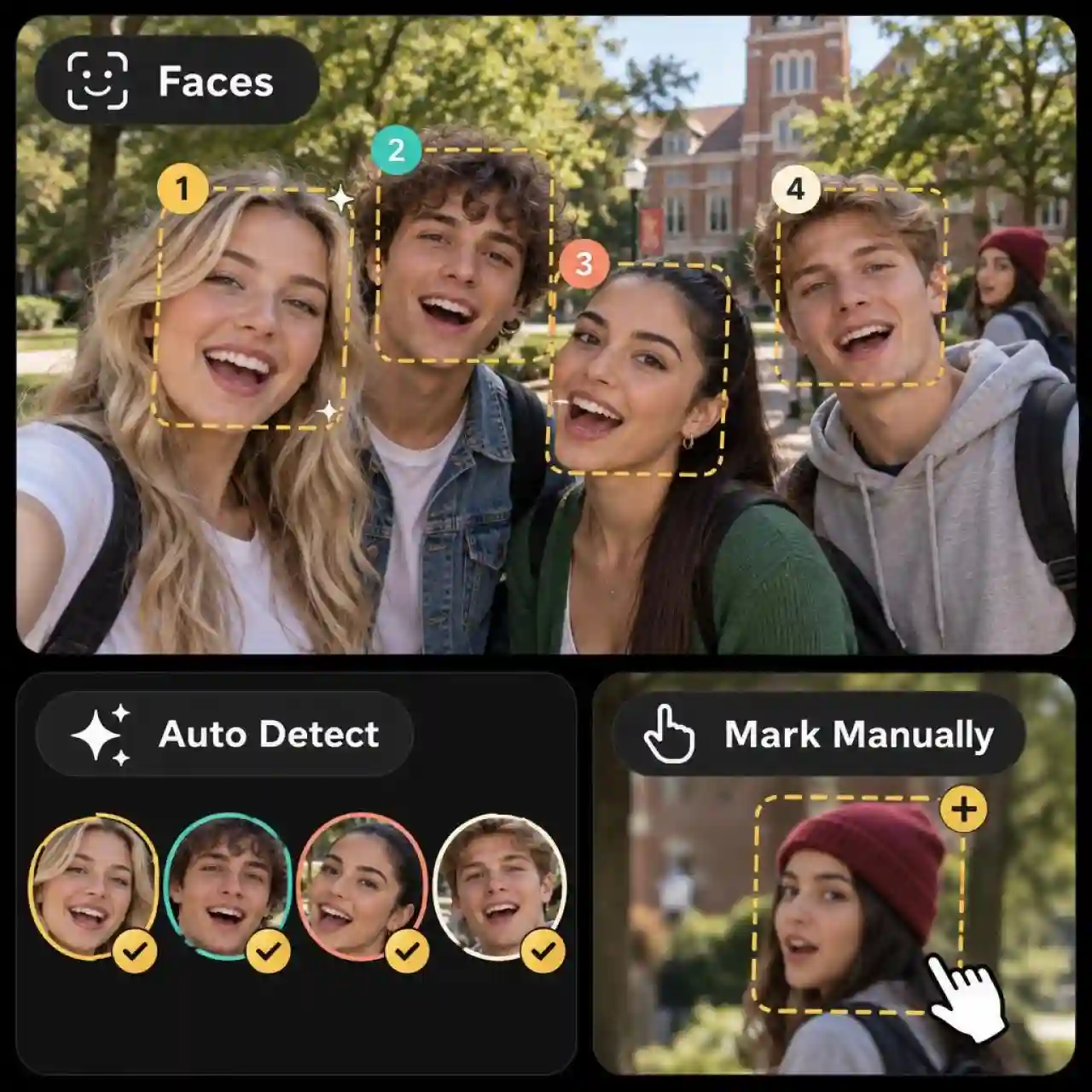
Pick Up to 4 Faces for Multi-Character Lip Sync
Automatically detect multiple faces in your image or video and select up to 4 characters to animate. No need to process each face separately. If a character isn't detected, simply mark it manually.
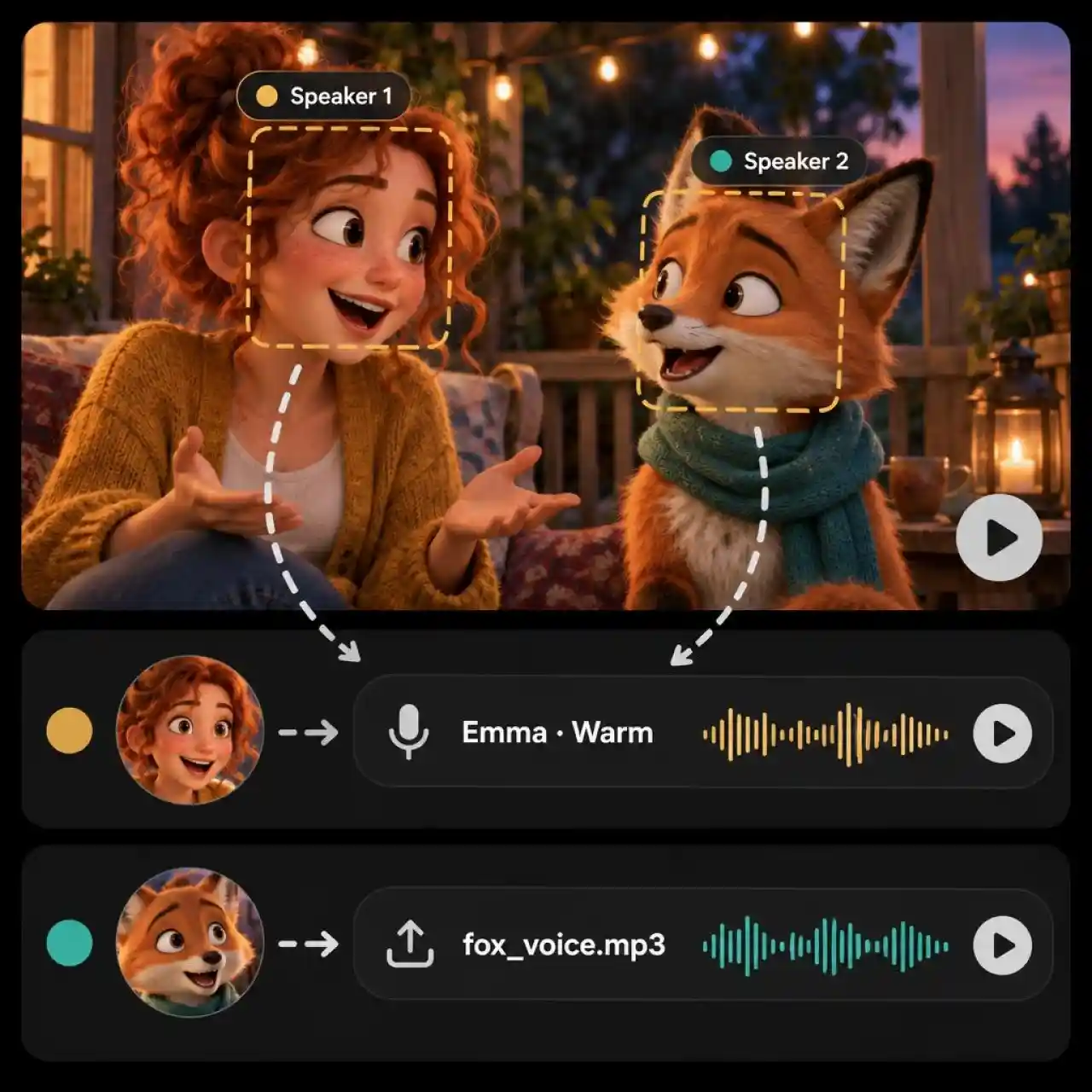
Give Every Character Its Own Voice
Assign a different AI voice or upload your own recording for each speaker. With separate voice tracks, every character gets the right audio, making multi-character conversations easier to create and follow.
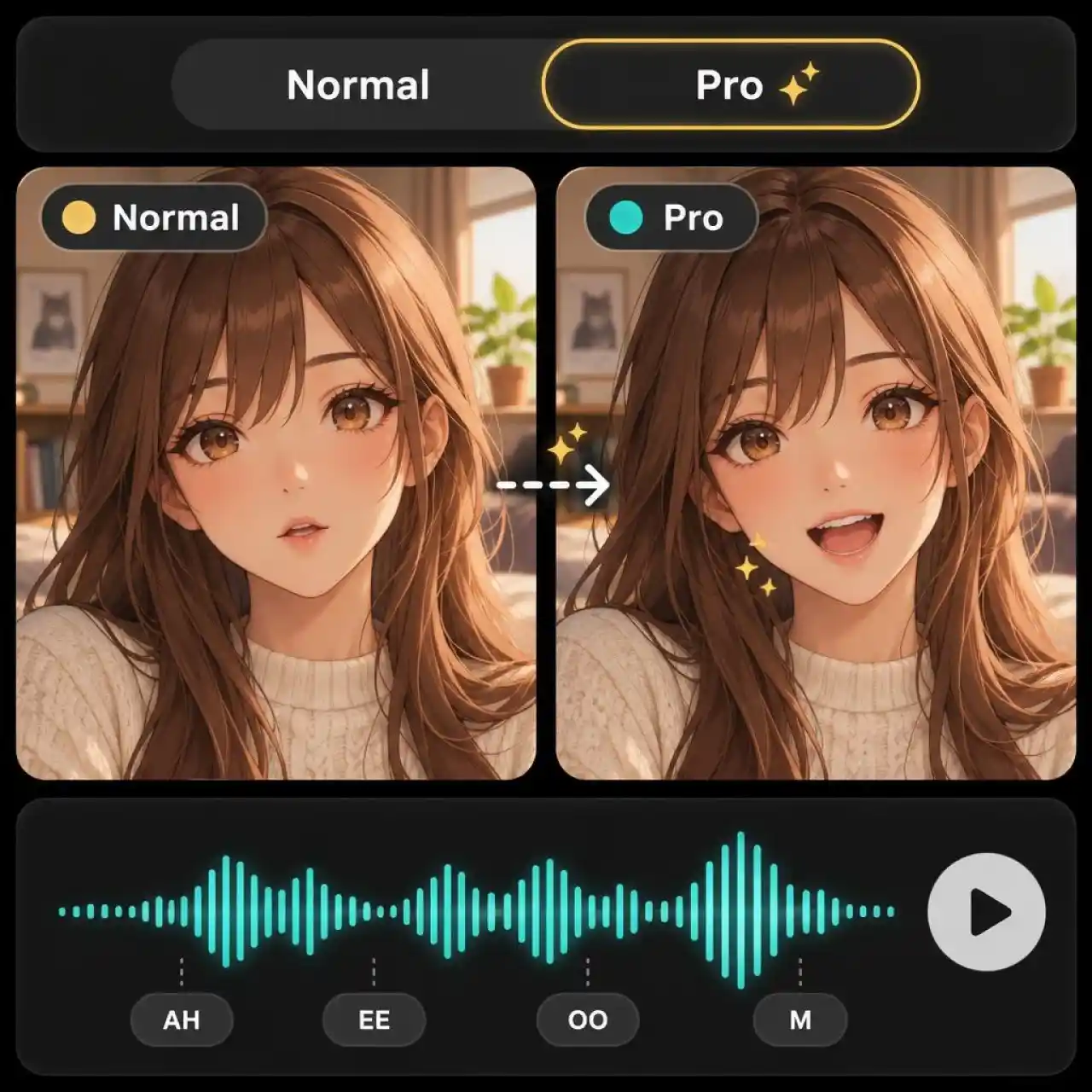
Get More Natural Lip Sync for Every Character
Match each character's mouth movements to their assigned audio. Choose Pro mode for better movement and clarity, helping every speaker look more natural while talking.
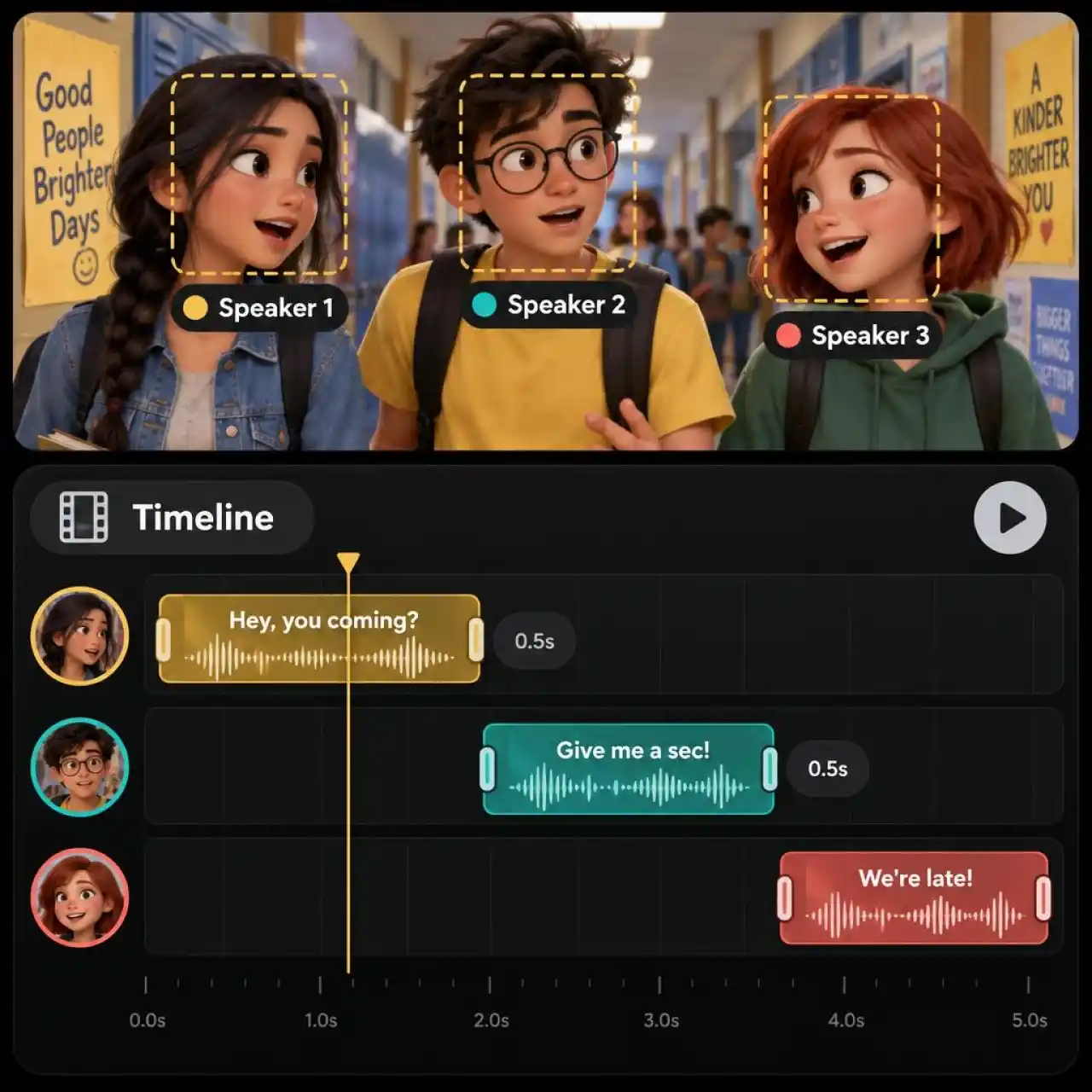
Manage Multiple Speakers on One Timeline
Keep every speaker on a separate track and arrange dialogue in the order you want. Add pauses between lines to create natural conversations without manually stitching together separate character clips.
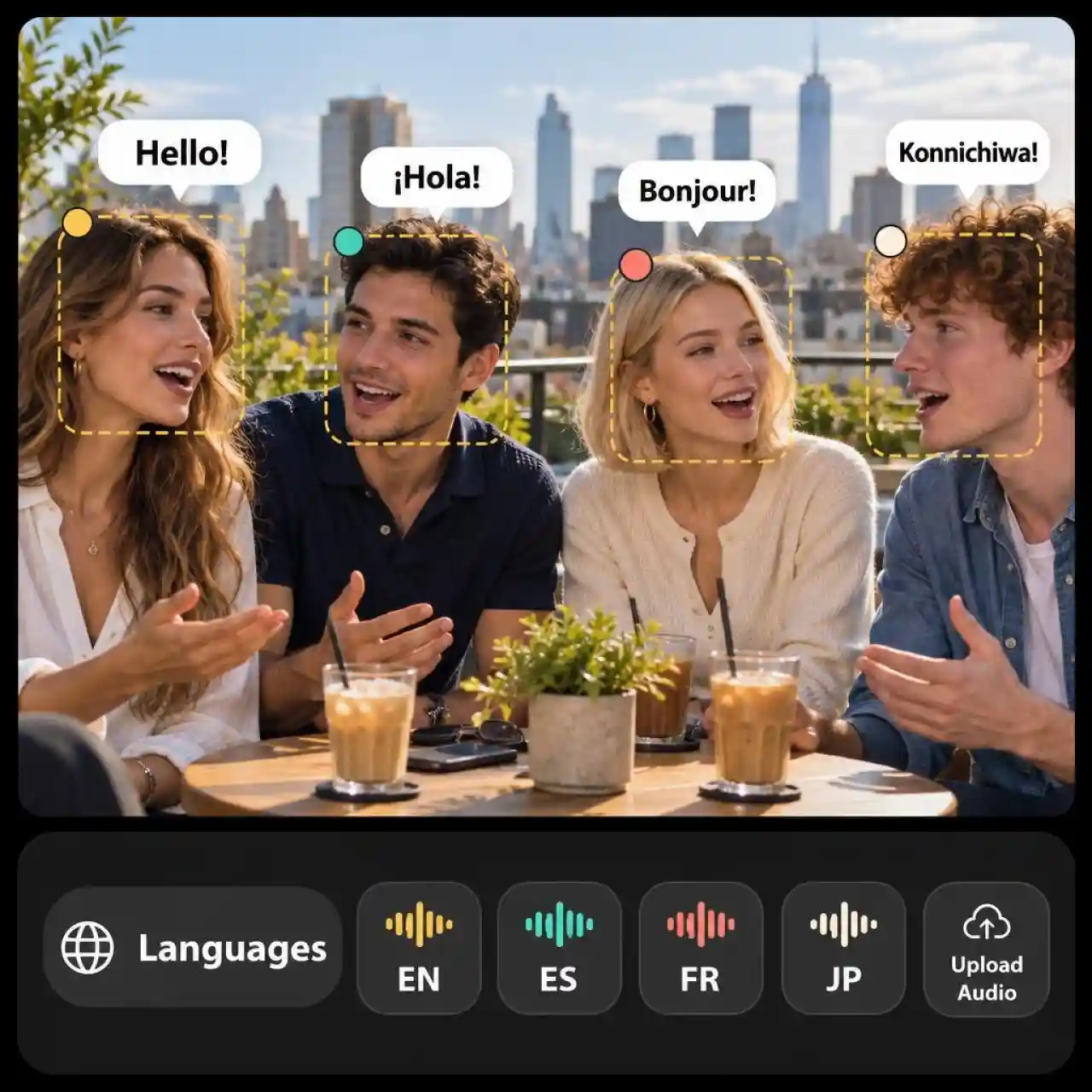
Make Multiple Characters Speak in Different Languages
Choose voices in different languages or upload your own recordings to create multilingual character conversations. Adapt your videos for audiences worldwide without having to record new character footage.
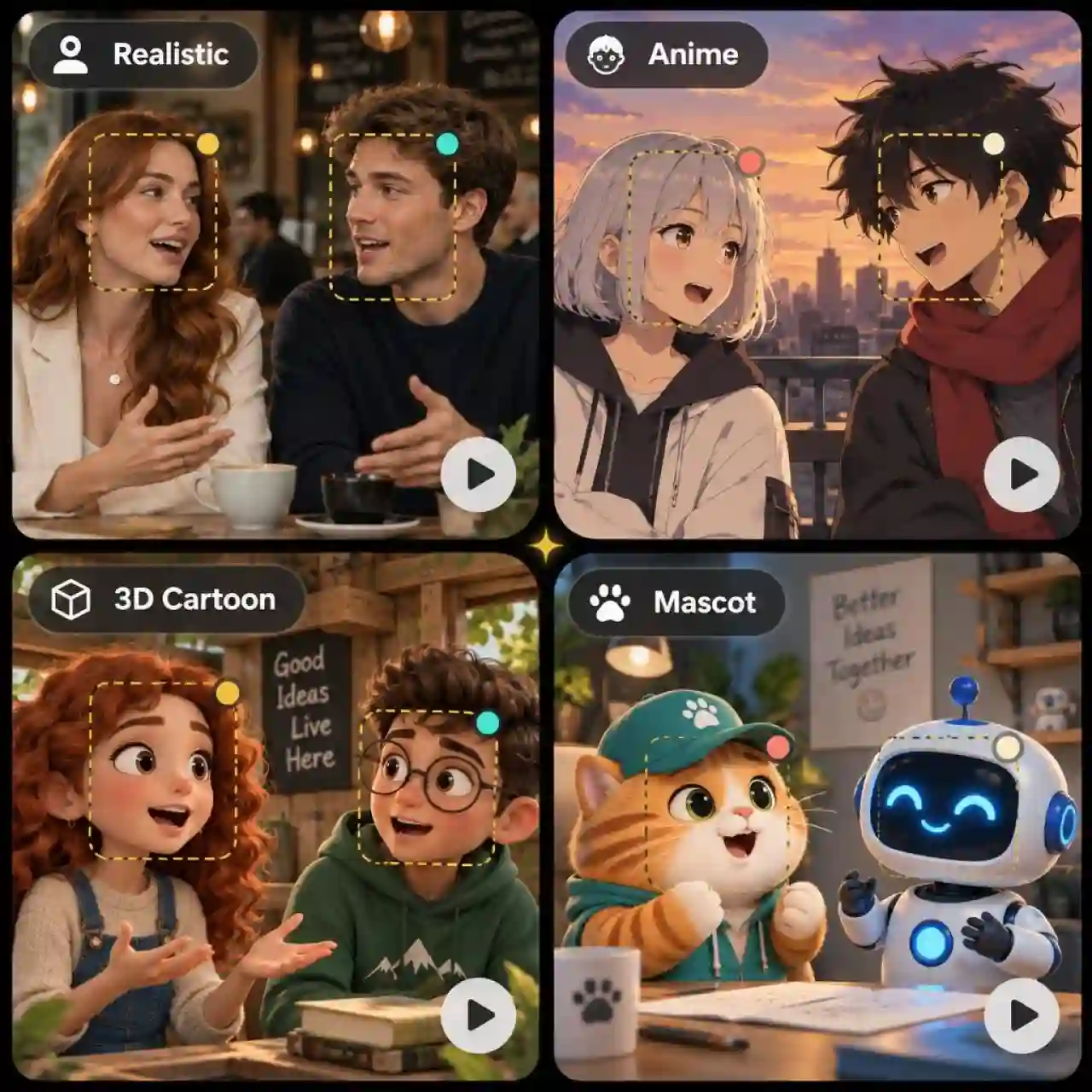
Lip Sync Anime, Cartoon, and Realistic Characters
Bring realistic people, anime characters, 3D cartoons, and mascots to life. Select detected faces automatically or mark them manually when needed, so you can create dialogue scenes with different character styles.
How to Make Multi Character Lip Sync AI Videos with Anijam
Step 1: Add an Image or Video
Open the Lip Sync tool, choose Normal or Pro mode, and add an image or video with your characters. Videos can be MP4 or MOV, up to 50MB and 30 seconds.
Step 2: Pick Up to 4 Faces
Anijam finds the faces automatically. Select each face you want to speak, or mark a face manually if one is missed, then click Next.
Step 3: Pick a Voice and Generate
Each face becomes a speaker on the timeline. Pick, create, or upload a voice for every speaker, then click the Generate button.
Who Uses Anijam Multi Character Lip Sync AI
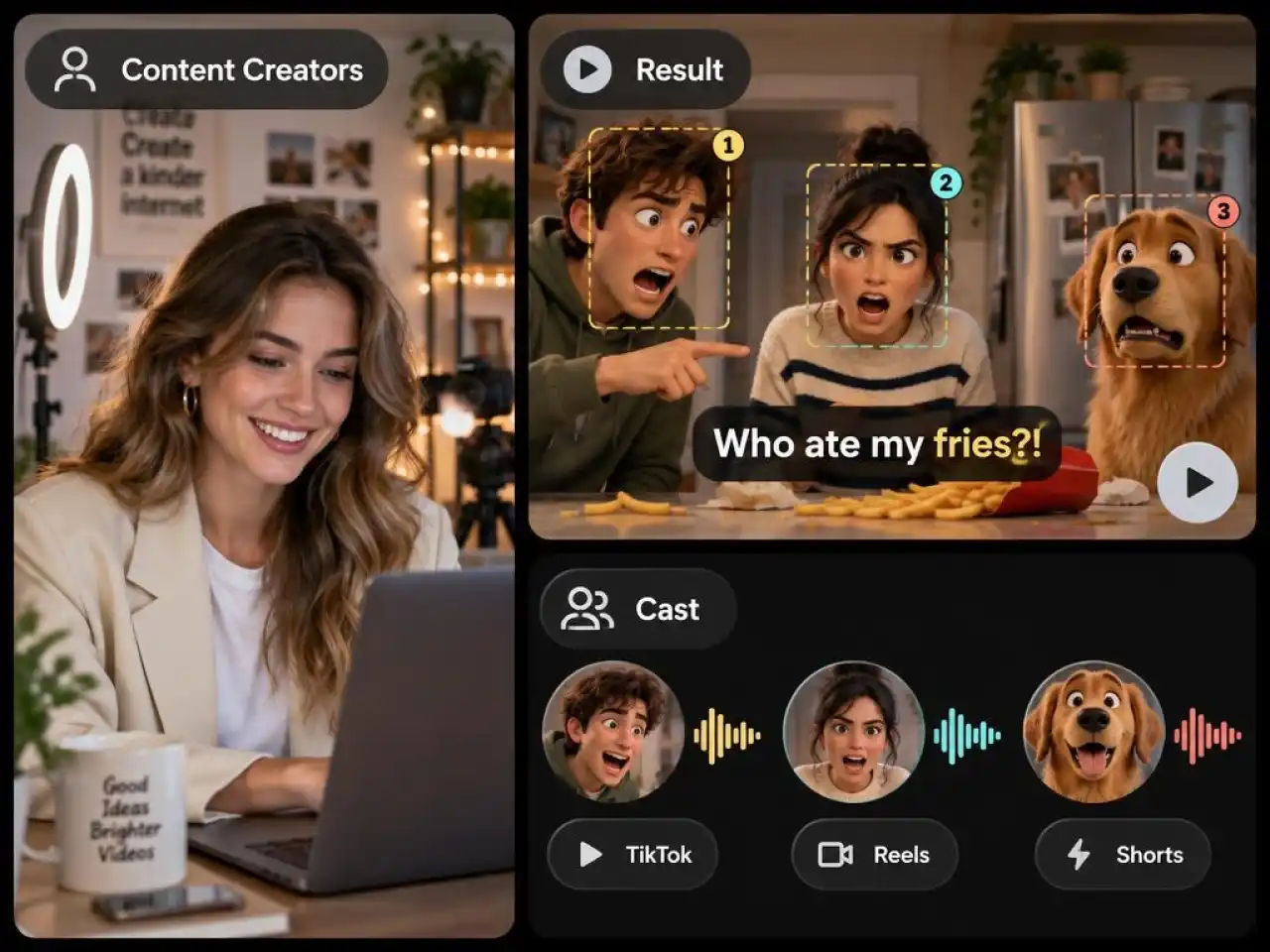
Content Creators & Storytellers
Put a full cast in your shorts and series. Write the dialogue once, give every character a voice, and publish talking scenes for TikTok, Instagram Reels, and YouTube Shorts.
What You Can Create with Multi Character Lip Sync AI
Whether you are posting a quick skit, repurposing a podcast, or building a series, Anijam gives every character a voice and a face that moves with it.
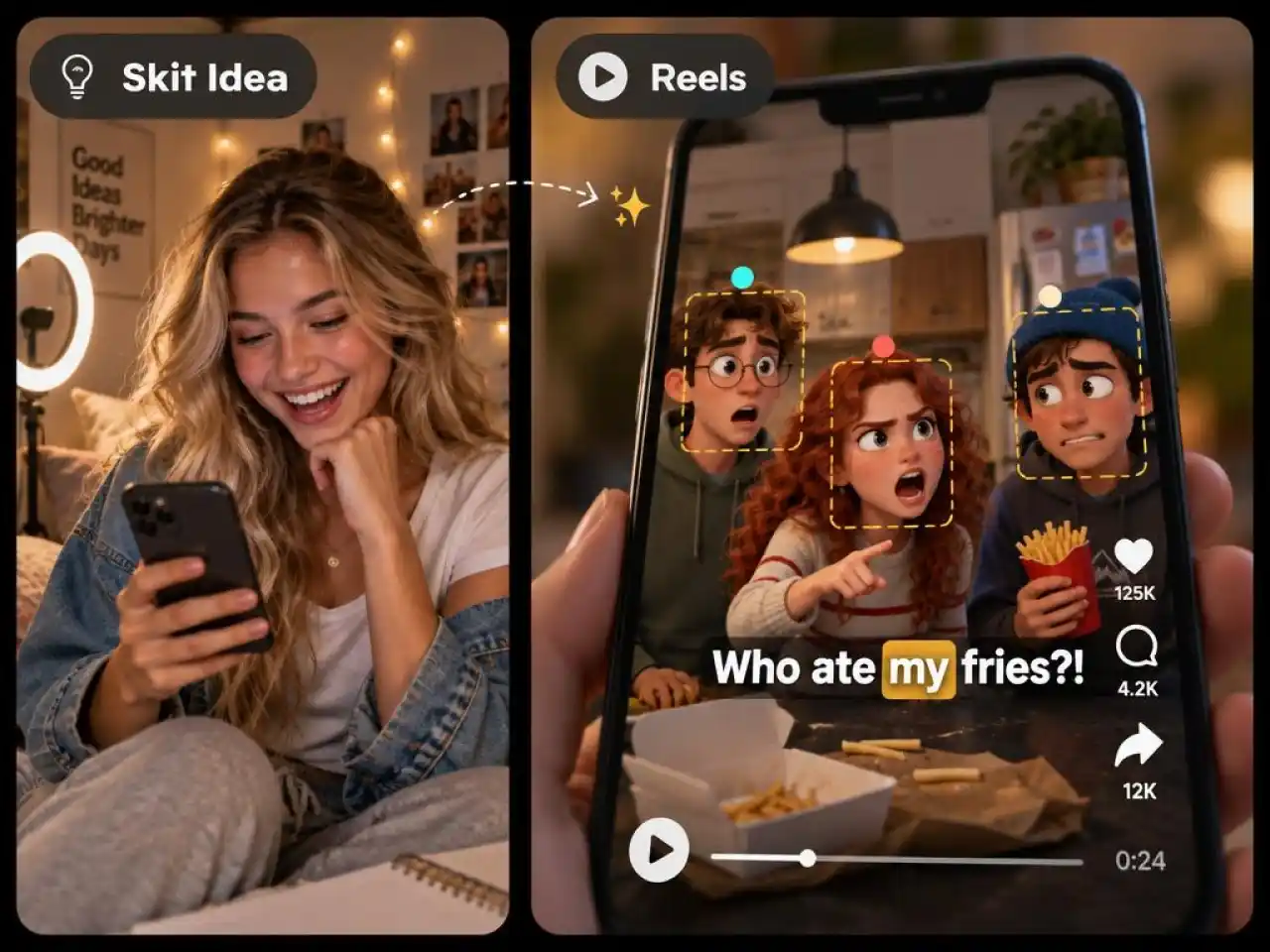
Create Dialogue Skits for TikTok and Reels
Put two or three characters in a funny argument, a confession, or a trending audio bit, and post a short dialogue skit in minutes. Each character has a voice, so viewers always know who is talking.
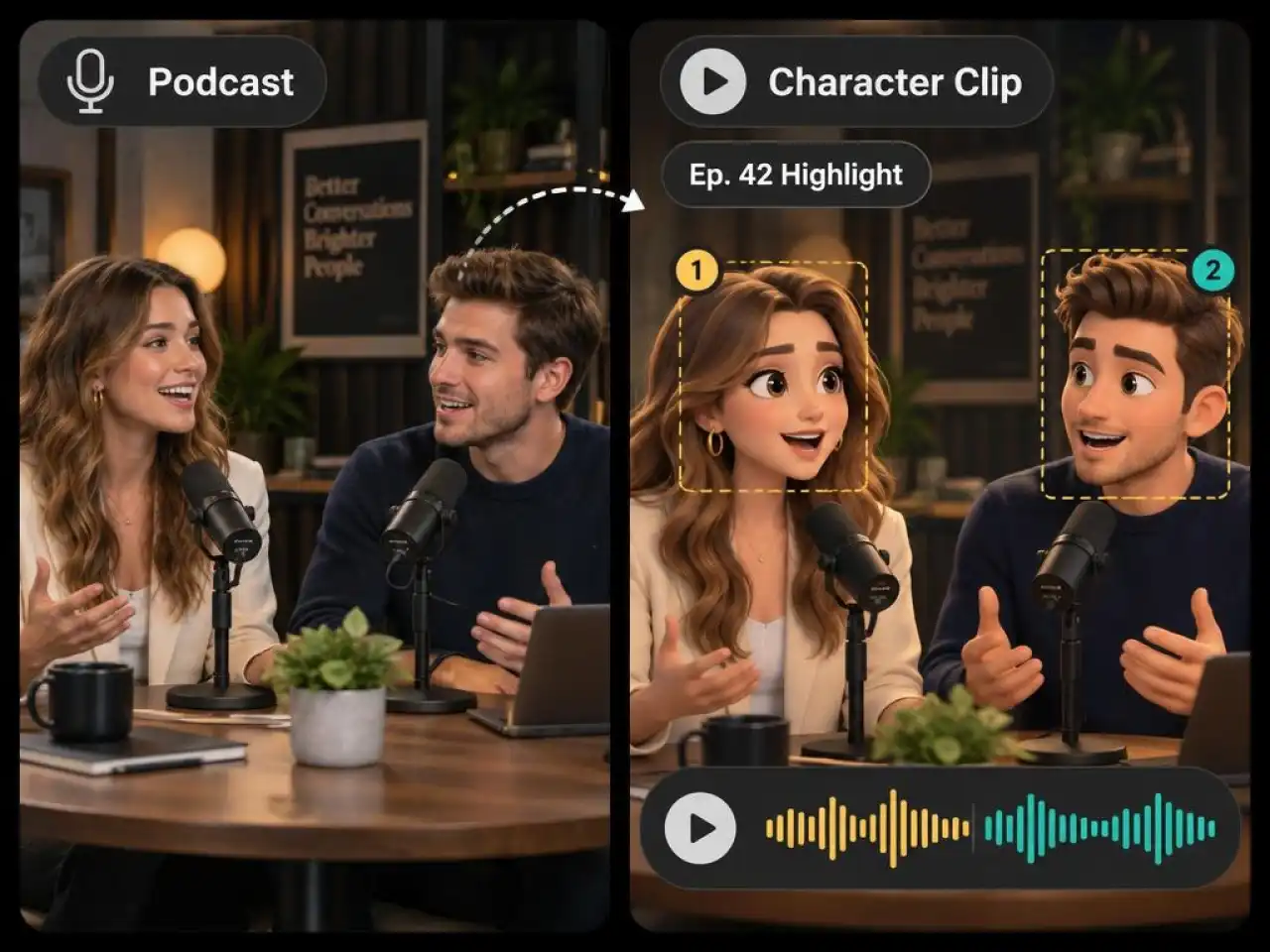
Turn Podcasts into Talking Character Clips
Give your hosts and guests character avatars and turn audio highlights into shareable clips for YouTube and social media. Multi-host conversations stay clear because each voice drives its own character.
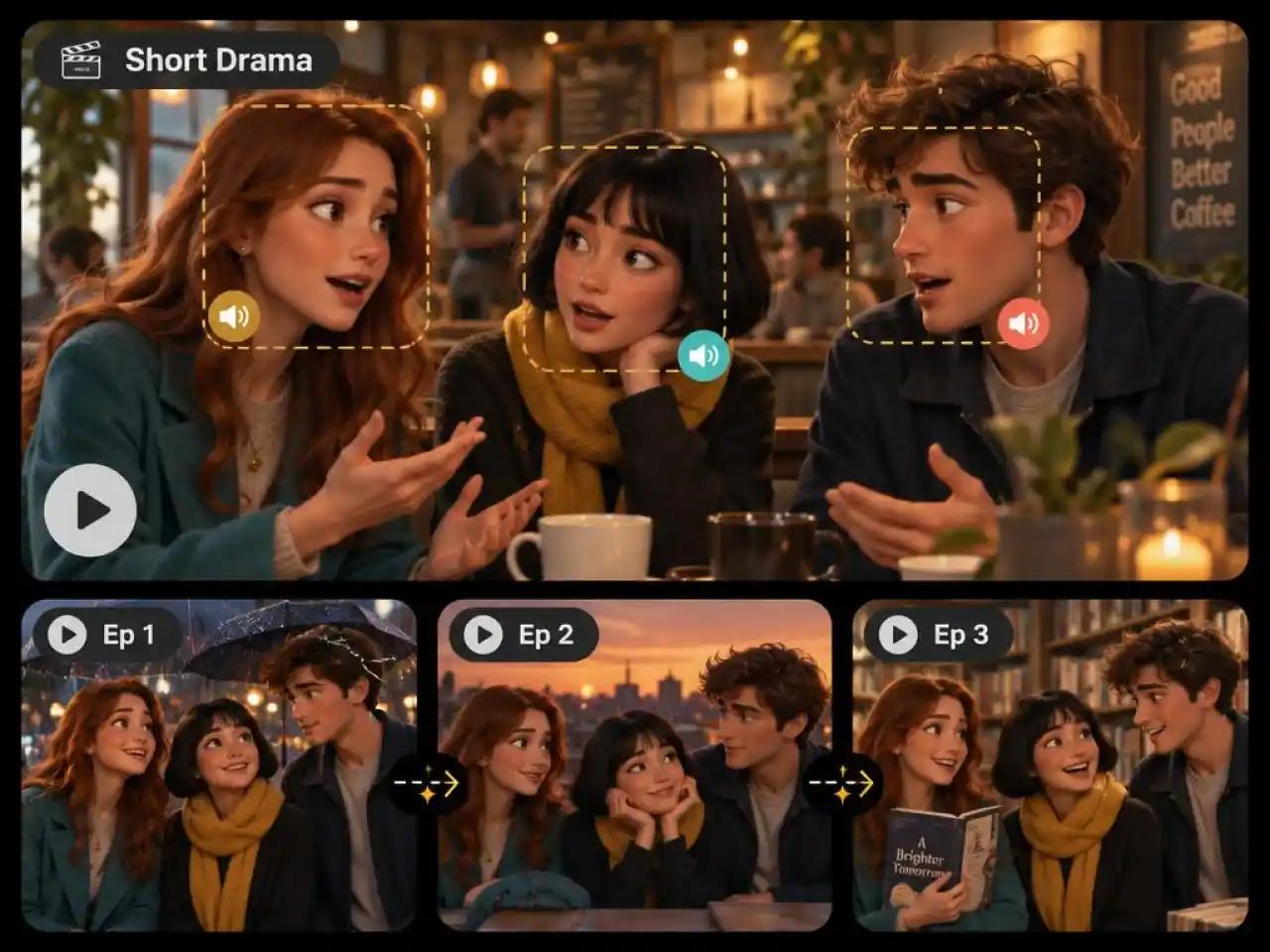
Build Story Scenes for Series and Short Dramas
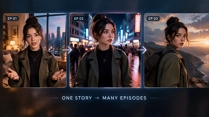
Write conversations between your cast and generate scenes that keep characters consistent from episode to episode. Ideal for web series, short dramas, and story videos where characters are always talking to each other.
Why Creators Choose Anijam for Multi Character Lip Sync AI

Free Credits to Start
Sign up to claim free credits and earn more with daily check-ins. No credit card required to start creating multi-character lip sync videos.

Easy to Use
Select up to 4 faces, assign a voice or audio track to each character, and generate. No manual lip syncing or complex editing required.

Time-Saving AI Lip Sync
Automate multi-character lip syncing in one workflow instead of manually animating mouths or syncing each character's dialogue.

Natural Lip Sync Quality
Generate synchronized lip movements that follow each character's assigned voice or audio, making multi-person conversations feel more natural.

Automatic Face Detection
AI detects multiple faces in your uploaded image or video, making it easier to select the characters you want to animate and assign their voices.

Watermark-Free Exports
Export clean, watermark-free videos to share your multi-character lip sync creations across social media and other platforms.
Explore More Anijam AI Creative Tools
FAQ
What is multi character lip sync AI?
Multi-character lip sync is an AI technology that synchronizes the mouth movements of multiple characters with their individual voices or audio tracks in the same scene. With Anijam, you can upload an image or video, select up to 4 faces, and assign a separate voice or audio track to each character to create a synchronized conversation.
Can I create multi-character lip sync videos for free?
Yes. Sign up to claim free credits and get additional credits through daily check-ins, with no credit card required. You can export watermark-free videos in 1080p, while premium plans unlock 4K exports, additional voice options, and commercial usage rights.
How many characters can I lip sync in one video?
Anijam supports up to 4 characters in a single image or video, with a separate speaker track for each face. You can upload MP4 or MOV videos up to 50MB and 30 seconds long. You can also use the same workflow for single-character lip sync.
Can I use my own voice or audio for each character?
Yes. You can upload your own voice recordings or choose AI-generated voices for individual characters. Assign a separate audio track to each speaker, and Anijam automatically syncs their mouth movements to the corresponding audio.
How do I make multiple characters speak without overlapping?
Give each character a separate speaker track and arrange their dialogue in the order you want them to speak. Leave short pauses between lines to create natural turn-taking and avoid overlapping voices in your multi-character lip sync video.