


AI Video Editor: Generate, Edit & Perfect AI Videos with Anijam
Edit and refine AI videos with Anijam's intuitive editing canvas. Fine-tune scenes, adjust camera movements and timing, and customize voiceovers and lip sync to bring every detail closer to your vision. Simply describe the changes you want and let AI help you perfect your video without the complexity of traditional editing software.
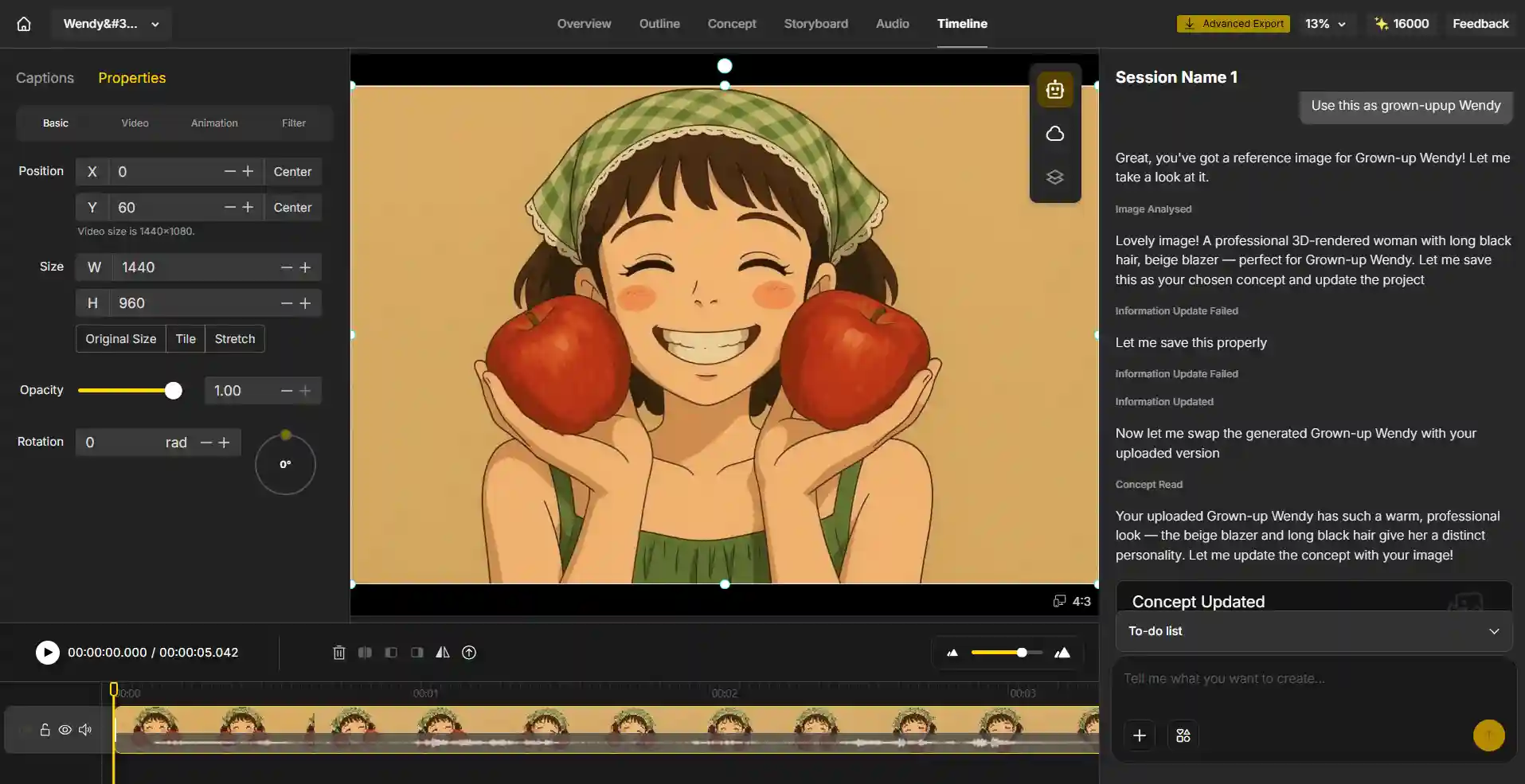
An AI Video Editor Built Around a Real Editing Canvas
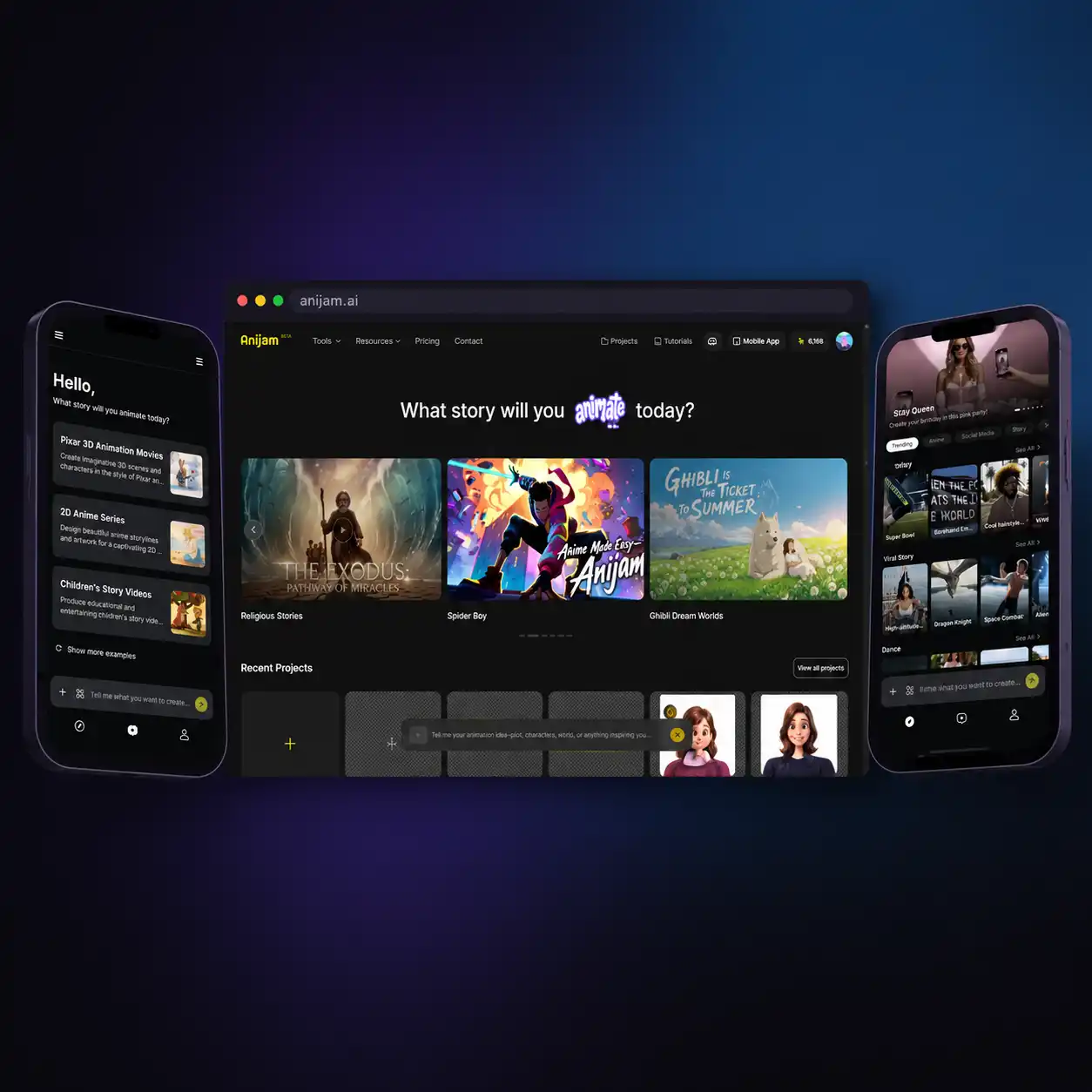
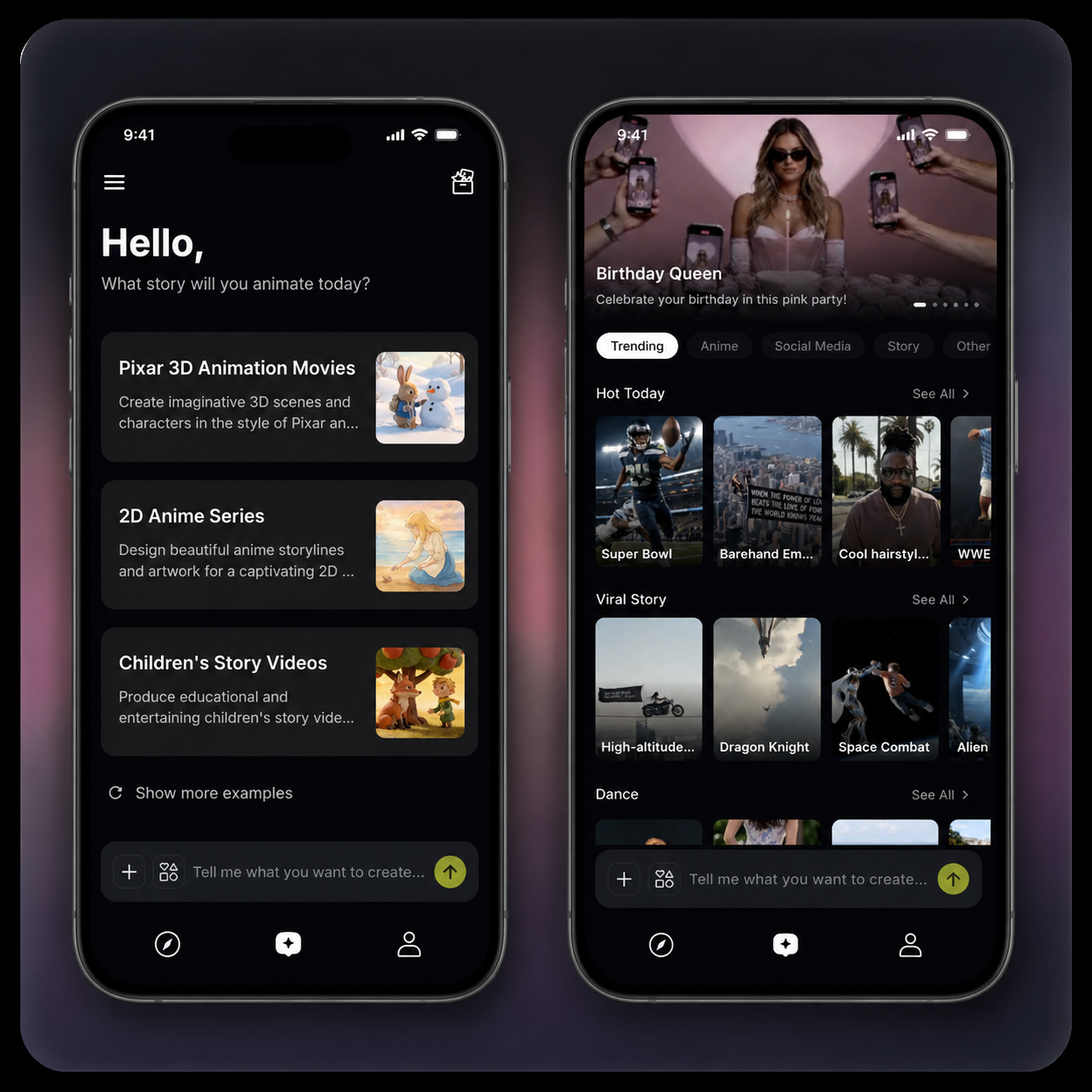
Anijam is a free AI video editor that goes beyond a single generated clip. Its AI agent writes the script, builds the scenes, keeps your characters consistent, and syncs voice to every line — then hands you a built-in timeline and scene editor to fine-tune motion, pacing, camera angles, and lip sync until the video feels exactly right. Anijam is also available as a mobile app, so you can create and edit anytime, anywhere — your scenes, characters, and edits sync automatically between web and app. The app layers on a growing library of trending video templates, updated regularly, so you can start editing from a proven format instead of a blank canvas.
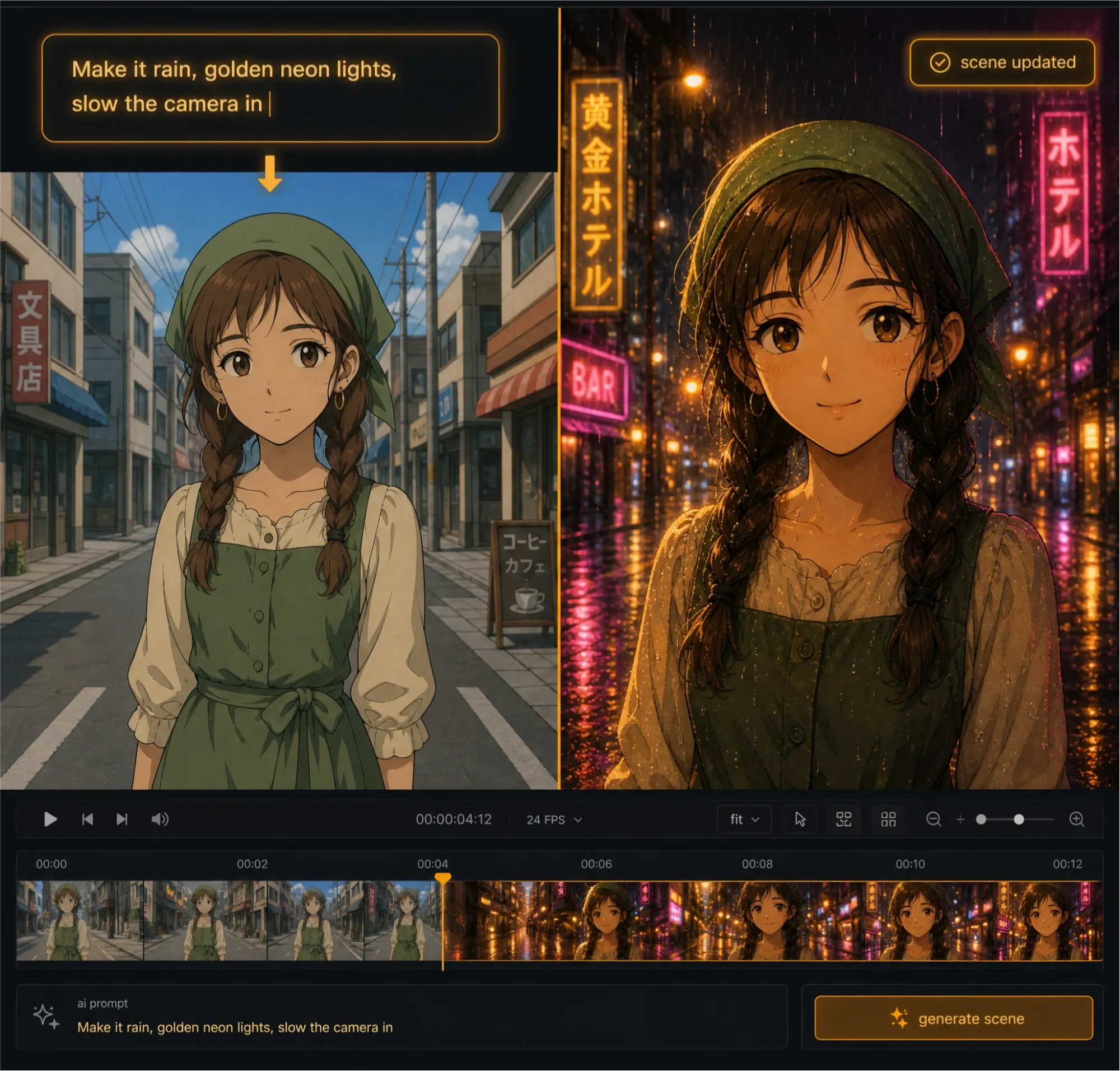
Edit Any Scene by Describing the Change
Skip manual timelines. Tell Anijam's AI video editor what you want changed — "slow this shot down," "add a rain effect," "make the camera pull back" — and the AI agent applies it directly to your scene while keeping characters and style consistent.
Built-In Timeline & Scene Editor
Fine-tune pacing, transitions, and scene order on Anijam's canvas. The scene editor gives you frame-level control over motion timing and cuts, without needing a separate editing program or any prior editing experience.
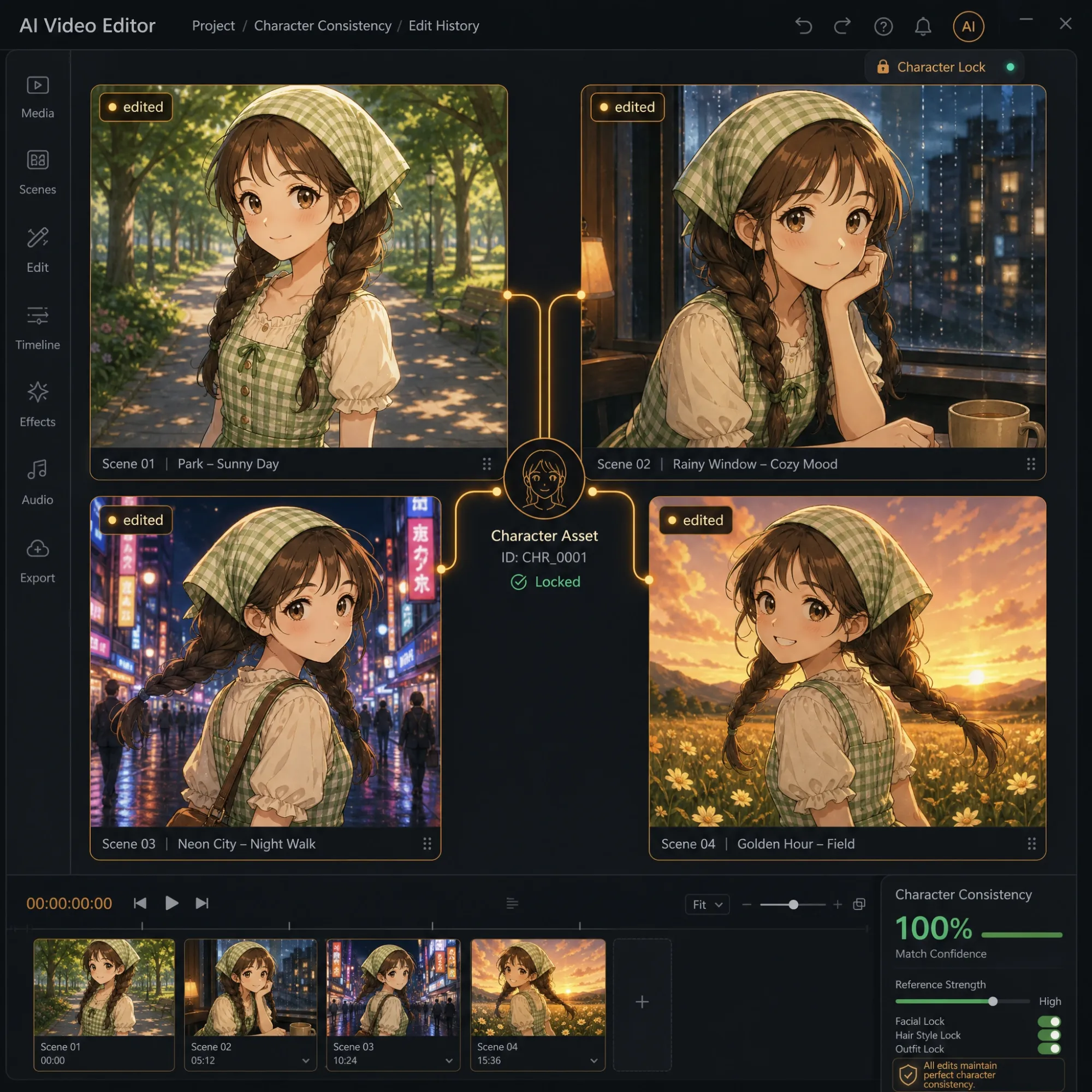
Keep Characters Consistent While You Edit
Re-cut a scene, change a camera angle, or extend a shot — your character's face, proportions, and style stay locked across every edit. No re-generating from scratch every time you make a change.
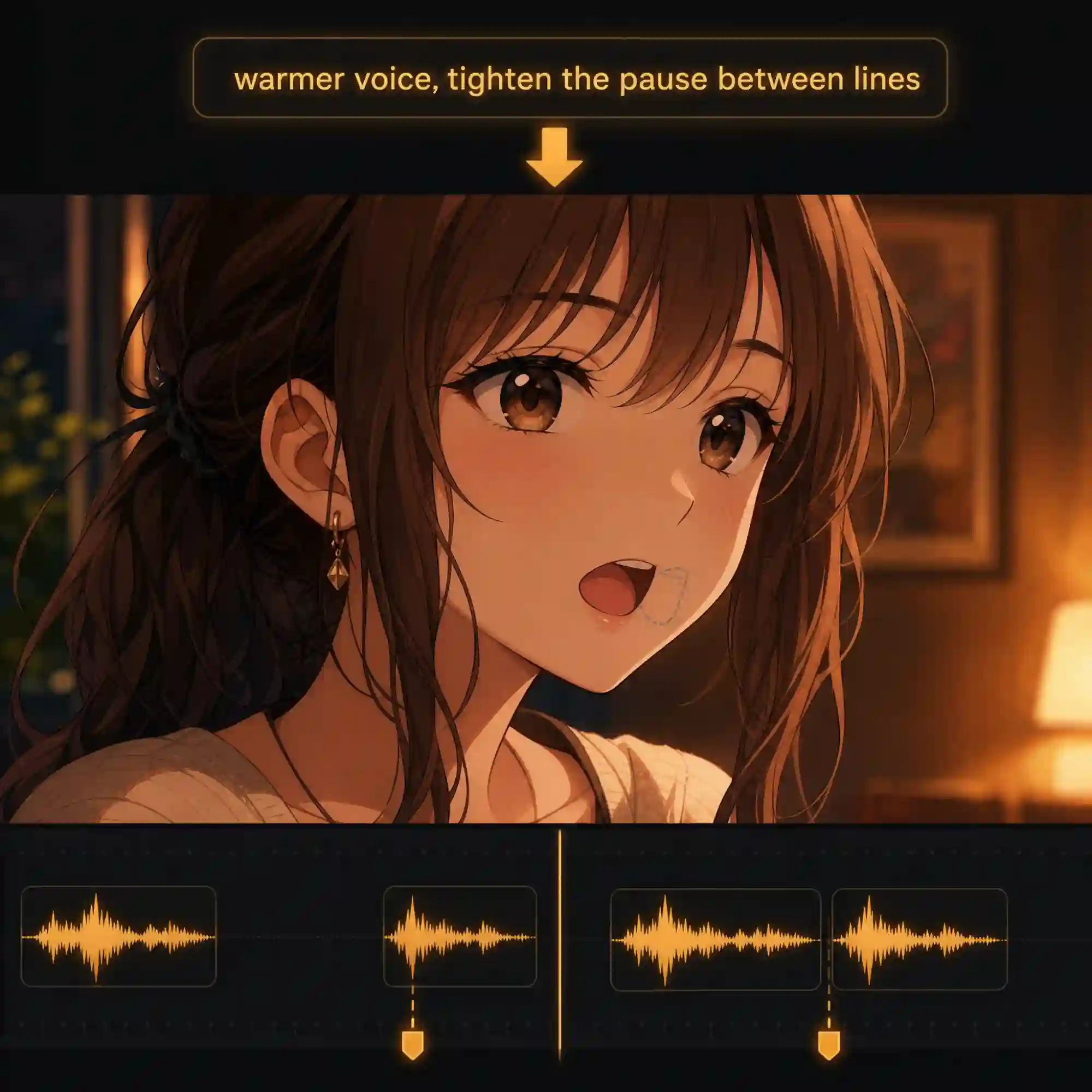
Edit Voice, Dialogue & Lip Sync
Swap a voice, adjust timing, or upload your own audio, and Anijam's lip-sync engine re-matches mouth movement to every word automatically. Fine-tune dialogue pacing without re-animating the whole scene.
Adjust Motion & Camera After Generation
Change a static shot into a slow pan, swap a wide shot for a close-up, or retime an action beat — all after the scene already exists. Anijam's motion controls sit on the same canvas as generation, so editing never means starting over.
Start from a Template, Then Edit It
Don't want a blank canvas? Pick a trending video template — dance, hug, kiss, music video, and more — and edit it into something your own: swap the character, adjust the style, retime the beat. New templates are added regularly to keep your options current.
Edit Anywhere with the Anijam App
Start editing on web, finish on your phone. The Anijam app carries the same editing tools plus a library of trending templates that's updated regularly, and every scene, character, and edit syncs automatically between web and app — so your project is always exactly where you left it.
Everyone Can Edit AI Video with Anijam
Social Creators & Editors
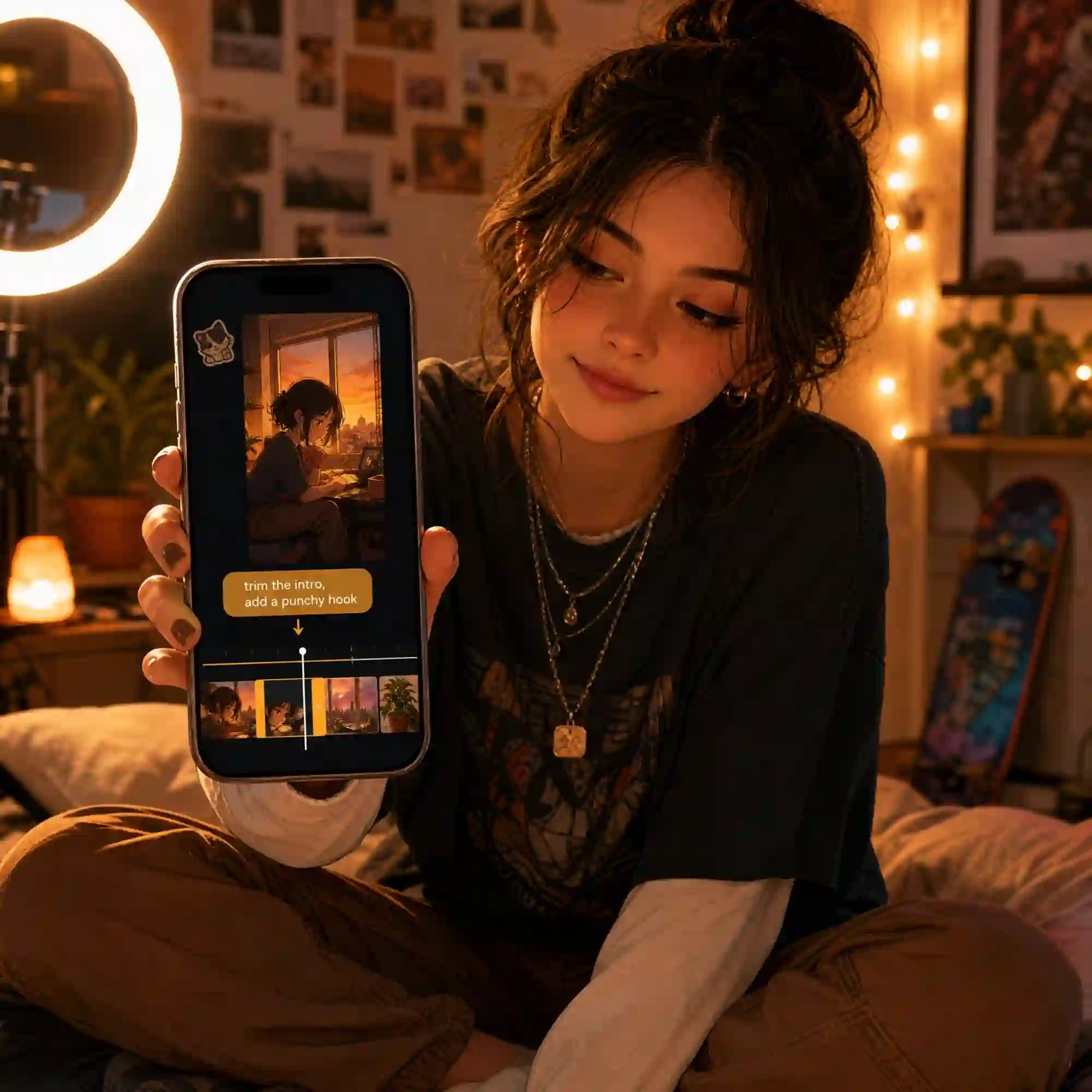
Cut, retime, and restyle AI-generated clips for TikTok, Reels, and YouTube Shorts without learning a traditional editing tool. Adjust pacing and hooks in seconds, straight from a prompt.
Unlock a Faster Way to Edit AI Video with Anijam
Whether you're polishing a social clip, a story scene, or a product video, Anijam's AI video editor lets you generate first and edit second — all in one place, with no timeline software and no editing background required.
Edit Viral Social Clips
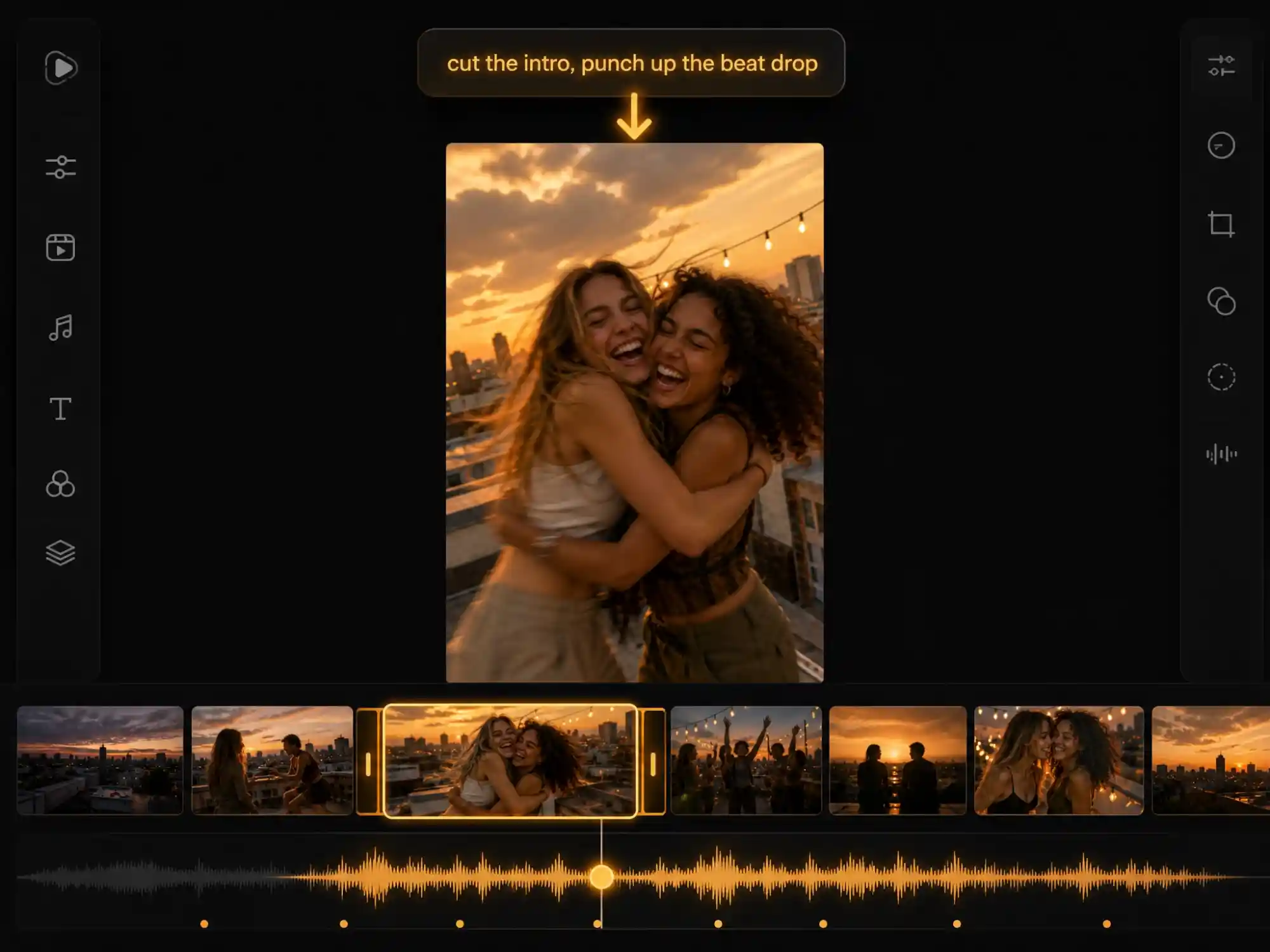
Retime, restyle, or re-cut AI-generated dance, hug, and trend videos for TikTok, Reels, and YouTube Shorts — all through simple prompts, no editing software required.
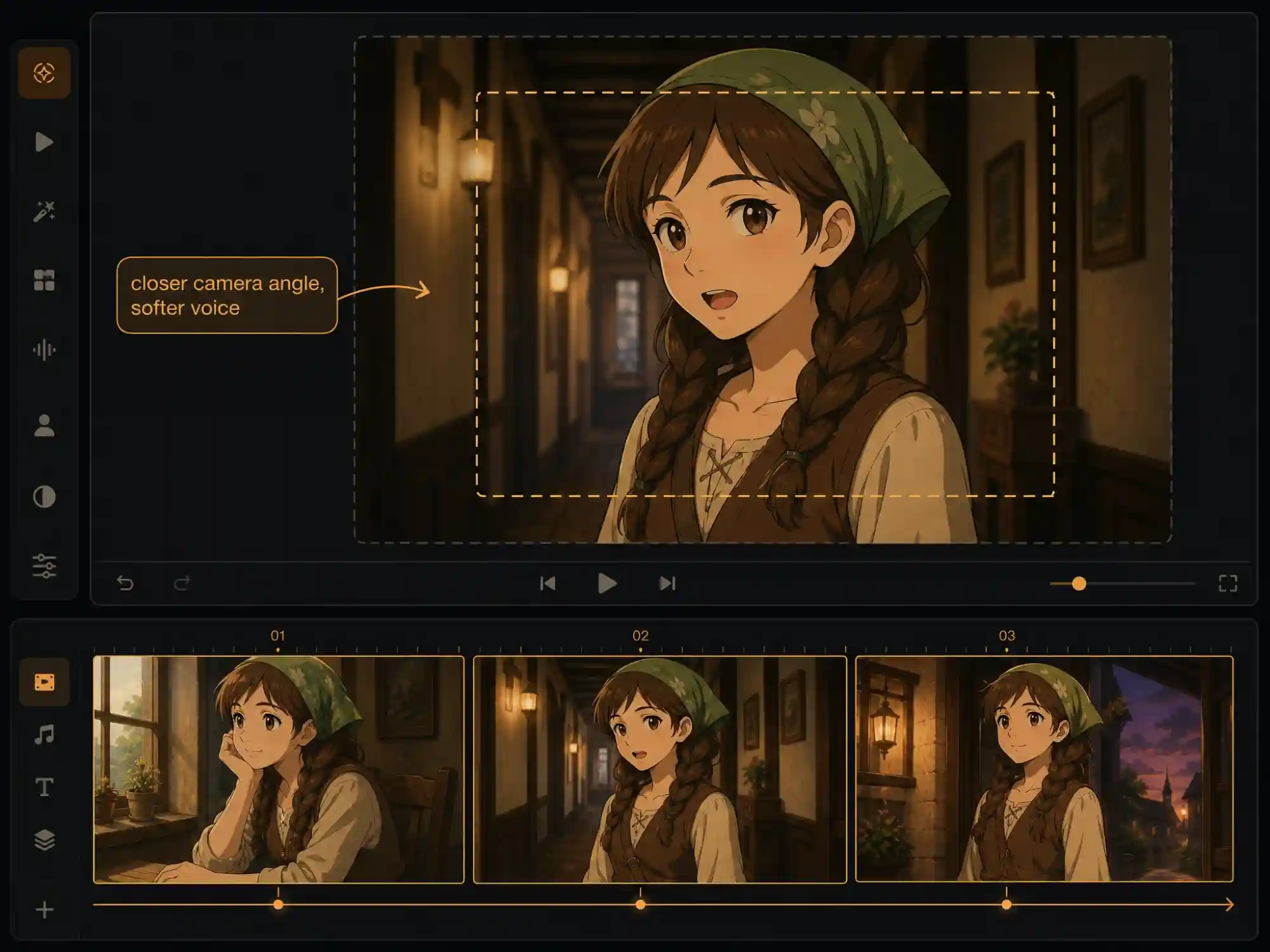
Edit Story & Character Videos
Adjust dialogue timing, camera angles, and lip sync across multi-scene stories and animated series, while keeping every character consistent from edit to edit.
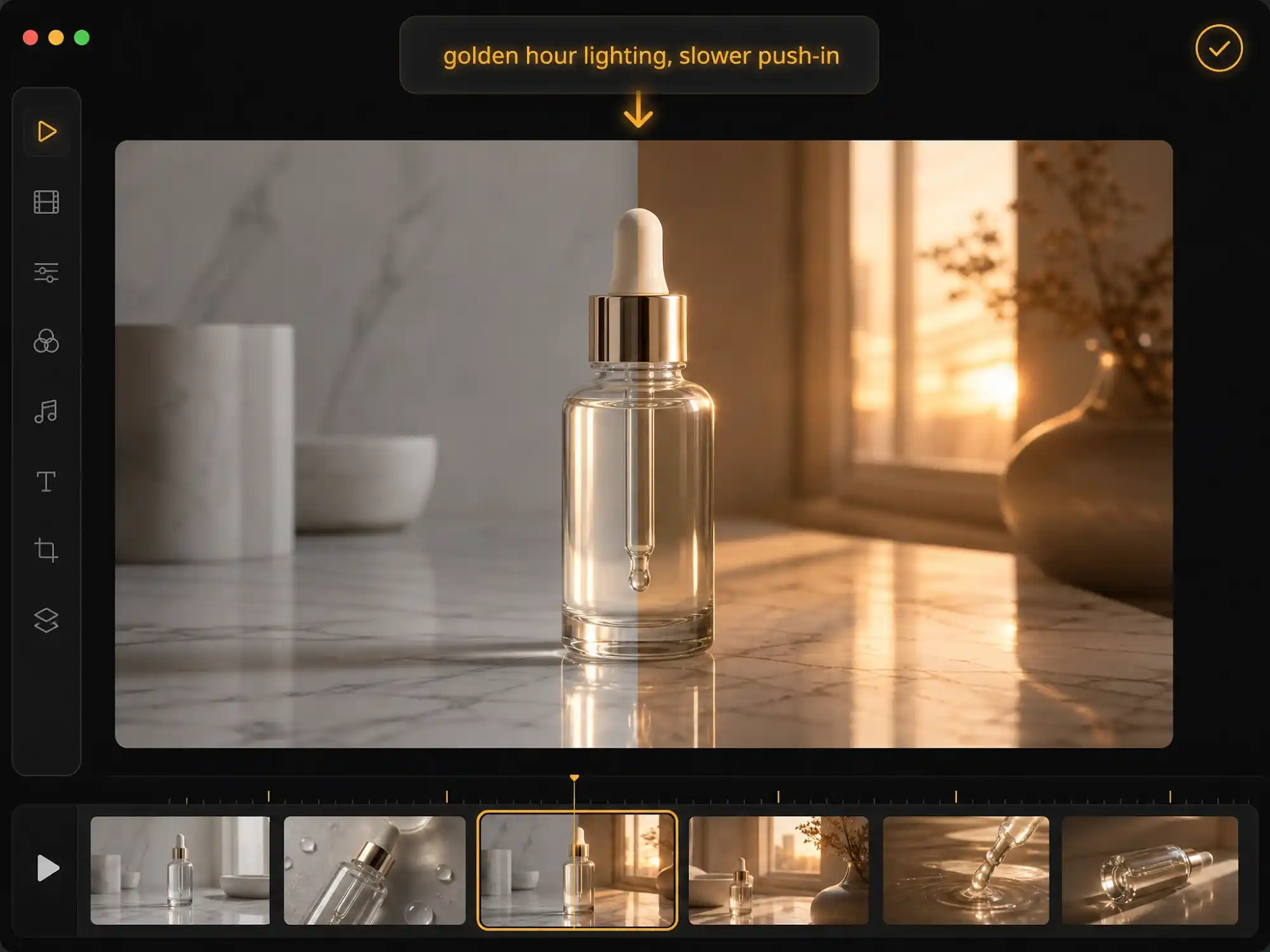
Edit Product & Marketing Videos
Fine-tune lighting, pacing, and camera framing on AI-generated product demos and ads, and export commercial-ready videos without a production team.
Why Choose Anijam's AI Video Editor

Edit in Minutes, Not Hours
Make a scene, timing, or voice edit and see the result in minutes. No render queues, no re-uploading footage between tools.

Free to Start
Try Anijam's AI video editor for free — no credit card required. Generate and edit your first video before deciding on a plan.

Trending Templates, Ready to Edit
Start from a growing library of trending video templates instead of a blank canvas, updated regularly with what's working on TikTok, Reels, and YouTube Shorts.

No Timeline Skills Needed
Describe the edit you want in plain language. No keyframing, no manual scrubbing, no prior video editing experience required.

Edit Anywhere, Stay in Sync
Start editing on the web, continue on the Anijam app. Scenes, characters, and edits sync automatically across both, so your project is never stuck on one device.

Commercial-Ready HD Export
Export your edited videos in HD, watermark-free on premium plans, with full commercial usage rights for ads, YouTube monetization, and client work.
Explore More Anijam AI Video Tools



What Our Users Say
FAQ
What is an AI video editor?
An AI video editor is a tool that uses AI to help you create and refine video content — adjusting scenes, timing, motion, voice, and style — often from a simple text prompt instead of a manual timeline. Anijam's AI video editor goes a step further by pairing an AI agent that generates your video with a built-in scene editor, so you can edit the result without switching to separate software.
Is Anijam's AI video editor free?
Yes. Sign up and check in daily to earn free credits, then use them to generate and edit videos right away. Free-tier exports include a watermark; upgrade to a premium plan for watermark-free HD exports and full commercial usage rights.
Can I edit my own uploaded footage with Anijam?
Anijam is built around AI-generated and animated video — you can upload a reference image or audio to shape a scene, and edit that scene's motion, timing, camera, and voice afterward. It isn't a traditional raw-footage editor for cutting and splicing your own camera clips; if that's what you need, Anijam is best used to generate and refine new AI video content instead.
Do I need to download any software?
No. Anijam's AI video editor runs entirely online — no downloads or installs required. It's also available as a mobile app on iOS, and your projects sync automatically between web and app.
Can I edit AI videos with just a prompt?
Yes. Instead of manually adjusting a timeline, you can describe the change you want — retime a shot, adjust the camera, change the lighting, swap the voice — and Anijam's AI agent applies the edit to that scene while keeping the rest of your video and your characters consistent.
Can I use my edited videos commercially?
Yes, on a premium plan. Once upgraded, you can use your edited AI videos for ads, client work, YouTube monetization, and other commercial purposes without additional licensing concerns.