


AI Video Generator
Create stunning shorts and series from text, images, audio, or scripts. Use AI Agents and ready-made templates to create videos with consistent characters and AI lip sync — all in one workspace, with no filming or editing skills required.
Generate Cinematic Videos from a Single Prompt
Describe a scene and Anijam's AI video generator builds film style shots with dramatic lighting, camera moves, and a consistent cast, from a short teaser to a multi-scene story.
All-in-One AI Video Generator — From Trending Templates to Full Episodic Series
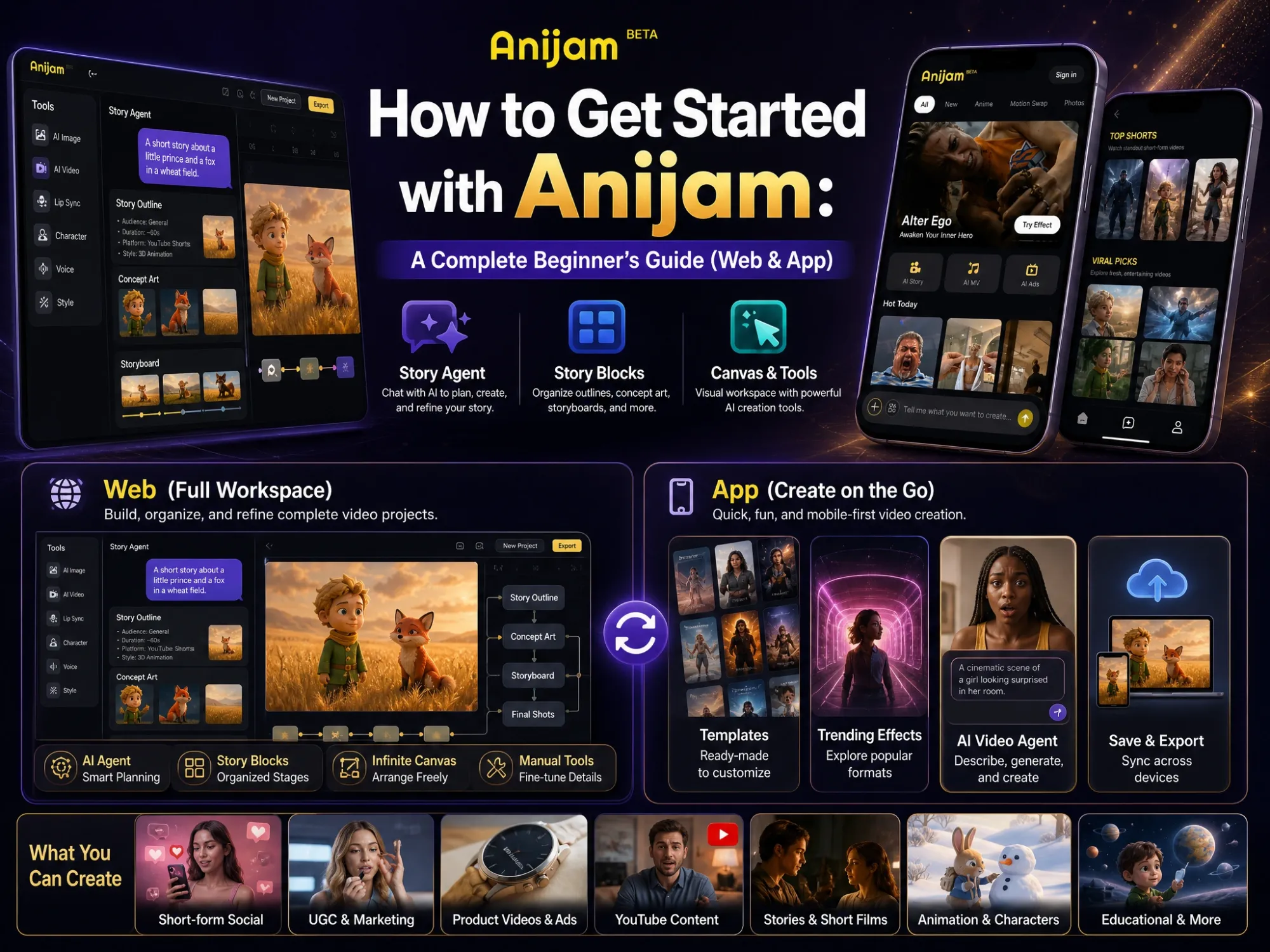
Anijam is a free AI video generator available on web and mobile — each built for how creators actually work.
On the web, Anijam works as a full AI Video Agent: describe your idea and it handles the entire production pipeline — script, scenes, characters, camera motion, lip sync, and timeline editing — all on one canvas. It's purpose-built for storytelling, episodic series, and long-form content where character consistency and narrative flow matter.
On the Anijam app, the focus shifts to speed and trends. Jump straight into a library of hot video templates — AI dance videos, AI kiss videos, AI hug videos, AI music videos, Pixar-style transformations, Ghibli scenes, and more — and go from photo or idea to shareable video in seconds. New templates are added regularly to keep up with what's going viral on TikTok, Reels, and YouTube Shorts.
Whether you're creating a full video series or a 15-second trending clip, Anijam gives every creator a faster path from idea to finished video.

AI Video Generator from Text — Any Idea, Instantly
Type any concept — a story scene, a product demo, an explainer topic, a mood — and Anijam's text to video AI transforms it into a complete video. The AI plans your scenes, creates characters, directs camera movement, and applies your chosen visual style automatically. No storyboarding, no keyframing, no guesswork.
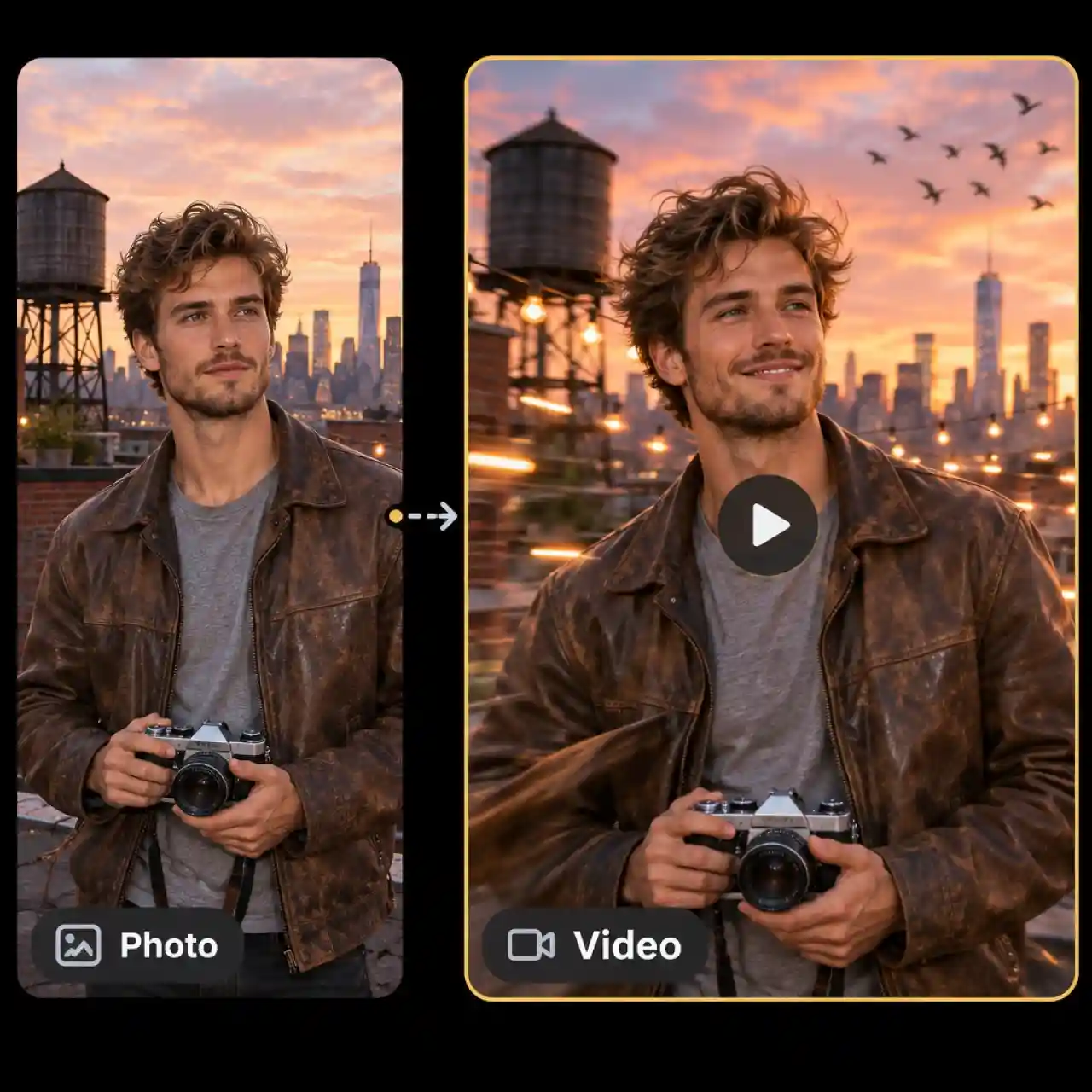
AI Video Generator from Image — Bring Any Photo to Life
Upload any photo, illustration, character design, or product image and watch it transform into a dynamic video. Anijam's image-to-video AI adds realistic motion, cinematic camera effects, and expressive character movement — without modifying the original art or breaking visual consistency.
AI Video Generator with Lip Sync & Voice
Give your AI-generated characters a real voice. Anijam includes a multilingual voice library across 30+ languages, plus support for uploaded audio. Its powerful lip sync engine matches mouth shapes, timing, and facial expressions to every word — making dialogue feel natural and performances feel alive.
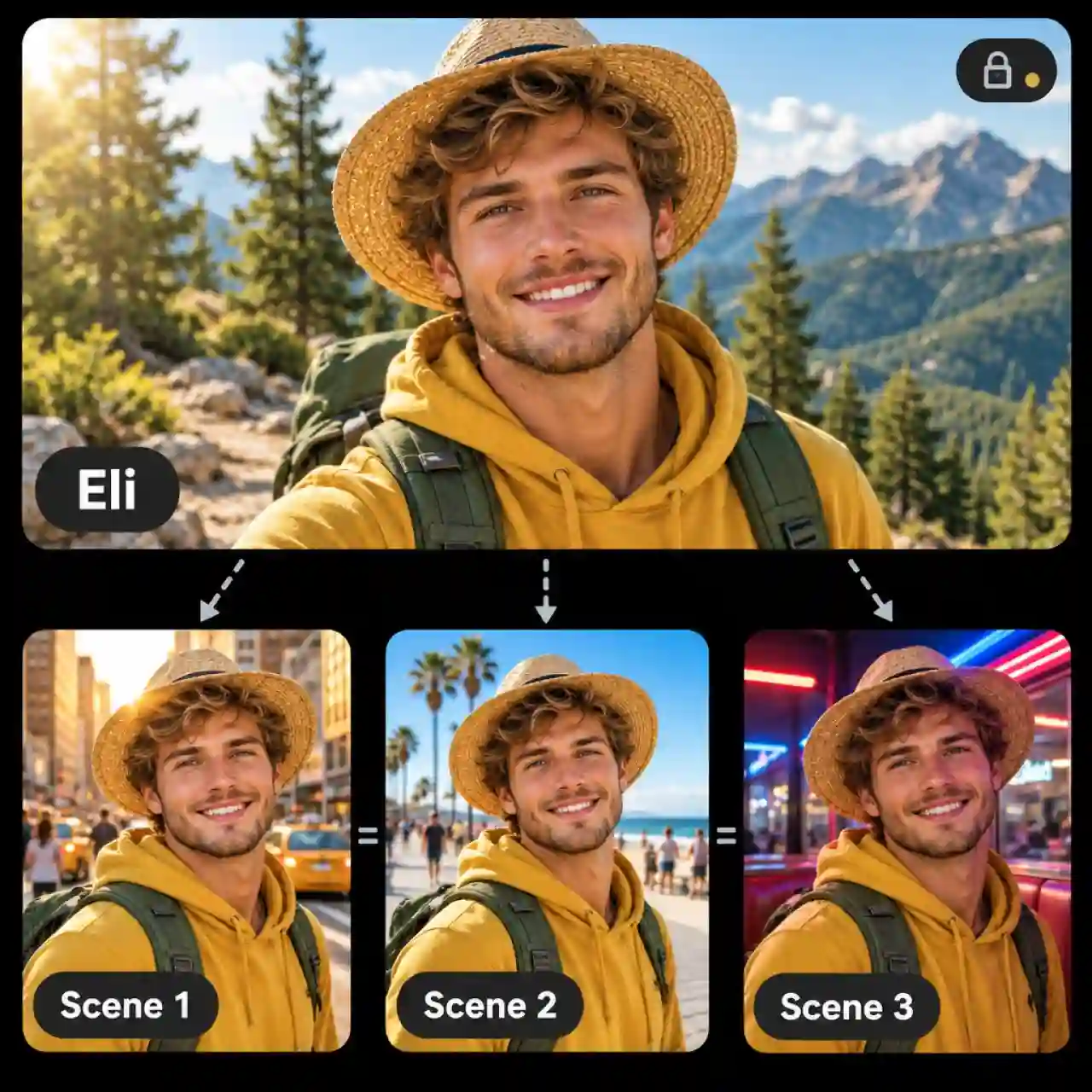
Consistent Characters Across Every Scene
Create original characters once and maintain them perfectly throughout your entire video — same face, same style, same personality. Anijam locks character design, proportions, and visual identity scene by scene, so your AI-generated video always looks cohesive, even across multi-part series or long-form content.

Explore Popular Video Styles & Ready-to-Use Templates
Anijam offers a rich library of visual styles—from anime and Ghibli to 3D cinematic, cartoon, pixel art, and realistic looks—alongside a growing collection of trending social media video templates. Jump on the latest trends and create eye-catching content with ready-to-use templates, with new options added regularly to keep your videos fresh. Available on web and mobile, so you can create anywhere, anytime.

Full AI Video Production on One Canvas
Anijam replaces an entire production stack with a single unified canvas. Script generation, scene planning, character creation, motion control, voice sync, and timeline editing all live in one place. You never need to switch tools, export between apps, or re-import assets — the entire AI video workflow happens in one seamless flow from first idea to final export.
Who Uses Anijam's AI Video Generator

Keep Your Social Content Fresh and Engaging
Turn trending ideas, text prompts, and photos into eye-catching short videos for TikTok, Instagram Reels, and YouTube Shorts. Explore ready-to-use templates, experiment with different visual styles, and bring your content ideas to life without spending hours on video production.
What You Can Create with Anijam's AI Video Generator
From trending social video formats to long-form storytelling, Anijam handles every type of AI video production — on one canvas, in a fraction of the time.

Generate Viral AI Videos for Social Media
Create AI dance videos, AI hug videos, AI kiss videos, and trending animated clips for TikTok, Instagram Reels, and YouTube Shorts — all from a text prompt or uploaded image.

Create AI Music Videos from Audio
Upload a music track and generate a fully animated music video. Anijam automatically syncs visuals to rhythm, generates scenes and characters, and exports a complete video ready for YouTube and streaming.

Video Series & Episodic Content
Create multi-episode video content with the same characters appearing consistently across every scene and every episode — Anijam's AI agent handles continuity, narrative flow, and production, so you focus on the story.
How to Generate a Video with Anijam AI
Step 1: Start with an Idea, Image, Script, or Template
Start with a text prompt, upload a reference image, paste a script, or explore ready-to-use templates to kick off your video. Whether you're following a trending format or creating something entirely your own, Anijam's AI Agent helps turn your starting point into a story outline, scene breakdown, and character suggestions.
Step 2: Customize Your Style, Characters & Audio
Choose from a wide range of visual styles, including anime, cartoon, 3D cinematic, Ghibli, pixel art, and realistic looks. Customize characters, select a voice from 200+ voices across 30+ languages, or upload your own audio. Fine-tune your creative direction before generating your video.
Step 3: Edit, Export & Share Your Video
Refine your scenes in the built-in timeline editor, adjust motion timing, lip sync, and scene transitions, and bring your final video together on one canvas. Export your creation in up to 1080p and share it on YouTube, TikTok, Instagram Reels, or other platforms.
Why Creators Choose Anijam AI Video Generator

Free to Start
Sign up to get free credits and start creating AI videos without a credit card. Earn additional free credits through daily check-ins and use them to explore AI video generation, trending templates, and creative tools.

Fast Generation
From idea to finished AI video in minutes. No rendering queues, no waiting — Anijam generates scenes, characters, and motion at speed, so you can create more and wait less.

No Skills Required
No keyframing, no rigging, no video editing knowledge needed. Anijam's AI agent handles the full production pipeline — scenes, motion, voice, and export — so you can focus purely on your creative idea.

Create Anywhere, Anytime
Take your AI video creation anywhere with Anijam's mobile app. Generate videos from your phone using templates, image uploads, and text prompts — with the same quality as the web platform.

Commercial-Ready HD Export
Export polished, watermark-free videos in high resolution, with 4K/8K export options and commercial rights for marketing campaigns, client projects, and monetized content.

Creator Rewards & Opportunities
Grow with Anijam through creator opportunities and rewards. Showcase your AI videos, participate in creator campaigns, and unlock opportunities to earn rewards while sharing your creativity with a wider audience.
Explore More Anijam AI Video Tools



What Creators Are Saying
Explore More AI Video Creation Guides
FAQ
What is an AI video generator?
An AI video generator is a tool that automatically creates video content from inputs like text prompts, images, or audio. Instead of manually recording footage or animating frame by frame, you describe what you want and the AI generates scenes, characters, motion, and even voiceover automatically.
Is this AI video generator free to use?
Yes. Simply sign up and check in daily to earn free credits — then use them to generate AI videos right away.
How long does it take to generate a video?
Most videos are ready in under 5 minutes. Short template-based clips on the Anijam app generate even faster — often in seconds. Longer multi-scene productions through the AI agent take a few minutes more depending on complexity, but there are no long rendering queues.
Is there an Anijam AI video generator app?
Yes! You can download the Anijam app from the Apple App Store or Google Play to make AI Video on your phone. Explore fun video templates with Anijam AI on the go.
Can I use Anijam videos for commercial purposes?
Commercial use is available on premium plans, which include full commercial usage rights for ads, client work, branded content, and monetized platforms. Free-tier videos are intended for personal and non-commercial use. Always check the current plan terms on the Anijam pricing page for the latest details.
How is Anijam different from other AI video generators?
Anijam brings more ways to create into one AI video platform. Explore trending video templates to get started quickly, or use the AI Video Agent to turn prompts, images, and scripts into complete video projects. From story outlines and multi-scene generation to consistent characters, AI voices, lip sync, and timeline editing, everything comes together in one creative workspace. You can even create episodic video series with recurring characters and connected storylines across episodes. Whether you're making short-form social content, marketing videos, or original video series, Anijam gives you the tools to take your ideas from concept to finished video.