


Motion Control AI
Anijam's Motion Control AI copies the exact movement, gestures, and facial expressions from any reference video onto your character image — no motion-capture suit, no rigging, no manual keyframing. Powered by Kling 3.0 Motion and Kling 2.6 Motion, it's the fastest way to turn a still character into a performance-ready animated video.
What You Can Do with Anijam Motion Control AI
Create more with the movements you already have. Anijam Motion Control AI turns dance, gestures, and performances from reference videos into original character videos — from trending social content and consistent brand presenters to anime and game scenes.
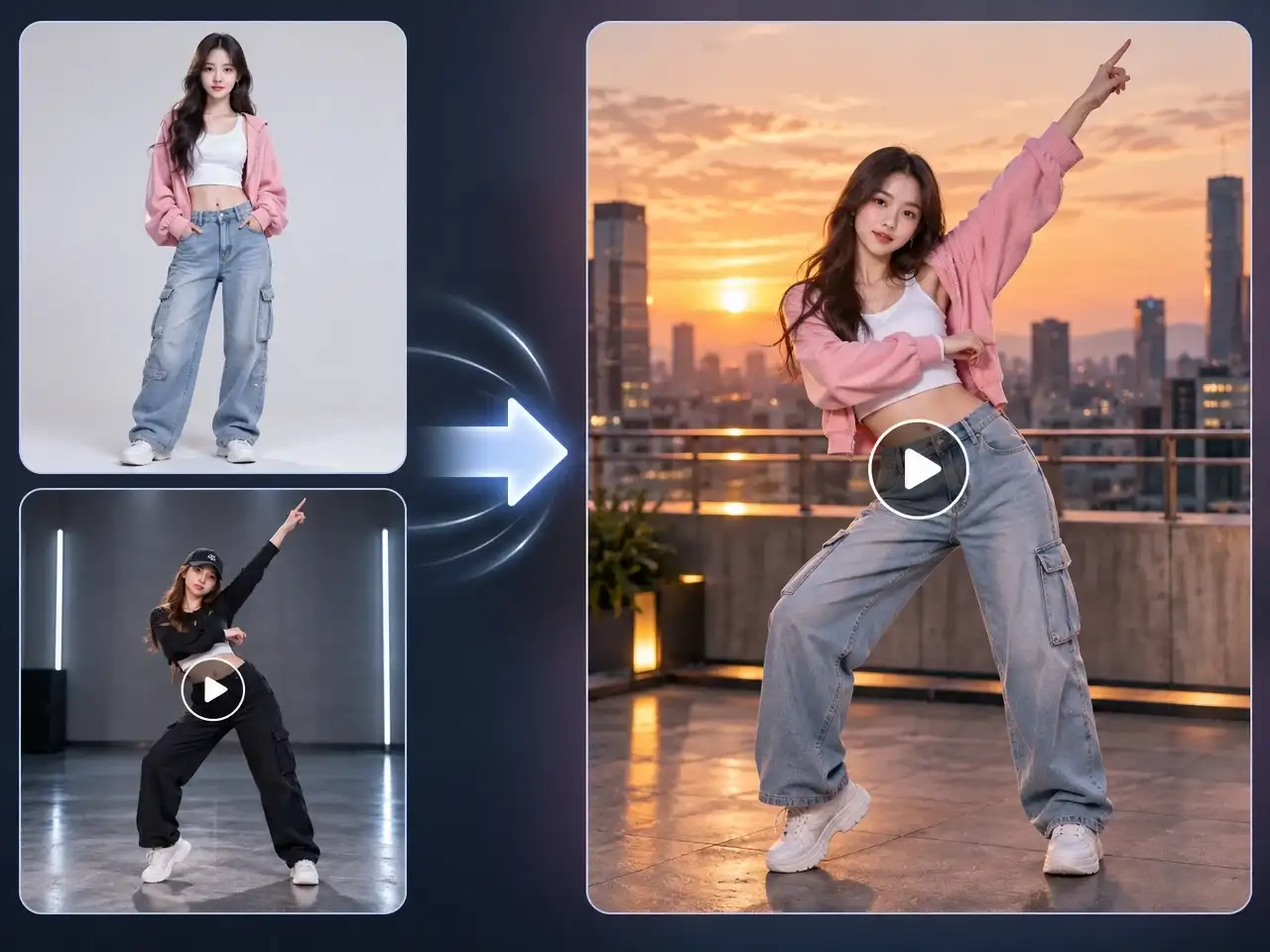
Create Viral Dance & Trend Videos
Copy any trending dance or choreography onto your own character and publish a motion control ai video free of the cost and time a real shoot would take.
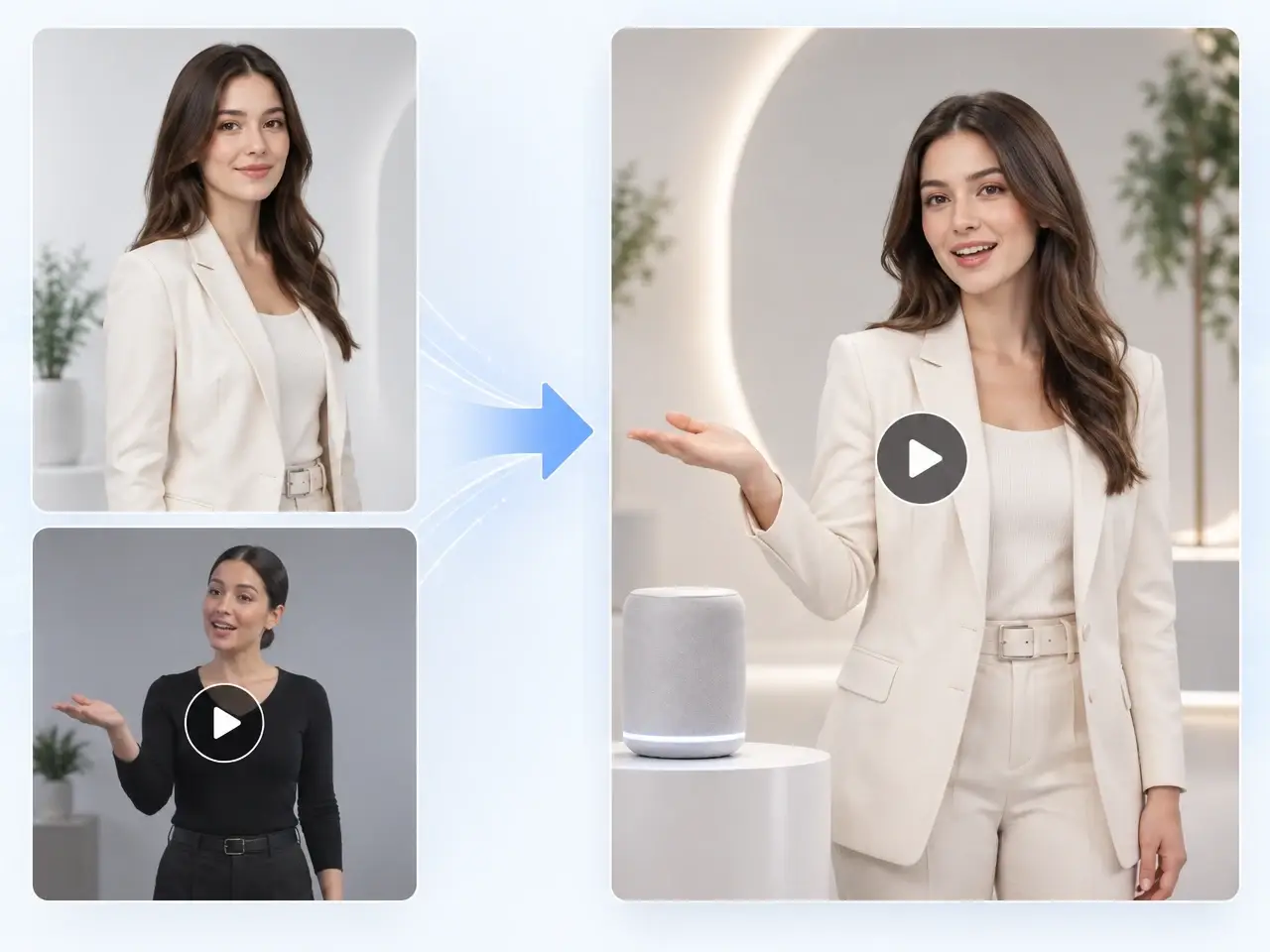
Build a Consistent AI Brand Spokesperson
Give your brand a recurring animated presenter that performs the same script, gestures, and pacing across every ad, update, and platform.
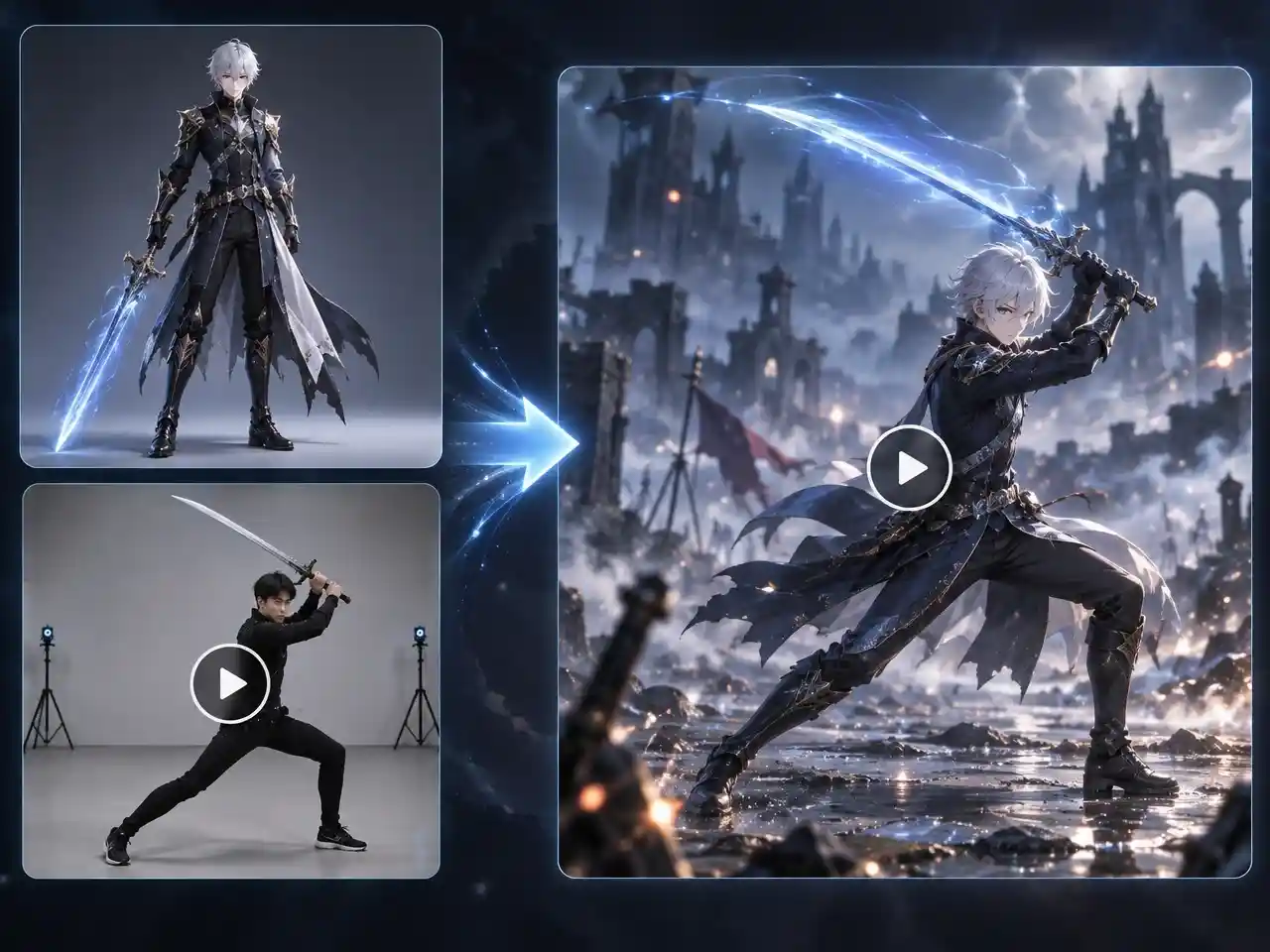
Animate Anime & Game Characters With Real Motion
Apply combat sequences, dance routines, or subtle emotional beats from a reference video to any illustrated or 3D character in your story.
Control Character Movement With a Reference Video
Stop trying to describe every movement in a prompt. Anijam AI lets you upload a character image and show the AI exactly how you want that character to move, using Kling 3.0 Motion or Kling 2.6 Motion — the engine reads the body, hands, and facial expressions from your reference video and re-animates your character to match, frame by frame. Then refine the result with prompts, lip sync, styles, and timeline editing, all without leaving your creative workspace.
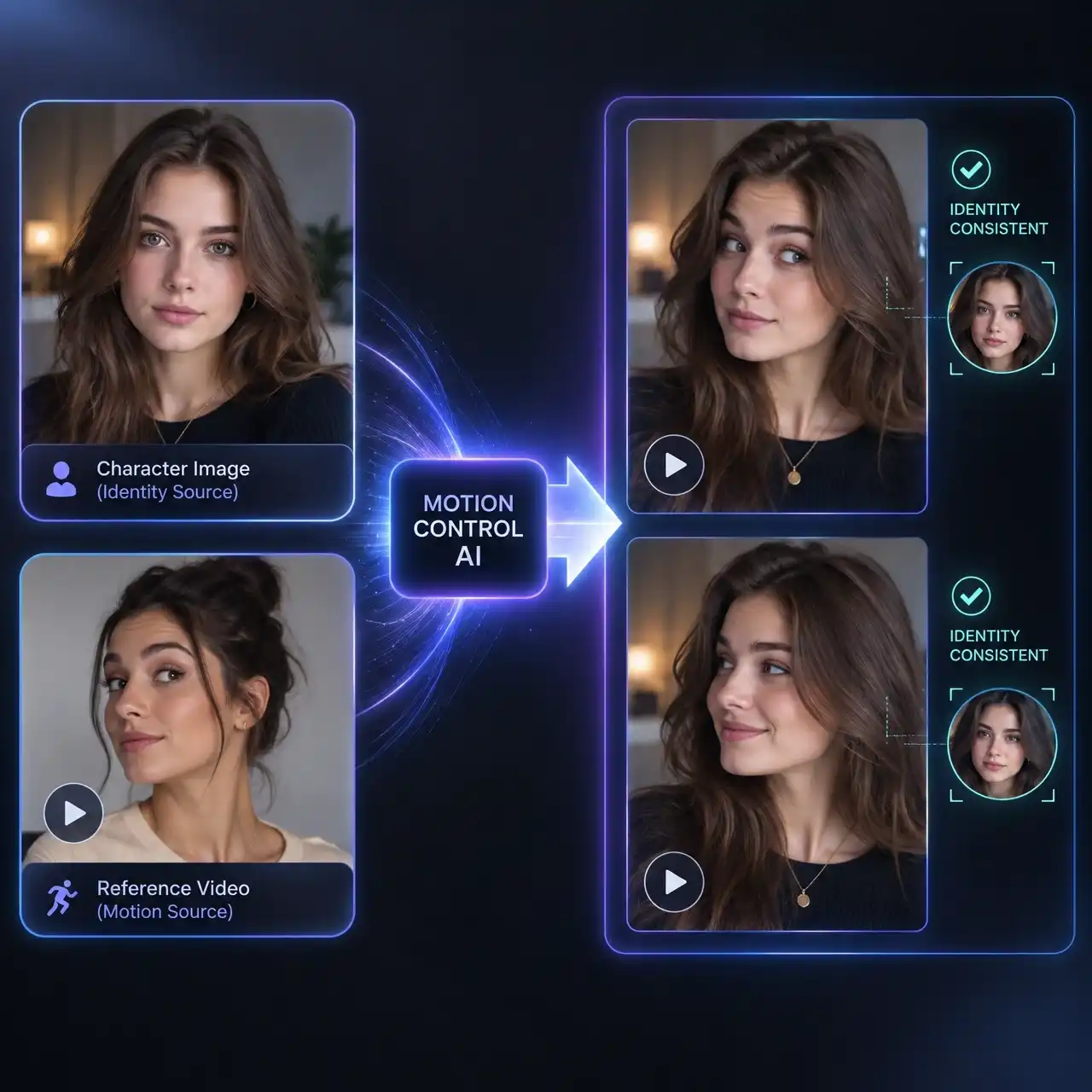
Character Identity Stays Locked Through Every Movement
Head turns, hand-over-face moments, and fast motion are where most motion transfer breaks down. Anijam's Motion Control AI reads facial landmarks alongside body movement, so features, hairstyle, and outfit details stay consistent even through complex, multi-angle sequences — no melting faces, no identity drift between frames.
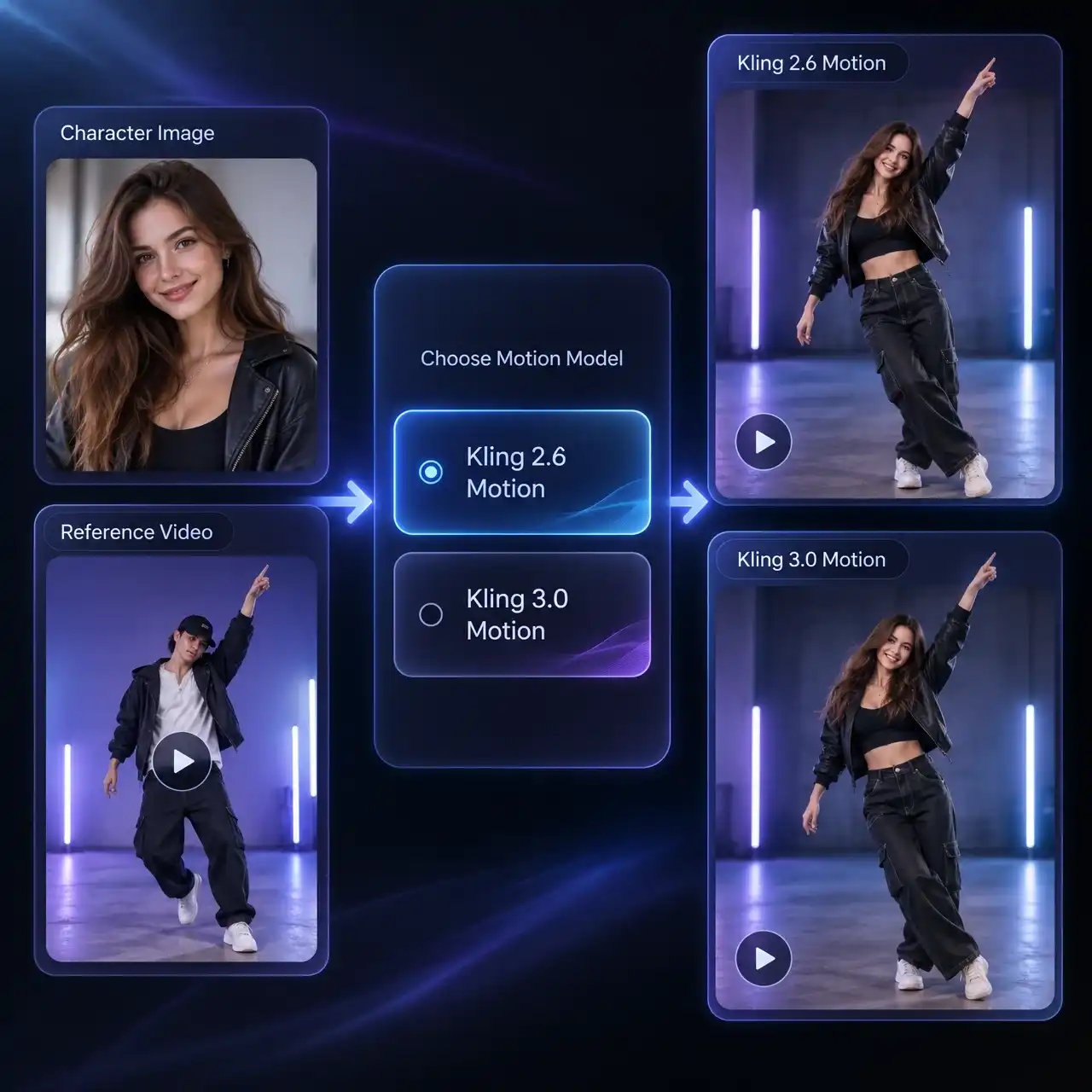
Kling 2.6 Motion or Kling 3.0 Motion — You Choose the Engine
Anijam gives you both Kling engines in one panel. Pick Kling 2.6 Motion for quick, credit-friendly transfers on straightforward clips, or step up to Kling 3.0 Motion when you need the strongest facial consistency, cleaner handling of hands crossing the face, and smoother results on longer, more demanding reference videos.
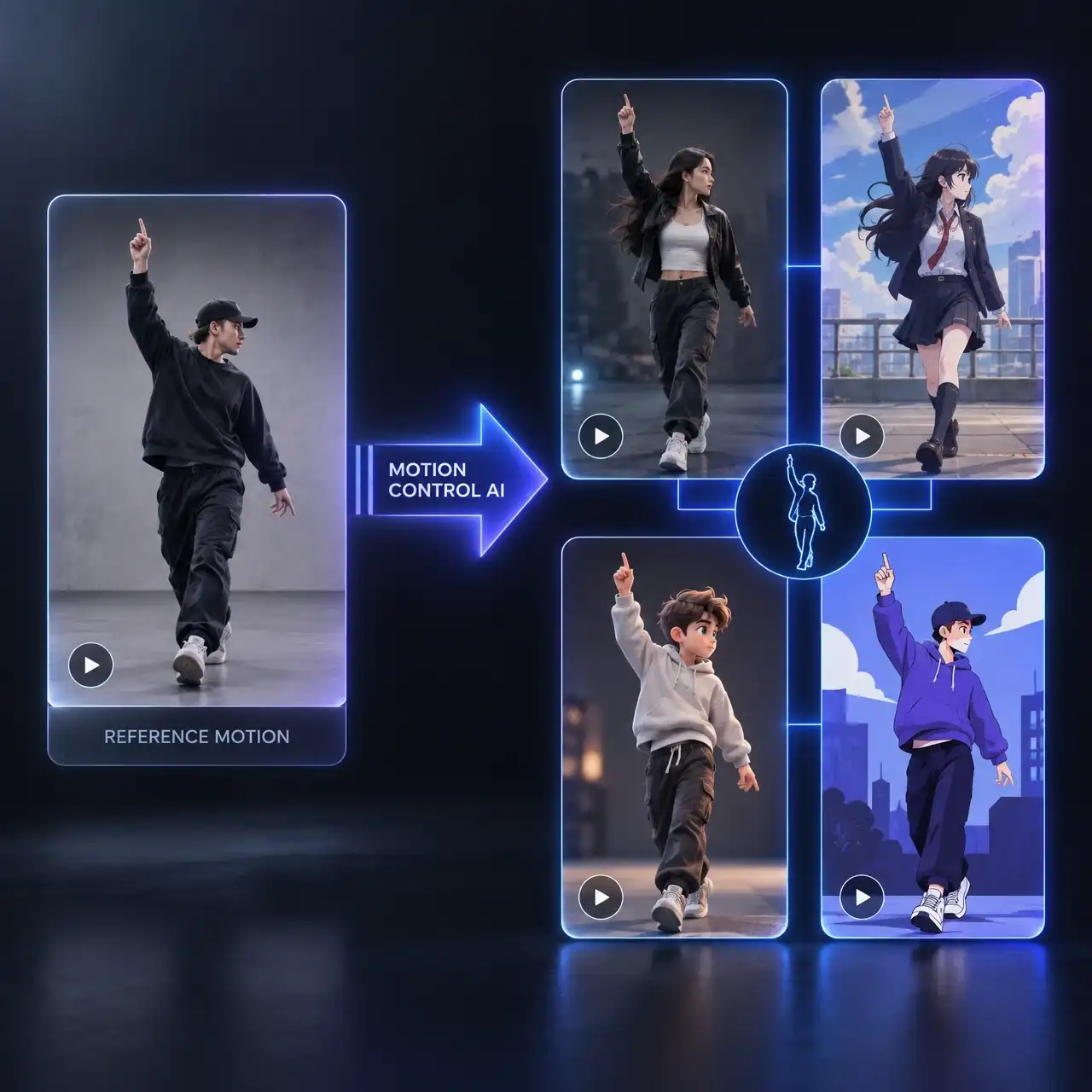
One Motion Reference, Any Character Style
Motion Control AI doesn't care whether your character is a real photo, an anime drawing, a 3D render, or a flat illustration — the same reference clip can drive all of them. Reuse a single dance or gesture video across an entire cast of characters without re-shooting or re-recording anything.
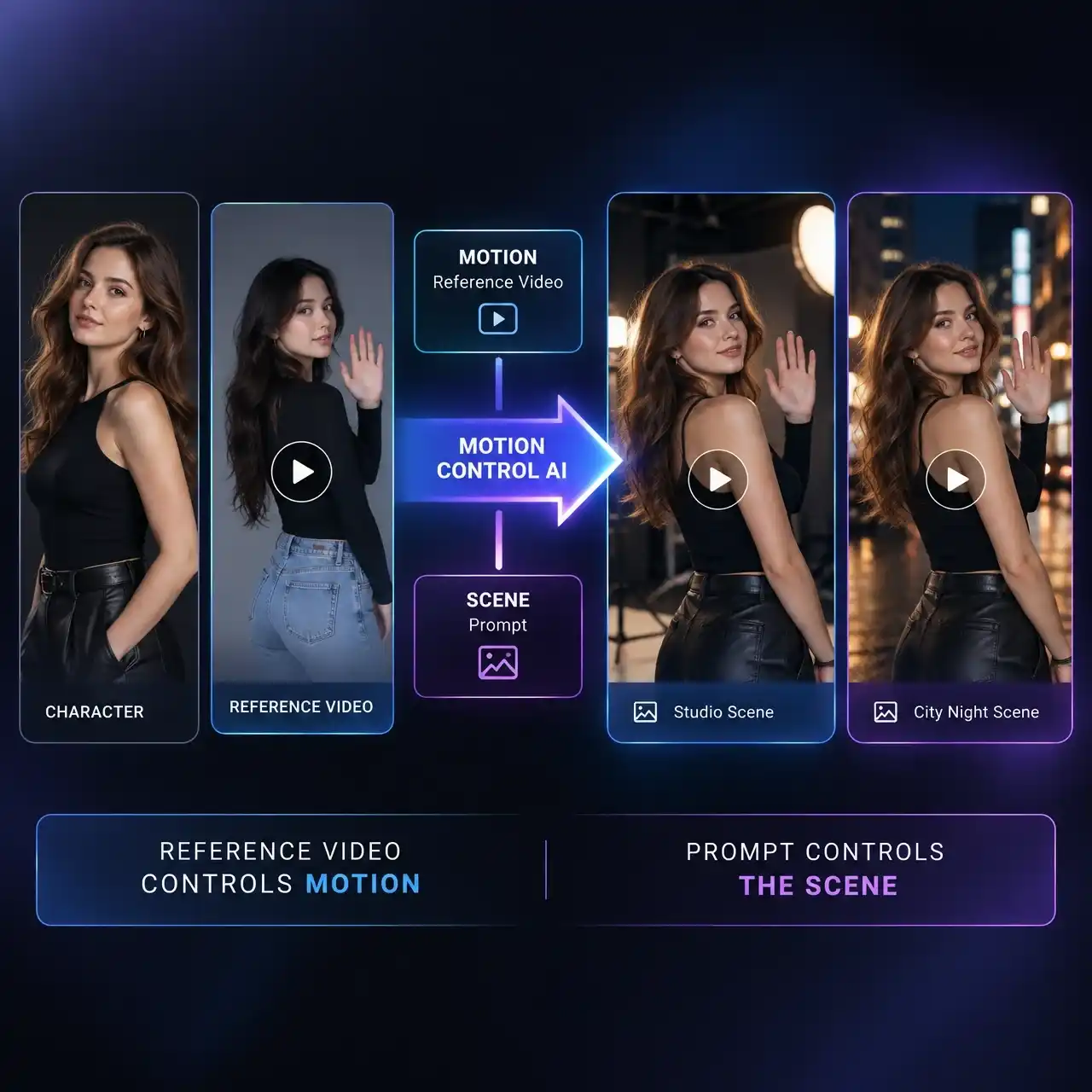
Direct the Scene Without Touching the Motion
The reference video controls movement — a short text prompt controls everything else. Adjust lighting, background, camera framing, and mood in plain language while Anijam keeps the underlying motion path and timing exactly as captured.
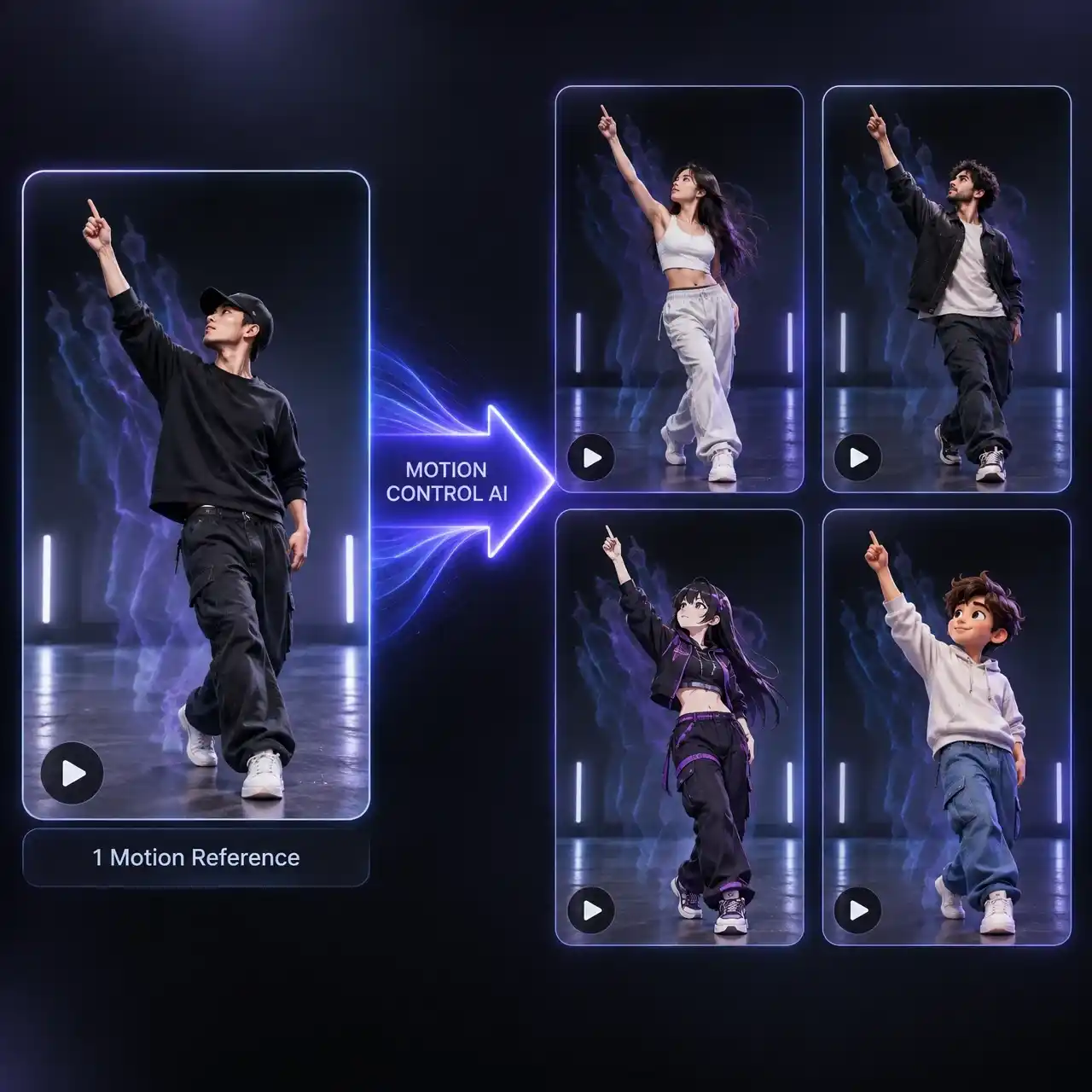
Reuse One Performance Across an Entire Cast
Record — or select — a single motion reference, then apply it to as many characters as your project needs. It's the fastest way to build a roster of on-brand presenters, a recurring animated cast, or a set of localized UGC ad variations, all performing the same choreography with consistent timing.
How to Use Motion Control AI in Anijam
Step 1: Upload Your Character Image
Start a new project and upload the character you want to animate — a portrait, a full-body shot, an illustrated character, or a 3D render all work. This image defines the face, outfit, and proportions that stay locked throughout the video.
Step 2: Add a Reference Motion Video
Upload or select a 3–30 second reference video showing the movement you want to copy — a dance, a walk cycle, a hand gesture, or a full performance. Then choose your engine: Kling 2.6 Motion for fast, cost-effective transfers, or Kling 3.0 Motion for the highest facial consistency across complex, multi-angle sequences.
Step 3: Refine, Generate, and Export
Add an optional text prompt to adjust lighting, background, or camera framing without touching the motion itself. Click generate, then use Anijam's timeline editor to layer in AI lip-sync or voice, trim timing, and export your finished motion control ai video in HD.
Why Choose Anijam AI Motion Control AI

Frame-Accurate Motion Transfer
Kling 3.0 Motion and Kling 2.6 Motion read skeletal position, hand articulation, and facial landmarks from every frame of your reference video, so movement lands naturally instead of looking pasted-on.

Free to Start
New accounts start with free credits, so your first motion control ai video free is only a signup away — no credit card required to explore the workflow.

Works With Any Character Style
Photoreal, anime, 3D, or flat illustration — Motion Control AI applies the same reference video across every character style without rebuilding your assets.

No Mocap Suit, No Rig, No Keyframes
Skip the equipment and the animation software entirely. Upload an image and a video, and let the AI handle the technical work traditionally reserved for a motion-capture studio.

AI Video Agent
Motion Control output flows straight into Anijam's character design, lip-sync, voice, and timeline tools, so one platform carries a project from raw motion to finished story.

Commercial-Ready, Watermark-Free Exports
Export clean Motion Control AI videos without a watermark, ready to share and publish.
Explore More Anijam AI Video Tools

What Our Users Said
FAQ
What is motion control AI?
Motion control ai is technology that reads the body movement, gestures, and facial expressions from a reference video and applies them to a separate character image, generating a new animated video where that character performs the same motion. Anijam builds this on top of Kling 3.0 Motion and Kling 2.6 Motion, so you never need traditional motion-capture equipment or manual keyframing.
Is Anijam's motion control AI free?
Yes — every new account receives free credits through the signup bonus, so you can generate your first motion control video at no cost. Daily check-in bonuses add more free credits over time. Watermark-free exports and full commercial usage rights are unlocked on Anijam's paid plans.
What's the difference between Kling 2.6 Motion and Kling 3.0 Motion?
Kling 2.6 Motion is a faster, more credit-efficient option that works well for straightforward reference videos. Kling 3.0 Motion adds stronger facial consistency, better handling of hands crossing the face, and more stable results across longer, multi-angle, or higher-complexity motion — Anijam lets you choose either engine per project.
What makes a good reference video for motion control?
Use a clear, well-lit clip between 3 and 30 seconds showing visible full-body or facial movement, with a single subject and minimal background clutter. Matching the character image's orientation (front-facing image with a front-facing video, for example) produces the most accurate motion transfer.
Can I use motion control ai videos commercially?
Free-plan outputs are for personal and evaluation use only. Once you're on a paid Anijam plan, every motion control video you generate is cleared for commercial use — ads, client deliverables, product content, and monetized platforms.
Which character styles work with Motion Control AI?
Any static character image works — real photos, anime and illustrated characters, 3D renders, and flat brand mascots. The same reference video can be reused across multiple character styles without adjusting the underlying motion.