


AI Christmas Photo Generator
Turn a selfie or family photo into a Christmas portrait, card, or holiday post in seconds, without a photoshoot, matching outfits, or editing skills.
Make Christmas Photos Without a Photoshoot
Christmas photo season means matching outfits, packed calendars, and a card deadline, but Anijam's AI Christmas photo generator makes it easy to turn a selfie or family photo into a festive holiday portrait in minutes. Explore trending Christmas templates, apply fun Christmas photo filters, experiment with different AI image models, and fine-tune your results with a chat-powered creative agent—all in one workspace. Whether you're creating a Christmas card, a family keepsake, or a festive social media post, Anijam helps bring your holiday ideas to life.
Make a Christmas Profile Picture With a Santa Hat
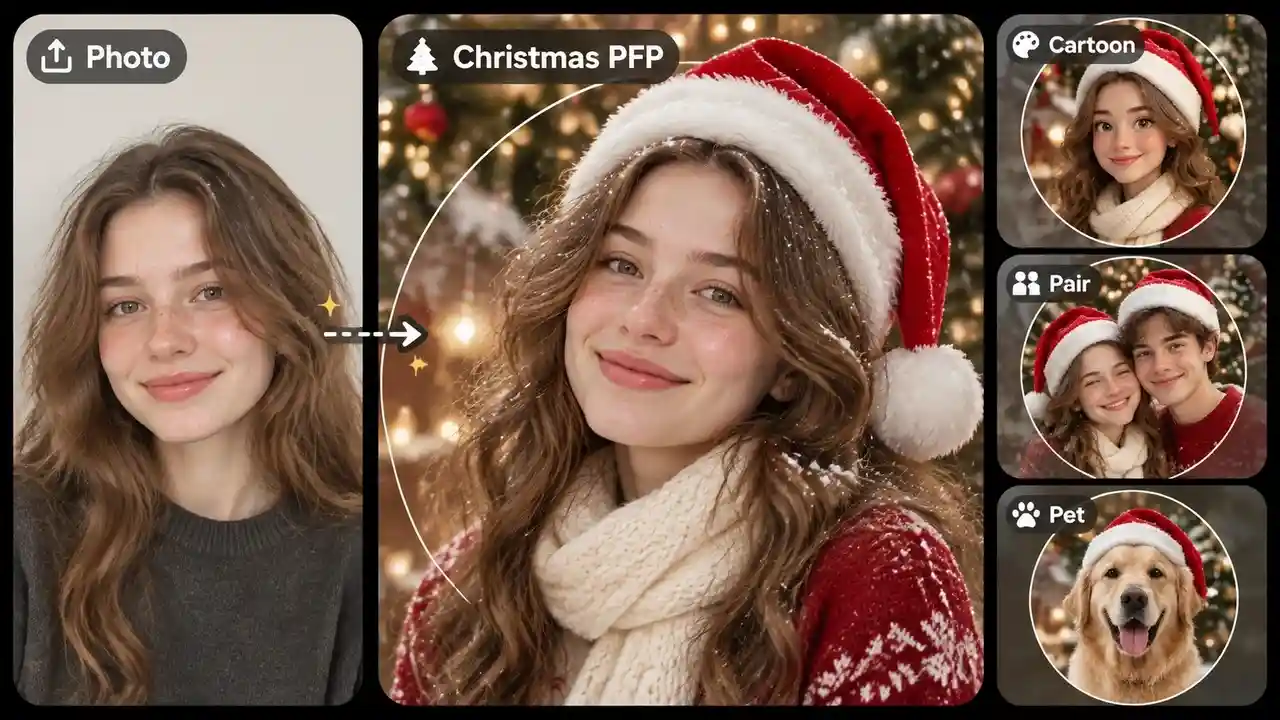
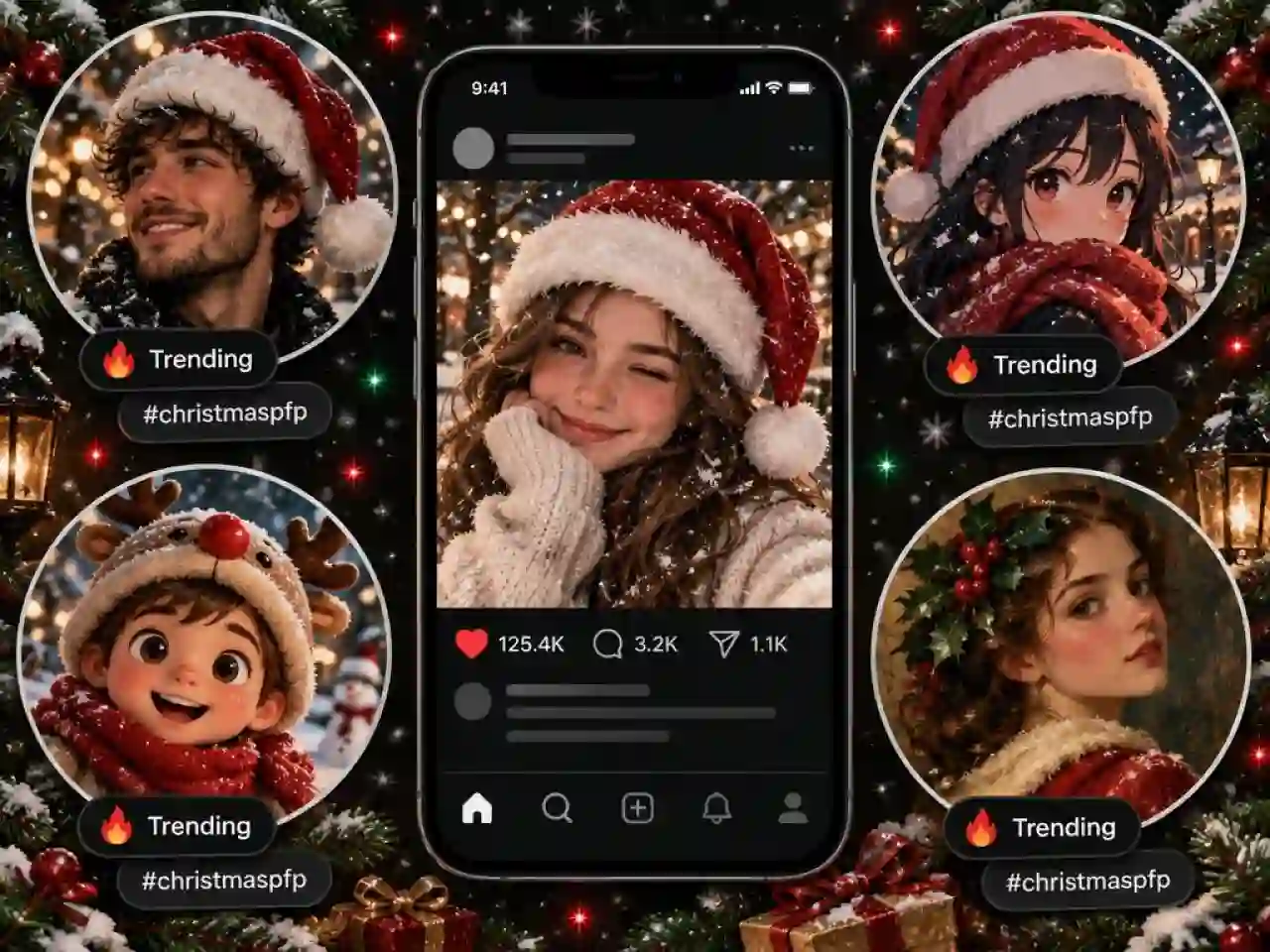
Christmas PFP is the trend of November 2026: swap your profile picture for a Santa hat portrait with snow and warm lights, then make a cartoon, matching pair, or pet version.
Turn Any Photo Into an AI Christmas Photo
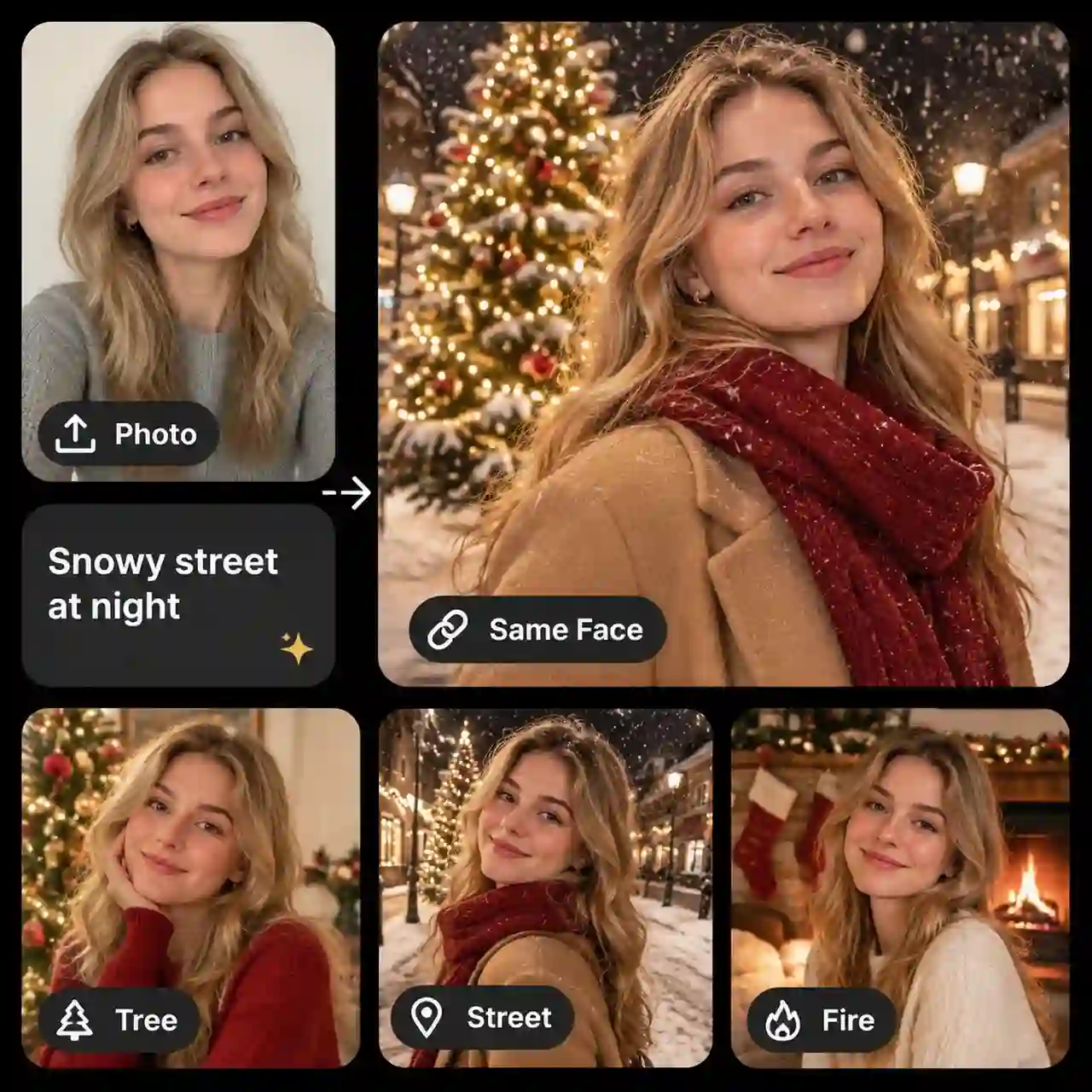
Upload a selfie and describe the holiday look you want, and Anijam builds a Christmas portrait around you in seconds. Add a lit tree, a snowy street, or a fireplace background, and ask the AI to keep your face recognizable. A clear, front-facing photo in even light gives the closest match.
Create Christmas Photos From Text Prompts
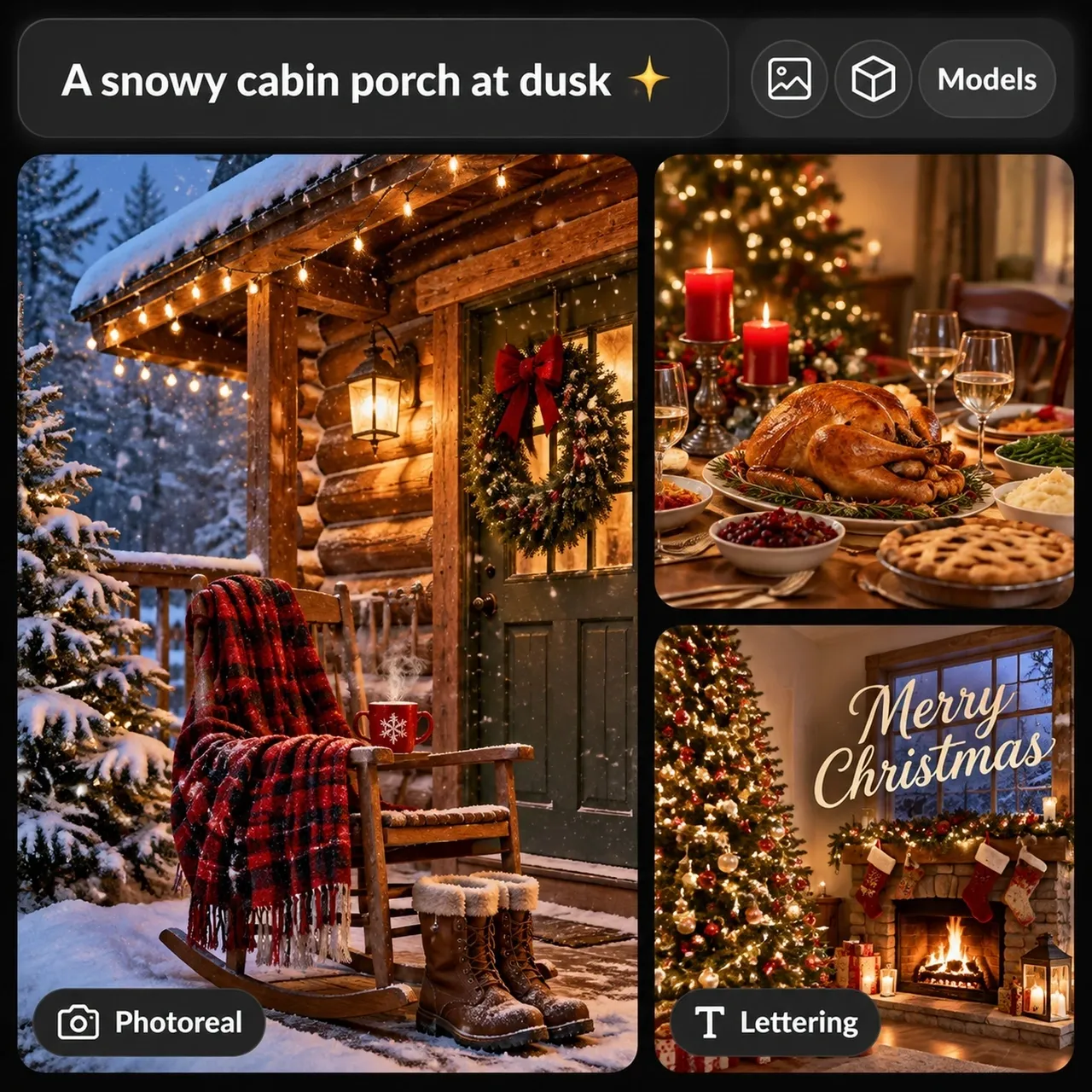
Describe a scene such as a candlelit dinner table, a snowy cabin porch, or a decorated living room, and the AI turns your words into a Christmas picture. Pick an image model that fits the job, from photoreal scenes to clean lettering, then adjust the prompt until the details match your idea.
Make Family Christmas Photos in One Scene
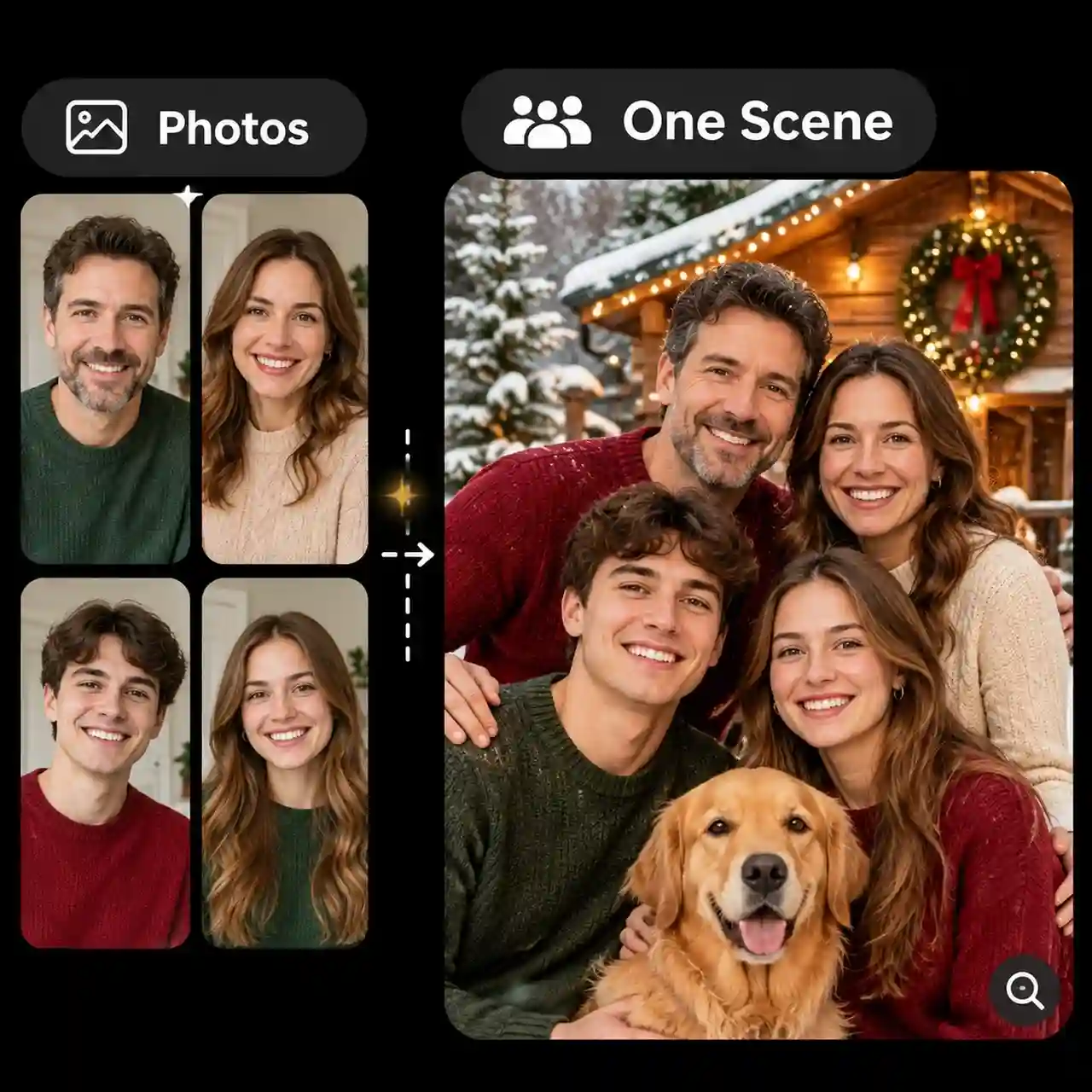
Anijam works as an AI Christmas family photo generator: upload a group photo, or add a photo of each person, and describe matching pajamas by the tree or a snowy porch portrait. Everyone ends up in one festive scene, even when you can't get the whole family in the same room. Check each face at full size before you share it.
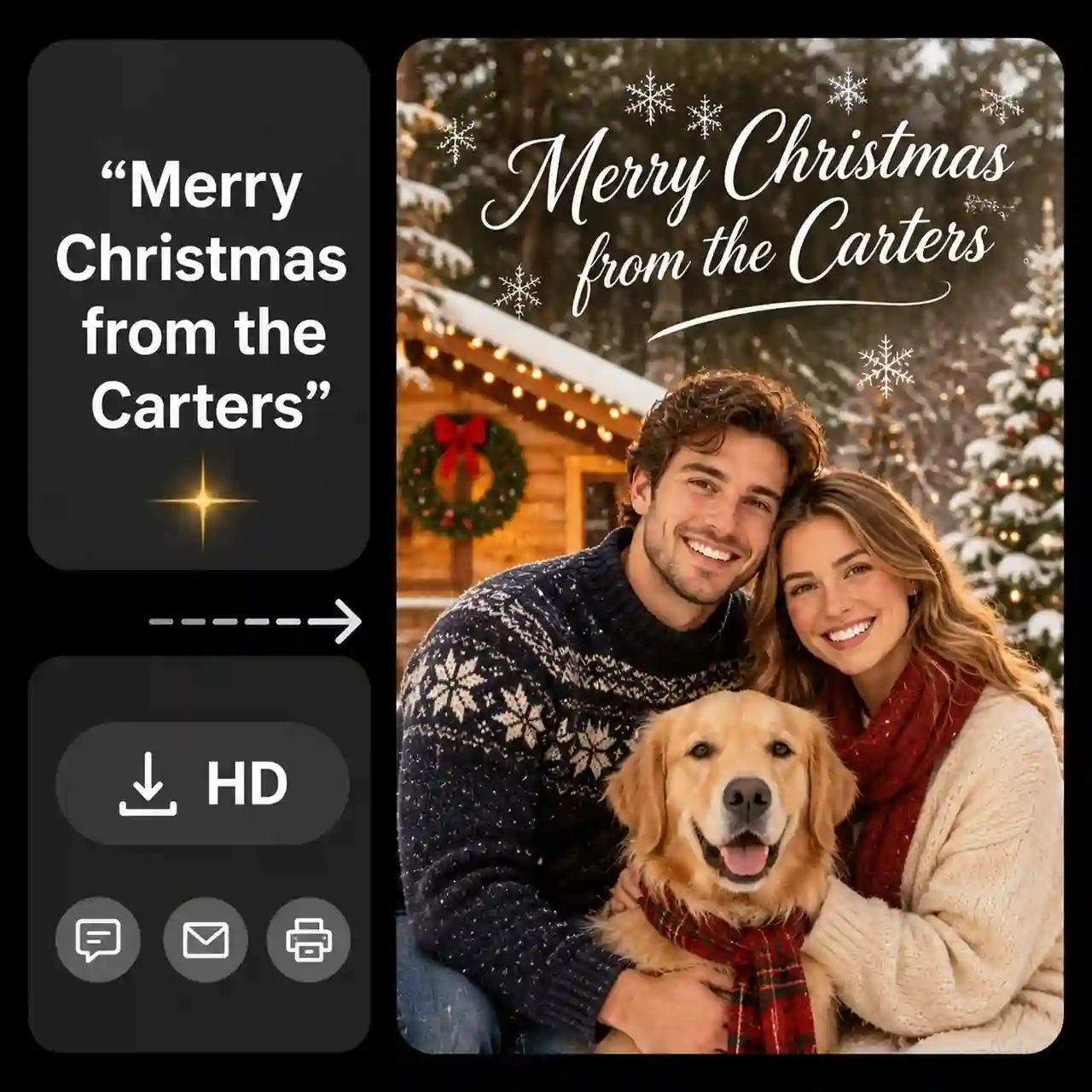
Make AI Christmas Cards With Custom Greetings
Put your greeting in quotation marks, such as "Merry Christmas from the Carters," and it appears on the image exactly as you wrote it. Ask for empty space at the top for a longer message, then download an HD version to send by text, email, or print. Check the spelling in the preview and regenerate if a letter looks off.
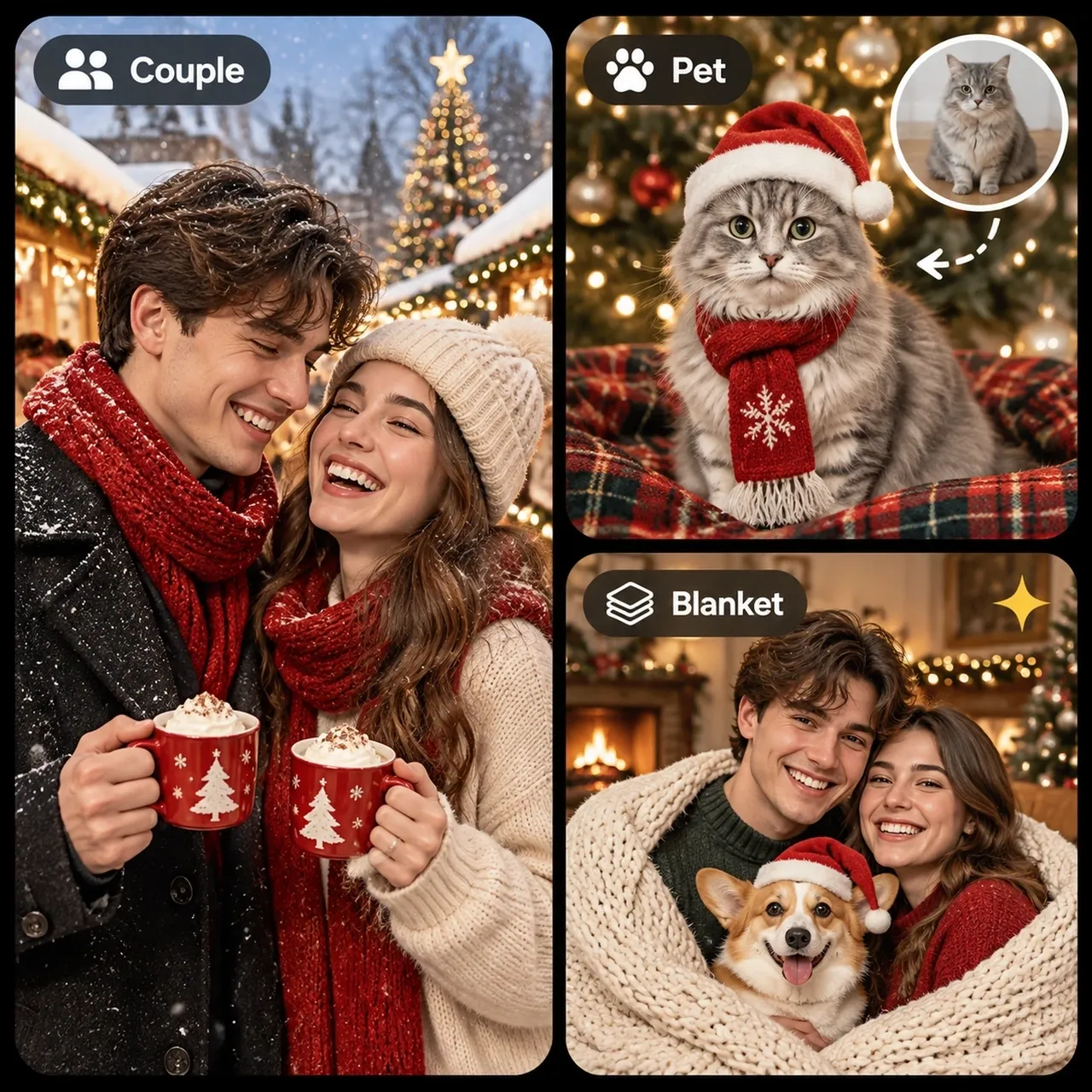
Create Pet and Couple Christmas Photos
Upload a photo of your dog, your cat, or the two of you, and place them in a Santa hat, a cozy blanket scene, or a snowy market street. Keep the prompt simple and let the scene do the work, so your pet and your partner still look like themselves.
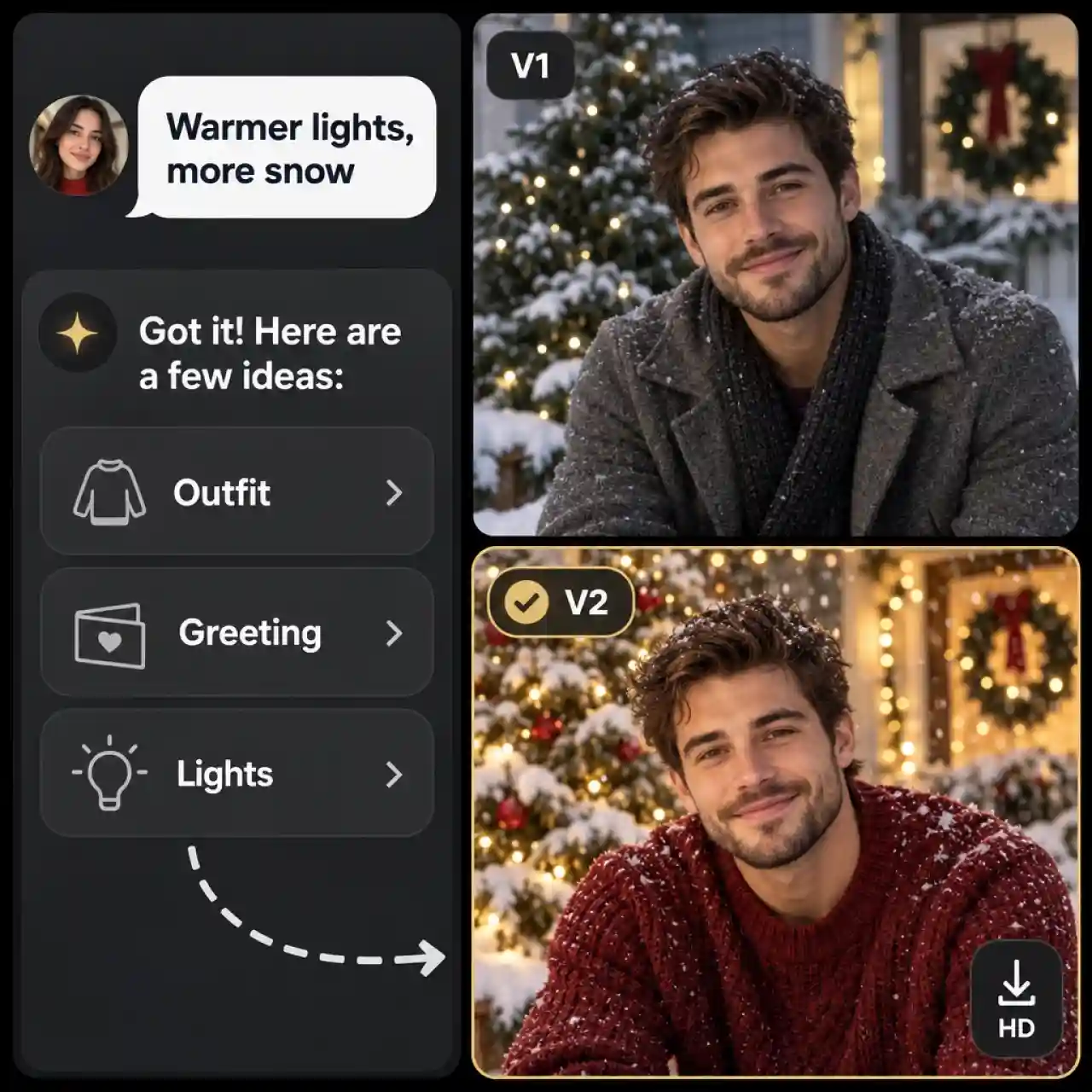
Refine Your Christmas Photo by Chatting
Ask the Anijam agent for changes in plain English, such as warmer lights, a different outfit, more snow, or a new greeting, and it updates your image. Compare the versions side by side, keep the one that feels right, and download it in HD.
How to Use the AI Christmas Photo Generator
Step 1: Pick a Template or Use AI Image Tool
Choose a trending Christmas template to start from a ready-made look, or open the AI Image tool and start with your christmas idea.
Step 2: Upload Your Photo or Describe Your Idea
For templates, upload your photo and let Anijam apply the selected Christmas look. For custom creations, upload a reference photo, choose an image model, and describe your desired style in a prompt.
Step 3: Preview, Refine, and Download
Preview your Christmas photo and explore different templates or styles until you find your favorite. For AI-generated images, you can also adjust details like lighting, outfits, and backgrounds. Download your finished photo in HD.
Popular Ways to Use AI Christmas Photos
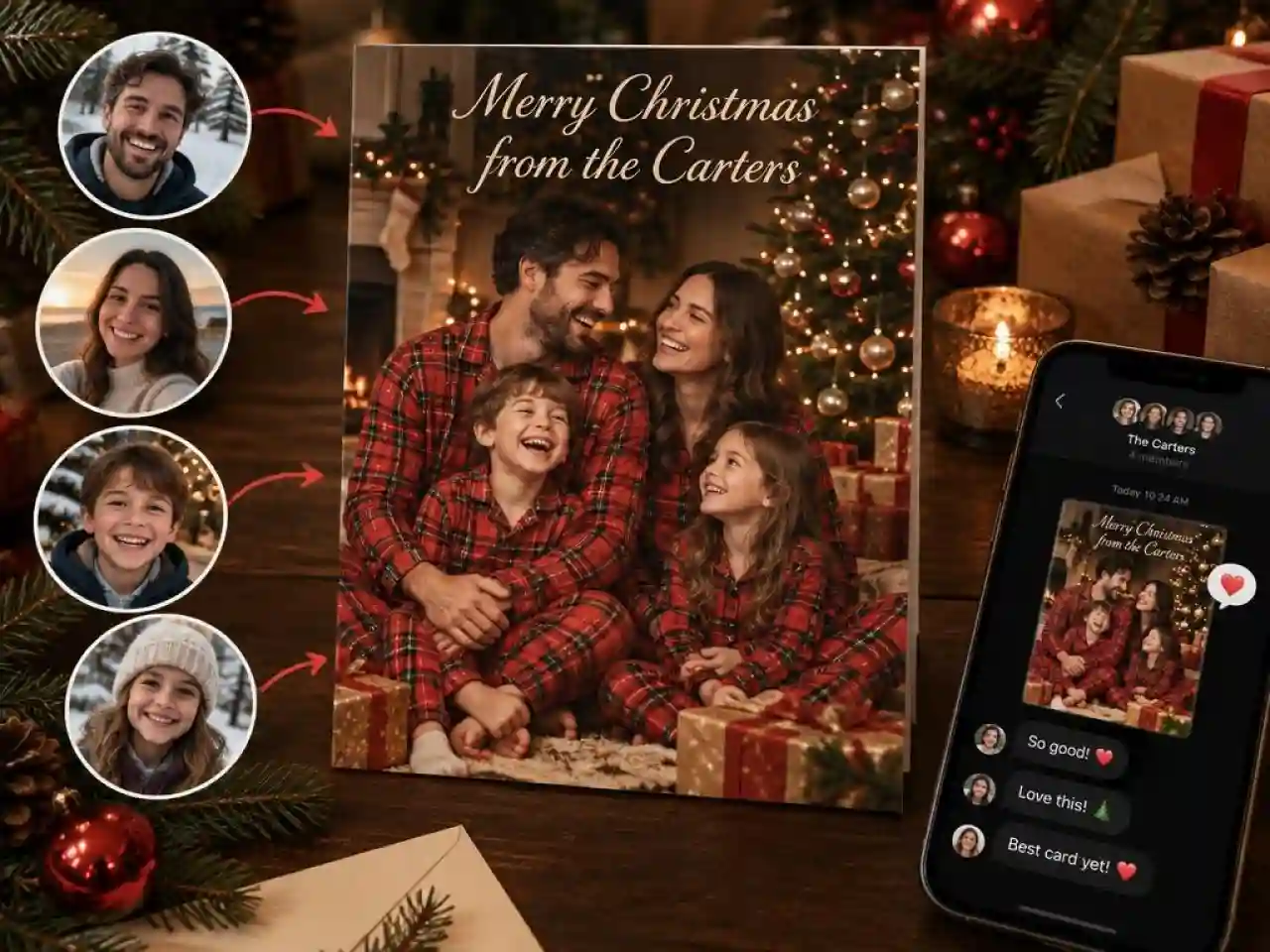
Christmas Cards and Family Photos
Send a card photo without getting everyone in one room. Create a family portrait by the tree, add your greeting, then print it or share it by text.
Profile Pictures and Social Posts
Switch to a festive profile picture or post a Christmas look on Instagram, Facebook, or TikTok. Trending templates give you a shareable result in a few clicks.
Holiday Sales and Business Posts
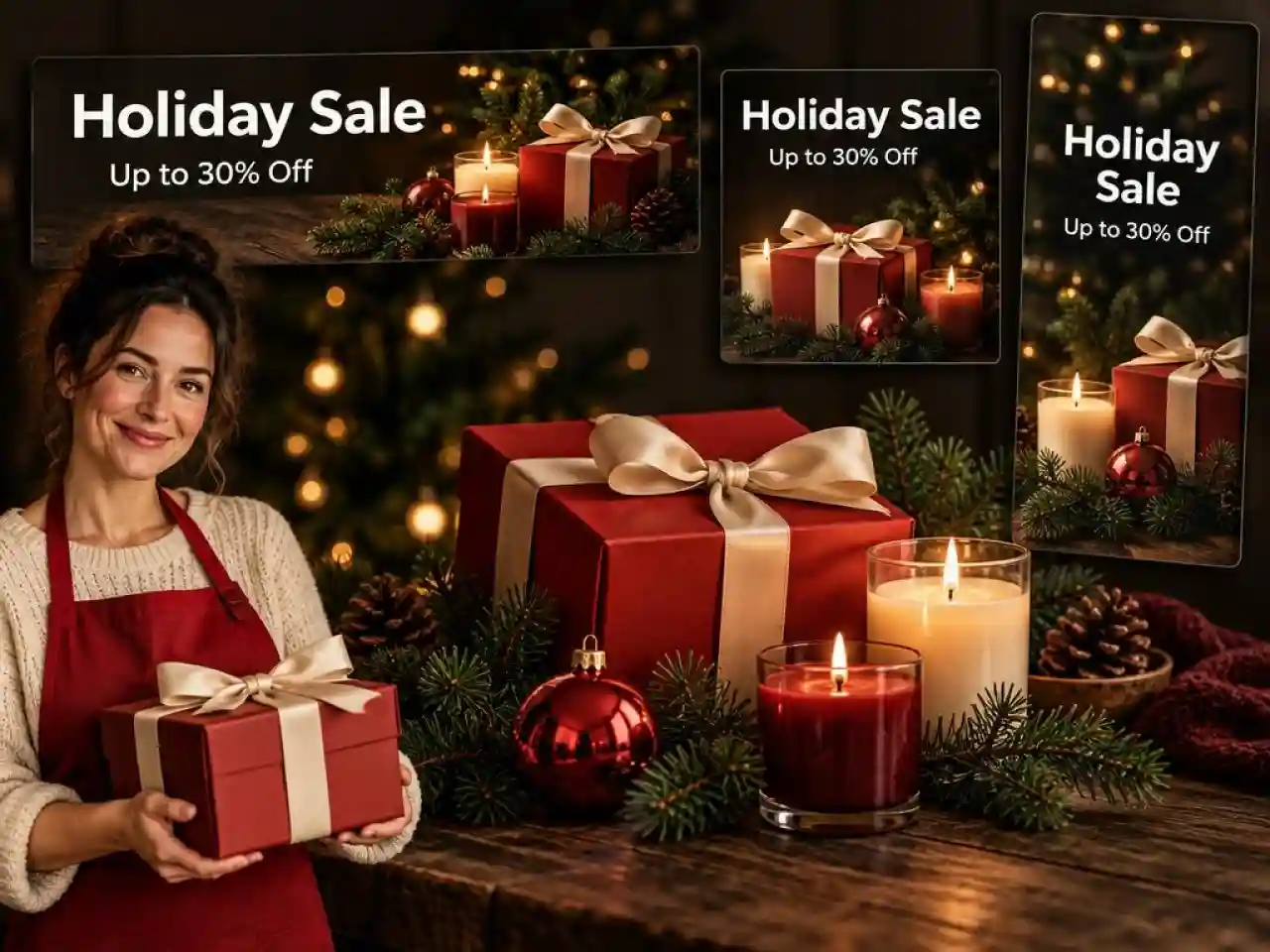
Create seasonal sale banners, product shots on a festive table, and holiday email headers for your shop. One prompt gives you matching visuals for every channel.
AI Christmas Photo Prompts to Try
Candy Cane Glam Portrait: Turn my photo into a candy cane Christmas studio portrait, glossy red backdrop, a giant peppermint candy cane prop, frosted mini trees, sequin outfit, soft beauty lighting, shallow depth of field, keep my face recognizable.
Fireplace Family Portrait: Place my family in matching red pajamas by a crackling fireplace and a decorated tree, stockings on the mantel, wrapped gifts, warm candlelight, natural film look, keep everyone's faces recognizable.
Snow Globe Portrait: Put me inside a glass snow globe with tiny pine trees and falling snow, glowing string lights, a cozy knit scarf, soft bokeh background, keep my face recognizable.
Santa Hat Profile Picture: Make a Christmas profile picture of me in a Santa hat, light snowfall, warm string lights behind me, face centered so it fits a circle crop, keep my face recognizable.
Christmas Card Greeting: Create a Christmas card photo of my family on a snowy cabin porch, the text "Merry Christmas from the Carters" in elegant script at the top, soft golden light, vertical 4:5, keep everyone's faces recognizable.
Why Creators Choose Anijam for AI Christmas Photos

Free Credits to Start
Sign up and start with free credits, so you can test looks, prompts, and templates before choosing a plan. Try several versions of one card or portrait and keep your favorite.

Trending Templates
Browse Christmas templates built on the looks everyone is sharing, from candy cane studios to snow globe portraits, then swap in your own photo. Anijam keeps adding new templates as new trends appear.

Multiple Image Models
Switch between AI image models to find the best match for each job, from realistic dinner scenes to cards with clean lettering.

Fast Generation
Create Christmas photos in minutes with AI. Turn a selfie or text prompt into a festive portrait, family photo, or holiday card without starting from scratch.

Web and Mobile App
Start on the web and keep creating in the Anijam mobile app, so you can make a last-minute card from your phone before the party.

Creator Rewards
Join the Anijam Creator Program, submit your original works, and unlock exclusive rewards, with up to 1,000,000 points to claim. Your Christmas creations can earn more than likes.
Explore More Anijam AI Creative Tools

More About AI Creation and Inspiration

FAQ
Is Anijam's AI Christmas photo generator free?
Yes. Anijam gives you free credits when you sign up, and you can use them to make Christmas portraits, cards, and posts. Plans with more credits are available when you need higher volume.
Can I Make AI Christmas Photos on My Phone?
Yes! You can download the Anijam app from the Apple App Store or Google Play to make Christmas photos on the go. Pick a festive template or upload your own photo to create holiday portraits, cards, and profile pictures to share with family and friends.
How do I make a viral candy cane Christmas photo?
Upload a clear photo, pick a candy cane template or paste a candy cane prompt, and click Generate. Describe the props, the outfit, and the lighting, and add "keep my face recognizable" so the result still looks like you.
How do I keep my face looking like me in AI Christmas photos?
Start with a sharp, front-facing photo in even light, without sunglasses or heavy beauty filters, and say "keep my face recognizable" in your prompt. Compare the result with your original at full size, and regenerate or ask the agent for a fix if anything looks off.
Can I make a family Christmas photo if we are not in the same place?
Yes. Upload a group photo, or add a photo of each person, and describe the scene you want, such as matching pajamas by the tree. Only upload photos of people who are comfortable with it being used.
Can I print my AI Christmas photo on a card?
Yes. Download your image in HD and add it to your card design or print order. Add your greeting in the prompt, check the spelling in the preview, and use a portrait or landscape ratio that matches your card size.
Can I use my Christmas images for business promotions?
Commercial rights depend on your plan, so check Anijam's Pricing and Terms of Service before using images in paid ads or products. For personal cards, gifts, and social posts, you can use your images freely.