
How to Create Christmas Marketing Assets with AI: Images & Videos
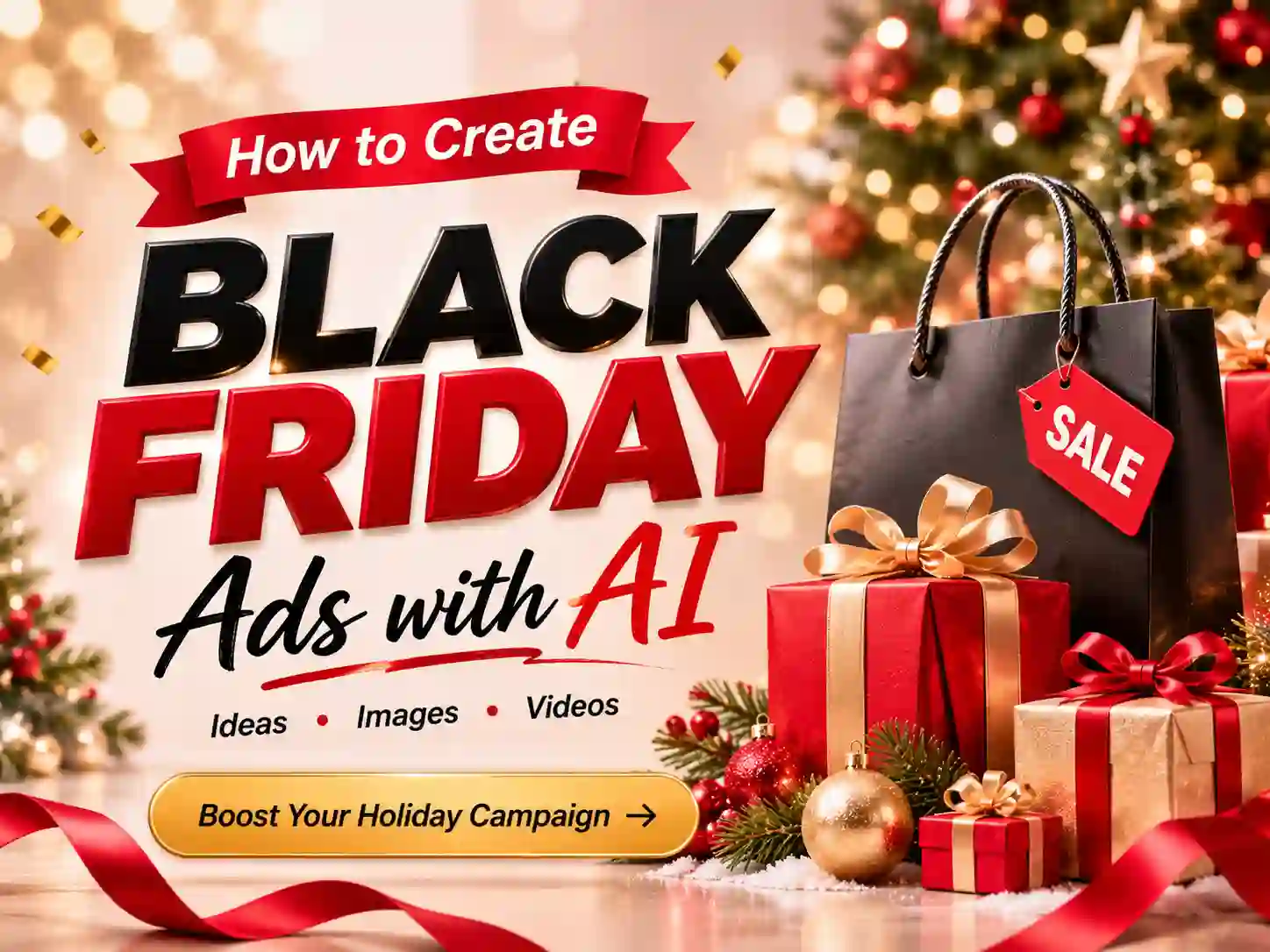
Christmas is one of the busiest marketing seasons of the year. From holiday sales and gift guides to seasonal product launches, brands need eye-catching visuals to stand out across social media, online stores, email campaigns, and digital ads.
But creating all those assets takes time. You might need product photos for your holiday collection, promotional graphics for a Christmas sale, and short videos for Instagram Reels or TikTok—all with a consistent festive look.
AI makes this process much easier. With AI image and video tools, you can turn product photos, creative ideas, and campaign concepts into Christmas marketing visuals without building every asset from scratch.
In this guide, we’ll explore Christmas marketing image and video ideas, show you how to create them with AI, and share practical tips for making your holiday campaigns more engaging.
What Are Christmas Marketing Visuals?
Christmas marketing visuals are images and videos created to promote products, services, seasonal offers, and holiday campaigns during the Christmas shopping season.
They combine familiar holiday elements—such as Christmas trees, gift boxes, snow, ornaments, and festive lighting—with brand messaging and product presentation.
Depending on your campaign goals, Christmas marketing visuals can include:
- Promotional Images: Christmas sale graphics, discount announcements, and seasonal advertising creatives.
- Product Images: Festive product photos, holiday gift collections, and Christmas-themed product displays.
- Social Media Content: Instagram posts, Facebook graphics, TikTok videos, and Instagram Reels.
- Website and Email Graphics: Holiday homepage banners, email headers, and seasonal campaign visuals.
- Promotional Videos: Product showcases, Christmas sale videos, brand stories, and holiday advertisements.
With AI, you can create these assets from text prompts, reference images, or existing product photos, making it easier to produce different types of content for a single holiday campaign.
10 Christmas Marketing Visual Ideas You Can Create with AI
Not sure what to create for your Christmas campaign? Here are 10 practical ideas for businesses, e-commerce sellers, and social media marketers.
Want to bring these Christmas marketing ideas to life? Use Anijam AI to create festive marketing images and videos with ease. Turn your product photos, creative ideas, and campaign concepts into eye-catching holiday visuals in minutes.
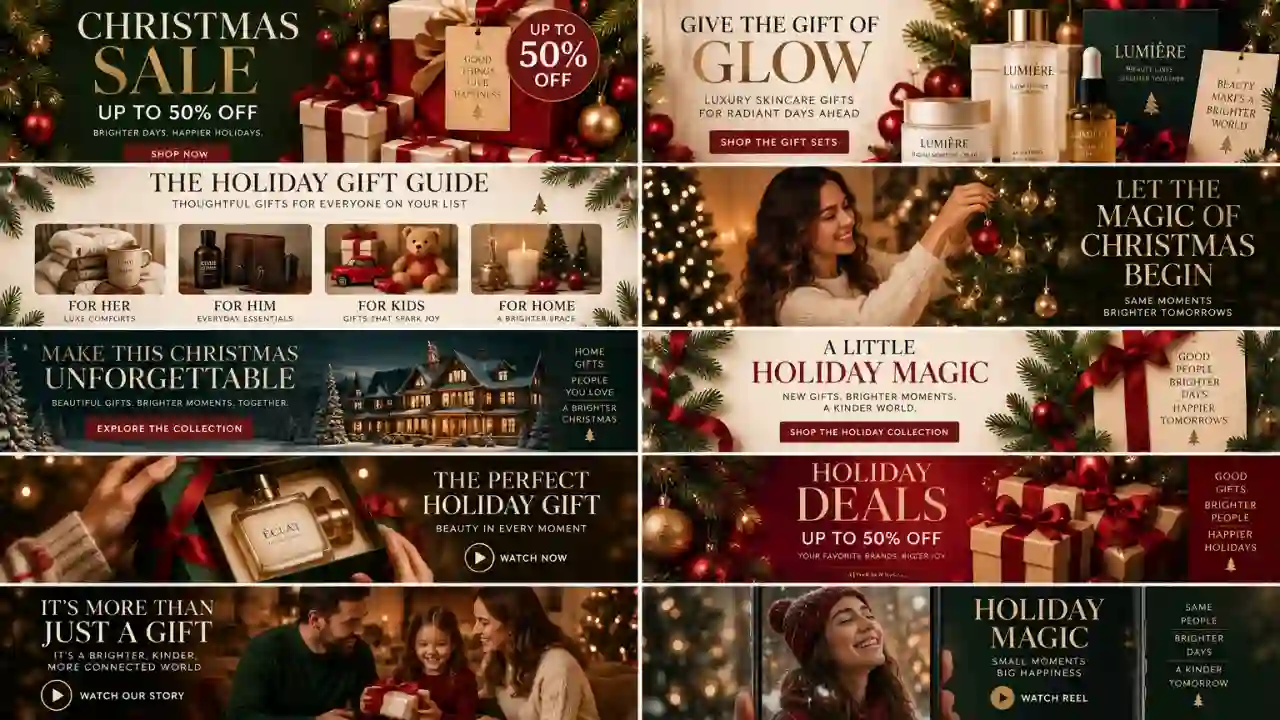
1. Christmas Sale Graphics
Christmas is a major shopping season, making promotional graphics essential for announcing seasonal deals and limited-time offers.
Create festive sale images featuring Christmas decorations, gift boxes, snowflakes, and holiday colors. Add your discount information or campaign headline to make the offer easy to recognize.
Where to use them:
- Instagram and Facebook promotions
- Online store sale sections
- Digital advertising campaigns
- Holiday sale landing pages
AI Image Prompt:
Create a premium Christmas sale promotional image for a modern retail brand. Use a rich red and gold color palette, elegant Christmas ornaments, gift boxes, subtle sparkling lights, and a festive holiday background. Leave clear negative space in the center for promotional text. High-end commercial advertising style, polished composition, square format.
2. Christmas Product Promotional Images
Turn ordinary product photos into festive marketing visuals without arranging an entirely new holiday photoshoot.
Upload a product image and use AI to create a Christmas-inspired setting. For example, a skincare product can be placed beside decorated pine branches, while a gift box can be surrounded by ornaments and warm holiday lights.
Keep the product as the main focus so customers can still recognize its packaging, shape, and important details.
Where to use them:
- E-commerce product listings
- Christmas gift guides
- Seasonal product launches
- Social media product promotions
AI Image Prompt:
Create a luxury Christmas product advertising photo using the uploaded product as the main subject. Place it on an elegant cream-colored surface with evergreen branches, gold Christmas ornaments, and softly glowing warm lights. Keep the original product packaging, shape, and label details recognizable. Premium studio lighting, realistic product photography, sophisticated holiday styling.
3. Christmas Gift Guide Images
Gift guides help shoppers discover products for friends, family, and loved ones. Create festive visuals that group products by theme, recipient, or price range.
For example, a beauty brand could create a Christmas gift guide featuring skincare sets, while an online retailer could showcase gifts for him, gifts for her, or stocking stuffers.
Where to use them:
- Instagram carousels
- Pinterest pins
- Blog articles
- Email gift guides
AI Image Prompt:
Create a stylish Christmas gift guide image for a lifestyle retail brand. Feature a curated arrangement of premium gift boxes, beauty products, accessories, and festive decorations. Use warm cream, burgundy, and gold tones with soft holiday lighting. Editorial product photography, balanced layout, plenty of space for gift guide headlines.
4. Christmas Social Media Posts
Social media is an important channel for staying connected with customers throughout the holiday season.
Create a consistent collection of Christmas-themed posts, including holiday greetings, product highlights, gift recommendations, and seasonal announcements.
Instead of creating each post independently, use a consistent visual style across your campaign. This helps your brand maintain a recognizable look throughout December.
Where to use them:
- Instagram posts and Stories
- Facebook posts
- Pinterest graphics
- LinkedIn holiday announcements
AI Image Prompt:
Create a modern Christmas social media post for a lifestyle brand. Feature a beautifully decorated Christmas tree, elegant gift boxes, subtle snow details, and warm golden lighting. Use a sophisticated red, cream, and green color palette. Clean editorial composition with space for a short holiday message.
5. Christmas Website Banners
Your website is often the first place customers see your holiday campaign. A festive homepage banner can highlight seasonal collections, special offers, and gift promotions.
Use AI to create wide Christmas-themed visuals that match your website’s branding. Keep the main subject away from areas where your website headline and CTA buttons will appear.
Where to use them:
- E-commerce homepage banners
- Christmas landing pages
- Seasonal collection pages
- Promotional website headers
AI Image Prompt:
Create a wide Christmas e-commerce homepage banner for a premium lifestyle brand. Feature elegant Christmas gift boxes arranged beside a decorated evergreen tree, warm golden lights, and subtle festive ornaments. Use a refined burgundy, cream, and gold palette. Place the main visual elements on the right side and leave clean negative space on the left for website headline and CTA text. Wide horizontal composition.
6. Christmas Email Campaign Visuals
Email marketing remains useful for announcing holiday promotions, sharing gift recommendations, and reminding customers about seasonal offers.
Create Christmas-themed email headers and promotional images that make your campaigns feel timely and visually consistent.
You can use different visuals for different email themes, such as holiday gift guides, last-minute Christmas shopping, and seasonal product collections.
Where to use them:
- Christmas promotional emails
- Holiday newsletters
- Gift guide announcements
- Last-minute shopping reminders
AI Image Prompt:
Create an elegant Christmas email marketing header for an online gift shop. Feature beautifully wrapped presents, evergreen branches, gold ornaments, and warm festive lighting. Use a clean, premium composition with open space for an email campaign headline. Horizontal banner layout, refined commercial design.
7. Christmas Product Showcase Videos
Product videos help customers see products in a more engaging way than static images alone.
Use AI video generation to turn product concepts or reference images into short Christmas-themed showcase videos. For example, a gift box can appear in a festive scene, or a skincare product can be presented in a cozy holiday setting.
Focus on the product and its visual appeal rather than adding too many effects.
Where to use them:
- Product pages
- Instagram Reels
- TikTok
- Facebook video ads
AI Video Prompt:
Create a cinematic Christmas product showcase video using the uploaded product as the main subject. Begin with a close-up of the product surrounded by elegant evergreen branches and warm golden lights. Slowly move the camera toward the product as subtle snow particles drift through the background. Keep the product recognizable throughout the scene. Premium commercial lighting, smooth camera movement, vertical video format.
8. Christmas Sale Promo Videos
A short promotional video can communicate a holiday offer through a combination of visuals, movement, and messaging.
Create a festive opening scene, showcase your featured products, and finish with a clear promotional message or call to action. These videos work particularly well for limited-time offers and seasonal campaigns.
Where to use them:
- Instagram Reels and Stories
- TikTok ads
- Facebook video campaigns
- E-commerce promotional sections
AI Video Prompt:
Create a festive Christmas sale promotional video for a modern retail brand. Show beautifully wrapped gift boxes appearing against a rich red holiday background, with golden ornaments and sparkling lights. Use dynamic but smooth transitions between scenes. End with an elegant festive composition that leaves space for a sale headline and CTA. High-end commercial advertising style.
9. Christmas Brand Story Videos
Christmas is also a good opportunity to communicate your brand’s personality and build an emotional connection with customers.
Create short brand story videos around themes such as gift-giving, family gatherings, winter traditions, or the excitement of the holiday season.
Rather than focusing entirely on discounts, use storytelling to make your brand part of the holiday experience.
Where to use them:
- Brand social media accounts
- Christmas campaign landing pages
- YouTube
- Holiday email campaigns
AI Video Prompt:
Create a heartwarming Christmas brand story video. Show a cozy home decorated for Christmas, warm lights glowing around a beautifully decorated tree, and a family preparing gifts together. Use cinematic camera movements, natural expressions, soft warm lighting, and an inviting holiday atmosphere. Emotional storytelling, realistic commercial video style.
10. Christmas Social Media Reels
Short-form videos are useful for presenting products, sharing holiday moments, and capturing attention on social platforms.
Create vertical Christmas videos with quick scene changes, festive transitions, product close-ups, or seasonal storytelling. You can also adapt a successful Christmas image concept into a moving video to extend the life of your campaign creative.
Where to use them:
- Instagram Reels
- TikTok
- YouTube Shorts
- Facebook Reels
AI Video Prompt:
Create a fast-paced vertical Christmas promotional video for a modern gift brand. Show a sequence of festive product close-ups, beautifully wrapped presents, sparkling Christmas ornaments, and warm holiday decorations. Use smooth transitions, dynamic camera movements, and an upbeat seasonal advertising aesthetic. Keep the product visuals clear and recognizable.
How to Create Christmas Marketing Images with AI 🔥
You don’t need a professional photography setup to start creating Christmas marketing images. With an AI image generator like Anijam, you can turn a product photo or creative idea into a festive visual.
Christmas Marketing Assets Examples Created with Anijam AI:
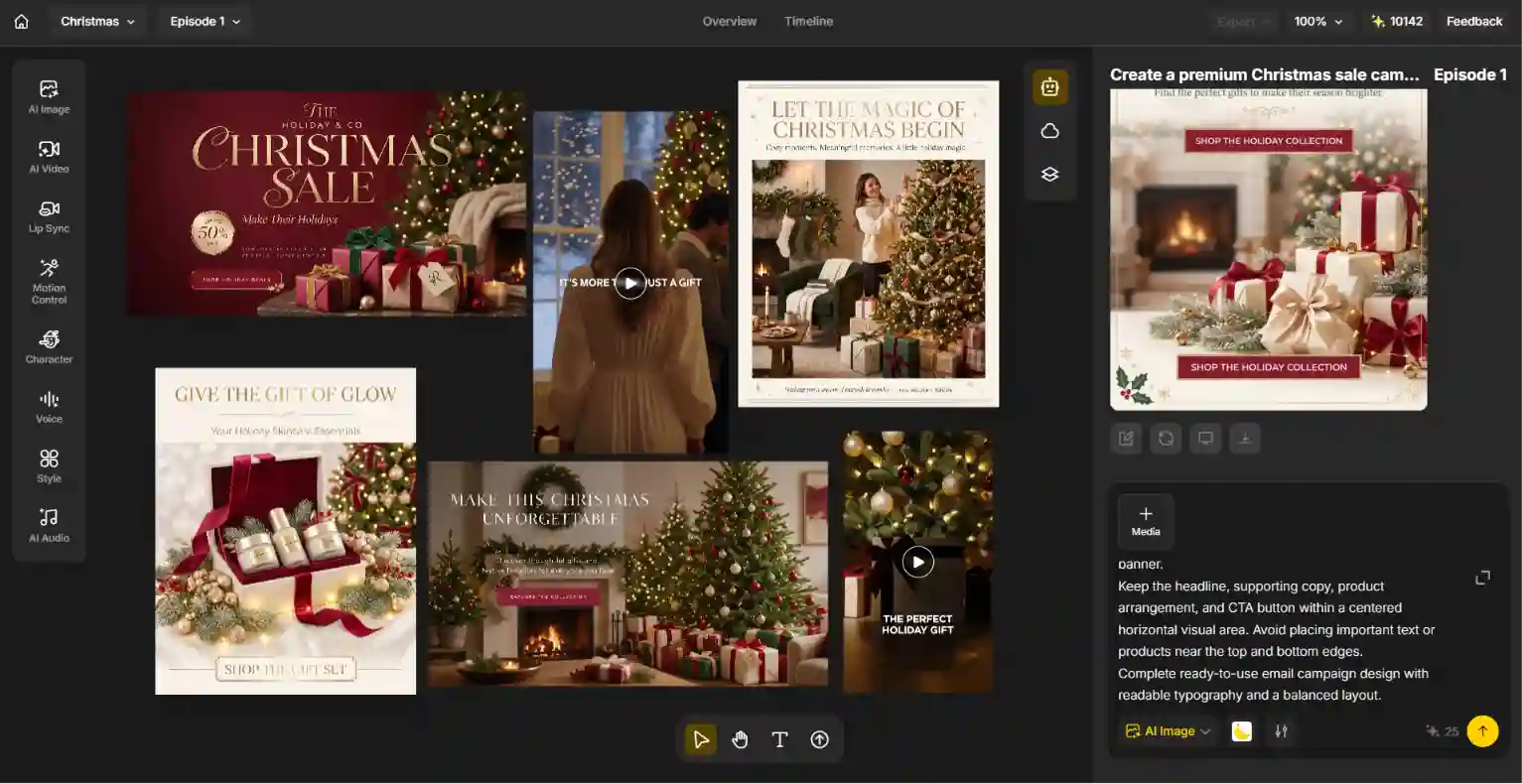
Here’s a simple workflow.
Step 1: Choose a Christmas Style or Start with an Idea
Start by deciding what type of image you need.
You can browse trending templates for inspiration or open the AI Image tool to create a custom visual. Think about your campaign’s overall look before generating anything.
For example:
- Luxury Christmas: gold ornaments, elegant gift boxes, warm lighting.
- Traditional Christmas: red and green decorations, pine branches, snow.
- Minimalist Christmas: neutral backgrounds, subtle ornaments, clean layouts.
- Playful Christmas: colorful gifts, cheerful decorations, fun holiday scenes.
Step 2: Upload a Product Photo or Enter a Prompt
If you’re creating a product promotion, upload a clear reference photo of your product.
Then choose an image model and describe the scene you want. Include details such as:
- Main subject: the product or featured item.
- Background: Christmas tree, snowy landscape, or festive studio.
- Lighting: warm golden light, soft studio lighting, or cinematic lighting.
- Composition: close-up, flat lay, or wide banner.
- Style: luxury advertising, editorial photography, or minimalist design.
The more specific your prompt, the easier it is to communicate your intended visual direction.
Step 3: Generate, Refine, and Download
Generate your image and review the result.
If something doesn’t look right, refine your prompt or ask the AI agent to adjust specific details. You might request a warmer background, fewer decorations, a different composition, or more space for campaign copy.
Once you’re happy with the result, download your image and prepare it for your chosen marketing channel.
How to Create Christmas Marketing Videos with AI 🔥
AI video generation makes it possible to turn holiday concepts into promotional videos without planning every shot manually.
With Anijam’s AI Video Agent, you can develop a video concept, organize scenes, and build your Christmas marketing video through a chat-based creative workflow.
Step 1: Start with a Christmas Campaign Idea
First, decide what you want your video to communicate.
For example:
- A Christmas product showcase.
- A holiday sale announcement.
- A festive gift-giving story.
- A seasonal brand introduction.
You can start with a simple idea or describe the campaign goal to the AI Video Agent.
Step 2: Develop the Story and Visual Scenes
Turn your idea into a short video concept with a clear beginning, middle, and ending.
For a Christmas product promotion, your scenes might look like this:
- Scene 1 – Holiday Opening: A beautifully decorated Christmas setting establishes the festive atmosphere.
- Scene 2 – Product Showcase: Your featured product appears in a carefully styled holiday scene.
- Scene 3 – Campaign Ending: A final festive shot leaves room for your campaign message and CTA.
You can refine the story, scene descriptions, visual style, and other creative details before generating the video.
Step 3: Generate and Refine Your Video
Generate your scenes and review how they work together.
Use the AI Video Agent to refine the visuals, adjust scenes, and improve the overall flow. You can also work with voice and lip-sync features when your campaign calls for a speaking character or narrated content.
Once the video is ready, review the final sequence and prepare it for your chosen platform.
6 Tips for Creating Better Christmas Marketing Visuals with AI
AI can help you produce festive content quickly, but a good marketing visual still needs a clear purpose and consistent creative direction.
Keep these tips in mind when creating your Christmas campaign assets.
1. Keep Your Brand Identity Consistent
Christmas visuals should feel festive without losing your brand’s identity.
Use your existing brand colors, typography, product presentation, and visual style as a starting point. You can introduce seasonal colors and decorations while keeping the overall look recognizable.
2. Make Your Product the Main Focus
When creating product promotions, don’t let Christmas decorations overpower the product.
Keep the product clearly visible and avoid excessive props or distracting backgrounds. If you’re using a reference photo, include instructions to preserve the product’s appearance and packaging.
3. Match the Visual to Your Campaign Goal
Different marketing goals call for different creative approaches.
A Christmas sale graphic should make the offer easy to understand. A product showcase should highlight product details. A brand story video should focus more on atmosphere and emotion.
Decide what you want your audience to notice before writing your prompt.
4. Adapt Your Content to Each Platform
Different channels have different content formats and viewing habits.
For example:
- Instagram feed: Square or portrait images.
- Instagram Stories and Reels: Vertical 9:16 visuals.
- TikTok: Vertical short-form videos.
- YouTube: Horizontal video formats.
- Website banners: Wide horizontal images.
Check the latest platform specifications before exporting your final assets.
5. Keep Promotional Text Clear and Readable
AI-generated images can provide a strong visual foundation, but exact promotional text, prices, and discount details should be reviewed carefully.
For important campaign information, add or finalize the text in a design editor. Always double-check spelling, prices, offer conditions, and CTA wording before publishing.
6. Create Multiple Assets for One Campaign
Don’t stop after generating one Christmas image or video.
Build a small collection of matching visuals for your campaign, including social posts, product images, email headers, and promotional videos. A consistent visual direction helps your campaign feel more cohesive across channels.
Where to Use AI-Generated Christmas Marketing Visuals
Once your Christmas images and videos are ready, you can adapt them for different marketing channels.
| Marketing Channel | Recommended Visuals | Common Uses |
|---|---|---|
| Feed images, Stories, Reels | Product promotions, holiday announcements | |
| Promotional graphics, videos | Seasonal offers, campaign updates | |
| TikTok | Vertical short videos | Product showcases, festive trends |
| Gift guide images, product visuals | Holiday inspiration, gift discovery | |
| Email Marketing | Email headers, promotional images | Newsletters, sale announcements |
| E-commerce Website | Product images, homepage banners | Gift collections, seasonal promotions |
| YouTube | Horizontal videos, campaign visuals | Product showcases, brand stories |
You don’t have to create completely different content for every platform. Start with a core campaign concept, then adapt the composition, aspect ratio, and messaging to fit each channel.
Create Your Christmas Marketing Visuals with Anijam
From festive product images to holiday promotional videos, Anijam AI brings AI image generation and video creation together in one creative workspace.
Use the AI Image tool to turn product photos and creative ideas into Christmas-themed marketing visuals. Or start with the AI Video Agent to develop campaign concepts, organize scenes, and create promotional videos through a chat-based workflow.
You can explore different creative directions, refine your results, and build a collection of seasonal assets for your holiday campaigns.
Whether you’re preparing a Christmas sale, promoting a gift collection, or creating festive content for social media, Anijam helps you bring your ideas to life.
Ready to create your Christmas campaign? Start creating with Anijam.
FAQs About Creating Christmas Marketing Visuals with AI
1. What are the best AI tools for creating Christmas marketing visuals?
The best tool depends on the type of content you want to create. AI image generators are useful for creating Christmas product photos, promotional graphics, and social media images. If you need video content, look for AI video tools that can turn prompts, reference images, or campaign ideas into short promotional videos. For campaigns that require both images and videos, an all-in-one creative platform can help simplify the workflow.
2. Can I use AI to create Christmas promotional images for my business?
Yes. You can use AI to create Christmas-themed product visuals, seasonal sale graphics, gift guide images, and social media content. Upload product photos or describe your desired scene to generate visuals that fit your campaign. Review the results carefully to ensure product details and promotional information are accurate.
3. How do I create Christmas product photos with AI?
Start with a clear photo of your product. Upload it to an AI image tool, then describe the Christmas setting you want, including the background, decorations, lighting, and composition. Generate the image and refine the result until the product is presented clearly in a festive scene.
4. Can AI create Christmas promotional videos?
Yes. AI video tools can help turn text prompts, reference images, and creative concepts into Christmas-themed promotional videos. You can create product showcases, seasonal sale announcements, holiday brand stories, and short-form social media videos.
5. What should I include in a Christmas marketing image prompt?
A useful prompt should describe five things: the main subject, Christmas setting, visual style, lighting, and composition. For product promotions, also explain how the product should appear and which details should remain recognizable. You can specify empty space for promotional text if you plan to add headlines or discounts later.
6. What formats should I use for Christmas marketing images and videos?
Choose formats based on where you plan to publish your content. Square and portrait images work well for many social media placements, while vertical 9:16 videos are commonly used for Reels, TikTok, and Stories. Wide horizontal visuals are useful for website banners and YouTube videos. Always check the latest platform requirements.
7. Can I use AI-generated Christmas visuals for commercial marketing?
Commercial use depends on the AI tool’s terms, the applicable plan, and the rights associated with any uploaded reference materials. Before using generated images or videos in advertisements or commercial campaigns, review the platform’s licensing terms and make sure you have permission to use the original product photos, logos, and other assets.
8. How can I keep Christmas marketing images consistent with my brand?
Start with a consistent color palette, lighting style, composition, and visual direction. Use similar prompt descriptions across your campaign and provide product or brand references where supported. Review all generated assets to make sure they maintain a recognizable brand identity.
by Wendy
Wendy is a passionate writer and AI video enthusiast at Anijam, exploring creative ways to bring stories to life with AI-powered image and video tools. She shares practical tips, prompt ideas, and insights to help creators turn their imagination into engaging visual content.