


AI Baseball Broadcast: Turn Your Photo into a Viral KBO Video
Join the viral AI Baseball Broadcast trend with Anijam. Upload one selfie and instantly generate a realistic "caught on camera" KBO stadium photo or animated fan cam video — then take it further and turn your moment into a full animated baseball story, something no single-use trend tool can do.
The AI Studio Behind the Viral AI Baseball Broadcast Trend
Anijam gives you everything you need to ride the AI Baseball Broadcast trend — not just a single trick, but a full creative studio. Use Anijam's ready-made Trending AI Reels templates to instantly generate your own KBO-style fan cam photo or video, powered by Anijam's Image-to-Video engine that keeps your face, hairstyle, and identity naturally consistent inside a realistic live-broadcast scene.
Unlike single-purpose trend generators, Anijam is an AI Agent platform that handles the full pipeline — from a single fan cam photo to a multi-scene animated baseball story, with consistent characters, cinematic camera motion, and lip-synced commentary. Ride the trend today, and keep the content going long after the trend fades.
How to Create an AI Baseball Broadcast Photo or Video with Anijam
Step 1: Upload Your Photo or Pick a Baseball Broadcast Template
Open Anijam's AI Baseball Broadcast template on mobile, or start with Image to Animation and upload a clear, front-facing selfie. Anijam's AI Agent instantly reads your photo and prepares a realistic KBO stadium scene around it.
Step 2: Customize the Broadcast Scene
Choose day or night game, stadium mood, crowd energy, camera angle, and reaction — a surprised smile, a cheer, a quiet mid-inning glance. Switch between photorealistic broadcast style, cinematic 3D, or anime fan art. Add team colors and jersey details with a prompt.
Step 3: Generate, Animate & Share
Click Generate to get your AI baseball broadcast screenshot, or continue into video mode for a short animated fan cam clip with natural motion, blinking, and stadium camera movement. Download watermark-free and share directly to TikTok, Instagram Reels, or YouTube Shorts.
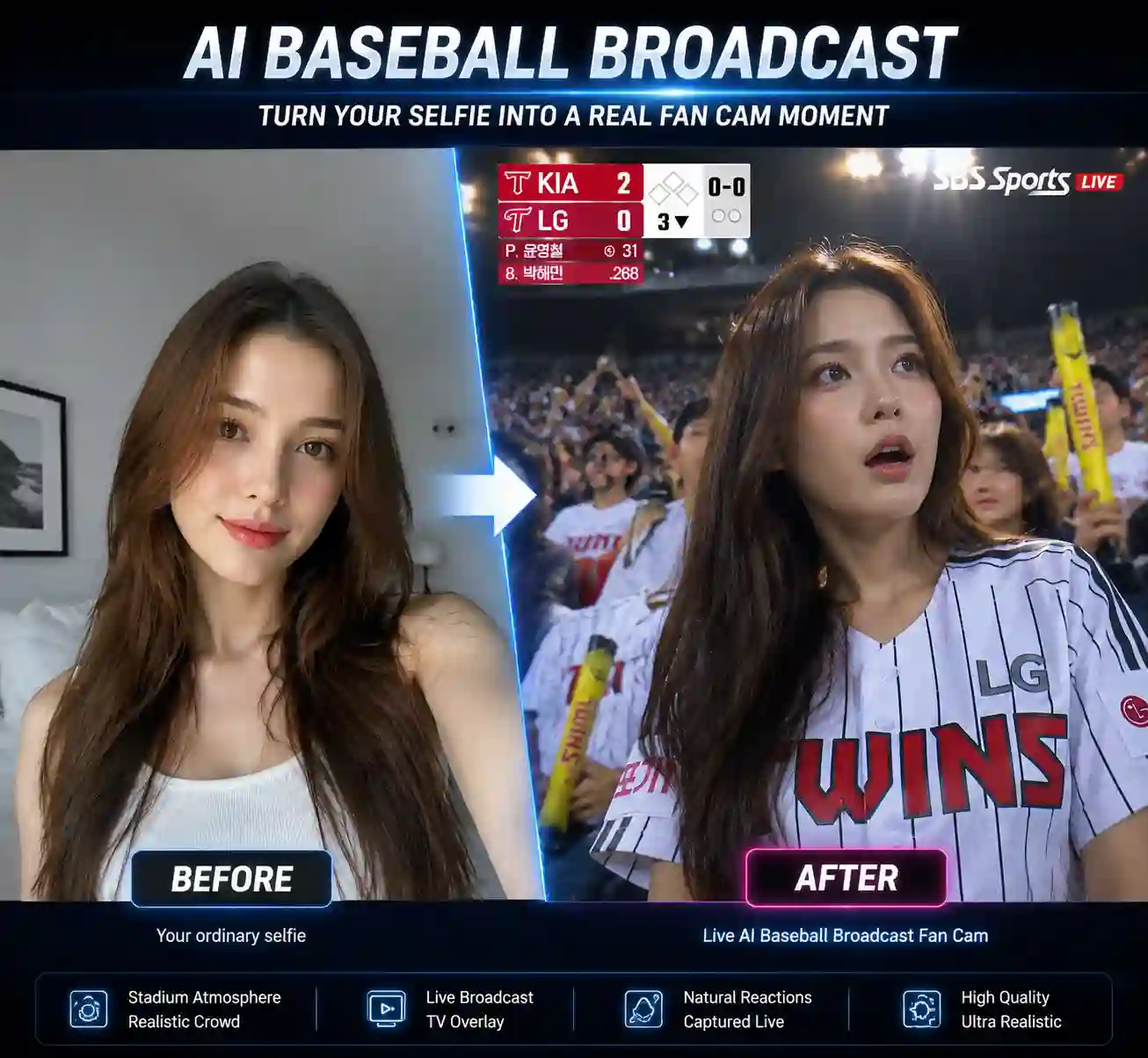
Turn Your Selfie into an AI Baseball Broadcast Photo
Upload one clear photo and Anijam generates a realistic "caught on camera" KBO stadium screenshot — complete with stadium lighting, scoreboard-style overlay, crowd blur, and broadcast-grade texture. Your facial identity, hairstyle, and skin tone stay natural throughout.
Animate Your Photo into a Viral Fan Cam Video
Don't stop at a static photo. Anijam's Image-to-Video engine brings your baseball broadcast moment to life — natural blinking, subtle head movement, cinematic camera push-ins, and authentic crowd motion, ready to post as a short fan cam clip.
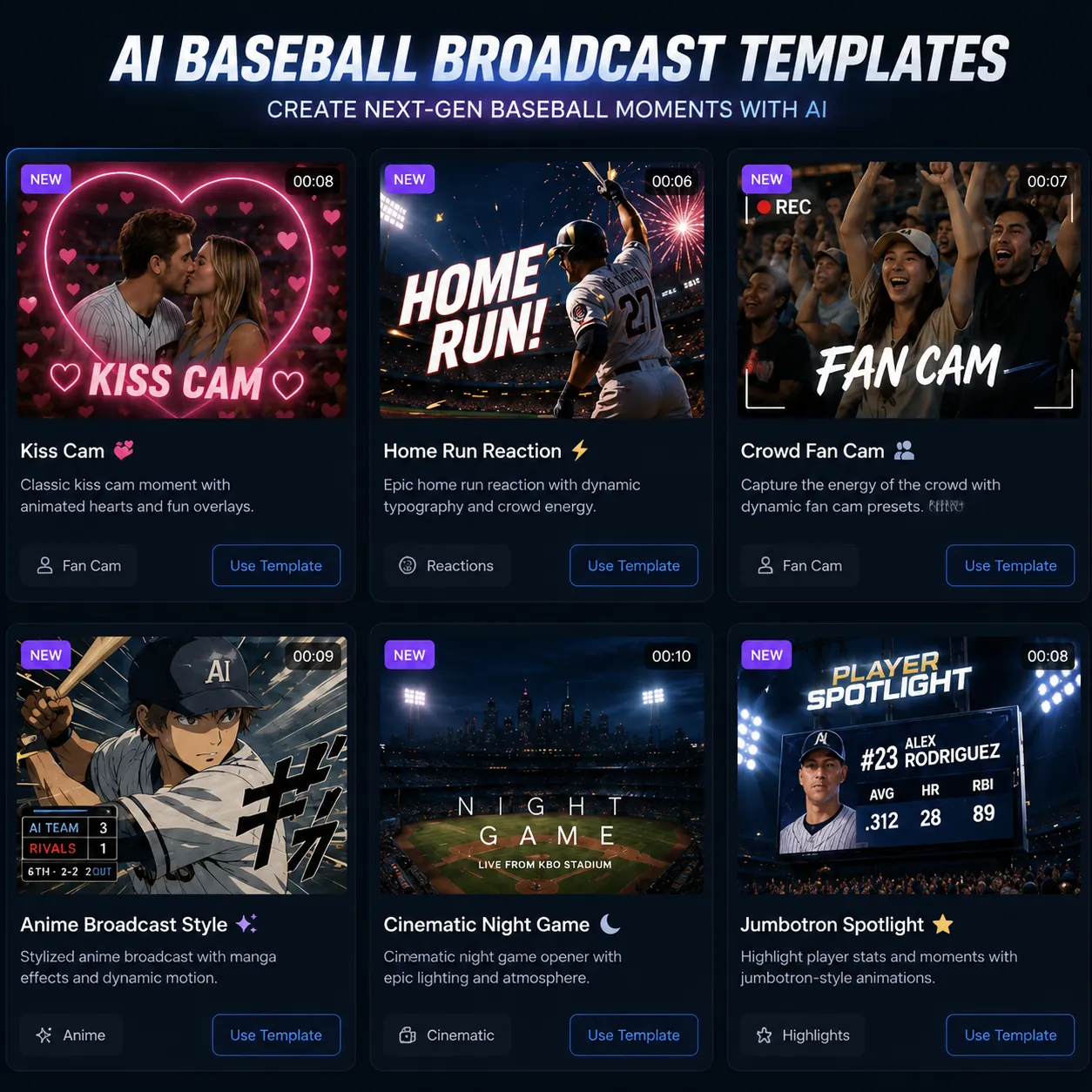
Ready-Made AI Baseball Broadcast Templates
No need to write complex prompts. Anijam's App Trending AI Reels library includes pre-built AI Baseball Broadcast templates — just upload your photo, pick a scene, and generate. New trending sports and fan cam templates are added as trends evolve.
Turn One Fan Cam Moment into a Full Baseball Story
This is what sets Anijam apart from single-use trend tools: use the AI Agent to expand your baseball broadcast moment into a multi-scene animated story or episode series — same consistent character, new scenes, new plot beats, for YouTube or a full social content series.
Add Commentary & Voice in 30+ Languages
Layer in a play-by-play commentary line, a fan chant, or a reaction voiceover with Anijam's lip-sync engine. Perfect for a humorous "I got caught on live TV" narration or a multilingual version of your baseball broadcast video.
Unlock Endless Possibilities with Anijam's AI Baseball Broadcast Tools
Bring your own baseball broadcast moment to life with AI. Whether you want a quick trend post, a fan cam video, or a full animated story, Anijam helps you generate it in minutes — no editing skills required.
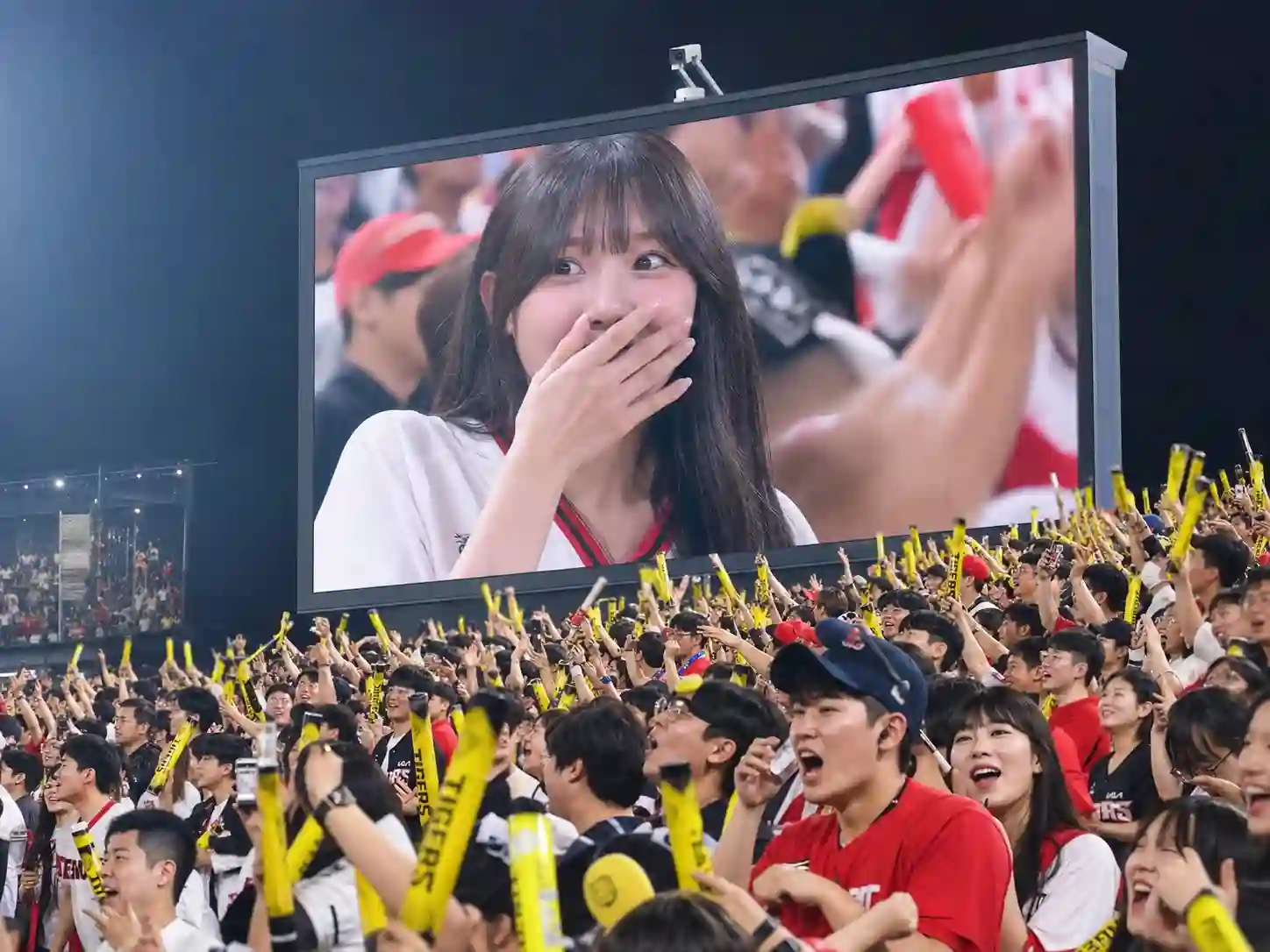
Create Viral Fan Cam Content
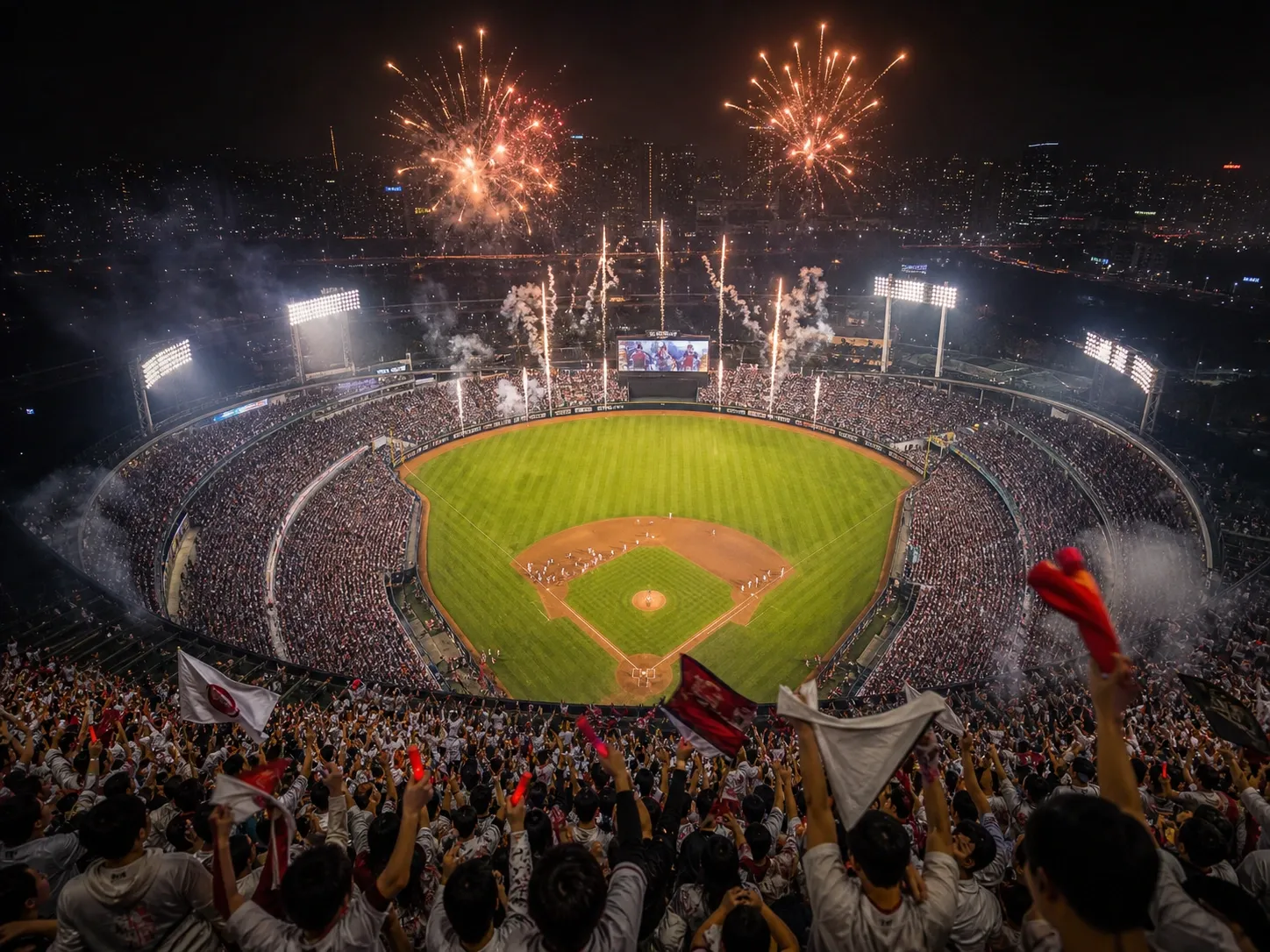
Turn a single selfie into a shareable AI baseball broadcast photo or fan cam video — stadium lighting, crowd energy, and a believable 'caught on camera' moment, ready for TikTok and Reels.
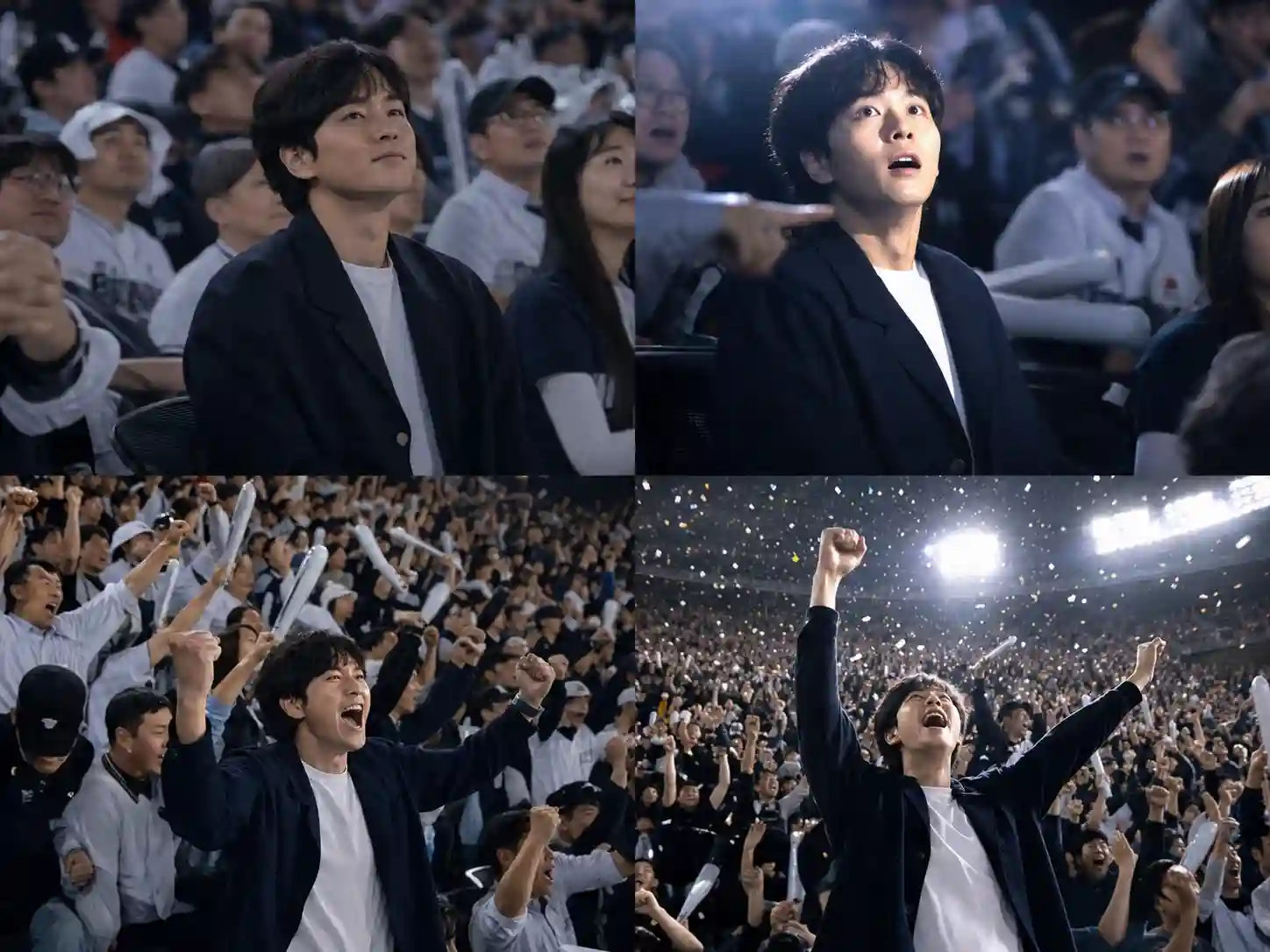
Build a Baseball Story Series
Go beyond a single trend clip. Use Anijam's AI Agent to extend your fan cam moment into a multi-episode animated baseball story with consistent characters.
Power Sports Marketing Campaigns
Generate high volumes of stadium-authentic, on-trend social assets for game-day campaigns and sports brand content without production overhead.
Why Creators Choose Anijam Over Single-Trend Tools

Realistic Identity Preservation
Anijam keeps your face, hairstyle, and skin tone natural and recognizable inside the broadcast scene — no distortion, no uncanny results.

Free Trial
Generate your first AI baseball broadcast photo or video for free — no credit card required to start.

Trending Templates Ready to Use
Skip the prompt-writing. Anijam's template library includes ready-made AI Baseball Broadcast and Fan Cam scenes, updated as new sports trends emerge.

No Skills, No Barriers
No prompt engineering, no video editing, no design experience needed. Upload a photo and let Anijam's AI Agent handle the rest.

Commercial-Ready Output
Export your AI baseball broadcast content for branded campaigns, sponsored posts, and monetized channels with a premium plan.

Watermark-Free Downloads
Download and share clean, watermark-free AI baseball broadcast photos and videos.
Explore Anijam's Other Trending AI Video Tools

Explore More AI Video Creation Guides
Anime Art Style Prompts for AI: 80+ Copy-Paste Prompts for Images & Videos (2026)
2D vs 3D Animation: Key Differences, Pros & Cons, and How to Create Both with AI
How to Make Animation with AI: Step-by-Step Guide for Beginners (2026)
How to Animate a Picture with AI in 2026 (Step-by-Step Beginner's Guide)
FAQ
What is the AI Baseball Broadcast trend?
The AI Baseball Broadcast trend (also called the KBO fan cam trend or Korean Baseball AI trend) is a viral format where AI turns an ordinary selfie into a photo or short video that looks like a live TV broadcast camera randomly caught you in the stadium crowd — complete with stadium lighting, scoreboard-style overlays, and a natural "caught on camera" reaction. With Anijam, you can create your own version with a ready-made template in seconds.
Is Anijam's AI Baseball Broadcast generator free to use?
Yes. Anijam offers a free trial that covers AI baseball broadcast photo generation and short video animation, with HD downloads included. Upgrade to a premium plan for 4K exports, watermark-free downloads, and full commercial usage rights.
Will the generated photo or video actually look like me?
Anijam's AI Agent is built to preserve facial identity, hairstyle, skin tone, and natural expression while placing you inside the broadcast scene, so results stay recognizable rather than turning into a generic stock face.
Can I turn my AI baseball broadcast moment into a video, not just a photo?
Yes. After generating your broadcast-style photo, use Anijam's Image-to-Video engine to animate it — natural blinking, subtle head movement, and cinematic camera motion, ready to export as a short fan cam clip for TikTok, Instagram Reels, or YouTube Shorts.
Can I customize the team, stadium mood, or reaction?
Yes. Adjust jersey colors, day or night game lighting, crowd energy, and reaction type — a surprised smile, a cheer, or a quiet mid-inning glance — either through the template controls or with a custom text prompt.
What makes Anijam different from other AI baseball broadcast tools?
Most trend tools generate one photo or clip and stop there. Anijam's AI Agent lets you extend that single moment into a multi-scene animated story or episode series with consistent characters, cinematic camera control, and lip-synced commentary in 30+ languages — turning a one-off trend post into ongoing content.
Can I use my AI baseball broadcast content commercially?
Commercial usage — including branded sports campaigns, sponsored posts, and monetized channels — is available with Anijam's premium plans. Free trial users can generate and download content for personal and fan use.