


AI Halloween Generator
Make Halloween photos and videos from a selfie, a prompt, or a trending template with Anijam AI Halloween Generator in minutes, without design skills or costume shopping. Join this year's Halloween trends with a spooky look that's ready to post.
What You Can Create with Anijam AI Halloween Generator
From viral selfies to party decorations, Anijam AI helps you create spooky visuals fast, and you can turn any of them into video when you are ready.
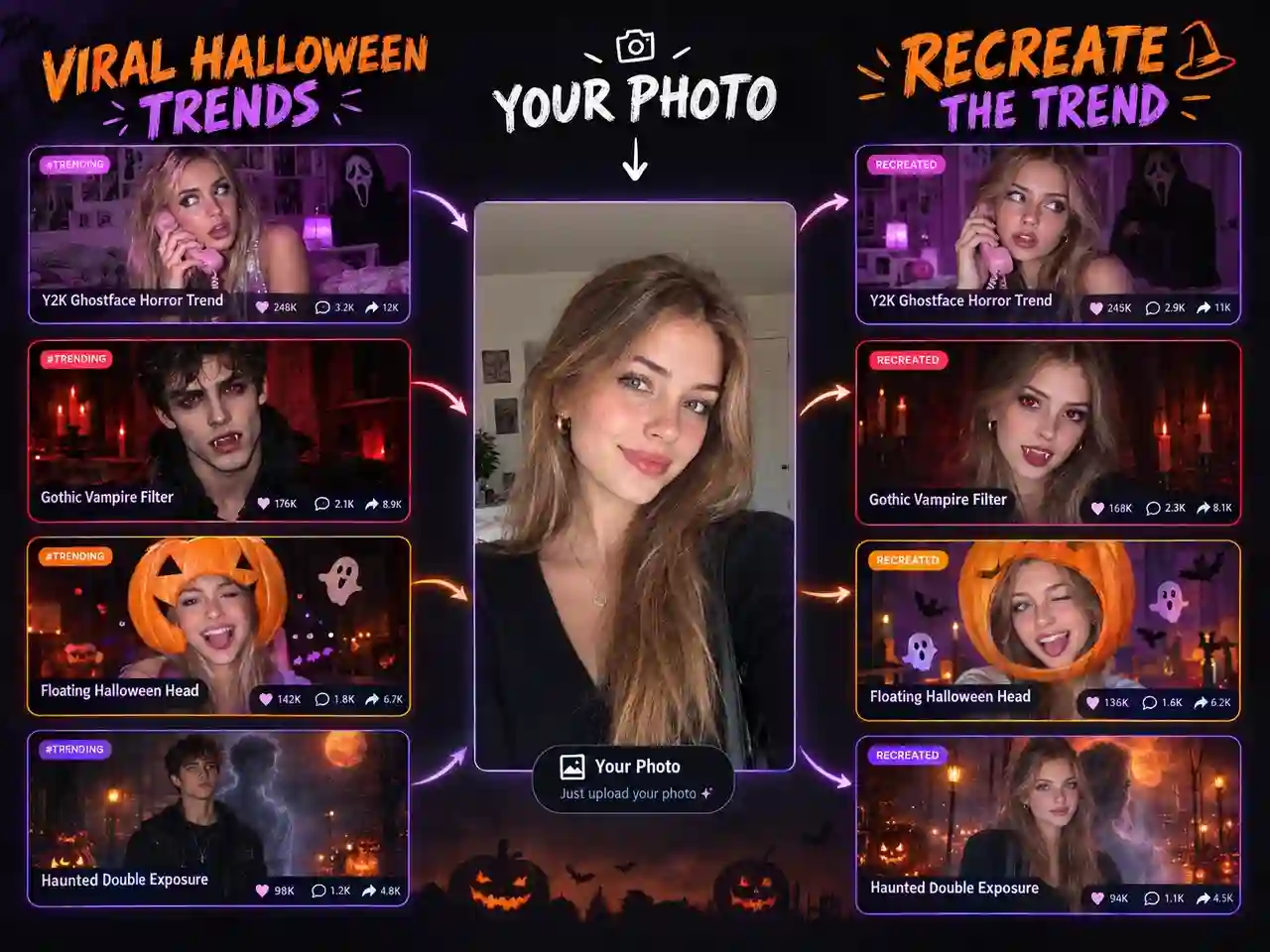
Recreate Viral Halloween Looks
Recreate the Halloween looks taking over TikTok and Instagram with your own photo. Pick a trending template, add your selfie, and create a post-ready Halloween photo or short video in minutes.
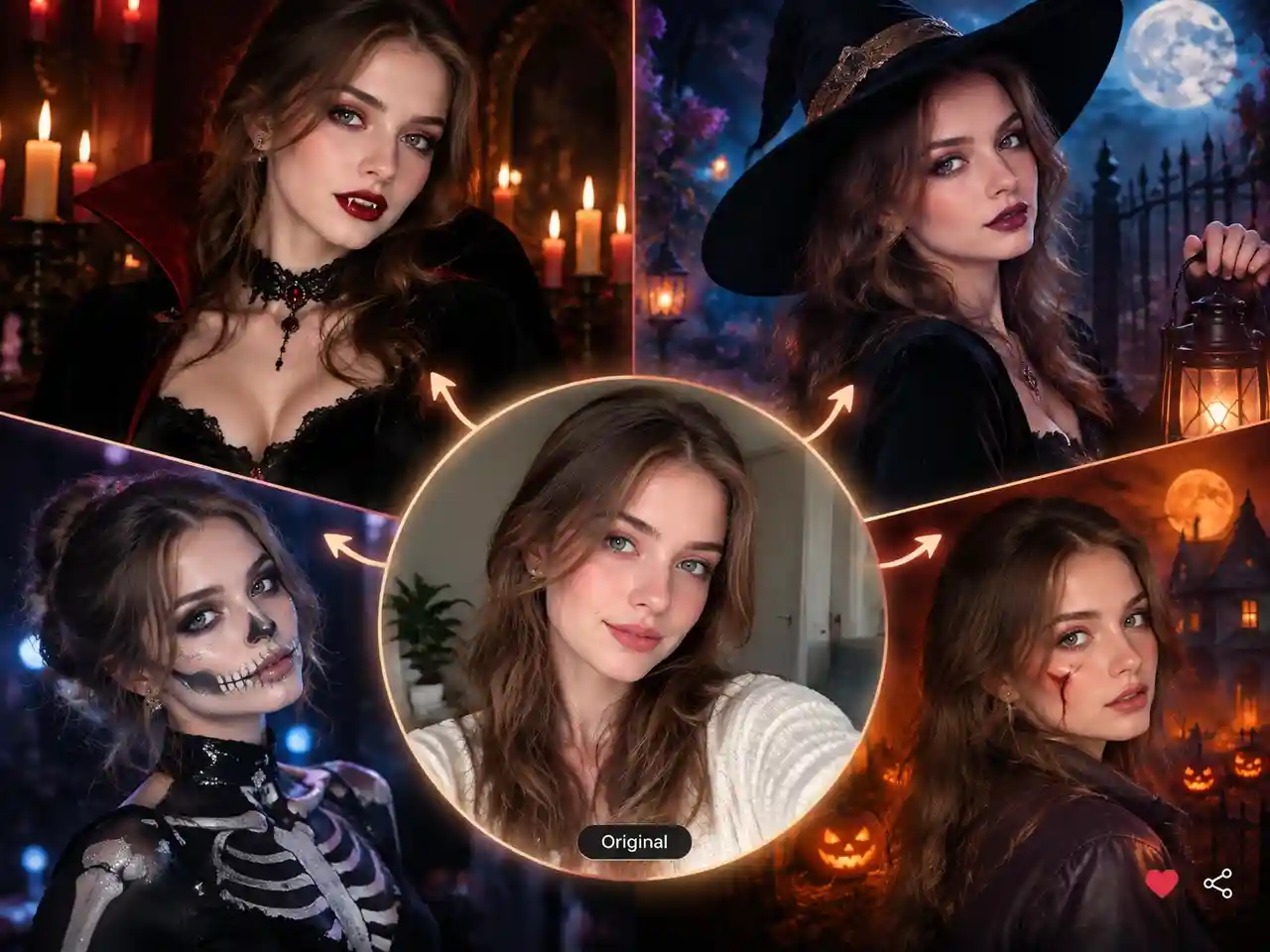
Create Your Halloween Look
Try different Halloween costume looks with your own photo, from glamorous vampires and witches to skeletons and horror-inspired styles. Compare your favorites, share them with friends, or post your transformation on social media.
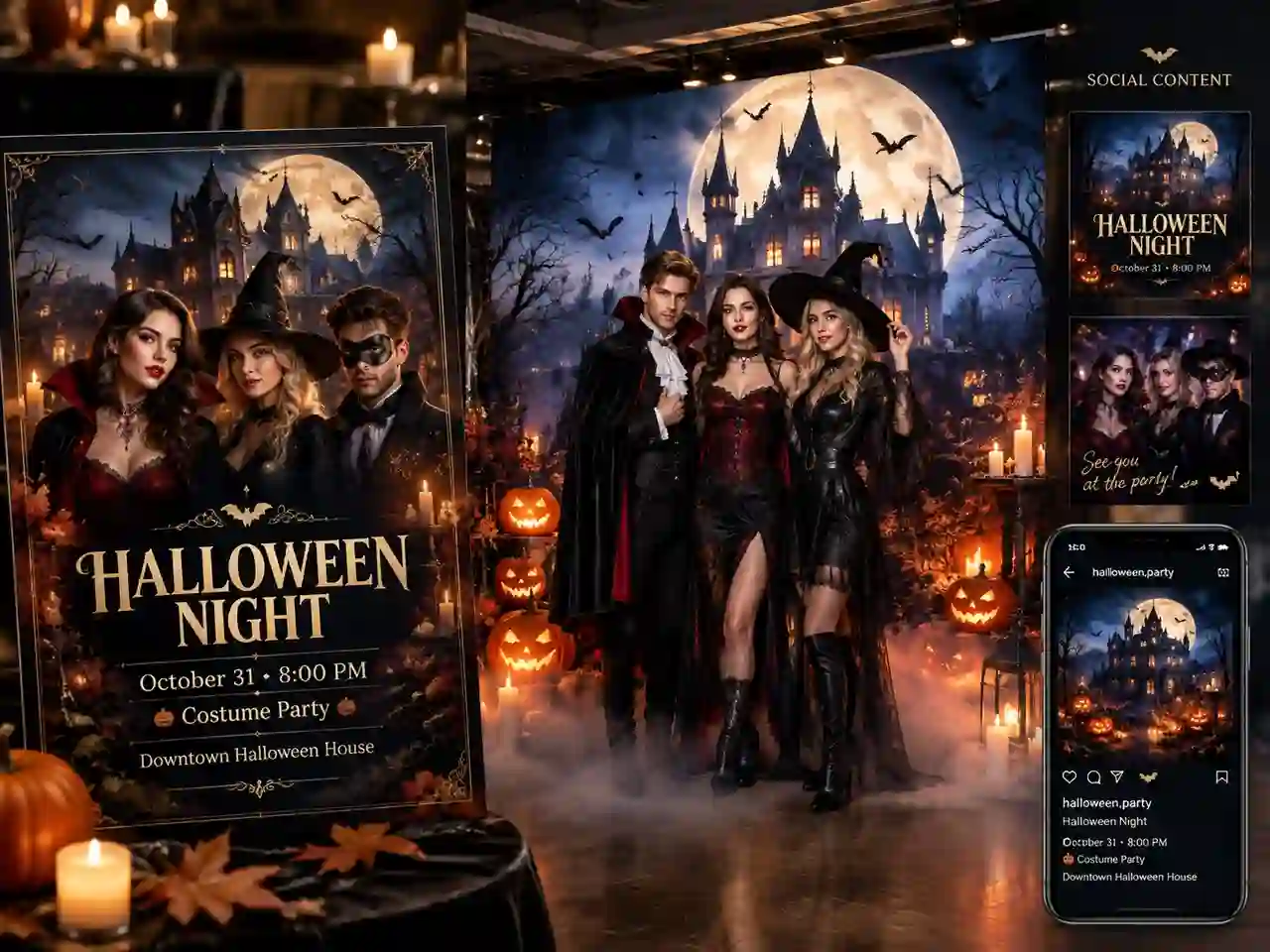
Design Party Invites and Backdrops
Build a haunted setting for your invitation, group photo wall, or party screen. Describe the mood once and generate matching visuals for the whole event.
Create Halloween Photos and Videos in One Place
Anijam AI Halloween generator brings Halloween photo and video creation into one creative workflow. Turn a selfie, product photo, or simple idea into costume transformations, spooky portraits, themed scenes, and short videos. Start from a trending template or your own concept, then create, refine, and bring your favorite Halloween ideas to life without jumping between different apps and tools.
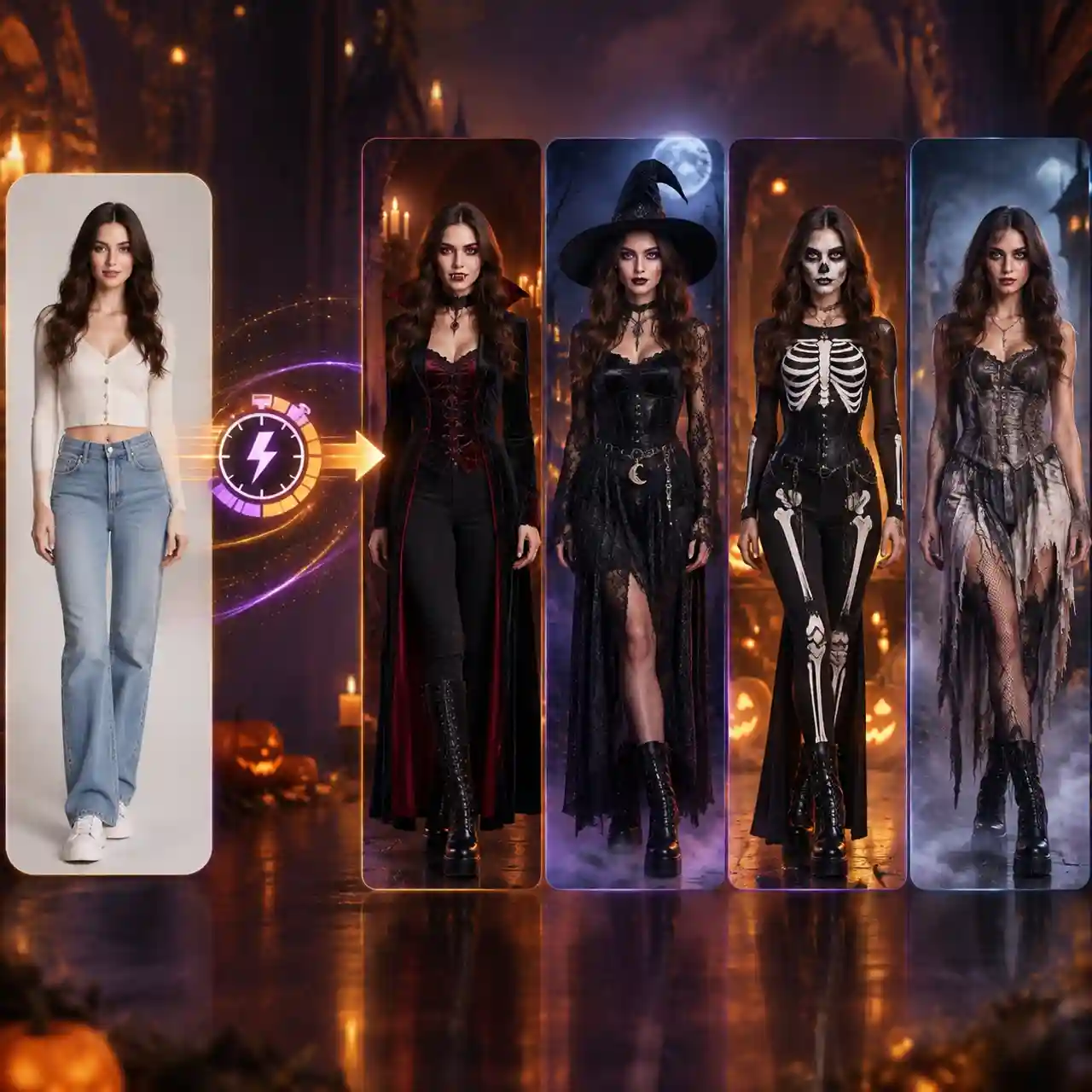
AI Halloween Costume Try-On in Seconds
See yourself in a whole new Halloween look with just one photo. Try different costumes, makeup, and character styles, then refine the details until you find a transformation that feels made for you—whether you're choosing a costume or creating a look just to share.
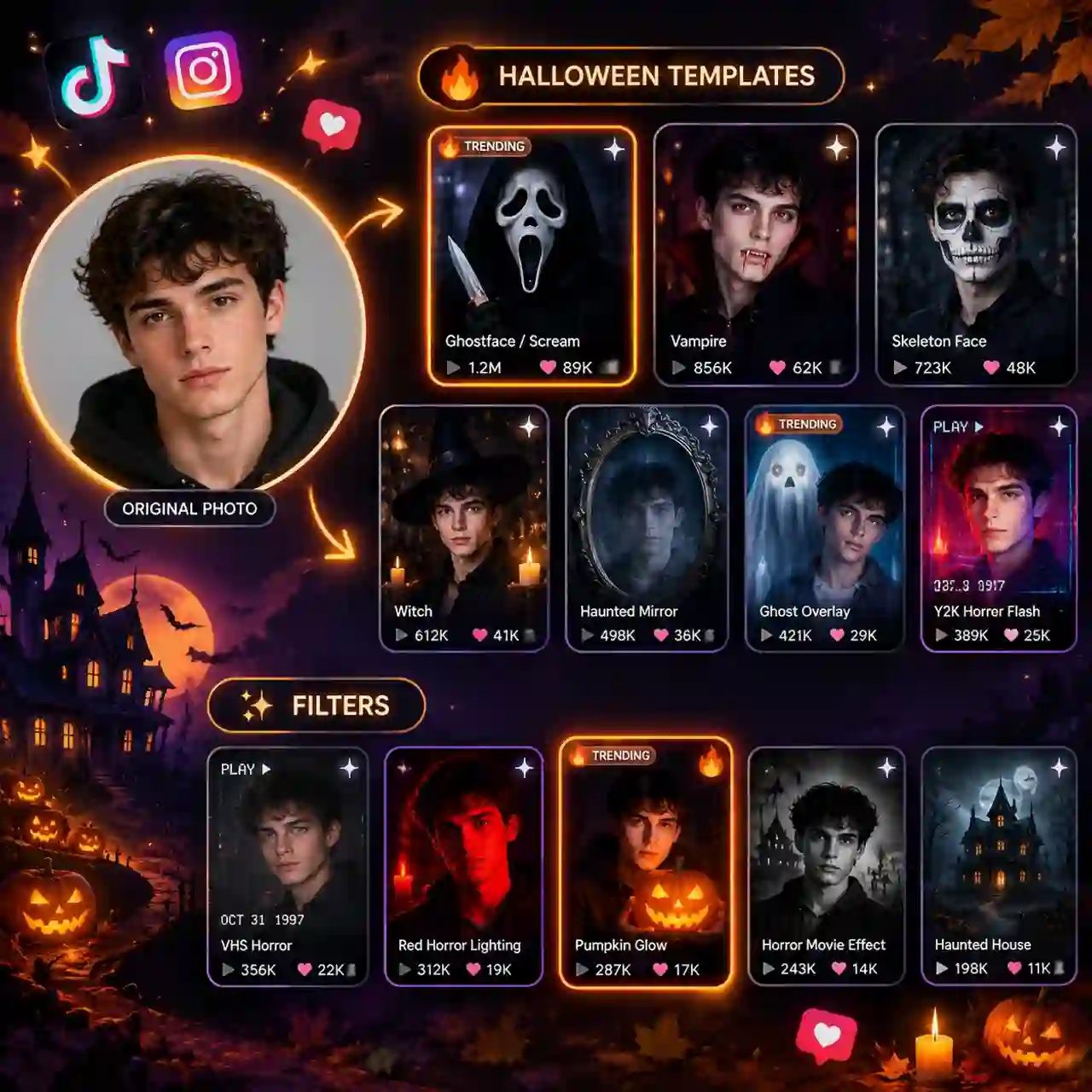
Explore Trending Halloween Templates and Filters
Recreate popular Halloween looks without starting from scratch. Explore ready-made templates and filters, from the viral Ghostface Y2K trend to spooky transformations and seasonal styles. Add your own photo, choose an effect, and create your version in seconds.
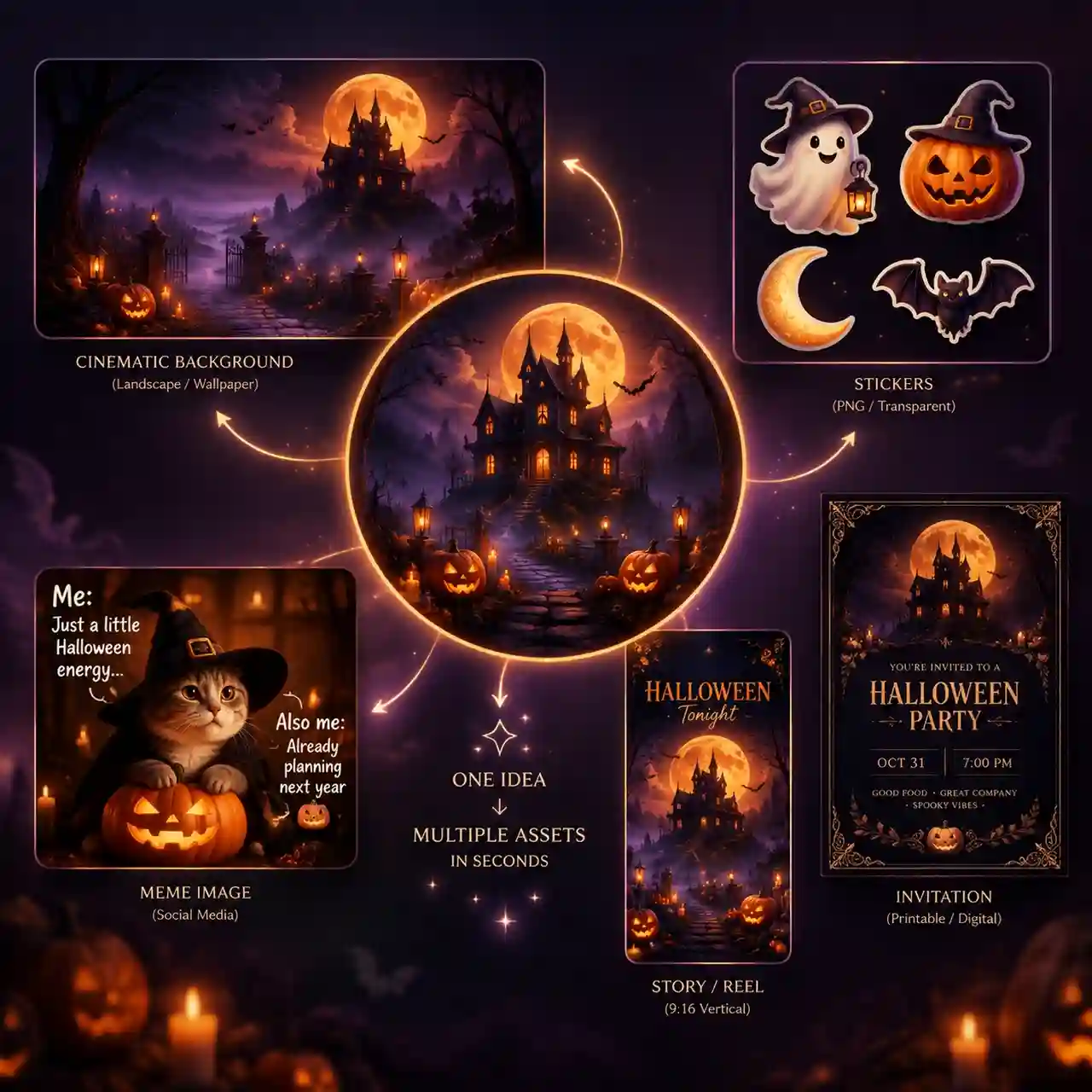
Create Halloween Stickers, Memes & More Visual Assets
Make the Halloween visuals you need without starting from scratch. Generate spooky backgrounds, scenes, stickers, memes, and other creative assets from a simple idea, then use them for social posts, party invites, Stories, Reels, and more.
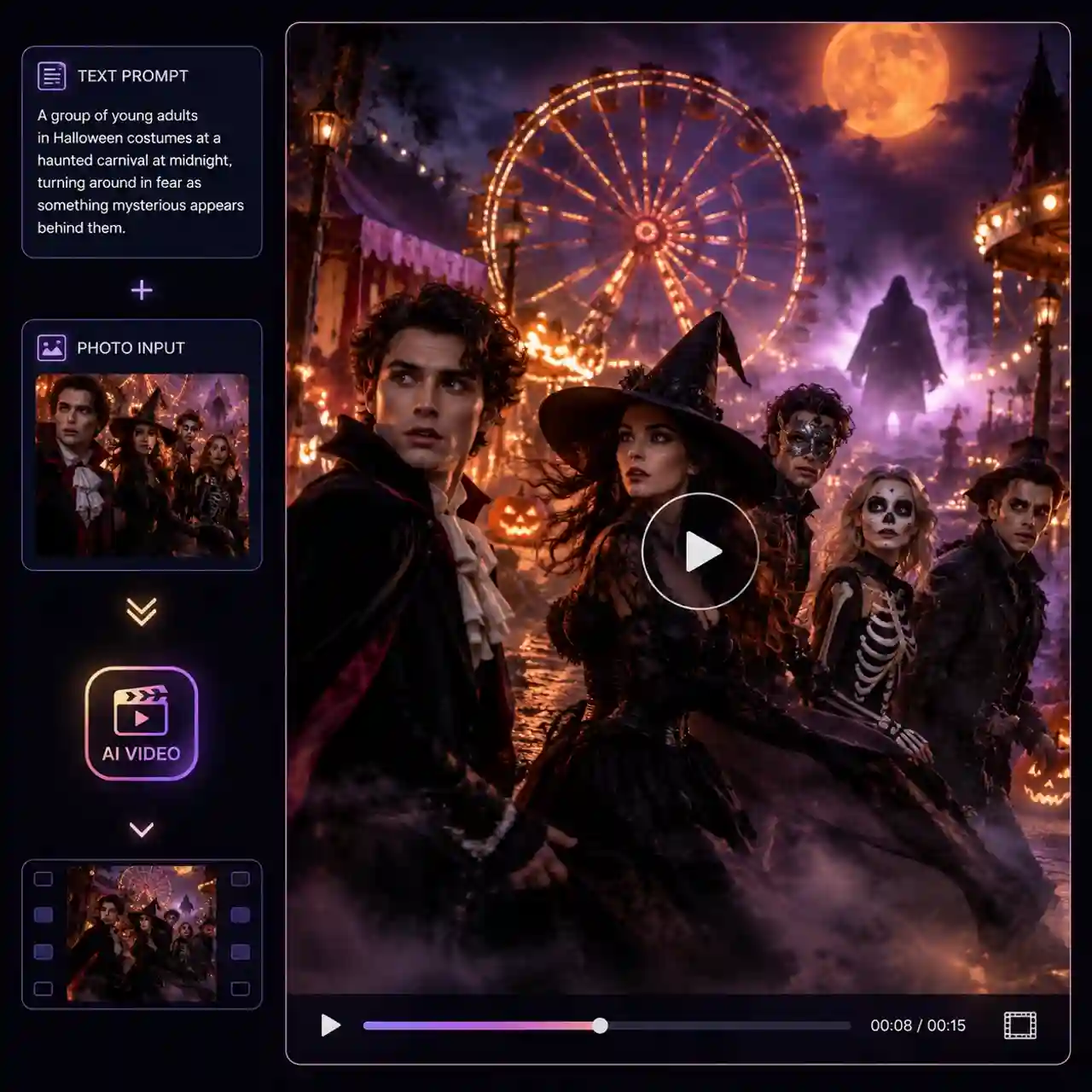
Create Halloween Videos From Text or Photos
Start with a spooky idea or an existing Halloween photo and turn it into a short video. Describe the scene and motion you want, or bring your image to life with camera movement, flickering lights, shifting shadows, and more.
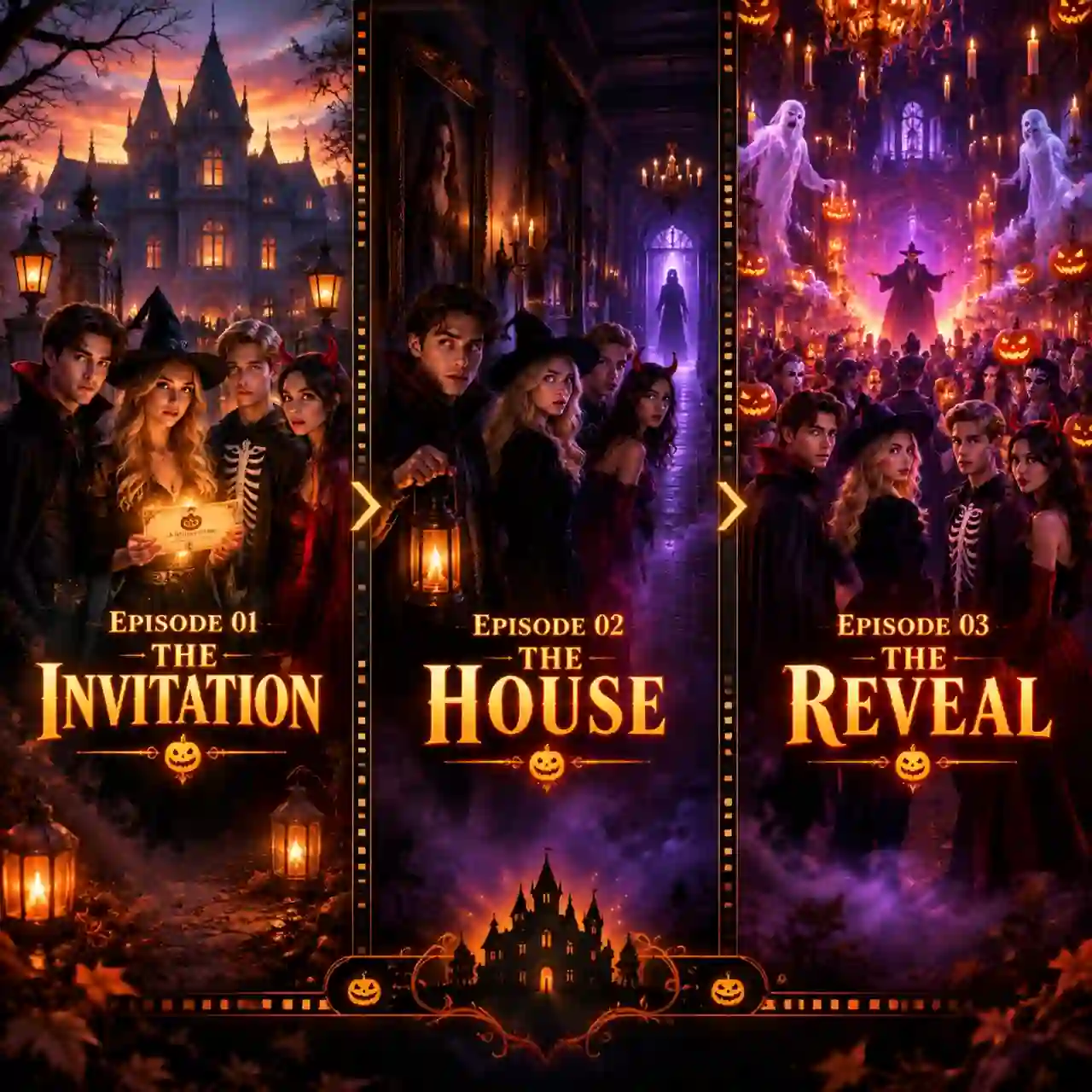
Turn One Halloween Idea Into a Mini Series
Go beyond a single Halloween image or clip. Describe a spooky idea in chat, and our AI video agent can help shape the story, characters, and scenes into a short multi-scene series, from haunted house mysteries to cozy ghost comedies.
How to Use Anijam's AI Halloween Generator
Step 1: Pick a Model or Template
Open Anijam, go to Tools, and choose AI Image or AI Video. Then select a model such as Nano Banana Pro or GPT Image 2 for photos, or Seedance for videos. Prefer a shortcut? Start from one of our trending Halloween templates instead.
Step 2: Upload a Selfie or Write a Prompt
Upload a clear, front-facing selfie in good light, or skip it and start from text. Paste one of our Halloween prompts or describe your own costume, setting, and mood, and add a short motion note such as a slow push-in if you are making a video.
Step 3: Generate and Download Your Halloween Photo or Video
Click Generate, compare a few versions, and download your favorite. Not quite right? Adjust the prompt and generate again until the look fits.
Halloween AI Trend Prompts to Try
Y2K Horror Selfie: Create a 1990s Y2K horror-style portrait of me in a dim bedroom with purple satin sheets, retro horror posters, a masked figure standing in the hallway doorway, harsh direct camera flash, subtle film grain, eerie shadows, realistic skin texture, vertical 9:16, keep my face recognizable.
Glamorous Vampire: Transform my photo into a glamorous vampire portrait with subtle fangs, deep red lips, dark flowing hair, a black velvet coat with a high collar, candlelit gothic architecture, dramatic cinematic lighting, rich shadows, elegant and mysterious mood, realistic skin texture, keep my face recognizable.
Moonlit Witch: Turn my photo into a cinematic Halloween witch portrait wearing a black velvet witch hat and elegant lace outfit, standing in a foggy moonlit garden surrounded by floating lanterns, subtle magical atmosphere, cool night lighting, shallow depth of field, realistic facial details, keep my face recognizable.
Cinematic Horror Scene: Place me inside a cinematic haunted house at midnight, standing in a dark hallway with flickering lights, drifting fog, old portraits on the walls, subtle shadows moving in the background, eerie lighting, realistic horror movie atmosphere, cinematic composition, keep my face recognizable.
Halloween Photo to Video: Turn this Halloween photo into a short cinematic horror video. Slowly push the camera toward the subject, make the porch light flicker, let a shadow briefly cross the background, add subtle fog movement and natural hair movement, preserve the subject's identity and outfit, realistic motion, eerie cinematic atmosphere.
Why People Choose Anijam AI Halloween Generator

Free Credits to Start
New accounts get signup credits, and daily check-in credits add more, so you can try Halloween looks before choosing a plan.

Easy to Use
Create Halloween photos and videos with simple prompts, photo uploads, and natural-language instructions—no design or editing skills required.

Leading AI Models in One Workspace
Switch between leading image and video models without juggling separate apps, giving you more ways to create and refine your Halloween content.

Fast Generation
Turn ideas, photos, and prompts into Halloween visuals quickly, so you can experiment with different looks and keep up with seasonal trends.

Watermark-Free & Commercial Use
Create polished Halloween content without a watermark and use your generated visuals for ads, social content, shops, and client projects.

Create Halloween Content on the Go
Snap a selfie, generate a look, and post it from your phone with the Anijam mobile app, so your Halloween content is ready wherever inspiration strikes.
Explore More Anijam AI Creative Tools
What Our Users Said About Anijam AI
FAQ
What is an AI Halloween generator?
An AI Halloween generator is a tool that turns a photo or a text prompt into Halloween-themed images or videos, such as costume portraits, spooky scenes, and trend photos. With Anijam, you upload a selfie or describe a scene, pick a model or template, and get a share-ready result in minutes.
Is Anijam's Halloween AI generator free?
You can start free with signup credits and daily check-in credits. Free exports include a watermark and are for non-commercial use, while paid plans remove the watermark and include commercial use rights.
What are the 2026 Halloween AI trends?
Popular 2026 Halloween AI trends include viral horror-inspired selfies, Y2K Halloween transformations, cinematic vampire and witch portraits, AI costume try-ons, spooky character transformations, and short horror videos made from personal photos. Anijam's trending templates are regularly updated with new seasonal and viral looks, making it easy to discover the latest Halloween trends and recreate them with your own photo or idea.
What can I create with an AI Halloween generator?
You can create Halloween costume transformations, spooky portraits, horror-inspired scenes, memes, stickers, party visuals, social media posts, and short Halloween videos. With Anijam, you can start from a selfie, prompt, or trending template and refine the result into the style or format you want.
What makes a good Halloween AI prompt?
A good Halloween prompt describes one scene in clear layers. Name the costume or subject, the setting, the lighting, the mood, and the visual style, such as film grain or cinematic horror, then add "keep my face recognizable" when using your own photo.