


Comic to Animation: Bring Any Comic to Life with Anijam AI
Transform comic panels, graphic novel scenes, and comic strip art into stunning animated videos with Anijam's AI animation agent. Upload your comic artwork, describe the motion, and generate professional-quality animated videos with consistent characters and comic book style — no animation skills required.
Endless Ways to Use Anijam for Comic Animation
Whether you're adapting an existing comic book, creating new comic-style content, or building animated series from comic scripts—Anijam makes it possible for anyone, at any skill level.
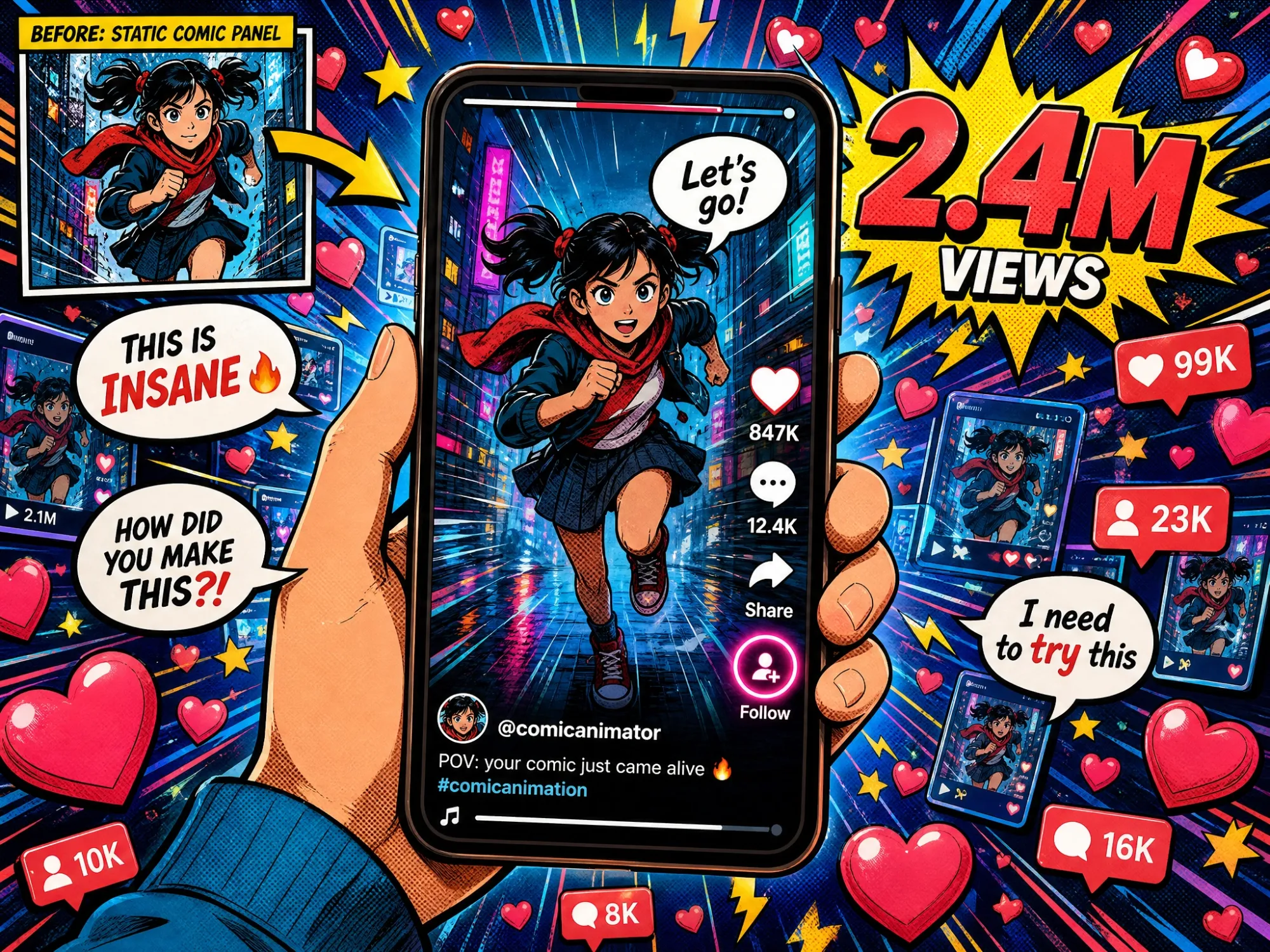
Animate Comic Panels for Social Media
Turn your comic strips and graphic novel pages into scroll-stopping animated videos for TikTok, Instagram Reels, and YouTube Shorts. Comic-style animation drives massive engagement—create yours in minutes with Anijam.
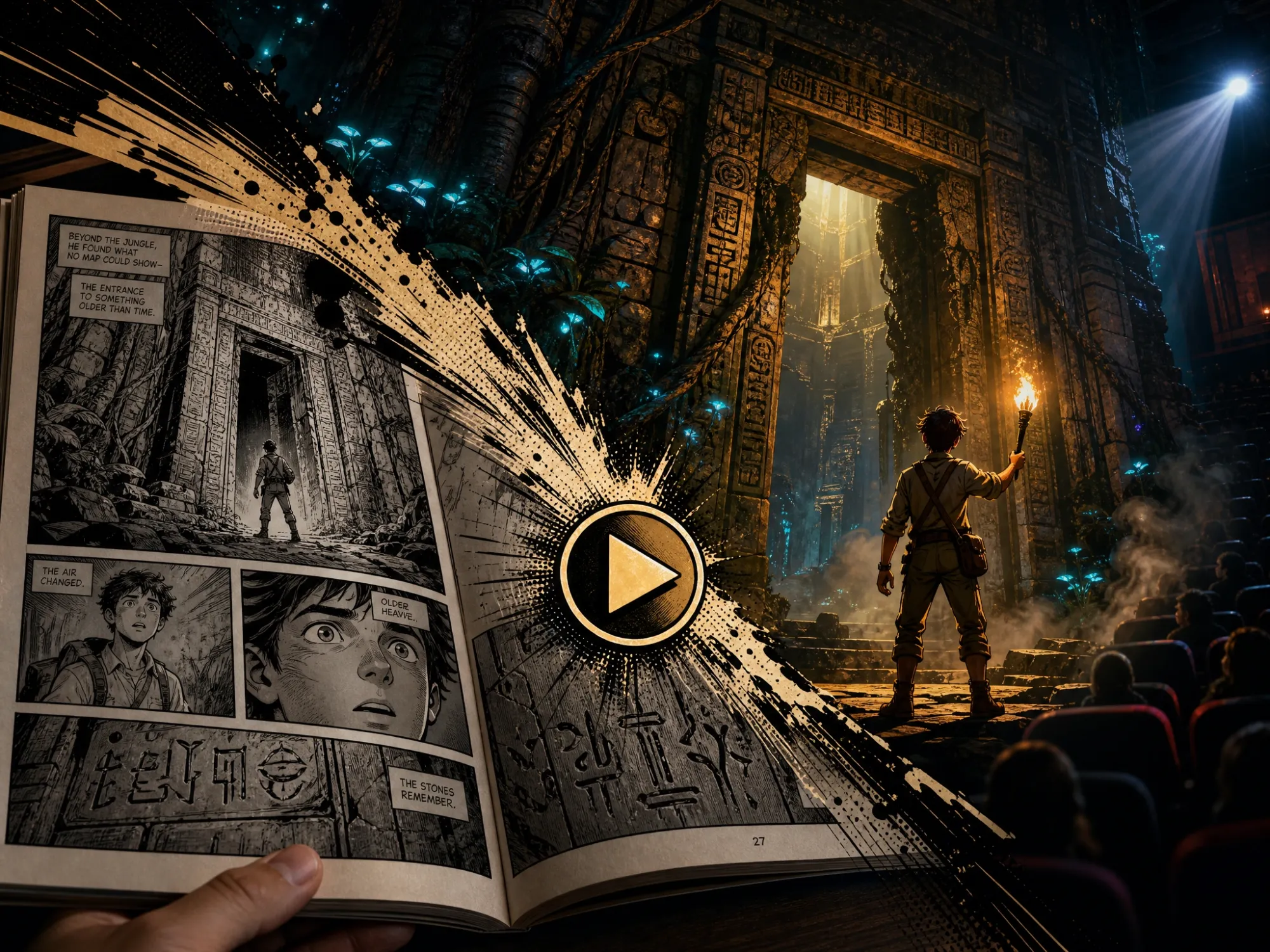
Adapt Your Comic Book to Animated Film
Produce a complete animated adaptation of your comic book story. Consistent characters, cinematic scenes, and AI-directed pacing—Anijam animates your entire comic narrative from script to screen.
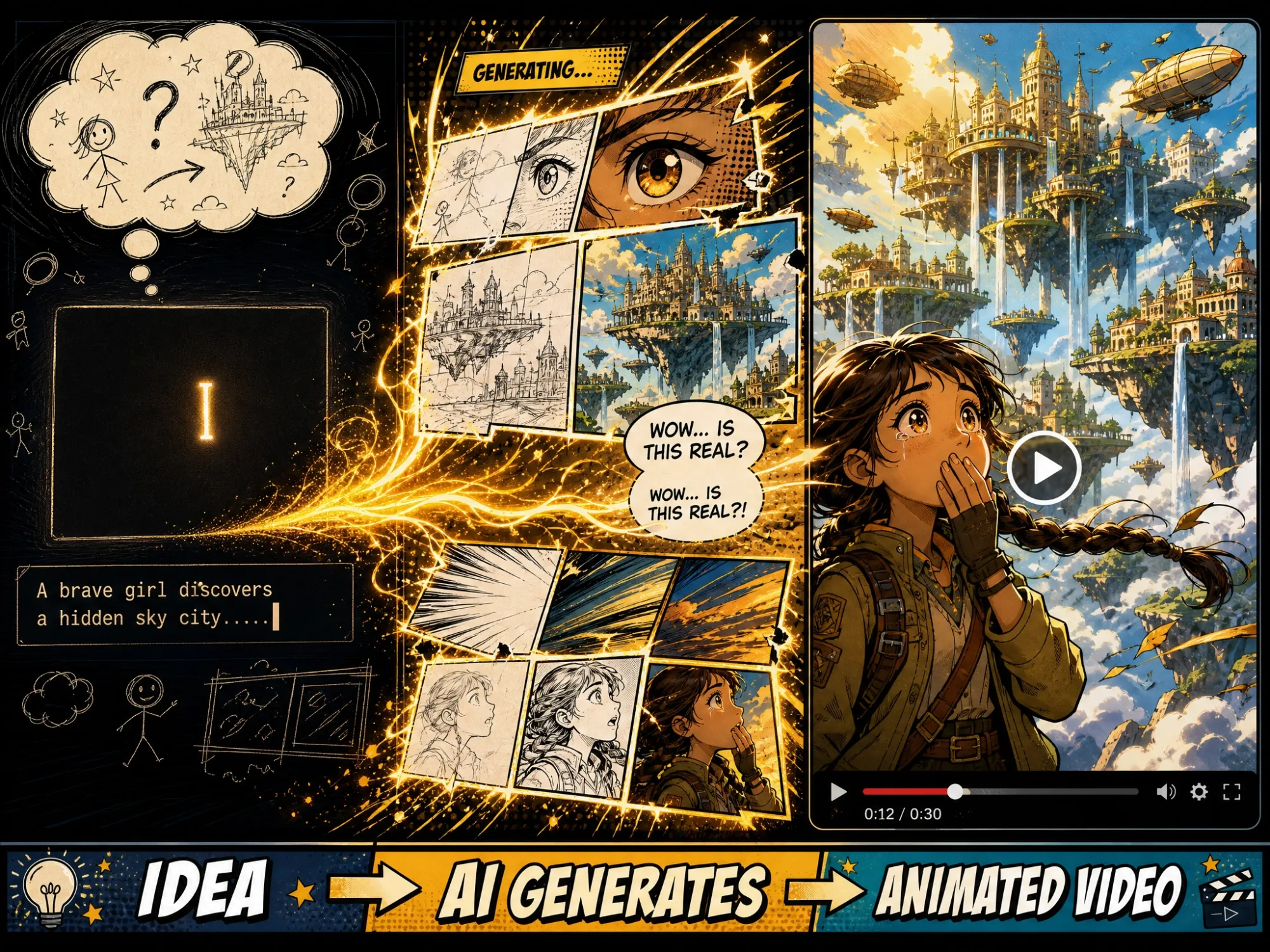
Create Comic-Style Animation from Scratch
No comic art yet? Generate original comic book visuals with Anijam's AI image generator, then animate them immediately on the same canvas. Go from idea to animated comic video in one unified workflow.
From Comic Art to Fully Animated Video — All in One Place
Anijam is an all-in-one AI animation platform built to take any visual story — from comic panels and graphic novel pages to original comic-style artwork — and transform it into a fully animated video.
Whether you want to animate an existing comic book, create a new comic-style animation from scratch, produce a motion comic with cinematic camera movement and voice acting, or turn a comic strip into a shareable video, Anijam handles the entire pipeline: image generation, scene animation, character consistency, lip sync, and timeline editing — all inside one canvas.
Unlike basic image-to-video tools that apply generic motion effects, Anijam's AI agent reads the content of your comic artwork and animates it with intelligent, story-aware movement. Characters move like characters. Action scenes explode with energy. Panel-by-panel storytelling becomes flowing, cinematic animation — in the visual style you choose.
Comic Strip to Animated Video
Turn multi-panel comic strips into engaging animated shorts. Anijam sequences your panels with natural transitions, adds motion to each scene, and delivers a complete animated story video ready to share across social media platforms.
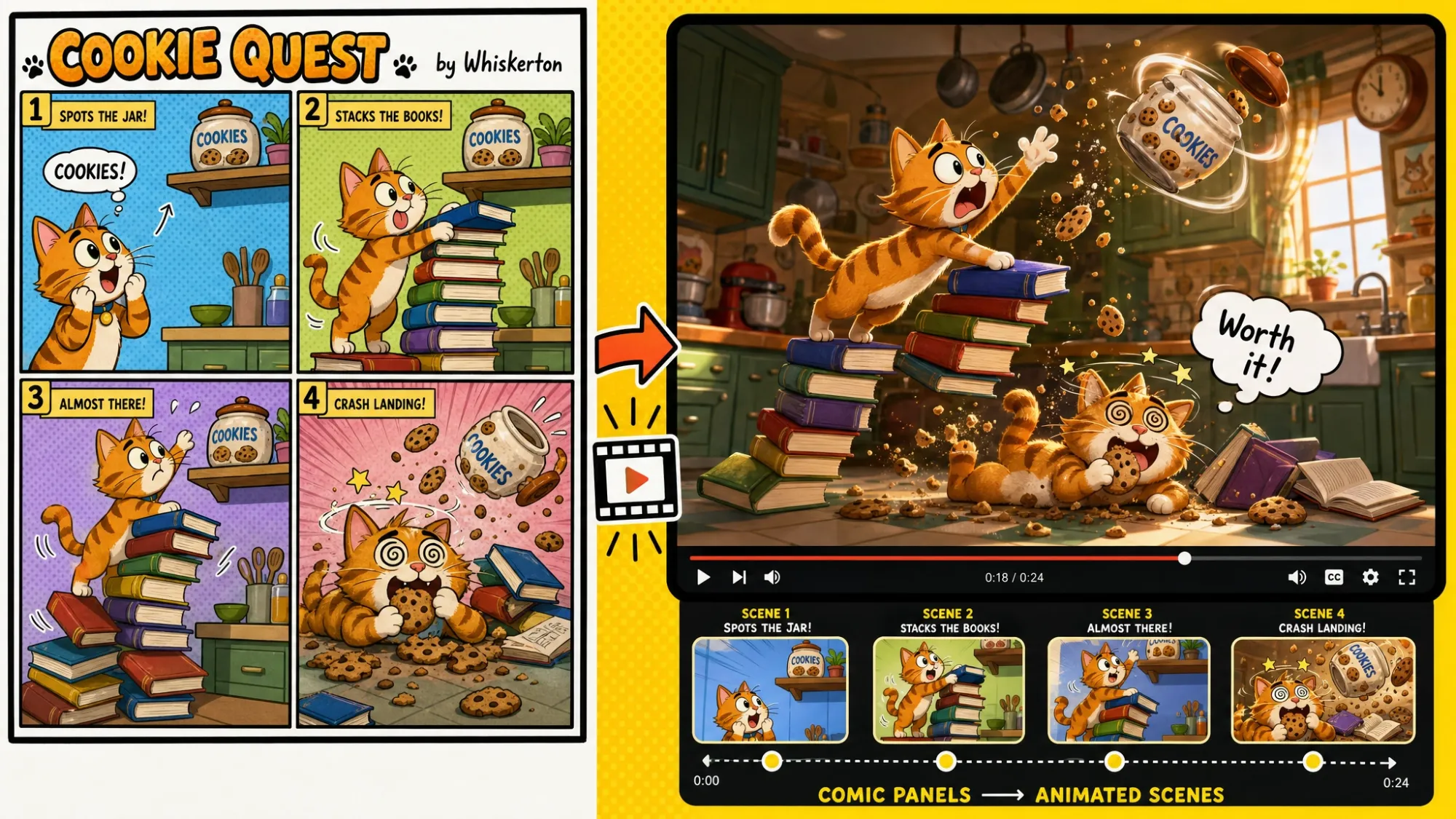
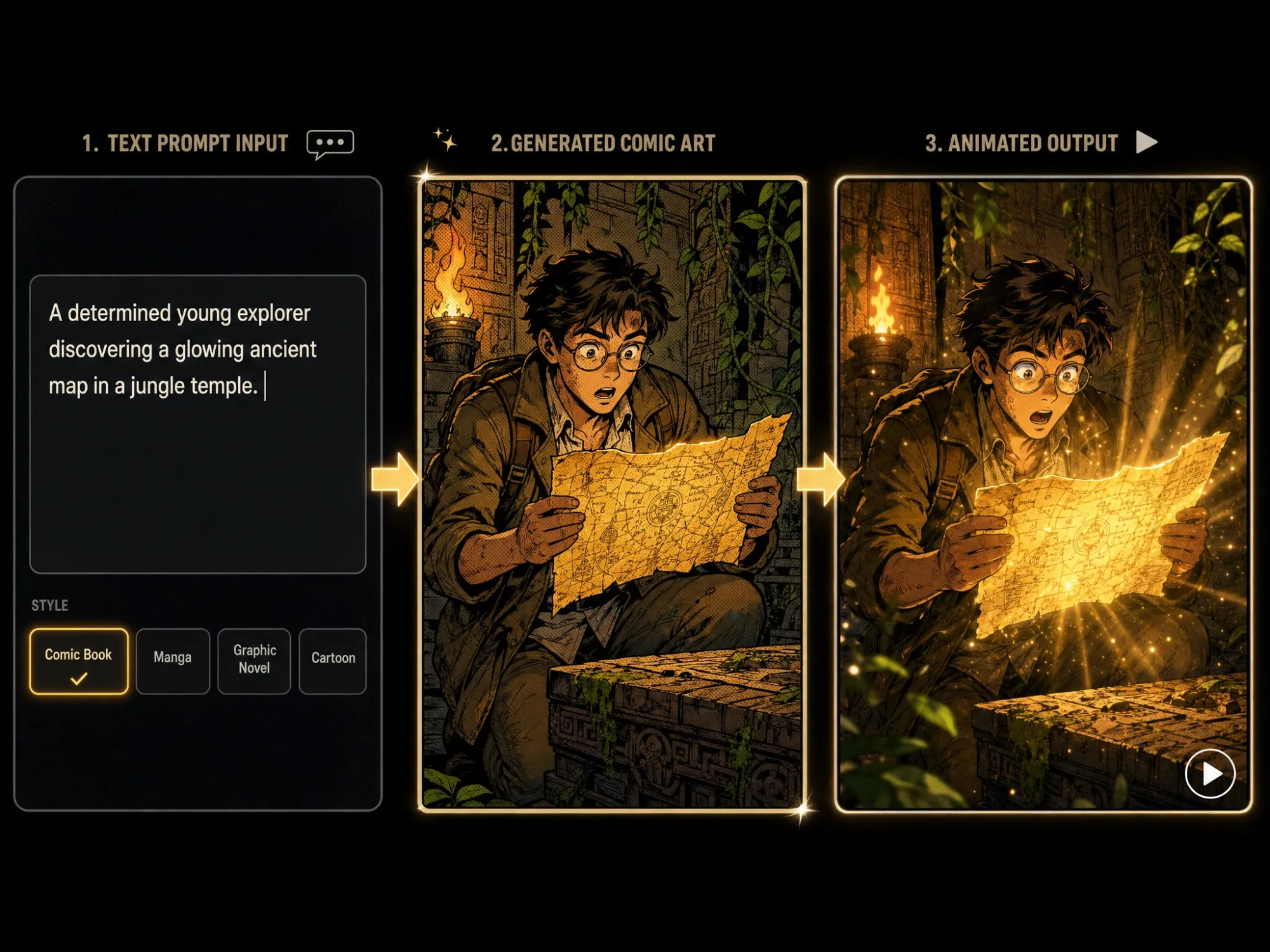
Generate Comic-Style Art, Then Animate It
No comic panels yet? No problem. Anijam's built-in AI image generator creates stunning comic book artwork from any text prompt—choose halftone dot styles, bold ink outlines, manga aesthetics, graphic novel textures, or cel-shaded cartoon looks. Once your comic art is generated on the canvas, animate it instantly with a single click. It's the only tool where you can create comic art and turn it into animation in one seamless workflow.
Style-Preserving Animation for Comic Artwork
Anijam's AI animates your comic panels without breaking what makes them look great. Ink lines stay sharp. Halftone patterns hold their texture. Character proportions remain consistent across every frame of motion. Upload a superhero panel, manga page, or graphic novel spread—and watch it animate while keeping every detail of the original art style perfectly intact.
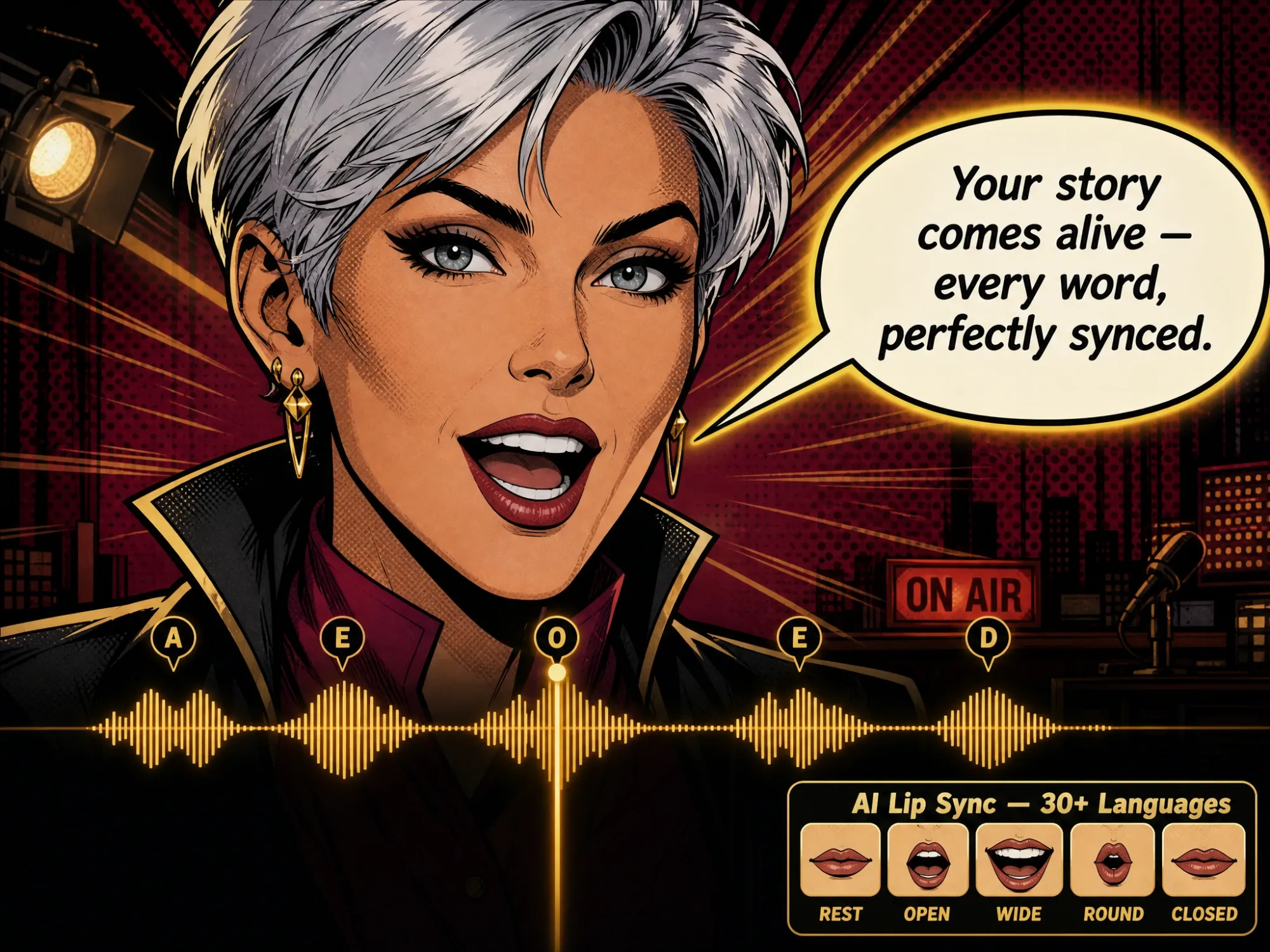
Make Your Comic Characters Speak with AI Lip Sync
Comic book characters have dialogue—now they can deliver it on screen. Anijam's AI lip sync engine matches your animated comic characters' mouth movements precisely to any voice track. Add speech bubbles that come alive, give villains dramatic monologues, or let your heroes deliver punchy one-liners with perfectly timed expressions. Choose from 30+ AI voice styles, upload your own audio, or use text-to-speech—in any language.
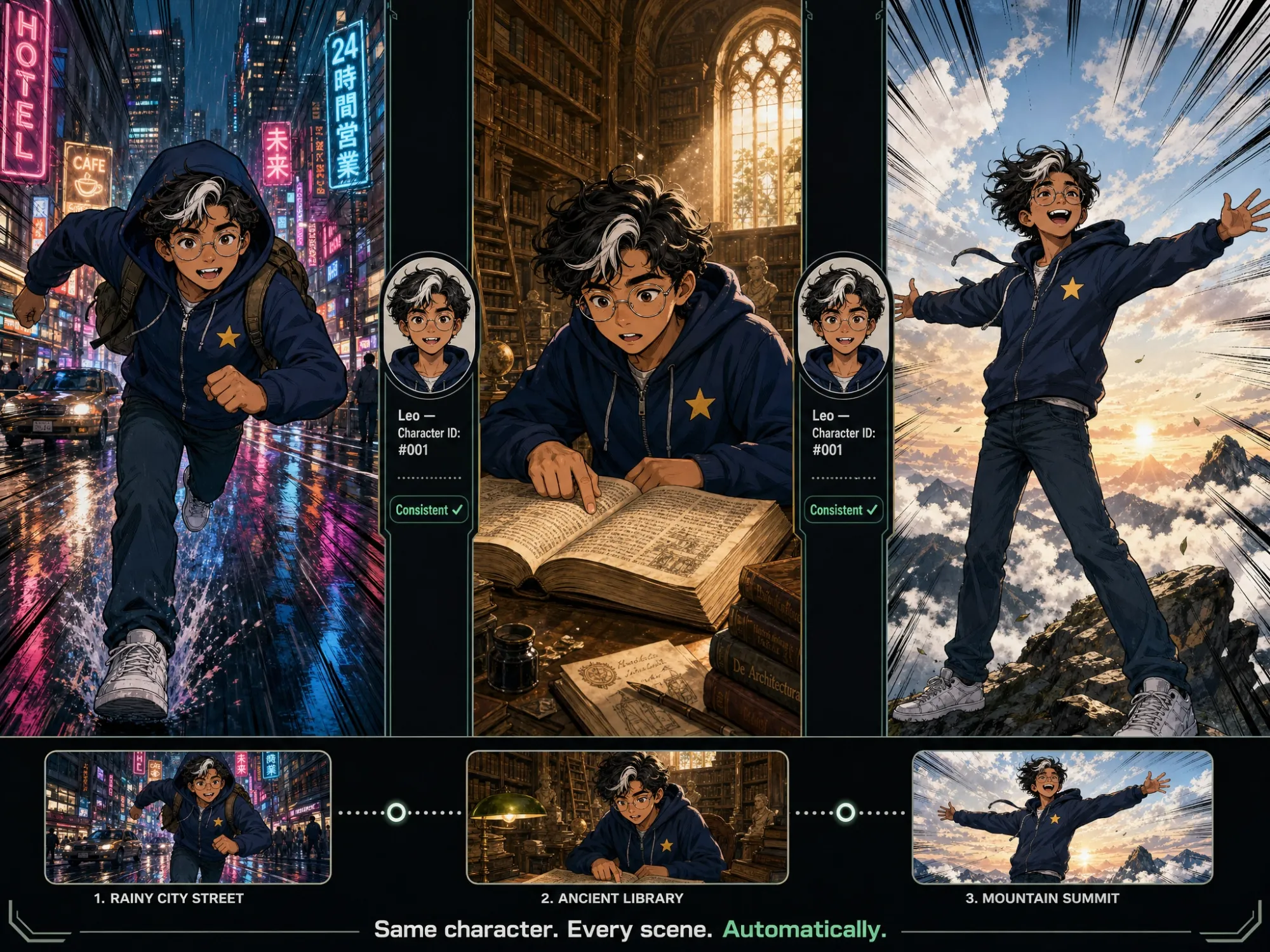
Consistent Comic Characters Across Every Scene
The biggest challenge in comic-to-animation conversion is character consistency—your hero can't look different from scene to scene. Anijam solves this completely. Design your comic character once, name it, and Anijam keeps it visually identical across every animated panel: same face, same costume, same style. Whether your comic animation has 3 scenes or 30, the characters stay perfectly consistent throughout the story.
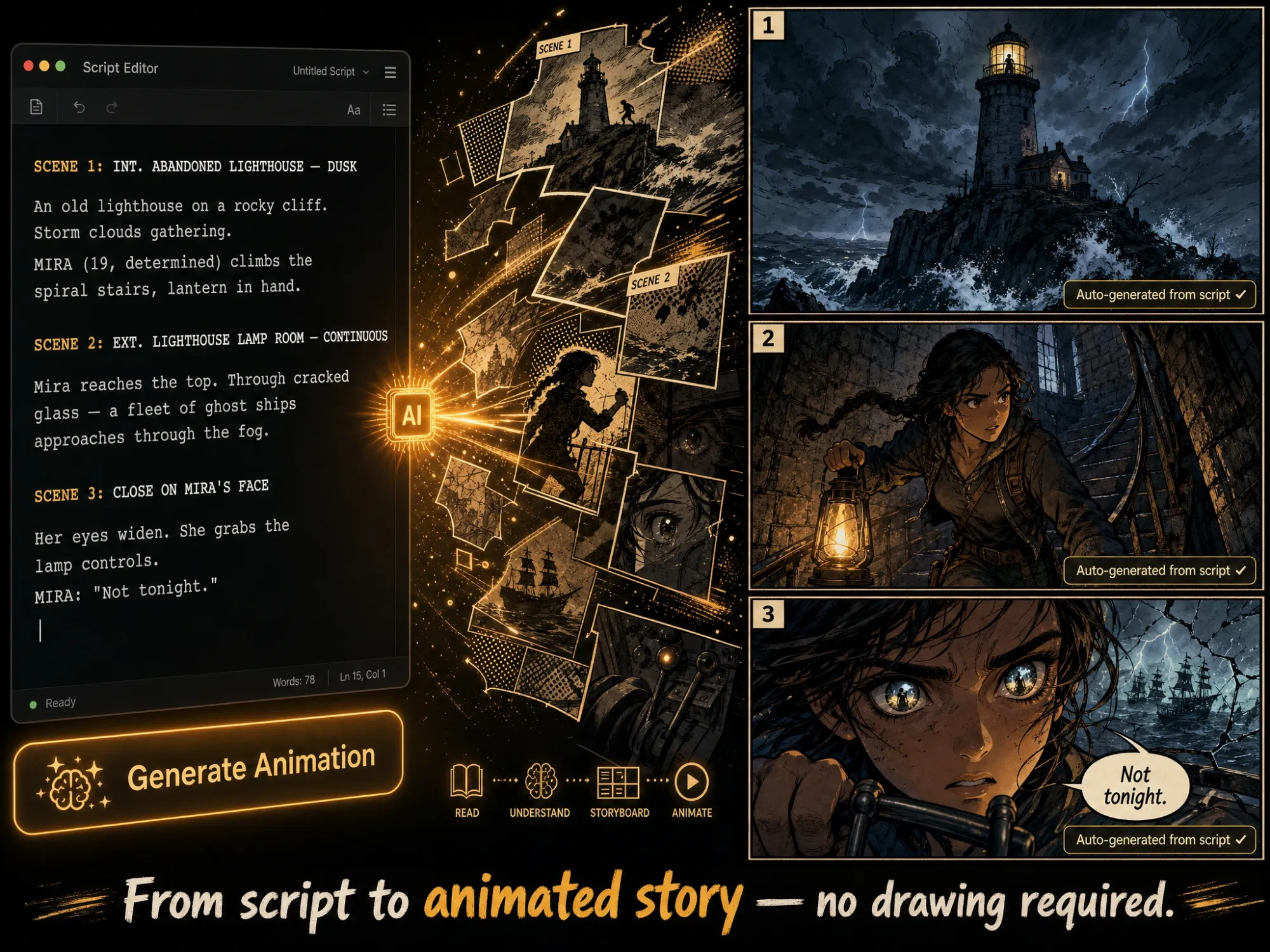
Turn Your Comic Script Into a Full Animated Story
Have a comic book script but no finished art? Paste your script into Anijam's canvas and the AI agent reads it like a director—automatically generating scenes, creating characters in your chosen comic style, adding motion and camera work, and assembling the full animated story on a timeline. From a single script, you get a complete comic-style animated video in minutes. No storyboarding. No manual panel layout. Just results.
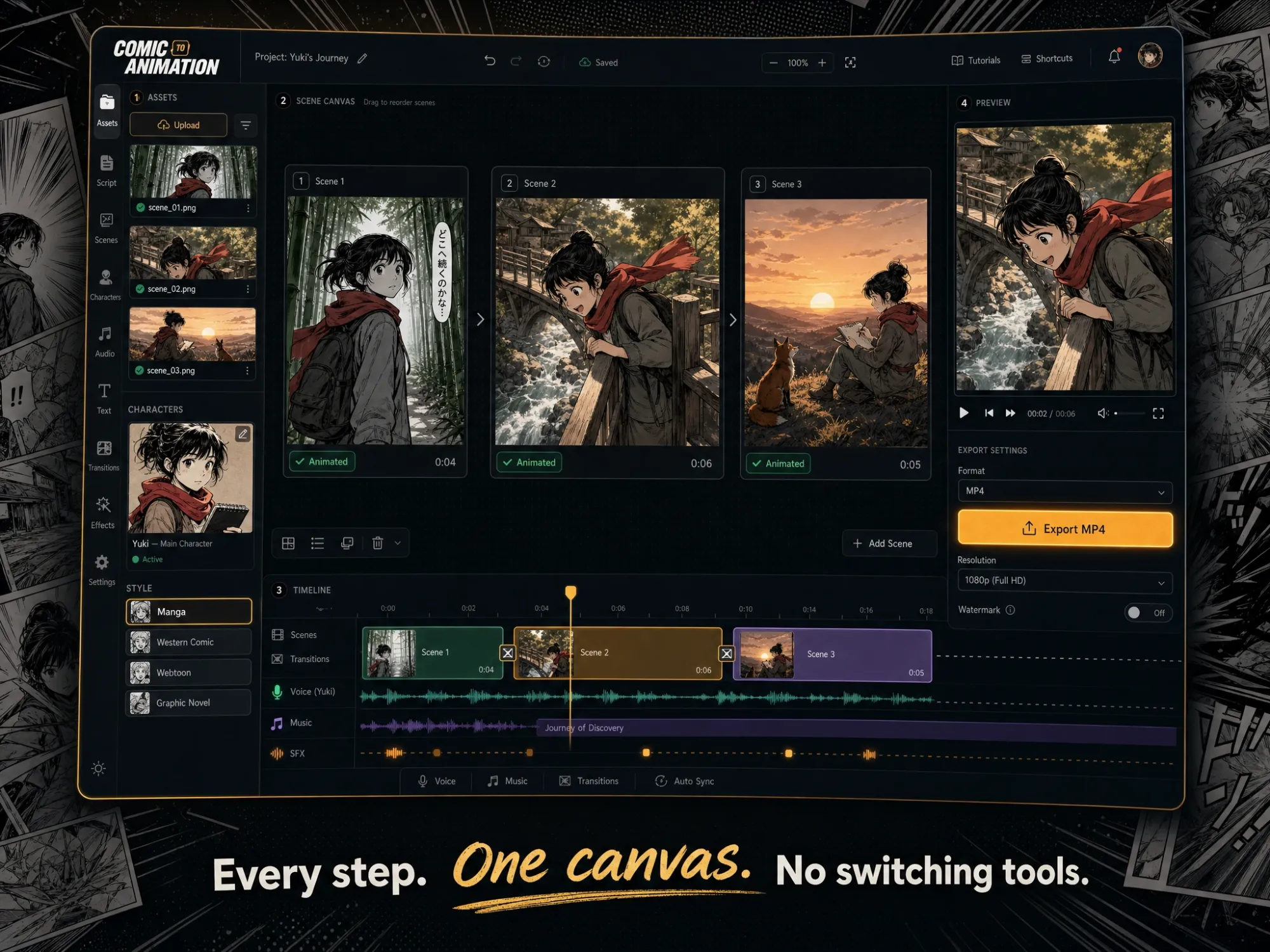
Full Canvas Workflow: From Comic Panel to Final Video
Anijam keeps every step of comic animation production in one place. Upload comic art, generate scenes, arrange the timeline, fine-tune motion and lip sync, then export—all without switching between apps. The canvas is persistent: change one scene without re-rendering the rest of your animation. It's the most complete comic-to-animation workflow available online, free to start.
Who Uses Anijam for Comic to Animation?
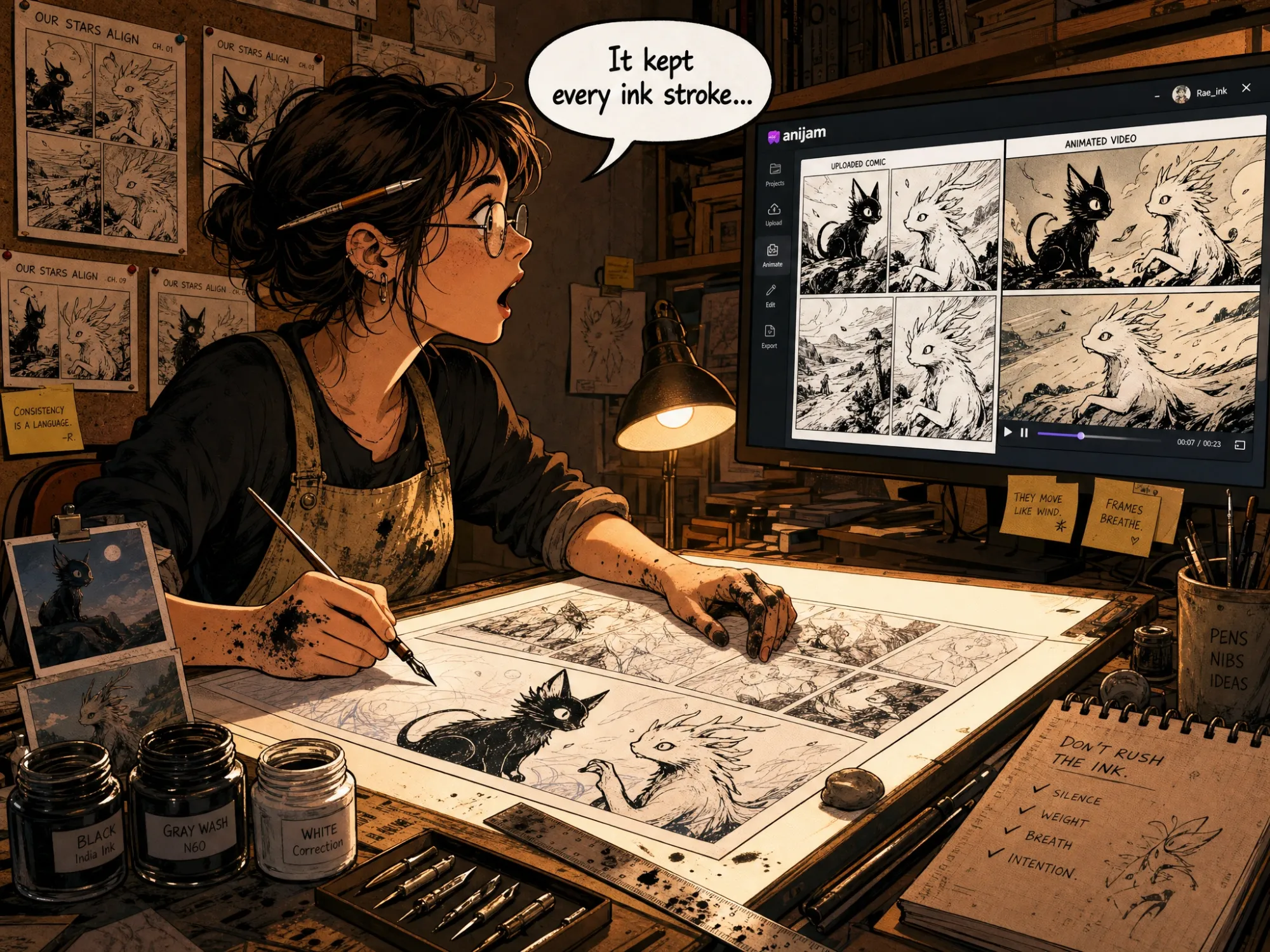
Comic Creators & Indie Artists
Upload your comic panels and animate your story without hiring an animation studio. Anijam preserves your art style while adding professional-quality motion, dialogue, and cinematic camera work. Perfect for self-publishing creators who want to expand from print to video.
How to Turn a Comic into Animation with Anijam
Step 1: Upload Your Comic Art or Generate It with AI
Start by uploading your comic panels, graphic novel pages, or character illustrations directly onto Anijam's canvas. No existing art? Use Anijam's built-in AI image generator to create comic-style artwork from a text prompt — choose from comic book, manga, cartoon, cel-shaded, or graphic novel aesthetics instantly.
Step 2: Describe the Motion & Choose Your Style
Type a simple motion prompt—"hero leaps into action with speed lines," "panel-by-panel reveal," or "cinematic camera zoom on the villain"—or let the AI decide automatically. Choose from comic book, anime, 3D cinematic, or cartoon styles. Add voice, dialogue, and AI lip sync to make characters speak.
Step 3: Generate, Edit & Download Your Comic Animation
Click Generate and Anijam produces a fully animated video from your comic art. Use the timeline editor to fine-tune pacing, motion, and dialogue sync. Download your comic animation as a watermark-free MP4—ready for YouTube, TikTok, Instagram Reels, or any platform.
Why Anijam Is the Best Comic to Animation AI

Generate + Animate in One Workflow
Anijam is the only platform where you can generate comic-style artwork with AI and animate it on the same canvas—no switching tools, no exporting files, no manual pipeline between image creation and animation.

Free to Start
Anijam offers a free plan so you can experience the full comic-to-animation pipeline—upload panels, generate comic art, and animate your first scene with zero financial commitment. Upgrade when you're ready for more.

Style-Preserving AI Animation
Unlike tools that destroy your original art style with generic motion effects, Anijam's AI analyzes and preserves your comic artwork—ink lines, halftone textures, color palettes, and character proportions—while adding intelligent, context-aware motion.

No Skills or Tools Required
No rigging, no keyframing, no After Effects, no Blender. If you can upload an image and type a sentence, you can animate a comic with Anijam. The AI handles every technical step of the animation process automatically.

Commercial-Ready Comic Animation
All animated comic videos are export-ready for YouTube, social media, ads, and branded content—with full commercial usage rights available on paid plans. Your animated comic is production-quality from day one.

Watermark-Free Downloads
Download your comic animation as a clean, professional MP4 without watermarks—available on paid plans. Your animated comic content looks polished and is immediately ready to publish or share with clients.
What Our Users Say
FAQ
What is comic to animation AI?
Comic to animation AI is technology that automatically transforms comic panels, graphic novel pages, and comic-style artwork into animated video. Instead of manually keyframing every movement—a process that used to require professional animators—AI analyzes your comic art and generates natural motion, camera work, and character animation that brings each panel to life. Anijam is a leading comic to animation AI that combines image generation, style-preserving animation, AI lip sync, and timeline editing in one platform, so you can go from static comic to finished animated video without any technical skills.
Can I use Anijam to animate my existing comic book panels?
Yes. Anijam's AI Image Animator is built to animate any uploaded image—including comic book panels, manga pages, graphic novel spreads, and comic strip artwork. Upload your image in JPG, PNG, or WEBP format, describe the motion you want (or let the AI decide), and Anijam generates a smooth animated video from your comic art. The AI preserves your original style—ink lines, halftone patterns, colors, and character proportions—while adding intelligent, context-aware motion tailored to comic storytelling.
Does Anijam generate comic-style artwork as well as animate it?
Yes. Anijam includes an AI image generator that creates original comic-style artwork from text prompts—comic book, manga, graphic novel, cel-shaded cartoon, and more. You can generate comic art and animate it on the same canvas, in one seamless workflow. This means you don't need existing artwork to start: describe your comic character or scene in plain language, generate the artwork, and animate it immediately. No other platform combines comic image generation and comic animation in a single tool.
Is Anijam's comic to animation tool free?
Yes. Anijam offers a free plan with no credit card required. Free users can upload comic panels, generate comic-style artwork, and animate scenes to experience the full pipeline. Free plan videos include a watermark. Paid plans start at $16/month (Beginner) and unlock watermark-free exports, higher resolution, commercial usage rights, and more monthly credits for larger projects.
How do I make comic book style animation from scratch without existing art?
With Anijam, you can create comic book style animation entirely from a text prompt—no pre-made artwork needed. Simply describe your comic scene ("superhero in bold halftone style bursting through a wall, speed lines, primary colors") and Anijam's AI image generator creates the comic artwork on your canvas. Then animate it with a motion prompt or script. Alternatively, paste a full comic script and Anijam's AI agent generates scenes, characters, and animation automatically—acting as both the illustrator and the director for your comic-style animated story.
Can I animate a comic strip with multiple panels into one video?
Yes. Anijam supports multi-scene animation workflows, which is perfect for comic strips and sequential panel storytelling. Arrange your comic panels as separate scenes on the canvas, define motion and pacing for each, and Anijam assembles them into a single animated video with natural transitions between panels. You can also use the Script to Animation feature—paste your comic dialogue and panel descriptions as a script, and Anijam auto-generates the full multi-panel animated sequence.
How does Anijam keep comic characters consistent across different scenes?
Character consistency is the core challenge of any comic-to-animation project. Anijam solves it with a persistent character system: design or define your comic character once, give it a name, and Anijam references that character design automatically in every scene it appears. Face, costume, color palette, and art style stay identical whether the character appears in scene 1 or scene 20. This is what makes long-form comic adaptation possible with AI—and what separates Anijam from tools that regenerate characters from scratch each scene.
Can Anijam animate manga and anime-style comics?
Absolutely. Anijam's style library includes manga and anime aesthetics—from classic Shonen action styles to Shojo romance, cyberpunk manga, and Ghibli-inspired looks. You can upload manga panels or generate original manga-style art, then animate with motion that respects the medium: dramatic speed lines, expressive face movements, action impact frames, and smooth character motion. Anime lip sync in 30+ languages is also supported, making Anijam a powerful manga-to-animation tool for creators working in Japanese comic traditions.
Can I use my animated comic videos commercially?
Yes. Commercial usage rights are available on Anijam's Beginner plan and above ($16/month). Paid-plan exports are watermark-free and licensed for YouTube monetization, social media advertising, client deliverables, branded content, and product marketing. Commercial licensing covers animated comic videos used in promotional campaigns, sponsored content, and indie film distribution. The free plan is designed for personal exploration and testing before upgrading.