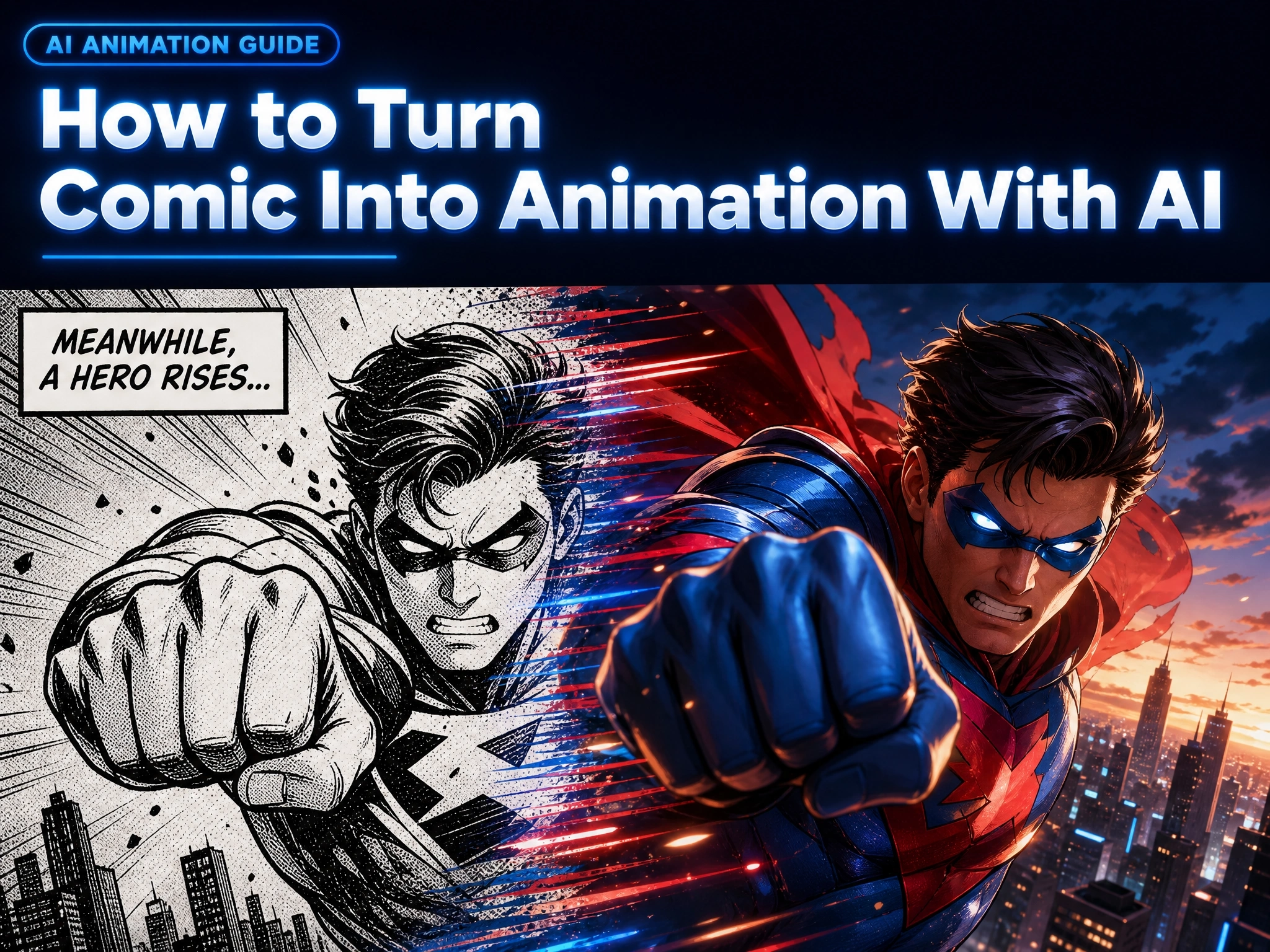
How to Turn Comic Into Animation With AI (2026 Step-by-Step Guide)
You’ve got a comic - panels, pages, maybe a whole finished issue. And you keep wondering the same thing: what would this look like animated?
A few years ago, that question had one expensive answer: hire an animation studio, budget for months of production, and hope the final cut still matches your original art style.
That’s changed. In 2026, AI can take a comic panel exactly as it is, understand what’s happening in it, and generate motion, camera work, voice, and lip sync — often within a single session.
This guide covers exactly how that works: what comic-to-animation AI actually does, why creators are switching to it, and a step-by-step walkthrough using Anijam and the practical details - from image quality to how you write a motion prompt - that actually affect the result.
What Does “Comic to Animation” Mean?
Turning Static Comic Panels Into Moving Stories
“Comic to animation” doesn’t mean redrawing a comic frame-by-frame, or building a full 3D model of every character. It means taking the artwork that already exists — a single panel, a full page, or a multi-panel strip - and adding motion on top of it.
That motion can include camera movement, character action, visual effects, panel transitions, and dialogue. AI-based comic animation tools generally work by analyzing what’s actually happening in the image - the pose, the composition, the implied action - and generating movement that fits it, rather than applying one generic effect to every image uploaded.
Common Types of Comic Animation Effects
Not every comic animation looks the same. Depending on the tool and the prompt, comic-to-animation output tends to fall into a few broad categories:
| Effect Type | What It Does | Best For |
|---|---|---|
| Pan & Zoom (Camera Motion) | Moves a virtual camera across a still panel - zooming into a face or panning across a wide shot | Establishing shots, dramatic reveals |
| Character Motion | Animates part of a character - blinking, breathing, mouth movement, a punch or a leap | Close-ups, action panels, dialogue scenes |
| Full Scene Animation | Animates the entire panel at once - background, effects, and characters move together | Splash pages, action sequences, trailers |
Why Use AI to Animate Comics?
AI doesn’t just make comic animation possible for people without a studio behind them - it changes the economics and the workflow of the whole process.
Save Time Compared to Traditional Animation
Traditional animation is typically measured in weeks or months per minute of finished footage, once storyboarding, rigging, and in-betweening are factored in. AI comic animation compresses most of that into a single working session, with individual clips often generated in minutes rather than days.
Reduce Animation Costs
There’s no need to hire storyboard artists, riggers, or in-between animators for a short comic animation. One creator, working directly on an AI platform, can go from a static panel to a finished clip without a production budget.
Animate Comics Without Professional Skills
Most AI comic animation tools work by uploading an image and describing the motion in plain language - the technical steps happen behind the scenes.
Scale Content Creation Easily
Comic creators, webtoon authors, and short-form video creators can produce multiple animated clips from a single comic series - useful for turning a backlog of pages into a steady stream of social content instead of one long, occasional project.
How to Turn a Comic Into Animation With Anijam AI
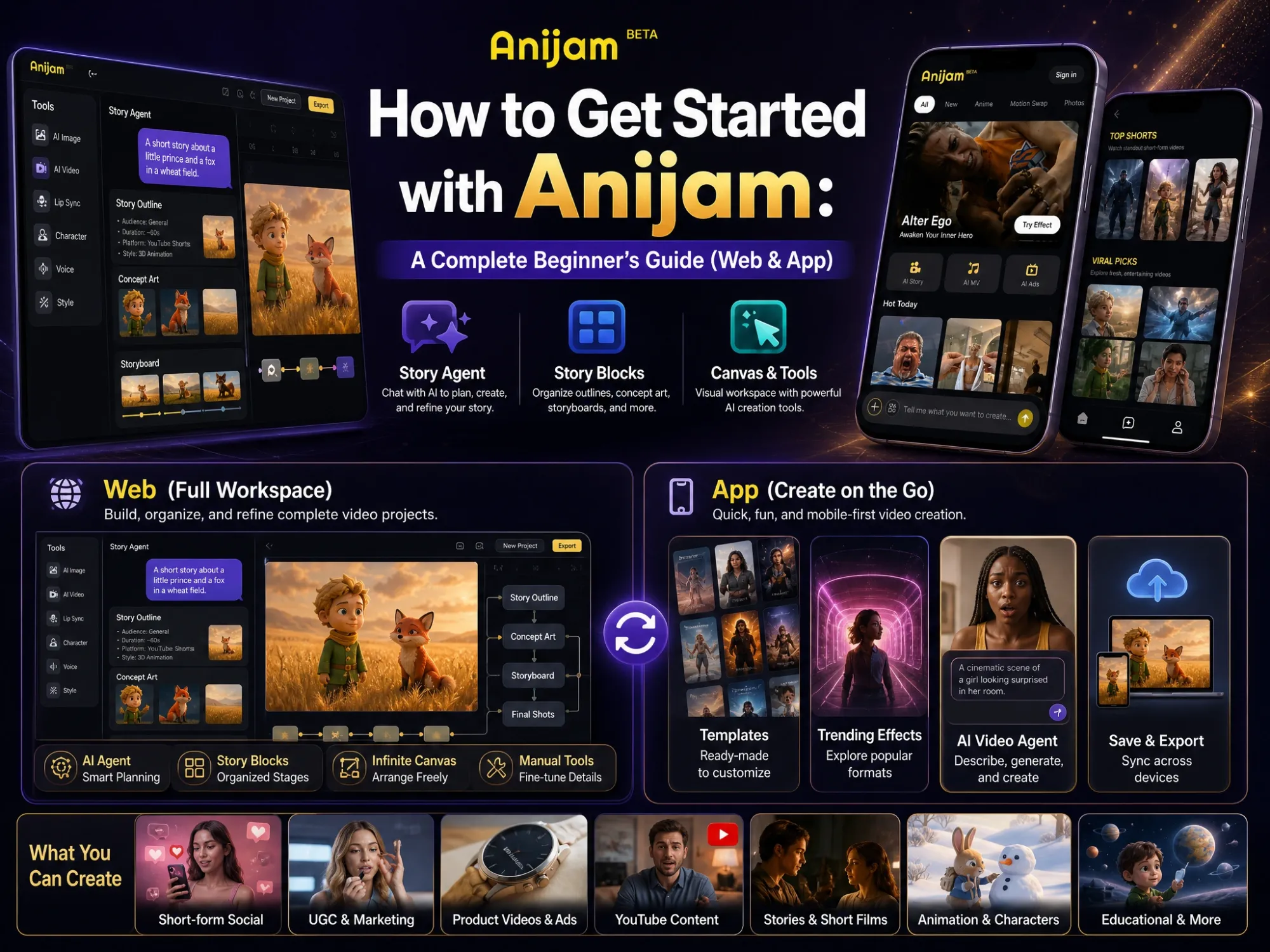
Anijam AI is an all-in-one AI animation platform that turns ideas, scripts, images, or artwork into fully animated video - with image generation, motion, character consistency, voice, and editing all inside one canvas. It includes a dedicated comic-to-animation tool for animating comic panels and graphic novel artwork directly on that same canvas. Here’s the actual workflow.
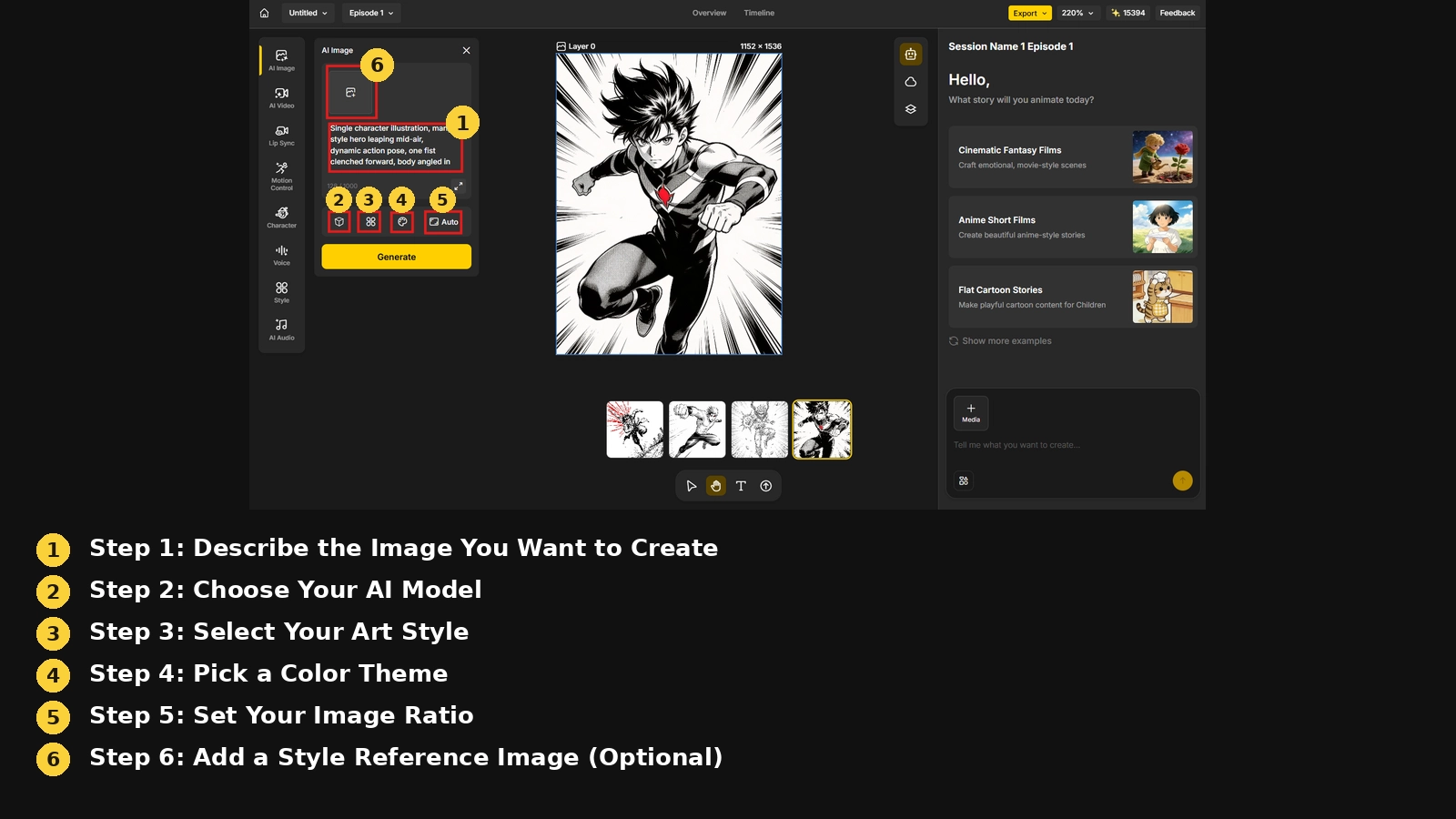
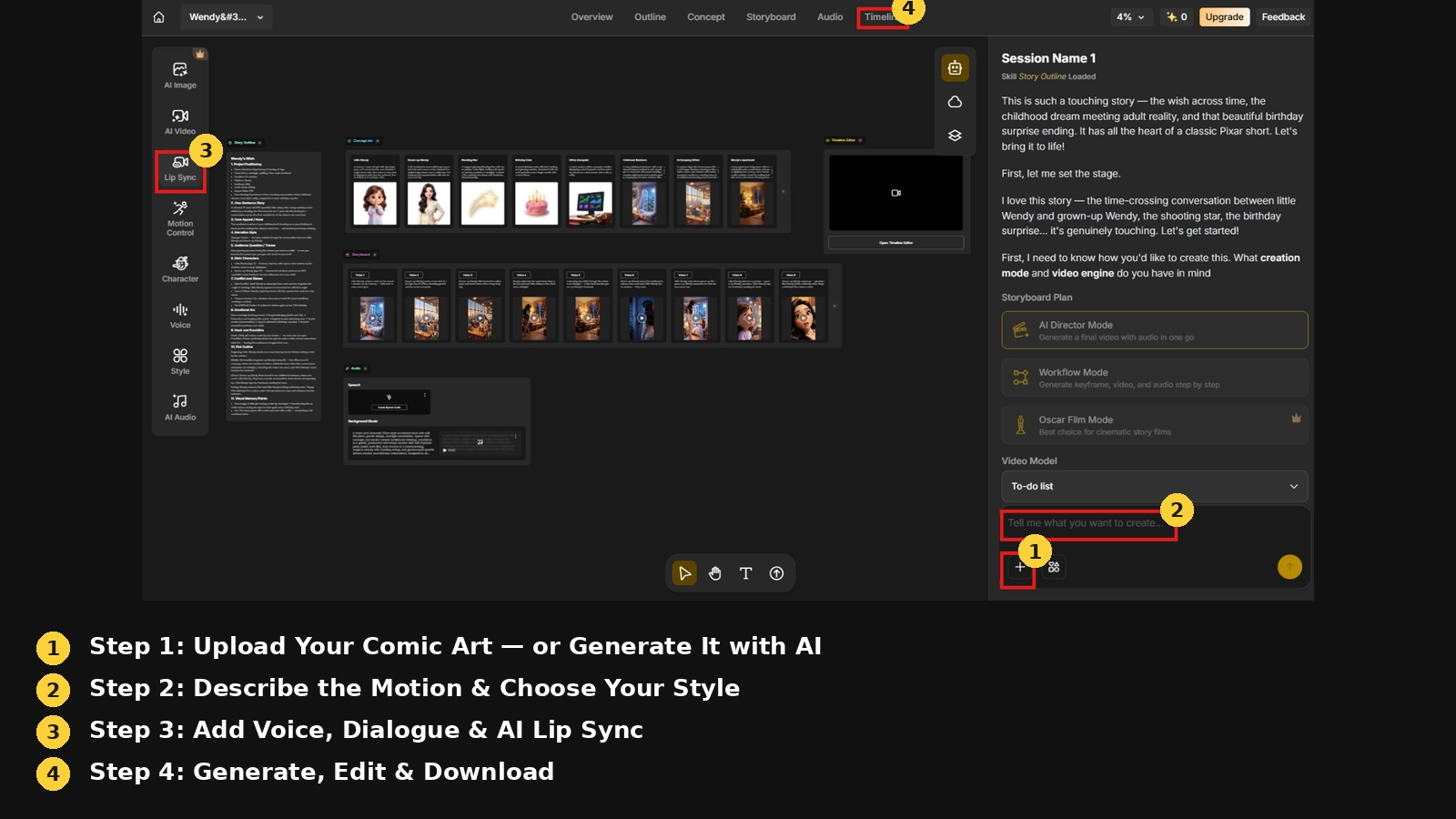
Step 1: Upload Your Comic Art - or Generate It with AI
Start by uploading comic panels, graphic novel pages, or character illustrations directly onto Anijam’s canvas.
No existing art yet? Anijam’s built-in AI image generator can create comic-style artwork from a text prompt instead - choosing from comic book, manga, or 3D cinematic aesthetics.
Step 2: Describe the Motion & Choose Your Style
Type a simple motion prompt - something like “hero leaps into action with speed lines,” “panel-by-panel reveal,” or “cinematic camera zoom on the villain” — or let the AI decide the motion automatically.
Then choose a visual style for the animation: comic book, anime, 3D cinematic, or cartoon.
Step 3: Add Voice, Dialogue & AI Lip Sync
Give animated characters a voice by uploading original audio or using text-to-speech, with more than 30 AI voice options across multiple languages.
Anijam’s AI lip sync engine matches each character’s mouth movement to the audio track, which is what actually makes a comic panel feel like it’s speaking — useful for hero one-liners, villain monologues, or full dialogue scenes.
Step 4: Generate, Edit & Download
Click Generate, and Anijam produces a fully animated video from the uploaded comic art.
From there, the timeline editor allows fine-tuning of pacing, motion timing, and dialogue sync before exporting.
Comparing 4 AI Comic Animation Tools for Different Creative Needs
| Tool | Built For | Character Consistency | Voice & Lip Sync | Best For |
|---|---|---|---|---|
| Anijam | Comic panels and graphic novels animated on one canvas | Persistent character engine - locks design across every scene | Built-in AI lip sync, 30+ languages | Creators who want image generation, animation, and lip sync in one workflow |
| Frameo | Comic panels and pages converted directly into narrative video | Character persistence across scenes | No dedicated comic lip sync feature confirmed | Teams adapting a full comic story into a structured video production |
| Komiko | Manga, comic, and anime creation with assistive animation | Strong identity consistency across angles and expressions | No native lip sync - routes clips to external video models | Artists who want deep comic-creation tools (panels, speech bubbles) alongside animation |
| Mootion | General AI video generation; comic is one of 11+ visual styles | No dedicated character-locking engine | AI voiceover, no dedicated lip sync | Fast, low-cost comic-styled clips, not necessarily from an uploaded panel |
Anijam
- Strength: Combines comic-style image generation, style-preserving animation, and lip sync inside one canvas - no exporting between tools
- Consistency: Persistent character engine keeps a character’s face, costume, and style identical across every scene
- Trade-off: Built more as a broader story-to-video production system than a dedicated comic-to-animation canvas, so comic-specific features sit alongside a wider general video toolset
Frameo
- Strength: Reads panel order and visual context to keep pacing and story sequence intact across a full comic adaptation
- Consistency: Includes character persistence across scenes, plus script-to-storyboard tools aimed at teams and agencies
- Trade-off: Positioned more as a broader production system than a single comic-to-animation canvas
Komiko
- Strength: Strongest at character identity - keeping the same face, angle, and expression consistent across generations
- Consistency: Includes real comic-creation tools: infinite canvas, speech bubble placement, panel layout
- Trade-off: Motion isn’t generated natively - finished panels are routed to external video models (Veo, Kling, Hailuo) for animation
Mootion
- Strength: General-purpose AI video generator with comic as one of 11+ available visual styles, fast and affordable for single clips
- Consistency: No dedicated character-locking system
- Trade-off: Consistency across a multi-scene story is harder to maintain than with comic-specific tools
Examples of Comic Animations You Can Create With AI
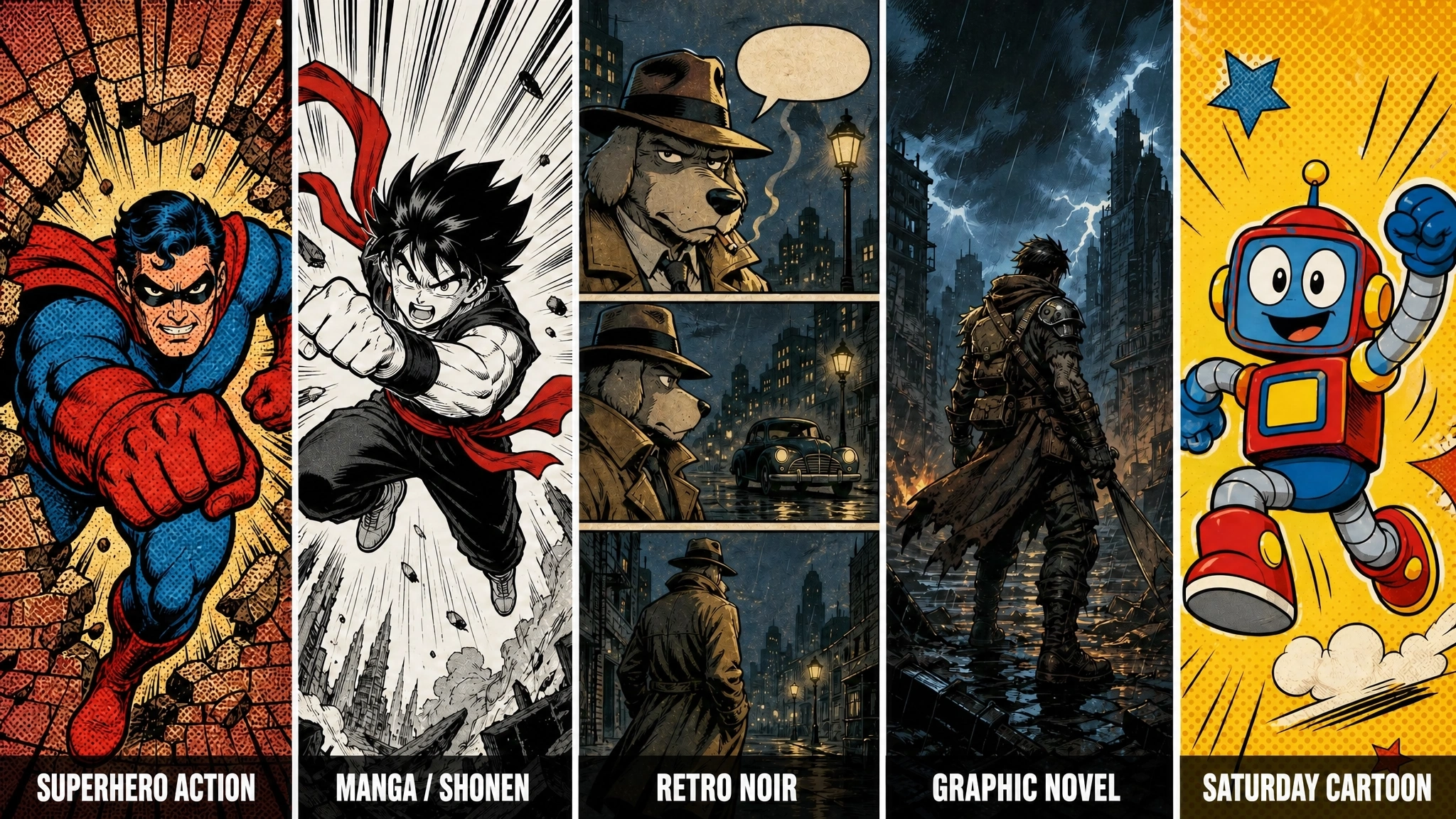
The kind of comic animation AI can produce depends a lot on the source art and how specific the prompt is. Here are five realistic directions, each with a sample prompt to show what “specific” looks like in practice.
Superhero Action / Splash Page Best for a high-impact single moment - a punch landing, a wall breaking, a hero’s entrance.
Prompt example: “Comic book superhero bursting through a brick wall, bold halftone dot overlay, thick ink outlines, primary colors, speed lines radiating from impact point, dynamic action pose.”
Manga / Shonen-Style Action Suited to expressive, high-energy character moments - jumps, reveals, dramatic close-ups. Prompt example: “Manga-style hero leaping mid-air, dramatic speed lines, black-and-white inking with red accent color, classic Shonen style.”
Retro Noir Comic Strip Works well for mystery, detective, or slower-paced dialogue-driven scenes.
Prompt example: “Retro comic strip, anthropomorphic detective in a trench coat, panel-by-panel motion, speech bubbles fading in, vintage newspaper print texture, noir city at night.”
Graphic Novel / Cinematic Scene Fits a more dramatic, film-like tone - wide establishing shots, moody lighting, heavier inking.
Prompt example: “Graphic novel style scene, post-apocalyptic warrior, bold cel-shaded colors, heavy shadow inking, rain-soaked environment, cinematic wide shot.”
Saturday-Morning Cartoon Style Best for lighter, comedic, or all-ages content with bright colors and bouncy motion.
Prompt example: “Colorful Saturday morning cartoon, wide-eyed robot character, bright primary colors, halftone background pattern, swoosh motion lines, playful action scene.”
Tips for Creating Better AI Comic Animations
- Use high-resolution, high-contrast comic panels - low-quality scans give the AI less to work with.
- Write specific motion prompts that combine an action with a camera direction, rather than vague instructions like “make it move.”
- Animate complex, multi-character scenes in smaller batches rather than one dense panel at once.
- Name and define recurring characters up front so their look stays consistent across every scene.
- Pair the finished animation with background music or sound effects - it does more for the final result than most people expect.
Conclusion
Turning a comic into animation used to be a studio-level undertaking. With AI tools like Anijam, it’s now a workflow one person can run from a browser - upload the art, describe the motion, add a voice, and export. What it does is give creators a fast, low-cost way to test whether their story works in motion.
If you’ve got comic panels sitting on a hard drive that you’ve always wanted to see move, that’s really the only requirement to get started.
Frequently Asked Questions
How does comic-to-animation AI work? Most tools treat your uploaded panel as a starting frame, then generate the frames that follow it based on your motion prompt - keeping the original pose, lighting, and composition instead of building a scene from scratch. Platforms with character consistency lock in a design once and reuse it across scenes, which prevents the character’s face from drifting. If lip sync is involved, the audio is mapped onto mouth movement frame by frame to match what’s being said.
What is comic to animation AI? Comic to animation AI refers to tools that automatically turn comic panels, graphic novel pages, and comic-style artwork into animated video, generating motion, camera work, and character animation from a still image instead of requiring manual, frame-by-frame animation.
Will AI animation change my comic’s original art style? It shouldn’t, if the tool is built for it. Style-preserving comic animation tools, including Anijam, are designed to keep ink lines, halftone patterns, color palettes, and character proportions intact while adding motion - rather than smoothing everything into a generic 3D or “AI-look” render. It’s worth previewing one panel first to confirm the tool holds onto your specific art style before animating a full page or series.
How long should my first AI comic animation be? Start short - a single panel or a 5-to-15-second clip is enough to test how the AI interprets your art style and motion prompts. Once the character, style, and pacing look right, it’s much easier to extend into a full multi-panel sequence than to troubleshoot a long clip that didn’t turn out the way you expected.
Can AI animate a full comic page automatically? Yes. AI comic animation tools can process a full page with multiple panels, sequencing them into one animated video rather than requiring each panel to be animated separately. That said, results tend to be cleaner when panels are animated individually or in small batches first - a full page with many characters and complex layouts is harder for the AI to interpret in a single pass than one clear panel at a time.
How do I keep my comic characters consistent? The most reliable way is to name and define each character before animating - most platforms, including Anijam, let you set up a character once and reference it across every scene. Beyond that, using the same reference image, keeping prompts consistent (same costume, hair, and color details each time), and animating scenes with that character in order rather than randomly all help reduce visual drift.
by Evan
Evan is an AI content creator and video technology writer at Anijam AI, focused on how generative AI is transforming storytelling and video production. He shares social trends, creative workflows, prompt strategies, and practical insights to help creators turn ideas into engaging videos and visual content.