


Video to Video AI: Transform Any Video with AI Styles and Characters
Transform existing videos with AI. Restyle footage, animate real motion, replace characters, and create anime, cartoon, 3D, or cinematic videos online with Anijam AI.
See What You Can Create with Video to Video AI
Whether you're restyling social clips, swapping in a new character, or transforming product footage into branded content, Anijam's video to video AI turns real footage into a polished new video in minutes — no editing skills required.
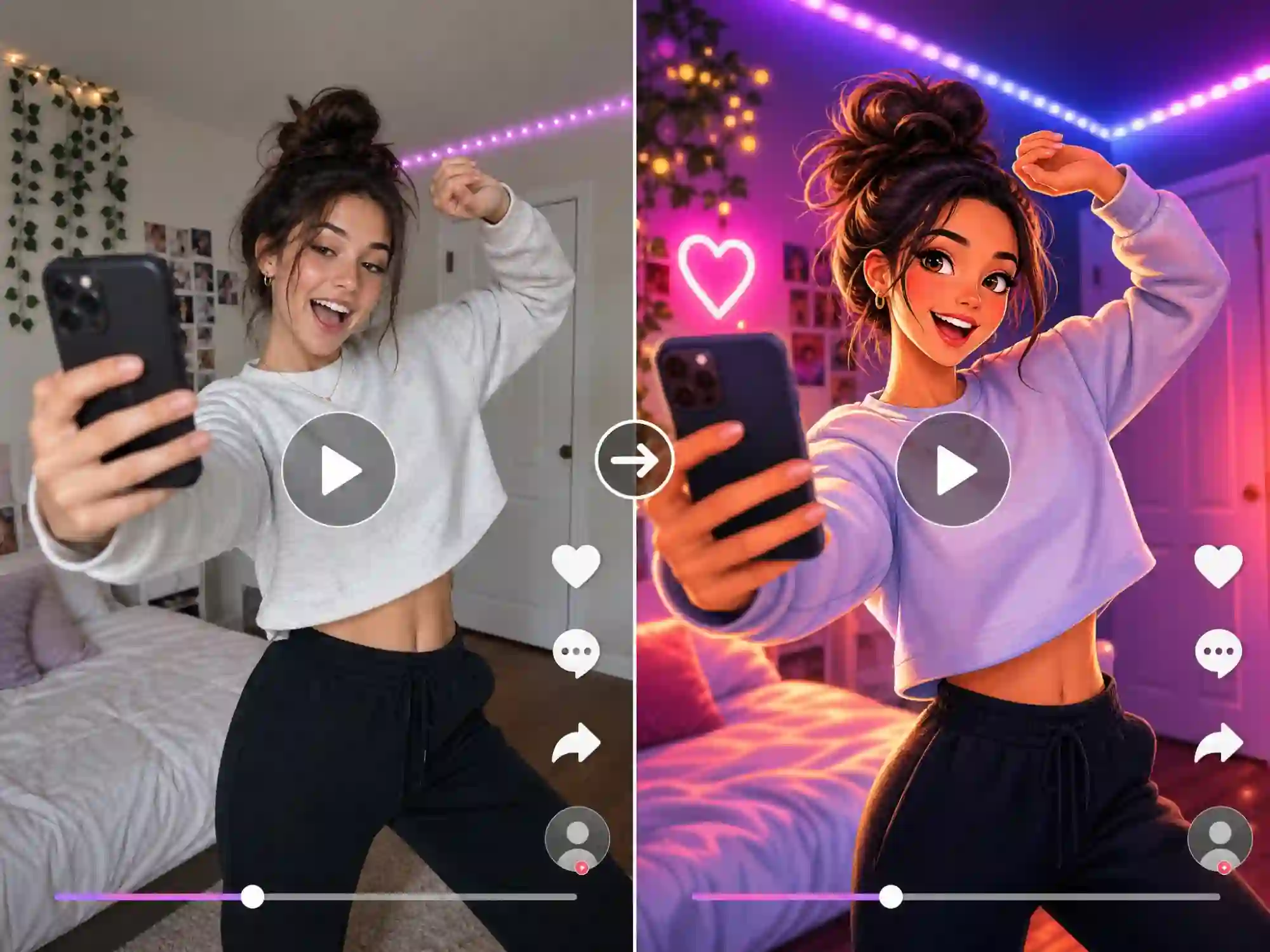
Create Viral Videos from Real Footage
Turn ordinary clips into eye-catching videos for TikTok, Instagram Reels, and YouTube Shorts. Keep your original motion, apply a new style or character, and stand out from raw camera footage.
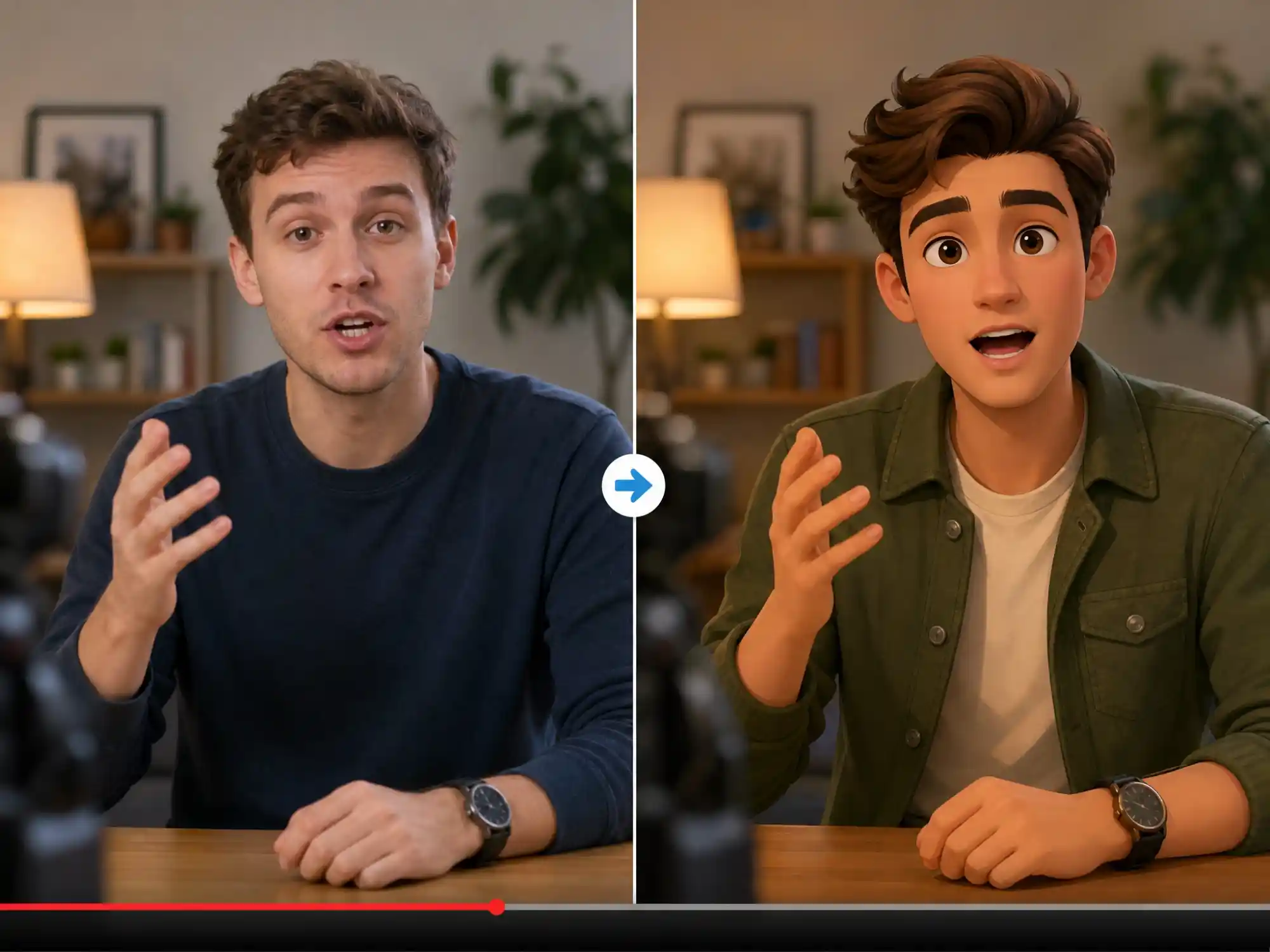
Swap In a Character Without Reshooting
Film a performance once, then replace yourself or your subject with a reference character while keeping the same motion, expressions, and lip sync. Perfect for creators who want a different face on screen without re-recording.
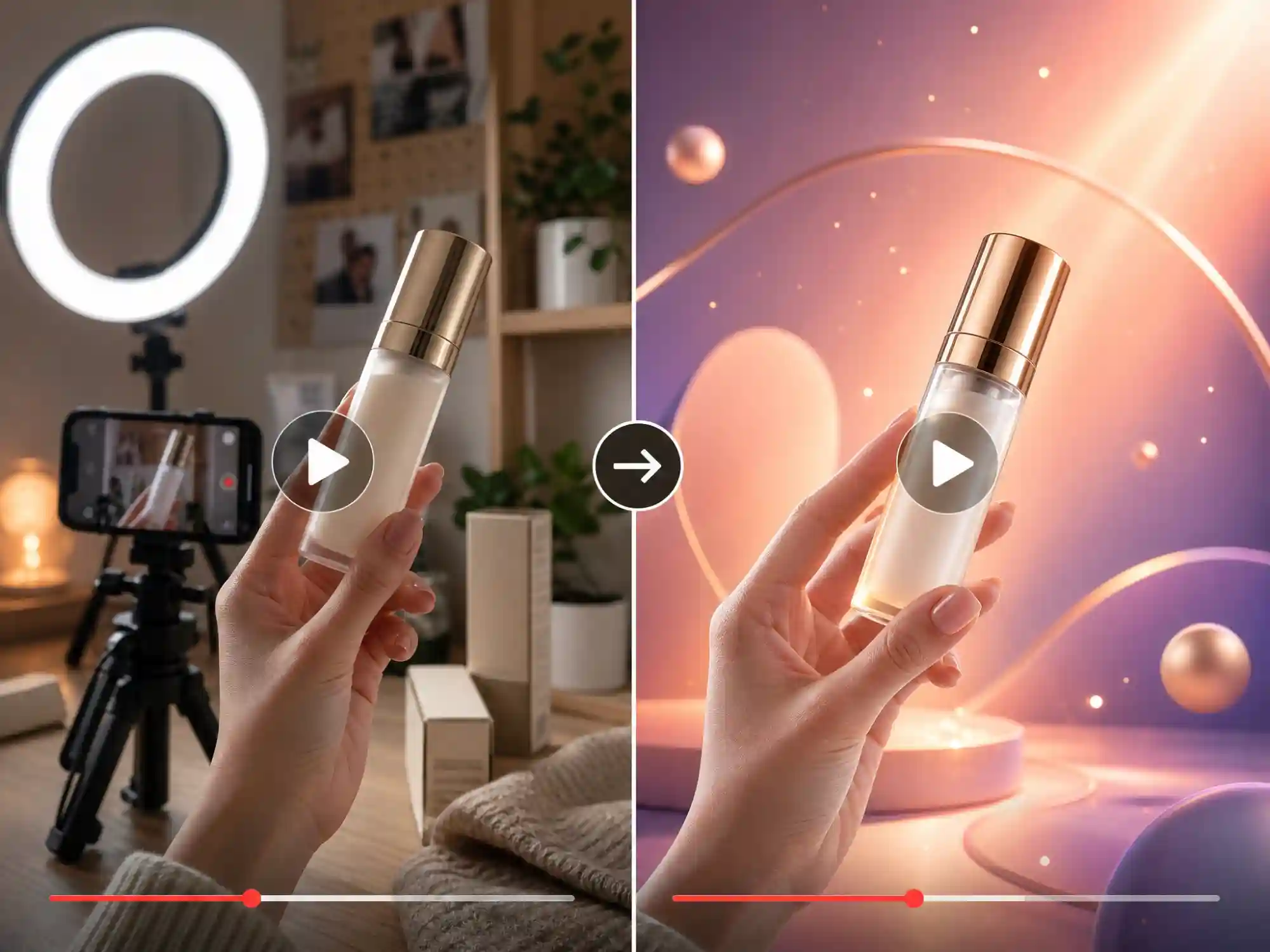
Turn Product Videos into Branded Content
Restyle real product footage into polished marketing videos. Keep the camera motion and product handling from your original shoot while giving it a distinct, on-brand look.
Transform Your Videos with Anijam's Video to Video AI
Turn your existing footage into completely new visual experiences with Anijam's video to video AI. Upload any video and transform it into anime, 3D, cartoon, cinematic, Ghibli-inspired, or realistic styles while keeping the original motion, timing, and expressions.
Unlike traditional video filters, Anijam preserves the movement and identity behind your footage, helping you create consistent characters and new visual worlds without reshooting. You can also create on the go with the Anijam mobile app, syncing projects across devices and exploring trending templates to start your next video faster.
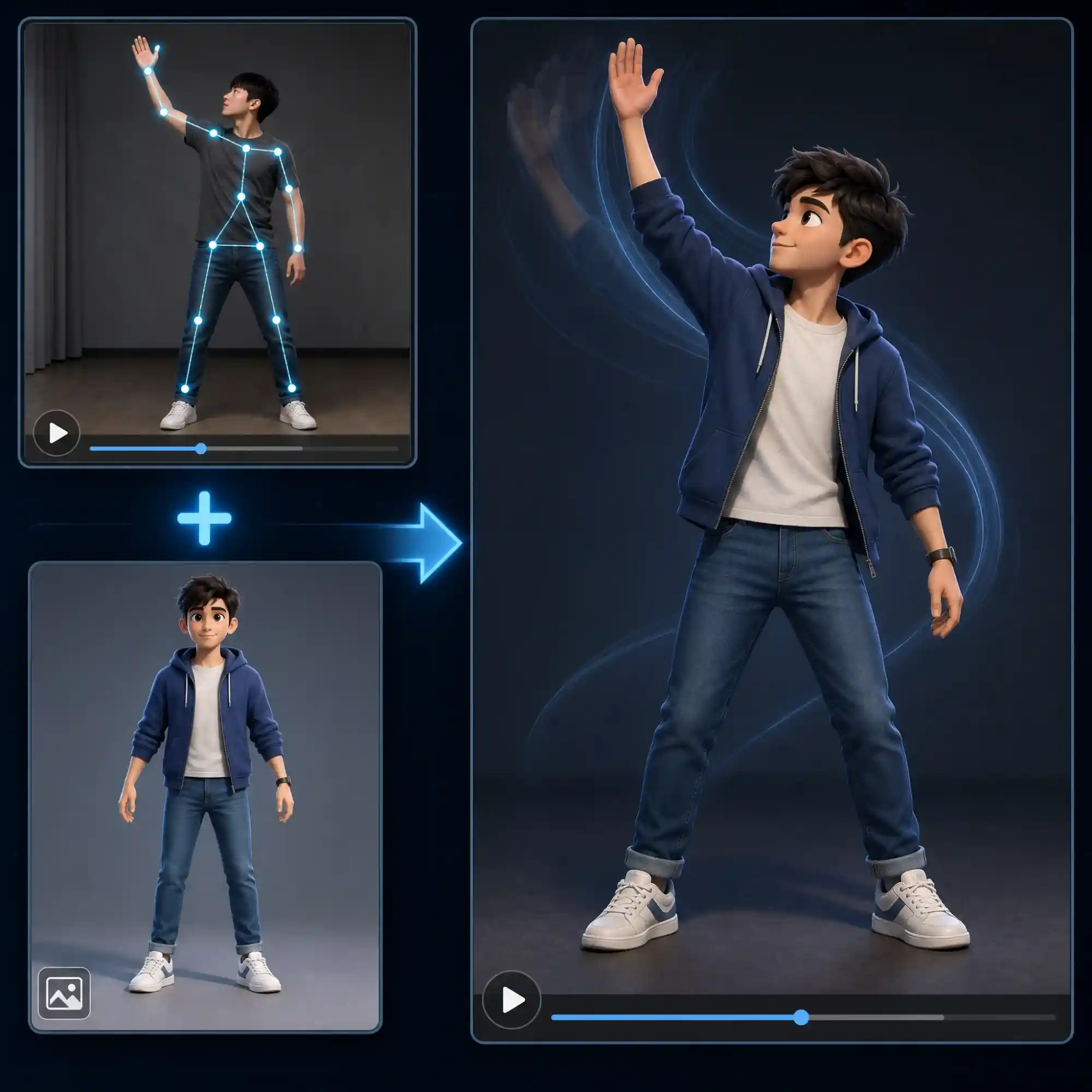
Transform Videos Without Losing Motion
Anijam's video to video AI reads the motion pattern straight from your uploaded footage — walking pace, hand gestures, head turns, camera pans — and applies it to your chosen character or style with smooth, natural motion consistency. Chain multiple actions from a single clip and get natural, continuous movement, whether you land on a realistic look or a fully stylized one. No rotoscoping, no manual keyframing.
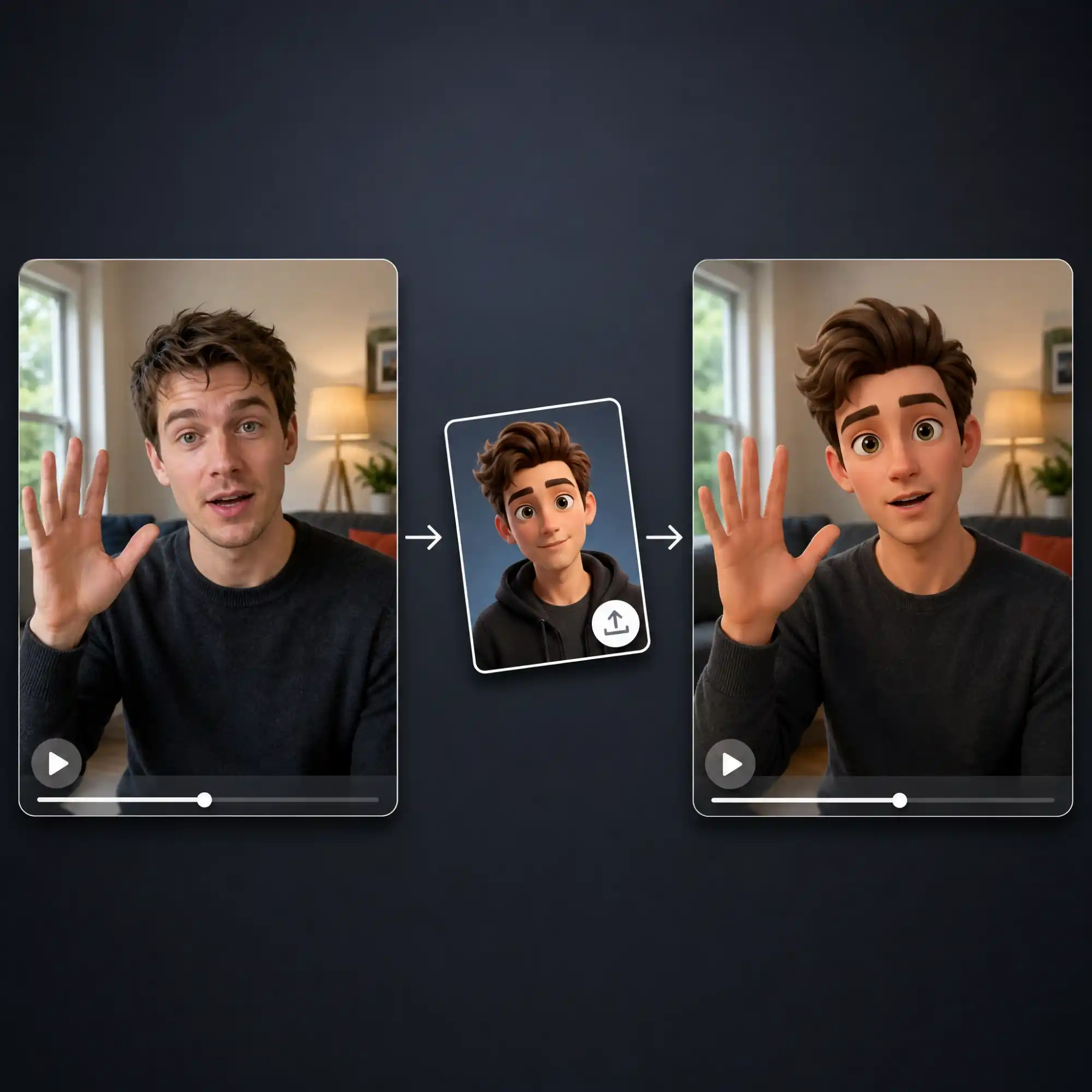
Swap Characters Without Reshooting
Don't want to appear on camera, or want a different character to carry the scene? Upload your video for its motion and a reference image for the character you want instead. Anijam replaces the original subject with your reference character — same walk, same gestures, same timing — so the performance stays intact while the character on screen is entirely new.
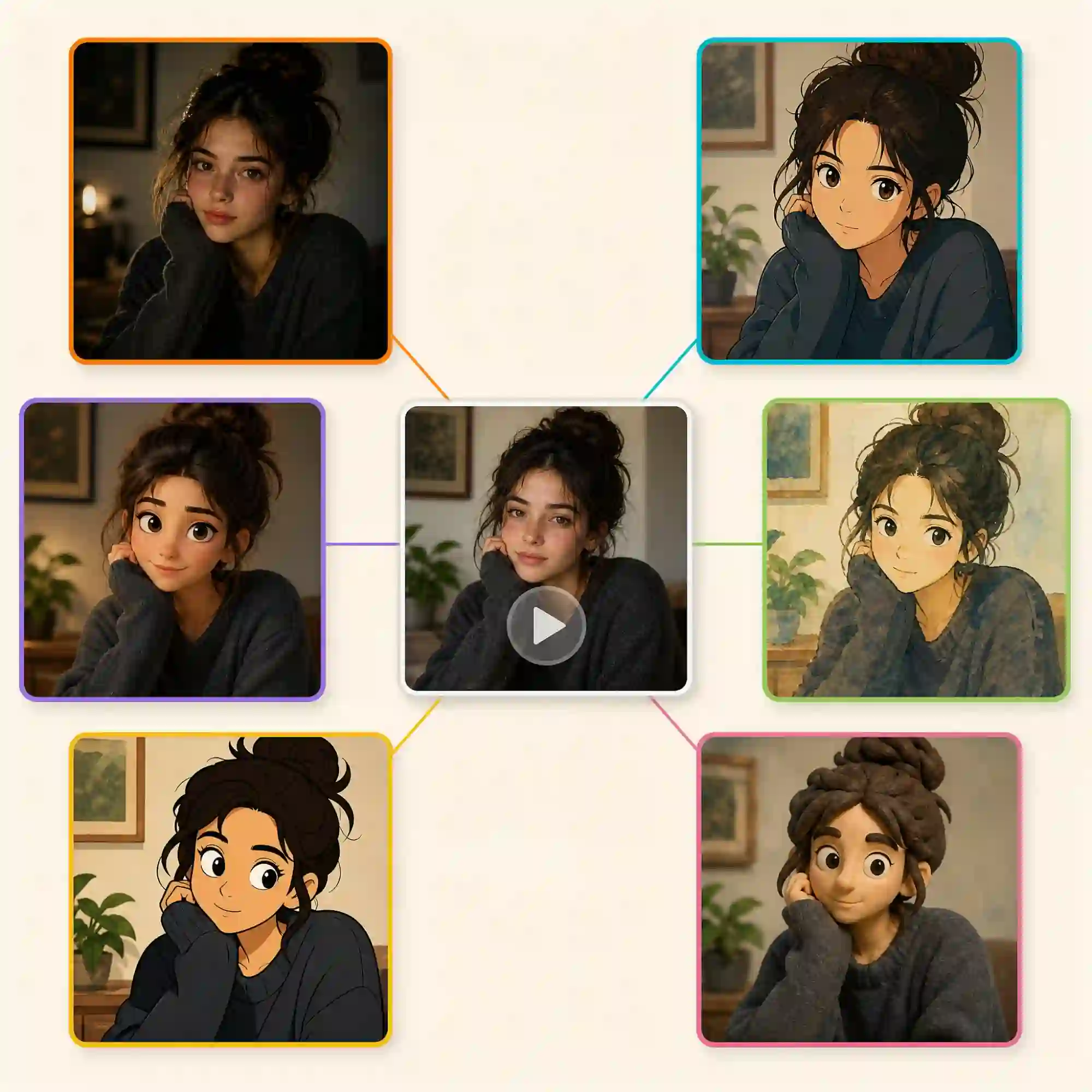
Transform Videos Into Any Style
Restyle your video in whatever direction fits your project: cinematic realistic and photorealistic looks for content that should still feel true-to-life, or fully stylized aesthetics like 2D anime, Studio Ghibli-inspired watercolor, cartoon, claymation, and pixel art. Apply a style from the library or train a custom look, and your footage transforms without losing the motion you originally shot.
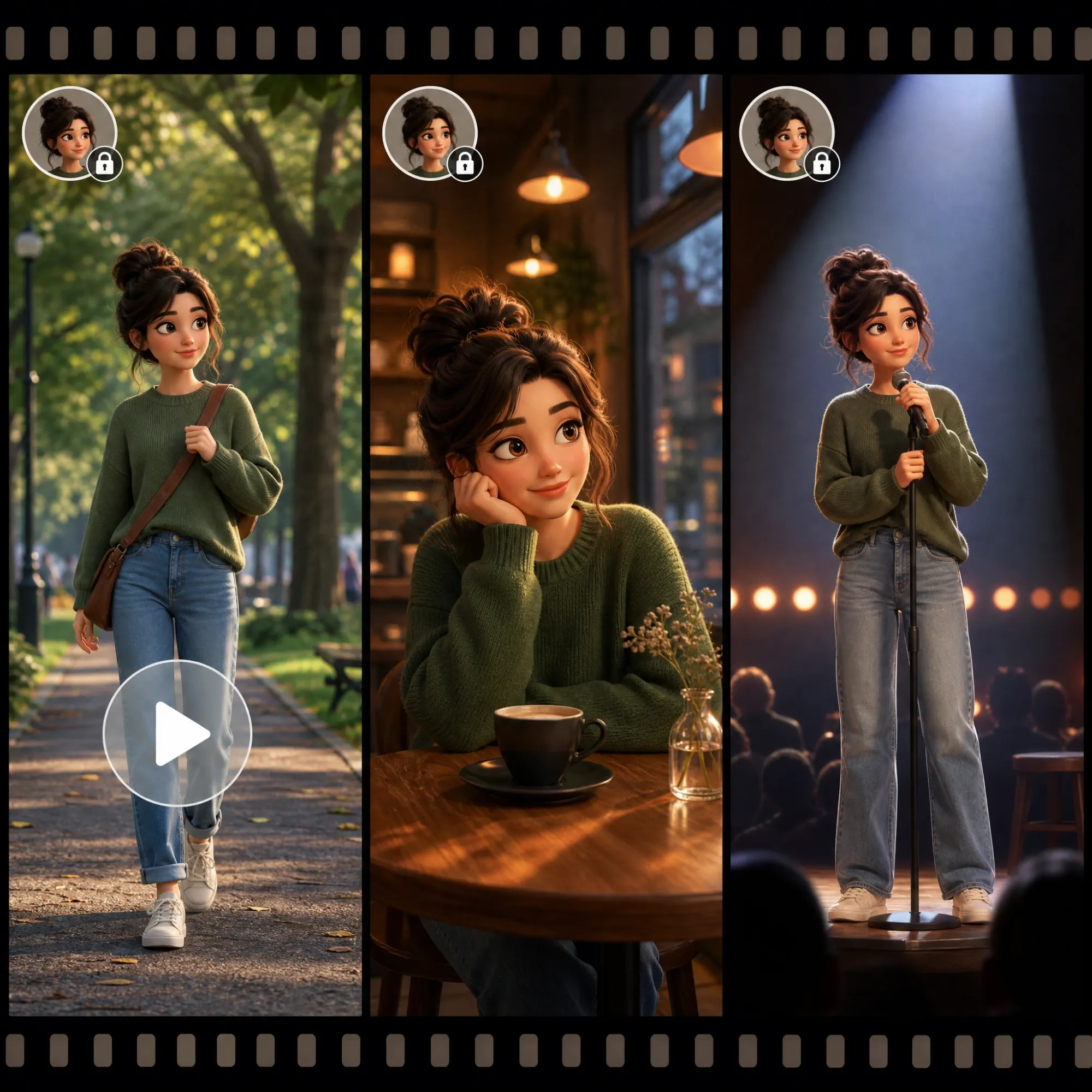
Keep Characters Consistent Across Scenes
Upload a reference image alongside your video, and Anijam locks your character's face, outfit, and proportions across every generated frame. The result is an animated character who performs your video's motion while staying visually identical from the first shot to the last — no drifting faces, no inconsistent details.
Animate Characters With Realistic Lip Sync
If your video includes dialogue, Anijam's lip-sync engine maps every phoneme to your animated character's mouth movements automatically. Or replace the original audio with one of 30+ AI voices in the voice library — perfect for turning talking-head footage into a fully animated, dubbed character video.
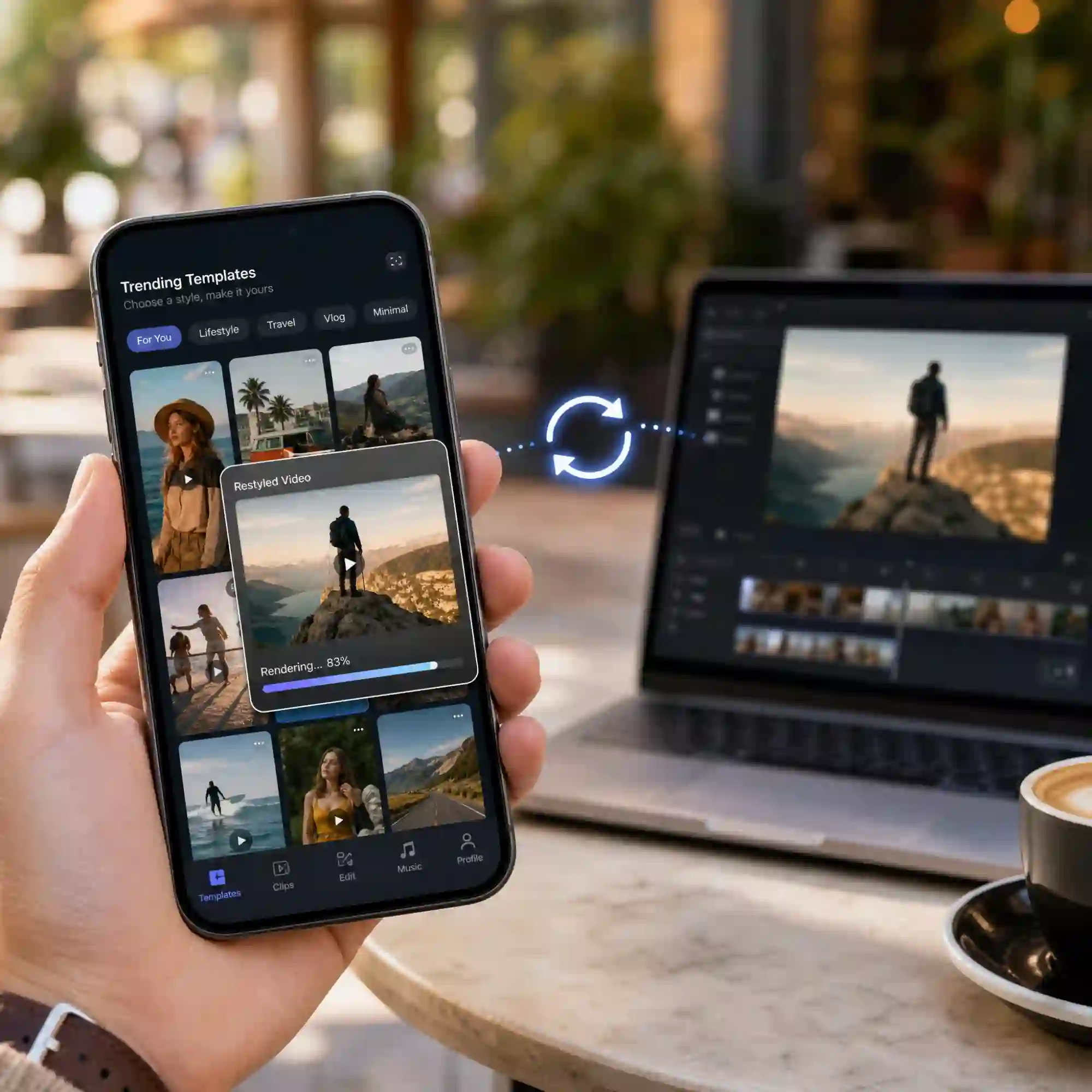
Transform Videos On Any Device
Take video to video AI with you. The Anijam app lets you upload footage, generate your restyled, swapped, or transformed video, and pick up projects right where you left off — everything syncs automatically between your phone and desktop. The app also gives you a constantly updated library of trending video templates, so you're always a tap away from your next viral-ready video.
Everyone Can Use Anijam's Video to Video AI
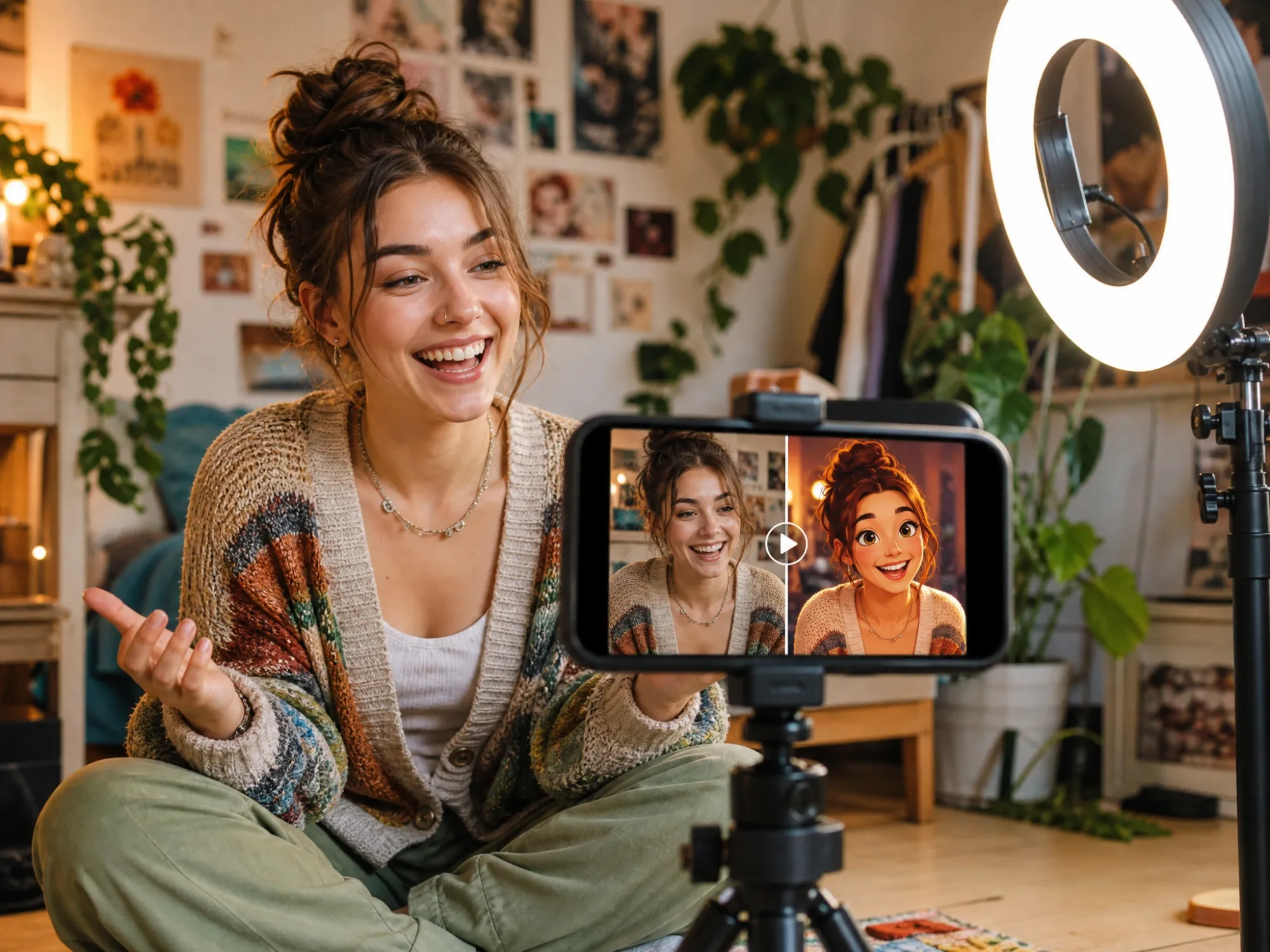
Content Creators & Storytellers
Turn everyday footage into scroll-stopping animated content with video to video AI. Convert TikToks, Reels, and YouTube Shorts into anime, cartoon, or 3D style videos while keeping the motion you filmed.
How to Convert Video to Video AI with Anijam
Step 1: Upload Your Video
Start with the video to video AI tool and upload the clip you want to transform (MP4, MOV, or similar formats). Anijam's AI analyzes the motion, framing, and timing directly from your footage.
Step 2: Choose Your Style & Character
Pick a style — cinematic realistic, anime, 3D, cartoon, Ghibli, claymation, and more — or upload a reference image to swap in a consistent character. Describe any extra scene details, then click Generate.
Step 3: Refine, Add Lip Sync & Download
Use the timeline editor to fine-tune motion and timing, add AI voice or lip sync if your video includes dialogue, then download your watermark-free animated video or share it directly to social platforms.
Why Choose Anijam Video to Video AI

Fast Video to Video Generation
Convert a video into a polished new clip in minutes, not hours. Ideal for creators who need to publish transformed content on a daily or weekly schedule.

Free to Start
Try Anijam's video to video AI free online with no credit card required. Sign up for free credits plus a daily check-in bonus to keep restyling, swapping, and transforming your videos.

Realistic & Stylized Options
Restyle your video into cinematic realistic, photorealistic, anime, 3D, cartoon, Ghibli, claymation, or pixel art — or train a custom style to match your brand or story.

No Editing Skills Needed
No rotoscoping, no rigging, no frame-by-frame editing. Upload your video, describe or pick a style or reference character, and let the AI agent handle motion extraction and rendering.

Commercial-Ready Output
Export finished videos ready for ads, social media, and branded content, with full commercial usage rights included in premium plans.

Watermark-Free Downloads
Download your converted video without watermarks, available in both the free trial and premium plans, so your content is ready to publish immediately.
Explore Anijam AI's Other Cutting-Edge AI Video Tools


What Our Users Said
More about Video to Video AI
FAQ
What is video to video AI?
Video to video AI is technology that takes an existing video as input and generates a new video from it, rather than starting from a blank prompt. With Anijam, the AI extracts the motion pattern — movement, gestures, camera work, and timing — directly from your uploaded footage and uses it in one of three ways: restyle the footage into a new visual look, swap the character on screen for a reference character of your own, or transform the whole clip into a different style, such as anime, 3D, cinematic realistic, or cartoon.
Is Anijam's video to video AI free online?
Yes. Anijam offers a free video to video AI experience online with no credit card required. New users receive free generation credits plus a daily check-in bonus, so you can restyle, swap, or transform your videos. Premium plans unlock more credits, longer videos, higher resolution, and full commercial usage rights.
Can I swap the character or person in my video?
Yes. Upload your video for its motion and a reference image of the character, product, or object you want instead. Anijam replaces the original subject with your reference while keeping the same movement, gestures, and timing from the source footage — useful if you don't want to appear on camera, want a consistent brand mascot in every video, or want to recast a scene with an original character.
What styles can I convert my video into?
Anijam's style library covers both realistic and stylized looks: cinematic realistic and photorealistic for grounded, true-to-life video, plus 2D anime, Studio Ghibli-inspired watercolor, 3D cinematic, classic cartoon, claymation, and pixel art for a fully stylized transformation. You can also upload custom style reference artwork to train your own look, so your converted video matches a specific brand or creative direction.
What video formats and lengths does Anijam support?
Anijam accepts standard video formats such as MP4 and MOV. For best motion-transfer accuracy, use a clear, well-lit clip with the main subject clearly visible. Exact length and resolution limits depend on your plan — free accounts are best suited to short clips, while premium plans support longer, higher-resolution projects.
Can I keep dialogue and add lip sync to my converted video?
Yes. If your original footage includes speech, Anijam's lip-sync engine maps the audio to your animated character's mouth movements automatically, frame by frame. You can also swap in a different AI voice from the 30+ language voice library if you want a new performance on top of the original motion.
Can I use the converted video commercially?
Yes, with a premium plan. Once upgraded, you can use your video to video AI output for ads, client work, branded content, and monetized platforms without additional licensing concerns. The free plan is best for personal projects, testing styles, and building your portfolio.