How to Make Viral AI Baby Videos: Step by Step 2026
Scroll through TikTok or Instagram Reels this year and you have probably seen it: a baby with two left feet suddenly nailing a full hip-hop routine, or a six-month-old delivering a monologue about rent prices in a deep, gravelly voice. These clips are not filmed. They are generated.
AI baby videos have become one of the most consistent viral formats of the past year, and almost all of them start from a single ingredient: a photo. No camera crew, no choreography, no voice actor. Just an image, a prompt, and an AI model that fills in the movement, the voice, and the expression.
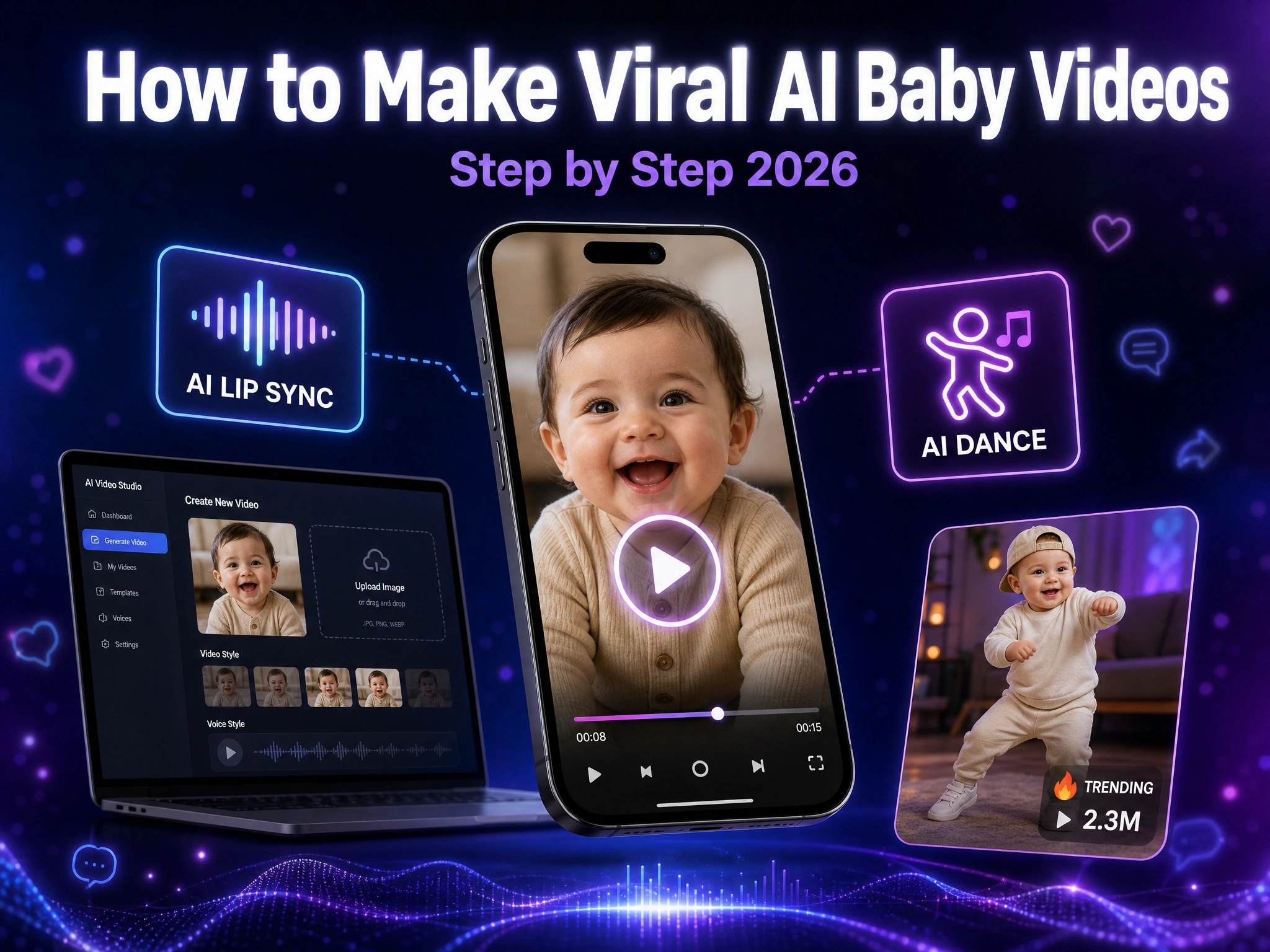
This guide walks through what an AI baby video actually is, the trend formats currently driving views on social media, and exactly how to make your own talking or dancing AI baby video using Anijam AI, on both web and the mobile app.
What Is an AI Baby Video?
An AI baby video is a short clip generated by artificial intelligence from a still photo of a baby or toddler. Instead of filming real footage, an AI model reads the face in the photo and generates new motion around it: a smile, a head turn, a dance move, or a full lip-synced sentence.
Most tools follow the same basic logic. You upload a photo, tell the AI what you want the baby to do or say, and the model generates a video that keeps the baby’s face and identity consistent while adding the motion, voice, or expression you asked for.
Popular AI Baby Video Trends on Social Media
A handful of formats keep resurfacing across TikTok, Instagram, and YouTube Shorts. Knowing which one you are making before you start makes it much easier to write the right script or prompt.
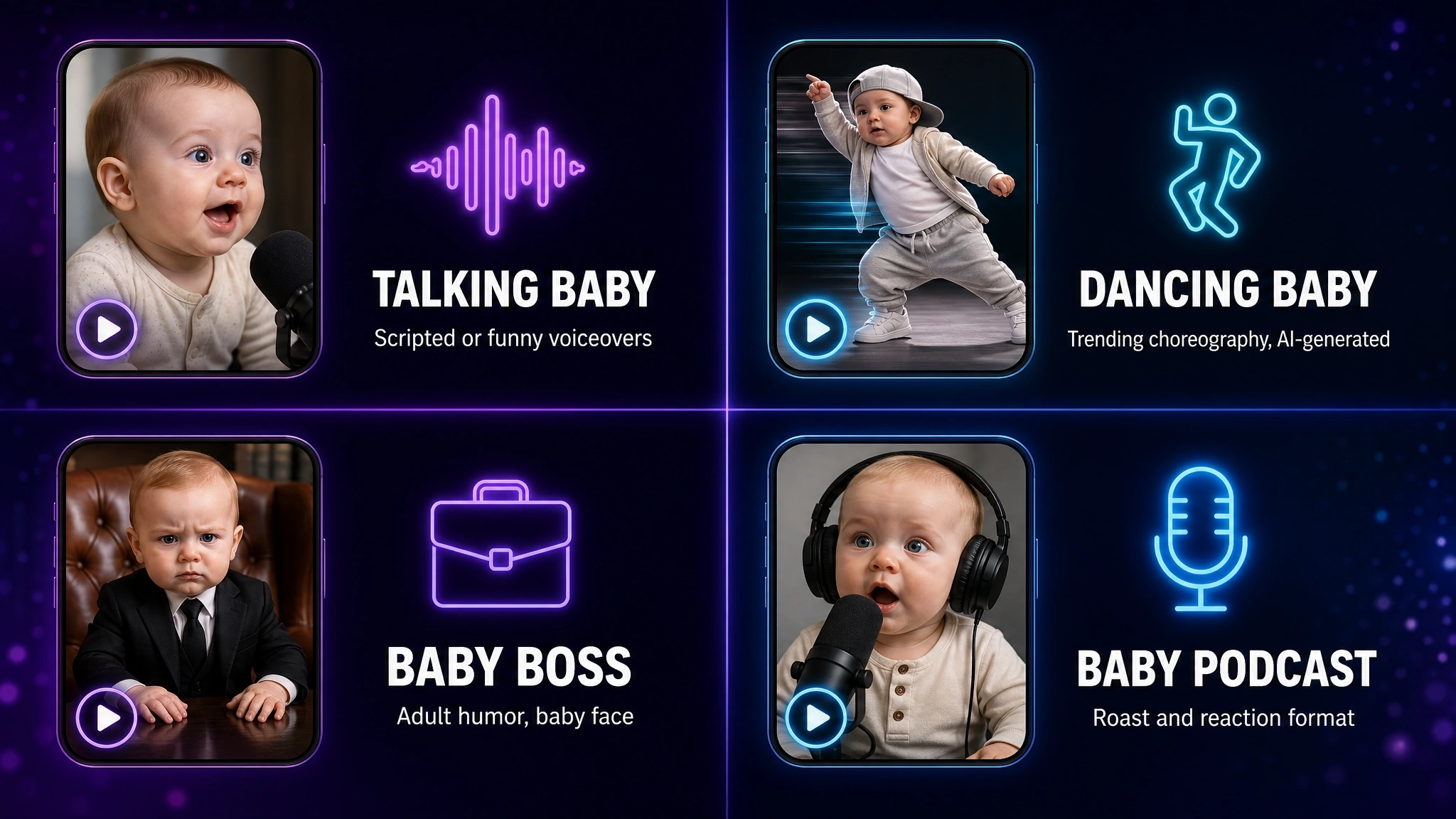
Talking Baby Videos
The most common format simply gives a baby a voice. Creators upload a photo, add a script or voice recording, and the AI lip-syncs the baby’s mouth to the audio. Family versions lean sentimental, with birthday messages, holiday greetings, and milestone announcements. Comedy versions lean the opposite way, having toddlers narrate distinctly adult topics like mortgage rates or work meetings, where the gap between the baby’s face and the subject matter is the joke itself.
Dancing Baby Videos
Late 2025 into 2026 saw an explosion of AI-generated babies performing full dance routines with a level of precision no real toddler could manage. The trend became so recognizable that creators, including celebrities, started recreating the choreography themselves on camera, specifically to prove a real human could still do it. A dancing baby video works the same way as a talking one, except the prompt or reference clip describes movement instead of speech.
Baby Boss / Adult-Style Baby Videos
This format leans into identity-reversal humor: a baby dressed in a suit, giving a motivational speech, closing a business deal, or complaining about a Monday. The absurd contrast between an infant’s face and adult-coded dialogue or setting is what drives the shares, and it works especially well as a short 6 to 20 second clip, which fits neatly into the short-form pacing that TikTok and Reels tend to favor.
Baby Podcast Videos
A newer spin on the talking baby format, baby podcast videos mimic the look and pacing of a real podcast or interview, with a baby “guest” ranting, roasting, or riffing on a trending audio clip, sometimes paired with a second animated character for a back-and-forth exchange. The format borrows podcast-style editing, like zoom-ins and reaction cuts, to make the joke land faster.
Here is how the four formats compare at a glance:
| Trend | Format | Best For |
|---|---|---|
| Talking Baby | Photo + script or voice, lip-synced to the baby’s mouth | Family messages, greetings, comedy skits |
| Dancing Baby | Photo + dance prompt or reference clip | Trend challenges, entertainment content |
| Baby Boss | Adult setting or dialogue paired with a baby’s face | Comedy, brand and marketing content |
| Baby Podcast | Baby “guest” reacting to a trending audio clip | Roast/reaction content, ongoing series |
How to Make AI Baby Videos With Anijam AI (Web & App)
Anijam AI is an all-in-one AI video platform where a single photo can become a talking or dancing baby video in one continuous workflow. Anijam’s Image to Animation tool reads the content of a photo and generates motion around it, while its Lip Sync feature matches mouth movement to any script or audio you provide. Projects sync automatically between the web platform and the mobile app, so you can create anytime, anywhere.
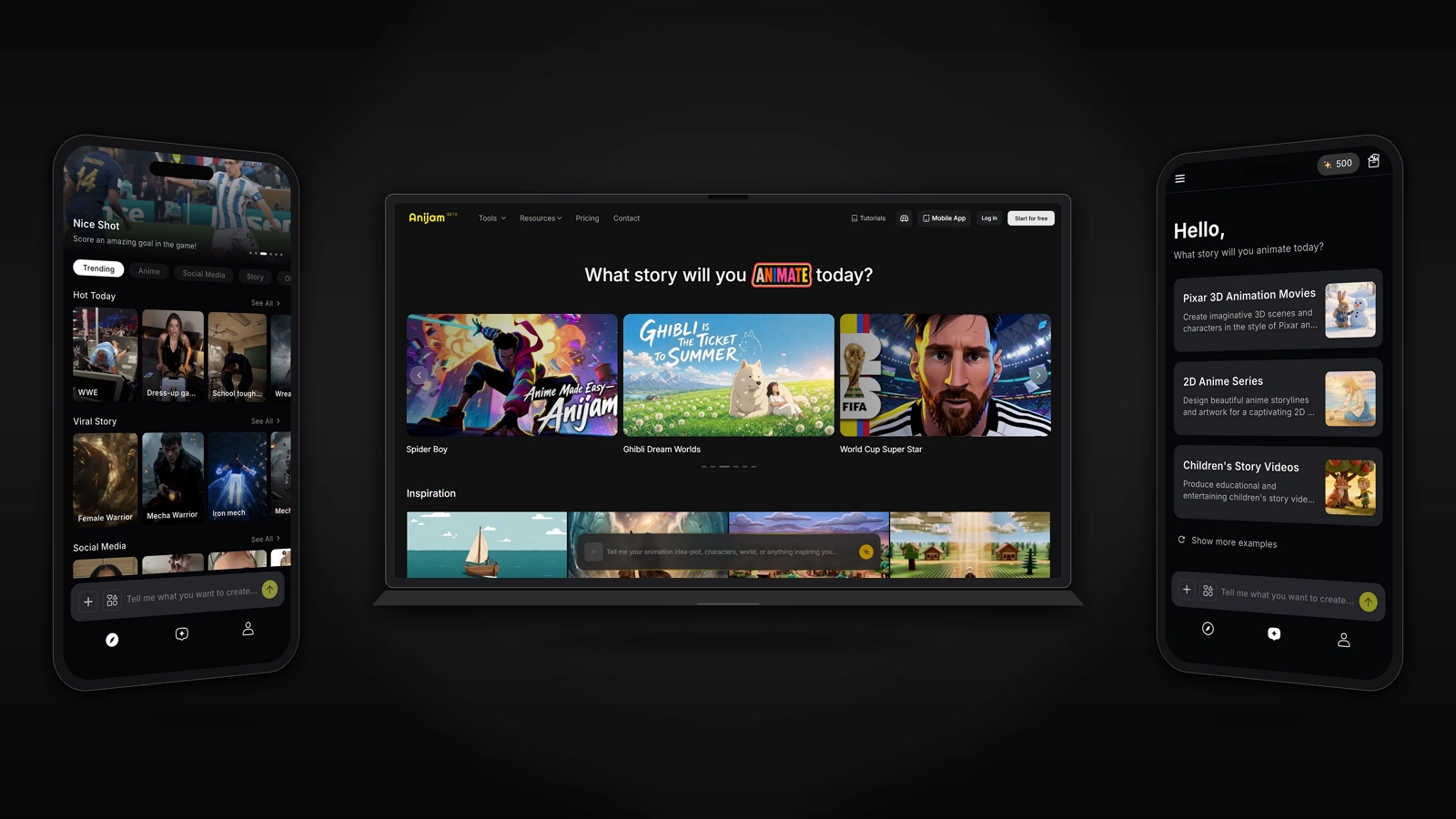
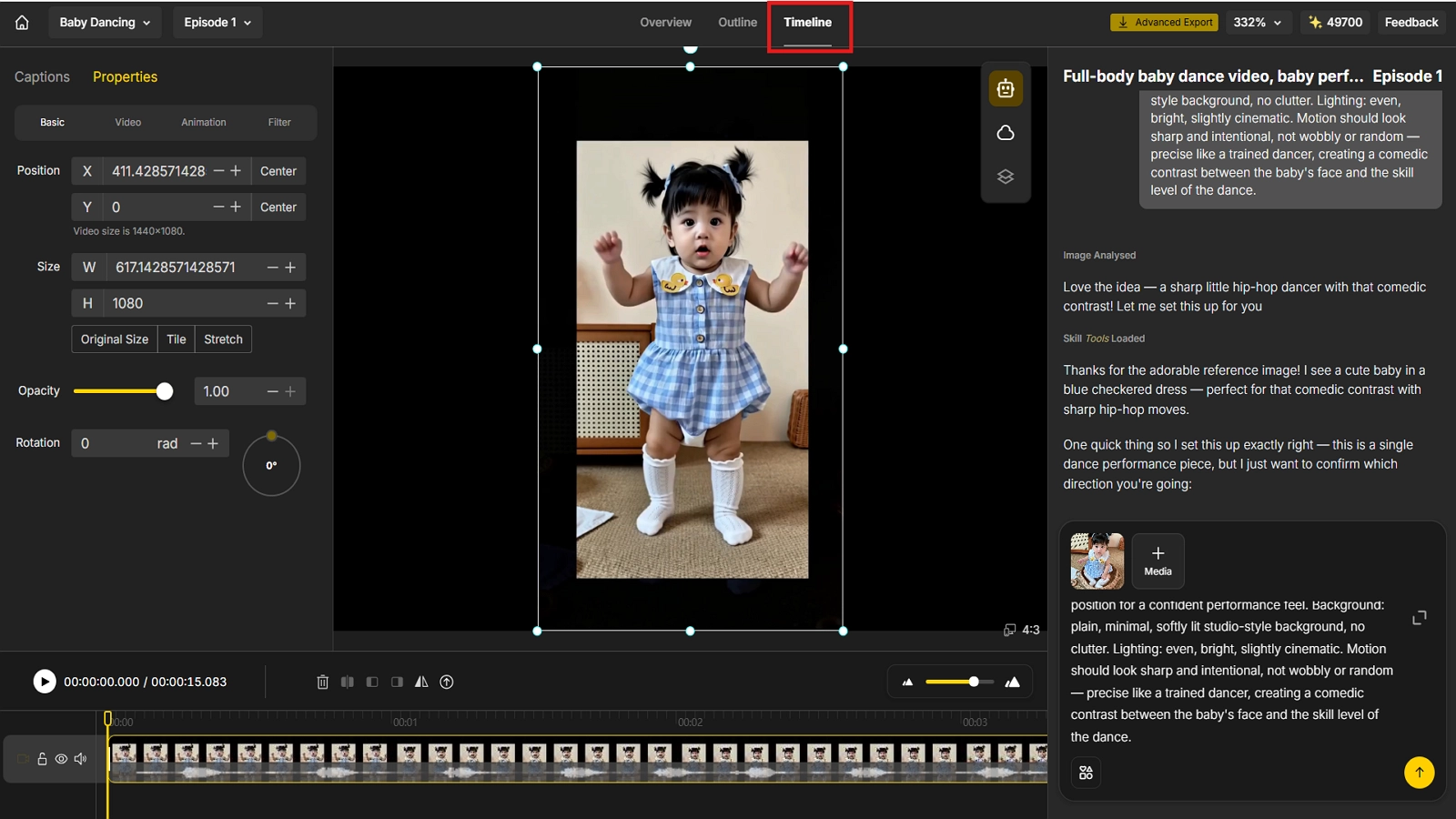
How to Make AI Baby Videos on Anijam Web
Step 1: Upload Your Baby Photo
A clear, front-facing photo with the face fully visible gives the AI the most to work with.
Step 2: Describe Your Scene & Add Your Script
Tell the AI what you want the baby to do, such as “upbeat hip-hop dance, confident expression,” or write the script you want the baby to say.
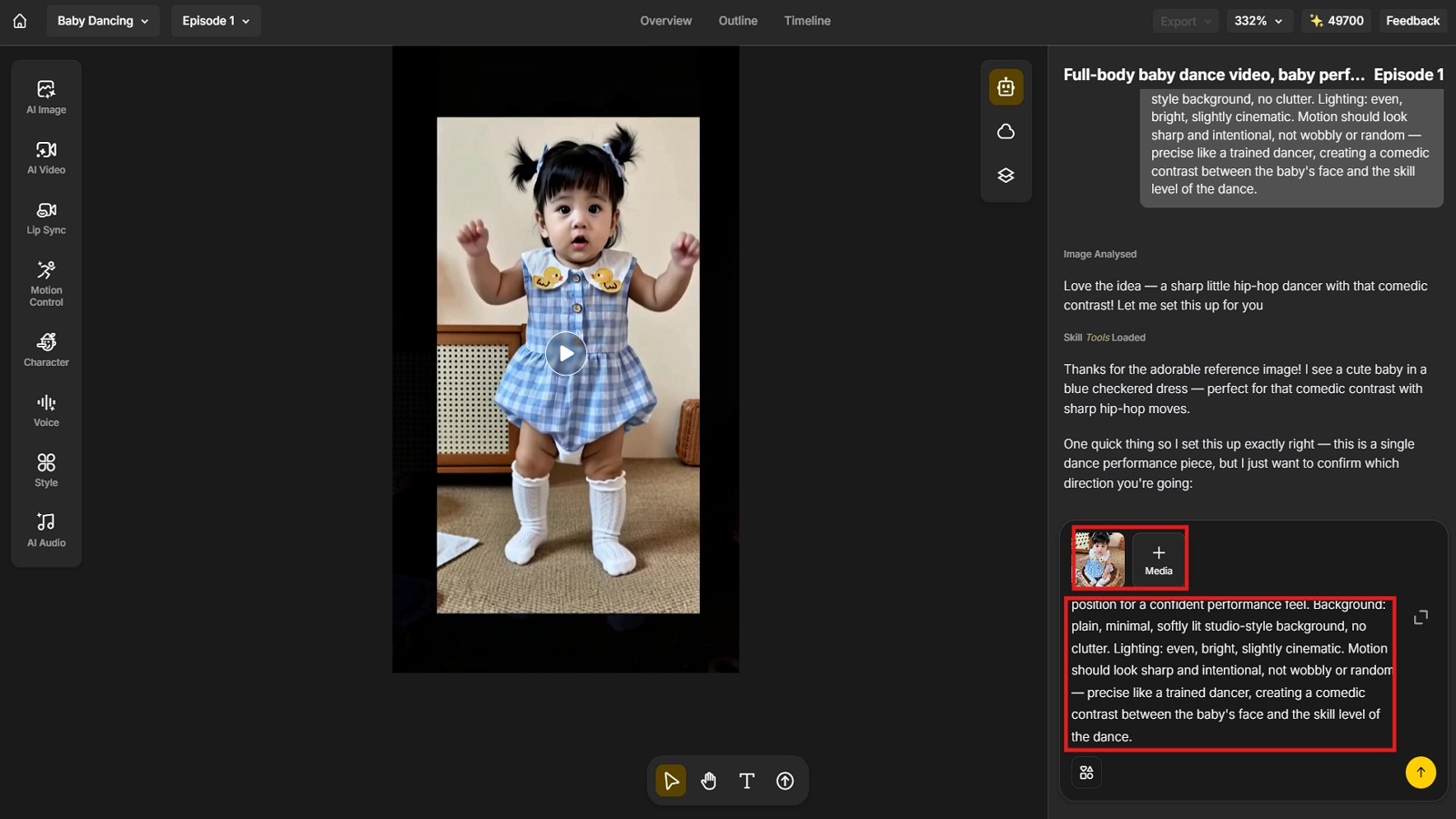
Step 3: Use the Lip Sync Feature
Add your script or upload an audio clip, and let the Lip Sync feature match the baby’s mouth movement to it for a natural talking video.
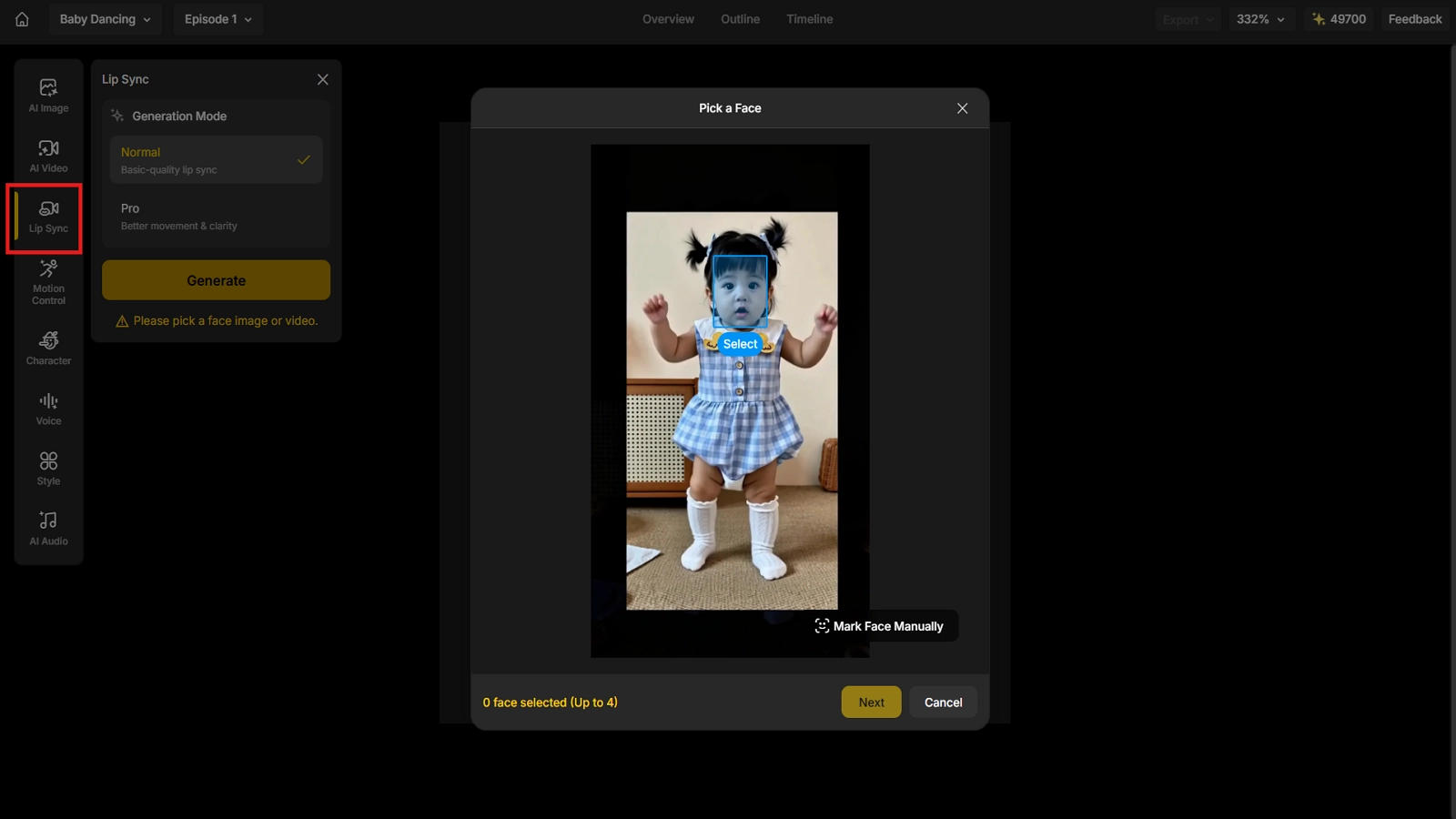
Step 4: Fine-Tune & Export
Preview the result, adjust the motion, pacing, or timing as needed, then export it.
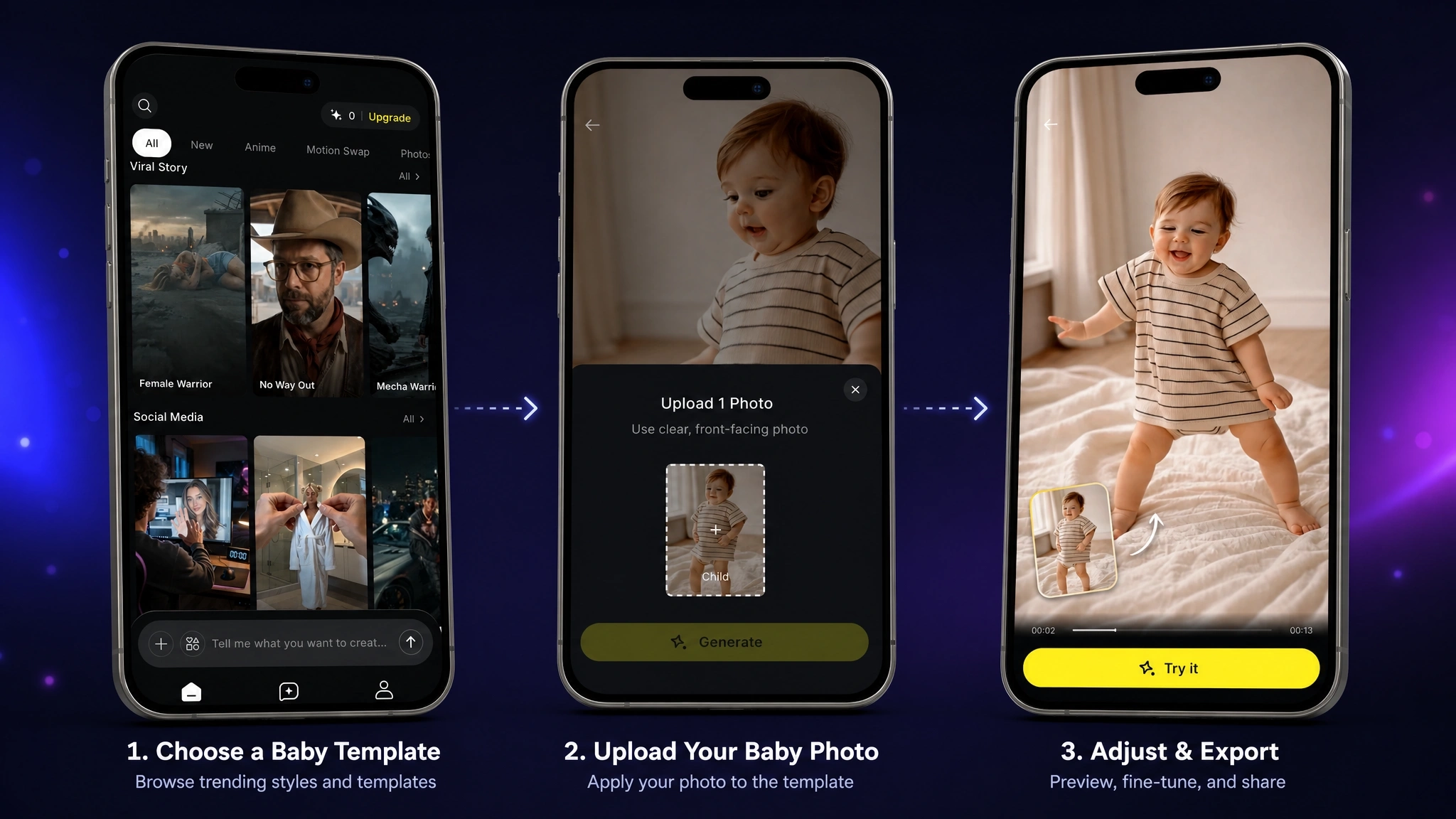
How to Make AI Baby Videos on the Anijam App
Step 1: Choose a Baby Template on Anijam
Open the Anijam AI app and browse the trending styles and templates, then pick the baby video template that matches what you want to create, whether it’s talking or dancing.
Step 2: Upload Your Baby Photo
Upload a photo from your camera roll, or take one directly in the app, and apply it to your chosen template.
Step 3: Adjust & Export
Preview the generated video, fine-tune the motion or timing if needed, then export it watermark-free and share straight to TikTok, Instagram, or YouTube Shorts.
Tips to Make Your AI Baby Video Go Viral
Getting the generation steps right is only half the job. A few small choices tend to separate a clip that gets scrolled past from one that gets shared.
Choose the Right Photo
Use a well-lit, front-facing photo with the baby’s face clearly visible and unobstructed, avoiding sunglasses, hands, or pacifiers covering the mouth if you are planning a talking video. Sharper source photos generally produce cleaner lip sync and more natural expressions.
Write a Catchy Script for Talking Baby Videos
The funniest and most shareable talking baby clips almost always rely on contrast: adult vocabulary, deadpan delivery, or a topic a baby has no business discussing. Keep the script short. A single punchy line or exchange usually lands better than a long monologue.
Pick a Trending Dance for Dancing Baby Videos
Riding an existing dance trend, rather than inventing a new one, tends to perform better, since the audio and choreography are already recognizable to viewers. Check what is currently trending on TikTok’s Discover page or Instagram’s Reels tab before you generate, and reference that specific song or move in your prompt.
Best Times & Hashtags to Post
Posting schedule genuinely affects reach. Data from millions of posts consistently points to Saturday as a strong day to post on TikTok, with weekday evenings around 6 to 9 PM also performing well, while Instagram Reels tend to do best in the late morning, around lunchtime, and again in the early evening. On most platforms, the first 30 to 60 minutes after posting matter the most, since that early engagement is what tells the algorithm how widely to push your video.
For hashtags, pair a broad discovery tag such as #fyp or #reels with one or two specific to the trend you are using, like #AIBaby, #TalkingBaby, #AIBabyDance, or #BabyPodcast.
Conclusion
AI baby videos prove that a viral format does not need a studio, a camera, or even a real performance, just one good photo and the right prompt. Whether you are sending a heartfelt talking baby message to family or chasing the next dance trend, the workflow stays the same: upload, describe, generate, share.
Anijam AI is built to handle that entire process in one place, on web or on the app, so you can go from a still photo to a finished video in minutes. If you want to try it yourself, head to Anijam AI and start creating today.
Frequently Asked Questions
Is Anijam free to use? Yes. You can check in daily to earn credits and use them to create your videos. If you’re looking for more advanced features, there are also different plans available to choose from.
How long does it take to generate an AI baby video? Most short clips generate in a few minutes. More complex requests, such as longer scripts or more detailed motion, may take a little longer, but the entire process is still far faster than filming and editing real footage.
Do I need video editing or animation skills to make an AI baby video? No. Anijam is built around plain-language prompts and templates instead of manual editing, rigging, or keyframing, so you don’t need any prior video or animation experience to get a shareable result.
Can I make an AI baby video without a photo? Yes. If you don’t have a suitable baby photo, you can generate a video from a text prompt alone, describing the baby’s look, setting, and action, and Anijam’s AI will create the scene from scratch.
by Evan
Evan is an AI content creator and video technology writer at Anijam AI, focused on how generative AI is transforming storytelling and video production. He shares social trends, creative workflows, prompt strategies, and practical insights to help creators turn ideas into engaging videos and visual content.