How to Make AI Healing Videos: From Idea to Finished Video
Scroll through TikTok or Instagram late enough at night and you’ll probably land on one: a soft, glowing scene, a few seconds of gentle music, no real plot to follow, nothing dramatic happening - and somehow your shoulders drop a little.
These are AI healing videos, and they’ve quietly become one of the most-watched formats in short-form video.
Researchers who studied hundreds of them found that people don’t stumble onto this content by accident. They actively search for it, often during anxious moments or right before bed, looking for a brief, controllable dose of calm.
The good news is that you don’t need animation training, a studio, or hours of manual editing to make one. This guide covers what actually makes a video feel “healing,” then walks through the step-by-step process for making your own - from a single idea to a finished, exportable video.
What Is an AI Healing Video?
An AI healing video is a short, AI-generated video built to soothe rather than inform, sell, or entertain in the usual sense. There’s typically no call to action and very little plot - just a gentle scene, a small emotional beat, and a mood that lingers after the video ends.
Where the Trend Comes From
The format grew out of a broader shift on TikTok, YouTube Shorts, and Instagram Reels, where AI-generated videos built around a single soft, emotional moment started consistently outperforming louder, trend-chasing content.
The clearest example is the “AI hugging” trend, which went viral on TikTok as users generated videos of themselves embracing pets, loved ones, or people they’d lost. Many participants described it as an emotional, even cathartic experience rather than just a novelty effect, which is a big part of why the format spread so fast.
From there, creators broadened the idea beyond hugging a specific person into a wider style: short, AI-generated clips built purely around a calm, comforting feeling, now common across US and global short-form feeds.
Why People Watch Them
The same study found that viewing this content is intentional, not accidental. People tend to seek it out during moments of anxiety or insomnia, relying on the platform’s recommendation algorithm to serve up matching videos for brief, controllable emotional relief.
In other words, viewers aren’t looking to be entertained for twenty minutes. They want a short, low-effort reset they can dip into and out of on their own terms - which is exactly why these videos tend to run just fifteen to sixty seconds.
What Makes a Video Feel “Healing”
According to the same research, the videos that resonate most share a consistent visual and emotional pattern:
- Warm, soft visuals: Hand-drawn or hand-painted animation styles with warm color tones, used to build a sense of safety.
- Gentle, fantastical touches: Elements like gentle biological transformation or one material quietly becoming another, giving the scene a dreamlike, low-stakes quality.
- Simplicity wins: Videos that skip complex storylines in favor of a single, clear emotional atmosphere consistently earn more likes, comments, and shares than plot-driven ones.
The Anatomy of a Great Healing Video
Once you understand why these videos work, the craft side becomes much more specific. Four traits show up again and again in the videos that actually land.
Warm, Low-Saturation Color Palettes
Muted golds, soft creams, dusky blues, and gentle pinks read as calm and safe. High-contrast, highly saturated color tends to feel energizing or urgent - the opposite of what this format is going for.
Simple Emotion Over Complex Plot
One feeling, told simply, beats a three-act story every time in this format. A single moment - someone folding a sweater, watching rain from a window, a small animal curling up - carries more weight than an elaborate narrative with a twist.
Everyday Moments and Gentle Metaphors
The strongest healing videos draw on ordinary, universally recognizable moments - a warm meal left out, a wind chime moving in the breeze, a plant slowly unfurling - rather than grand or unusual events. Familiarity is what makes the moment feel personal to a wide audience.
Soft Lighting, Slow Pacing, Minimal Dialogue
Backlighting, diffused light, and gentle camera movement do more work than dialogue. Many of the best-performing videos have no spoken lines at all, letting the visuals and music carry the mood on their own.
Here’s how that compares to typical high-energy short-form content:
| Trait | High-Energy Short-Form Video | AI Healing Video |
|---|---|---|
| Pacing | Fast cuts, quick hooks | Slow, few cuts |
| Color | Bright, high contrast | Warm, low-saturation |
| Plot | Twist or punchline-driven | One simple feeling |
| Sound | Trending audio, fast beats | Soft instrumental, often no dialogue |
How to Make an AI Healing Video
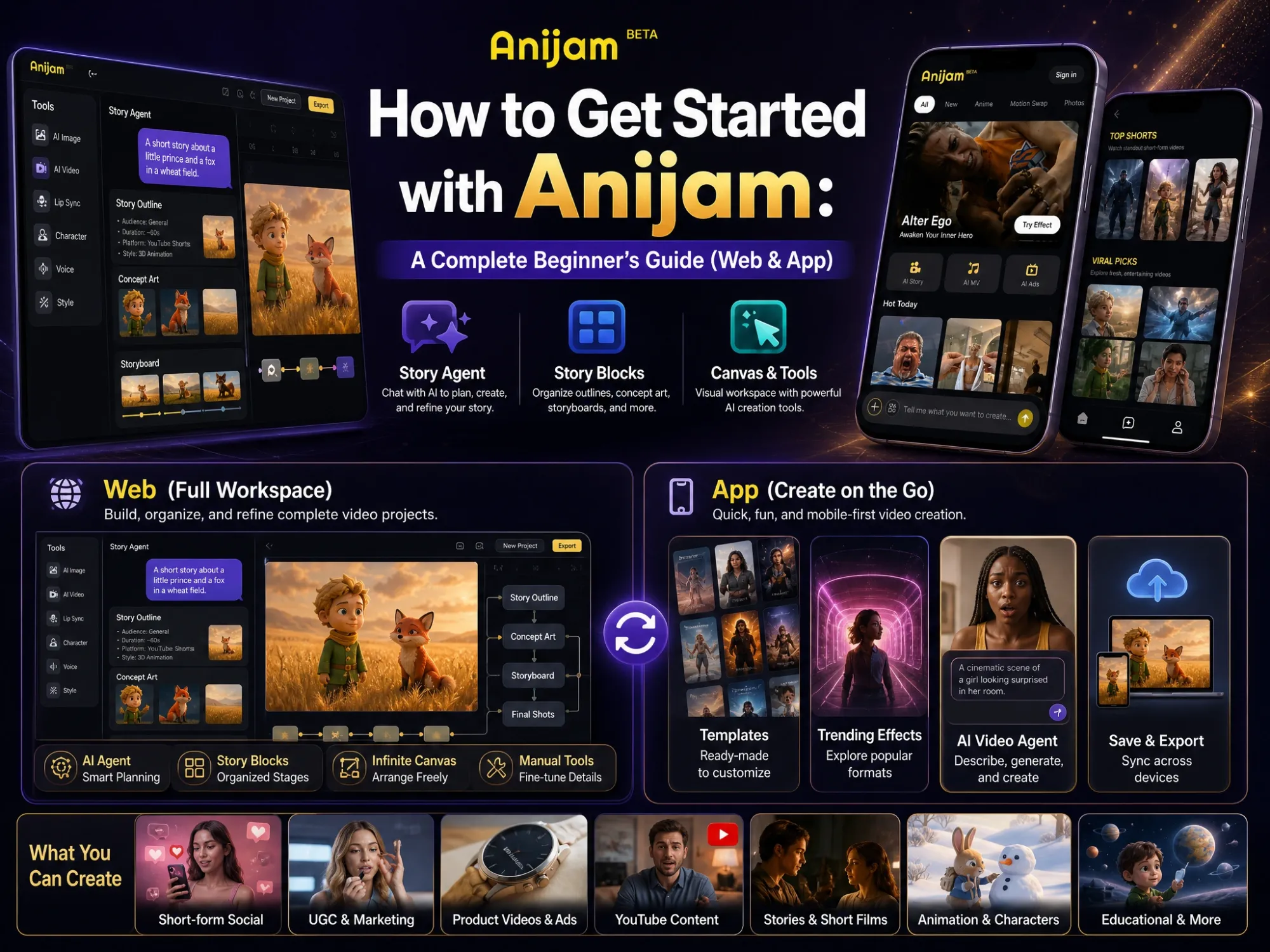
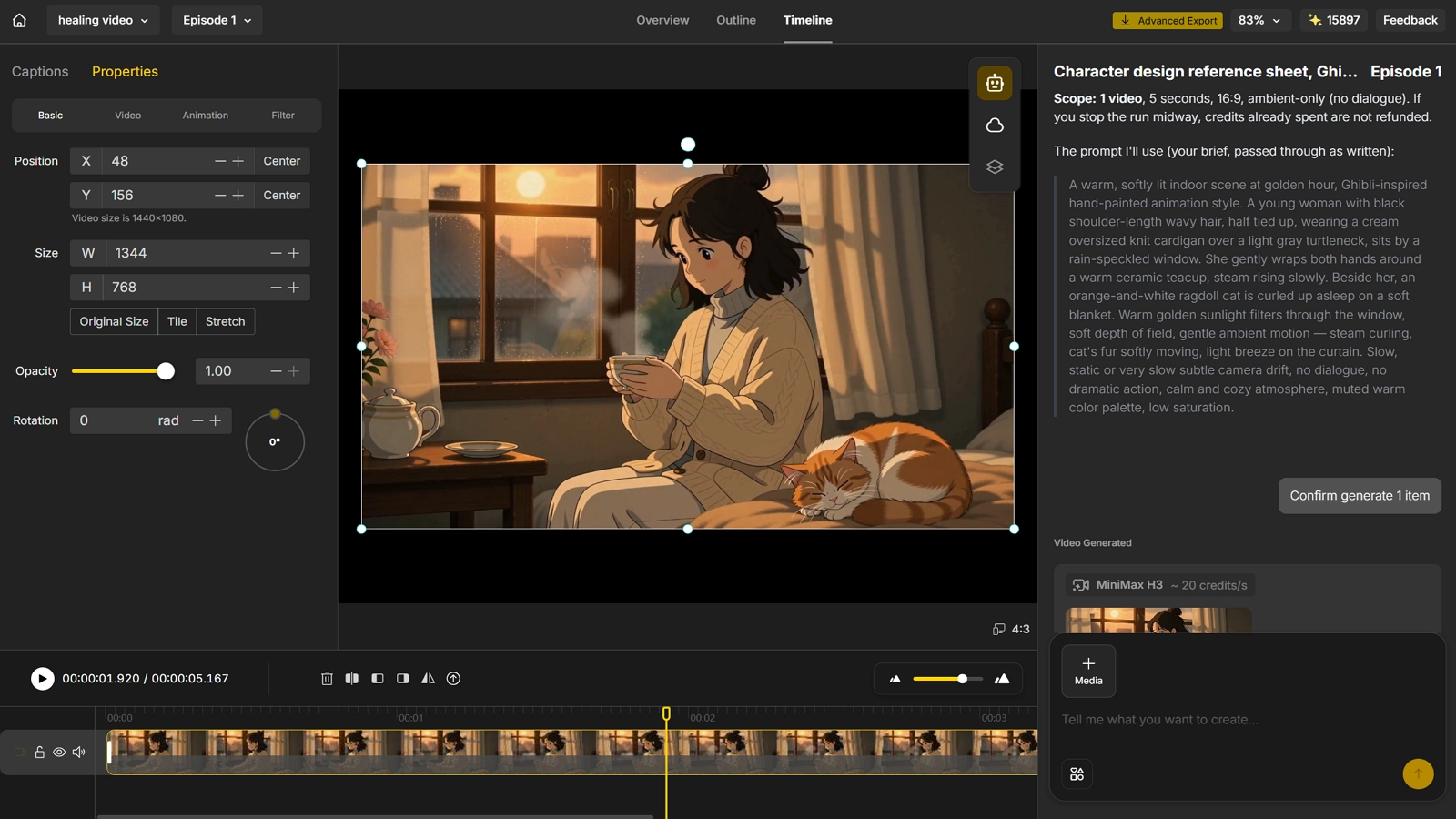
Anijam is an AI creative platform that makes it easy to create videos from an idea, a prompt, or a simple conversation. For AI healing videos, you can explore ready-made healing video templates for inspiration, or simply chat with Anijam to describe the mood, scene, and feeling you want to create.
It can then help turn your idea into a complete video, from generating scenes and visuals to adding music, voiceover, and other finishing touches. Whether you already have a clear concept or are looking for inspiration, Anijam makes it easier to turn a calming idea into a finished AI video without requiring advanced video-making skills.
Here’s how to make an AI healing video with Anijam, step by step.
Step 1 - Find Your Idea and Emotional Theme
Start with a feeling, not a plot. A few reliable starting points:
- Quiet nostalgia: A grandparent’s kitchen, an old sweater, a childhood bedroom.
- Changing seasons: Leaves changing, first snow, the first warm day of spring.
- Small comforts: Tea steam, rain on a window, a cat stretching in the sun.
- Gentle transformation: A slow sunrise, a seed sprouting, a caterpillar-to-butterfly moment.
Keep the concept to one feeling and one small moment, and plan for a video around 15 to 60 seconds long — long enough to breathe, short enough to rewatch.
Step 2 - Lock Your Visual Style and Characters
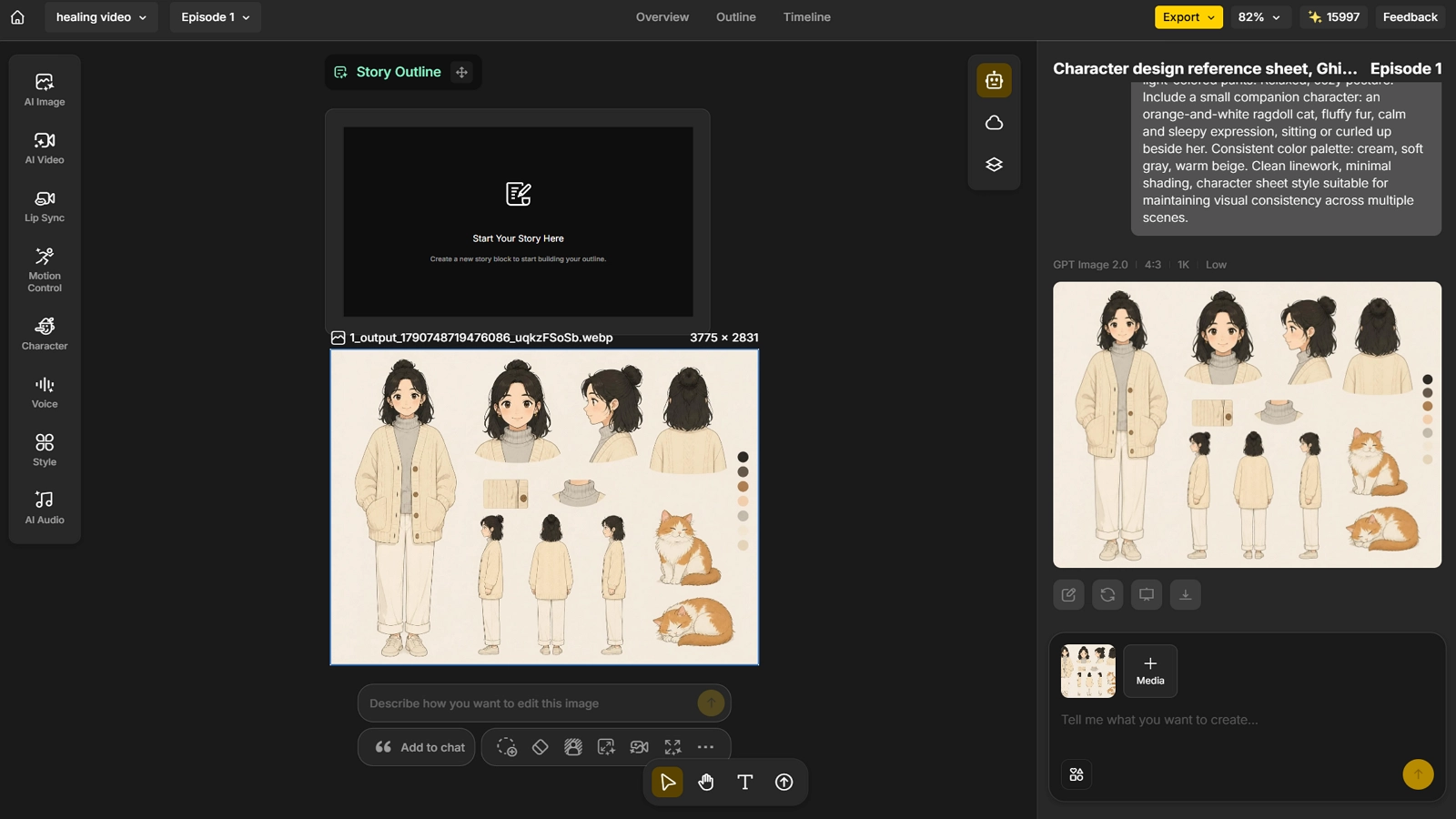
Pick a style before you generate anything, and keep it consistent for the whole video. Anijam offers several styles that suit this format well, including a Ghibli-inspired soft, hand-painted look, a classic 2D cartoon style, and a film-quality 3D cinematic render.
If your video includes a character, use Anijam’s Consistent Character AI to lock their face, proportions, and styling from a single reference. This is the single biggest fix for the most common failure point in this kind of content: a character who looks slightly different in every shot.
Step 3 - Generate Your Video with AI
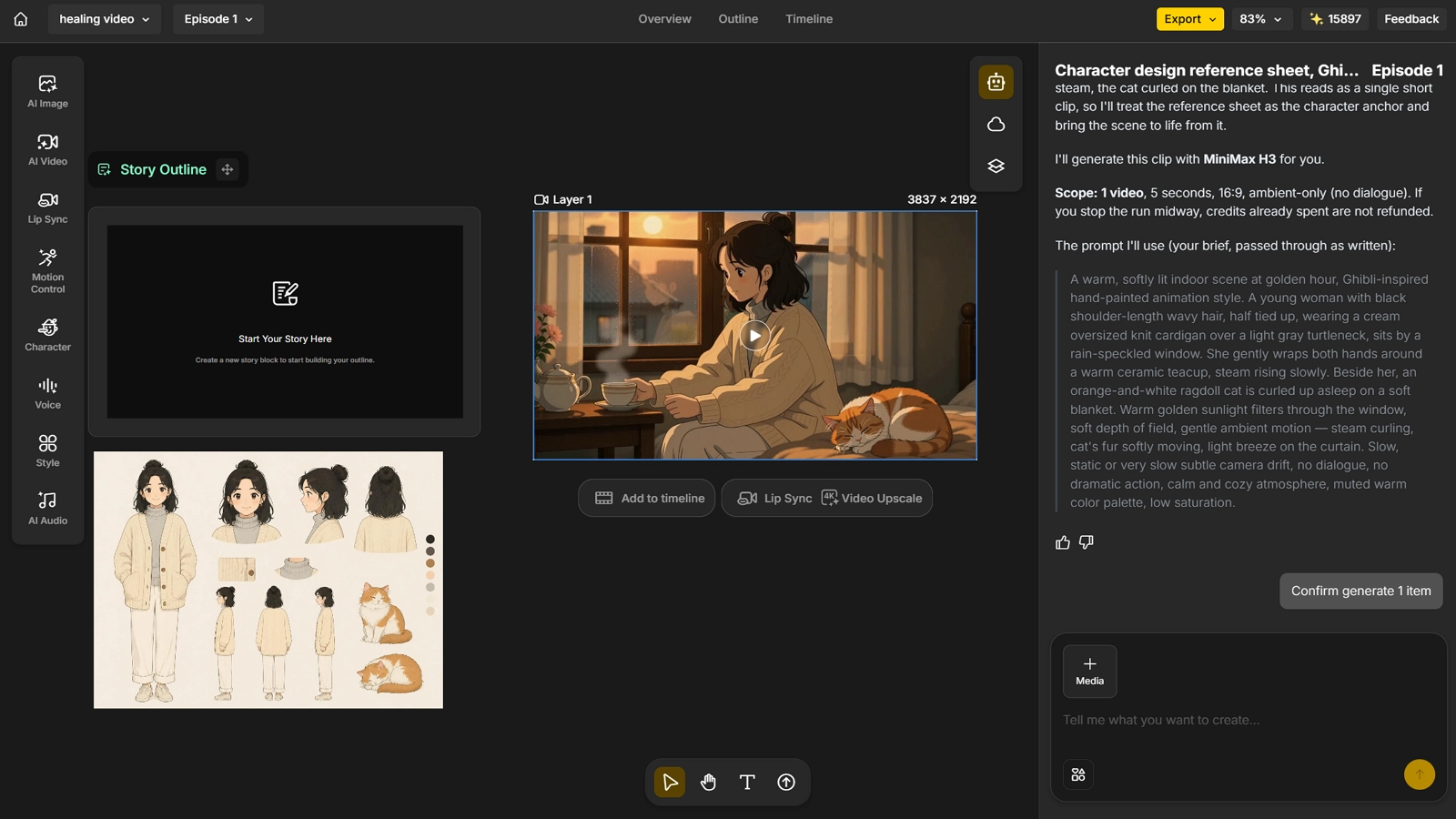
From here, Anijam’s AI video agent turns your idea into finished scenes. You can:
- Type a prompt: Describe the scene, mood, and pacing in plain language and get a video back.
- Animate a still image: Bring an existing photo - a real keepsake, a pet, a room - to life with gentle motion.
- Paste a script: Drop in your full shot list and let Anijam plan and generate the scenes in order.
Because Anijam works as a full AI video agent rather than a single-purpose animation tool, the same workflow applies whether your finished piece is a stylized animated scene or a softer, more photographic-looking video - the healing aesthetic comes from your color, pacing, and story choices, not from a single fixed format.
Step 4 - Add Music, Voiceover, and Final Touches
The finishing touches are what separate a flat clip from something people want to rewatch:
- Music: Add a soft instrumental track - Anijam’s text-to-music tool can generate one to match your scene’s mood.
- Voiceover: If a character speaks, keep lines short and add a gentle voiceover with Anijam’s voice generator, available in 30+ languages, and use lip sync so mouth movement matches the audio.
- Final polish: Trim pacing, smooth transitions, and adjust timing in Anijam’s scene editor before exporting.
Common Mistakes and How to Fix Them
| Mistake | Why It Hurts | Fix |
|---|---|---|
| Style drift across scenes | Viewers subconsciously register inconsistency as low quality, breaking the calm mood | Lock a single style and reference image before generating any scenes |
| Characters changing faces or proportions | The character stops feeling like “the same person,” pulling viewers out of the moment | Use a consistent-character tool to lock the face and proportions from one reference |
| Overly dramatic plot or dialogue | Big emotional swings feel manipulative and clash with the genre’s whole appeal | Cut dialogue to a minimum and let one small, restrained moment carry the feeling |
| Pacing too fast | Quick cuts read as energizing, not calming, undercutting the point of the video | Use fewer cuts, longer holds, and slow camera movement |
| Weak or mismatched music | The wrong track can make an otherwise gentle scene feel flat or oddly tense | Choose a soft instrumental track and keep the volume low under any voiceover |
Style Drift Across Scenes
This happens when each scene is generated from scratch instead of from a shared reference. Generate or upload one reference image for your color palette and art style, then keep reusing it as the basis for every new scene in the video.
Characters Changing Faces or Proportions Between Shots
Even small shifts - a slightly different nose, a different hairstyle - are enough to break immersion. Lock the character once with a consistent-character tool and generate every later shot from that same locked reference.
Overly Dramatic Plot or Dialogue
It’s tempting to add a twist or a tearful line to make a video feel more meaningful, but this format is built on restraint. Trust a small, ordinary moment to carry the emotion instead of spelling it out.
Pacing Too Fast
A healing video isn’t trying to hook viewers in the first half-second the way a trend-chasing clip does. Let a shot breathe for two or three seconds longer than feels natural - it usually reads as calmer, not slower.
Weak or Mismatched Music/Sound Choices
Upbeat, percussive, or trending audio pulls against everything the visuals are doing. A simple piano or ambient instrumental track, kept quiet, almost always outperforms something louder or more energetic.
Conclusion
Making a good AI healing video isn’t about mastering animation software - it’s about understanding why this format works, then staying disciplined about color, pacing, and restraint while you generate it.
Anijam brings the entire process together in one place - style selection, character consistency, scene generation, music, and voiceover - so a single idea can become a finished, publish-ready video without any animation or editing background. If you’re ready to make your first one, head to Anijam AI and get started.
Frequently Asked Questions
What exactly is an “AI healing video”? It’s a short, AI-generated video designed to soothe rather than inform or entertain in the usual sense - typically a single gentle scene, warm colors, slow pacing, and little to no dialogue, built around one small emotional moment.
Do I need drawing or video experience to make one? No. The entire workflow runs on plain-language prompts, a script, or a single photo. Anijam’s AI video agent handles scene planning, visuals, voiceover, and assembly automatically.
Is Anijam AI healing video maker free to use? Yes. Signing up gives you free video credits to start generating right away, with no credit card required, and you can earn more credits each day just by checking in.
How long should an AI healing video be? Most effective ones run between 15 and 60 seconds. That’s long enough to establish a mood and a small moment, but short enough that viewers will watch it more than once.
Can I turn a real photo into a healing-style video? Yes. Upload a photo - an old keepsake, a pet, a room - and Anijam’s image-to-video tool can bring it to life with gentle motion, keeping the original subject recognizable while adding soft camera movement and atmosphere.
What formats can I export for social platforms? Anijam exports in 9:16, 16:9, and 1:1, matching the requirements for TikTok, Instagram Reels, YouTube Shorts, and other short-form placements, so the same video can be adapted to whichever platform you’re posting to.
by Evan
Evan is an AI content creator and video technology writer at Anijam AI, focused on how generative AI is transforming storytelling and video production. He shares social trends, creative workflows, prompt strategies, and practical insights to help creators turn ideas into engaging videos and visual content.