How to Make Cooking Videos with AI: The Complete Beginner’s Guide
A good cooking video used to require actual cooking. Real ingredients, real lighting, a steady hand on the camera, and hours of filming and editing to end up with a minute of usable footage.
That’s no longer the only way in. A recipe, a script, or even a single photo of a finished dish can now become a complete cooking video, without a kitchen, a camera, or a reshoot every time a sauce breaks halfway through filming.
AI hasn’t just made cooking content faster to produce. It’s opened the door to people who couldn’t make it before: food bloggers without a production budget, small restaurants without an in-house videographer, and recipe creators who would rather write a script than stand in front of a camera.
This guide covers what AI cooking videos can actually do today, how to write prompts that make food look appetizing instead of strange, and a step-by-step walkthrough for making your first one with Anijam AI.
Why Creators Are Turning to AI for Cooking Content
Recipe and cooking content is one of the most consistently popular categories on YouTube, TikTok, and Instagram, and most viewers would rather watch a dish come together than read the steps. That demand for volume is exactly where traditional production starts to strain.
The Problem with Traditional Cooking Videos
Filming a real cooking video comes with a list of costs that has nothing to do with the recipe itself:
- Lighting and camera setup for every shot, often redone multiple times if a dish overcooks, wilts, or melts mid-take
- Ingredient and food costs for every retake, and the food waste when a shot doesn’t work
- Long stretches of “dead time” in raw footage - stirring, waiting for water to boil, watching something bake - that has to be cut out in editing
- Hours of editing for every finished minute, especially when a channel needs a vertical short, a square post, and a longer tutorial from the same recipe
None of this is a small-creator problem only. It’s the same bottleneck that keeps restaurants, food brands, and recipe developers from publishing as often as the algorithm rewards.
Who This Guide Is For
- Food bloggers and home cooks building a channel or page without a production budget
- Small restaurants and food brands that want regular video content without hiring a videographer
- Recipe developers who want to preview or pitch a dish before ever filming it for real
- Marketers and social teams who need to turn one recipe into several video formats quickly
Writing Prompts That Actually Look Appetizing
Whether a cooking video is fully generated or built from your own photos, the prompt is what decides whether it looks like real food or something slightly off. Three details make the biggest difference: the camera angle, the action, and the light.
Naming the Camera Angle
Cooking content reads as authentic when it uses a small set of familiar angles. Naming the angle directly in the prompt, rather than describing the dish alone, is what makes a scene feel like a real cooking video instead of a random product shot.
| Shot Type | What to Include in the Prompt | Why It Works |
|---|---|---|
| Overhead prep | Ingredients laid out, hands chopping or arranging, top-down camera | Reads instantly as “recipe content” and works well for an intro or ingredient list |
| Close-up sizzle | Pan or grill, active motion, steam or bubbling oil, tight framing | Captures the moment viewers associate with food actually cooking |
| Plating reveal | Finished dish, garnish being added, camera pulling back or panning up | Delivers the payoff shot that ends most recipe videos |
Describing Sensory Details
The difference between a flat AI food clip and an appetizing one usually comes down to sensory detail. Steam curling off a hot dish, oil glistening on a seared surface, a garnish catching the light - naming these details in the prompt gives the video the texture that makes food look worth eating, not just technically correct.
Keeping Every Scene Visually Consistent
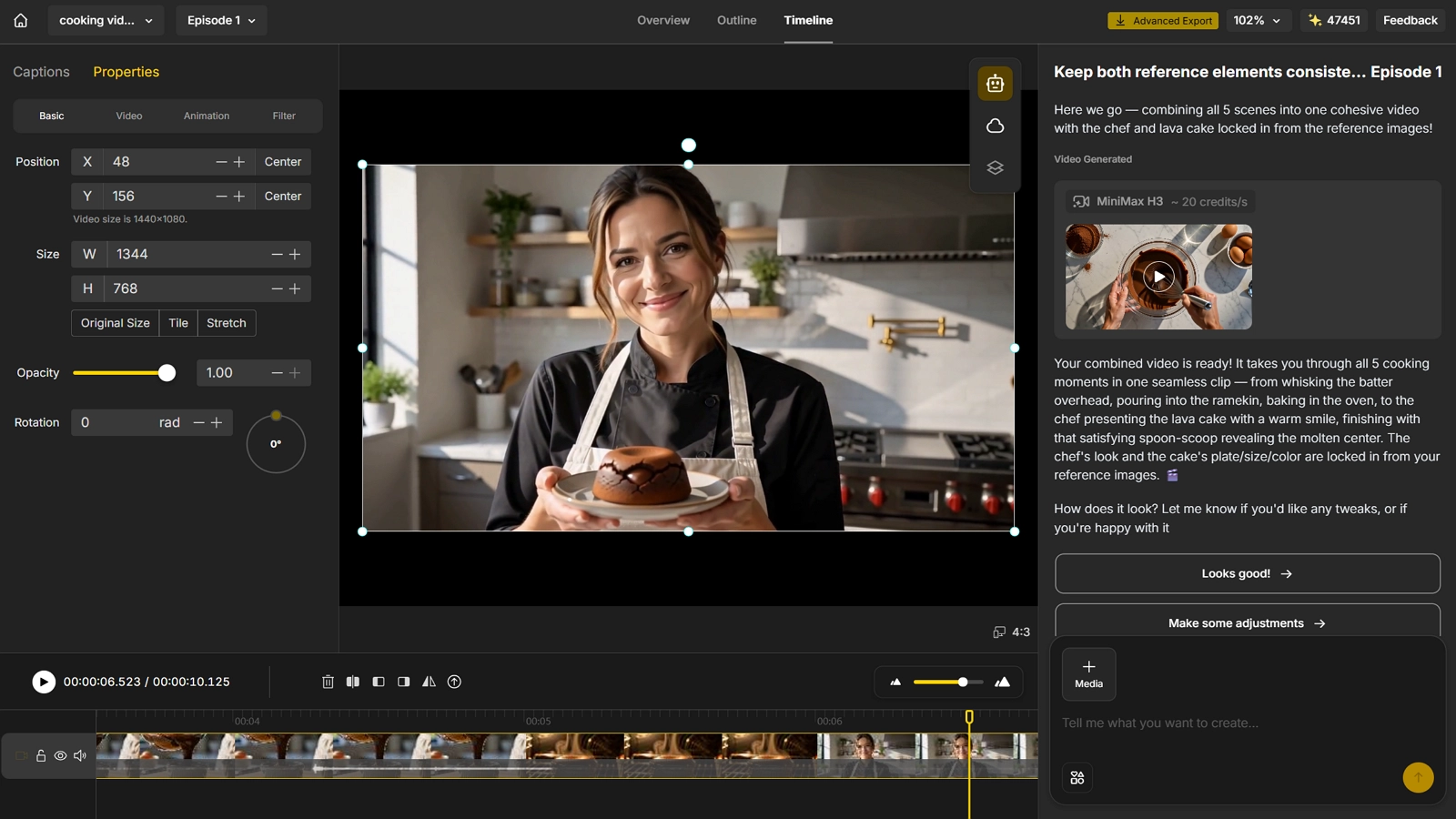
A cooking video usually needs several scenes - prep, cooking, plating - to feel like one continuous recipe rather than disconnected clips. Reusing the same kitchen style, lighting, and camera feel across every scene is what ties them together.
This is also where a locked character or host helps. Anijam AI’s character consistency keeps a chef, mascot, or on-screen narrator looking the same across every scene, so you’re not rewriting the same visual description into every single prompt.
Making Your AI Cooking Video With Anijam AI Step-by-Step
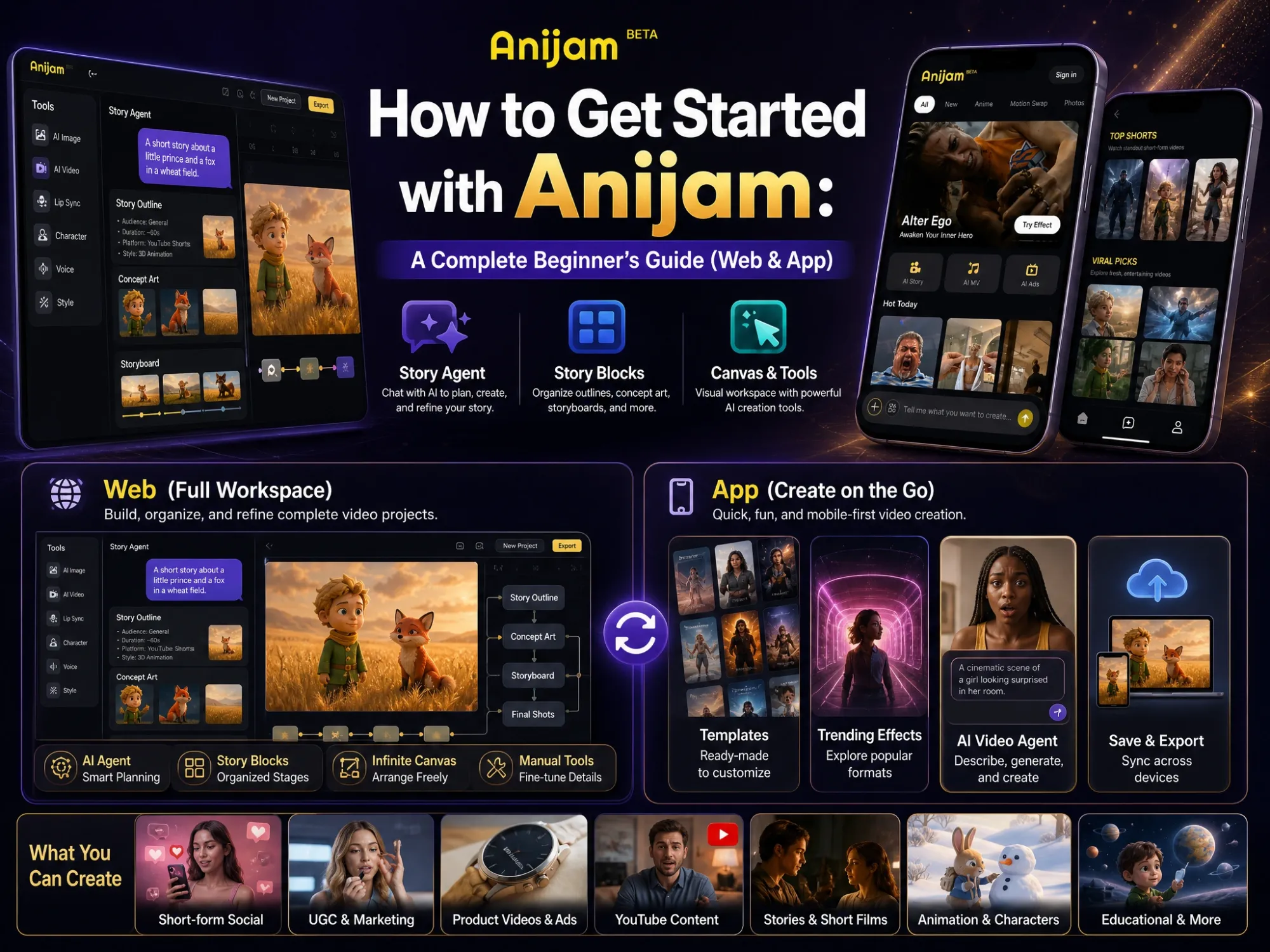
Anijam AI is an all-in-one AI video platform built for creators, marketers, and brands who need a finished video without hiring a production team. Describe a dish, paste a recipe script, or upload a food photo, and Anijam AI plans the scenes, generates the visuals, adds a voiceover, and assembles a publish-ready cooking video in one workflow.
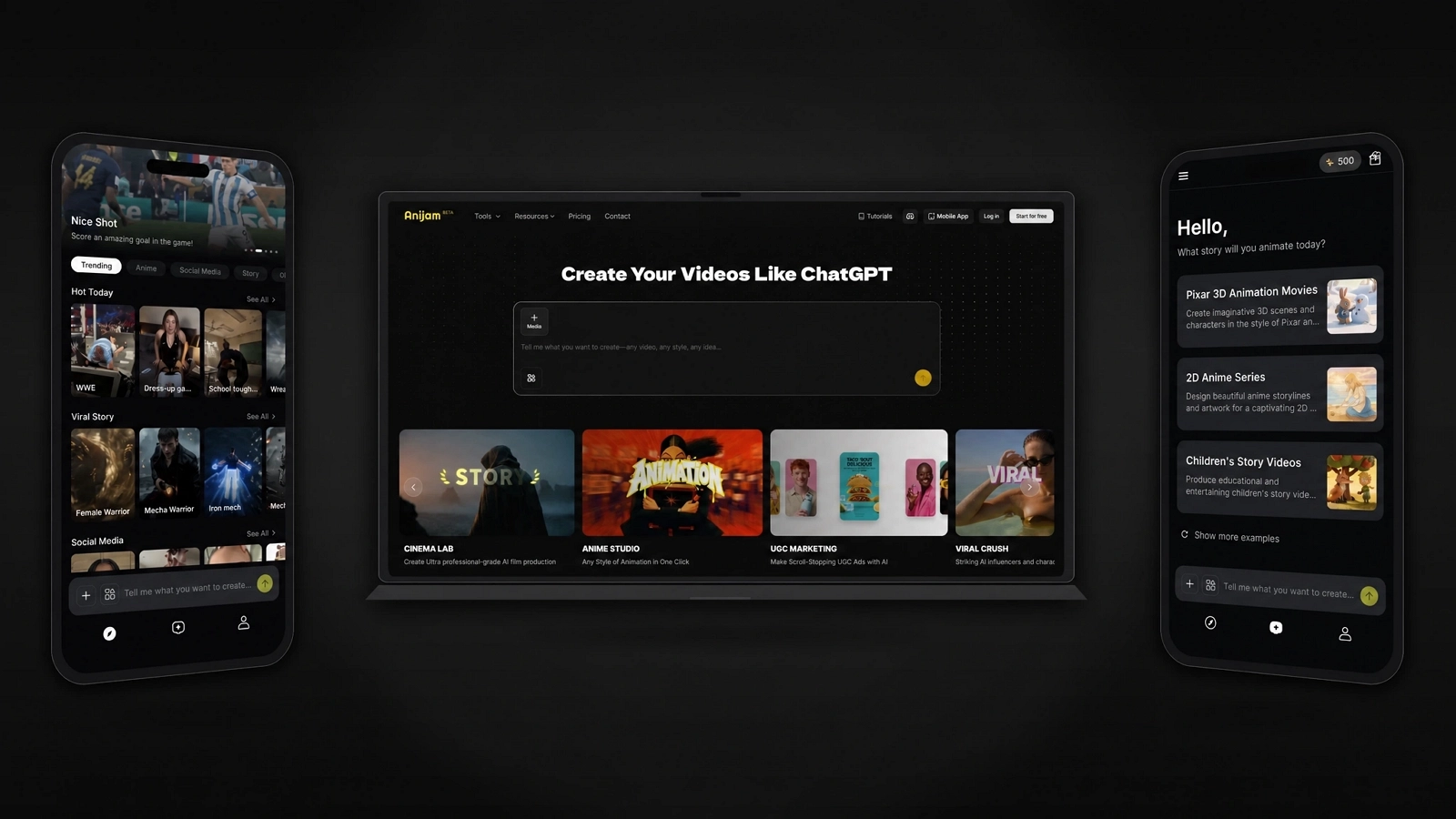
It works the same way on web and on the mobile app, so a project started on your phone stays in sync if you finish it on a laptop, and the other way around.
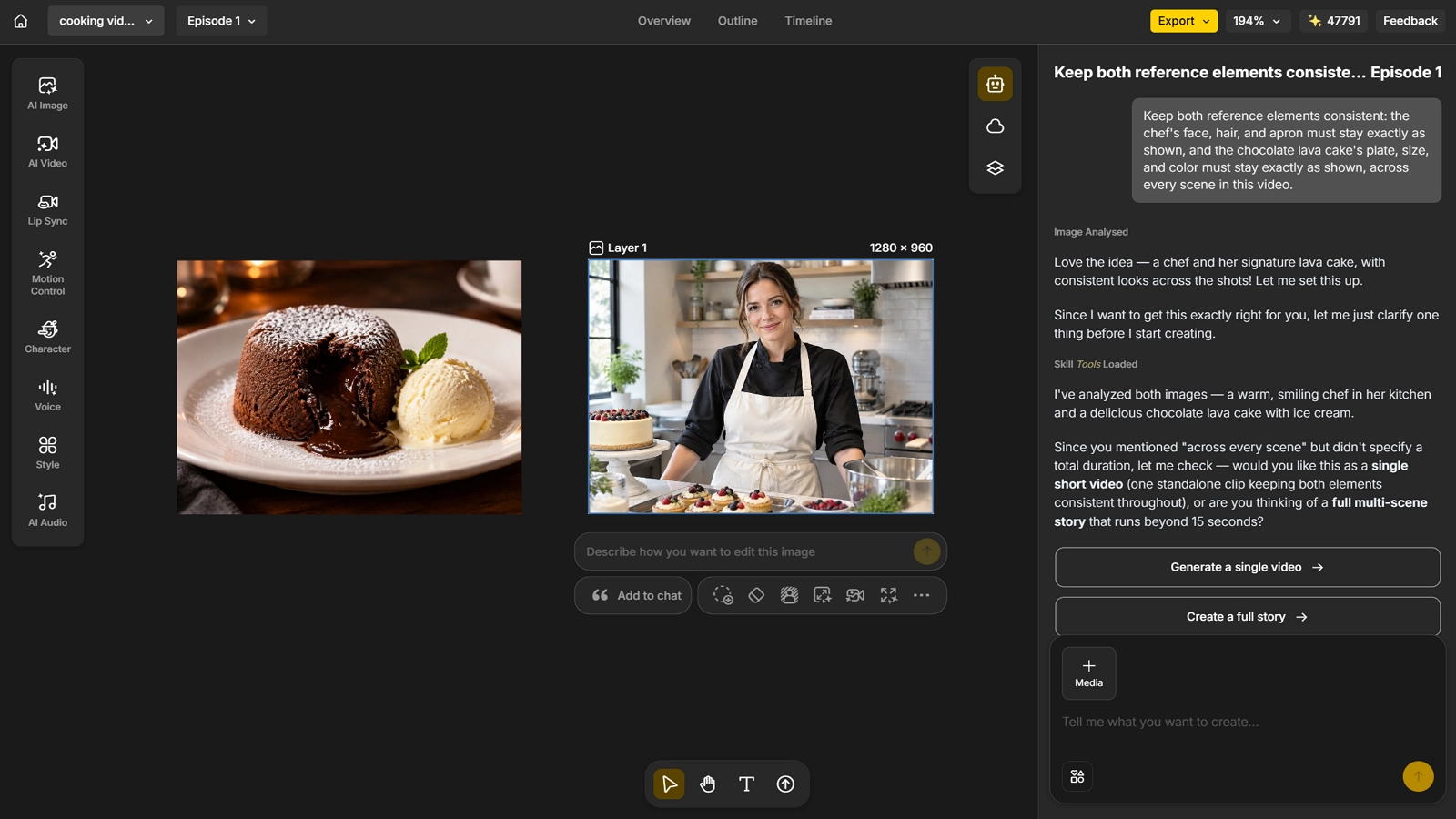
Step 1: Choose Your Dish and Chef, Then Lock the Look
- Decide on the dish and the chef or host character you want to feature - both can be generated directly in Anijam AI, or built from your own reference photos.
- Once you’re happy with how they look, lock them in, so every scene generated afterward keeps the same dish and the same character.
Step 2: Generate the Scenes From Your Idea
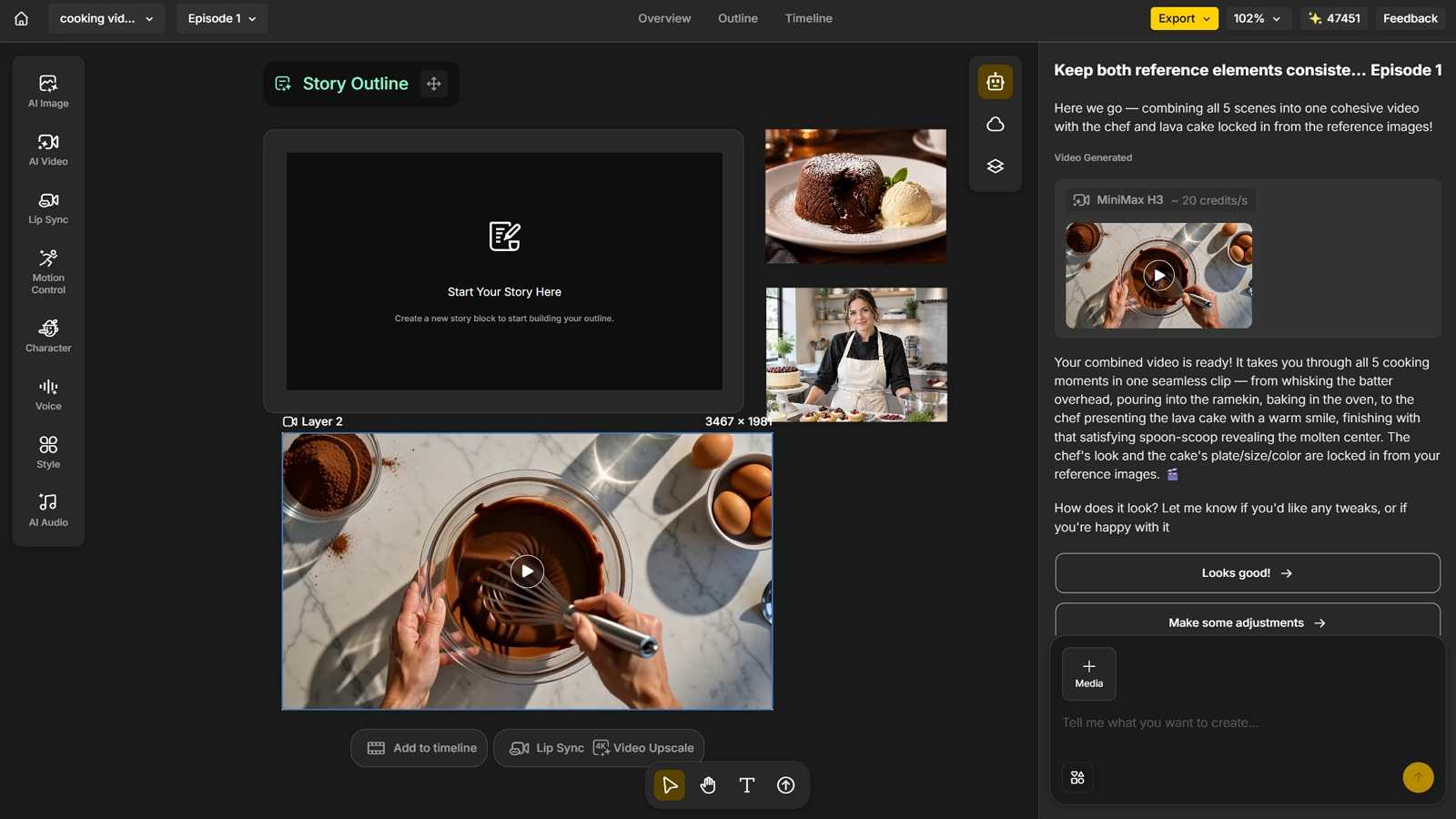
- Describe the cooking video you have in mind - the recipe steps, the setting, the mood - and let Anijam AI turn that description into scenes.
- Not sure where to start? Ask Anijam AI to suggest a few directions based on the dish and let it pitch some options to choose from.
Step 3: Add Narration and Audio
- Add a voiceover to walk viewers through the recipe, use lip sync to match narration to the character’s mouth movement, and add background music to match the mood of the video, or let Anijam AI generate a track automatically.
Step 4: Edit, Refine, and Export
- Fine-tune pacing, transitions, and details in the editor, then export your finished cooking video, ready to publish.
Common Mistakes Beginners Make (and How to Fix)
Inconsistent Characters or Kitchen Style Across Scenes
If a chef, mascot, or kitchen setting looks slightly different from one clip to the next, viewers notice, even if they can’t say exactly why. Fix it by locking a character or style reference at the start and reusing it across every scene, instead of writing a fresh description each time.
Overloading One Video With Too Many Techniques
Trying to show every step of a multi-stage recipe in one 30-second video usually backfires - it feels rushed and hard to follow. Pick three to five key visual moments (the prep, the cooking action, the plating reveal) and let those carry the video, rather than cramming in everything at real-time pace.
Ignoring Platform-Specific Formatting
A video paced and framed like a long-form YouTube tutorial rarely performs well cut down for TikTok, and the reverse is also true. Decide on the platform, and the length and aspect ratio it needs, before generating the final cut, not after.
Conclusion
Making a cooking video no longer depends on owning a camera, a kitchen set, or a production budget. What actually separates a good AI cooking video from a generic one is a clear, step-by-step script and visual consistency from the first scene to the last.
Anijam AI brings scripting, visuals, voice, and editing into one workflow, so a recipe, a script, or a single food photo can become a finished, publish-ready cooking video in minutes. If you’re ready to make your first AI cooking video, head to Anijam AI and get started.
Frequently Asked Questions
Is it free to try Anijam AI for making cooking videos? Yes. Signing up gives you free video credits to start generating right away, no credit card required, and you can earn more each day just by checking in.
Do I need to film any real footage to make an AI cooking video? No. An AI cooking video can be generated entirely from a script, a recipe, or a text prompt. That said, you can mix in your own photos or clips for a hybrid look - upload a real food photo and Anijam AI brings it to life with motion instead of generating the scene from scratch.
Will the video show my exact dish, or does the AI invent its own? A prompt written from scratch will generate its own interpretation of a dish, which is fine for mood shots, intros, or backdrops but won’t match a specific plate exactly. If the real dish matters, start from your own photo rather than a text description alone - the more specific the input, the closer the result.
Can I add my own voice, or a consistent chef character? Yes. The Voice Generator adds narration in more than 30 languages, Lip Sync matches mouth movement to that narration, and Anijam AI’s character consistency keeps a chef or mascot looking the same across every scene.
Does Anijam AI support different styles for cooking content? Yes. Anijam AI covers a range of styles within one platform - from realistic, cinematic cooking footage to Ghibli-style, cartoon, 3D, and anime-inspired looks - so the same recipe can be produced as a straightforward demo or as stylized, story-driven content.
by Evan
Evan is an AI content creator and video technology writer at Anijam AI, focused on how generative AI is transforming storytelling and video production. He shares social trends, creative workflows, prompt strategies, and practical insights to help creators turn ideas into engaging videos and visual content.