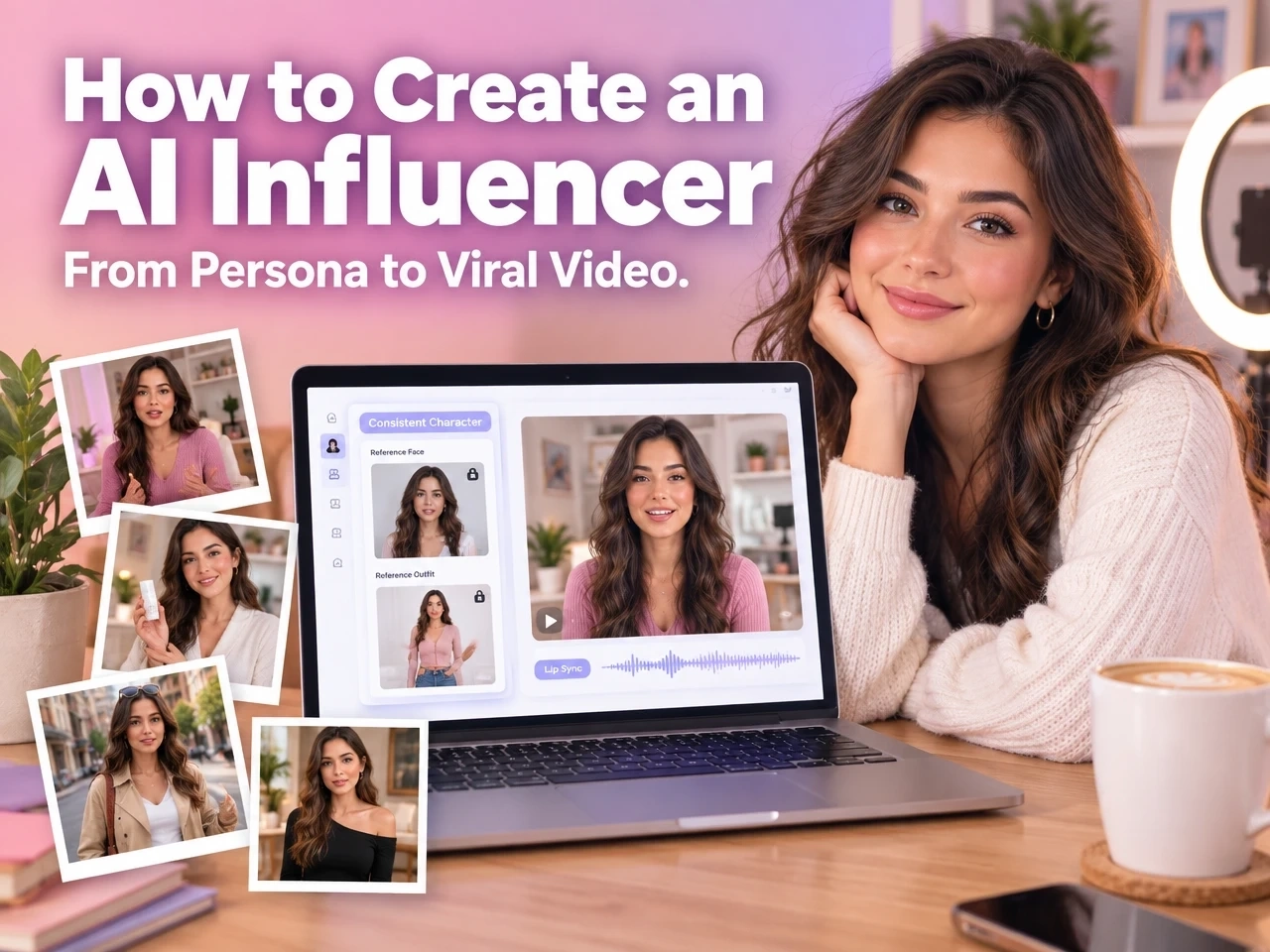
How to Create Your AI Influencer: from Persona to Viral Video
Somewhere on your feed right now, a “creator” who has never picked up a phone camera is quietly racking up views. No studio, no wardrobe budget, no burnout - just a face, a voice, and a personality that was designed rather than born.
The virtual influencer market was worth roughly $15.9 billion in 2026 and is growing at around 41% a year, and some of the best-known AI personas earn well over $2 million annually. This is no longer a novelty. Brands and independent creators alike are treating AI influencers as a real, ongoing content channel.
The technology to build one is more accessible than most people expect. What actually separates a memorable AI influencer from a random pile of AI-generated photos comes down to a few decisions made before you generate anything: who this character is, what they stand for, and how they stay recognizable from one post to the next.
This guide walks through exactly that - from defining a persona to producing your first shareable video with Anijam.
What Is an AI Influencer?
An AI influencer is a fictional or AI-assisted personality that produces content - photos, videos, captions - for social platforms, without a real person appearing on camera for every post.
Fictional Characters vs. AI-Assisted Creators
Most AI influencers fall into one of two categories:
- Fully fictional persona - an entirely AI-designed character, with an appearance, personality, and backstory that never existed before you created them.
- AI-assisted digital twin - built from a real creator’s likeness and voice, then used to scale that person’s output across more videos, languages, or scenes than they could film alone.
Well-Known Examples
Lil Miquela, a CGI persona and singer, has been active as a virtual influencer since 2016 and remains one of the earliest, most recognizable examples of the format. Brands have experimented with the same idea: KFC, for instance, introduced a computer-generated version of Colonel Sanders as a branded virtual spokesperson.
Why Brands and Creators Are Building AI Influencers
The appeal comes down to control and consistency. An AI influencer is available around the clock, never misses a posting deadline, and does not require contracts, travel, or shipping logistics for every piece of content.
| Factor | Traditional Influencer | AI Influencer |
|---|---|---|
| Availability | Limited by schedule and location | Available 24/7, any time zone |
| Production cost | Recurring shoot, talent, and editing costs | Mostly upfront setup, then fast iteration |
| Consistency | Can vary with mood, style, or life changes | Same face, voice, and style every time |
| Creative control | Shared with the talent | Fully controlled by the creator or brand |
| Scaling to new languages | Requires new talent or dubbing | Can be voiced in multiple languages from one character |
For individual creators, the draw is different but related: a persona built once can be reused indefinitely, without the pressure of appearing on camera every day.
Persona & Video Ideas to Get You Started
Before opening any tool, it helps to see the range of what an AI influencer can actually be. Here are some starting points.
Persona Ideas by Niche
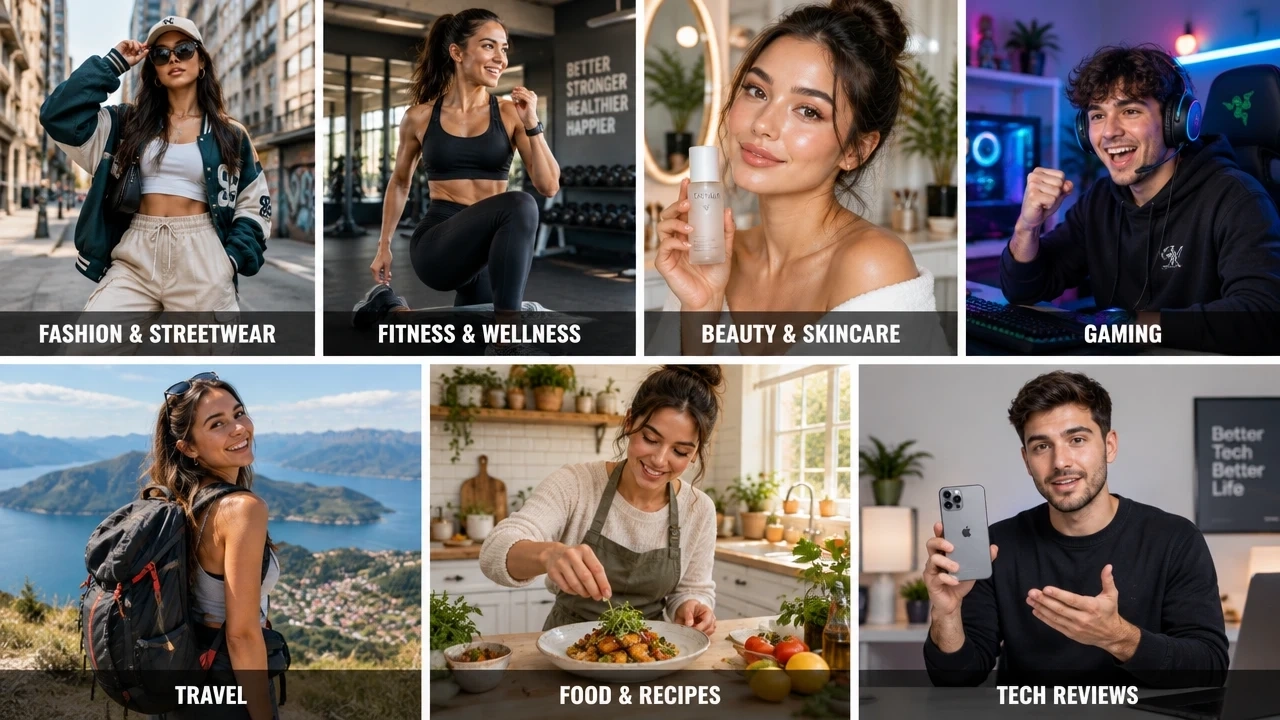
| Niche | Persona Angle |
|---|---|
| Fashion & streetwear | A stylist character who reviews drops, builds outfits, and reacts to trends |
| Fitness & wellness | A coach persona who demonstrates routines and shares motivational check-ins |
| Beauty & skincare | A reviewer character who tests products and walks through routines on camera |
| Gaming | A companion or commentator character with a consistent look across every clip |
| Travel | A diarist persona who “visits” destinations and narrates the experience |
| Food & recipes | A host character who walks through recipes step by step |
| Tech reviews | A presenter persona who breaks down products in a consistent studio look |
Video Content Ideas to Try First
- “Day in the life” style clips that give the character a sense of routine
- Product unboxing or showcase videos
- Outfit or look transformation clips
- Mini storytelling episodes with a recurring character arc
- Trend or challenge participation, delivered in your persona’s voice
- Direct-to-camera Q&A or “ask me anything” style talking videos
How to Create Your AI Influencer Video with Anijam
Anijam is an all-in-one AI video platform, built so anyone can go from an idea to a finished AI influencer without any prior design skill. It works the same way across web and app, so your projects stay in sync whether you start on your laptop and finish on your phone, or the other way around.
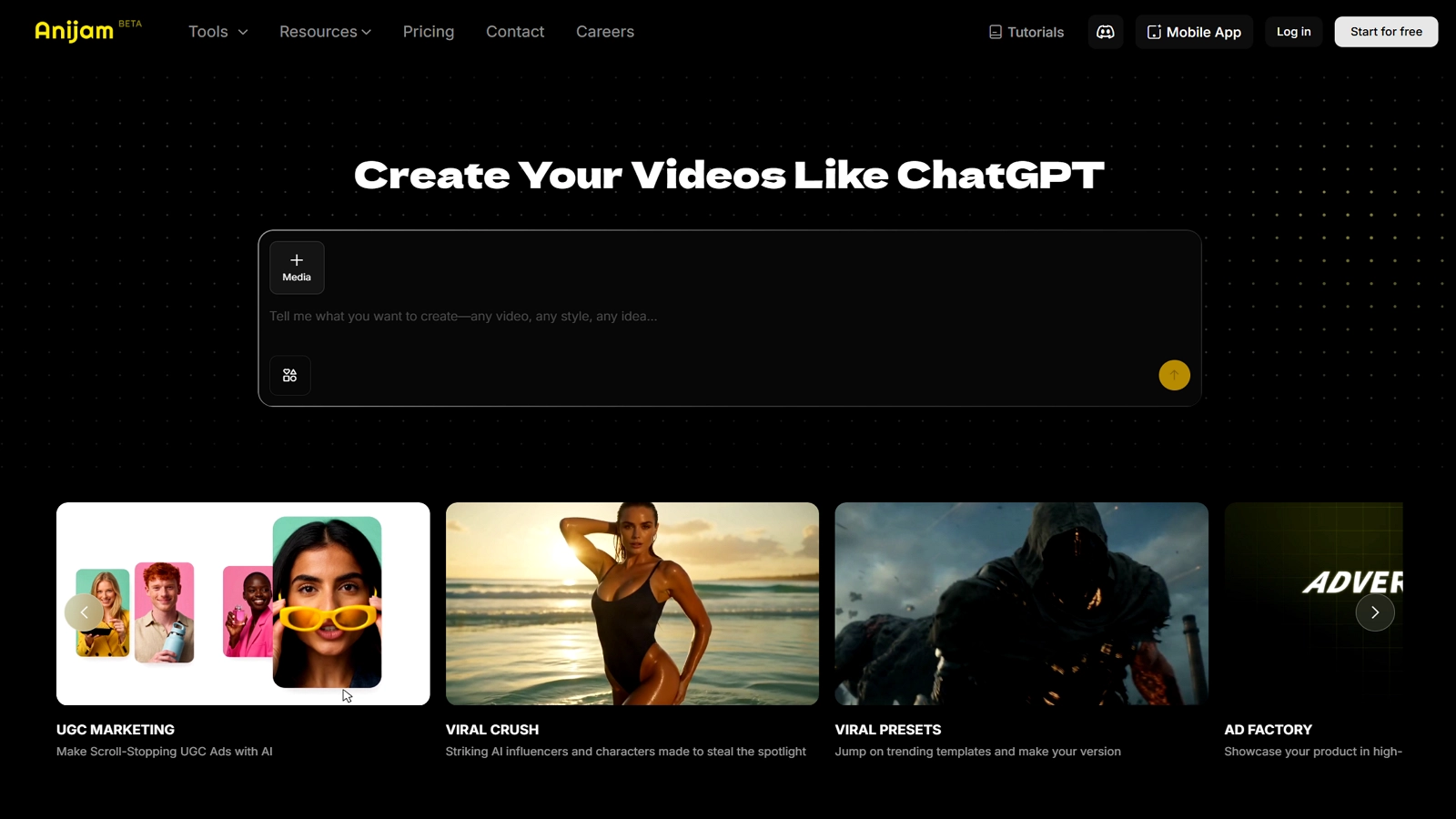
However you start - a persona idea, a full script, a reference photo, or a trending template - Anijam’s ai influencer generator turns it into a consistent character you can generate, voice and export in one place. The workflow below walks through exactly how that process works, on web and on app.
On Web: Full Creative Control
Here’s an AI influencer video made with Anijam:
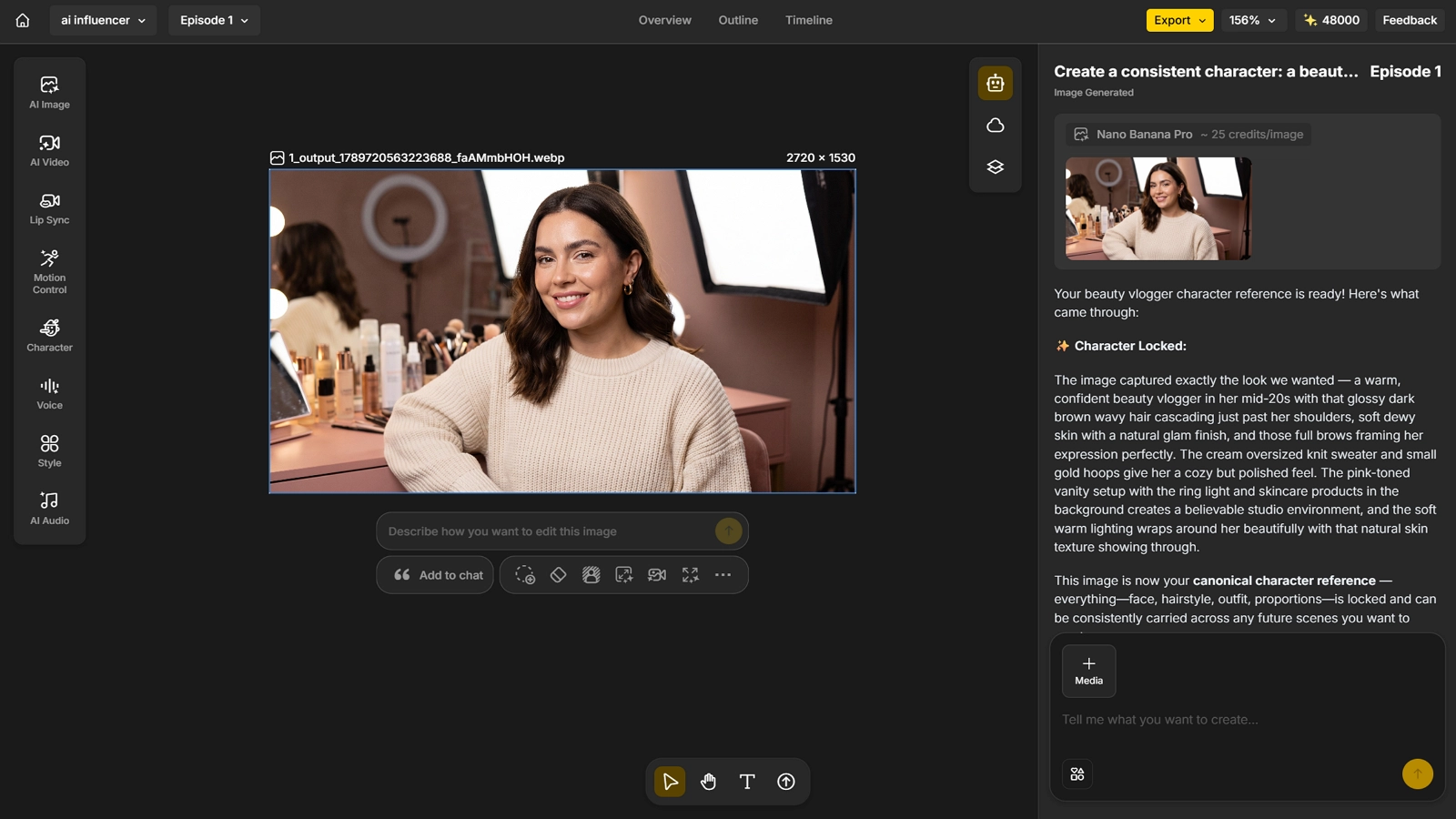
Step 1: Design and Lock Your Character
- Describe your character in the chat, or upload a reference photo, and Anijam’s consistent character technology locks the face, outfit, hair, and proportions across every scene generated from that point on.
Step 2: Choose a Focus Area and Write the Scene
- Decide the niche your character will be known for - fashion, fitness, beauty, gaming, travel, and so on - using the persona ideas above as a starting point.
- Write a short scene or script around that niche and describe it to the AI agent in plain language, so the content matches the persona instead of feeling generic.
Step 3: Set the Voice and Sync Audio with Lip Sync
- Use Anijam’s lip sync tool to give the character a voice: type the script and let the AI generate the voice and match mouth movement automatically, or upload your own audio and have the lips re-sync to it.
- Voices are available in more than 30 languages, so the same locked character can speak to different regional audiences without a re-shoot.
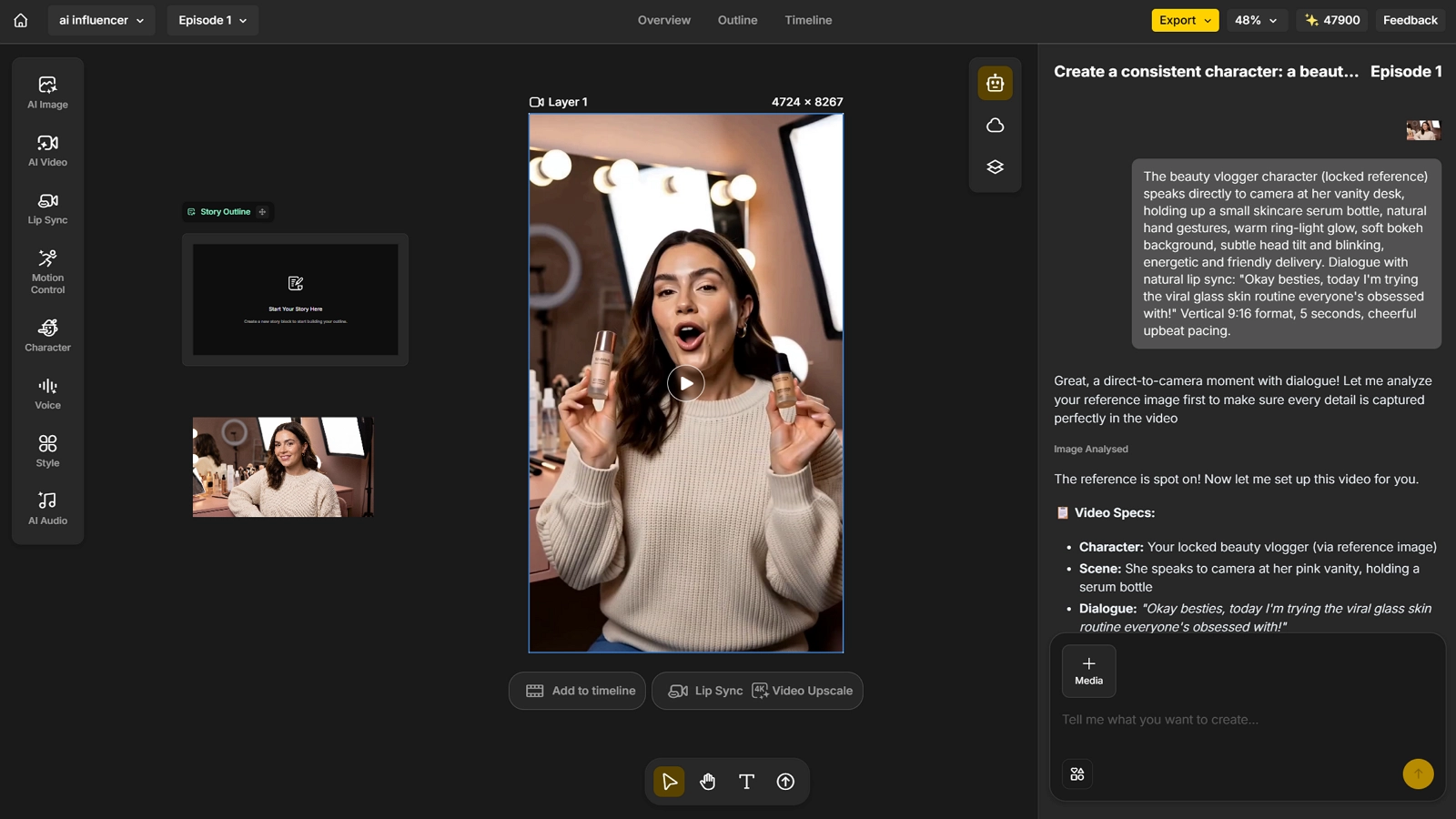
Step 4: Edit, Refine, and Export
- Use the Scene Editor to fine-tune timing, expressions, and transitions on individual shots before finishing the video.
- Trim the clip, add background music, and export in the aspect ratio that matches your target platform (vertical for TikTok and Reels, widescreen for YouTube).
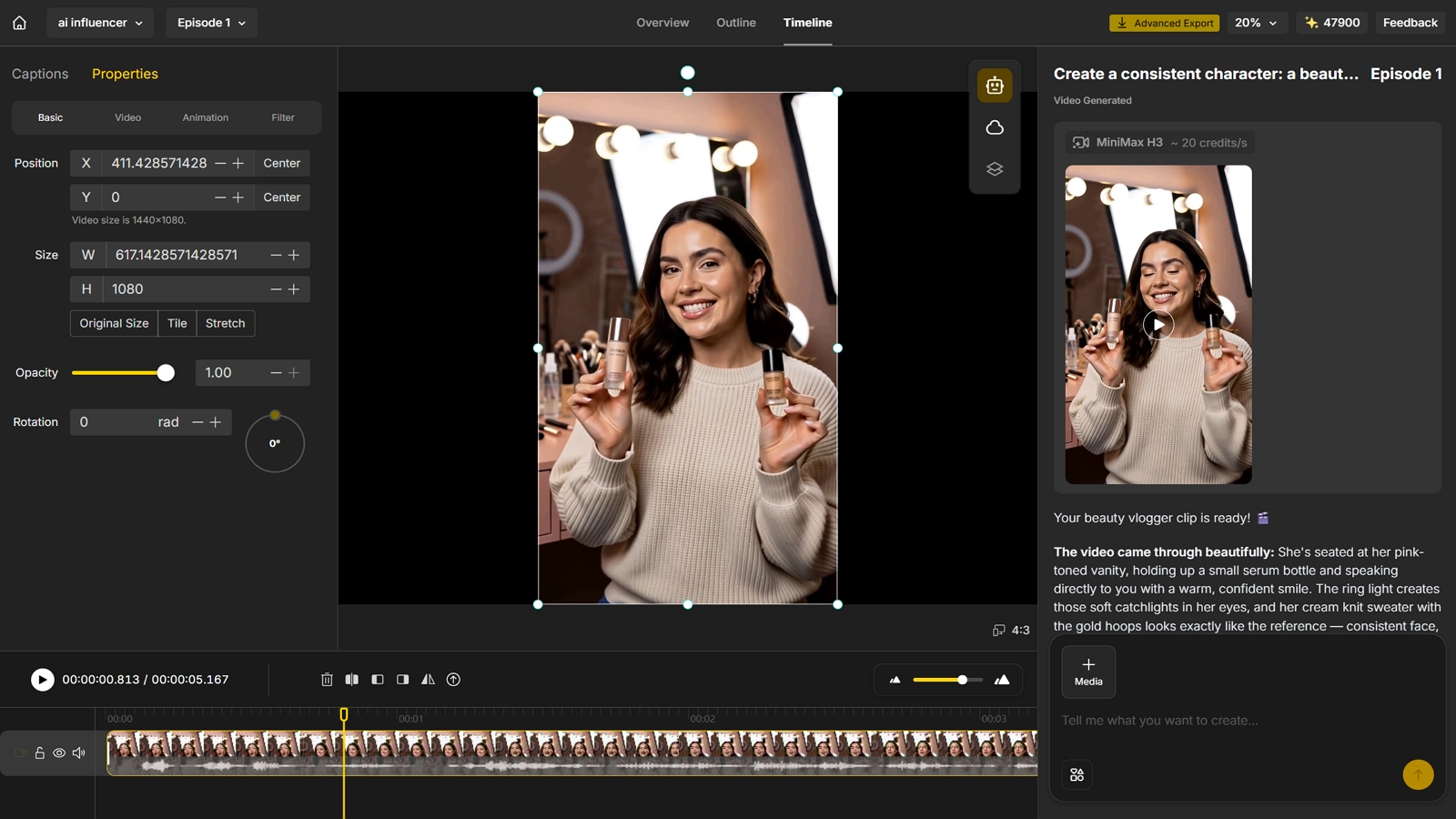
On App: Fast Start from a Template
Step 1: Pick a Template You Like
- Browse the app’s Inspiration gallery and trending template feed to find a format that already fits your niche, rather than starting from a blank prompt.
Step 2: Upload Your Photos
- Upload the reference photo or photos the chosen template needs, so your character’s face and style carry into that format.
Step 3: Adjust, Refine, and Export
- Tweak the details - wording, timing, voice, or styling - to match your persona, then export. Projects sync automatically between the app and the web platform, so you can keep refining on either one.
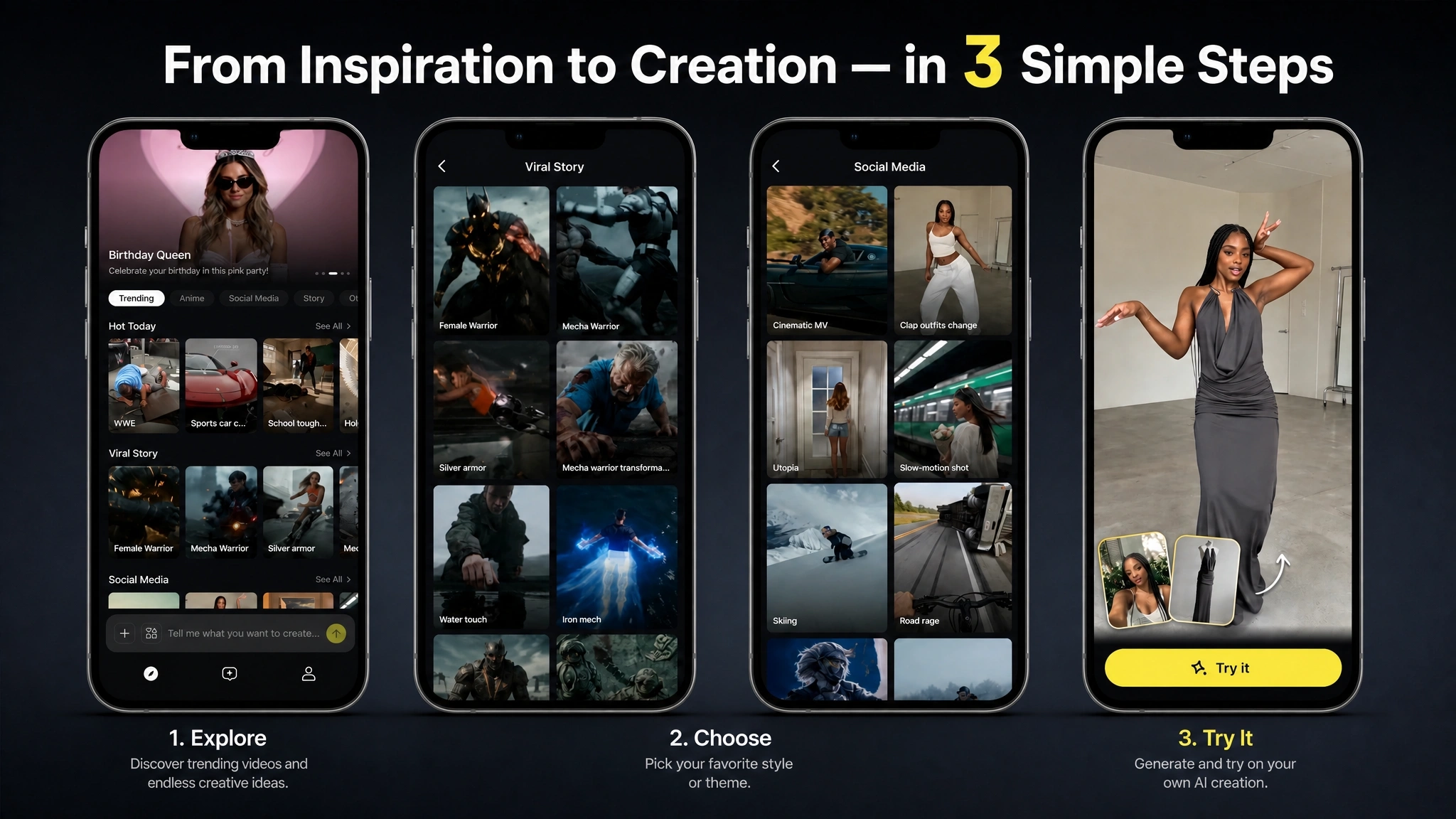
Common Mistakes to Avoid
| Mistake | Why It Hurts | Fix |
|---|---|---|
| Skipping the persona document | The account drifts in tone and visuals from post to post | Write a short character document before generating anything |
| Inconsistent face or voice across posts | Audiences stop recognizing the character as one persona | Use a reference-based, consistent-character workflow for every post |
| Posting without a niche focus | The account competes with millions of generic “lifestyle” accounts | Pick a niche specific enough to describe in one sentence |
Conclusion
Building an AI influencer is no longer a technical challenge - it is a planning one. Define the persona first, lock a consistent character, give it a voice, and then let the AI agent handle the production work of turning ideas into finished videos.
Anijam brings that entire process together in one place, as an all-in-one AI video platform on both web and mobile. If you’re ready to design your own character and publish your first video, head to Anijam AI and get started.
Frequently Asked Questions
Is Anijam free to use? Yes. Signing up gives you free video credits to start generating ai influencer video right away, no credit card required, and you can earn more each day just by checking in.
Does my AI influencer have to look photorealistic? No. Anijam supports photorealistic, stylized, and fully animated characters, so your persona can be a realistic digital twin, an anime-style character, or an illustrated cartoon - the same consistency and voice tools apply to all of them.
How do I keep my AI influencer’s face consistent across videos? Use a reference image or a locked character description every time you generate new content. Anijam’s reference-based workflow keeps the same face, outfit, and proportions across every scene, so the character stays recognizable no matter how many videos you produce.
Do I need filming, editing, or voice acting experience? No. The entire workflow is built around plain-language prompts and an AI agent that handles character design, scene generation, voice, and lip sync, so no prior video, animation, or voice experience is required to publish a finished video.
by Evan
Evan is an AI content creator and video technology writer at Anijam AI, focused on how generative AI is transforming storytelling and video production. He shares social trends, creative workflows, prompt strategies, and practical insights to help creators turn ideas into engaging videos and visual content.