How to Make a Daily Vlog with AI: From Prompt to Finished Video
You want to post a vlog every day. Then real life shows up.
Filming takes an hour. The light is wrong. The retake is somehow worse than the first take. By the time you’ve finished editing, the moment has passed - and so has your posting streak.
AI changes where a daily vlog begins. Instead of a camera, it can start with a single sentence describing today’s moment.
Creators are already doing this. AI character vlogs - like a Bigfoot filming himself on a forest walk with a selfie stick - have become a recognizable short-form format. The formula is simple: an ordinary daily activity, a memorable character, and a look that stays consistent from one video to the next.
The good news is that you don’t need to film, act, or edit to try it. This guide covers what an AI daily vlog is, what to prepare, prompt formulas you can copy, and a four-step workflow in Anijam - from character to export.
What Is an AI Daily Vlog?
An AI daily vlog is a short, vlog-style video made with help from AI and posted consistently - ideally every day. The AI can edit footage you filmed, or it can generate the scenes for you.
Two Ways to Make One: AI-Edited Footage vs. Fully AI-Generated
The phrase covers two different approaches, and they solve different problems:
| Trait | AI-Edited Footage | Fully AI-Generated |
|---|---|---|
| Starting point | Clips you film yourself | A prompt, script, or photo |
| What AI does | Detects scenes, suggests cuts and trims, finds natural edit points, adds transitions and effects | Generates the scenes and motion, and often the voice and music |
| Daily filming needed? | Yes | No |
| Best for | Real-life vlogs where you are the star | Character vlogs, faceless channels, scenes you cannot film |
This guide focuses on the second approach, because it is the one that removes the daily filming.
Why AI Works So Well for Daily Content
Daily vlogs are popular because they feel personal and immediate. The hard part is the production behind them: filming, lighting, retakes, and editing. AI takes most of that weight off.
- No filming session: One photo or one written idea can become a short vlog clip, so a bad-hair day or bad weather no longer stops you from posting.
- Small moments are enough: Viewers enjoy simple, everyday scenes - a city walk, making coffee, opening a package, packing a bag, studying at a desk, trying a new meal.
- Short clips are the point: Five to ten seconds is enough for one hook, one action, or one daily moment.
- Easy to repeat: Once your character and format are set, each new day is mostly a new prompt.
What You Can Realistically Make in One Day
Set expectations early: AI video is generated in short clips, and a vlog is built by stringing several of them together.
Many models have generated roughly 8 and 10 seconds per prompt. Single clips typically run from about 5 to 60 seconds depending on the model and plan. Creators make longer videos by chaining clips and editing them together.
Here are practical daily targets, based on 5-10 second clips:
| Format | Clips | Approx. Length | Good For |
|---|---|---|---|
| One-moment vlog | 1-3 clips | 5-30 seconds | One hook, one action, or one mood |
| Mini day-in-the-life | 4-6 clips | 20-60 seconds | A short story with a beginning and an end |
What You Need Before You Start
A Character or Persona for Your Series
AI video tools have no memory between clips, so your character can come back with a different look in the next one. Avoid this by writing a simple character card:
- Name and age: Use a specific number, not “young.”
- Look and outfit: Hair, skin tone, and the exact clothes they wear in every video.
- Personality: How they talk and react, such as calm, sarcastic, or cheerful.
Make your character original. Using a copyrighted character can cause IP problems.
A Niche and a Repeatable Video Format
Pick one vlog type, then give every video the same simple structure: a hook, one moment, and a short sign-off. A few niches to start with:
- Daily routine: Morning coffee, the commute
- Study: A focus session, a study-break snack
- Food: Cooking one simple meal
- Travel: One street, one view, one local snack
- Character comedy: A quirky character doing an ordinary chore
Keep the structure, but change the situation every day.
An AI Video Tool Built for Multi-Scene Stories
A daily vlog needs more than one clip. It needs a script, several scenes, the same character in each, and a voice. Look for a tool with:
- Consistent characters: The same face and outfit in every scene.
- Script-to-scenes: Your script is split into shots for you.
- Voice and lip sync: Your character can speak with matching mouth movement.
- A timeline editor: Trim and reorder clips without leaving the tool.
- Vertical format: 9:16 videos for TikTok, Reels, and Shorts.
Anijam AI is an AI video agent you chat with, and it covers all five, so the workflow below runs entirely inside it.
Prompt Formulas for Daily Vlogs
Prompts decide whether a clip works on the first try or the fifth. AI video models are sensitive - a single word can change the camera angle, the character, or the whole mood - so structure matters more than length.
The Basic Formula: Subject and Action, Camera, Lighting, Style
A reliable structure is: subject and action, then camera movement, then lighting and mood, then style.
| Part | What to Write | Example |
|---|---|---|
| 1. Subject and action | Who is on screen and the one thing they are doing | Mia (27, short black bob, round glasses, mustard cardigan) pours coffee by a window |
| 2. Camera | One camera movement and framing | Handheld selfie framing, slow push-in |
| 3. Lighting and mood | The light source and the feeling | Soft warm morning light, calm mood |
| 4. Style | The overall look | Realistic vlog style, slightly grainy, film-like |
Then follow four simple rules:
- One idea per clip: A single hook, action, or moment.
- Describe what the camera can see: Abstract words like “nostalgia” or “chaos” are hard for models. Concrete visuals - “an old photo on the fridge” - work better.
- One camera move per clip: Handheld follow or slow push-in, not both.
- Repeat the character line word for word: Paste the same description into every prompt.
Copy-Paste Prompts by Scene Type
Here are six starter prompts for common vlog scenes. They use a sample character named Mia - swap in your own character card.
| Scene | Prompt |
|---|---|
| Morning routine | Mia (27, short black bob, round glasses, mustard cardigan) pours coffee by a sunlit window, plants and linen in the background. Handheld selfie framing, slow push-in. Soft warm morning light, calm mood. Realistic vlog style. |
| Coffee shop | Mia sits at a small café table, opens a laptop, and smiles at the camera. Medium shot at eye level, static camera. Soft daylight through the window, cozy mood. Realistic vlog style, slightly grainy. |
| Commute | Mia walks down a busy city street, holding the camera at arm’s length and talking to it. Natural walking shot, gentle handheld motion. Overcast daylight, casual street energy. Realistic vlog style. |
| Study session | Mia studies at a desk with a notebook and a warm desk lamp, glancing up at the camera. Close-up, slow tilt up. Warm lamp light, quiet evening mood. Realistic vlog style. |
| Travel walk | Mia walks along a seaside promenade at golden hour and turns to the camera with a small wave. Front tracking shot, smooth motion. Golden-hour light, relaxed mood. Realistic vlog style. |
| Evening wrap-up | Mia sits on a couch holding a mug in both hands, talking softly to the camera. Medium close-up, static camera. Dim living room, warm lamp light, calm mood. Realistic vlog style. |
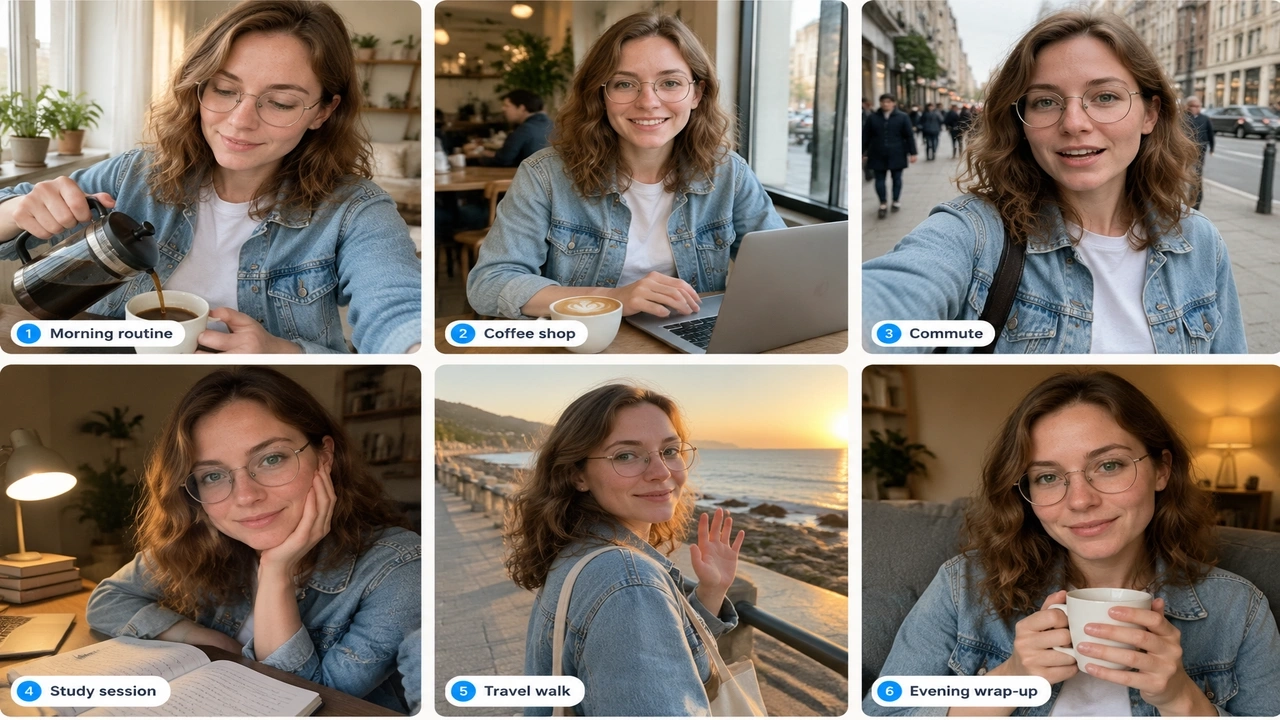
Want a different look? Replace the style line - Anijam offers styles such as anime, cartoon, and 3D cinematic - and keep everything else the same.
Camera and Lighting Words That Make It Feel Like a Real Vlog
| Category | Words and Phrases to Try |
|---|---|
| Camera movement | handheld follow, slow push-in, close-up tilt, natural walking shot |
| Framing | front-facing, eye-level, medium shot, camera held at arm’s length |
| Lighting | cozy morning light, soft daylight, golden hour, warm lamp light |
| Mood | casual street energy, calm, relaxed |
| Texture | slightly grainy, film-like |
How to Make a Daily Vlog with Anijam
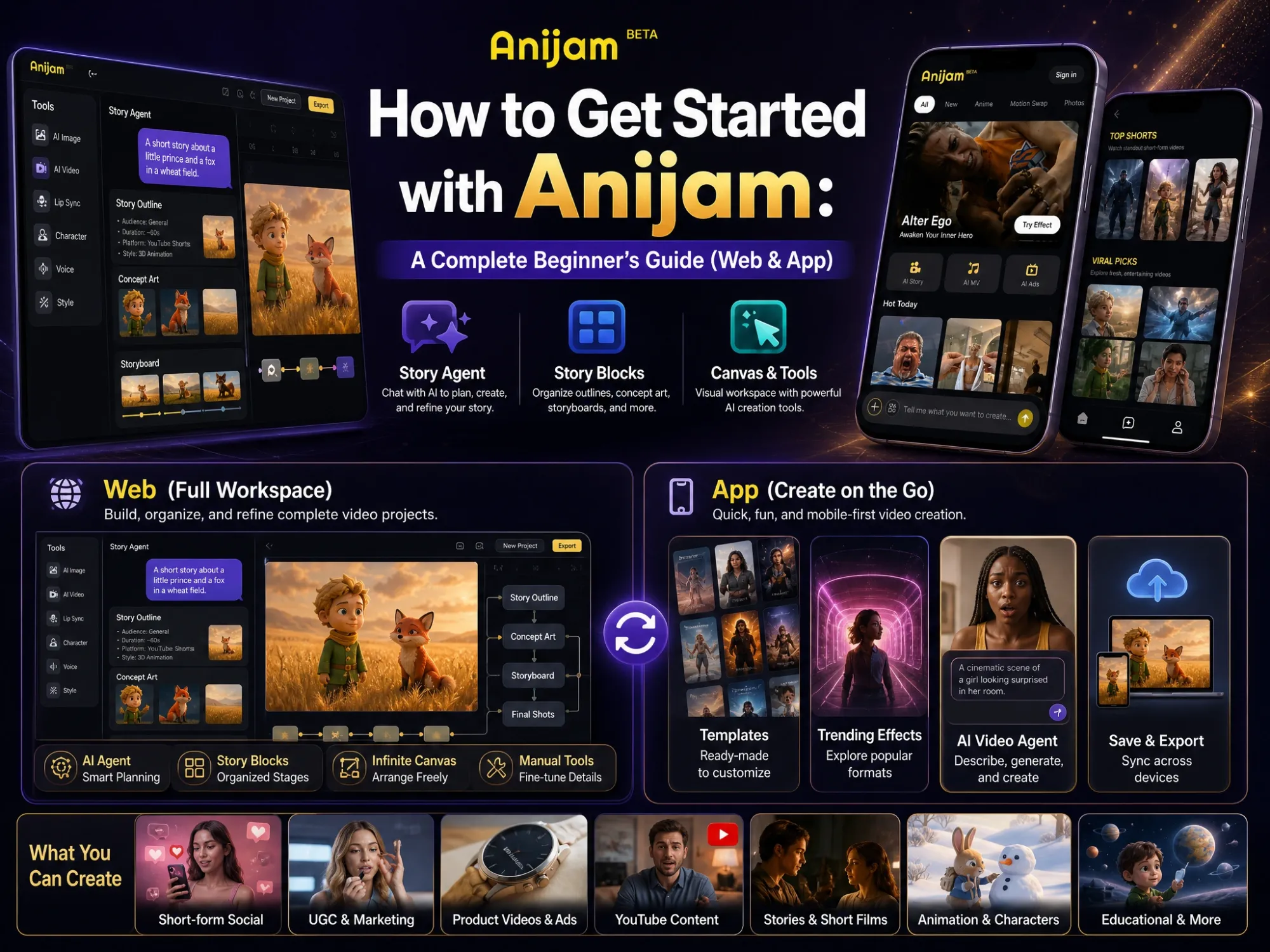
Anijam is an AI video agent and creative platform that helps you make a daily vlog without filming a single frame. Start from a ready-made daily vlog template, or just chat with Anijam like an assistant. Describe today’s moment, and it helps you shape the idea, write the script, and build the scenes.
Out of ideas? Ask Anijam for inspiration, from character concepts and vlog topics to a script for today’s video. It works in your browser and on the mobile app, so your daily vlog fits into any spare five minutes.
Step 1: Define Your Character or Persona
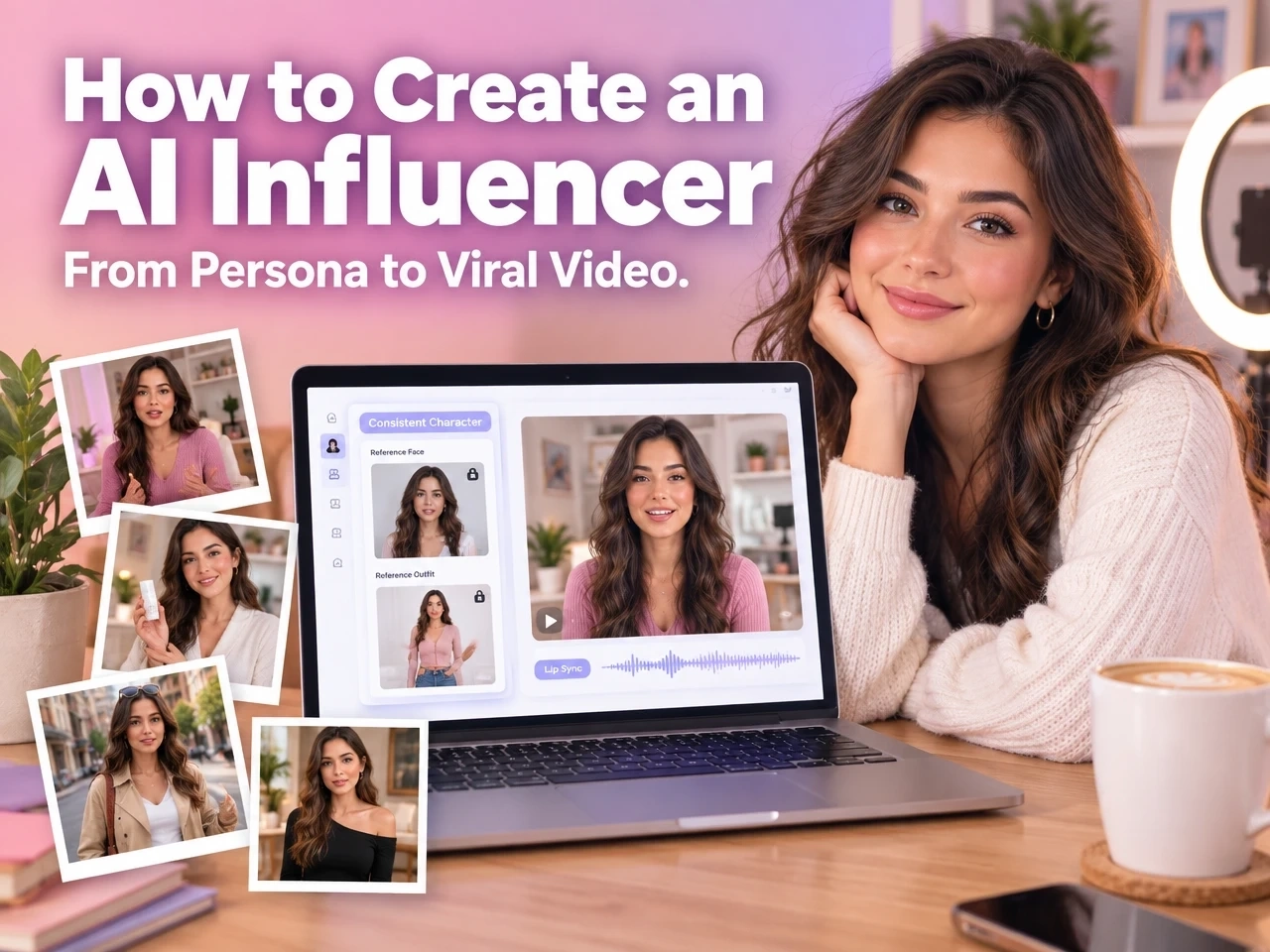
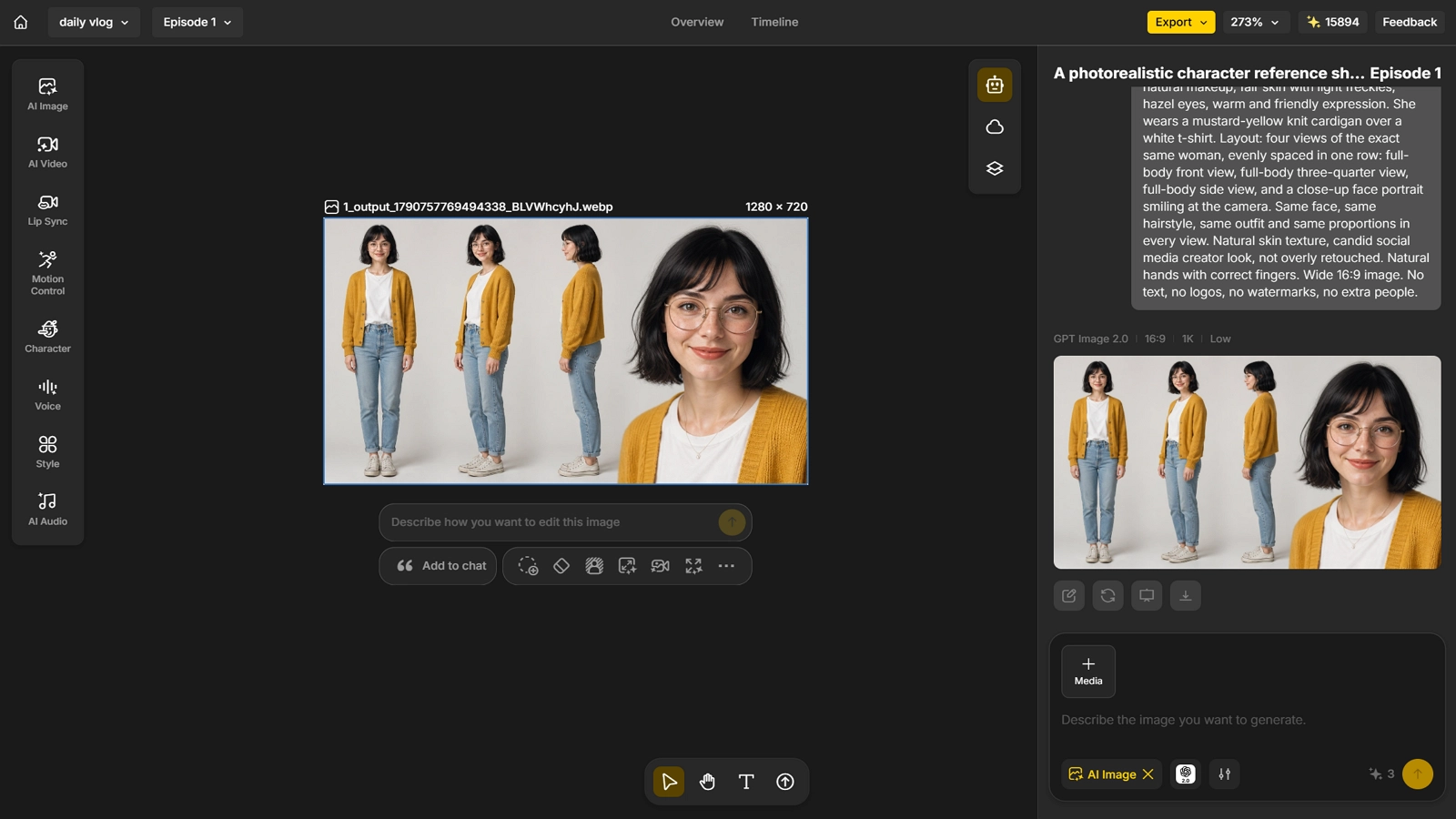
Start by creating your vlogger. In Anijam you can either describe the character in text or upload a reference image. Anijam designs the character - appearance, style, outfit, and personality - so it is ready to use across scenes.
- Give it a name: A named character is saved as a reusable project asset, so it looks the same each time it appears.
- Use your character card: Paste the name, age, look, outfit, and personality you wrote earlier.
- Save it: Save the character with Anijam’s Consistent Character feature so you can reuse it in every scene.
Ask Anijam for inspiration
“I want to start a daily vlog about [your niche]. Suggest three original characters, each with a name, age, look, outfit, and personality, and describe what a typical daily vlog would look like for each one.”
Step 2: Turn Your Idea into a Script
Write one sentence about today’s moment - for example, “Mia tries a new café and reviews her latte.” Then let Anijam expand it. Describe your idea in a few sentences and the agent can generate a multi-scene script with camera directions, or you can paste a script you have already written.
Anijam then breaks the script into shots, each with character placement, action, and camera direction. Keep the structure simple:
- Hook (1 shot): Something visual that makes people stop scrolling.
- Moment (1-3 shots): The one thing that happens today.
- Sign-off (1 shot): A short closing line or gesture.
Decide your format up front. Choose 9:16 for TikTok, Reels, and Shorts, and use the prompt formulas from earlier for every shot.
Ask Anijam for inspiration
“Write a 4-shot script for a daily vlog starring Mia. Today she [your idea]. Start with a one-line hook, keep each shot to one action, add a camera direction for each shot, and end with a short sign-off line. Format: 9:16 vertical.”
Step 3: Add Voice, Lip Sync, and Music
Now give your vlogger a voice. Anijam’s voice generator supports 30+ languages, or you can upload your own audio.
- Voice: Choose from the voice library or type your script and let Anijam generate the audio.
- Lip sync: Anijam matches the character’s mouth movement to the audio automatically, across styles from anime and cartoon to 3D and realistic.
- Music: Generate a track that fits the mood of the day, and keep it quiet under any speech.
Keep spoken lines short - one or two sentences per clip - so they fit inside a 5-10 second shot.
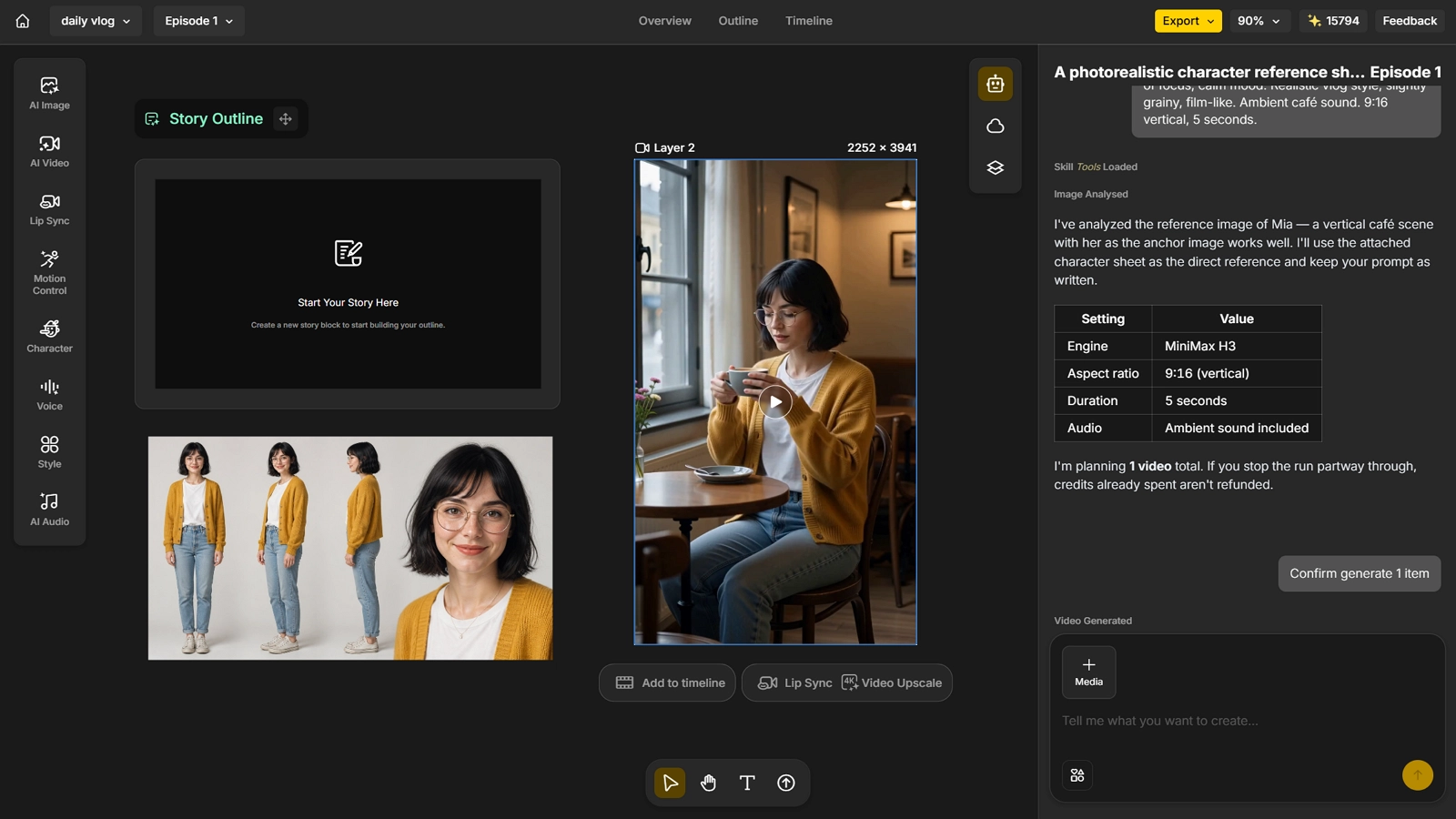
Step 4: Trim, Assemble, and Export
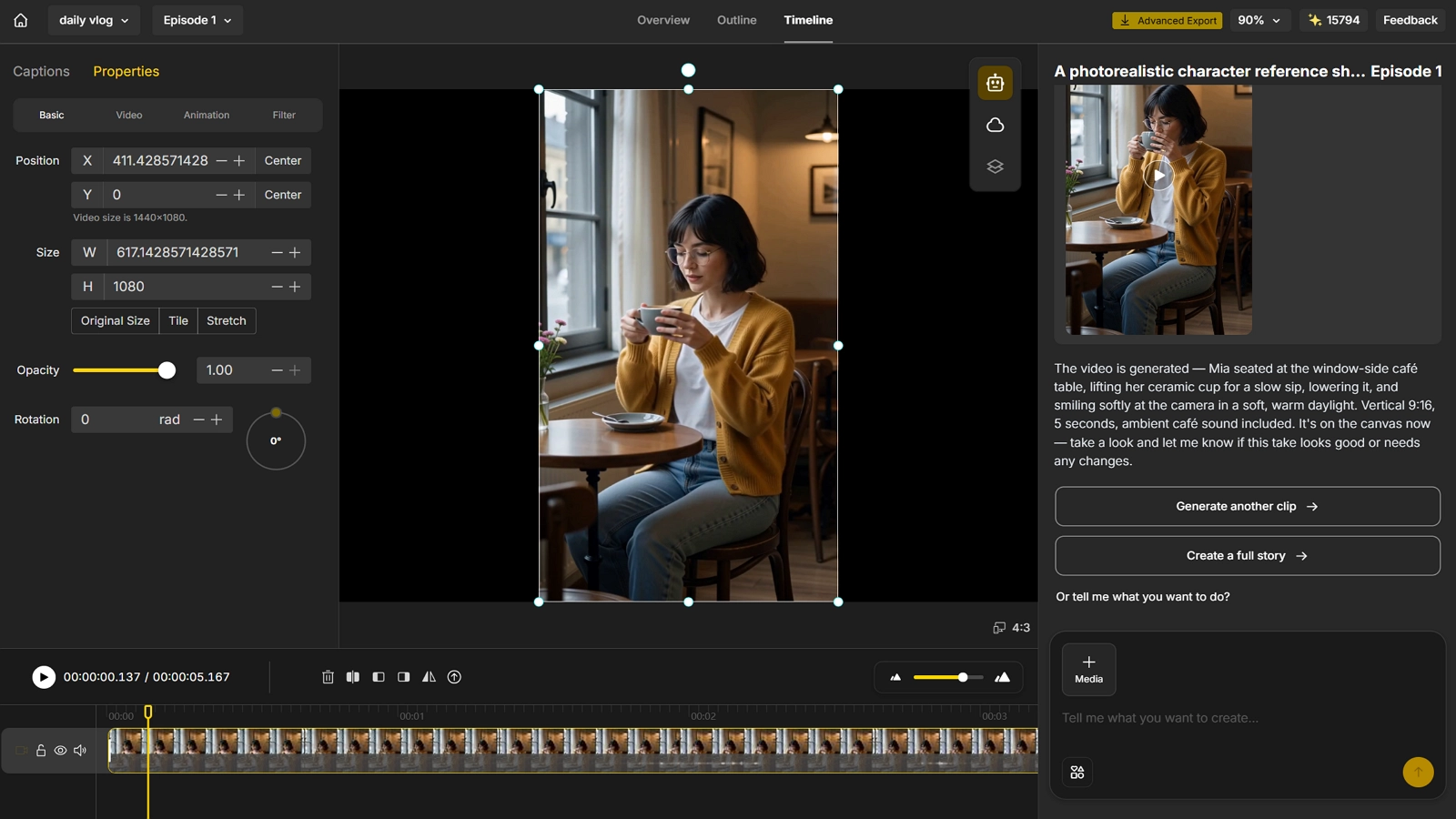
Your generated clips land on a timeline. From there you can trim, reorder, and re-render individual scenes without restarting the whole video - change one line in scene four, and only that shot needs to be redone.
- Check continuity: Same outfit, same lighting, same face from cut to cut.
- Fix only what is broken: Re-render the weak shot and keep the rest.
- Export: Export to your desired resolution, 720 to 1080p.
Common Mistakes and How to Fix Them
Distorted Faces, Hands, or Movement
This happens because the model has no memory of what it generated a moment ago, so it has to guess. Hands are especially tricky: they pack a lot of detail into a small area, and models see fewer clean examples of them.
- Simplify the action: Prompt for “hands resting on the table” or “holding a mug with both hands” instead of a fast gesture.
- Frame hands out: If hands are not the focus, keep them out of the shot or still.
- Keep prompts clear: Avoid stacking too many movements in one clip.
- Set the camera: Words like “front-facing” and “eye-level” reduce perspective problems.
- Use a reference: A saved character gives the model a face to hold on to.
Clips That Don’t Cut Together
AI models do not treat your character like an actor returning to set. They rebuild the scene from the inputs you give them, so character, framing, lighting, and style can all drift between shots.
- Lock your references: Use the same character and style references for every generation.
- Keep prompt language identical: Reuse the same style and lighting wording in every prompt.
- Match the last frame: Use the final frame of one clip as the starting point for the next.
- Be specific about the set: Name the lighting direction, color temperature, and key props.
Content That Feels Like “AI Slop”
This is the mistake with real consequences. YouTube’s inauthentic content policy targets repetitive, mass-produced videos. In July 2026, YouTube clarified that generic, repetitive, or template-based content - including characters put in the same situation over and over with the same outcome - cannot be monetized.
AI itself is not the problem. YouTube says creators can stay in good standing by adding their own original, transformative spin.
- Change the situation daily: A new place, problem, or small goal for your character each time.
- Add your point of view: A personal opinion, joke, or story only you would write.
- Write your own scripts: Use AI for ideas, then make the final call yourself.
- Build a story over days: Let events carry over so viewers have a reason to come back.
Conclusion
A daily vlog with AI is not about replacing your creativity. It is about removing the part that burns creators out.
Decide who your vlogger is, write a tight script, and let the tools handle filming, lip sync, and assembly. Your daily habit becomes simple: one idea, a few short clips, one finished video.
Anijam brings the whole workflow together in one place - character, script, voice, lip sync, music, and timeline editing. If you are ready to make your first daily vlog, head to Anijam AI and get started.
FAQ
Can I Make an AI Vlog Without Showing My Face? Yes. A fully AI-generated vlog starts from a prompt, script, or photo, so you never need to film yourself. Your on-screen vlogger can be an original character that stays consistent across videos. Just avoid using a real person’s likeness without their permission.
How Long Does It Take to Make One Vlog? There is no single number, because generation time depends on the model, the clip length, and how busy the queue is. What you can control is the setup. A saved character, a repeatable format, and a short script mean you only have to decide today’s idea.
Is Anijam Free to Use for Making a Daily Vlog? Yes, you can start for free. Signing up gives you bonus credits, and you can earn more with a daily check-in. Free credits expire, so use them to test your character and format.
How Do I Keep My Character Consistent Across Videos?
- Write a fixed character card. Cover the name, age, look, outfit, and personality, then paste the same description into every prompt.
- Use a reference image of your character. It gives the model a face to hold on to in every generation.
- Save your character in Anijam and use its Consistent Character feature. Every scene then draws on the same saved design instead of rebuilding the character from scratch.
by Evan
Evan is an AI content creator and video technology writer at Anijam AI, focused on how generative AI is transforming storytelling and video production. He shares social trends, creative workflows, prompt strategies, and practical insights to help creators turn ideas into engaging videos and visual content.