


Add Santa Hat to Photo
Get a natural Santa hat on your selfie, family photo, or pet picture in seconds, without stickers or editing skills.
Add Santa Hats With Ready-Made Templates or an AI Prompt
Dragging a flat sticker onto a selfie leaves the hat floating over your head, and getting its angle, size, and shadow right by hand takes more editing than most people want to do.
Anijam AI gives you two ways to add Santa hat to photo in seconds, either apply a ready-made Christmas template and swap in your photo, or use AI image generation to describe the exact hat you want, and then goes further than single-purpose sticker apps with chat edits that fine-tune the result in the same workspace.
Add a Classic Red Santa Hat to Any Selfie
The red hat with a white fur trim and a pompom is the look most people want, and it works on a selfie, a headshot, or a profile picture. Ask for a soft shadow on the forehead so the hat sits on your head instead of floating above it.
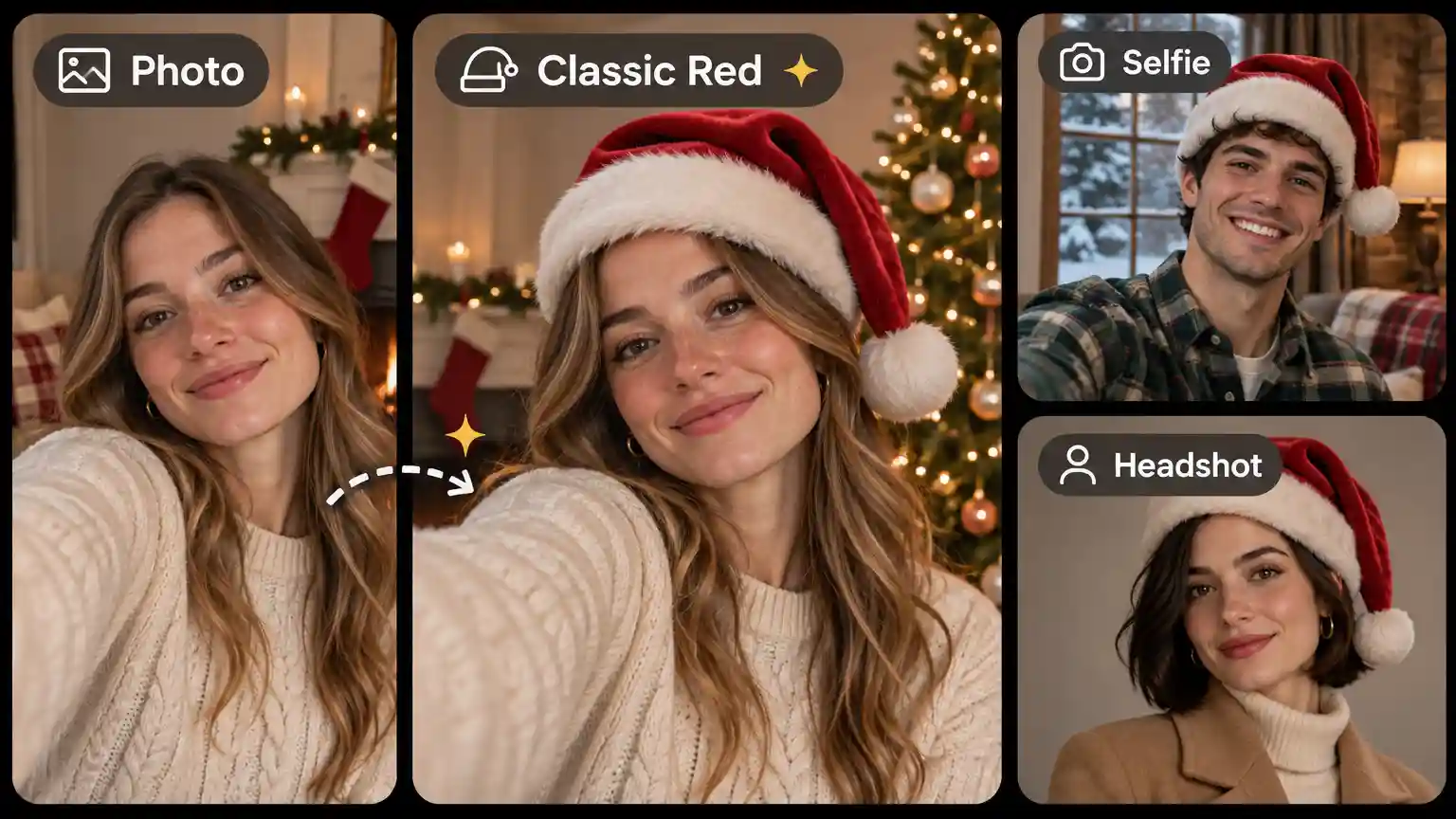
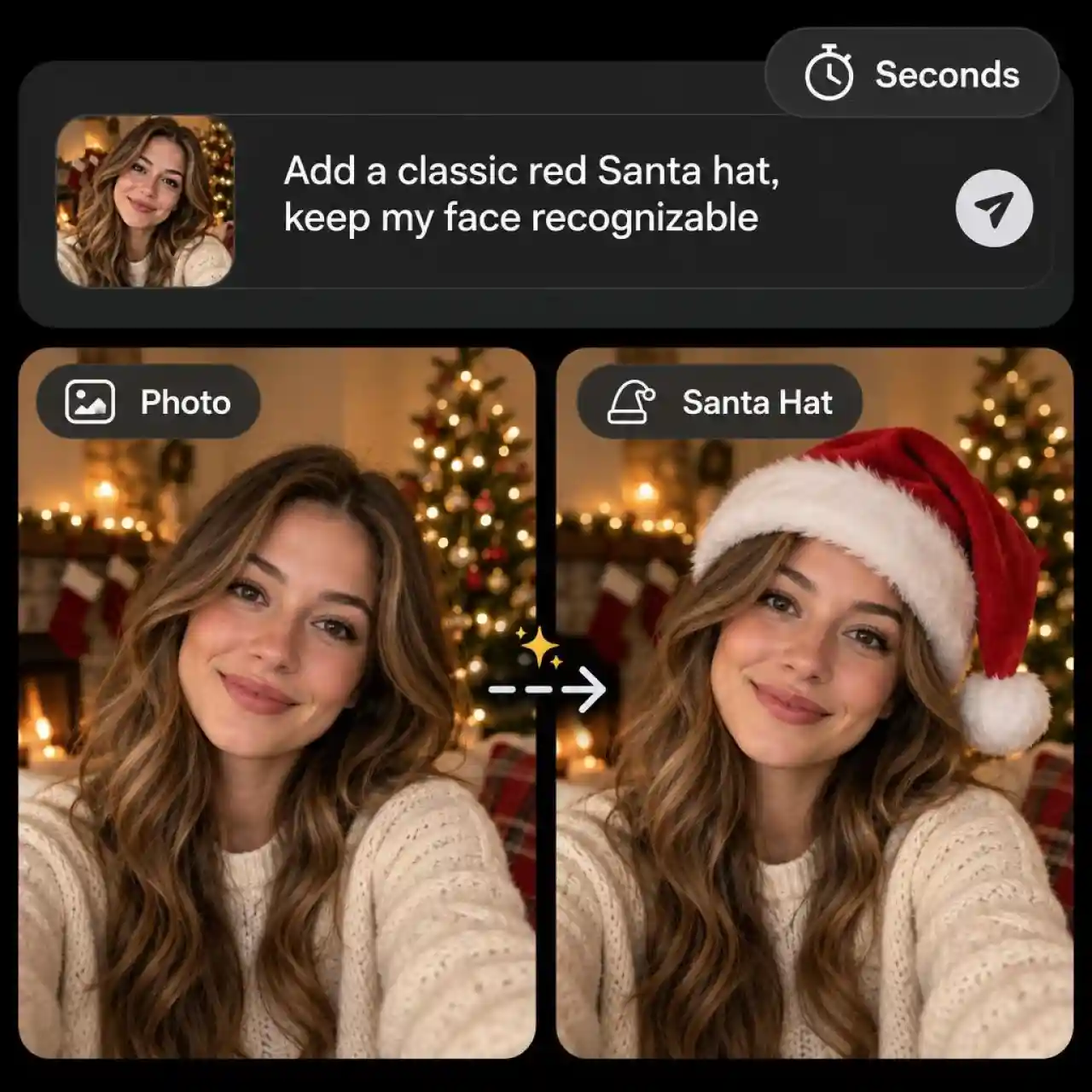
Add Santa Hat to Photo in Seconds
Anijam adds a Santa hat to your photo in seconds, with no stickers to drag and no layers to line up. Upload a selfie, a family photo, or a pet picture, type what you want, such as "Add a classic red Santa hat, keep my face recognizable," and the AI image model does the rest. Prefer to skip the prompt? Anijam adds new Christmas templates all season, so you can pick one, swap in your photo, and add a Santa hat with the look already built in. A clear, front-facing photo with the whole head visible gives the closest fit.
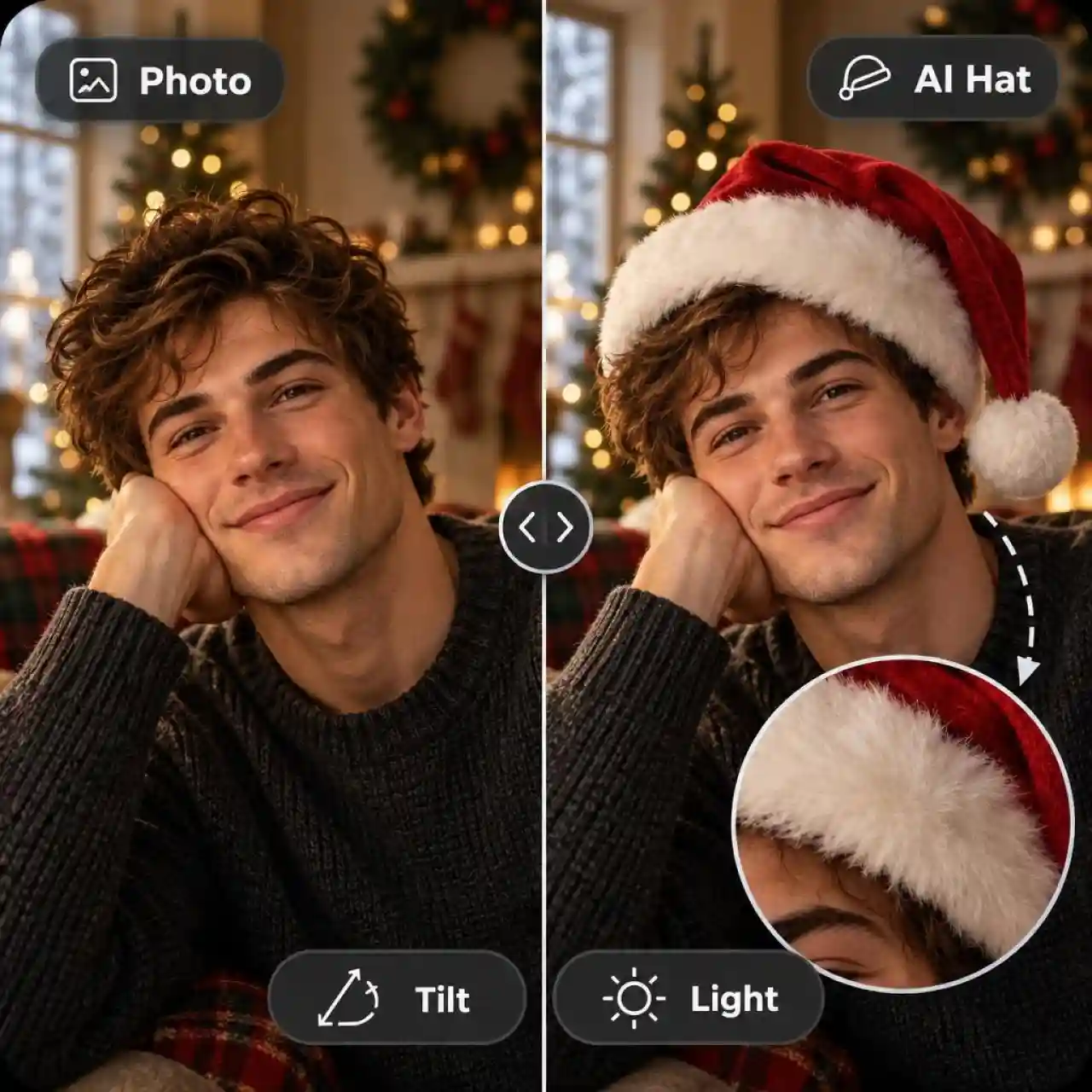
Add Christmas Hat to Photo With Natural Results
The hat looks natural because the AI builds it into the photo instead of pasting it on top. Describe the tilt, size, and fur trim in your prompt, and the model matches the head angle and the light in your original. Compare the result with your original at full size, and regenerate if the hat or a face looks off.
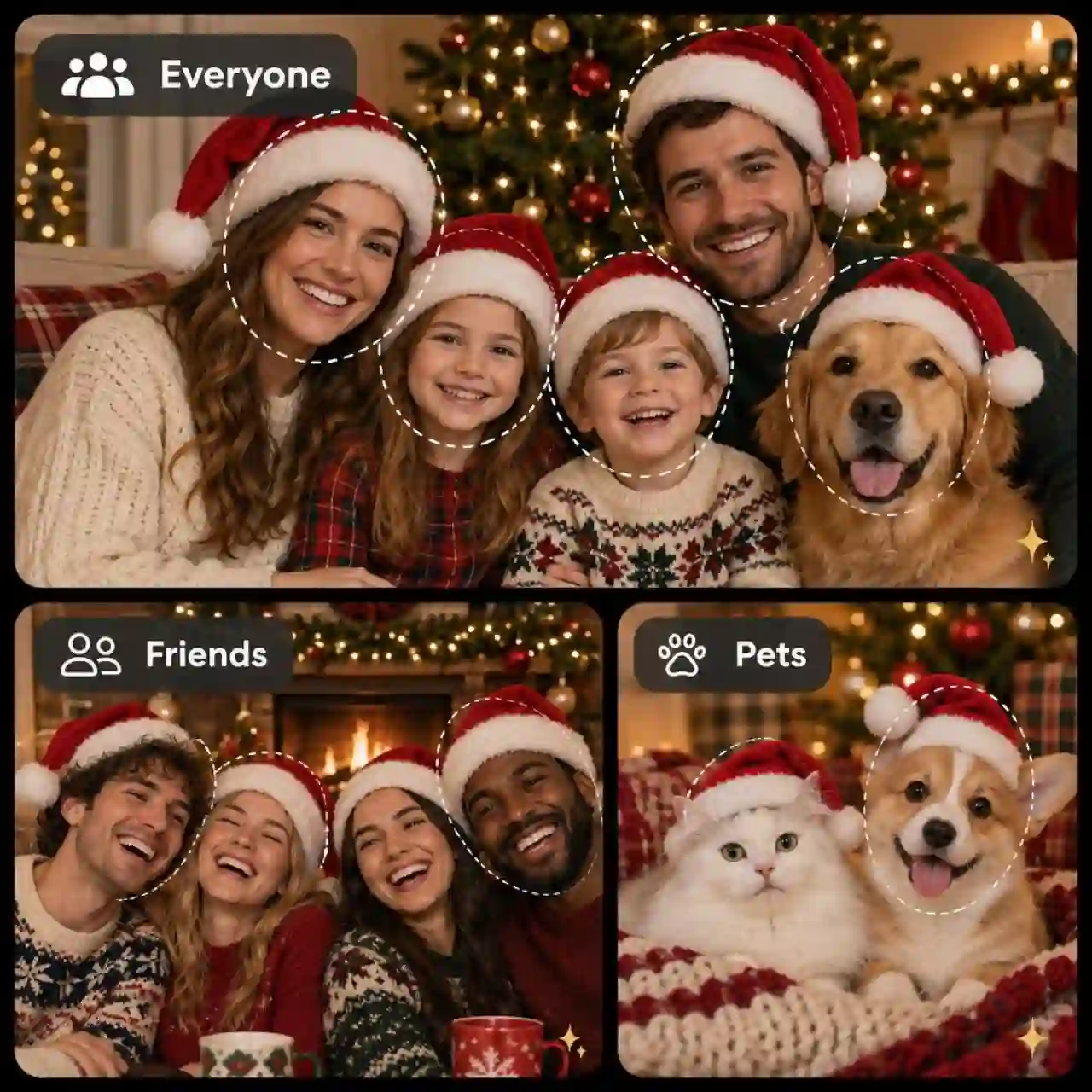
Put Santa Hats on Group Photos and Pets
Everyone in the picture, pets included, can get a hat that fits their own head. Upload one group photo, or add a photo of each person, and ask for "a Santa hat on every person, each sized and angled to its own head." For a pet, ask for a small hat between the ears and keep the fur and background unchanged.
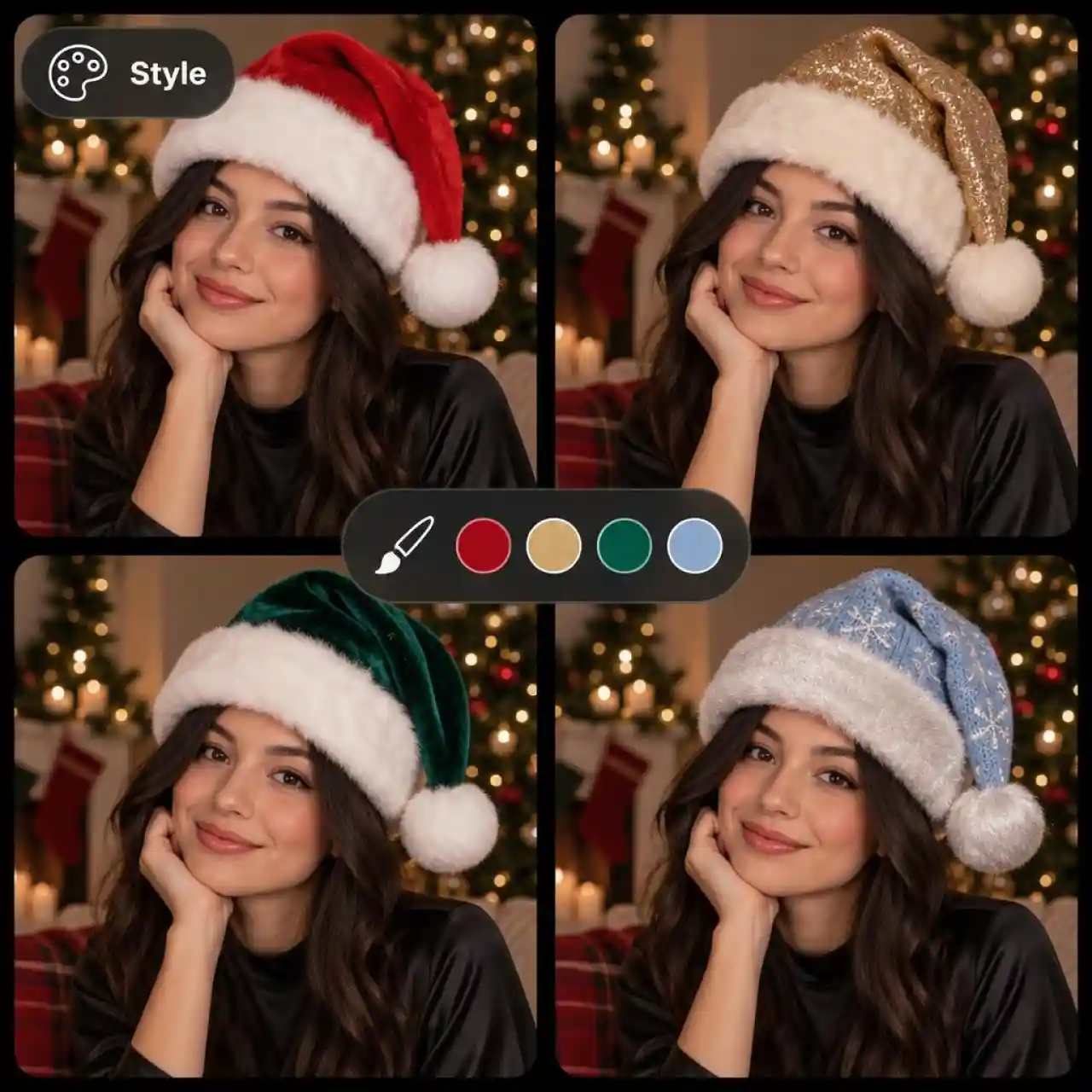
Customize Santa Hats in Any Color and Style
Describe the hat you want and Anijam creates it, from classic red and white to glitter gold, velvet green, or icy blue. Add the fabric, the fur trim, and the pompom to your prompt, or match the hat to your outfit. Try a few versions and keep your favorite.
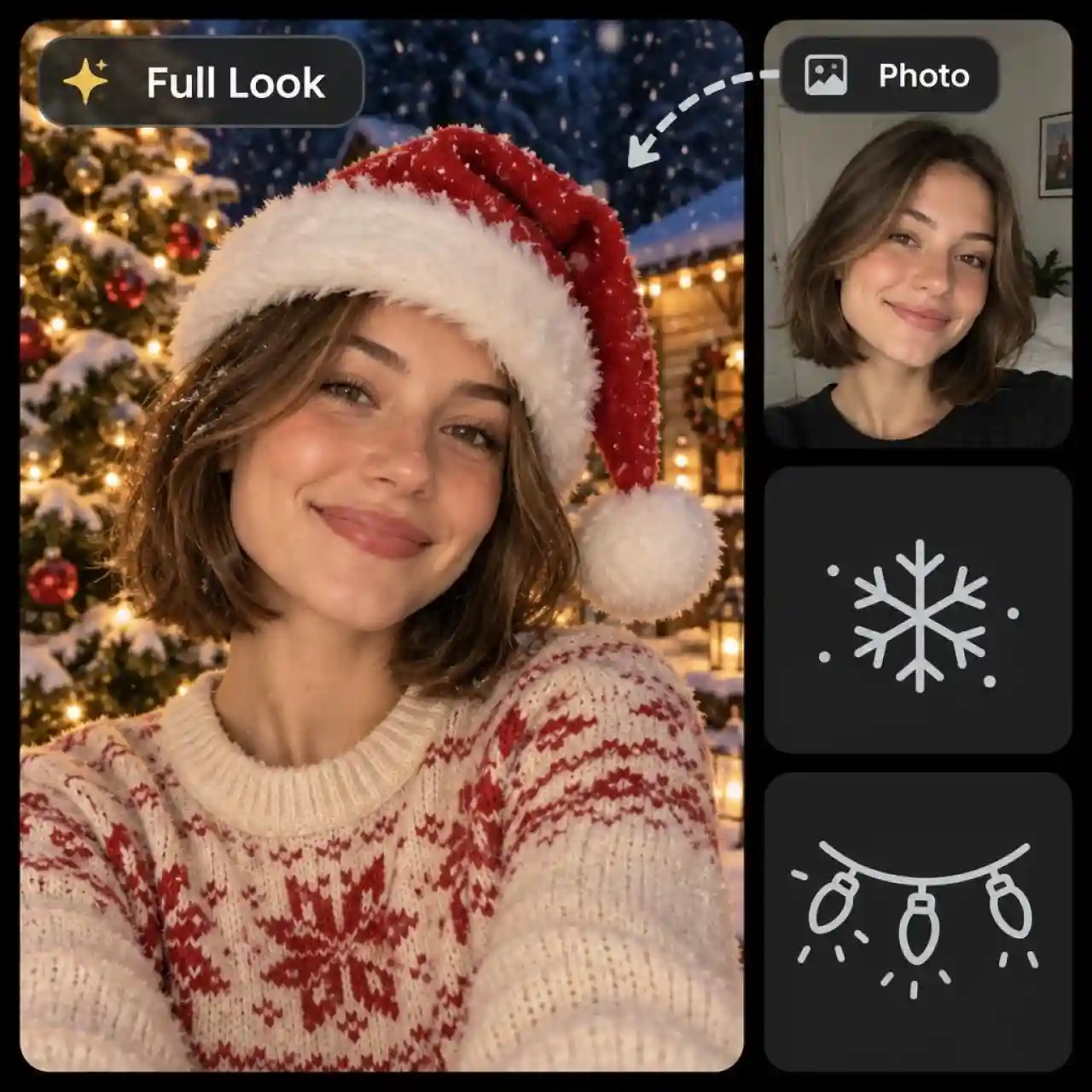
Turn One Photo Into a Full Christmas Look
A Santa hat is only the start, because the same prompt can add snow, string lights, a cozy sweater, or a decorated tree. Say what to keep, such as your face and pose, and what to change, such as the background and the outfit. The result is a Christmas portrait ready for a card, a profile picture, or a post.
How to Add Santa Hat to Photo
Step 1: Choose a Template or the AI Image Tool
Pick a trending Christmas template to start from a ready-made look, or open the AI Image tool and choose an image model for a custom Santa hat.
Step 2: Upload Your Photo and Describe the Hat
Upload a selfie, family photo, or pet picture. For a custom hat, type a prompt such as "Add a classic red Santa hat with white fur trim, keep my face recognizable and everything else unchanged."
Step 3: Generate, Refine, and Download
Click Generate and check the hat and every face at full size. Ask the agent for changes such as a smaller hat or warmer light, then download your photo in HD.
Popular Ways to Add Santa Hat to Photo
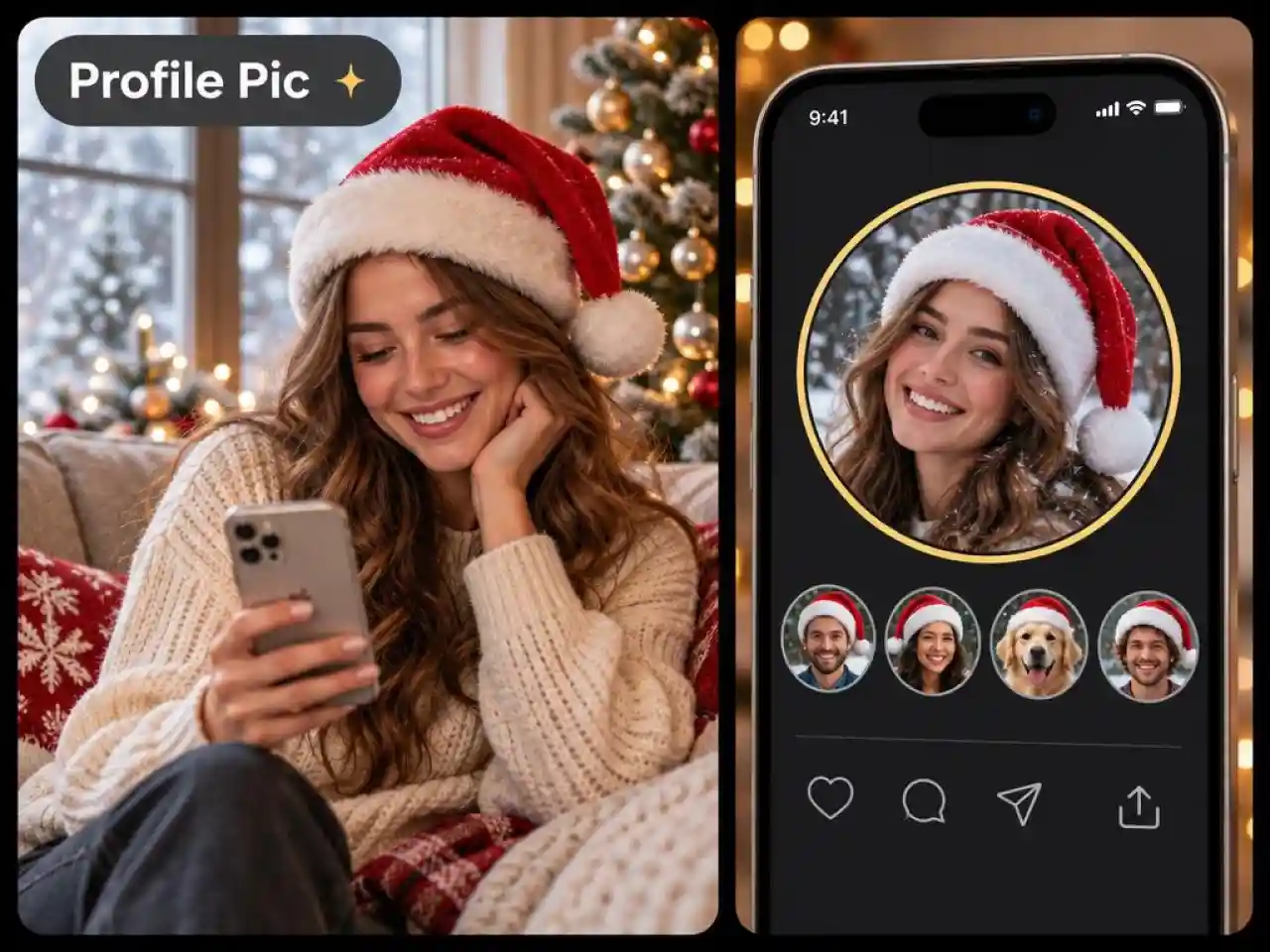
Christmas Profile Pictures
Switch to a Santa hat profile picture before your feed fills up with Christmas posts. Keep your face centered so the hat fits a circle crop on Instagram, TikTok, or WhatsApp.
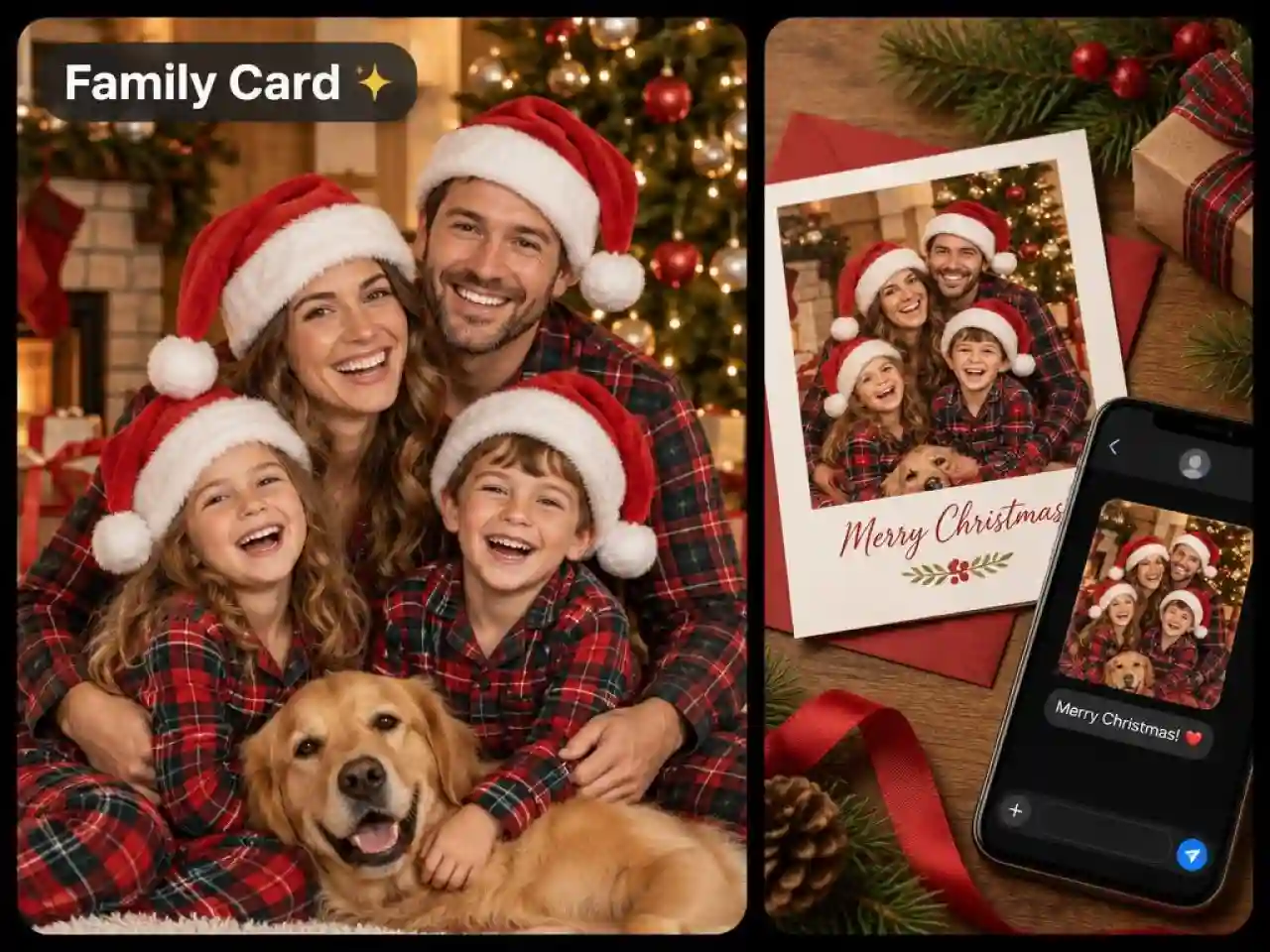
Family Cards and Group Photos
Give everyone in the card photo a matching hat, even when you can't get the whole family in one room. Add your greeting, then print the card or share it by text.
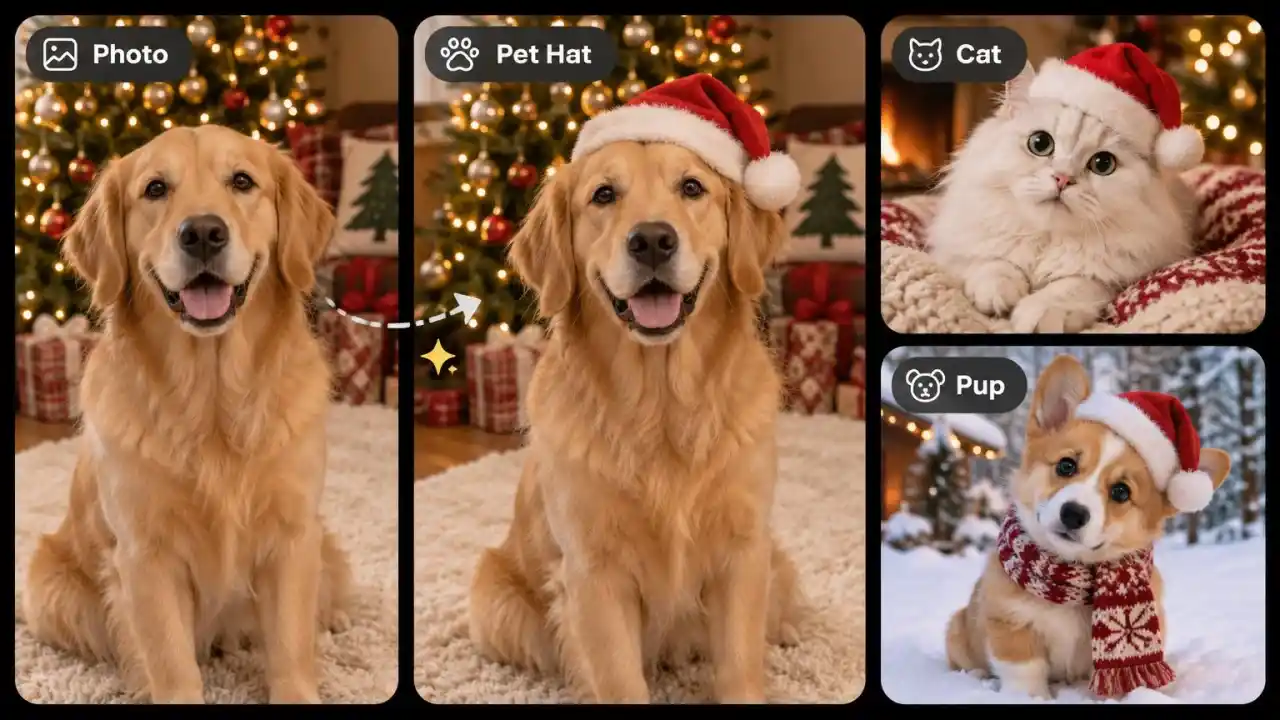
Pet Santa Hat Photos
Put a small Santa hat on your dog or cat for the post your friends will actually share. Pet photos keep their fur and expression when you ask the AI to leave everything but the hat unchanged.
Santa Hat Prompts to Try
Copy a prompt, upload your photo, and add Santa hat to photo in one pass.
Classic Red Hat: Add a classic red Santa hat with white fur trim and a pompom to the person in my photo, tilted to match the angle of the head, soft shadow on the forehead, keep my face and everything else unchanged.
Group Photo Hats: Add a Santa hat to every person in this group photo, each hat sized and angled to its own head, keep every face, outfit, and the background unchanged.
Pet Santa Hat: Add a small red Santa hat between my dog's ears, sized to the head, keep the fur, the face, and the background unchanged.
Christmas Profile Picture: Add a Santa hat to my selfie and make it a Christmas profile picture, light snowfall, warm string lights behind me, face centered so it fits a circle crop, keep my face recognizable.
Glitter Gold Hat: Add a glitter gold Santa hat with a fluffy white trim to my photo, soft studio lighting, matching sequin outfit, keep my face recognizable.
Why Add Santa Hat to Photo With Anijam AI

Free Credits to Start
Sign up and start with free credits, so you can test several hat styles before you choose a plan.

Trending Christmas Templates
Browse Christmas templates built on the looks people are sharing, then swap in your own photo to get a hat portrait without writing a prompt.

Multiple Image Models
Switch between AI image models to find the cleanest hat fit, from realistic portraits to stylized 3D looks.

Chat Edits With the Agent
Ask the Anijam agent for a smaller hat, warmer light, or a different color in plain English, and it updates your image.

Web and Mobile App
Start on the web and keep creating in the Anijam app, so you can add a hat to a camera roll photo before the party.

Creator Rewards
Join the Anijam Creator Program, submit your original works, and unlock rewards with up to 1,000,000 points to claim.
Explore More Anijam AI Creative Tools


More About AI Creation and Inspiration




FAQ
Is it free to add a Santa hat to a photo with Anijam AI?
Yes. Anijam gives you free credits when you sign up, and you can use them to add Santa hats to selfies, family photos, and pet pictures. Plans with more credits are available when you need higher volume, and commercial rights depend on your plan, so check Anijam's Pricing and Terms of Service before using images in paid ads or products.
How do I add a Santa hat to a photo on my iPhone?
Open Anijam AI in your iPhone browser or download the the Anijam app from the Apple App Store or Google Play. Choose a Christmas template and upload a photo from your camera roll, or describe the Santa hat you want and let AI add it to your photo. No app download is required when using Anijam directly in your mobile browser.
How do I add a hat onto a photo?
Upload your photo, then describe the hat in a prompt, such as "Add a red Santa hat with white fur trim, keep my face and everything else unchanged." Anijam works for any hat, so you can also ask for a glitter gold, green elf, or knit winter hat, then download the result in HD.
How do I add Santa Claus to a photo?
Upload your photo and describe where Santa should stand, such as "Add Santa Claus beside me by the Christmas tree, warm lights, keep my face and the room unchanged." Check Santa's hands and your face at full size, and ask the agent for a fix if anything looks off.
Will add Santa hat AI keep my face the same?
Start with a sharp, front-facing photo in even light, and say "keep my face recognizable and everything else unchanged" in your prompt. For a natural fit, describe the tilt and size, such as "tilted slightly left, sized to my forehead width, soft shadow under the fur trim." Compare the result with your original at full size, and regenerate if anything looks off.
Can I add Santa hats to a group photo or a pet?
Yes. Upload a group photo, or add a photo of each person, and ask for a hat on everyone, each sized to its own head. For a pet, ask for a small hat between the ears. Only upload photos of people who are comfortable with it being used.