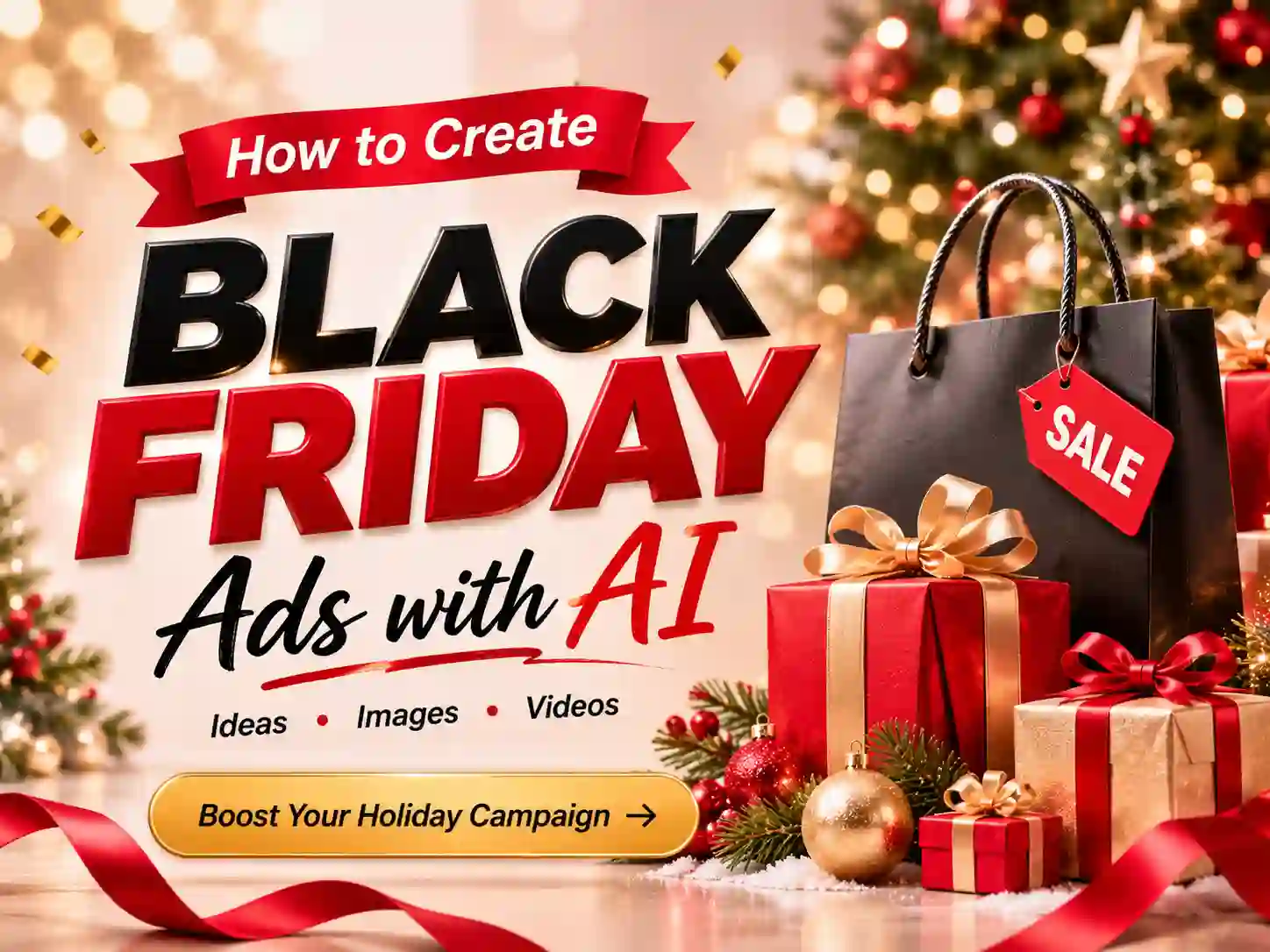
How to Create Black Friday Ads with AI: Images & Videos
Black Friday is one of the biggest promotional opportunities of the year. In 2026, it falls on November 27, giving businesses a key date to plan their holiday promotions. From limited-time discounts and product launches to holiday shopping campaigns, businesses need eye-catching ads to attract shoppers across social media, online stores, and digital advertising channels.
But creating enough ad creatives for a Black Friday campaign can take time. You may need product promotional images, sale announcements, social media graphics, and short video ads—all with a consistent visual style.
AI makes this process easier. With AI image and video generation tools, you can turn product photos, text prompts, and campaign ideas into Black Friday ads without starting every creative from scratch.
In this guide, we’ll explore 10 Black Friday ad ideas, show you how to create promotional images and videos with AI, and share practical tips for building more effective holiday advertising campaigns.
What Are Black Friday Ads?
Black Friday ads are promotional images and videos created to advertise products, discounts, special offers, and shopping events during the Black Friday sales season.
They help businesses introduce upcoming deals, highlight featured products, encourage purchases, and remind customers about limited-time promotions.
Depending on your campaign goals, Black Friday ads can include:
- Sale Ads: Promotional graphics announcing discounts, limited-time deals, and special offers.
- Product Ads: Product-focused images and videos that highlight features, benefits, and seasonal promotions.
- Social Media Ads: Instagram posts, Facebook graphics, TikTok videos, and Instagram Reels designed to reach online audiences.
- Website Ads: Homepage banners, promotional headers, and ecommerce campaign visuals.
- Email Ads: Promotional images and banners used in Black Friday email campaigns.
- Video Ads: Product showcases, sale announcements, brand stories, and short-form promotional videos.
With AI, you can create different types of Black Friday ads from text prompts, reference images, or existing product photos. This makes it easier to explore creative directions and prepare multiple advertising formats for one campaign.
10 Black Friday Ad Ideas You Can Create with AI
Not sure what your Black Friday campaign should look like? Here are 10 practical Black Friday ad ideas for ecommerce businesses, brands, and social media marketers.
You can use AI image and video tools to turn these concepts into promotional creatives for different marketing channels.
Want to bring these Black Friday ad ideas to life? Use Anijam AI to create promotional images and videos with ease. Turn your product photos, creative ideas, and campaign concepts into eye-catching Black Friday ads.
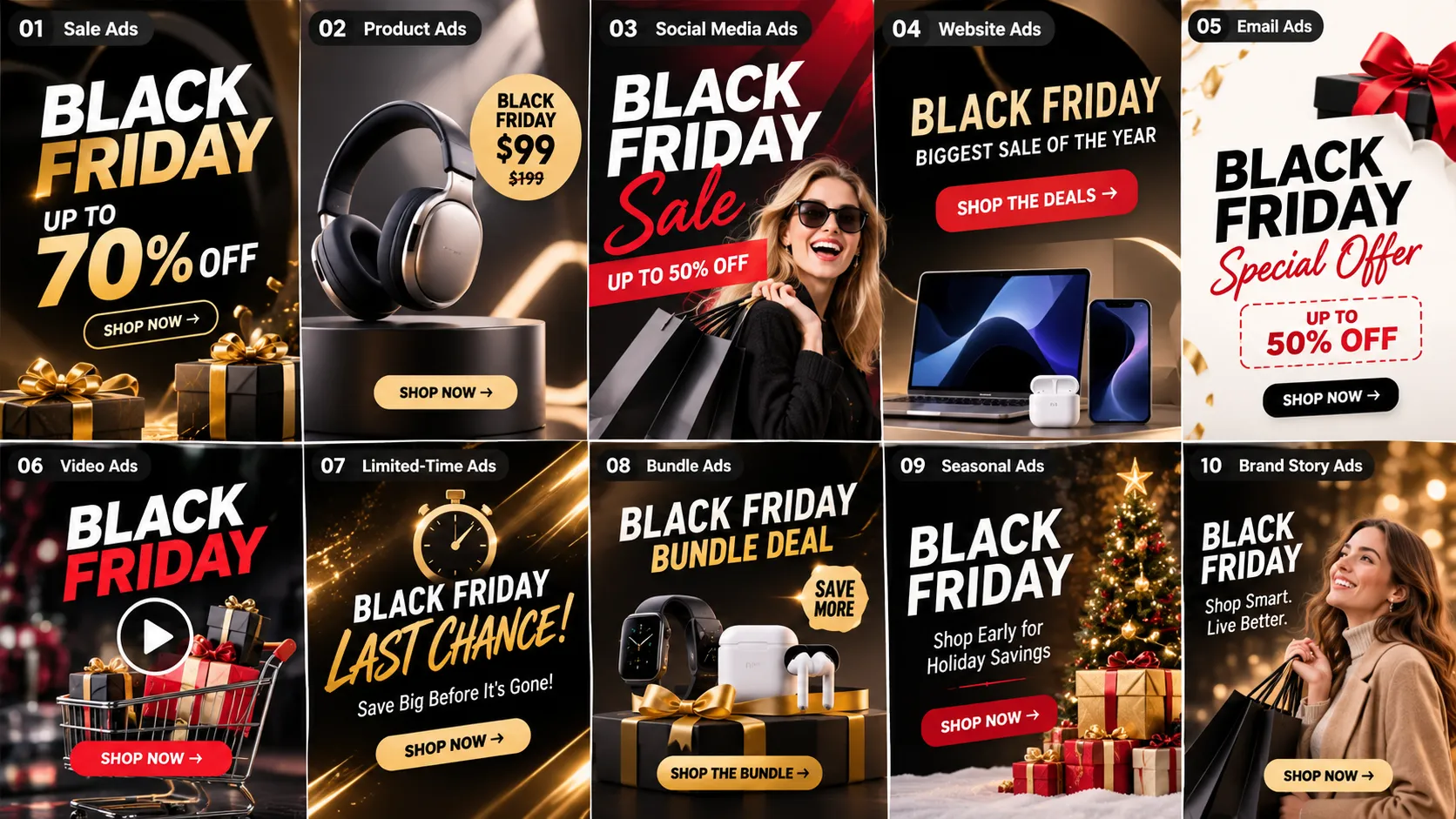
1. Black Friday Sale Ads
Black Friday sale ads are essential for announcing special offers and encouraging customers to shop during the promotional period.
Create bold promotional graphics featuring large discount callouts, product displays, and high-contrast backgrounds. Black, gold, red, and white are popular visual choices for creating a recognizable Black Friday atmosphere.
You can customize the visuals for different offers, such as percentage discounts, seasonal deals, limited-time promotions, or storewide sales.
Where to use them:
- Instagram and Facebook promotions
- Ecommerce sale pages
- Digital advertising campaigns
- Black Friday landing pages
AI Image Prompt:
Create a premium Black Friday sale advertisement for a modern ecommerce brand. Use a sophisticated black and metallic gold color palette with dramatic studio lighting, subtle golden particles, and elegant geometric elements. Feature a premium shopping bag and luxury product arrangement as the main visual. Leave clear negative space for a large promotional headline and discount details. High-end commercial advertising design, bold composition, square format.
2. Black Friday Product Ads
Product ads help businesses showcase featured products while communicating their Black Friday offers.
Instead of using ordinary product photos, create visually engaging promotional scenes with AI. For example, a skincare product can appear on a luxurious black marble surface, while a pair of headphones can be presented in a futuristic studio environment.
Keep the product as the main focus and use the background, lighting, and composition to reinforce your campaign’s visual identity.
Where to use them:
- Ecommerce product pages
- Facebook and Instagram ads
- Product promotional campaigns
- Online shopping catalogs
AI Image Prompt:
Create a luxury Black Friday product advertisement using the uploaded product photo as the main subject. Place the product on a premium black display platform with elegant golden lighting, subtle reflections, and a dark studio background. Keep the original product shape, packaging, logo, and label details recognizable. Use dramatic commercial product photography with a refined black and gold color palette. Leave some clean space for promotional copy.
3. Black Friday Gift Guide Ads
Black Friday is also an opportunity to help shoppers discover products for upcoming holiday gifts.
Create gift guide ads that group products by recipient, category, or budget. For example, a beauty brand can showcase skincare gift sets, while an electronics retailer can highlight headphones, smart devices, and accessories.
Use a clean product arrangement and clear visual hierarchy to make each recommendation easy to understand.
Where to use them:
- Instagram carousel posts
- Pinterest promotional graphics
- Ecommerce gift collections
- Email marketing campaigns
AI Image Prompt:
Create an elegant Black Friday gift guide advertisement for a premium lifestyle retailer. Feature a curated arrangement of beauty products, fashion accessories, electronics, and gift boxes on a sophisticated black display surface. Add subtle golden decorative elements and warm studio lighting. Organize the products into a balanced editorial composition with enough negative space for gift category labels. Premium ecommerce advertising photography, polished commercial design.
4. Black Friday Social Media Ads
Social media ads help brands promote Black Friday offers across platforms where shoppers discover products and follow their favorite businesses.
Create a consistent collection of promotional posts featuring product highlights, discount announcements, shopping reminders, and campaign updates.
You can also develop several visual variations for different platforms while maintaining the same campaign style.
Where to use them:
- Instagram feed and Stories
- Facebook posts
- Pinterest graphics
- LinkedIn promotional announcements
AI Image Prompt:
Create a modern Black Friday social media advertisement for a fashionable ecommerce brand. Feature a stylish product arrangement against a bold black background with elegant gold accents and dramatic lighting. Use a clean, contemporary layout with a strong visual focal point and generous negative space for a short promotional headline. Premium social media advertising aesthetic, eye-catching composition, square format.
5. Black Friday Website Banner Ads
A website banner is often one of the first visuals visitors see when they arrive at an online store during Black Friday.
Use AI to create wide promotional banners that highlight featured products, seasonal offers, and campaign messaging.
Keep the main visual elements away from the areas reserved for website headlines and CTA buttons so the banner remains easy to read.
Where to use them:
- Ecommerce homepage banners
- Black Friday sale landing pages
- Product category pages
- Promotional website headers
AI Image Prompt:
Create a wide Black Friday ecommerce website banner for a premium retail brand. Feature a carefully arranged collection of luxury products on the right side, including elegant packaging and subtle golden decorative elements. Use a deep black background with refined gold lighting and realistic commercial product photography. Leave generous clean negative space on the left for a promotional headline, discount details, and CTA button. Sophisticated ecommerce campaign design, wide horizontal composition.
6. Black Friday Email Ads
Email campaigns help businesses announce upcoming Black Friday offers, introduce featured products, and remind subscribers about important sale dates.
Create promotional email visuals with clear headlines, attractive product images, and a consistent campaign style.
You can prepare different creative directions for early-access announcements, sale launches, and last-chance reminders.
Where to use them:
- Black Friday promotional emails
- Ecommerce newsletters
- Early-access announcements
- Limited-time offer reminders
AI Image Prompt:
Create a premium Black Friday email campaign header for an online retail brand. Feature a stylish arrangement of featured products, elegant black gift boxes, and subtle golden decorative details. Use a sophisticated black and gold palette with balanced studio lighting. Keep the center area clean for an email headline and promotional message. Minimalist luxury advertising design, polished commercial composition, horizontal banner layout.
7. Black Friday Product Video Ads
Product video ads give customers a closer look at featured products through movement, lighting, and dynamic camera angles.
Turn an existing product photo into a short promotional video using AI video generation. For example, a perfume bottle can appear in a dramatic studio scene, or a pair of sneakers can be showcased with dynamic camera movements and cinematic lighting.
Focus on the product’s appearance and key selling points rather than adding unnecessary visual effects.
Where to use them:
- Facebook and Instagram video ads
- TikTok product promotions
- Ecommerce product pages
- YouTube Shorts
AI Video Prompt:
Create a premium Black Friday product showcase video using the uploaded product image as the main reference. Begin with a close-up of the product against a dramatic black studio background. Slowly reveal the product with elegant golden light reflections and smooth cinematic camera movement. Add subtle floating particles in the background while keeping the product’s original appearance recognizable. End with a polished hero shot and clean space for a promotional message. High-end commercial advertising style, vertical video format.
8. Black Friday Flash Sale Videos
Flash sale videos are designed to communicate urgency and encourage shoppers to take advantage of limited-time promotions.
Create short promotional videos featuring dynamic transitions, featured products, countdown-inspired visuals, and sale announcements.
You can prepare several versions for different campaign stages, such as an upcoming sale teaser, a sale-is-live announcement, and a final-hours reminder.
Where to use them:
- Instagram Reels and Stories
- TikTok advertisements
- Facebook video campaigns
- Ecommerce promotional sections
AI Video Prompt:
Create an energetic Black Friday flash sale promotional video for a modern ecommerce brand. Open with a dramatic black screen that transitions into a dynamic product showcase with bold golden lighting and fast cinematic camera movements. Reveal a collection of premium products with smooth transitions and subtle glowing effects. Finish with a striking promotional composition that leaves clear space for a sale headline and CTA. High-energy commercial advertising style, vertical 9:16 format.
9. Black Friday Brand Ads
Not every Black Friday ad needs to focus entirely on discounts. Brand-focused advertisements can communicate your company’s personality, product quality, and campaign message.
Create short visual stories that introduce your brand, showcase your products, or explain why customers should explore your Black Friday collection.
Use consistent colors, lighting, and visual elements to make your campaign recognizable across different channels.
Where to use them:
- Brand social media accounts
- Black Friday campaign landing pages
- YouTube advertising
- Promotional email campaigns
AI Video Prompt:
Create a cinematic Black Friday brand advertisement for a premium lifestyle company. Show an elegant retail-inspired environment with beautifully displayed products, sophisticated black and gold decorations, and dramatic studio lighting. Use smooth camera movements to reveal the products and establish a premium brand atmosphere. Include a sequence of detailed product close-ups followed by a wide brand showcase. Refined storytelling, realistic commercial video style, horizontal format.
10. Black Friday TikTok Ads
TikTok ads offer brands an opportunity to present products through short, engaging vertical videos.
Create product demonstrations, quick promotional reveals, unboxing-style scenes, and visually interesting product transformations. Keep the opening visually engaging so viewers understand the product or campaign message quickly.
You can also adapt existing product images into short-form videos with AI to explore different creative directions.
Where to use them:
- TikTok Ads
- Instagram Reels
- YouTube Shorts
- Facebook Reels
AI Video Prompt:
Create a fast-paced vertical Black Friday product advertisement for a modern consumer brand. Start with an eye-catching close-up of the featured product, followed by dynamic camera movements and visually engaging product shots. Use bold black and gold lighting, smooth transitions, and a polished social media advertising aesthetic. Showcase the product from multiple angles and finish with a strong hero shot that leaves space for a promotional headline. Vertical 9:16 format, energetic pacing, premium commercial quality.
How to Create Black Friday Ad Images with AI 🔥
You don’t need a professional photography studio to create Black Friday promotional images. With an AI image generator like Anijam, you can turn product photos and creative ideas into promotional visuals for your campaign.
Here’s a simple workflow.
Step 1: Choose a Black Friday Ad Style
Start by deciding what kind of advertisement you want to create.
You can choose a visual direction based on your product, audience, and campaign goals.
For example:
- Luxury Black Friday: Black backgrounds, golden lighting, elegant product displays.
- Bold Sale Promotions: High-contrast colors, large visual elements, and energetic compositions.
- Minimalist Product Ads: Clean backgrounds, focused product photography, and simple layouts.
- Modern Ecommerce Ads: Professional product arrangements, studio lighting, and contemporary visual styling.
Think about your overall campaign appearance before generating individual images. A consistent visual direction helps your ads look like part of the same promotion.
Step 2: Upload a Product Photo or Enter a Prompt
If you’re creating a product advertisement, start with a clear reference photo of your product.
Upload the image to an AI image generation tool and describe the promotional scene you want to create.
Include details such as:
- Main Subject: The product or featured item.
- Background: Black studio, luxury display, or promotional environment.
- Lighting: Golden highlights, dramatic studio lighting, or soft reflections.
- Composition: Close-up product shot, flat lay, or wide banner.
- Visual Style: Luxury advertising, minimalist product photography, or modern ecommerce design.
You can also start with a text prompt if you want to generate a completely new promotional concept.
Step 3: Generate, Refine, and Prepare Your Ad
Generate your image and review the result.
If the composition doesn’t match your expectations, refine your prompt or ask the AI agent to adjust specific details. You might request a different background, more balanced lighting, a closer product view, or additional space for promotional copy.
For important campaign details such as prices, discount percentages, product names, and offer conditions, add or finalize the text in a design editor and check everything before publishing.
Once you’re satisfied with the visual, prepare the image for your chosen marketing channel.
How to Create Black Friday Video Ads with AI 🔥
AI video generation makes it easier to turn product photos and campaign ideas into short promotional videos.
With Anijam’s AI Video Agent, you can develop a video concept, organize visual scenes, and refine your promotional video through a chat-based creative workflow.
Step 1: Start with a Black Friday Campaign Idea
First, decide what your video should communicate.
For example:
- A Black Friday product showcase.
- A limited-time sale announcement.
- A flash sale promotional video.
- A brand introduction for the shopping season.
- A product demonstration with a special offer.
You can start with a simple idea or describe your campaign goal to the AI Video Agent.
For example:
“Create a short Black Friday promotional video for a premium skincare brand. Showcase three featured products in a luxurious black and gold setting, highlight their key visual details, and end with a limited-time sale announcement.”
Step 2: Develop the Story and Visual Scenes
Turn your campaign idea into a short video concept with a clear beginning, middle, and ending.
For a Black Friday product advertisement, your scenes might look like this:
- Scene 1 – Promotional Opening: Introduce the Black Friday campaign with a dramatic visual and a recognizable promotional atmosphere.
- Scene 2 – Product Showcase: Present the featured products with detailed close-ups, dynamic camera movements, and premium lighting.
- Scene 3 – Campaign Ending: Finish with a clean product hero shot that leaves room for the discount message and CTA.
You can refine the story, scene descriptions, visual style, and other creative details before generating the video.
Step 3: Generate and Refine Your Video
Generate your video scenes and review how they work together.
Use the AI Video Agent to refine the visuals, adjust individual scenes, and improve the overall flow. You can also explore voice and lip-sync features when your campaign includes a speaking character or narrated content.
Once the video is ready, review the final sequence and make sure the promotional information is accurate before publishing it on your chosen platform.
6 Tips for Creating Better Black Friday Ads with AI
AI can help you explore more advertising concepts, but effective Black Friday ads still need a clear message and consistent creative direction.
Keep these six tips in mind when creating your campaign.
1. Keep Your Brand Identity Consistent
Your Black Friday ads should look promotional without losing your brand identity.
Use your existing brand colors, typography, product presentation, and visual style as a starting point. You can introduce seasonal elements such as black backgrounds and golden accents while keeping your overall design recognizable.
2. Make Your Product the Main Focus
When creating product advertisements, don’t let decorative elements overpower the product.
Keep the featured item clearly visible and avoid unnecessary background details. If you’re using a reference image, include instructions to preserve the product’s original shape, packaging, logo, and important visual details.
3. Match Each Ad to Your Campaign Goal
Different advertising goals require different creative approaches.
A sale announcement should communicate the offer clearly. A product showcase should highlight the product. A brand advertisement should focus on storytelling and visual identity.
Decide what you want viewers to notice before writing your prompt.
4. Adapt Your Ads to Each Platform
Different platforms have different content formats and viewing habits.
For example:
- Instagram Feed: Square or portrait images.
- Instagram Stories and Reels: Vertical 9:16 videos and images.
- TikTok: Vertical short-form videos.
- Facebook Feed: Square or portrait promotional creatives.
- YouTube: Horizontal videos and Shorts.
- Ecommerce Websites: Wide horizontal banners.
Prepare your visuals according to the placement where they will appear. Always check the latest platform specifications before exporting your final assets.
5. Keep Promotional Text Clear and Accurate
Your promotional message should be easy to understand at a glance.
Use short headlines and clear calls to action, such as:
- Black Friday Sale Is Live
- Shop the Black Friday Deals
- Limited-Time Offers
- Discover the Sale
- Don’t Miss the Deals
AI-generated images can provide a strong visual foundation, but exact discount percentages, prices, product names, and offer conditions should be reviewed carefully. Add or finalize important text in a design editor when needed.
6. Create Multiple Ad Variations for One Campaign
Don’t stop after generating one Black Friday image or video.
Build a collection of matching creatives for different campaign stages and placements. For example, you can create:
- Early-access announcement ads.
- Main sale promotional graphics.
- Product-focused advertising images.
- Short-form product videos.
- Last-chance promotional reminders.
A consistent visual direction helps your campaign feel cohesive while giving you more creative options to test.
Where to Use Your Black Friday Ads
Once your Black Friday images and videos are ready, you can adapt them for different marketing channels.
| Marketing Channel | Recommended Ad Formats | Common Uses |
|---|---|---|
| Feed images, Stories, Reels | Product promotions, sale announcements | |
| Promotional graphics, videos | Special offers, campaign updates | |
| TikTok | Vertical short videos | Product showcases, promotional videos |
| Product images, gift guides | Product discovery, shopping inspiration | |
| Email Marketing | Email headers, promotional images | Sale announcements, early access |
| Ecommerce Website | Product ads, homepage banners | Black Friday collections, special offers |
| YouTube | Horizontal videos, Shorts | Product showcases, brand advertisements |
You don’t need to create completely different content for every platform. Start with a core campaign concept, then adapt the composition, aspect ratio, and messaging to fit each placement.
Create Black Friday Ads with Anijam AI
From promotional product images to short-form advertising videos, Anijam AI brings AI image generation and video creation together in one creative workspace.
Use AI image generation to turn product photos and creative ideas into Black Friday promotional visuals. Or start with the AI Video Agent to develop campaign concepts, organize scenes, and create engaging promotional videos through a chat-based workflow.
With Anijam, you can:
- Create Product-Focused Ads: Turn product photos into visually engaging promotional scenes.
- Explore Different Creative Styles: Experiment with visual directions, lighting, backgrounds, and compositions.
- Generate Promotional Videos: Transform campaign ideas and reference images into short video content.
- Refine Your Creative Ideas: Use chat-based instructions to adjust scenes and improve your video concepts.
- Create for Multiple Channels: Prepare visual content for ecommerce, social media, and digital advertising campaigns.
Whether you’re announcing a Black Friday sale, showcasing featured products, or preparing social media promotions, Anijam helps you turn campaign ideas into creative visuals.
Ready to create your Black Friday campaign? Start creating with Anijam and bring your advertising ideas to life.
FAQs About Creating Black Friday Ads with AI
1. When is Black Friday 2026?
Black Friday 2026 is on Friday, November 27. Many retailers begin rolling out their Black Friday deals in early November, with promotions often continuing through Cyber Monday on November 30.
2. What are the best AI tools for creating Black Friday ads?
The best tool depends on the type of advertisement you want to create. AI image generators are useful for promotional graphics, product ads, and social media images. AI video generators can help turn product photos and campaign ideas into short promotional videos. If you need both image and video creation, an all-in-one creative platform like Anijam can simplify the workflow.
3. Can I create Black Friday ads with AI for free?
Yes. You can get started with Anijam by signing up and claiming free credits. You can use these credits to explore AI image and video creation features and experiment with different Black Friday advertising concepts. Additional free credits may also be available through daily check-ins.
4. How do I create Black Friday product ads with AI?
Start with a clear product photo and upload it to an AI image generation tool. Describe the background, lighting, composition, and advertising style you want. Generate the image, refine the result, and add your promotional headline and discount details before publishing.
5. Can AI create Black Friday video ads from product photos?
Yes. Image-to-video tools can transform product reference images into short promotional videos. You can describe camera movements, lighting effects, visual scenes, and the overall advertising style to create product showcases, sale announcements, and social media video ads.
6. What should I include in a Black Friday ad prompt?
A useful prompt should describe the main subject, promotional setting, visual style, lighting, and composition. For product advertisements, also explain how the product should appear and which details should remain recognizable. If you plan to add promotional text later, specify enough empty space for the headline and CTA.
7. What formats should I use for Black Friday ads?
Choose formats based on your advertising platform. Square and portrait images work well for many social media placements, while vertical 9:16 videos are commonly used for TikTok, Instagram Reels, and Stories. Wide horizontal visuals are useful for website banners and YouTube videos. Check each platform’s latest specifications before publishing.
8. Can I use AI-generated Black Friday ads for commercial marketing?
Commercial use depends on the AI platform’s terms, the applicable plan, and the rights associated with your uploaded reference materials. Before using generated images or videos in advertisements, review the platform’s licensing terms and make sure you have permission to use any original product photos, logos, and other assets.
9. How can I create Black Friday and Cyber Monday ads with the same campaign style?
Start with a consistent visual direction, including your brand colors, product presentation, lighting, and typography. Then adjust the promotional message for each event. For example, your Black Friday ads can announce the main sale, while Cyber Monday ads can highlight online-only offers or final shopping reminders. Reusing a consistent creative style helps both campaigns feel connected.
by Wendy
Wendy is a passionate writer and AI video enthusiast at Anijam, exploring creative ways to bring stories to life with AI-powered image and video tools. She shares practical tips, prompt ideas, and insights to help creators turn their imagination into engaging visual content.