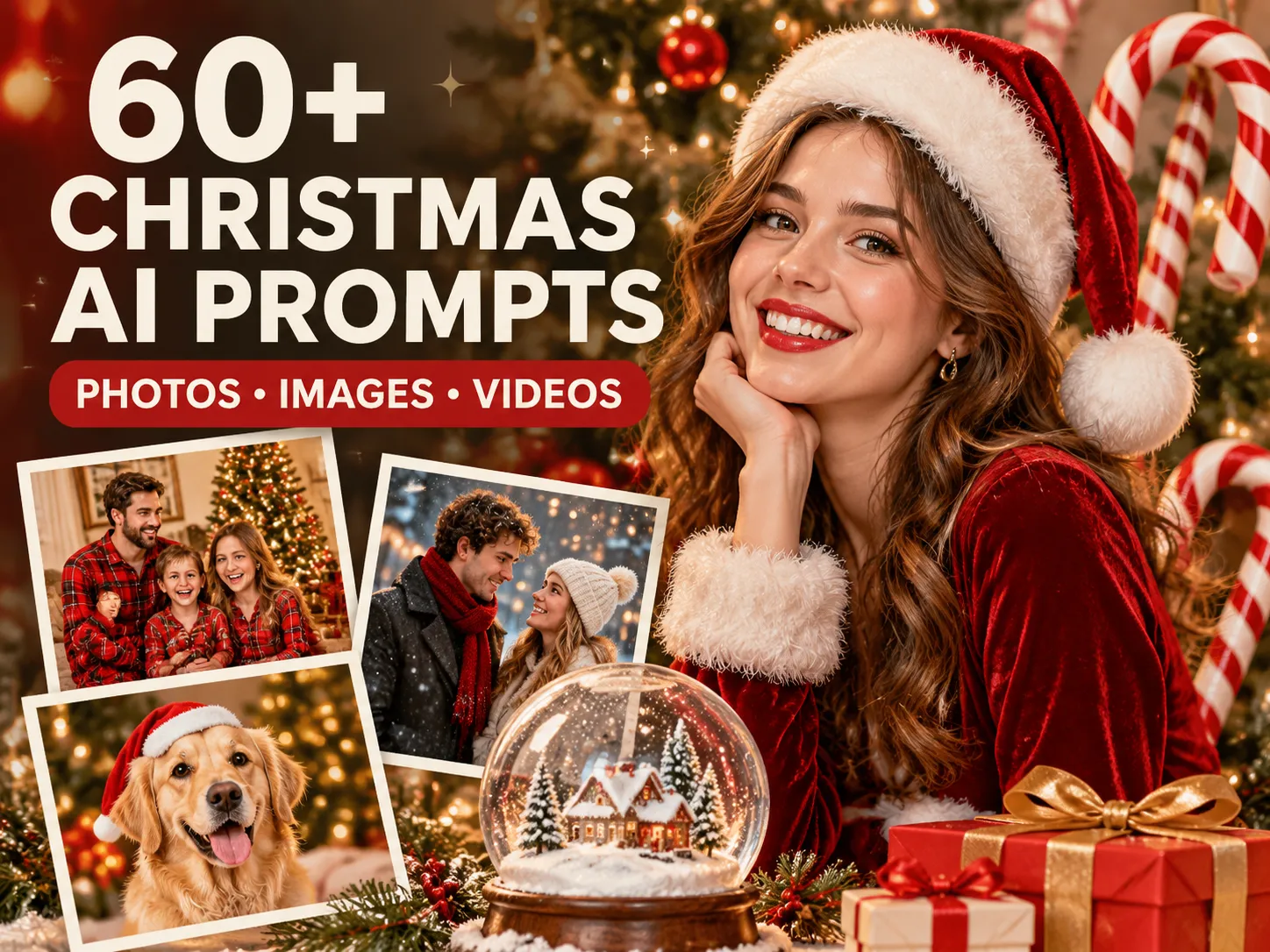
Christmas AI Prompts 2026: 60+ Ideas for Photos, Images & Videos
Every December, the same AI Christmas photos take over the feed: glossy candy cane portraits, cozy pajama family shots, and Santa-hat profile pictures. The good news is you don’t need to be a prompt expert to make them.
Below are 60+ copy-and-paste Christmas AI prompts for photos, images, and videos, plus the 2026 trends behind them. Paste one into Anijam or your favorite AI tool, add your own photo, and you’re done. Christmas lands on Friday, December 25 this year, so there’s still time.
When Is Christmas 2026?
Christmas Day is always December 25. In 2026, it lands on a Friday, which means Christmas Eve is Thursday, December 24. Here is a quick calendar to help you time your content.
| Date | What happens |
|---|---|
| Thursday, November 26, 2026 | US Thanksgiving |
| Friday, November 27, 2026 | Black Friday |
| Sunday, November 29, 2026 | First Sunday of Advent |
| Monday, November 30, 2026 | Cyber Monday |
| Thursday, December 24, 2026 | Christmas Eve |
| Friday, December 25, 2026 | Christmas Day |
| Saturday, December 26, 2026 | Boxing Day |
| Thursday, December 31, 2026 | New Year’s Eve |
When to post your AI Christmas content:
- Now through early December: Christmas profile pictures, phone wallpapers, countdown posts, and early card photos.
- The first two weeks of December: family card photos, party invitations, and gift-guide graphics, so printed cards still arrive on time.
- The week of Christmas: funny memes, Santa-cam clips, tree and dinner-table photos, and last-minute e-cards.
- December 26–31: leftover jokes, pajama-day photos, and the first New Year’s posts.
Christmas AI Trends 2026: What People Are Making Right Now
Christmas AI trends work in two layers. A few formats come back every year, and a handful of new ones appear each November. Here is the short version of what is going around.
Last December’s breakout: the candy cane studio portrait. In December 2025, a glossy studio portrait with oversized candy canes, sequins, and fake snow spread through ChatGPT and Gemini.
This year’s additions. The annual Christmas profile-picture swap kicked off in early November, and by mid-November TikTok was filling up with AI versions of a Deck the Halls dance trend. Santa-on-a-security-camera clips and photobooth-strip videos are circulating too. Treat these as creative directions to try, not a ranking.
A note on that dance trend: many of the viral clips use celebrity faces. For your own posts, stick to yourself, friends, and family who are happy to be included.
| Trend | What it looks like | Best for | Try prompt |
|---|---|---|---|
| Candy Cane Glam Studio | Glossy studio set, giant candy canes, sequins, fake snow | Portraits, Reels, profile photos | 1.1 |
| Cozy Tree Pajamas | Matching pajamas, gifts, warm tree glow | Family cards, group chats | 1.2, 3.1 |
| Christmas Couple Flash | Direct-flash, party-aftermath couple shot | Couples, TikTok, Instagram | 1.3 |
| Snow Globe and Ornament Portraits | You, miniaturized inside glass | Feed posts, profile pictures | 1.4, 1.8 |
| Christmas PFP | Santa hat, matching pairs, pet versions | Profile pictures | 2.1 – 2.4 |
| Santa Caught on Camera | Night-vision security-cam still or clip | Kids, family chats, Shorts | 1.5, 8.1 |
| Dance and Photobooth Videos | Short, repeatable holiday clips | TikTok, Reels | 8.2, 8.10 |
How to do the AI Christmas photo trend in three steps:
- Start with one clear photo. Use a sharp, front-facing image with nothing covering your face, and open your prompt with a line such as “keep the person’s face, skin tone, and hairstyle exactly as they are.”
- Paste one trend prompt and set the format. End with the shape you need: 4:5 for a feed post, 9:16 for Stories or Reels, 1:1 for a profile picture.
- Change one thing at a time. Swap the outfit, then the lighting, then the background. If you change everything at once, you cannot tell what made the result better or worse.
What Makes a Good Christmas AI Prompt?
A useful prompt does more than say “make it Christmassy.” It tells the AI what to create, what the scene should feel like, and how the final image or clip should be framed.
A reliable structure is:
Subject + Outfit or Props + Setting + Lighting + Visual Style + Composition + Mood
For photos of real people, add a keep line at the very start. For video, add:
Action + Camera Movement + Motion Details + Video Format
| Prompt element | What it controls | Example |
|---|---|---|
| Subject | The main focus | A family, a couple, a golden retriever, a gingerbread house |
| Outfit and props | The Christmas identity | Plaid pajamas, velvet blazer, candy canes, wrapped gifts, stockings |
| Setting | Where the scene happens | Fireside living room, snowy porch, Christmas market, studio set |
| Lighting | Mood and depth | Tree-light bokeh, candlelight, golden hour, direct flash |
| Style | The visual treatment | Photorealistic, instant print, mid-century poster, cute 3D cartoon |
| Composition | How the subject appears | Close-up portrait, overhead flat lay, full-length frame |
| Motion (video) | What changes over time | Lights switch on, snow settles, camera slowly pushes in |
| Format | Where it will be posted | Vertical 9:16 Reel, 4:5 feed post, 1:1 profile picture, 5:7 card |
Quick tips before you generate:
- Put the keep line first. “Keep the person’s face, skin tone, and hairstyle exactly as they are” does more for likeness than any adjective you add later.
- Describe the season with objects, not adjectives. “Plaid pajamas, a wool rug, and a lit tree” works better than “festive Christmas vibes.”
- For group shots, count the people. “Exactly three subjects, no extra people” stops the model from adding relatives you did not invite.
- When you merge separate photos into one scene, number them (“the person from image 1”) and add “do not blend their features.”
- Photos taken in similar light merge more cleanly. A daylight selfie and a warm-lamp selfie often look pasted together.
- For pets, put props next to the animal instead of clothes on it. Hats and tight sweaters are where models bend ears and smudge fur.
- Avoid asking the model to write “Merry Christmas” or a family name. Ask for clean empty space and add the words in an editor so the spelling is always right.
- If you post a realistic AI scene, consider adding a short “made with AI” note so friends know it is not a real photo.
60+ Christmas AI Prompts for 2026 (Copy and Paste)
The following Christmas AI prompts cover a range of looks, from trending portraits and cozy family photos to funny memes, cards, student projects, and short-form video ideas. Most image prompts can be adapted for ChatGPT, Gemini, or other text-to-image and photo-editing tools. Video prompts can be adapted for AI video generators that support text-to-video or image-to-video workflows.
Copy and paste these prompts into Anijam’s AI Christmas photo generator to create your own Christmas visuals, or start from a trending template for quick inspiration.
1. Trending AI Christmas Photo Prompts for 2026
These are the looks people are recreating most often: glossy candy cane sets, cozy pajama portraits, flash-lit party shots, miniature snow globes, and cinematic night scenes. They are creative directions to try in 2026, not a guarantee that any one trend is viral on every platform. For prompts that use your face, upload a clear reference photo and only use photos of people who are comfortable being edited.
1.1 Candy Cane Glam Studio
Prompt:
Create a glossy Christmas studio portrait of the person in the reference photo, keeping their face, skin tone, and hairstyle exactly as they are. They sit on a white cube in a candy-shop set: oversized red-and-white and pink-and-white candy canes, a giant swirled peppermint lollipop resting on one shoulder, frosted mini trees with pink ornaments, and fluffy fake snow on the floor. Sparkly white sequin outfit, clean even beauty lighting, relaxed smile at the camera, vertical 4:5, no text.
1.2 Cozy Tree Pajamas Portrait
Prompt:
A warm Christmas-morning portrait of the person in the reference photo, preserving their recognizable face, sitting on a wool rug in front of a decorated tree in red-and-green plaid pajamas. Gifts wrapped in red, green, and gold paper around them, a mug of cocoa in hand, soft golden lamp glow with tree lights as gentle bokeh, natural film grain, candid smile, vertical 4:5, no text.
1.3 Christmas Couple Flash
Prompt:
A candid direct-flash photo of the couple in the two reference photos, preserving each person’s recognizable face, sitting on a marble staircase the morning after a holiday party. One wears a red sequin dress, the other a green velvet blazer with a loosened tie, a fallen paper crown and scattered gold confetti around them, a half-finished glass of champagne on the step. Harsh on-camera flash, deep shadows, grainy 90s editorial look, laughing, slightly off-center framing, no text.
1.4 Snow Globe Portrait
Prompt:
Shrink the person in the reference photo into a tiny figure standing inside a clear glass snow globe, keeping their face recognizable. They wear a red wool coat and knit scarf on a miniature snowy street with a gas lamp and a small pine tree, snowflakes swirling in the glass. The globe sits on a wooden windowsill at dusk, warm room light on one side and soft blue light on the other, macro product-photo look, shallow depth of field, no text.
1.5 Santa Caught on Security Camera
Prompt:
A still from a home security camera at night: the person in the reference photo, preserving their recognizable face, in pajamas peeking around a doorway, wide-eyed, while Santa Claus kneels beside a lit Christmas tree placing wrapped gifts underneath. High corner camera angle, grainy black-and-white night-vision look with a faint green tint, a small timestamp reading 12-25 02:14 AM and a tiny REC dot in the corner, realistic and slightly blurry.
1.6 Night Train to the North Pole
Prompt:
The person in the reference photo, keeping their face exactly as it is, sitting by the window of a vintage steam train at night in flannel pajamas and a thick robe, holding a mug of hot chocolate with marshmallows. Frosted glass showing a snowy pine forest, warm amber lamps, red velvet seats, a golden paper ticket on the seat beside them. Soft painterly film look, cozy sense of wonder, vertical 4:5, no text.
1.7 Mid-Century Magazine Cover Painting
Prompt:
Repaint the uploaded family photo as a mid-century American magazine cover illustration of Christmas morning, keeping each person’s face, pose, and expression recognizable. Visible brushwork, warm ochre and cranberry palette, a decorated tree, stockings on the mantel, a dog asleep on the rug, a snowy street through the window, small storytelling details in the background, crisp detailed illustration, generous margin at the top, no text.
1.8 Inside a Giant Glass Ornament
Prompt:
A full-length photo of the person in the reference photo, preserving their recognizable face, standing inside a huge clear glass Christmas ornament hanging from a decorated tree, wearing a black velvet suit. Gold glitter swirls inside the glass and a small drift of snow gathers at their feet, out-of-focus tree lights behind, curved warm reflections on the glass, photorealistic and playful, vertical 4:5, no text.
1.9 Y2K Instant-Camera Tinsel Snapshot
Prompt:
A 2000s instant-camera Christmas snapshot of the person in the reference photo, preserving their recognizable face, grinning in a crooked paper Santa hat in front of a silver tinsel garland. Direct on-camera flash, slightly oversaturated reds, soft focus, light film grain, shown as a white-bordered instant print lying on a wooden table, square 1:1, no text.
2. Christmas Profile Pictures and Selfie Portraits
Swapping your profile picture for a Christmas one is a yearly ritual. The trick is framing: keep your face large and centered so it survives a small circle crop, and make sure a hat or tree does not get cut off. Tell the model to preserve your facial structure, hairstyle, and skin tone rather than inventing a new person.
2.1 Classic Santa Hat Profile Picture
Prompt:
A Christmas profile picture of the person in the reference selfie, preserving their recognizable face, wearing a red Santa hat that sits naturally on their head with a soft shadow on the forehead. Light snowfall and warm string lights as soft bokeh behind them, face centered and large with the hat’s pompom fully inside the frame, even window light, square 1:1 so it survives a circle crop, no text.
2.2 Cartoon-You Profile Picture
Prompt:
An original illustrated profile picture based on the person in the reference photo, keeping their hairstyle, face shape, glasses, and expression recognizable. Friendly 3D cartoon style with soft rounded shapes, a red Santa hat, a cozy knit scarf, and gentle snowflakes on a deep green background. Centered head-and-shoulders composition, clean edges, no existing characters or logos, no text.
2.3 Matching Pair Profile Pictures
Prompt:
A matching pair of Christmas profile pictures made from the two reference photos, preserving each person’s recognizable face. Both wear red Santa hats and cream knit sweaters, shown in two side-by-side square frames with identical lighting, the same pine-green background, and matching bokeh lights so the pair looks like a set. Each face centered and large, no text.
2.4 Pet in a Santa Hat
Prompt:
A profile picture of the pet in the reference photo, keeping its face, fur color, and markings exactly as they are, wearing a small red Santa hat that sits straight between its ears. Warm tree lights blurred behind it, a hint of snow, soft front light, shallow depth of field, face-forward and centered, square 1:1, no text.
2.5 Fireside Sweater Portrait
Prompt:
Transform the uploaded selfie into a cozy Christmas portrait while keeping the person’s recognizable face and natural proportions. They sit beside a crackling fireplace in an oversized cream cable-knit sweater, holding a steaming mug, with stockings and pine garland on the mantel behind. Warm firelight on one side of the face and soft window light on the other, realistic skin texture, 50mm lens, intimate and relaxed.
2.6 Snowy Walk at Golden Hour
Prompt:
A candid portrait of the person in the reference photo walking through a snowy park at golden hour, preserving their recognizable face, in a camel coat, burgundy scarf, and knit beanie, holding a paper cup of cocoa. Low sun backlighting the falling snowflakes, long soft shadows, warm orange and cool blue palette, 85mm lens, shallow depth of field, natural laugh, vertical 4:5.
2.7 Velvet and Candlelight Portrait
Prompt:
An elegant holiday portrait of the person in the reference photo, preserving their recognizable face, in a deep green velvet outfit standing beside a tall tree with warm white lights and gold ornaments. Taper candles on a dark wood mantel, subtle sparkle on the fabric, editorial lighting with gentle shadows, calm confident expression, 50mm lens, vertical 4:5.
3. Christmas AI Prompts for Families, Couples, Kids, and Pets
For group photos, describe each person separately, say how many people should appear, and specify how they interact. This helps avoid duplicated faces, mismatched outfits, or awkward spacing. Think twice before uploading a child’s face to any AI tool, and check your app’s data settings first. Prompt 3.7 is a keepsake idea that needs no face at all.
3.1 Matching Pajamas Family From a Group Photo
Prompt:
Turn the uploaded family photo into a Christmas-morning scene, keeping every person’s recognizable facial features and natural proportions, with no extra people. Everyone sits together on a rug in front of a decorated tree in matching red-and-cream plaid pajamas, wrapped gifts and paper scraps around them, stockings on the mantel, warm golden light, relaxed candid smiles, realistic holiday photography, vertical 4:5.
3.2 Three Generations on Christmas Morning
Prompt:
Three generations of one family in a warm living room on Christmas morning, using the uploaded photos and preserving each person’s recognizable face. Grandparents on a velvet sofa, parents standing behind them, children on the floor opening gifts, tree on the left, stockings on the right. Soft morning window light mixed with tree glow, natural expressions, balanced spacing between people, horizontal 3:2.
3.3 One Family Card From Separate Photos
Prompt:
Combine separate photos into one Christmas card scene. Exactly [three] subjects: the person from image 1, the person from image 2, and the pet from image 3, one of each, no extra people. Keep each face exactly as in its own photo and do not blend their features. They sit close together on a rug in front of a stone fireplace in matching plaid pajamas, the pet across their laps, a lit tree to one side, warm firelight, 35mm lens, horizontal framing, no text.
3.4 Couple at the Christmas Market
Prompt:
A couple at an evening Christmas market, using the two reference photos and preserving each person’s recognizable face. They share a paper cup of mulled cider under strings of warm bulbs, wooden stalls with wreaths and lanterns blurred behind them, wool coats and matching scarves, one resting their head on the other’s shoulder, light snow in the air. Available-light look, 50mm lens, natural film grain, affectionate and candid.
3.5 Couple Decorating the Tree
Prompt:
A candid photo of a couple decorating a Christmas tree in a cozy apartment, using the two reference photos and preserving each person’s recognizable face. One hangs a glass ornament while the other holds a tangle of string lights and laughs, a half-empty box of ornaments on the floor, warm lamp light, 35mm film look, slightly messy and lived-in, vertical 4:5.
3.6 Pet Beside the Tree, No Costume
Prompt:
The pet from the reference photo sitting on a red knit blanket beside a decorated Christmas tree, keeping its face, fur color, and markings exactly as they are. No clothes or hat on the pet. A few wrapped gifts and a stocking with a paw print beside it, warm tree lights as soft bokeh, shallow depth of field, looks like a real phone photo, square 1:1, no text.
3.7 Baby’s First Christmas Keepsake (No Face)
Prompt:
A close-up keepsake photo of a baby’s feet in tiny red knit stockings on a cream sheepskin rug, an oversized wrapped gift and a small stuffed reindeer beside them, a parent’s hand gently holding one foot. No faces visible, soft window light, warm neutral palette, shallow depth of field, tender and quiet, realistic hands and toes, no text.
4. Funny Christmas AI Prompts and Meme Ideas
Funny Christmas images work through contrast: a dramatic situation over something ordinary, an animal causing chaos, or a host losing a battle with the decorations. Add your own caption after generation if you want precise, readable text.
4.1 Tangled in the Lights
Prompt:
A hilarious photo of a person tangled head-to-toe in a huge knot of Christmas string lights on a living room floor, holding the plug end with a deadpan expression, a half-decorated tree leaning behind them and a cat watching from the sofa. Bright flat flash, slightly messy room, exaggerated but realistic, comedic timing, vertical 4:5, no text.
4.2 Santa Stuck in the Chimney
Prompt:
A comedic cartoon scene of Santa Claus stuck halfway in a brick chimney, only his boots and a sack of presents sticking out above the roof, embarrassed reindeer in the snow, a tiny elf pulling on his boots. Moonlit rooftop, warm glow from the chimney, expressive 3D cartoon style, playful and chaotic, no text.
4.3 Ugly Sweater Mug Shot
Prompt:
A deadpan lineup-style photo of the person in the reference photo, preserving their recognizable face, standing against a plain pale wall with plain height-chart lines behind them, wearing the loudest ugly Christmas sweater imaginable with pom-poms, tinsel, and a knitted reindeer. Flat harsh lighting, neutral expression, comedic contrast, no numbers, no text.
4.4 The Cat vs. the Tree
Prompt:
A fluffy cat halfway up a fully decorated Christmas tree, the tree tilting dramatically, ornaments mid-fall and one balanced on the cat’s head, a horrified dog watching from below. Bright living room lighting, motion blur on the falling ornaments, realistic photography with a comedic feel, no text.
4.5 Gift-Wrapping Disaster
Prompt:
A person sitting on the floor in a storm of wrapping paper, tape stuck to their sleeve, a crooked bow on their head, ribbon curls everywhere, a lopsided gift wrapped in far too much paper, while a smug cat sits inside a perfectly wrapped box. Wide shot, warm lamp light, exaggerated cartoon-realistic style, relatable holiday humor, no readable text.
4.6 Reindeer Traffic Jam
Prompt:
A bird’s-eye cartoon scene of a sky traffic jam of sleighs and reindeer above a snowy town at night, Santa leaning out of his sleigh holding a map, an irritated reindeer squeezing a tiny bicycle horn, glowing star-shaped traffic lights. Bright 3D cartoon style, warm gold and teal palette, chaotic and funny, no text.
4.7 The Face You Make at Socks
Prompt:
A close-up of a person opening a gift box and trying very hard to look thrilled at a pair of plain gray socks, wide forced smile, one eyebrow twitching, wrapping paper in the foreground, relatives blurred in the background. Warm living-room light, realistic candid photography, comic timing, no text.
4.8 Tiny Elf Caught Mid-Prank
Prompt:
A tiny felt elf frozen mid-prank on a kitchen counter, a trail of flour footprints leading to an overturned bag of sugar, one hand in a cookie jar, wide cartoon eyes looking straight at the camera. Morning light, macro lens, charming and mischievous, family-friendly 3D cartoon style, no text.
5. Christmas Food, Table, and Party Prompts
Food and table prompts work best when you name the real dishes and describe how they look. Add small signs of life, such as a serving spoon in the sauce or a crumpled napkin, because perfect tables tend to look generated. Keep to six or seven items per image.
5.1 Christmas Dinner Table, Overhead
Prompt:
A top-down view of a long Christmas dinner table with a roast centerpiece, glazed carrots, roasted potatoes, Brussels sprouts with bacon, red cabbage, cranberry sauce, and a gravy boat. Linen napkins, gold cutlery, holly sprigs and candles down the center, serving spoons already in the dishes, a few crumpled napkins, soft overhead window light, every dish in sharp focus, no people, no text.
5.2 Glazed Roast Hero Shot
Prompt:
A glazed holiday ham on a worn carving board, the surface deep mahogany and lightly caramelized, studded with cloves and topped with orange slices, rosemary and cranberries around it. A carving knife and fork beside it, juices pooling, a few slices already cut to show moist meat, soft side light, subtle steam, 85mm lens look, no hands, no text.
5.3 Gingerbread Village
Prompt:
A tabletop gingerbread village of crooked little houses with white royal-icing snow, candy-cane lamp posts, gumdrop trees, and a frosted-sugar pond, warm fairy lights glowing from inside one house, a tiny bite mark on one roof. Macro lens, shallow depth of field, cozy kitchen bokeh, no people, no text.
5.4 Cookie Decorating Flat Lay
Prompt:
An overhead flat lay of Christmas cookie decorating on a floured wooden table: star, tree, and mitten cookies half decorated, bowls of red, green, and white icing, scattered sprinkles, piping bags, a cooling rack, and a small hand reaching for one cookie at the edge of the frame. Bright natural light, slightly messy, every detail sharp, no faces, no text.
5.5 Hot Chocolate Bar
Prompt:
A hot chocolate bar on a rustic sideboard: a steaming copper pot, mugs topped with whipped cream and crushed candy cane, jars of marshmallows, cinnamon sticks, and chocolate shavings, a string of warm lights glowing behind. Condensation on the glass jars, rich brown and cream palette, shallow depth of field, no people, no text.
5.6 Holiday Cocktail and Mocktail Cart
Prompt:
A brass bar cart styled for a Christmas party with a coupe of cranberry spritz and a rosemary sprig, a mocktail with a sugared rim and pomegranate seeds, a pitcher of spiced cider with orange slices, and a bowl of sugared cranberries. Warm string-light bokeh, condensation on the glasses, rich cranberry and gold colors, no brand labels, no text.
5.7 Christmas Tree Grazing Board
Prompt:
A festive grazing board arranged in the shape of a Christmas tree: rows of cheeses, salami roses, grapes, rosemary “branches,” and pomegranate seeds as ornaments, with a star-shaped cheese on top, on a long wooden board with crackers and nuts. Soft candlelight and warm window glow, overhead angle, sharp texture, no people, no text.
6. AI Christmas Images for Cards, Invitations, Wallpapers, and Decor
AI-generated Christmas images are useful for e-cards, invitations, wallpapers, and party moodboards. For a finished card or invite, generate the artwork first and add names, dates, and greetings in a design editor so the spelling stays accurate.
6.1 Watercolor Wreath Card
Prompt:
A hand-painted Christmas greeting card on thick cream watercolor paper with a deckled edge, showing a wreath of pine, holly, red berries, and eucalyptus forming a circle around a large empty center. Soft diffused light, visible paper fibers and pigment bloom, flat lay on a linen cloth, completely blank center, no text, no letters.
6.2 Minimal Scandinavian Card Background
Prompt:
A minimalist Scandinavian Christmas card background on a warm off-white plaster wall, with a single evergreen sprig and one white taper candle in the lower left corner, leaving the upper two thirds clean and softly textured. Gentle diagonal window shadow, muted sage and cream palette, visible plaster grain, calm and airy, no text.
6.3 Family Photo Card Layout
Prompt:
A Christmas photo-card layout in portrait 5:7: a plain cream rectangle for a photo framed by a thin gold border on deep red card stock, small holly sprigs in the corners, and a wide clean band at the bottom reserved for names. Subtle paper texture, flat lay on a dark wood surface, no text, no letters.
6.4 Party Invitation Background
Prompt:
A Christmas party invitation background: cream cardstock with a clean blank center, a velvet green ribbon, a wax-sealed kraft envelope, dried orange slices, pine sprigs, and a brass candle holder on a dark walnut table. Soft window light, flat lay, crisp paper texture, no writing, no letters, portrait layout.
6.5 Quiet Lock-Screen Wallpaper
Prompt:
A tall vertical phone wallpaper of a quiet Christmas still life on a dark shelf in the lower half of the frame: a small lit tree, two ceramic houses, and a candle with a warm glow. The upper 40 percent is a smooth deep green wall with no objects, leaving space for the lock screen clock. Calm and uncluttered, 9:16, no text.
6.6 Cozy Desktop Wallpaper
Prompt:
A wide 16:9 desktop wallpaper of a snowy cabin window seat with a cream blanket, a steaming mug, and a small tree on the sill, soft snowfall outside. Blue evening light mixed with warm lamp glow, low contrast, generous empty space across the center for desktop icons, no text.
6.7 Retro Christmas Poster
Prompt:
A mid-century style Christmas poster illustration with a stylized evergreen tree, wrapped gifts, a sleigh silhouette, and geometric snowflakes. Limited palette of cranberry red, pine green, mustard, and cream, screen-print texture, bold shapes, generous empty space at the top for a headline, no generated lettering or logos.
6.8 Christmas Sticker Sheet
Prompt:
A cohesive sheet of twelve cute Christmas stickers: a smiling snowman, gingerbread man, candy cane, mitten, tree, star, reindeer, present, mug of cocoa, bauble, holly sprig, and a penguin in a scarf. Thick clean outlines, consistent rounded shapes, red, green, gold, and cream palette, isolated objects evenly spaced, sticker-sheet look, no words.
6.9 Advent Calendar Door Set
Prompt:
Six matching advent calendar door illustrations in a 3 by 2 grid, each a different small winter object, such as a mitten, a star, a candy cane, a pine cone, a mug, and a bell, inside the same circular frame. Flat illustration style, navy, gold, and cream palette, consistent line weight, blank space in each circle for a date, no numbers, no text.
Tip: Generate advent doors in batches of six so the style stays consistent, then repeat the prompt with new objects.
7. Christmas AI Prompts for Students and Teachers
“Christmas prompts for students” can mean two things: writing prompts you give an AI chatbot, or image prompts for class projects. Both are covered below. Use AI for brainstorming and practice, follow your school’s AI policy, and check facts against trusted sources.
7.1 Winter Kindness Journal Starter (Chatbot Prompt)
Prompt:
Act as a friendly writing coach for a middle school student. Ask me three short questions about kind things people did for me this year and kind things I did for others, then help me turn my answers into a one-page reflection in my own voice. Do not write it for me. Give me one sentence starter and one idea for improving each paragraph.
7.2 Winter Holidays Around the World Outline (Chatbot Prompt)
Prompt:
Create a research outline for a school project on winter holidays around the world, covering Christmas, Hanukkah, Kwanzaa, Las Posadas, and Dongzhi. Use a respectful, neutral tone, separate well-documented facts from regional customs, and suggest two reliable source types for each holiday. Do not invent quotes or dates, and tell me which facts I must verify myself.
7.3 Creative Writing Story Starter (Chatbot Prompt)
Prompt:
Give me five original Christmas-season story starters for a short creative writing assignment, each from an unusual point of view, such as a string of lights, a snow shovel, a leftover gift bag, or a house guest who arrives a day early. For each one, add a one-sentence conflict and a possible ending twist so I can choose and write my own story.
7.4 Persuasive Essay Practice (Chatbot Prompt)
Prompt:
I am practicing persuasive writing. Give me a debate question about holiday traditions, such as whether schools should shorten winter break and add days off in spring. Then argue the opposite side and challenge me with three counterpoints, one at a time. After I answer, tell me which of my claims needed stronger evidence.
7.5 Classroom Door Decoration Concept
Prompt:
A bright, friendly classroom door decoration concept for winter break: a giant paper snowman built from layered white circles with a knitted scarf, surrounded by handprint snowflakes and mitten shapes in many colors. Children’s-book art style, soft paper texture, clear view of the whole door, generous empty space for student names, inclusive and welcoming, no text.
7.6 Presentation Slide Background
Prompt:
A clean, modern slide background for a school presentation about winter traditions, featuring a soft white surface with a subtle border of watercolor pine branches and tiny snowflakes in one corner. Low contrast so text stays readable, calm cool palette with a warm accent, 16:9 composition, large empty center area, no text.
7.7 Storybook Illustration for a Short Story
Prompt:
A storybook illustration of a small red fox carrying a basket of tiny wrapped gifts across a snowy meadow toward a lantern-lit cottage at dusk, snow falling softly. Soft painterly texture, warm amber and deep blue palette, gentle depth, whimsical and inviting, space on one side for caption text, no words.
8. AI Christmas Video Prompts for TikTok, Instagram Reels, and YouTube Shorts
A good Christmas AI video prompt describes a single readable action, a camera move, and how the light or environment changes. For short-form social content, try vertical 9:16 framing and a short, loop-friendly sequence. Exact duration and aspect-ratio support depend on the video tool you use.
8.1 Santa Caught on Camera
Prompt:
A vertical 9:16 video styled as home security footage at night: a cozy living room with a lit tree, Santa Claus tiptoes in with a sack, places gifts under the tree, notices the camera, freezes, puts a finger to his lips, then tiptoes away. Fixed high-corner camera, grainy night-vision look, a small REC dot and timestamp in the corner, quiet comedic timing, one continuous shot, no dialogue text.
8.2 Christmas Dance Duo
Prompt:
A vertical 9:16 video of two friends in matching plaid pajamas doing a short, goofy dance routine side by side in a living room with a tree behind them: straight faces through hip sways, a hop, and a spin, then laughing and walking toward the camera at the end. Fixed camera at waist height, bright warm light, upbeat festive pace, realistic motion, no text.
8.3 The Tree-Lighting Moment
Prompt:
A vertical 9:16 video of a dark living room where a hand plugs in a Christmas tree and the lights come on in a warm wave from bottom to top, ornaments catching the glow, a sleepy cat in the foreground lifting its head. Slow push-in, shallow depth of field, soft golden reflections on the floor, smooth natural motion, no text.
8.4 Snow Globe Loop
Prompt:
A vertical 9:16 loop of a snow globe on a wooden shelf: a hand gives it one gentle shake, glitter snow swirls around a tiny village with glowing windows, then settles slowly as the lights inside warm up. Macro lens, locked camera, soft candle bokeh behind, smooth fluid motion, loop-friendly ending, no text.
8.5 Gift Unwrap Reveal
Prompt:
A vertical 9:16 close-up of hands slowly pulling a ribbon and peeling back gold wrapping paper to reveal a small velvet box, the lid opening with a soft sparkle. Overhead camera, bright cozy tree glow, clean fabric motion, satisfying pacing, no faces, no text.
8.6 The Decoration Sprint
Prompt:
A comedic vertical 9:16 one-take video in a kitchen: a person calmly sips coffee in the foreground while, behind them, someone in a reindeer onesie sprints past trailing a glowing string of Christmas lights, then the first person turns to the camera with a flat deadpan stare. Fixed camera, realistic timing, warm kitchen light, no text.
8.7 Hot Cocoa Pour
Prompt:
A vertical 9:16 slow-motion macro shot of hot chocolate pouring from a copper pot into a speckled mug, marshmallows bobbing, then whipped cream and crushed candy cane settling on top. Fixed camera, warm tree-light bokeh, glossy highlights, steam curling, satisfying and loopable, no faces, no text.
8.8 Ugly Sweater Reveal
Prompt:
A vertical 9:16 social-media reveal. A person in a plain gray hoodie stands in a clean living room, snaps their fingers once, and a swirl of snowflakes crosses the lens, revealing an outrageous ugly Christmas sweater with twinkling lights. The camera stays in the same position, the transition is clean and centered, realistic fabric motion, bright readable lighting, no extra limbs, no text.
8.9 Cabin Window Snowfall
Prompt:
A vertical 9:16 ambient video of a cozy cabin window at night: snow falls steadily outside, a candle flickers on the sill, a ceramic mug steams, and the glow of distant tree lights shifts softly on the glass. Slow push-in, warm amber and cool blue light, smooth natural motion, no people, no text, loop-friendly.
8.10 Four-Frame Photobooth Strip
Prompt:
A vertical 9:16 video of two friends in a vintage photobooth with a red curtain, striking four different poses in a row: a serious stare, a laugh, a cheek-to-cheek smile, and a peace sign, each ending with a bright flash. A printed four-frame photo strip then slides out of the slot. Fixed camera, black-and-white film look with small red and green holiday accents, realistic motion, no text.
How to Create Christmas AI Assets with Anijam AI 🔥
Anijam AI turns any selfie, couple photo, or family photo into a festive Christmas portrait in seconds, with no photoshoot, costumes, or design skills needed. Use the AI Christmas photo generator to create profile pictures, cards, and social posts, or pick a trending template like Candy Cane Glam, Cozy Tree Pajamas, Snow Globe, Snowy Night Train, Christmas Couple Flash, and Christmas PFP and skip the prompt writing. Want something that moves? The Christmas video maker handles short holiday clips.
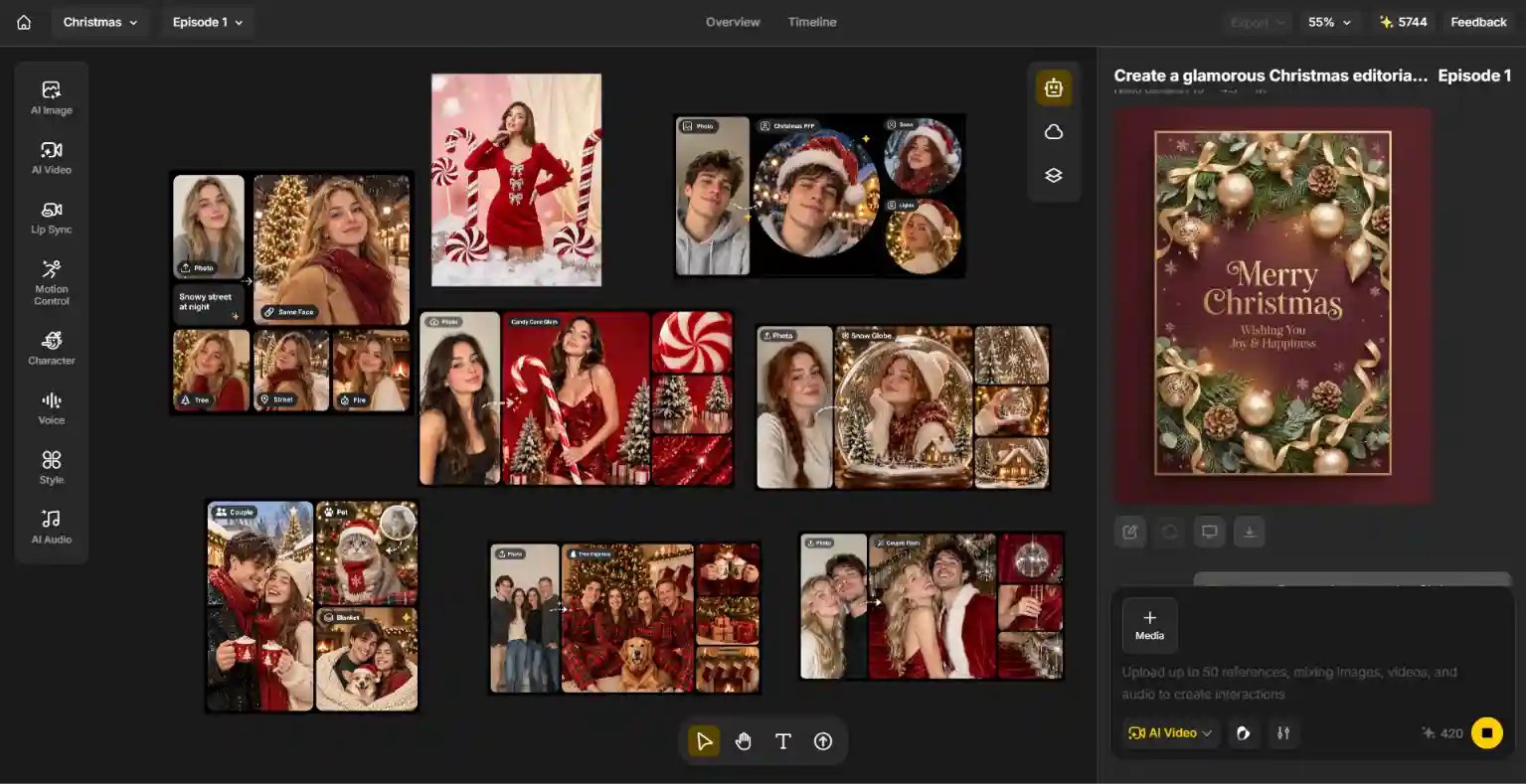
Step 1: Choose the Christmas Content You Want to Make
Start with the final format: a family card, a profile picture, a funny meme, a phone wallpaper, a classroom decoration, or a short-form video. Decide on the mood before writing the prompt: cozy, funny, glamorous, nostalgic, or cinematic.
Step 2: Pick a Template or Customize a Prompt
If you want a fast start, choose one of Anijam’s trending Christmas templates, such as Candy Cane Glam, Cozy Tree Pajamas, Snow Globe, Snowy Night Train, Christmas Couple Flash, or Christmas PFP, and swap in your own photo. If you want full control, open the AI image tool, upload a reference photo, choose an image model, and paste one of the prompts above. For a family photo, add one photo per person and say how many people should appear. For a card, ask for clean empty space and add the greeting afterward.
Example prompt for a Christmas meme image:
A cheerful golden retriever wearing a tiny Santa hat sitting proudly beside a Christmas tree that has been completely knocked over, ornaments scattered across the floor, guilty-but-adorable expression, bright living room light, expressive 3D cartoon style, centered composition, no text.
Example prompt for a Christmas short video:
Vertical 9:16 comedy clip of a cat sneaking toward a decorated Christmas tree, pausing as the family turns around, then sitting innocently with a single ornament behind its back. Smooth camera tracking, warm living room light, playful timing, realistic fur and motion, no text.
Step 3: Generate, Refine, and Adapt for Social Media
Generate an initial version, then refine one variable at a time: lighting, outfit, camera distance, background, or motion. You can ask the Anijam agent for changes in plain English, such as warmer lights, more snow, or a different outfit. If the result is too busy, remove secondary props and simplify the action. Use a vertical composition for Reels, TikTok, and Shorts, a square crop for profile pictures, and a wider frame for desktop wallpapers or YouTube thumbnails. Check the final result for face drift, extra fingers, unwanted text, and warped ornaments before you post.
Common Christmas AI Prompt Mistakes to Avoid
Being too vague. “Christmas photo” or “festive vibes” leaves the outfit, setting, lighting, and framing open to interpretation. Name the objects: plaid pajamas, a lit tree, a wool rug.
Forgetting the keep line. Without a reference photo and a line such as “keep the person’s face exactly as it is,” you often get a convincing stranger in a Christmas sweater.
Not counting the people. In group scenes, models add or drop faces. Say how many subjects there should be and add “no extra people.”
Merging photos taken in very different light. A daylight selfie and a warm-lamp selfie can look pasted together. Use photos with similar lighting when you build a couple or family scene.
Putting costumes on pets. Hats and tight sweaters make the model redraw ears and fur. Put props beside the pet first, and add the hat in a second step if the face looks right.
Packing in too much. A tree, a fireplace, eight guests, a table of dishes, and a snowstorm in one prompt creates a muddled result. Split the scene into two or three images.
Expecting perfect text from image generation. For cards, invitations, memes, and posters, ask for clean negative space and add the final wording in an editor. A single wrong letter in a surname is permanent once the card is printed.
Giving video too many actions. A short clip is easier to control when it has one main action, one camera movement, and a simple ending.
Not checking faces, hands, and ornaments. Inspect generated images for inconsistent faces, extra fingers, and warped baubles or candles. If consistency matters, simplify the pose.
Passing AI off as real. People are quick to call out AI-looking holiday content. Coca-Cola’s AI-made holiday ads drew heavy criticism in both 2024 and 2025. Add a short “made with AI” note on realistic images, and give your post a personal detail, such as your own dog, your own joke, or your own family, so it has a reason to exist beyond the tool.
Using celebrity faces or famous characters. Many viral Christmas AI videos use celebrity likenesses or well-known characters. For your own posts, use yourself, friends, and family who have agreed, and build original characters instead of copying protected ones.
Uploading children’s photos without thinking. Check your AI app’s data and training settings first, and consider no-face ideas, such as prompt 3.7, for kids.
Final Thoughts
The most useful Christmas AI prompts give you control over the details that shape the result: the outfit, the light, the setting, the framing, and, for video, the movement. Start with one of the copy-and-paste prompts in this guide, then change a single element at a time until the image or clip matches your idea.
For Christmas 2026, try a candy cane studio portrait, a cozy pajama family photo, a Santa-hat profile picture, a funny tree-versus-cat meme, a custom card or wallpaper, and a short video with a clear reveal or punchline. With Anijam, you can start from trending Christmas templates, refine your favorite look by chatting, and turn the best images into short videos before December 25.
Frequently Asked Questions
1. When is Christmas 2026?
Christmas Day 2026 is Friday, December 25, 2026, and Christmas Eve is Thursday, December 24. Hanukkah begins at sundown on Friday, December 4, and ends on December 12, and Kwanzaa runs from December 26 to January 1.
2. What day is Christmas 2026?
Christmas 2026 falls on a Friday. The date is always December 25, but the day of the week changes each year, so it is worth checking before you plan cards, travel, or posts.
3. What are the best Christmas AI prompts for 2026?
Start with a clear subject, a specific light source, real props, and one visual style. Candy cane studio portraits, cozy pajama photos, Santa-hat profile pictures, snow globe portraits, funny memes, and short videos with a simple reveal are all good directions to try this year.
4. What is the AI Christmas photo trend, and how do I do it?
It is a format where a regular selfie, couple photo, family photo, or pet photo is rebuilt as a polished holiday portrait. Upload a clear photo, paste a prompt that starts with a line to keep your face, set the aspect ratio, and refine one detail at a time. Trends vary by platform, so treat any single look as a creative direction, not a guarantee of going viral.
5. How do I keep my face looking like me in Christmas AI photos?
Use a sharp, front-facing photo with nothing covering your face, and put a keep line at the start of your prompt, such as “keep my face, skin tone, and hairstyle exactly as they are.” If the result drifts, ask for a fix in the same chat instead of starting over, and check it at full size before you share it.
6. Can I make Christmas AI images for free?
Many AI image tools, including Anijam, offer free credits or limited free use. Available features, resolution, and limits vary by tool, so check the current plan before you start a big batch.
7. How do I make an AI Christmas card?
Generate the photo or artwork first, ask for clean empty space at the top or bottom, and add the greeting and names in a design editor. Choose an aspect ratio that matches your print size, such as 5:7, and download the highest-resolution file you can.
8. How do I write Christmas AI video prompts for TikTok or Instagram Reels?
Specify vertical 9:16 framing, one main action, one camera movement, a clear mood, and a simple ending. Examples include lights switching on across a tree, a snow globe shake, a gift unwrap reveal, or a Santa security-camera clip. Available formats and clip lengths depend on the generator.
by Wendy
Wendy is a passionate writer and AI video enthusiast at Anijam, exploring creative ways to bring stories to life with AI-powered image and video tools. She shares practical tips, prompt ideas, and insights to help creators turn their imagination into engaging visual content.