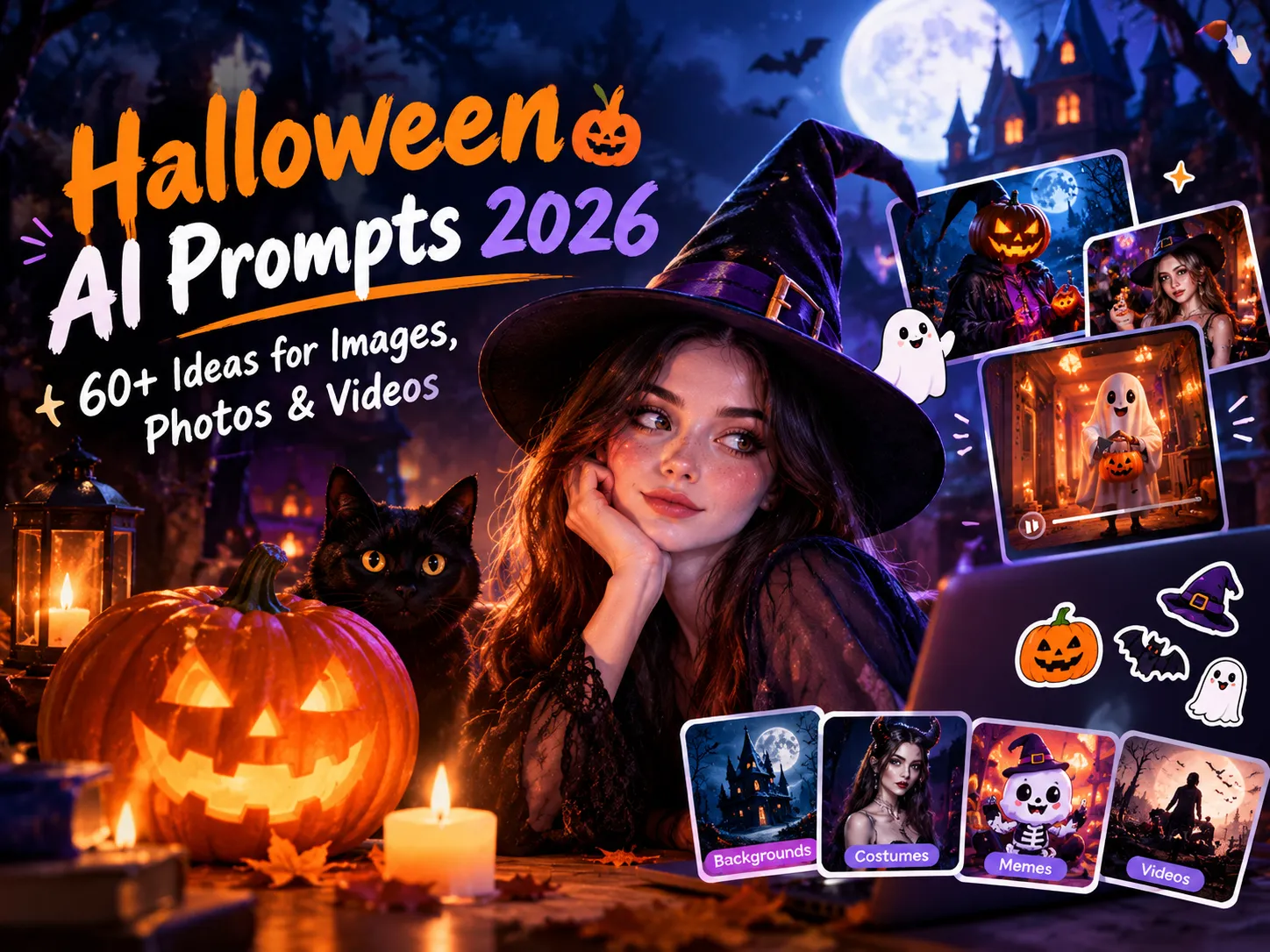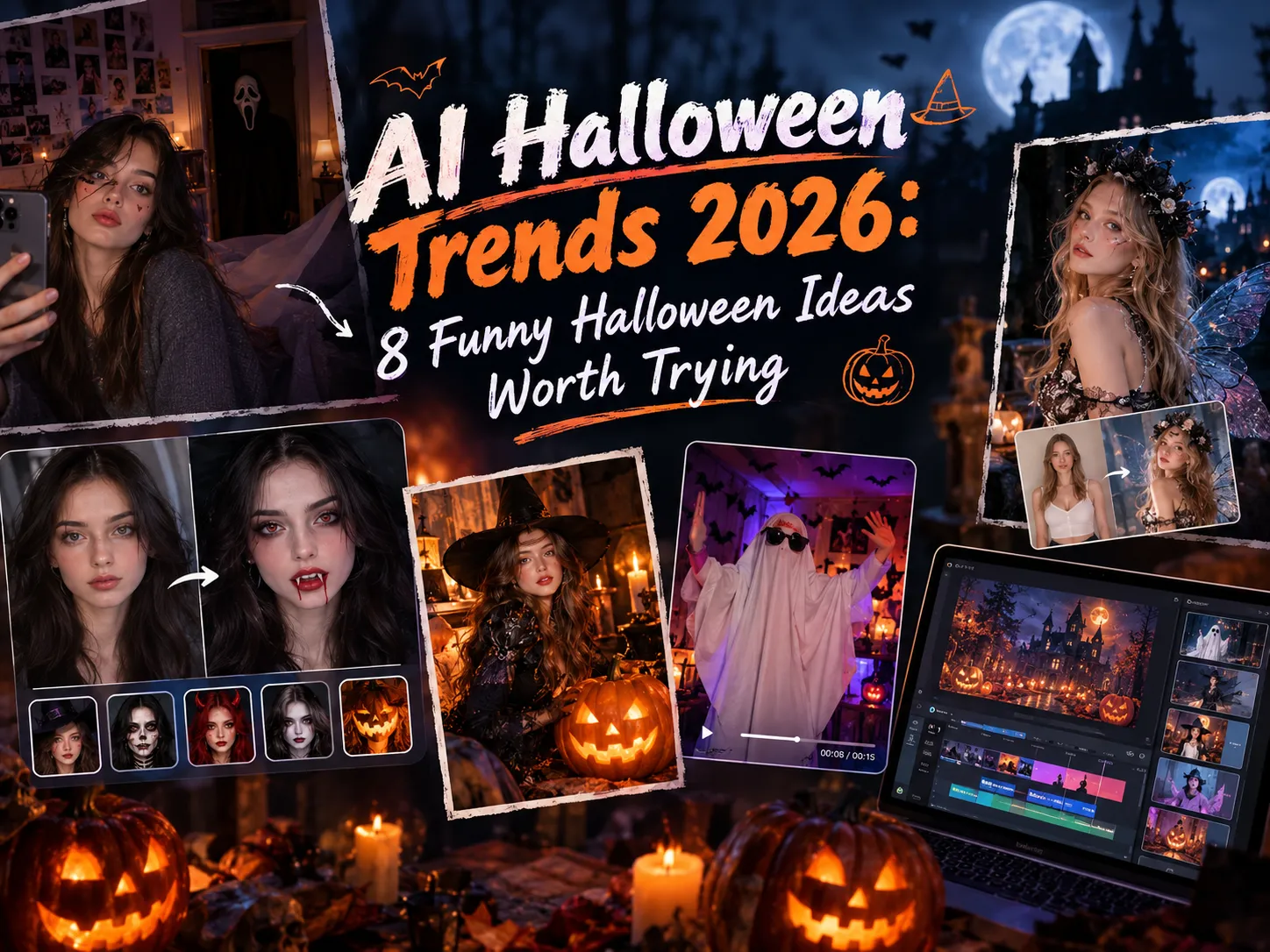
AI Halloween Trends 2026: 8 Funny Halloween Ideas Worth Trying
Every October, your feed fills up with the same handful of Halloween ideas. This year, a lot of them are made with AI. A selfie turns into a 90s horror bedroom, a childhood costume gets an unlikely glow-up, and a ceiling fan swaps you into a vampire mid-spin.
These AI Halloween trends are quick to try and even quicker to share, which is why they spread so fast. Some are spooky, some are just plain silly, and honestly that’s half the fun.
Below, you’ll find eight AI Halloween trends and ideas worth trying in 2026, a few tips to make yours stand out, and a simple way to turn your favorites into photos or videos with Anijam AI.
What Are the AI Halloween Trends in 2026?
AI Halloween trends in 2026 go beyond spooky photos. Across social media, people are experimenting with AI-generated portraits, Halloween filters, makeup transformations, costume changes, dancing clips, and short horror videos. Some trends turn an ordinary selfie into a cinematic Halloween scene, while others use before-and-after reveals, quick transitions, or animated characters to make a simple idea more entertaining.
An AI Halloween trend is a repeatable photo or video format that people recreate with their own images, characters, or creative ideas. Depending on the format, AI can transform your outfit and background, add Halloween makeup, create a supernatural effect, or bring a still image to life. The result can be a shareable meme, a dramatic portrait, or a short video ready for TikTok, Instagram Reels, or YouTube Shorts.
What makes these trends appealing is how easily they can be personalized. A familiar format gives you a starting point, but a different costume, an unexpected detail, or a funny reveal makes the result your own. Some trends focus on spooky surprises, others on playful transformations or eye-catching movements.
Why Use AI to Create Halloween Content?
Halloween is big business. The National Retail Federation (NRF) expects Americans to spend $13.5 billion this year, about $115 per person, with costumes taking the biggest slice at roughly $4.4 billion. Not everyone wants to add to that bill just to post a good photo. . That’s where AI comes in. It offers a few practical ways to create Halloween content while saving money, time, and effort:
Try Halloween looks without buying a costume. AI lets you preview a vampire, a witch, or a skeleton look before you spend a cent. That helps when you’re still deciding what to wear, or when you just want the picture without the props.
Save time and budget as a creator or small brand. Halloween content has a short shelf life. AI helps individual creators and small shops put out seasonal posts without booking a shoot or hiring a designer, which matters when you only have a few days before October 31.
Turn ordinary photos into spooky visuals. One clear selfie, living room shot, or pet photo is enough to start. Add cobwebs, candlelight, or a ghost in the hallway, and the same picture suddenly looks like a movie still.
Create Halloween videos without complex editing. Trends like the ceiling fan transition used to mean filming several takes and cutting them together. With image-to-video tools, you can start from a single still and add movement, which lowers the bar for short TikTok and Reels clips.
That’s the appeal in a nutshell. Now for the fun part.
8 AI Halloween Trends and Ideas to Try in 2026
From spooky AI portraits and supernatural effects to makeup transformations and costume-change videos, these Halloween trends offer plenty of ways to experiment with AI. Whether you want to create a creepy photo, try a new Halloween look, or make a short video for social media, here are some ideas to inspire your next creation.
Y2K Ghostface Aesthetic
The AI Halloween Ghostface look is one of the trends that got the whole AI Halloween photo wave going. Picture a late-90s bedroom, an old-school phone, grainy flash photography, and a masked figure standing in the dark doorway behind you.
According to Know Your Meme, the earliest known example is an Instagram post from September 25, 2025, using Google Gemini to create a retro-style bedroom photo with ghostface in the background. It spread across TikTok and Reels within days, usually set to a remix of Le Tigre’s “Deceptacon.” One TikTok that shared the prompt passed 2.7 million views in four days.
It works because it mixes nostalgia with a tiny scare. Nothing in the frame is gory, but it still feels like a still from a slasher movie.
The “I’m So Sorry” Halloween Costume Trend
This is the newest one on the list, and arguably the funniest. It’s a TikTok photo carousel with a simple structure. Slide one shows an old picture that looks impressive. Each following slide admits one more exaggeration, until the last slide is the original photo with the words “I’m so sorry.”
This format can be traced back to August 2026, with a big surge in October. An early version from August 22 started with an anniversary photo and unraveled slide by slide; it passed 25 million views in two months. Some of the most popular versions now use childhood Halloween costumes, like a “princess” outfit that wasn’t quite what it seemed.
AI makes that first slide easy. You can ask an image tool to turn a homemade costume into a movie-quality one, then step back toward the real photo, one slide at a time.
Two small notes. Use a photo of yourself, or ask before using someone else’s. And think twice about costumes that might not age well, since a few viral versions are built on exactly that.
Skeleton and Supernatural Effects
If a full costume feels like too much, a skeleton or a ghost does a lot of work with very little.
The X-ray skeleton selfie is the easy entry point. It looks like an ordinary selfie until a glowing skeleton shows through your clothes, while your face, outfit, pose, and background stay recognizable. It works without any costume at all.
Then there’s the quieter option: a ghost in the background. A faint, sheet-covered figure in the hallway, or something odd in the reflection of a bathroom mirror, is enough. These work because the supernatural detail isn’t obvious at first. People look at you, then slowly notice what’s behind you.
Stills suit the subtle ghost, since viewers can zoom in and hunt for it. The X-ray effect works in both formats, and as a short clip the reveal becomes part of the fun.
Ramalama Halloween Costume Walks
The Ramalama trend turns a simple walk into a dramatic costume reveal. Set to a catchy beat, the video often starts with a close-up of the feet before the camera reveals the full outfit as the character walks forward.
For Halloween versions, expect witches, vampires, devils, and other spooky characters in bold, cinematic looks. Flowing capes, dramatic makeup, dark lighting, and confident runway-style movements give each reveal a theatrical feel.
AI tools can help creators design these characters and turn still images into short walking clips, making it easier to experiment with different Halloween looks without filming multiple outfits.
AI Halloween Costume Transitions
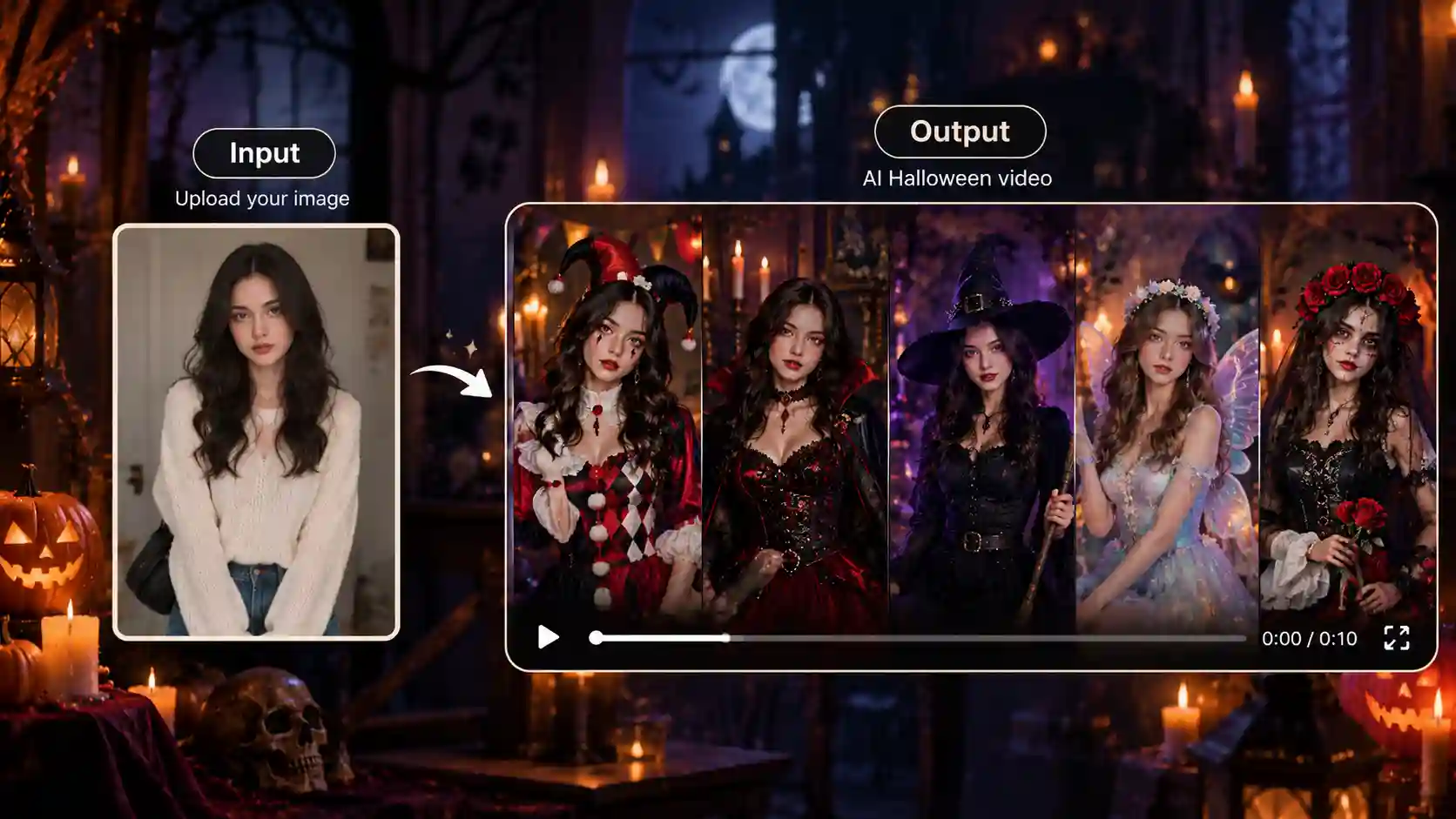
This is where Halloween trends are heading: video. The ceiling fan transition is the classic example. The camera stays still, a fan blade passes in front of you, and each pass reveals a new costume: fairy, witch, vampire, widow. It is noted that the fixed camera angle and repeated pose are what make the different looks feel connected.
You don’t have to film four takes in four outfits. Generate each look from the same pose and framing, animate each still, then cut them together with a quick swipe or fan beat. Keep the camera angle identical across every image, because that’s what sells the illusion.
This is the corner of the AI Halloween TikTok scene where video tools matter most. An Image-to-Video Generator can bring a still image to life, so your finished look can become a short vertical clip ready for TikTok , YouTube Shorts, or Reels.
Pet Halloween Portraits and Costume Reveals
Pets get dressed up too. The NRF expects Americans to spend about $920 million on pet costumes this year, with pumpkins, hot dogs, and ghosts among the favorites.
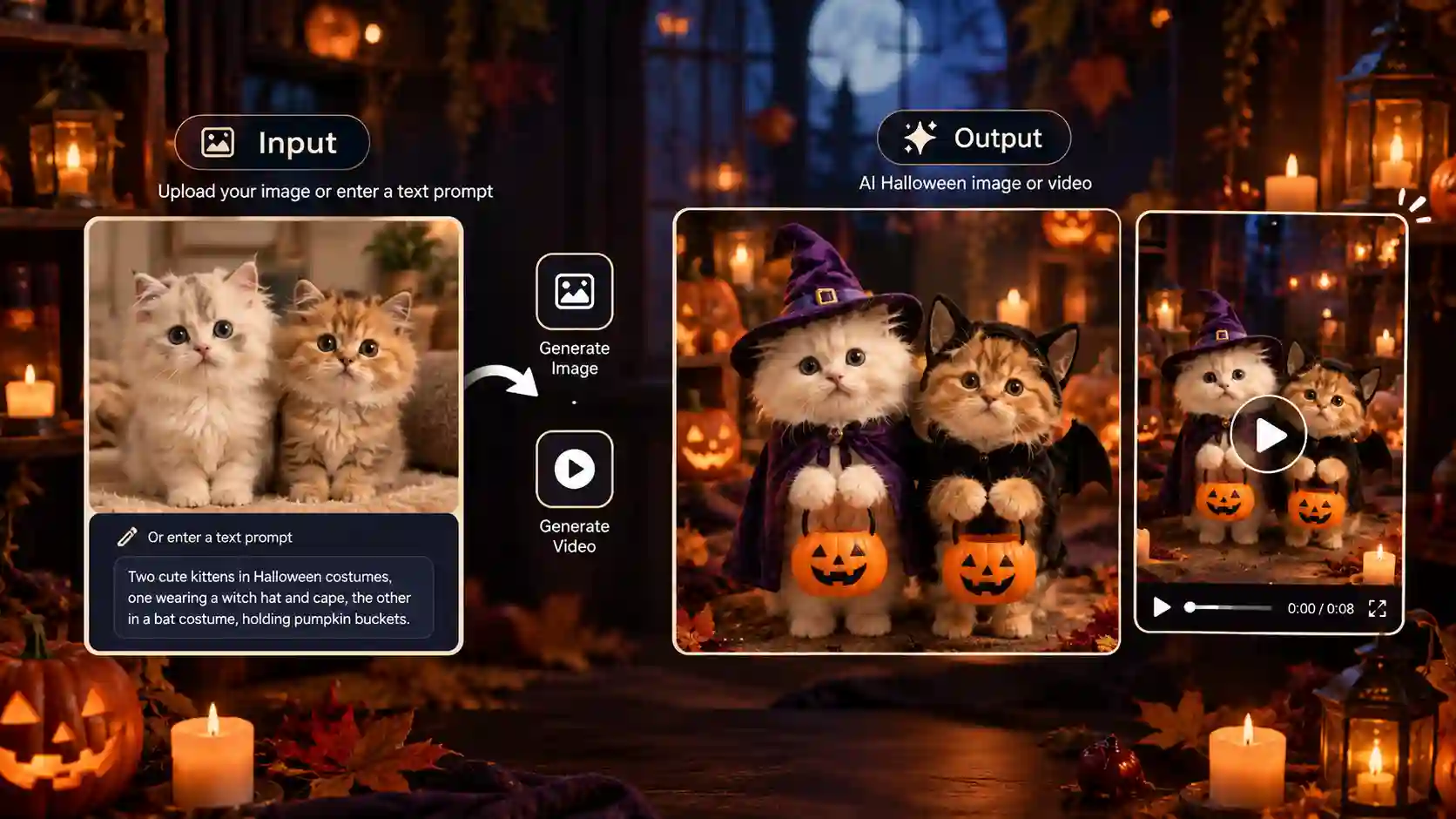
A good AI pet portrait tells a tiny story. A cat arrives at a warmly lit doorway in a witch hat and an orange-trimmed cape, carrying a pumpkin bucket and a lantern. Realistic fur and eyes keep it natural and family-friendly, and it works nicely as an Instagram carousel.
For a costume reveal, show the normal photo first, then the transformed one. It’s a simple format, and a good option if you’d rather keep yourself out of the shot.
Halloween Makeup Transformations
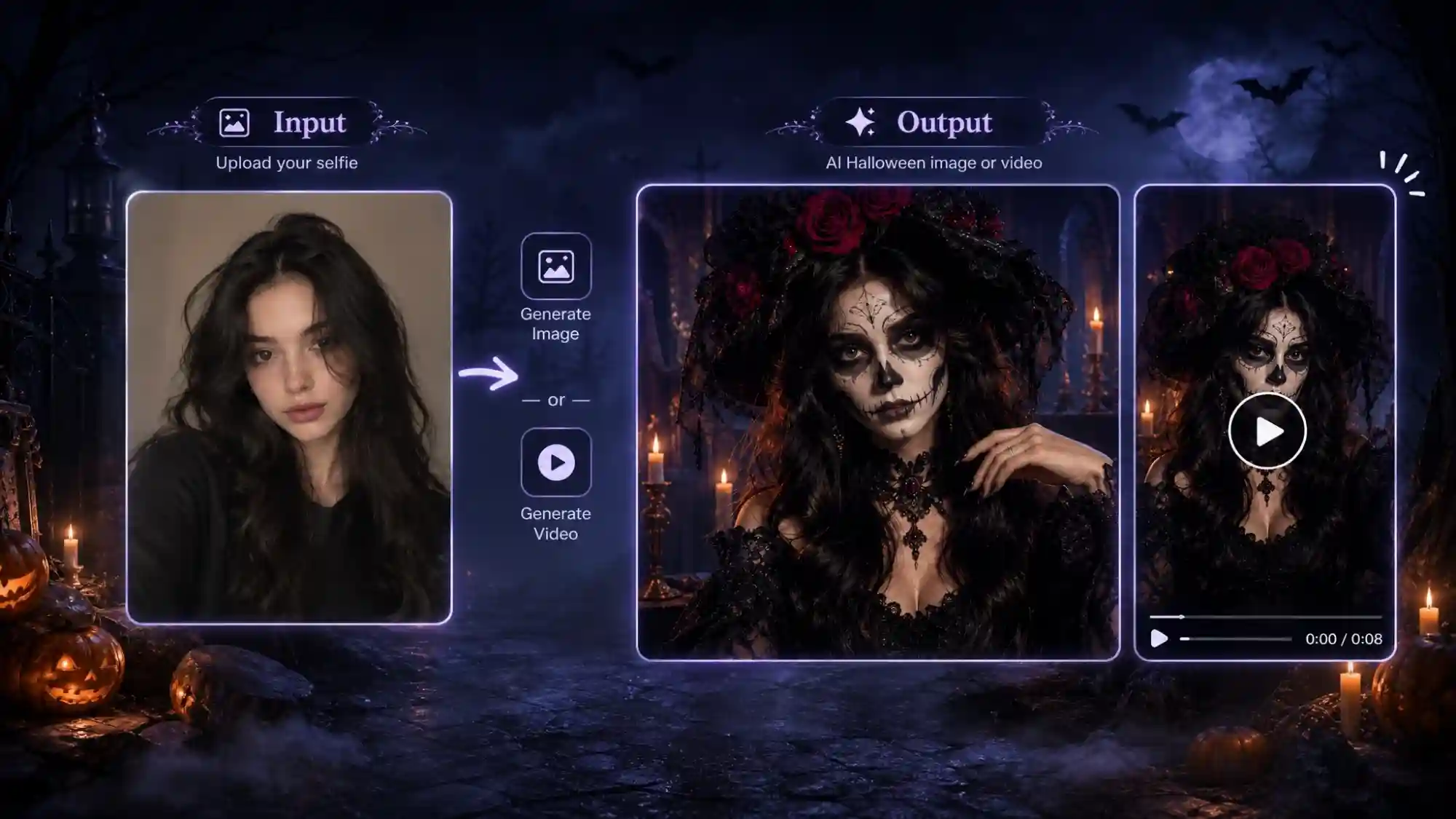
Halloween makeup transformations are face-first edits. You upload a selfie, and AI paints a full Halloween look onto your face while your features and background stay recognizable. It’s a handy way to test a design before you pick up a brush.
Popular directions include half-face skeleton makeup in black and white with gold eyeshadow and glossy red lips, smoky vampire glam with pale skin and dark lips, and spooky face art like cobwebs or cracks. The results look like a close-up beauty shot: sharp details, dramatic lighting, and a dark, clean background. Post it as a before-and-after to show the change.
AI Halloween Costume Glow-Ups
Half the fun of Halloween is deciding what to be. NRF’s survey says about half of US adults plan to dress up, and witches are the most popular adult choice. This is where AI Halloween costumes earn their keep: you can test an idea before spending anything.
A costume glow-up takes your regular photo and upgrades the outfit. A plain jacket becomes a velvet vampire coat, a homemade witch hat gets a proper brim, and a basic cape turns into something straight out of a movie.
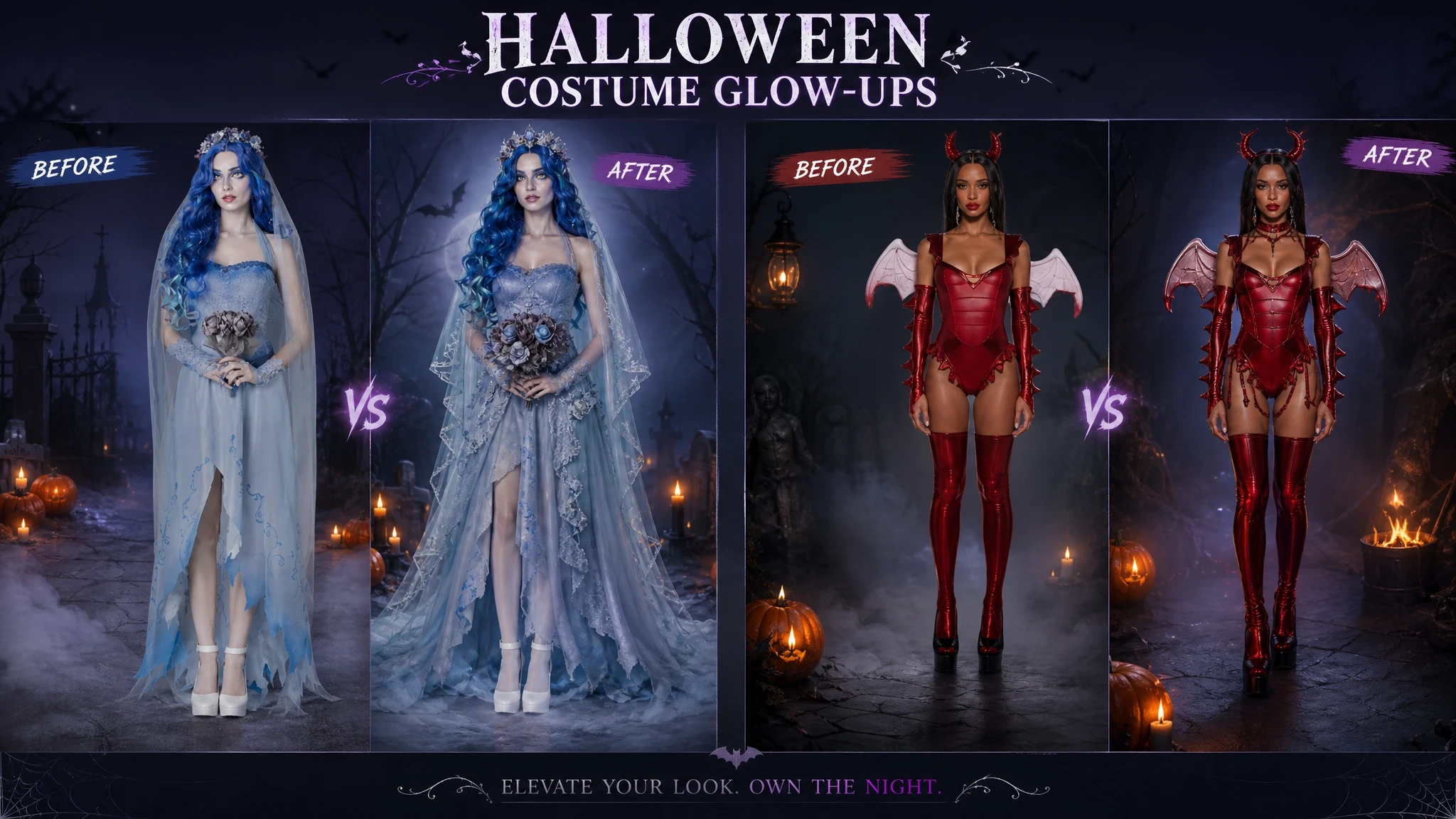
Treat it as inspiration, not a shopping guarantee. The AI version won’t tell you how a fabric hangs or whether the wig itches. Anijam AI’s AI Halloween Generator includes a costume try-on feature, so you can compare a few looks from one photo and decide what’s worth buying or making.
How to Create AI Halloween Content with Anijam AI
What Can You Create with Anijam AI for Halloween?
From shareable Halloween images to spooky short dramas, Anijam AI offers different ways to turn your Halloween ideas into visual content. Here are four types of creations to try, depending on what you want to make.
-
Halloween Images and Graphics: Create funny memes, social media posts, party invitations, event posters, digital greeting cards, and Halloween-themed promotional graphics. You can also design spooky portraits, video covers, or printable decorations for your home or party. These visuals are useful for sharing with friends, promoting Halloween events, or giving your brand a seasonal look. Start with a prompt or a ready-made template, then explore different visual styles to match your idea.
-
Halloween Filters and Transformations: Experiment with vampire looks, witch makeup, skeleton face paint, gothic portraits, and creative costume ideas using your own photos. An AI filter can transform your appearance without requiring a real costume or makeup, making it useful for trying out different looks before Halloween. You can also turn a finished image into a short clip for a before-and-after reveal or a costume transition.
-
Halloween Videos: Make funny Halloween clips, dancing videos, makeup or costume transitions, spooky scene reveals, and seasonal promotional videos for small businesses. Start with a generated image and an image-to-video tool adds movement, or describe a scene to generate a video from your idea. Choose a visual style that fits your concept, then refine the result in the video workspace for social media or promotional use.
-
Halloween Short Dramas: Turn a simple Halloween idea into a short horror-comedy, a haunted-house mystery, or a supernatural story with recurring characters. Anijam AI’s chat-based video workflow and short-drama tool can help develop a plot, break it into scenes, design characters, and add voices with lip sync. If you want to continue the story beyond one episode, its AI series generator support multi-episode storytelling with consistent characters and visual styles.
From Halloween Idea to Finished Content: A Step by Step Guide
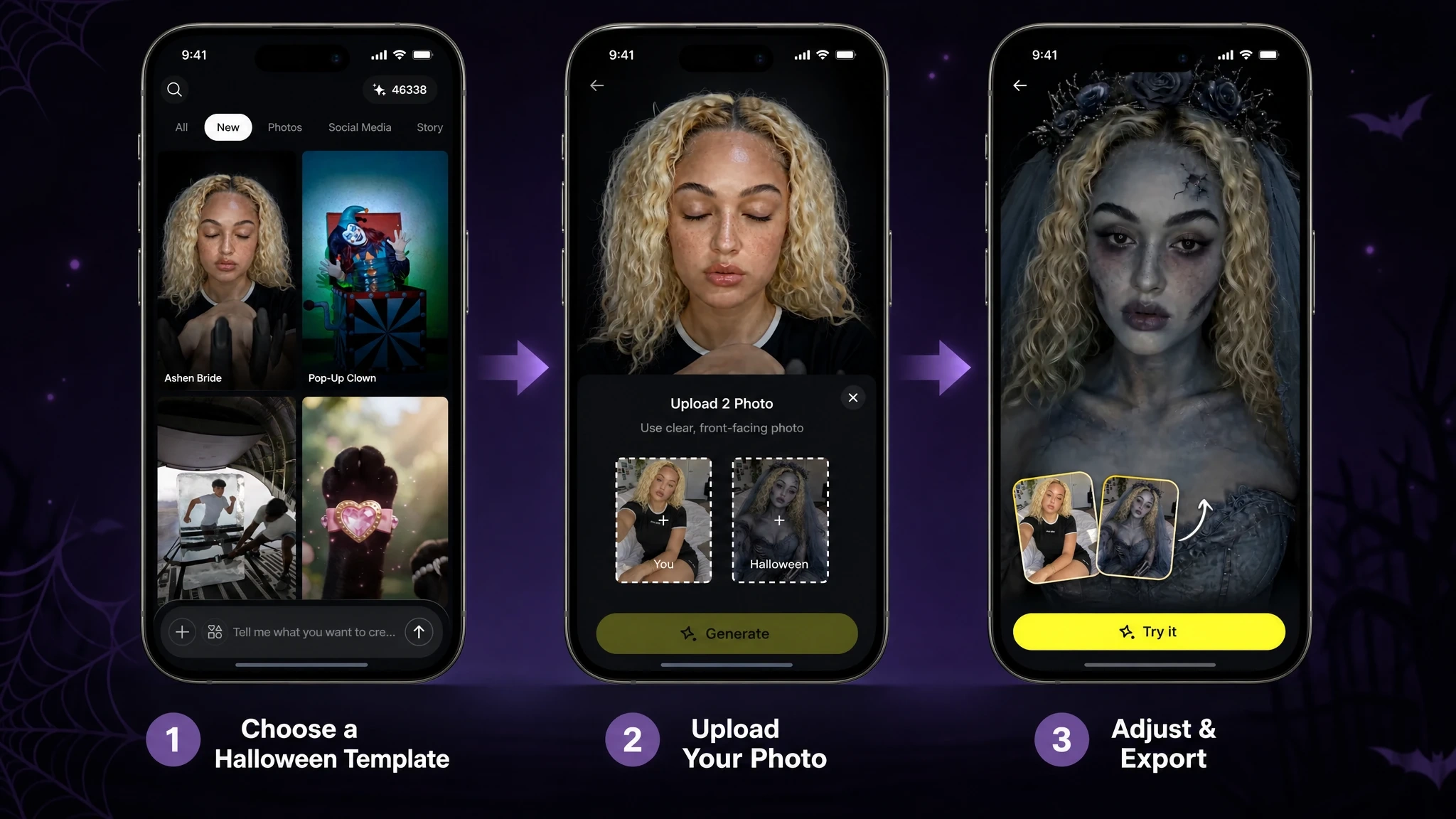
Once you’ve chosen what to create, follow these steps to turn your Halloween idea into a photo or video with Anijam AI. You can pick a trending template or start from your own idea. Here’s the basic flow:
Step 1: Pick a Model or Template
Open a new project in Anijam AI, go to Tools, and choose AI Image or AI Video. For photos, you can use a model like Nano Banana Pro or GPT Image 2; for video, there’s Seedance. Or skip the setup and start from one of the trending Halloween templates right from the Anijam AI homepage or in the app.
Step 2: Upload a Selfie or Write a Prompt
- A clear, front-facing selfie in good light works best. Describe the costume, setting, and mood. For a video, add a short motion note, such as a slow push-in.
Step 3:Generate, Compare, and Download
- Create a few versions, pick your favorite, and save it. If it’s not quite right, tweak the prompt and try again.
There’s also an iOS and Android app, so it doubles as an AI Halloween app on your phone: snap a selfie, generate a look, and post from the same place. Posting to TikTok? Anijam AI also has an AI TikTok Video tool for creating videos in that format.
Tips for Creating Standout AI Halloween Content
Plenty of people will use the same handful of templates this year. A few small habits make yours look like it came from a person instead of a preset.
Write More Specific AI Halloween Prompts
Vague prompts get vague results. “Make me a vampire” will give you a vampire, just probably not yours. Try adding detail in a few places:
-
Camera and era: “early-2000s flash” or “film grain” sets the mood faster than a string of adjectives.
-
Your identity: ask the tool to keep your face, hairstyle, and skin tone recognizable.
-
One memorable detail: a figure in the doorway, a glowing skeleton, a raven on the fence. One strong detail beats five competing ones.
A simple checklist that works across tools: a recognizable subject, a clear location, a visual style, a lighting direction, and one supernatural detail. For video, add one motion and one camera move, like flickering candles and a slow push-in.
Need wording to start from? Our guide to Halloween AI prompts has plenty to copy and adapt.
Choose the Right Visual Style and Format
A Y2K look wants harsh flash and film grain. A gothic portrait wants candlelight and deep shadows. A pet portrait wants warm, friendly light.
Then match the format to where the post will live:
| Format | Best for | Good fit |
|---|---|---|
| Single photo (4:5) | Instagram feed posts | Gothic portraits, pet portraits |
| Before-and-after pair | Showing the transformation | Costume glow-ups, makeup transformations |
| Photo carousel | Step-by-step reveals | ”I’m So Sorry,” pet costume reveals |
| Vertical video (9:16) | TikTok, Reels, Stories | Ghostface clips, transitions, Ramalama walks |
Get the still image right first. Once you have a look you like, animating it is much easier than rescuing a video that started from a weak photo.
Make Your Halloween Content Feel Original
The fastest way to stand out is to change one thing about the trend. Keep the Y2K bedroom, but put your dog on the bed. Do the costume reveal with something from your own childhood. Swap the masked figure for a ghost in a bedsheet.
Small personal details do more than a bigger effect: your real room, your actual pet, an inside joke in the caption. A few housekeeping points while you’re at it:
-
Use photos of yourself, or ask before using someone else’s.
-
If the image could pass for a real photo, say it’s AI-made in the caption, and check each platform’s current rules on AI labels.
-
Mix a couple of trend-specific hashtags with broader Halloween ones, so people who don’t know the trend can still find you.
Final Thoughts
AI Halloween trends are really old Halloween habits in a new format: dress up, pose, and share. The difference is that you can try ten looks in an evening without leaving the couch.
If you only try one this year, make it the one that makes you laugh. Pick a clear photo, keep the prompt simple, add one weird detail, and see what comes back. Then, if you want it to move, turn it into a short video.
Anijam AI is built for that jump from still to video, so your best Halloween idea doesn’t have to stay a screenshot. Happy Halloween.
Frequently Asked Questions
How do I do the AI Halloween trend on TikTok? Start by picking the format. Slideshow trends like “I’m So Sorry” need a set of photos that change slide by slide, while transition trends need a few looks shot from the same pose. Make your images or clips in an AI tool, upload them to TikTok as a photo carousel or a vertical video, then add a trending sound and a couple of hashtags.
What app is everyone using for AI Halloween photos? There’s no single winner. Chat-based assistants like ChatGPT or Gemini are popular for one-off photo edits, photo-editing apps are handy for quick filters, and Anijam AI is built for making photos and videos in one place, with Halloween templates and iOS and Android apps. You can find it on the Apple App Store or Google Play.
Is it free to make AI Halloween photos? Mostly, with limits. ChatGPT and Gemini both offer free image generation, though the limits vary by account and region. On Anijam AI, you can get started with signup credits and daily check-in bonuses to explore its AI creative tools, try different Halloween-inspired looks, experiment with visual ideas, and discover creative possibilities for your seasonal content.
Why is the Ghostface trend so popular on TikTok and Instagram? Because it’s easy to copy and hard to ignore. One selfie and one prompt give you a result that looks like a movie still, and the 90s nostalgia plus a masked figure in the doorway makes people stop and look. It’s also quick to personalize, which keeps it from getting stale.
Is it safe to upload my selfie and post AI Halloween photos? AI Halloween generators can be useful creative tools, but privacy practices vary by platform. Before uploading a photo, check how the service handles your content, whether your creations are private by default, and what options are available for sharing or deleting them. Use photos you have permission to upload, and avoid submitting sensitive or confidential information.
by Evan
Evan is an AI content creator and video technology writer at Anijam AI, focused on how generative AI is transforming storytelling and video production. He shares social trends, creative workflows, prompt strategies, and practical insights to help creators turn ideas into engaging videos and visual content.