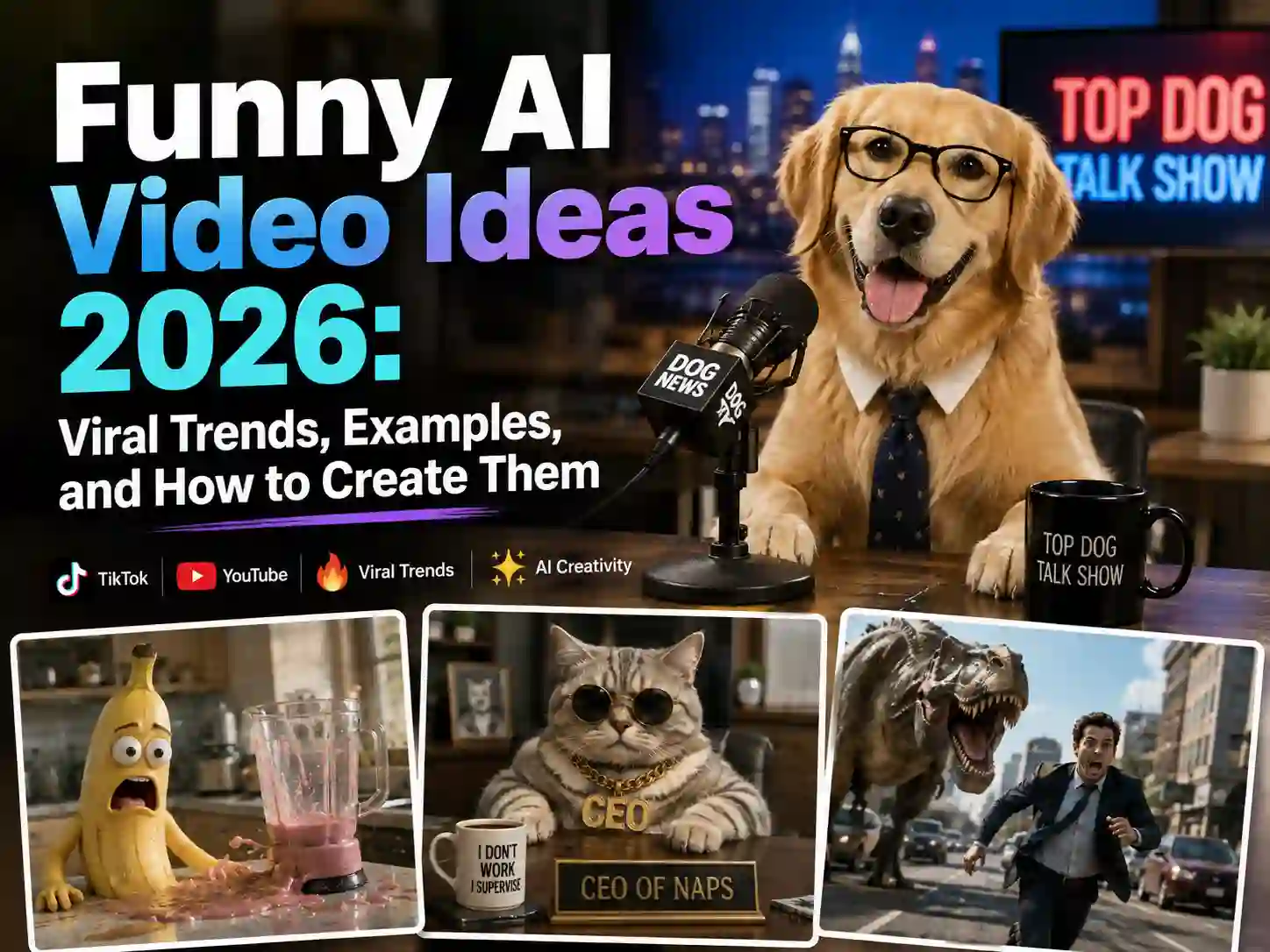
Funny AI Video Ideas 2026: Viral Trends, Examples, and How to Create Them
Funny AI videos have taken over every corner of the internet in 2026. They’re all over TikTok’s For You page and racking up tens of millions of views in YouTube compilations.
If you’ve been scrolling and wondering what’s actually trending, why this stuff is so weirdly addictive to watch, and how you could make your own version, this guide covers all three.
We’ll break down the funny AI video trends dominating 2026, explain exactly why they make us laugh, hand you 15 ready-to-use prompt ideas, and walk through how to create a hilarious AI video yourself - no filming, no editing software, no comedy-writing degree required.
Why Funny AI-Generated Videos Are Going Viral
Before diving into specific examples, it helps to understand the mechanics behind the laughs. Funny AI-generated videos aren’t just “weird for the sake of weird” - most of them lean on a handful of comedy principles that happen to be uniquely easy for AI to pull off.
Impossible Physics & Absurd Concepts
Real cameras are bound by real physics. AI isn’t. That gap is where a lot of the humor lives.
One viral example that leaned hard into this idea recreated classic “America’s Funniest Home Videos”-style mishaps entirely with AI — a dog slipping on a rug - except the falls are exaggerated just enough, and the timing just a little too perfect.
The joke isn’t the fall itself; it’s that AI can stage an “impossible” version of a familiar, relatable moment.
Unexpected Mashups & Surreal Twists
Comedy often comes from putting two things together that were never supposed to meet. AI is extremely good at this because it doesn’t hesitate the way a human writer might - it will happily generate a fight scene between a cartoon pirate and a bucket of fried chicken, or a Roman senator arguing with a smart speaker.
The unpredictability is the appeal. Viewers can’t guess where the video is going next, and that uncertainty is what keeps people watching to the end (and sharing it right after).
The “Almost Real” Uncanny Effect
This is the trickiest - and arguably funniest - mechanism of the three. Some of the most-watched funny AI videos aren’t obviously fake at all. They’re shot and paced like real footage: shaky “phone camera” framing, a mundane setting, a completely straight-faced narrator. A chiropractor appointment that goes sideways, a boat trip that ends in chaos - presented with total sincerity, as if it really happened.
The laugh doesn’t land until a few seconds in, when something breaks the illusion and you realize you’ve been watching AI the entire time. That whiplash between “wait, is this real?” and “oh, this is completely fake” is a huge part of why this style performs so well on TikTok in particular.
Popular Funny AI Video Trends and Examples in 2026
Those same three tricks show up again and again once you start looking for them - sometimes alone, often stacked together. In practice, they tend to cluster into five categories that dominate YouTube and TikTok this year.
Surreal AI Animals
By far the most common category. Pets get interviewed, cats run small businesses, dogs give courtroom testimony, and household objects develop full personalities. The formula usually pairs an ordinary animal or object with a completely human situation - a job interview, a divorce hearing, a performance review - and lets the mismatch do the comedic work.
Example:
AI Fails & Glitches
Not every laugh is intentional. A huge slice of the “funny ai videos” audience specifically searches out AI mistakes - six-fingered hands, characters morphing mid-sentence, objects melting into the background. There are entire YouTube channels built around nothing but AI generation fails, and they consistently rank near the top of search results for this exact keyword.
Example:
AI Brainrot
Chaotic, deliberately unhinged, and proud of it. This is the genre of bizarre hybrid creatures, nonsense narration, and intentionally low-fidelity visuals - closer to a fever dream than a polished short film. It borrows heavily from “brainrot” meme culture, and its whole appeal is that it doesn’t try to make sense.
Example:
AI Baby Reactions
One of the fastest-growing formats of early 2026. AI-generated babies behave like fully functional adults - sitting through job interviews, complaining about their commute, reacting to bad news with weary sighs. The contrast between “infant” and “burned-out adult” is the entire joke, and it’s proven sticky enough to become one of TikTok’s defining trends this year.
Example:
Celebrities & Characters in Absurd Situations
Real people, cartoon characters, and historical figures dropped into scenarios they were never meant to be in - a knight ordering fast food, a pop star giving driving directions, an anime hero doing a mundane 9-to-5. This category leans on recognizability: viewers already know the character, so the comedy comes entirely from the mismatch with the setting.
Example:
Funny AI Video Ideas You Can Create
Seeing what’s trending is one thing - actually sitting down to write a prompt is where most people get stuck. Below are 15 funny AI video prompt ideas, grouped loosely by the categories above, that you can copy, tweak, and generate right away.
15 Funny AI Video Prompt Ideas
- Animal & Pet Comedy Prompts
Pets are the easiest category to get right because the joke writes itself: keep the animal’s real instincts recognizable (sniffing, hissing, tail-wagging), then drop it into a completely human role or setting. Name the breed, give it one clear “job,” and let the surrounding humans or animals react like it’s all perfectly normal - that reaction is what sells the bit.
-
A golden retriever working the front desk of a busy vet clinic, checking in other pets with a clipboard and apologizing to a hissing cat exactly like an overwhelmed receptionist, fluorescent office lighting, deadpan comic timing.
-
An orange tabby cat presenting a performance review to a boardroom of dogs in tiny suits, dramatic pause before delivering blunt feedback, unimpressed dog faces, slow zoom for effect.
-
A dog and a cat splitting rent in a cramped studio apartment, bickering over whose turn it is to do the dishes, sitcom camera angles, subtitles styled like a reality-TV confessional.
- Baby Reactions Prompts
This category lives or dies on contrast: an unmistakably infant face and body language paired with the vocabulary, posture, and weariness of a burned-out adult. Anchor it in a setting everyone recognizes - an office, a waiting room, a kitchen table - so the absurdity of the baby’s reaction is the only thing that feels unusual.
-
A baby in a tiny blazer negotiating a business deal over a bottle of milk, completely unreadable poker face, the adult executives across the table visibly losing their nerve first, boardroom lighting.
-
An infant sighing heavily while sorting through a stack of mail at the kitchen table, muttering about bills, tired-adult body language on a baby’s face, warm morning light.
-
A toddler delivering a weather forecast in front of a green screen with total news-anchor confidence, pointing at a chart nobody else can read, studio lighting, straight-faced delivery.
- Absurd Concept Prompts
Name the two mismatched worlds explicitly - a historical era and a modern object, an animal and a corporate job, two inanimate objects with personalities - so the AI has a clear collision to render. The real punchline usually comes from the side characters: have everyone around the absurd subject treat it as completely unremarkable.
-
A medieval knight in full armor trying to order a complicated iced coffee at a modern drive-thru, the barista totally unbothered, drive-thru speaker crackle, daylight realism.
-
A Roman senator attempting to explain a smart speaker to the rest of the senate, dramatic togas, growing confusion, marble senate hall, historical-documentary lighting.
-
A superhero arriving late to save the city because he can’t find parking, circling the block in growing frustration while the city calmly burns in the background, comedic anticlimax.
- “Almost Real” Mockumentary Style Prompts
Realism is the whole trick here, so resist the urge to add cinematic polish. Specify the camera source - security cam, dashcam, shaky handheld phone - plus format details like a timestamp overlay or a deadpan narrator, and keep the audio to ambient noise instead of music. The more it looks like unremarkable found footage, the harder the reveal lands.
-
A home security camera “catching” an increasingly ridiculous sequence of backyard events over one night, fixed static angle, timestamp overlay, deadpan narration reviewing the footage like an insurance claim.
-
A first-person dashcam video of an ordinary commute that quietly escalates into complete chaos, shaky handheld realism, radio chatter in the background, no music.
-
An ordinary office day shot like a nature documentary, hushed narrator describing an employee’s trip to the break room “in its natural habitat,” wildlife-documentary pacing.
- Celebrities & Characters Prompts
The version of this trend almost always follows the same formula: take an instantly recognizable celebrity persona and drop them into a task or setting their public image has nothing to do with.
Note: Treat ”[]” below as a placeholder for whichever celebrity or character you want to drop in yourself.
-
[A world-famous pop diva] working a regular shift as a grocery store cashier, scanning items with total professional focus, fluorescent supermarket lighting, customers barely glancing up.
-
[A legendary Hollywood action star] caught on grainy convenience-store security footage awkwardly fumbling through a self-checkout machine at 2 a.m., static fixed camera angle, timestamp overlay.
-
[A rock-and-roll icon from the 1970s] filming a casual, modern-style selfie vlog tour of their old tour bus, talking straight to camera with today’s influencer cadence, handheld phone-camera realism.
How to Make Your Own Hilarious AI Videos with Anijam AI
Once you’ve got a prompt you like, turning it into an actual video used to mean learning video software, hiring a voice actor, or spending hours in an editing timeline.
Anijam AI - an AI video agent - handles that entire pipeline for you, so all you really need is the idea. The Anijam app also comes with a library of ready-made funny video templates, so you can jump straight into one of those and swap in your own details, or start completely from scratch.
Step 1: Describe Your Bit or Upload a Photo
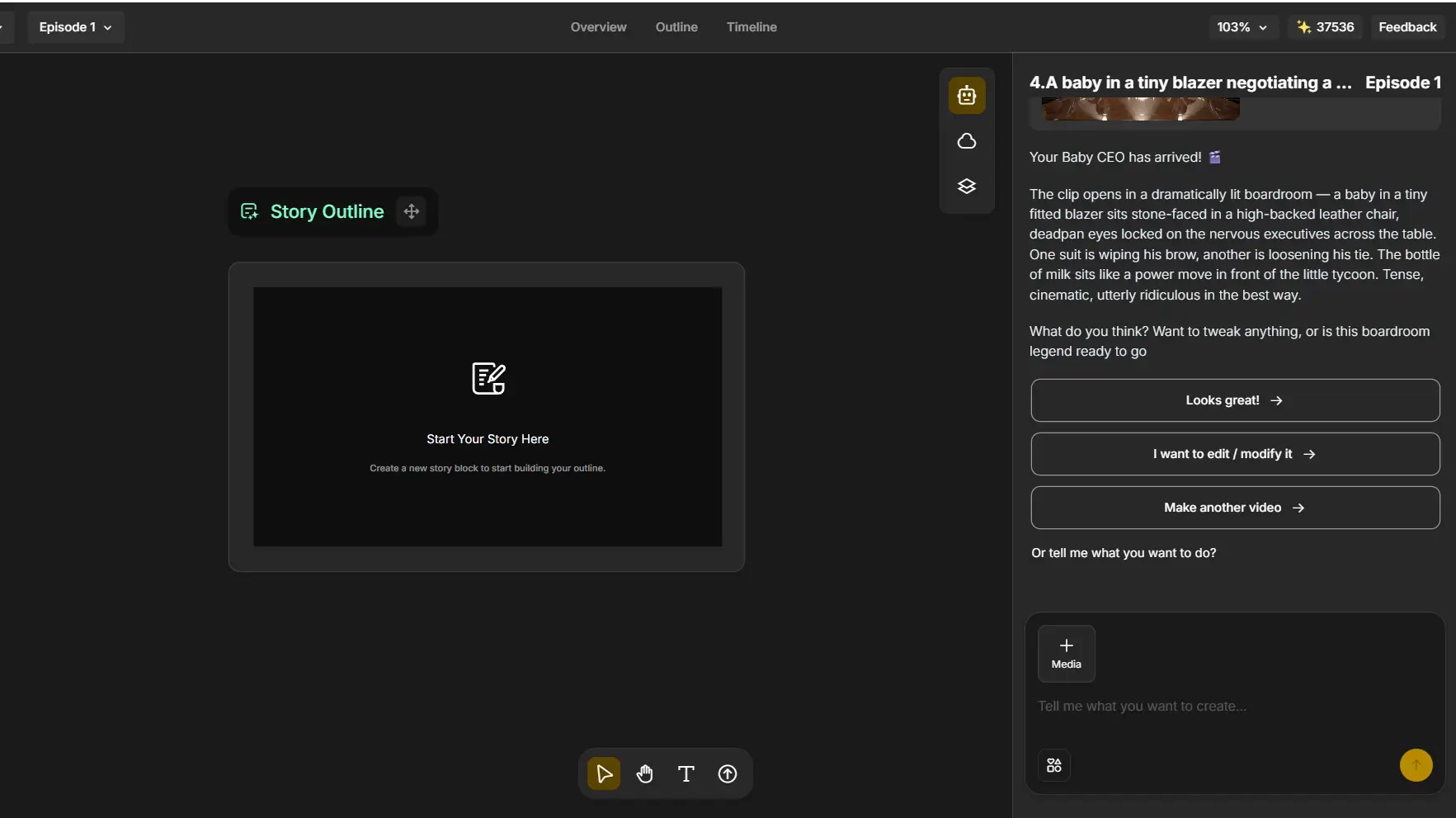
Type your idea in plain language - “a baby in a tiny blazer negotiating a business deal” - or skip the prompt entirely and upload a selfie, a pet photo, or a reference image instead. Once the video comes back, you’re not locked in: you can say it looks great, ask to edit or modify specific details, or just tell it to make another version entirely.
Step 2: Add Voice and Pick a Style and Generate
-
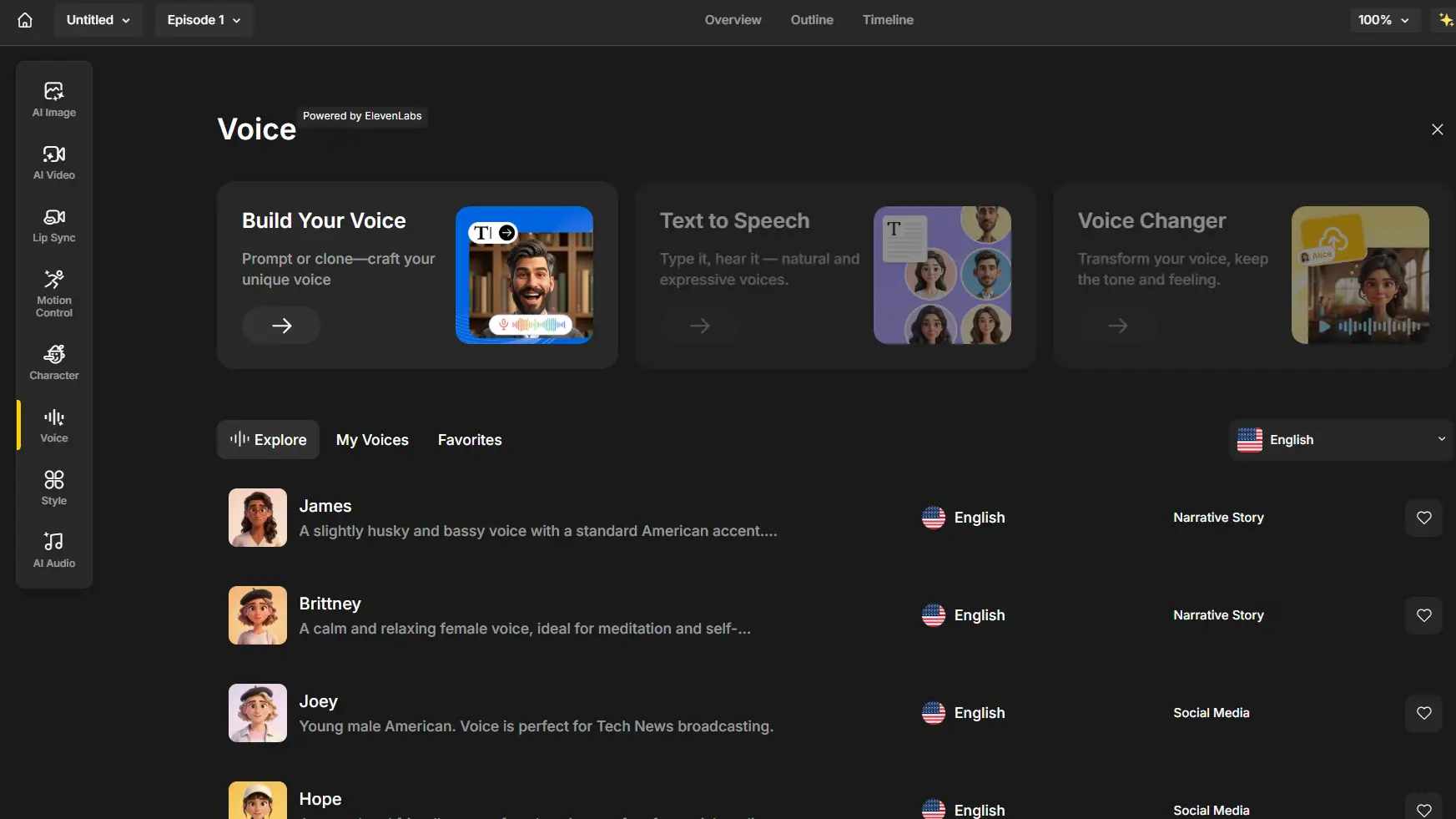
Upload your own audio or choose a voice directly in Anijam AI, and its Lip Sync engine will automatically match mouth movements to the dialogue.
-
Anijam AI’s built-in voice tools let you generate natural text-to-speech dialogue, run a voice changer to adjust the tone, or browse a library of ready-made voices tagged by mood.
-
Choose the visual style that fits the joke. A cartoon or Ghibli-style look tends to suit absurd, animal-led gags, while a more photorealistic style works better for the “almost real” mockumentary format. If your video revolves around a recurring character - say, the same complaining AI baby across multiple clips - Anijam AI’s Character Animation Toolkit keeps that character’s face, outfit, and personality consistent from scene to scene.
Step 3: Timeline Edit & Export
-
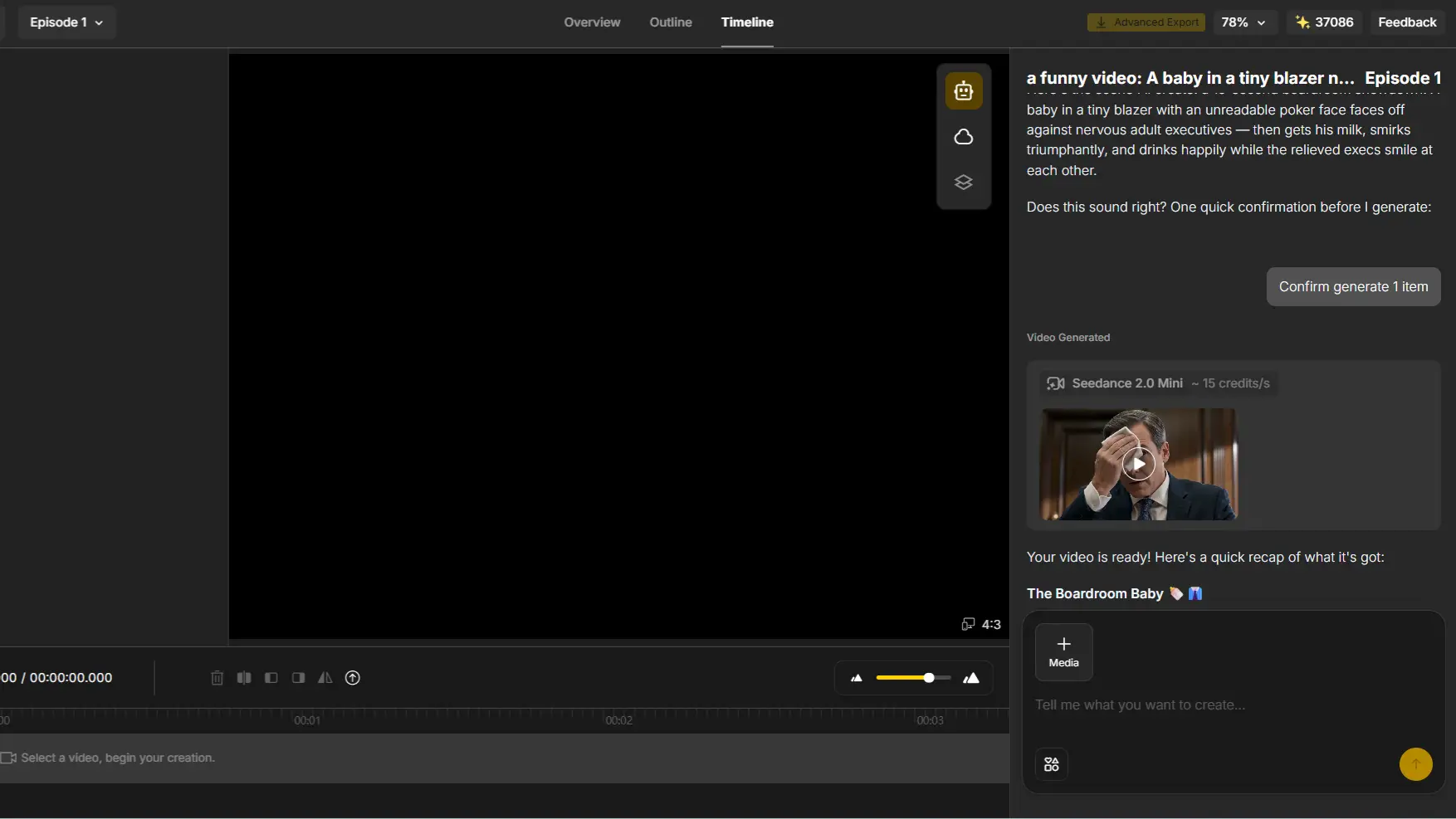
Head to the Timeline tab to review captions, nudge the pacing so the punchline lands at the right beat, and preview the clip scene by scene before committing.
-
When it’s ready, export your funny AI video and share it on social media like TikTok or YouTube.
Best Practices to Get Your Funny AI Videos Seen
Funny AI videos are designed for fast-scrolling audiences, where viewers decide whether to keep watching within the first few seconds. To maximize reach across TikTok, YouTube Shorts, and Reels, focus on platform-friendly formats, strong visual hooks, and high-retention storytelling.
Create a Strong Hook in the First Few Seconds
Most viewers decide whether to keep watching within the first two or three seconds. Open on the joke’s premise immediately - the talking animal, the absurd setting, the deadpan narrator - instead of building up to it. If the concept isn’t obvious almost instantly, most people will have already scrolled past.
Optimize Your Videos for TikTok, YouTube Shorts and Reels
Most viral funny AI videos follow a 9:16 vertical format optimized for mobile viewing. Avoid creating horizontal videos and cropping them later, as important characters or actions may be cut off. Generate and edit your videos in vertical format from the beginning.
Recommended settings:
- Aspect ratio: 9:16
- Resolution: 1080 × 1920
- Length:
- TikTok: around 15–60 seconds for entertaining content
- YouTube Shorts: around 30–60 seconds for stronger retention
- Instagram Reels: around 15–45 seconds depending on complexity
Follow AI Video Trends and Viral Formats
Comedy formats move fast, and the funny AI video space is no exception - a talking-pet trend that was everywhere in January might feel stale by April. Keep an eye on what’s freshly viral rather than recycling the same joke structure indefinitely, and don’t be afraid to put your own twist on a trending format instead of copying it exactly.
Encourage Engagement and Build a Community
A single funny clip can go viral once, but a recurring character or format builds an actual following. If your golden retriever divorce lawyer or your complaining AI baby resonates, keep making videos with that same character. Reply to comments, ask viewers what scenario they want to see next, and let the audience help write your next prompt - it turns one-off views into a returning audience.
Final Thoughts
Funny AI videos aren’t a passing gimmick - they’ve become one of the most reliable ways to make people laugh (and hit share) in 2026, precisely because AI can build jokes no camera ever could: talking pets, physics-breaking mashups, and mockumentary-style pranks that fool viewers just long enough to land the punchline.
Whether you’re here to watch or to create, the format rewards curiosity more than technical skill.
If you’ve got a prompt idea from the list above, the fastest way to see it become an actual video is to try it. Anijam AI turns a single funny sentence into a finished, shareable clip - no filming, no editing software, and no video-making experience required.
Frequently Asked Questions
What are some funny AI video ideas? Absurd concepts, impossible physics, and surreal mashups tend to perform best - think a cat running a business meeting or a knight ordering fast food. Text-to-video or image-to-video tools can turn any of these into a finished clip in minutes.
What is the best AI tool to make funny AI videos? There’s no single “best” tool, since it depends on the style you’re going for. Video-focused platforms like Anijam AI work well for character-driven comedy with consistent recurring characters, hyperrealistic generators suit the “almost real” mockumentary style, and editing tools like CapCut are best for adding captions and comedic pacing to existing clips.
What is the funniest AI video prompt? There’s no universally “funniest” prompt, but the ones that consistently go viral all follow the same trick: a clear character, one very specific human behavior, and an unexpected twist. On the text-and-voice side, “roast my last 10 Google searches and explain what they reveal about my mental state” is a Reddit favorite, alongside “give me the worst possible life advice, but make it sound completely convincing.”
Are funny AI videos free to make? Yes - most AI video tools, including Anijam AI, offer a free tier with daily credits so you can generate and export a clip without paying upfront. Free plans typically come with some limits on resolution or a watermark, which paid plans remove.
How long should a funny AI video be? Most viral funny AI videos run somewhere between 15 and 30 seconds - long enough to set up and land one clear joke, short enough to hold attention on TikTok, Reels, or Shorts. If the concept needs more room, splitting it into a short series usually performs better than one longer clip.
by Evan
Evan is an AI content creator and video technology writer at Anijam AI, focused on how generative AI is transforming storytelling and video production. He shares social trends, creative workflows, prompt strategies, and practical insights to help creators turn ideas into engaging videos and visual content.