


AI Video Extender
Extend any AI-generated or real clip by a few seconds or a full scene, without reshoots, re-renders, or visible seams. Upload it, describe what happens next, and join the result on the timeline.
Extend Your Clip and Finish the Video in One Place
Anijam's AI video extender turns a clip that ends too soon into a full scene by generating a continuation shot that picks up from the last frame, with no reshoot needed. Unlike single-purpose extender tools that hand you one more clip and stop, our workspace keeps video generation, voice, music, and a timeline editor together, so you extend, join, and export without switching tabs.
Continue Cinematic Shots Without a Visible Cut
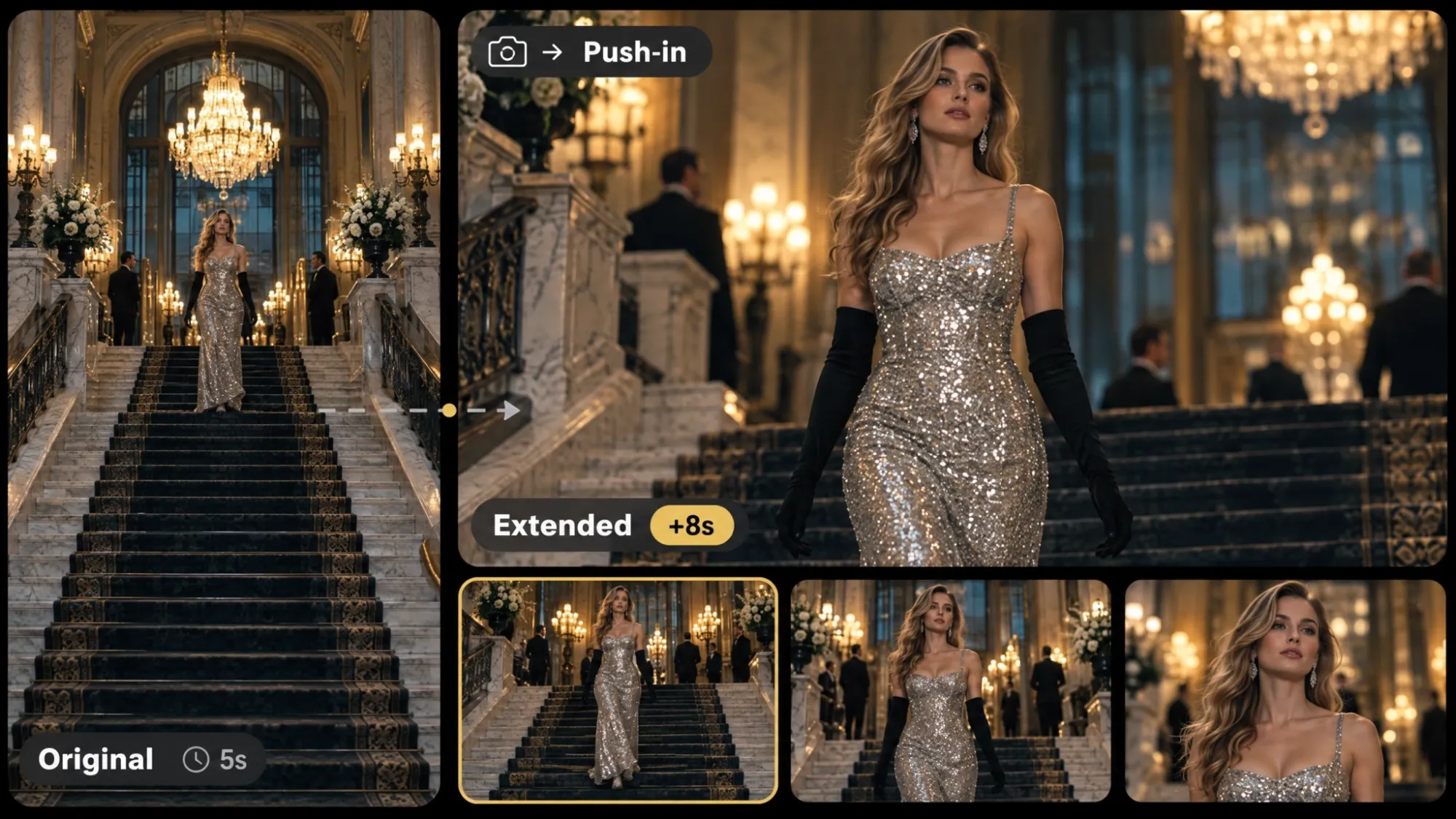
Our AI video extender keeps camera direction, lens feel, and lighting moving the way your shot already does. A slow push-in or a tracking move simply carries on into the new seconds.
Extend Video with AI Seamlessly
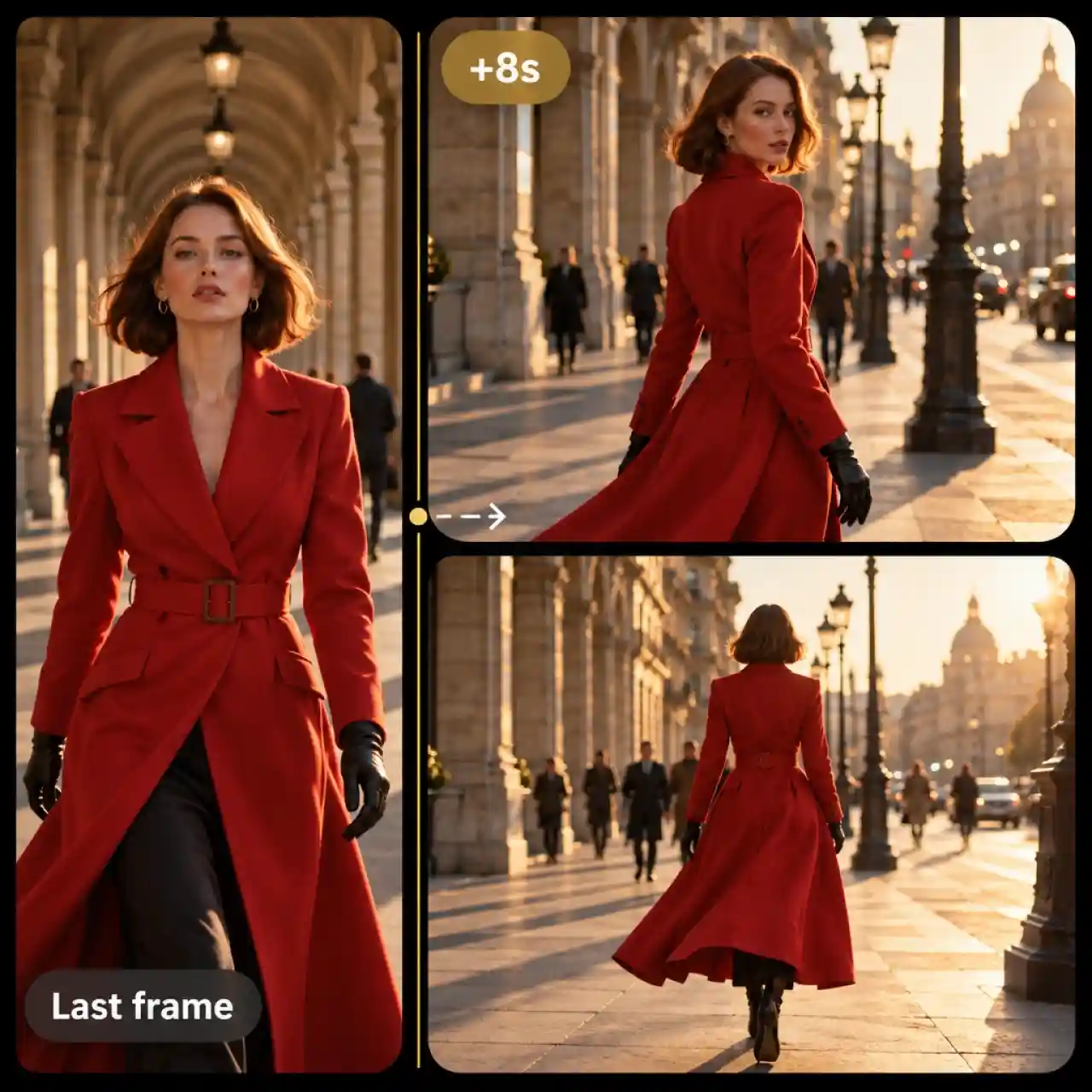
Anijam generates a new shot from your clip's last frame, preserving the character, outfit, lighting, and camera direction for seamless transitions and consistent content. Our AI video extender analyzes your original clip and plans a continuation that fits its ending, helping preserve the original content while making the transition between existing and extended footage feel seamless.
AI Video Extender with Prompt Control
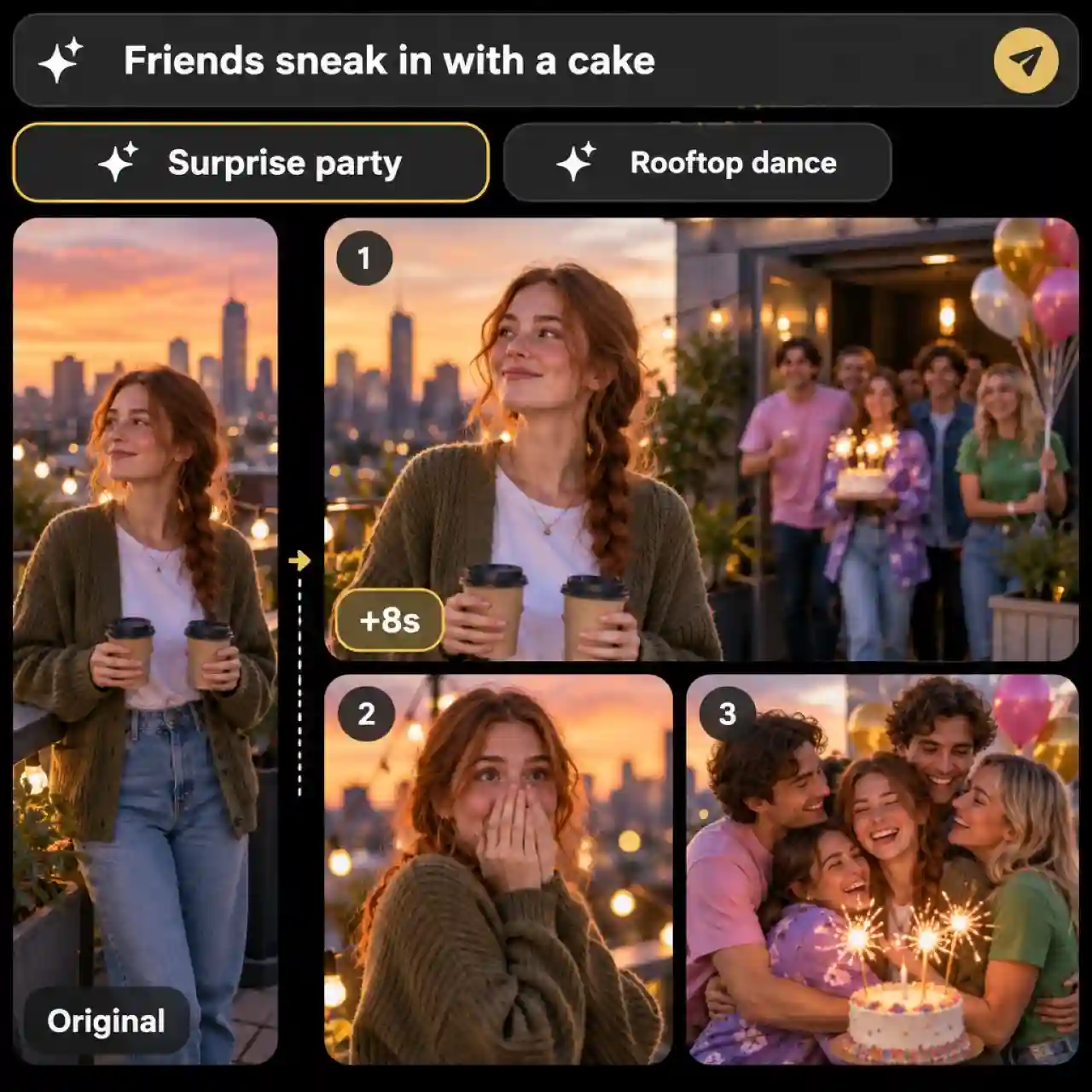
Describe what happens next, or pick one of the Agent's suggestions, and the extension follows that direction. Write the action, camera move, and mood in plain language, and name the details to carry over, such as outfit, location, or light.
AI Video Extender with Audio Sync
Sound stays part of the extension instead of an afterthought. Describe dialogue, ambient sound, or music in your prompt when the selected model supports audio, then add a voiceover or music track on the timeline to match the new ending.
Extend Clips into Full Videos on a Timeline
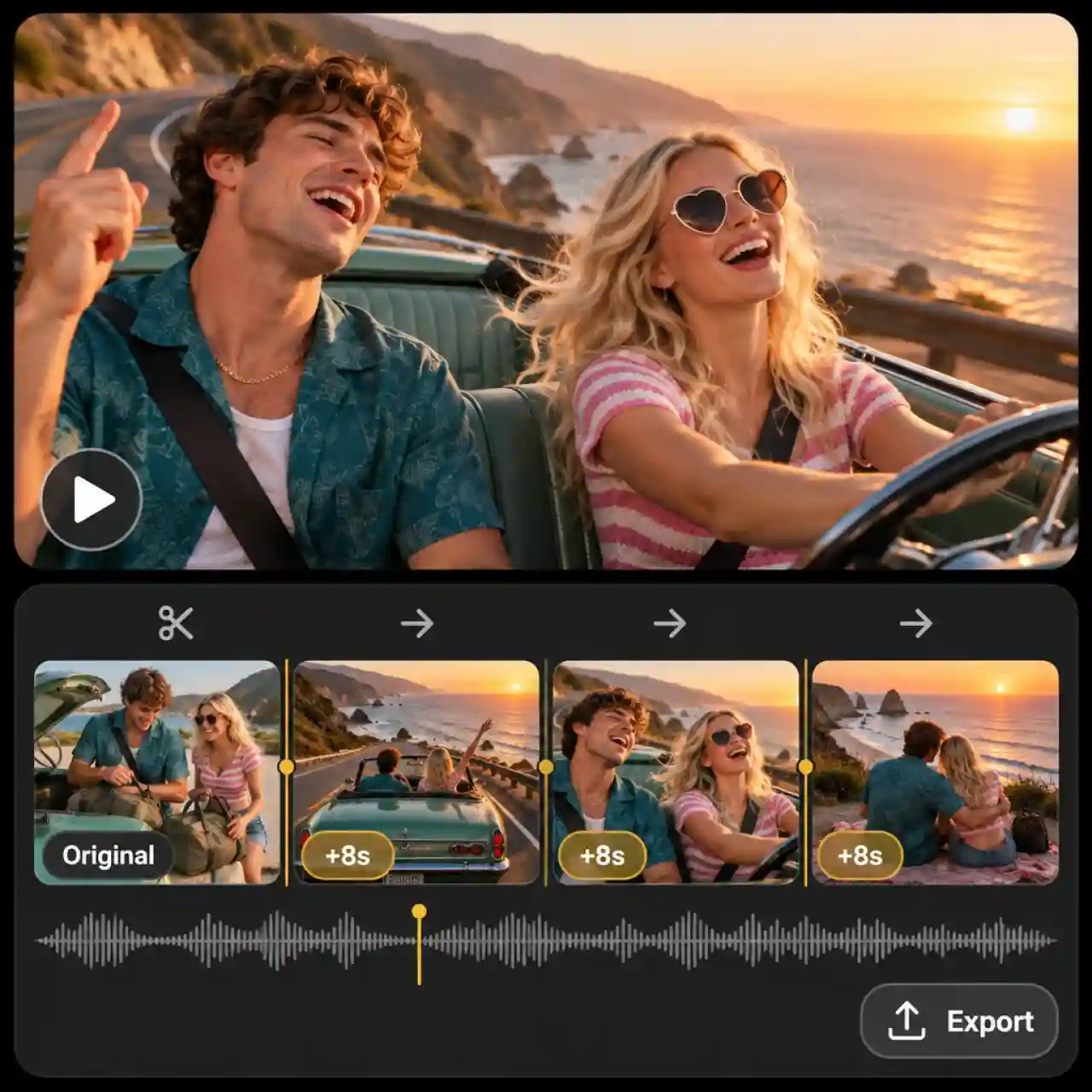
Anijam joins each new shot behind your original on the timeline, so the pieces play as one video without an export in between. Trim the seam, reorder shots, and export one finished video.
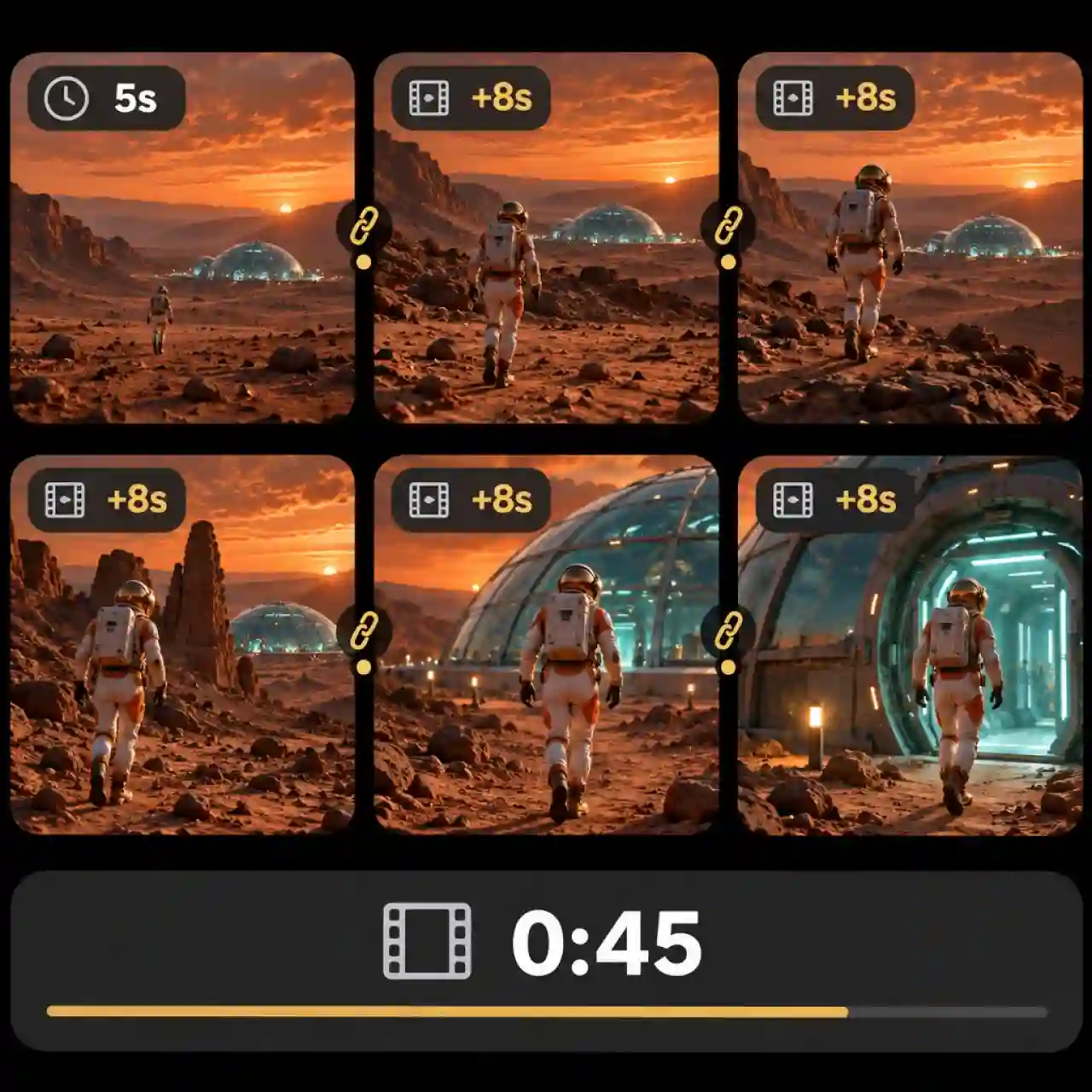
Extend AI Video Clips Past the Length Cap
Each continuation shot runs 8 seconds by default and up to 15, and the Agent can build a much longer complete video from there. Ask for the full duration you need and it plans the extra shots, generates them, and joins them on the timeline, or you can run AI video continuation yourself in short steps and check each join before the next.
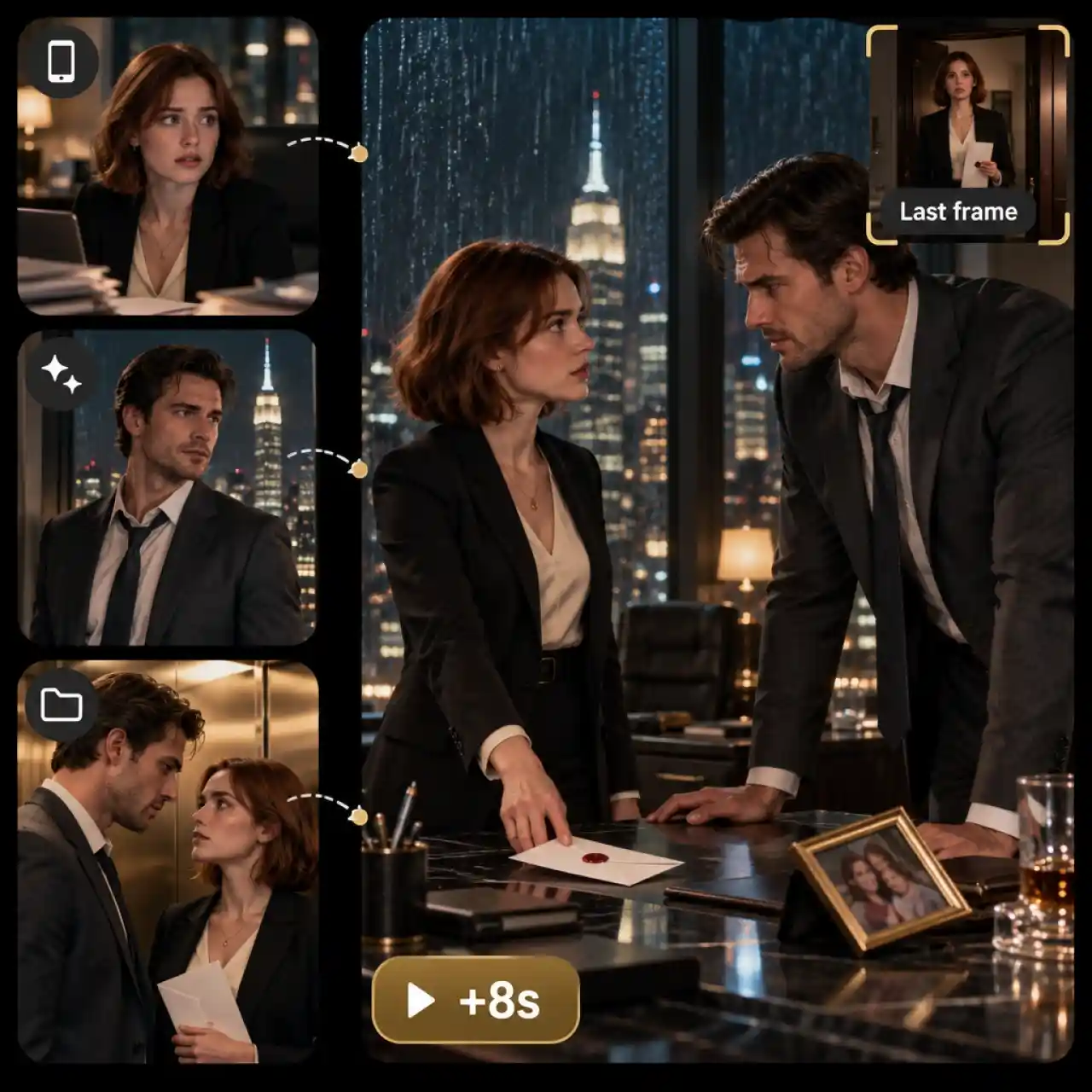
Extend Any Clip from Any AI Tool or Camera
Upload whatever clip you already have, whether it came from another AI video model, your phone, or an earlier Anijam project. Clear footage with steady framing and readable motion gives the most natural continuation, and a screenshot of the final frame gives the Agent its strongest visual anchor.
How to Use the Anijam AI Video Extender
Step 1: Upload Your Clip
Open a project, add the video you want to continue to the canvas, and ask the Anijam Agent to extend it. The Agent watches the clip first, so it knows exactly how the scene ends.
Step 2: Describe What Happens Next
Tell the Agent where the scene goes next, or pick one of its suggestions, then set the length: 8 seconds by default, up to 15. For the most consistent look, send a screenshot of the clip's last frame as the reference.
Step 3: Join It on the Timeline and Export
Anijam generates the continuation shot with AI Video and joins it behind your original on the timeline. Trim the seam, layer in voice or music if needed, and download the finished video.
Why Choose Anijam as Your AI Video Extender

Free Credits to Start
Sign up and start extending clips with bonus credits, then collect more with daily check-ins. Free exports carry a watermark, and paid plans remove it.

Chat-Based and Easy to Use
Ask the Agent to extend your clip in plain language and it plans the next shot for you. No keyframes, masks, or editing skills required.

Top Video Models in One Place
Leading models such as Seedance 2.0, Kling O3, Wan 3.0, and MiniMax Hailuo H3 live in the same workspace, so one account covers every look you need.

One Workspace for the Whole Video
Go from idea to finished video with text, image, script, and audio inputs, story tools, and trending templates sitting right beside the extender.

High-Quality
Extend your clips with AI-generated scenes designed to maintain visual quality and blend naturally with your original footage.

Watermark-Free Exports
Export your extended videos without watermarks for clean, professional-looking results ready to share across your favorite platforms.
Explore More Anijam AI Video Tools




What Our Users Said
More about AI Video Creation & Inspiration

FAQ
What is an AI video extender?
It is a tool that lengthens a clip by generating new frames that continue the original. Instead of looping, freezing, or slowing the footage, it reads the last frame's subject, motion, lighting, and camera direction, then creates what happens next.
Can I extend a video with AI for free?
Yes, you can start for free. Sign up to get bonus credits and collect more with daily check-ins. Free exports carry a watermark and are for non-commercial use, and paid plans remove the watermark and include commercial rights.
How long can I extend a video?
Each continuation shot runs 8 seconds by default and up to 15 seconds, and the Agent can produce a longer complete video. Tell it the total duration you want and it plans the additional shots and joins them with your original on the timeline. You can also extend step by step from the new ending, keeping each step short so the subject and style stay consistent.
Can I extend a video that was not made with AI?
Yes. Upload footage from your phone or camera, or a clip from another AI tool, and describe what should happen next. Clear, steady footage works best, while fast motion and close-up faces are harder for any model to continue.
Will the audio continue in the extended clip?
It depends on the model you choose. When the model supports audio, describe the dialogue or ambient sound in your prompt, and either way you can add a voiceover or music track on the timeline to match the new ending.
Can I use extended videos commercially?
Yes, on a paid plan. Paid plans include commercial use rights and watermark-free export, while outputs from the free plan are for non-commercial use only.