


Sketch to Video AI: Turn Any Drawing into Animation
Anijam's sketch to video AI turns pencil sketches, storyboards, comic panels, and doodles into polished animated video - without redrawing a single frame. Upload your drawing, describe the motion, and let Anijam's AI agent handle the rest: motion, camera, voice, and lip sync, all while keeping your original line work intact.
What You Can Create with Anijam's Sketch to Video AI
From storyboards to product concepts, comic panels to kids' doodles, Anijam's sketch to video ai generation helps you turn any drawing into a polished animated video in minutes - no animation skills required.
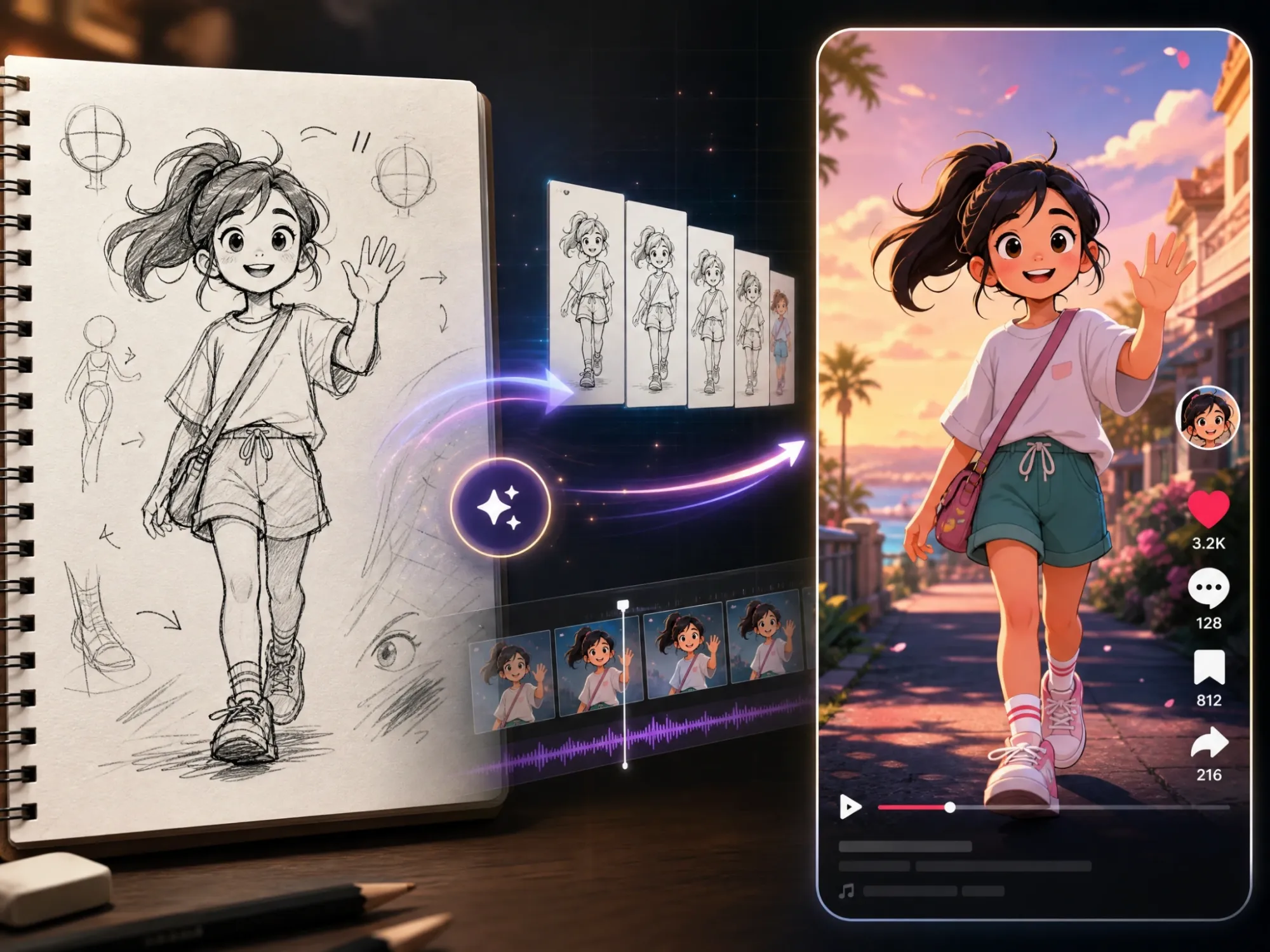
Turn Character Sketches into Social Videos
Bring a hand-drawn character to life with walking, waving, dancing, and expressive motion. Turn your original character sketch into eye-catching videos for TikTok, Reels, and YouTube Shorts while keeping the character design recognizable.
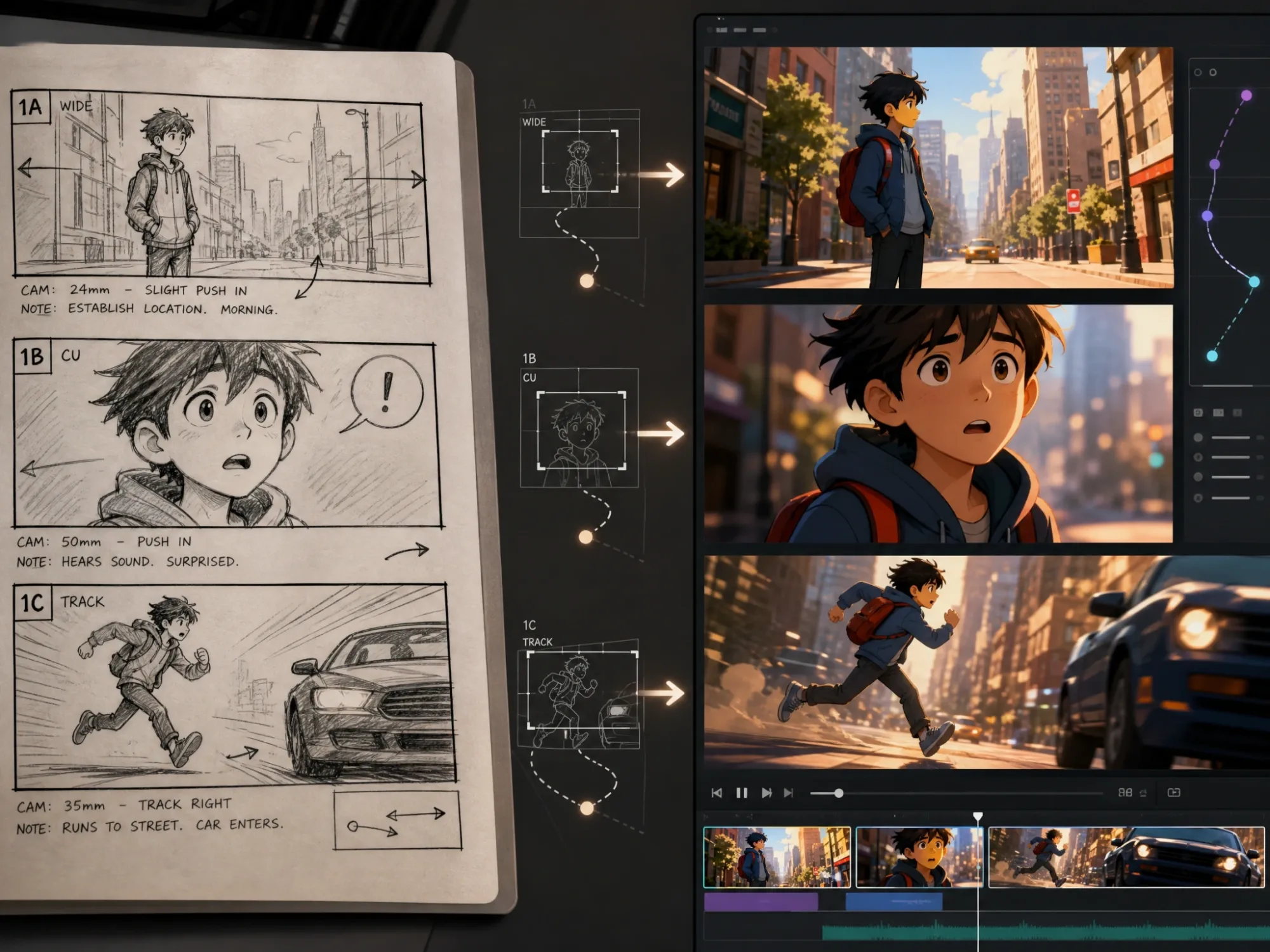
Bring Storyboards & Comics to Life
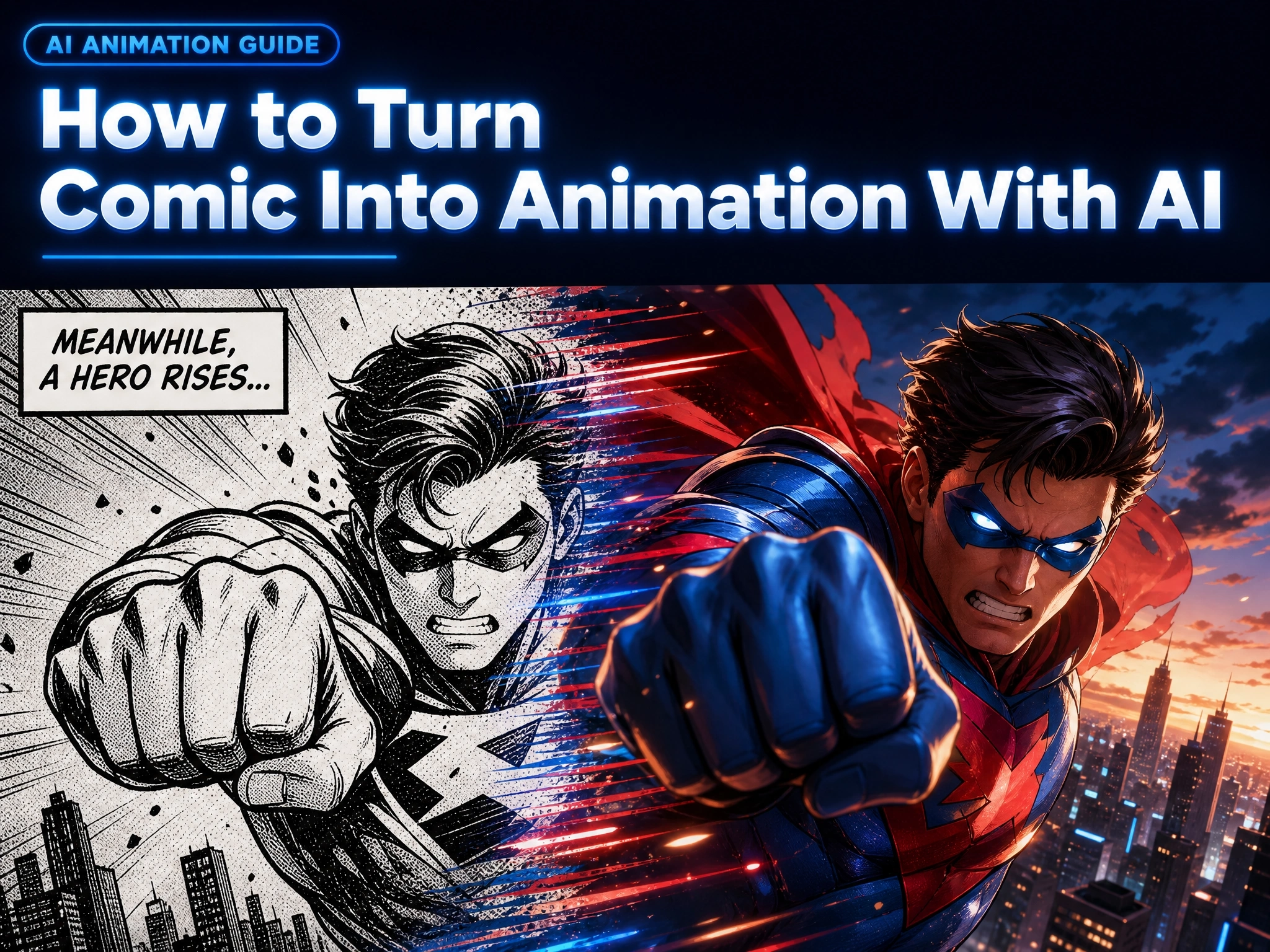
Turn storyboard panels and comic drawings into animated scenes with character motion, camera movement, and transitions. Preview your story in motion before turning it into a finished animation or short film.
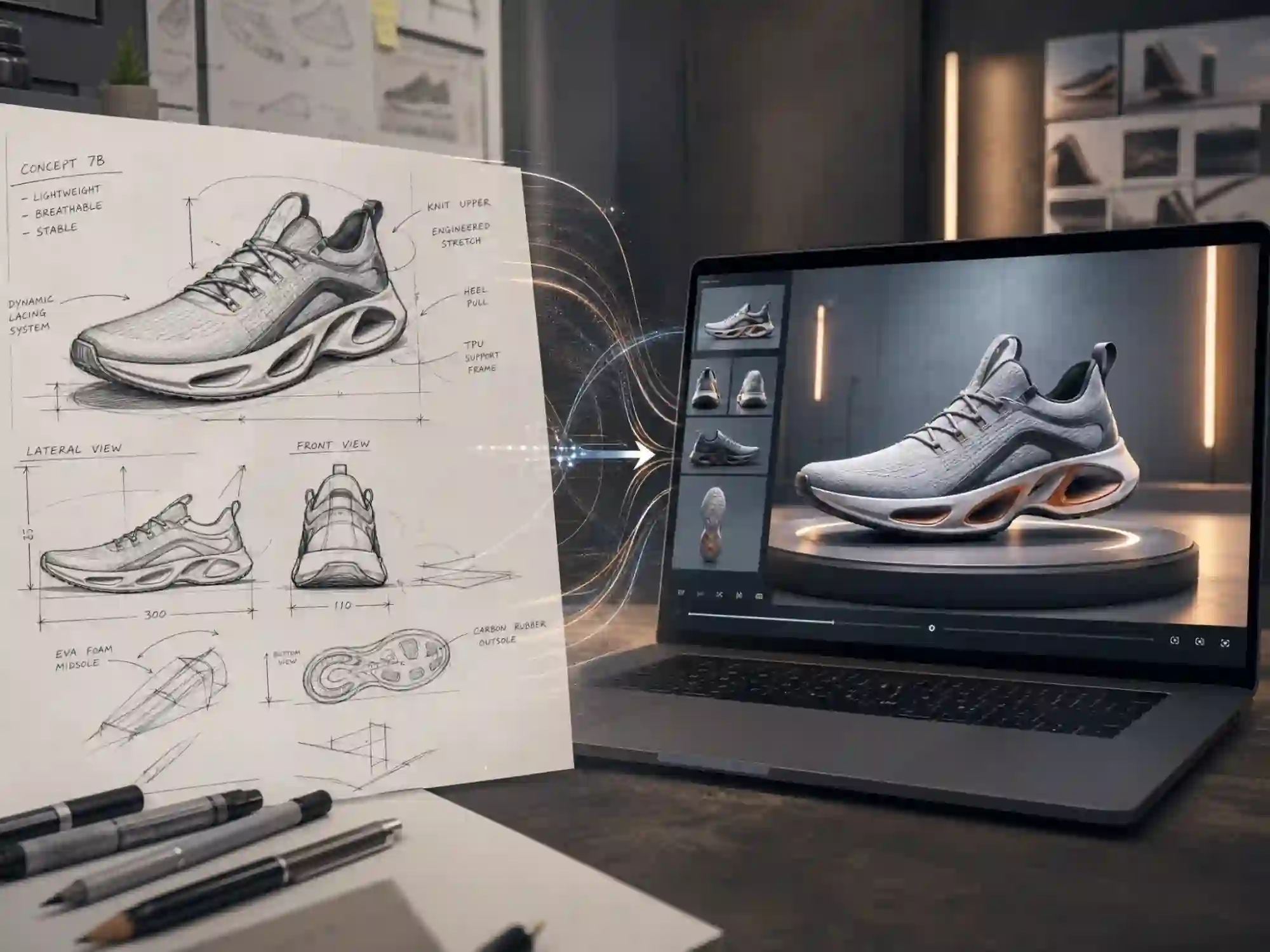
Turn Product Sketches into Concept Videos
Show clients and stakeholders how a product or architectural idea could look in motion. Animate concept sketches with camera movement, depth, and walkthrough shots before investing in a full 3D production.
All-in-One AI Sketch to Video Generator
Most sketch to video tools do one thing: apply generic motion to a still image. Anijam is different - it's a full AI sketch video generator built on an agent that plans the motion, keeps your composition intact, and can carry your sketch all the way from a single frame to a voiced, lip-synced scene. Whether it's a pencil character sketch, an ink storyboard, or a marker product concept, Anijam's sketch to video ai reads your drawing's structure and generates smooth, natural motion that still looks like your drawing - not a reinterpretation of it.
Pencil & Ink, Animated Without Redrawing
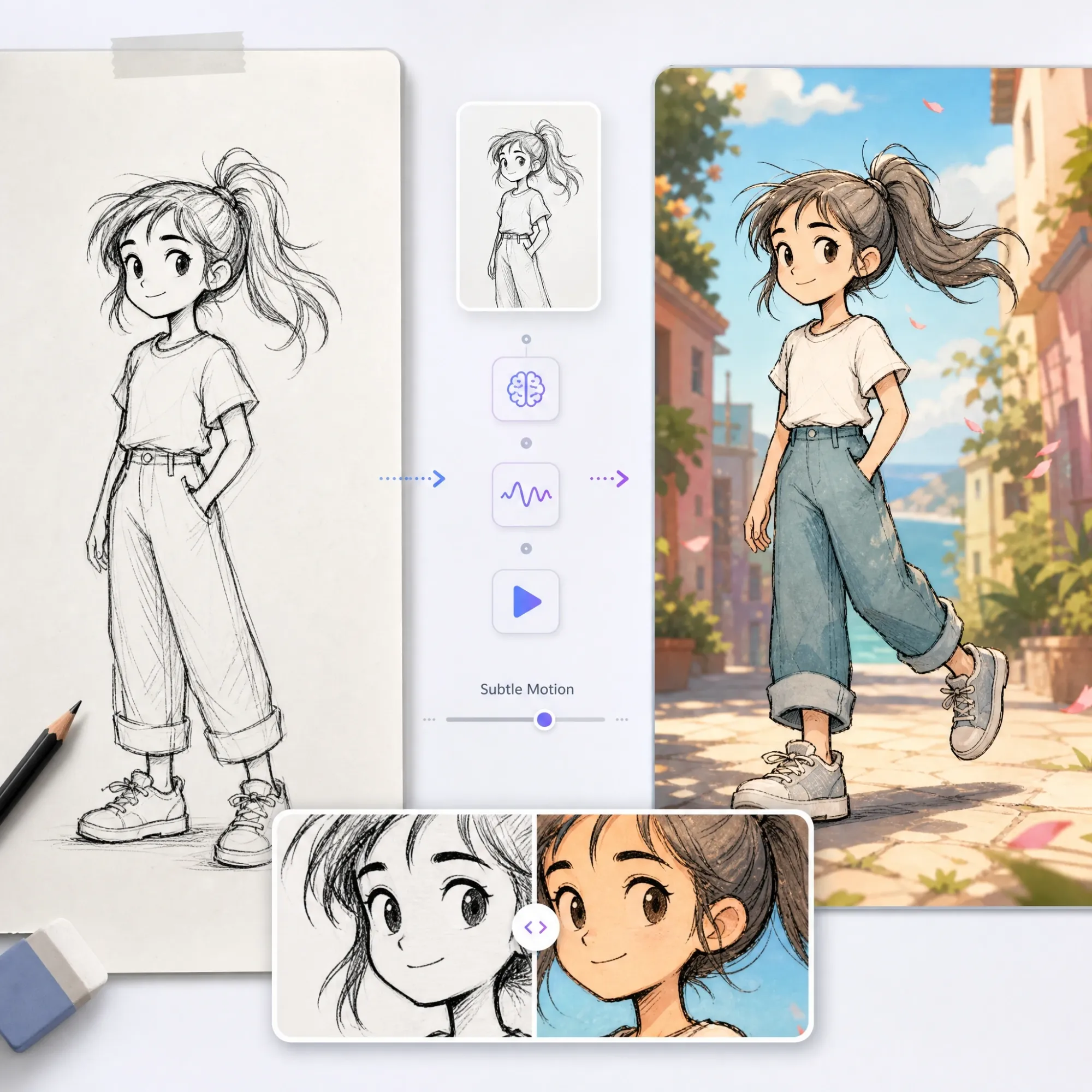
Anijam's AI agent turns raw pencil and ink linework into motion without redrawing it. Every stroke, smudge, and shading pass stays exactly where you drew it - just moving now.
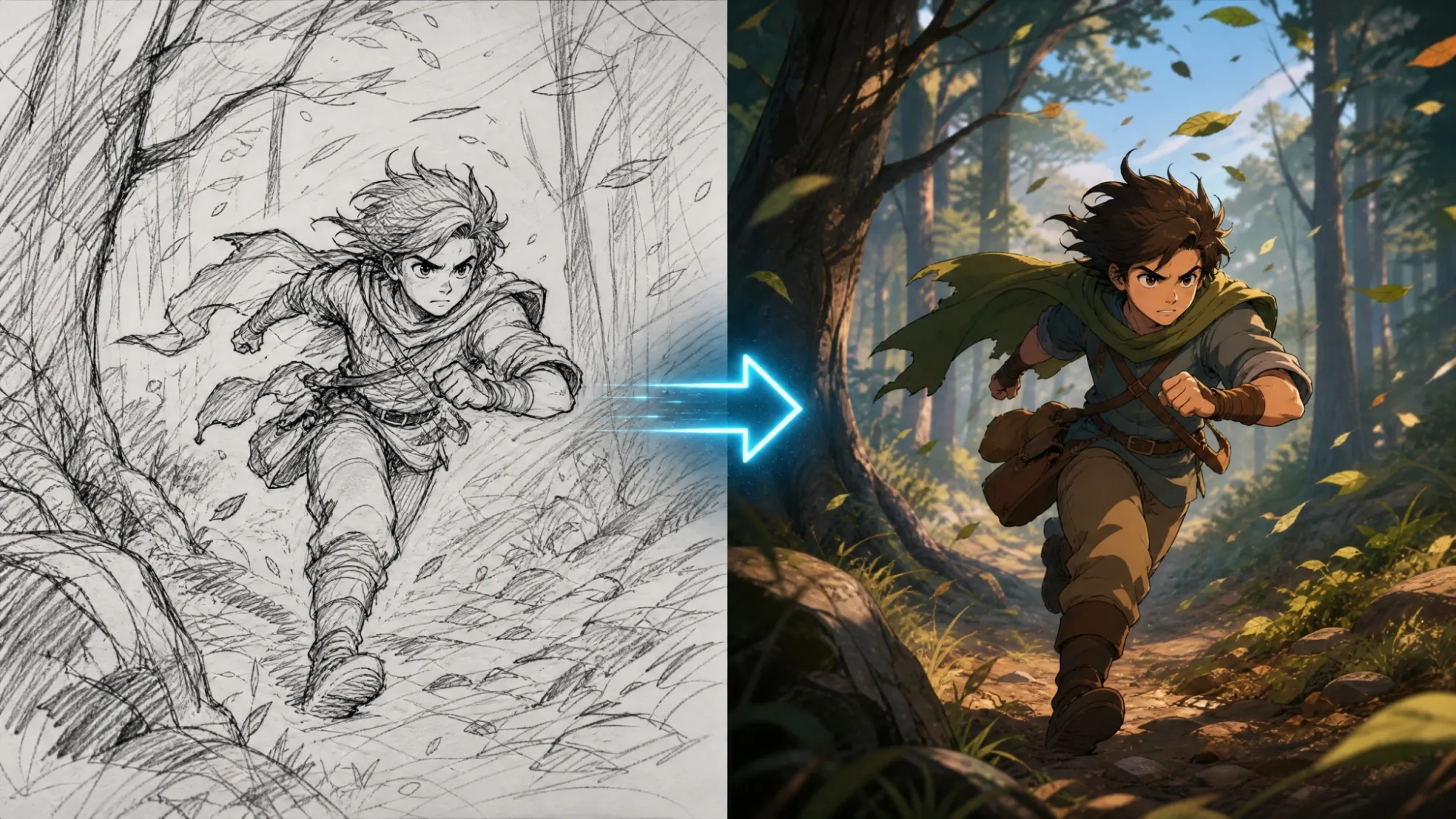
Keep Every Line of Your Original Sketch
Generic image to video tools tend to smooth out or "fix" hand-drawn lines. Anijam's sketch to video ai generation is built to protect the opposite: it reads your pencil pressure, ink texture, and composition as creative intent, not noise to clean up. The result moves - your art doesn't get redrawn.
Direct Every Motion, By Prompt or Reference Video
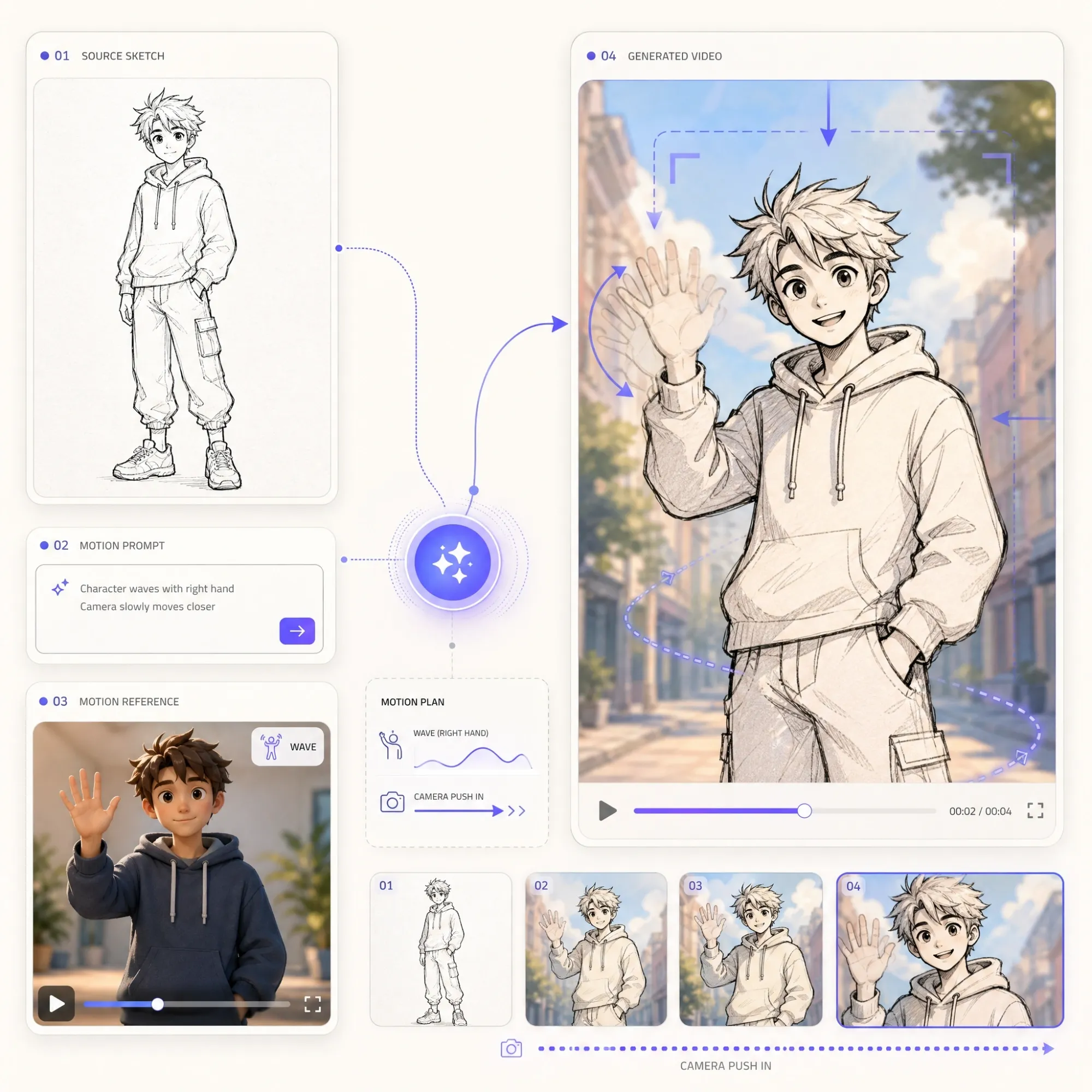
Describe the motion in plain language - "camera slowly zooms in while the character waves" - or upload a reference video and let Anijam match its rhythm and camera style to your sketch. No prompt engineering, no manual keyframes, just tell the sketch to video ai what should happen.
Expand One Sketch into a Full Animated Scene
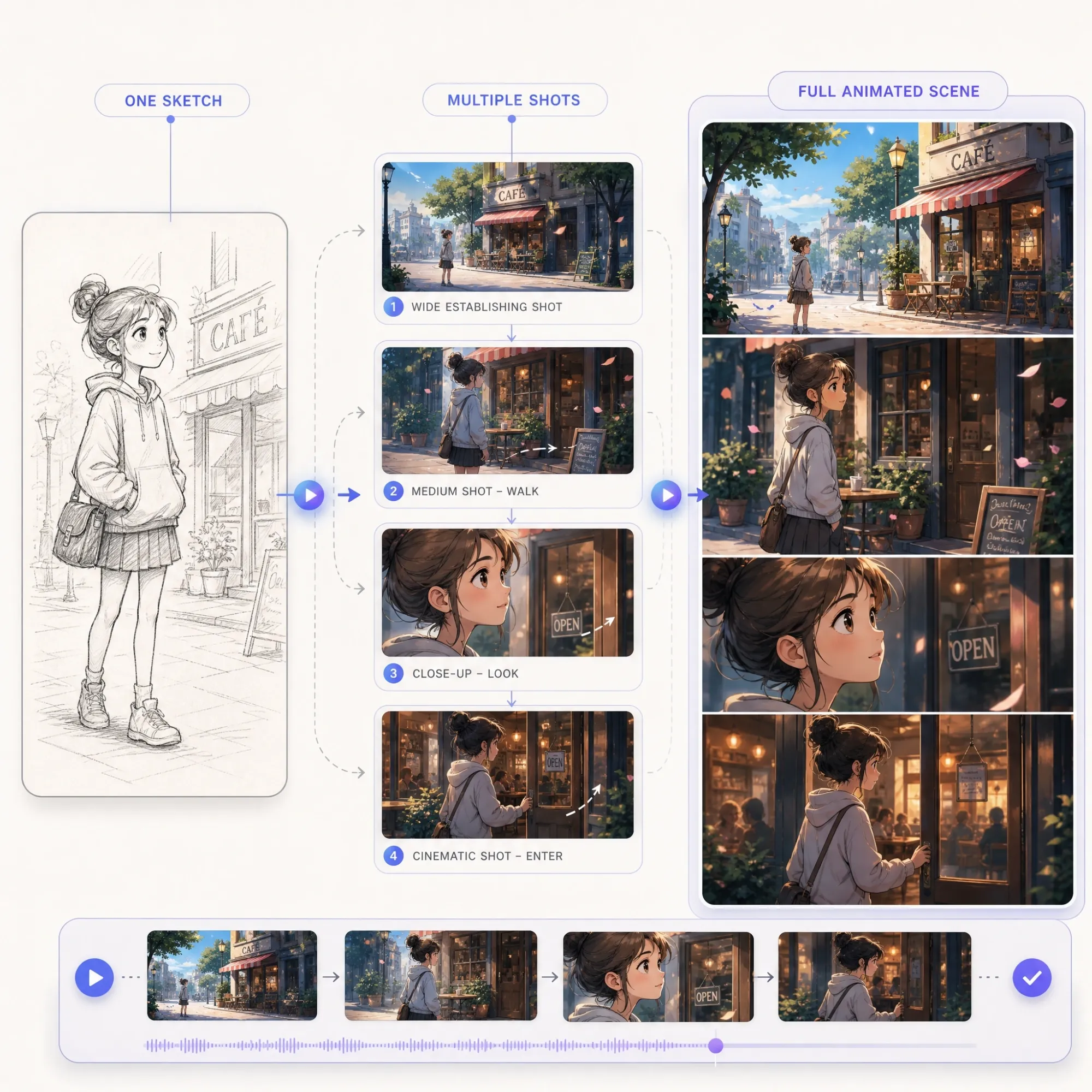
Most sketch to video tools stop at one short clip. Anijam's AI agent can carry a single sketch into a multi-shot scene - handling script, camera continuity, and lighting across every frame, so one drawing can become a sequence instead of a loop.
Give Your Sketched Characters a Voice
A drawing that just moves is only half the story - Anijam also makes it talk. Upload your script or voice, and the animation-optimized lip-sync engine syncs mouth movement and expression to sketched characters, something most single-purpose sketch to video ai tools skip entirely.
Pick the Best AI Video Model for Your Sketch
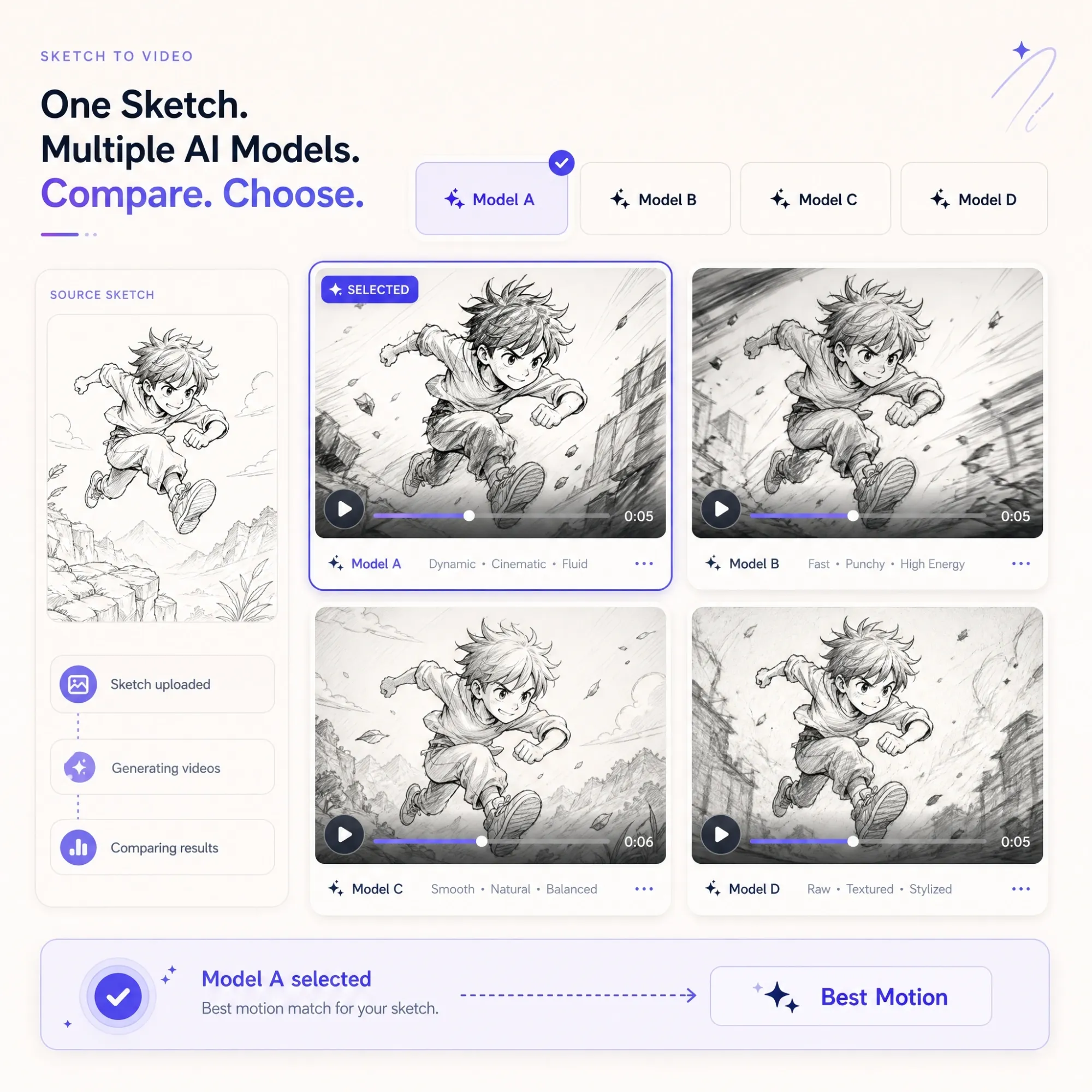
Most sketch to video ai tools lock you into one engine. Anijam gives you Kling, Seedance, Wan, and Gemini in a single workflow, so you can test which model handles your line weight, motion style, and pacing best - and switch anytime without starting over.
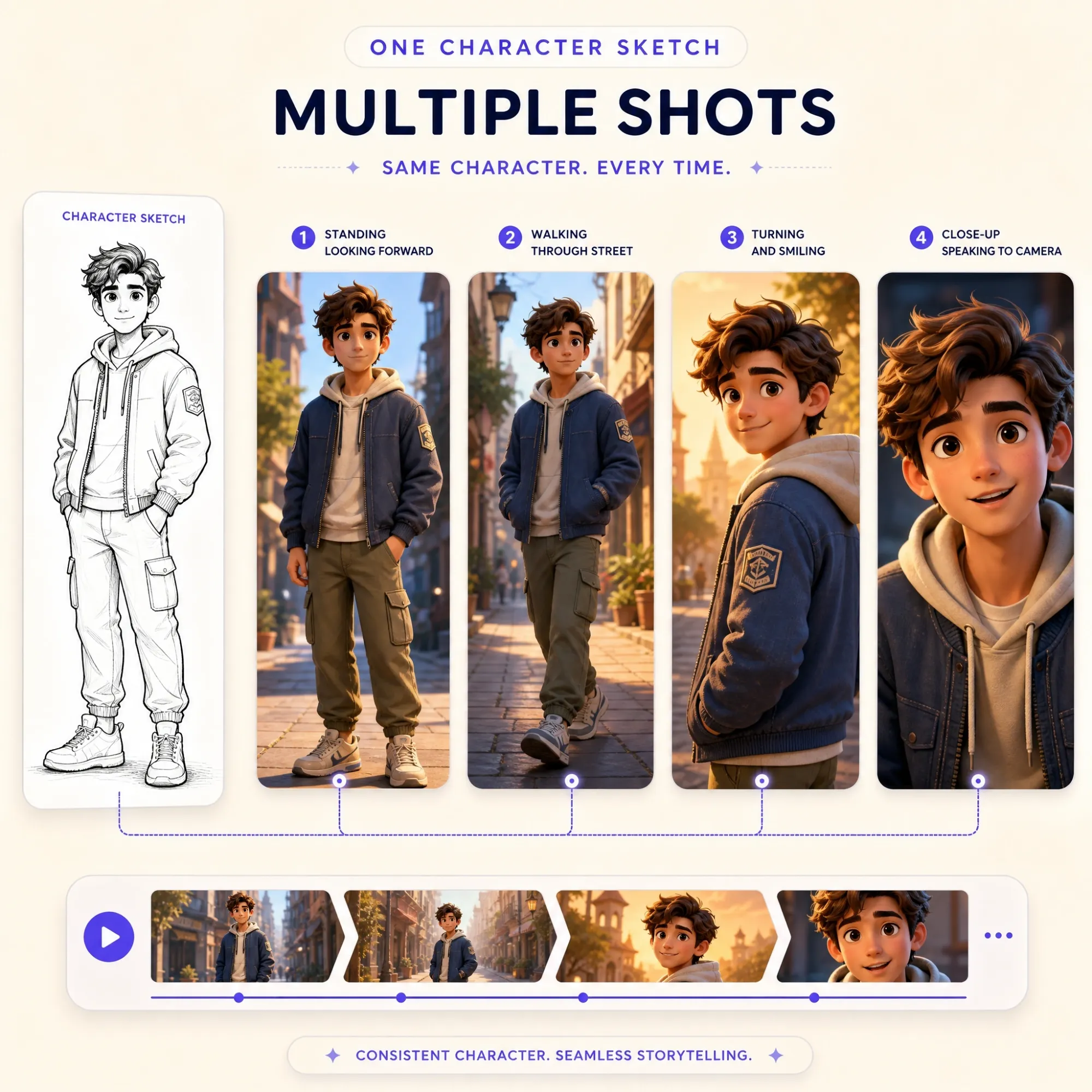
Keep Your Sketched Character Consistent in Every Frame
Upload a character sketch once, and Anijam locks in its face, outfit, and proportions across the entire generated video - even across multiple scenes. No more characters drifting off-model halfway through a clip, a common failure point in single-shot sketch to video ai generators.
How to Turn a Sketch into Video with Anijam
Step 1: Upload Your Sketch
Start with the sketch to video ai tool by uploading a photo or scan of your drawing - pencil, ink, marker, or digital line art all work. Anijam reads the composition, characters, and layout automatically.
Step 2: Describe the Motion
Type what should happen - "the character waves and walks forward," "camera pans across the storyboard," "hair drifts in the wind." Choose whether to keep the hand-drawn look or turn it into a colored animation, then pick your video model.
Step 3: Add Voice & Download
Use Anijam's lip-sync and voice library to make sketched characters talk, fine-tune timing with the scene editor, then download or share your finished video - watermark-free on paid plans.
Explore More Ways to Animate with Anijam

Style-Preserving AI
Unlike generic image-to-video tools, Anijam's sketch to video ai reads pencil, ink, and marker lines as intent - not noise - so your original hand-drawn style stays intact throughout the video.

Free to Start
Try Anijam's sketch to video ai free with generous sign-up credits and a daily check-in bonus - no credit card required to start animating your first sketch.

Multiple Leading AI Video Models
Access Kling, Seedance, Wan, and Gemini from one workflow, and pick whichever engine best matches your sketch's style and motion needs.

A Full Creative Agent, Not Just a Filter
Anijam's AI agent handles script, scene, camera, voice, and lip sync in one pipeline - so a sketch can become a fully voiced scene, not just a looping clip.

No Skills, No Software
No rigging, no keyframing, no animation software to install. If you can draw a sketch and describe an action in a sentence, you can use Anijam.

Watermark-Free Downloads
Every animated sketch video downloads clean, without a watermark, on paid plans - ready to post, present, or hand off to a client immediately.
Explore Anijam AI's Other Cutting-Edge AI Video Tools
What Our Users Said
More about AI Video Creation & Inspiration
FAQ
What is sketch to video AI?
Sketch to video AI is technology that turns a still hand-drawn sketch, doodle, or storyboard panel into a moving video clip. Instead of frame-by-frame animation, you upload your drawing and describe the motion you want - or let the AI decide - and it generates a sequence of frames that brings the sketch to life while keeping the original line work intact.
Is Anijam's sketch to video AI free?
Yes. You can use Anijam's sketch to video ai free with no credit card required. New accounts get generous sign-up credits plus a daily check-in bonus, so you can animate your first few sketches at no cost. Upgrading unlocks watermark-free downloads, higher resolution, and full commercial usage rights.
Will the AI keep my sketch's original style, or change how it looks?
Anijam is built to preserve your original style by default. Pencil sketches stay pencil sketches, ink drawings stay ink drawings - the AI reads your composition and line work as creative intent and adds motion around it. If you'd rather turn a rough sketch into a colored illustration-style animation, you can ask for that in your prompt instead.
What kinds of sketches can I animate?
Anijam's sketch to video ai generator works with pencil sketches, ink drawings, digital line art, storyboard panels, comic and manga panels, product and architecture concept sketches, and kids' doodles. For best results, use a clear drawing with strong outlines and one main subject - messy, low-contrast drafts can confuse the AI into treating stray marks as scene details.
Can I add voice or lip sync to a sketched character?
Yes. Anijam's ai sketch video generator includes a lip-sync engine and a voice library with 30+ languages, so a sketched character's mouth movements and expressions can be synced to a script or recorded voice - turning a static drawing into a talking character.
Can I use my sketch to video AI clips commercially?
Yes, on paid plans. Free-plan exports are watermarked and intended for non-commercial use. Once you upgrade, your sketch to video ai creations are watermark-free and come with full commercial usage rights for ads, client work, product presentations, and monetized content.