10 Types of Animation and How to Make One with AI in 2026
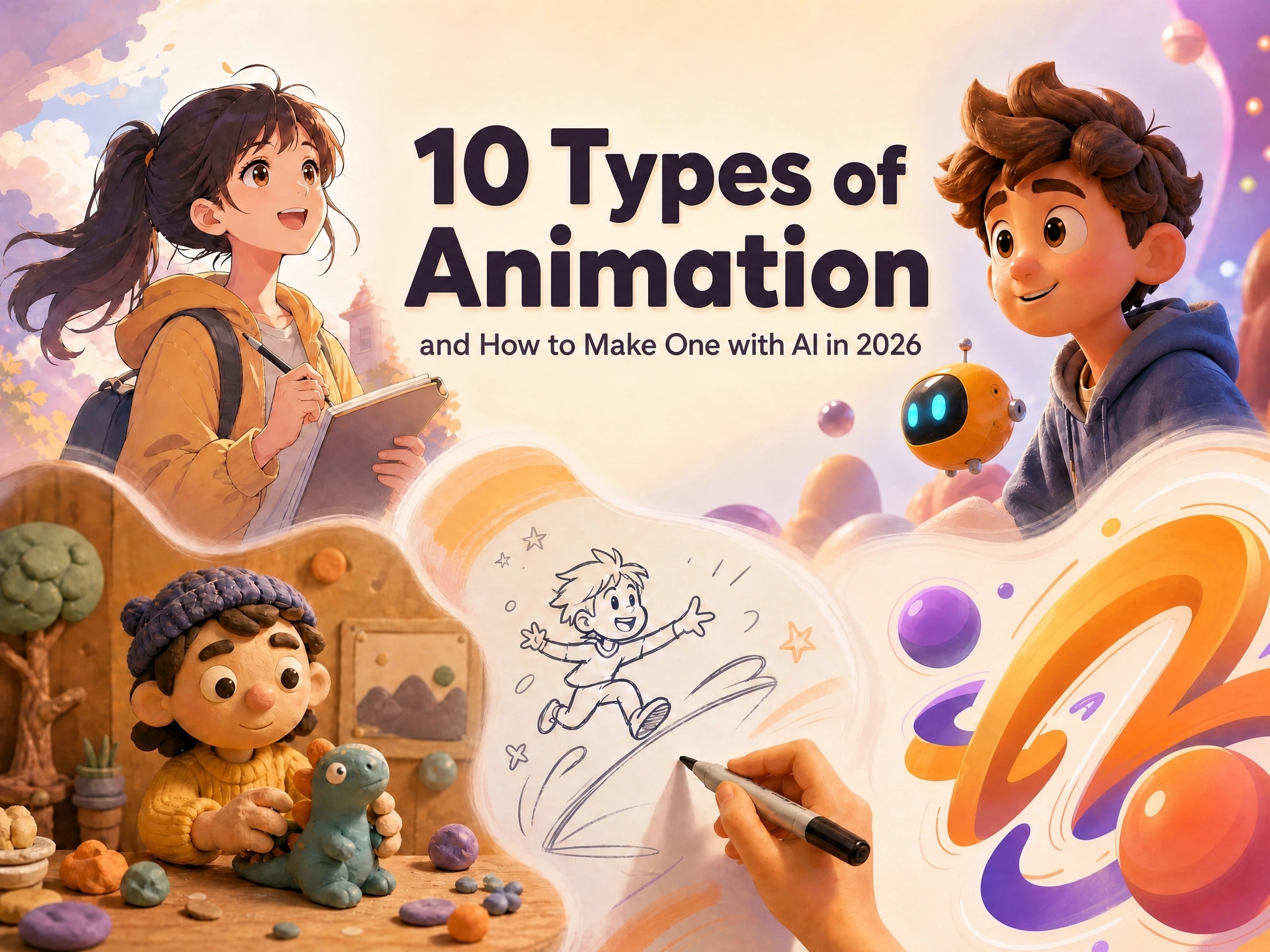
Picture this: a Pixar character with every strand of fur catching the light, almost indistinguishable from real life. Cut to a hand-drawn anime scene - rough lines, flat colors, and somehow twice as much heart. Same word, “animation,” completely different worlds.
That’s because they’re not even made the same way. From hand-drawn frames to clay figures, 3D rigs to a single AI prompt, every type of animation has its own personality - a distinct visual language, a different production process, and a wildly different price tag and timeline.
If you’re trying to pick the right style for your next project, this guide is for you. We’ll break down 10 major types of animation styles - with real examples - and show how tools like Anijam make every one of them easy to create, no studio budget required.
What Is Animation?
Animation is the technique of creating the illusion of movement by displaying a fast sequence of still images. Each image, or frame, changes slightly from the one before it. Play them back quickly enough - usually between 12 and 24 frames per second - and the human eye perceives smooth, continuous motion.
The idea itself is old. Devices like the zoetrope and flipbook were tricking eyes into seeing motion long before film existed. What has changed dramatically over the last century is how those frames get made - by hand, with physical objects, inside 3D software, or now, with a single AI prompt.
That range of production methods is exactly why animation splits into so many distinct types. Each one has its own visual language, workflow, and ideal use case, and knowing the differences makes it much easier to choose the right style for your project.
10 Types of Animation
With that range of techniques in mind, let’s look at how it actually breaks down. Here are the 10 major types of animation in use today, starting with a quick snapshot of how they compare - then a closer look at each one, with real examples and what it’s best suited for.
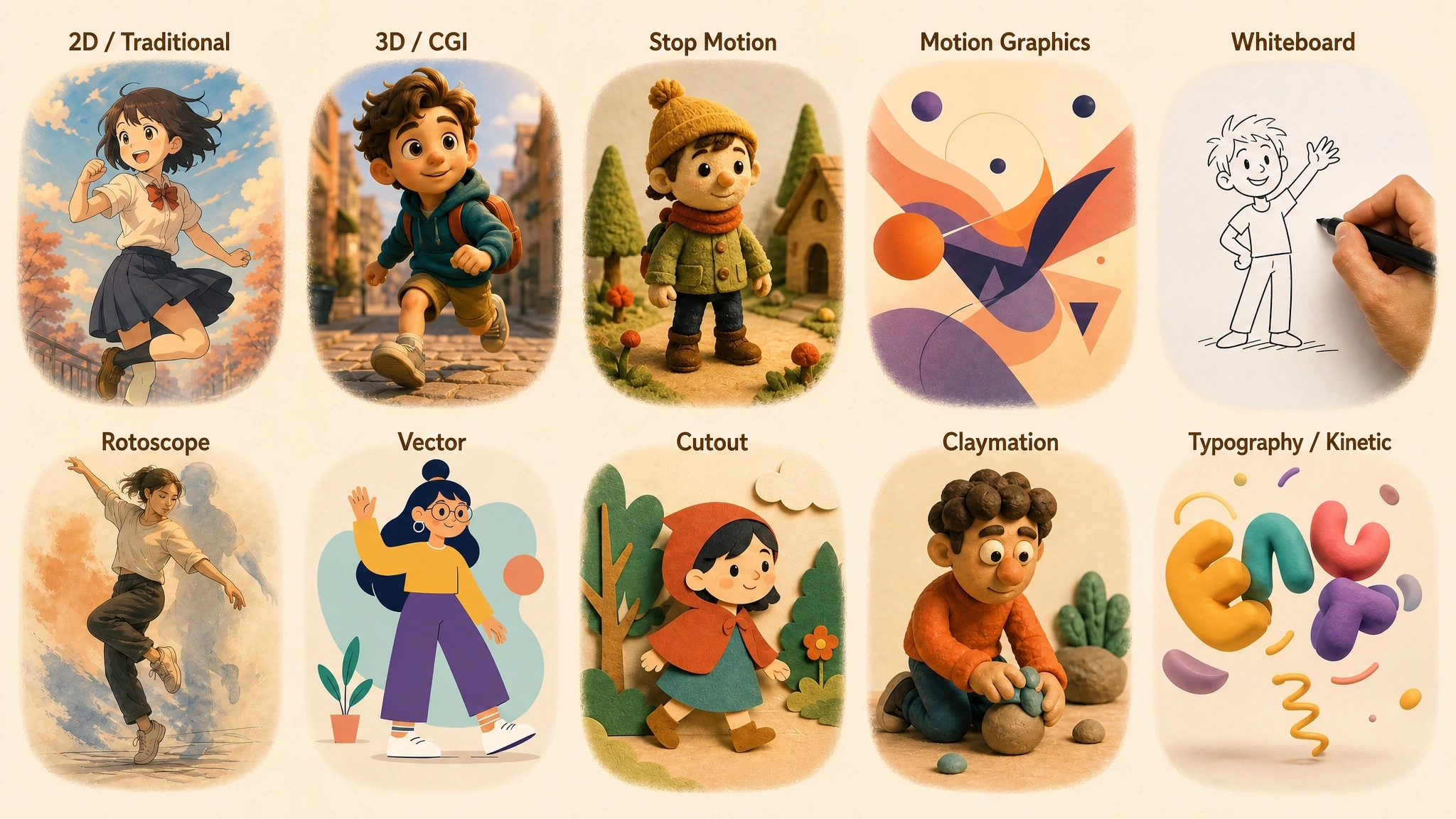
| Type | Visual Style | Typical Tools | Best For |
|---|---|---|---|
| 2D / Traditional | Flat, illustrative | Toon Boom, Adobe Animate | Anime, cartoons, storytelling |
| 3D / CGI | Realistic, volumetric | Blender, Maya, Cinema 4D | Film, games, product viz |
| Stop Motion | Tactile, handcrafted | Physical sets, DSLR cameras | Shorts, whimsical branding |
| Motion Graphics | Clean, graphic | After Effects | Ads, UI, data visualization |
| Whiteboard | Simple line drawing | VideoScribe, After Effects | Education, B2B explainers |
| Rotoscope | Stylized realism | TVPaint, After Effects | Music videos, experimental film |
| Vector | Flat, scalable | Illustrator, After Effects | Modern explainer videos |
| Cutout | Flat, graphic collage | Photoshop, After Effects | Comedy, satire, fast turnaround |
| Claymation | Handmade, expressive | Clay/plasticine, stop-motion rigs | Family entertainment, character comedy |
| Typography / Kinetic | Text-driven | After Effects, Premiere Pro | Lyric videos, social quotes |
1. 2D / Traditional Animation
2D animation brings characters and scenes to life on a flat, two-dimensional plane - height and width only, no true depth. Frames are drawn or digitally illustrated in sequence, one pose at a time, then played back to create movement.
This is the oldest and most recognizable animation style, defining hand-drawn Disney classics like Snow White and The Lion King, along with decades of Saturday-morning cartoons and Japanese anime such as Naruto and Demon Slayer. Today, 2D artists mostly work digitally with software like Toon Boom Harmony or Adobe Animate instead of paper and ink.
Best for:
- Anime, cartoons, and stylized storytelling
- Explainer videos and branded content
- Projects that need a warm, artistic, illustrative feel
2. 3D / CGI Animation
3D animation builds movement inside a three-dimensional digital space. Instead of drawing each frame, artists model characters and sets with real depth (on X, Y, and Z axes), texture and light them, rig them with a virtual skeleton, and animate that rig.
Pixar’s Toy Story and Finding Nemo, DreamWorks’ Shrek, and nearly every modern AAA video game rely on this pipeline. The payoff is photorealistic lighting, physics, and camera freedom - at the cost of a longer, more technical production process.
Best for:
- Feature films, VFX, and game cinematics
- Product visualization and architectural walkthroughs
- Projects that need realistic depth, lighting, or physics
3. Stop Motion Animation
Stop motion animates real, physical objects - puppets, models, or everyday items - by photographing them one tiny movement at a time. Playing the photos back in sequence creates motion, giving the format a distinctive tactile, handcrafted texture that’s hard to fake digitally.
Aardman’s Wallace & Gromit shorts and Laika’s Coraline and The Nightmare Before Christmas are landmark examples. It’s slow and labor-intensive work - a single second of footage can take a full day to shoot - but the charm it produces is unmistakable.
Best for:
- Films and shorts with a handcrafted, tactile look
- Brands wanting a nostalgic or whimsical feel
- Projects where production time and budget allow for slower shooting
4. Motion Graphics
Motion graphics animate graphic design elements - text, logos, icons, charts, and shapes - rather than characters. Built largely in tools like After Effects, it’s the backbone of title sequences, app UI animation, data visualizations, and corporate explainer videos.
Because it works with clean vector or graphic assets rather than drawn frames, motion graphics is usually faster and cheaper to produce than character animation, which is why marketing and product teams lean on it so heavily.
Best for:
- Marketing videos, ads, and social content
- App and website UI animation
- Data visualization and infographic-style explainers
5. Whiteboard Animation
Whiteboard animation simulates a hand drawing (and sometimes erasing) illustrations on a plain white background in real time, usually paired with a narrated voiceover. The drawing motion itself keeps viewers watching, which is why the format is a staple of online courses and corporate training.
It’s inexpensive to produce, easy to update, and effective at breaking down complex or abstract ideas step by step - a big reason it remains popular for B2B marketing and educational YouTube channels.
Best for:
- Educational content and online courses
- B2B and SaaS explainer videos
- Simplifying complex or technical topics
6. Rotoscope Animation
Rotoscoping traces animation frame by frame over live-action footage. Disney’s own animators used it as far back as Snow White to study realistic human movement, and films like Waking Life and A Scanner Darkly built their entire visual identity around the technique.
The result blends the fluid, believable motion of real actors with a stylized, illustrated look - a middle ground between live action and traditional animation that’s difficult to achieve any other way.
Best for:
- Realistic human motion with a stylized visual finish
- Music videos and experimental short films
- Adapting live-action footage into an animated aesthetic
7. Vector Animation
Vector animation is built entirely from scalable vector paths rather than pixel-based (raster) images. Because the artwork is mathematical rather than a fixed grid of pixels, it can be resized to any dimension - from a mobile icon to a billboard - without losing sharpness.
It’s the go-to approach for flat, modern-looking explainer videos and web animation, produced with tools like Adobe Illustrator and After Effects, and it renders quickly compared with painted or textured styles.
Best for:
- Flat, modern-style explainer and marketing videos
- Responsive animation across multiple screen sizes
- Clean, minimal branding aesthetics
8. Cutout Animation
Cutout animation builds characters and scenes from flat pieces - traditionally paper or fabric cutouts, now usually digital shapes - and moves those pieces incrementally between shots or frames. Monty Python’s surreal collage sequences by Terry Gilliam and the early seasons of South Park are classic, very different examples of the technique.
Because pieces can be reused and rearranged rather than redrawn, cutout animation is generally faster to produce than fully hand-drawn 2D animation while keeping a distinct, graphic look.
Best for:
- Comedic, satirical, or collage-style storytelling
- Faster production than frame-by-frame drawing
- Distinct, flat, graphic visual styles
9. Claymation
Claymation is a specialized branch of stop motion that uses clay or plasticine figures, reshaped slightly between each photographed frame. It shares stop motion’s painstaking, frame-by-frame process, but the moldable material lets animators create exaggerated squashes, stretches, and facial expressions that rigid puppets can’t.
Aardman’s Wallace & Gromit and Shaun the Sheep, along with Chicken Run, are the format’s best-known ambassadors, prized for their warm, tactile charm and expressive character animation.
Best for:
- Character-driven comedy with expressive faces
- Family and children’s entertainment
- A distinctive, handmade visual signature
10. Typography / Kinetic Animation
Kinetic typography makes animated text the main visual element - words that grow, shrink, move, and transform in sync with music, narration, or a message. Rather than illustrating a scene, it puts emphasis directly on the words themselves.
It’s a natural fit for lyric videos, film title sequences, and quote-driven social media content, where a short, punchy message needs to grab attention fast without a full cast of characters or a built set.
Best for:
- Lyric videos and title sequences
- Quote or message-driven social content
- Highlighting text without building full character animation
How to Make Animation with AI
Traditional animation production - regardless of which of the ten types above you choose - has always required specialized skills: drawing, 3D modeling, rigging, lighting, or physical set-building, plus the software and time to put it all together. AI is changing that equation.
AI animation replaces manual, frame-by-frame work with a single prompt - describe the story and style, and the AI builds it. That’s a big reason AI-generated clips have taken over social media lately, and new tools like Anijam AI are built specifically around that shift.
Anijam AI is an all-in-one AI animation platform that takes a project from a written idea all the way to a finished, polished video, without requiring animation software experience or a production team.
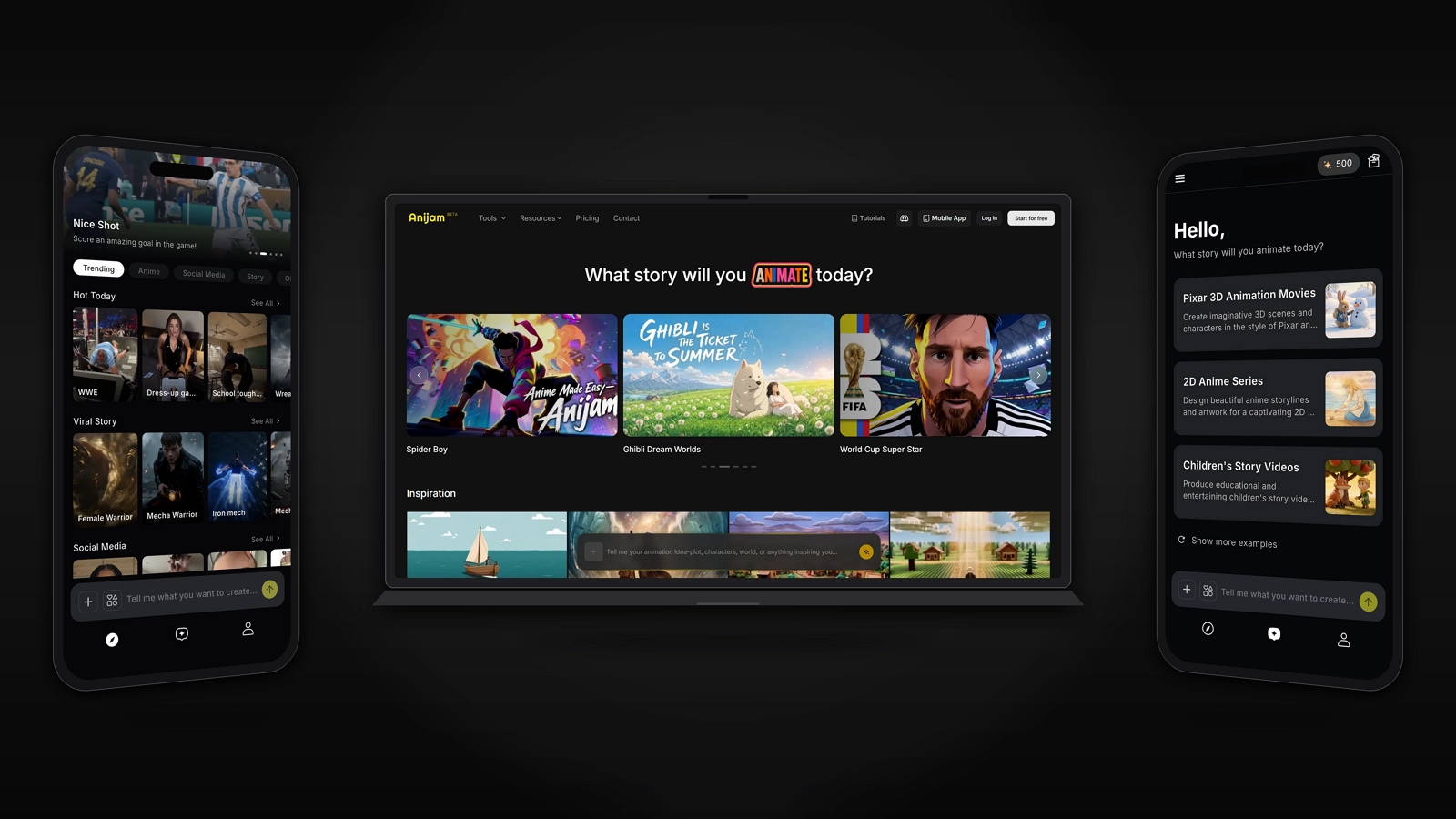
How Does AI Animation Work?
Instead of handling each stage separately, an AI animation platform folds writing, art, animating, voice, and editing into one connected pipeline. You provide the idea and creative direction - describing the story, the style, even the tone of a scene - and the AI handles the technical execution behind it, stage by stage, until it hands you a finished video.
Types of Animation Styles for AI
AI animation platforms keep expanding what they can produce, and several of their strongest styles happen to be the ones trending hardest on social media right now:
- 2D and cartoon styles - flat, illustrated characters and scenes, including anime-inspired looks
- Painterly, stylized aesthetics - softer, hand-painted looks similar to Studio Ghibli-style art
- Claymation-style visuals - the handmade, sculpted look of clay animation, without the physical set
- Motion graphics and kinetic typography - text, shapes, and graphic elements suited to AI generation
- Whiteboard-style explainer visuals - simple line art paired with narration
Example: Making a 2D Animation with Anijam
Say you want a short 2D-style animated story - the kind of hand-drawn or anime-inspired look covered earlier in this guide. With Anijam AI, the workflow looks like this:
- Describe your story idea and let Anijam generate a scene-by-scene outline
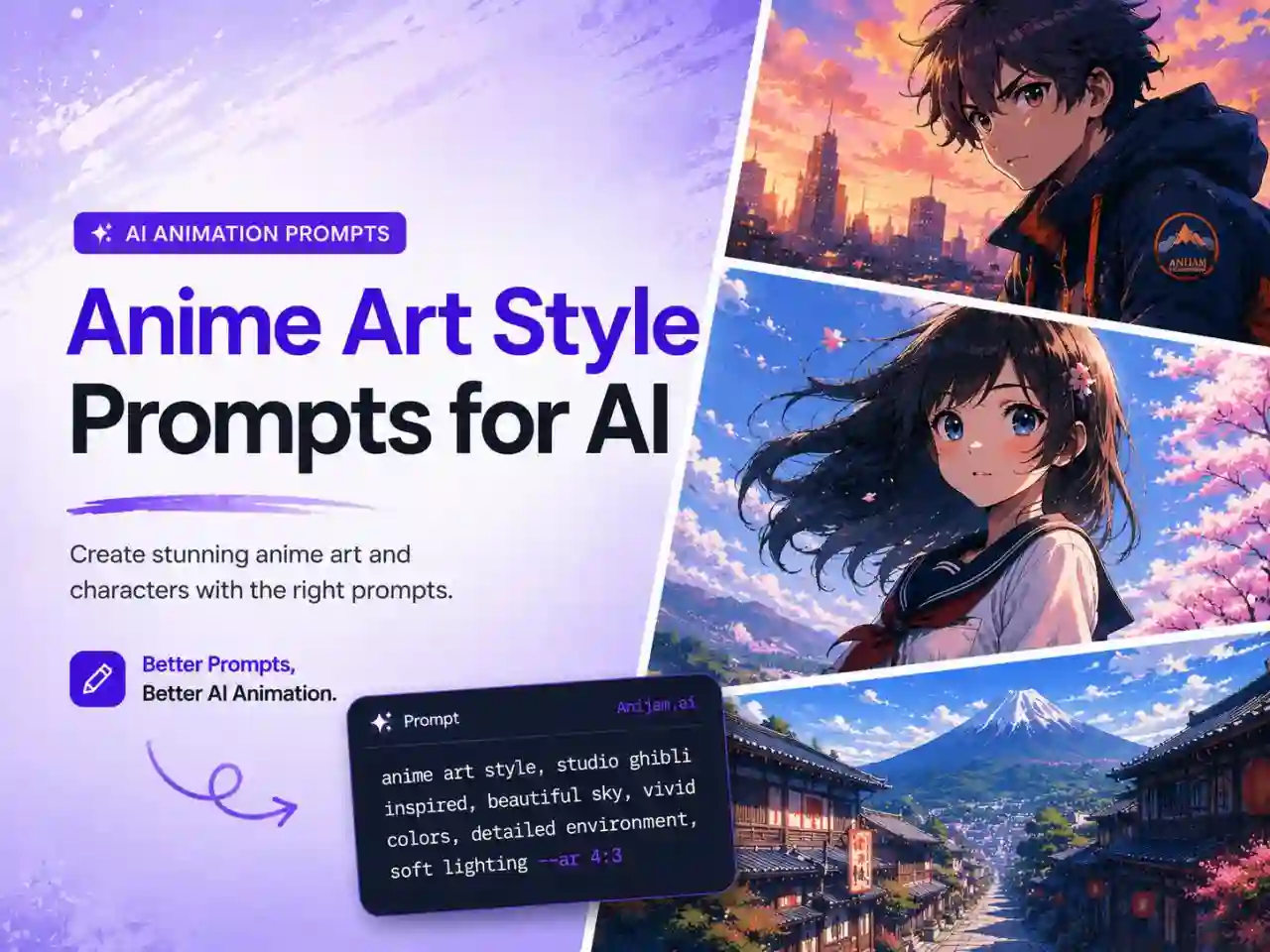
- Select the Cartoon style for a classic flat 2D look, or the Ghibli style for a softer, painted aesthetic
- Let Anijam generate concept art, then a full shot-by-shot storyboard from that style
- Upload a voice track (or generate one) and let Anijam automatically lip-sync your characters
- Adjust timing in the timeline editor and export your finished 2D animation
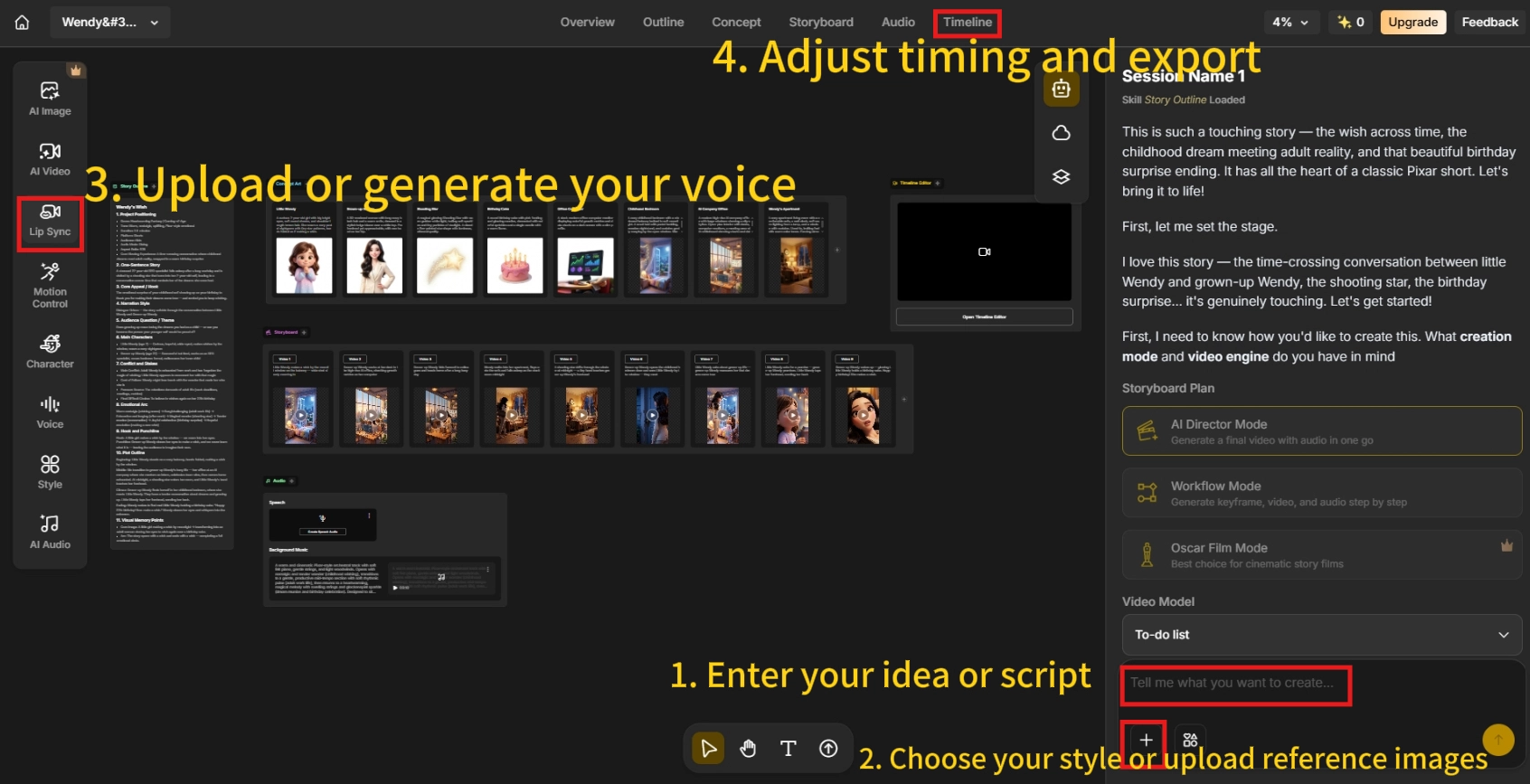
What would normally take an illustrator or animation studio days to weeks of frame-by-frame drawing can be produced in minutes - while still keeping the artistic, hand-drawn feel that makes 2D animation distinctive.
How to Choose the Right Animation Type for You
Consider Your Purpose
Start with what the animation actually needs to do:
- Explaining a product or process clearly - motion graphics or whiteboard animation
- Telling an emotional or character-driven story - 2D traditional animation or claymation
- Showing a realistic product, space, or environment - 3D / CGI animation
- Standing out with a handcrafted, nostalgic feel - stop motion or claymation
- Highlighting a message, quote, or lyric on social media - kinetic typography
Think About Your Budget and Timeline
Production complexity is the biggest driver of cost and turnaround time. As a rough industry guide, traditional 2D animation typically runs from about $1,500 to over $50,000 per finished minute, while 3D/CGI animation ranges from roughly $3,000 to $200,000-plus per minute depending on complexity.
Stop motion and claymation sit on the higher end of time investment because every frame requires a physical adjustment, while motion graphics, vector animation, and whiteboard animation are generally the fastest and least expensive formats to produce, since there’s no character rigging or physical set involved.
AI animation platforms compress these timelines dramatically across the board - the same project that takes weeks or months traditionally can often be produced in a single session.
Quick Decision Guide
| If your priority is… | Consider… |
|---|---|
| Lowest cost and fastest turnaround | Motion graphics, whiteboard, or vector animation |
| Emotional storytelling and artistic style | 2D / traditional animation |
| Photorealistic depth and immersive environments | 3D / CGI animation |
| A handmade, nostalgic look | Stop motion or claymation |
| Anime or stylized character work | 2D animation (or AI-generated anime style) |
| A short, punchy social media message | Kinetic typography |
Frequently Asked Questions
What are the main types of animation?
The most common types are 2D/traditional, 3D/CGI, stop motion, motion graphics, whiteboard, rotoscope, vector, cutout, claymation, and kinetic typography. Each differs in visual style, production method, and typical use case.
Which type of animation is easiest for beginners?
Motion graphics and vector animation tend to have the gentlest learning curve since they rely on graphic design skills rather than drawing or 3D modeling. AI animation platforms like Anijam AI make nearly every style accessible to beginners by automating the technical production steps.
What’s the difference between 2D and 3D animation?
2D animation exists on a flat plane and is typically drawn or illustrated frame by frame, giving it a stylized, artistic look. 3D animation is built with rigged, textured models in a three-dimensional space, producing realistic depth, lighting, and camera movement, generally at a higher production cost.
Which animation style is most popular?
2D and 3D animation remain the most widely used overall, powering everything from anime to blockbuster films and games. Motion graphics and whiteboard animation are especially popular in marketing and education, while stop motion and claymation continue to have a dedicated following in film and advertising for their handcrafted look.
How much does it cost to make an animated video?
Traditional costs vary widely by type and complexity - roughly $1,500 to $50,000+ per minute for 2D, and $3,000 to $200,000+ per minute for 3D, with motion graphics and whiteboard animation typically costing less. AI animation tools significantly reduce these costs across every style.
Can AI create any type of animation style?
AI animation platforms are increasingly flexible across styles, particularly 2D and stylized looks like anime or Ghibli-inspired art. Anijam AI, for example, offers a growing style library so creators can describe or select the aesthetic they want and generate a matching video in minutes.
by Evan
Evan is an AI content creator and video technology writer at Anijam AI, focused on how generative AI is transforming storytelling and video production. He shares social trends, creative workflows, prompt strategies, and practical insights to help creators turn ideas into engaging videos and visual content.