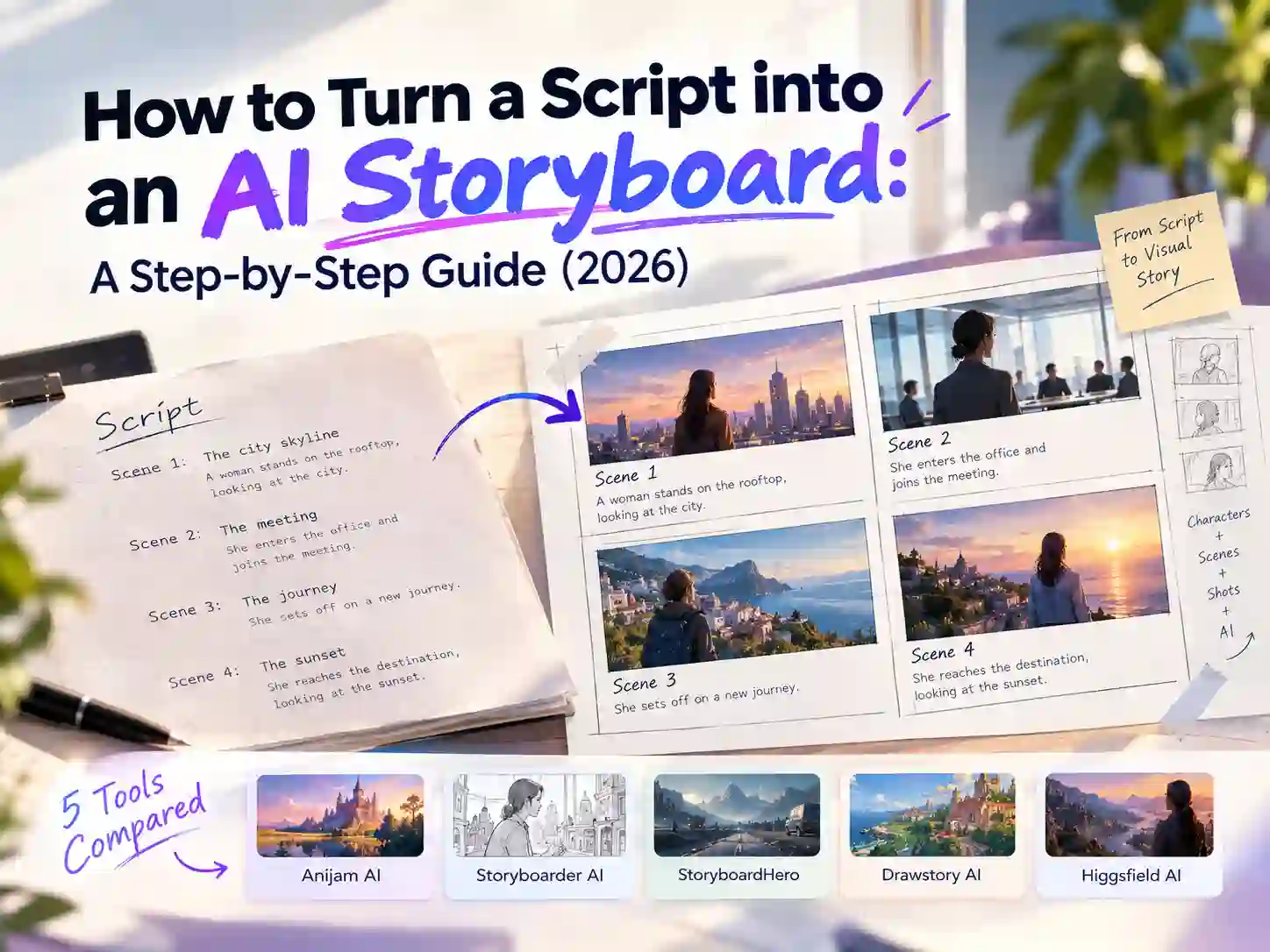
How to Turn a Script into an AI Storyboard: A Step-by-Step Guide (2026)
You’ve finished the script. Now you need to see it, and fast, before you commit time and budget to production. That’s where knowing how to turn a script into an AI storyboard pays off.
The process is simpler than it sounds. The tool splits your script into scenes, plans each shot, locks your characters, then generates and refines the panels. Your job is mostly to give it a clear story and review what comes back.
This guide explains how AI storyboard tools turn a script into panels, compares five popular AI storyboard generators that work from scripts, and walks through building your first storyboard in Anijam AI.
What Is an AI Storyboard?
A storyboard is a comic-strip plan for your video. Each panel shows one shot, with a few notes on what happens in it. An AI storyboard works the same way, except an AI tool draws the panels from your script or scene description instead of you sketching them by hand.
It sounds like a small shortcut, but it changes who gets to storyboard. You don’t need drawing skills or an illustrator on call. You need a story and a clear idea of what each moment should look like.
Storyboard vs. Shot List: What’s the Difference?
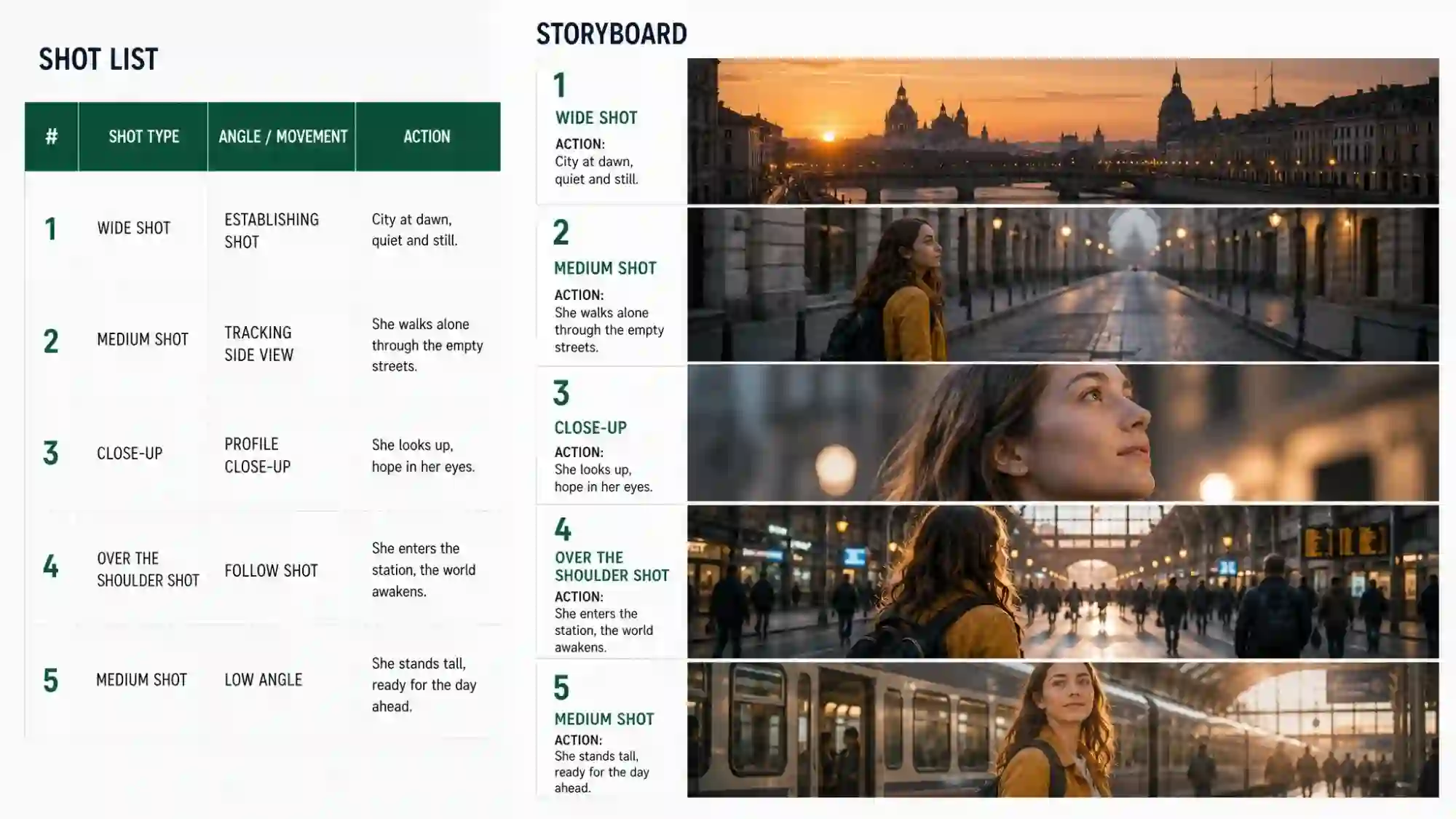
A shot list and a storyboard plan the same shots, just in different forms. A shot list is a written breakdown, usually a table, that spells out the technical side of each shot. A storyboard is the visual version: a sequence of panels that shows how each shot will actually look. The script tells you what happens, the shot list says how it will be filmed, and the storyboard shows it. Most productions use both. In AI workflows, the tool usually builds the shot list first and then draws the panels from it.
- Shot list: written, table-style, and heavy on technical detail such as shot size, camera angle, movement and sometimes lens, lighting and timing. It works like a checklist for the crew and is quick to update on the fly.
- Storyboard: a series of panels with short notes on action, dialogue, sound and timing. It focuses on composition and visual storytelling, so people who don’t read scripts or tech specs can still follow the plan.
Why an AI Storyboard Matters
Traditionally, storyboards were seen as slow to redraw. With AI, editing one panel takes moments, which is exactly why they’re so useful now:
- Preview the look before you generate. See composition, character design, style and mood in stills first, instead of discovering them in finished videos.
- Catch problems early. Awkward framing, repeated shot sizes, missing beats and a shaky order are much easier to spot on a board.
- Redo things cheaply. Changing a panel takes far less time and fewer credits than regenerating clips or videos.
- Refine your prompts. Tune the description of a single frame until the framing, lighting and action are right, then reuse the wording that worked.
- Add, cut or reorder scenes freely. Reordering before generation is far easier than after it, and weak shots can go before they cost you anything.
- Keep characters and locations consistent. Approved panels can serve as reference images or start frames for image-to-video generation.
- Plan pacing and budget. Knowing how many shots you need, and how long each holds, helps you estimate credits before you start.
- Get sign-off faster. Teammates and clients can approve a board in minutes, where a text description invites guesswork.
That makes an AI storyboard useful for:
- Content Creators: planning YouTube videos or short-form series
- Filmmakers & Directors: previewing scenes without a storyboard artist
- Music Video Creators: visualizing scenes, shot sequences, and visual styles before production
- Marketers & Agencies: pitching concepts before production
- Animators & Studios: mapping scenes and characters
- Educators & Trainers: outlining explainer videos
How to Turn a Script into a Storyboard with AI: The General Workflow
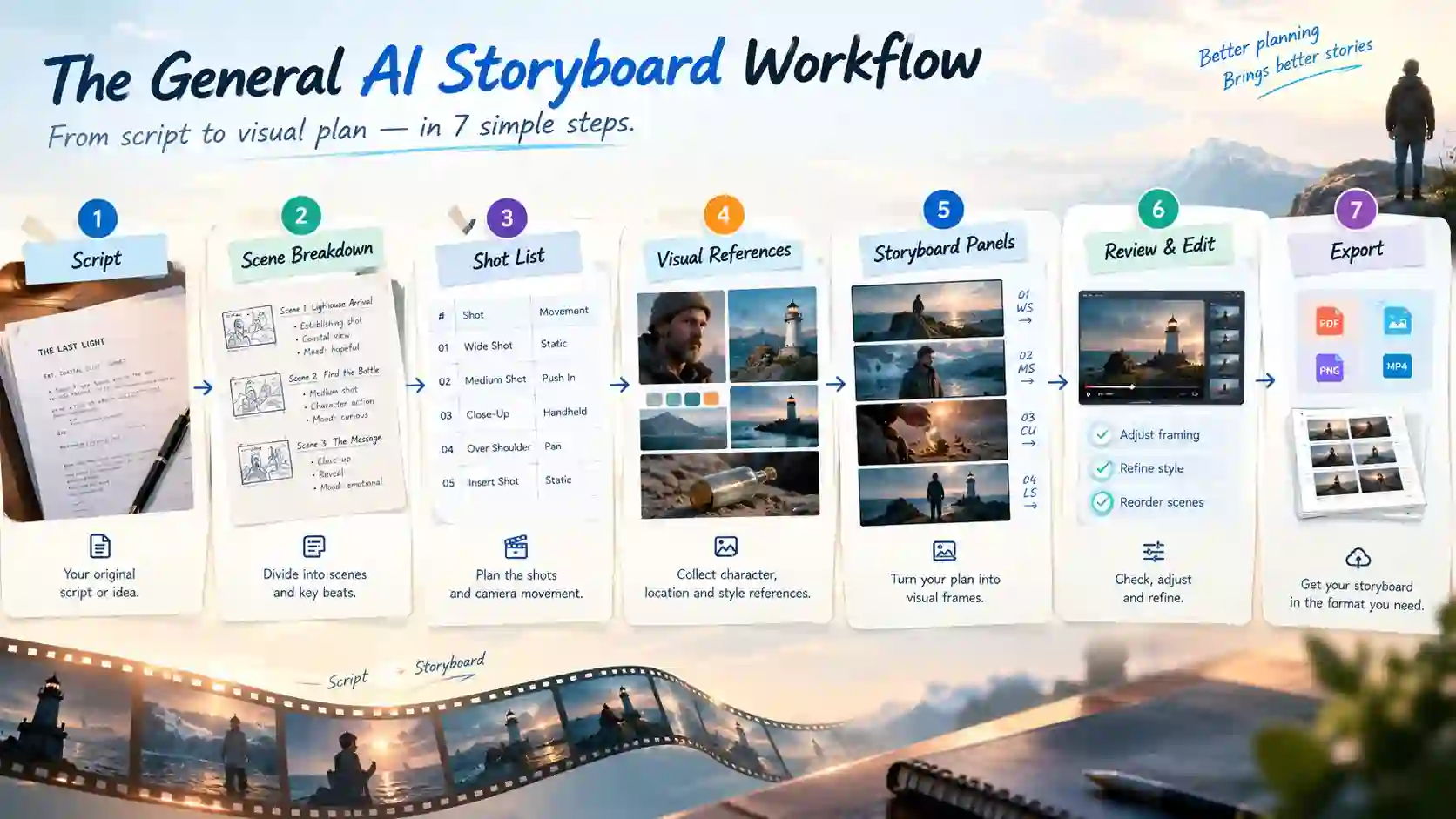
Behind the simple “paste a script, get panels” screen, most storyboard script AI tools run through the same sequence. Knowing what happens at each stage helps you judge any tool and give it better input.
Script Breakdown and Scene Division
The tool starts by reading your script the way a fast assistant director would. It looks for scene headings, character names, dialogue, action lines and emotional turning points, then splits the text into sequences it can draw.
Input formats vary. Many tools accept pasted text, and some also read PDF, Word, Final Draft (FDX) or Fountain files. Plenty can start from a rough scene description or a one-line idea too, in which case the tool drafts an outline first. You don’t need a polished screenplay.
The important part is that it thinks in beats, not sentences. A beat is a moment the viewer has to see. Take this line:
A courier steps off the night train, finds the platform empty, and hears footsteps behind him.
A tool would typically turn that into about five visual beats: the wide platform, his hand tightening on a bag strap, the empty bench, his reaction, and a shadow sliding across the wall.
Shot List and Camera Coverage
Next, each beat is mapped to a shot. The tool picks a shot size, a camera angle, a camera movement and a purpose for the shot, such as establishing a place, revealing a detail or capturing a reaction. Here’s part of the courier scene as a mini shot list:
| Shot | Size | Camera | What the viewer sees |
|---|---|---|---|
| 1A | Wide | Slow push-in | The courier steps onto an empty platform at night |
| 1B | Close-up | Static | His hand tightens on the bag strap |
| 1C | Over-the-shoulder | Static | A shadow slides across the wall behind him |
The labels follow standard film language. Wide shots show where we are, close-ups carry emotion or detail, over-the-shoulder shots suit conversations, and insert shots pick out a key prop.
The aspect ratio is usually set at this stage too, because it decides how every frame is composed. Common choices are 16:9 for YouTube and TV, 9:16 for vertical short-form, and 1:1 for square posts.
Character, Location and Asset References
This is the hard part of AI storyboarding. Most image models treat each panel as a separate generation, so without something to anchor them, a character’s face, hair or jacket can quietly change from one frame to the next. People call it character drift.
To prevent it, tools build a reusable profile for each recurring character from the script’s descriptions and any reference images you upload, then add references for key locations and props. Each new panel is generated with those references in view.
Approaches differ. Some tools lock a character design once and reuse it everywhere. Others take a handful of reference images per generation, for example a character portrait, a location shot and a prop. In practice, the stable traits (face, hairstyle, outfit, location layout) stay fixed while pose, expression and camera distance change from shot to shot.
Visual Style and Prompt Construction
With the character and asset references in place, the next step is to define a consistent visual style and translate each shot into an image prompt. Some tools ask you to write each prompt. Others build them from your script behind the scenes. Either way, a good AI storyboard prompt covers the same ground:
Shot size + camera move + subject + action + setting + lighting and style
Here is that formula applied to the first shot of the courier scene:
Wide shot, slow push-in. A courier in a green raincoat steps off a night train onto an empty platform. Wet concrete, flickering sodium lights, cool blue tones. Cinematic, 16:9.
Panel Generation in Passes
With the shot list, references and style in place, the tool generates the panels. How it does that is one of the bigger differences between products. Some create one image per request, while others generate a connected set of frames at once so that character, lighting and space carry across the sequence. Higgsfield’s storyboard tool, for example, produces up to eight connected frames per generation.
Most Storyboard plan tools offer more than one mode. A step-by-step (manual) mode lets you direct and approve each frame, which suits a beat that must land on a specific shot; An automatic mode builds the whole sequence from one prompt, which suits general coverage. Some tools add specialized modes too, such as cinematic film or music video mode, as Anijam AI does.
For a short scene, four to eight panels is a typical range. Most tools produce a rough first pass, so you can check the layout against the script before refining.
Editing and Iteration Without Starting Over
A good tool treats the board as editable. You can regenerate a single panel, change a camera angle, swap a reference image, or reorder shots without redoing everything.
This is also where the human review happens. Read the board in order, the way a viewer would, and ask:
- Does the sequence read clearly from start to finish?
- Are too many shots the same size?
- Is anything missing between the opening beat and the ending?
This pass catches more problems than most people expect, and it’s far easier to fix them on the board than later in production.
Export and Handoff
Once the board feels right, it gets exported. Depending on the tool, that could be a set of images, a PDF, a shot list or a pitch deck for clients and crew. Some tools also offer a timed rough cut, called an animatic, or let you carry on into animation. That’s a separate step, so we’ll stay with the storyboard itself.
5 Popular AI Storyboard Generators from Script
Once you know how the workflow runs, the next question is which tool should run it. Here are five AI storyboard generators worth comparing if you’re looking to turn a script into a storyboard. Each has a different idea of what a storyboard tool should be. The table gives you a quick overview:
Quick Comparison Table
Note: plans change often, so always confirm current details on each site before you commit.
| Tool | Best for | Script input | Editing & Control | Free to try? |
|---|---|---|---|---|
| Anijam AI | Story-driven or long video creators and screenwriters who want a highly editable storyboard with consistent visuals in every scene | • Script or a rough idea; • The AI assistant agent can refine the script or expand a simple idea into a full story outline | • Edit text in any block; add your own reference images • Drag shots on the canvas to compare or reorder scenes • Edit, redo, add and delete any AI Images and videos • Review & confirm the clips before generation | Yes: 500 free sign-up credits & daily check-in bonuses |
| Storyboarder AI | Filmmakers, agencies and teams that want a full script-to-shotlist-to-storyboard pipeline | • Simple idea or full script; • Accepts PDF, DOCX, FDX and more; import a shotlist | • Story can be edited before storyboard generation, then it locks • Afterwards: edit, iterate or regenerate each shot; swap shot order; change style; edit characters • Add or delete scenes | Yes: with limited Free trial: 2 projects, 6 shots per project |
| StoryboardHero | Video agencies, filmmakers and corporate teams that deliver client-ready, branded storyboards. | • Short brief (AI writes the script split into scenes and shots) • CSV, formatted script PDF | • Edit or regenerate the script • Regenerate the whole storyboard or a single frame • Add, delete and reorder frames | Yes: 7-day free trial |
| Drawstory AI | Directors and writers with a finished script who want to skip per-panel prompting | • Upload or paste a script (up to 100 pages) • Import a shot list. • No prompts needed. | • Edit description, cast, wardrobe, setting, camera, style, composition and mood • Regenerate a shot; add shots; set the number of shots per scene | Yes: 10 one-time credits |
| Higgsfield AI | Visual-first and short-form creators who want tight camera control | • Text prompts • Breaks the script into scenes and beats first, then prompt in Auto or Manual mode. | • Auto mode (one prompt expands into a sequence) or Manual mode (a prompt per frame) • Specify subject, action, setting, shot size, camera angle and mood • Adjust background, style, then regenerate the frame | Yes: 24-hour free trial |
Anijam AI
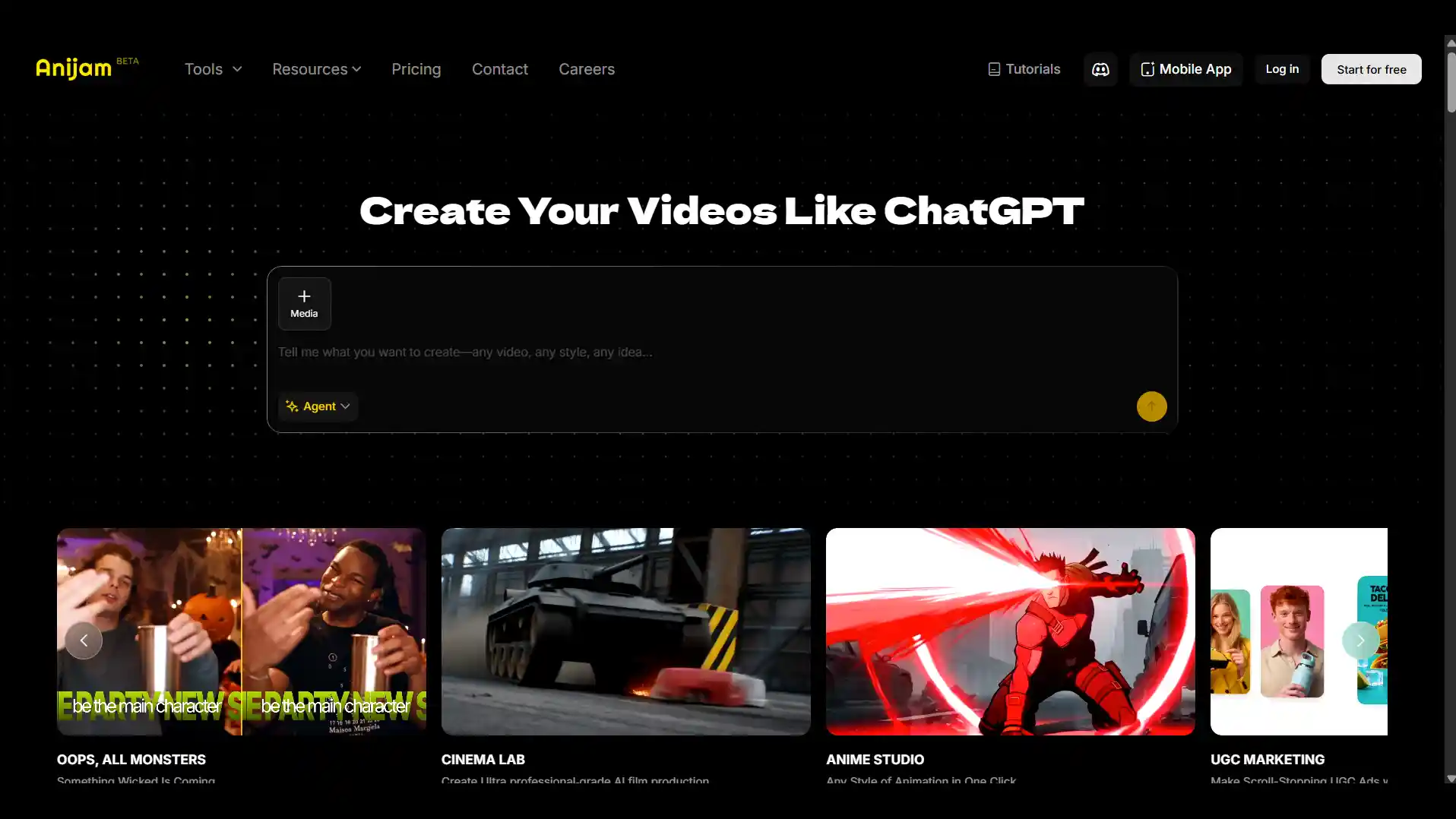
Anijam AI is a chat-based creative platform that acts like your director. Share a full script or a simple idea, and its Story Agent builds the outline, character concept art and shot-by-shot panels with camera directions, keeps characters consistent, and lays everything out in an editable timeline.
Key features:
- Chat-based Story Agent: turns a script or a simple idea into an outline, concept art and storyboard.
- Character consistency: characters are designed and approved before shots are generated, which keeps them consistent in each scene.
- Highly editable canvas: edit text in any block, upload your own references, reorder shots, or redo a single panel.
- Rich visual styles & camera notes: multiple styles included anime, 3D, cartoon, sketch and realistic; camera direction notes on every panel
Best for: screenwriters and creators who want to go from script to a finished video in one canvas.
Storyboarder AI
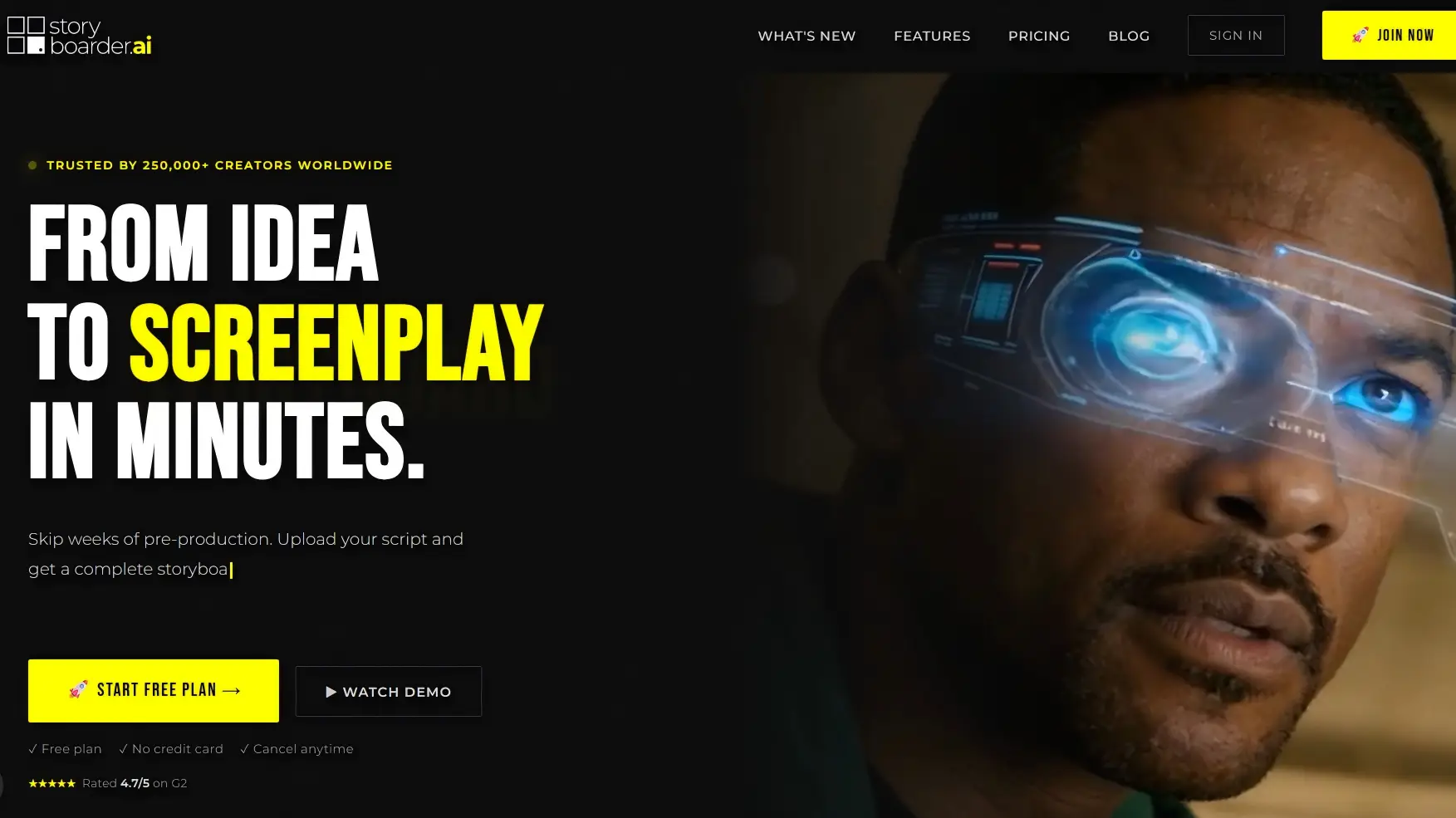
Storyboarder AI is a pre-production platform aimed at filmmakers and agencies, and it reads like a toolkit for the whole planning stage.
Key features:
- Flexible imports: accepts PDF, DOCX, FDX, a shotlist, and scripts in any language.
- Character and asset management: detects characters automatically and keeps characters, objects and locations consistent across the shotlist and storyboard.
- Full pipeline: goes from idea to screenplay to shotlist to storyboard, with detailed coverage.
Best for: filmmakers, agencies and teammates who need shot lists and client-ready documents.
StoryboardHero
StoryboardHero is an AI storyboard generator built for video agencies and filmmakers. It turns a short brief or script into editable frames with consistent characters, and exports white-label PDFs, shotlists and shareable links for client review.
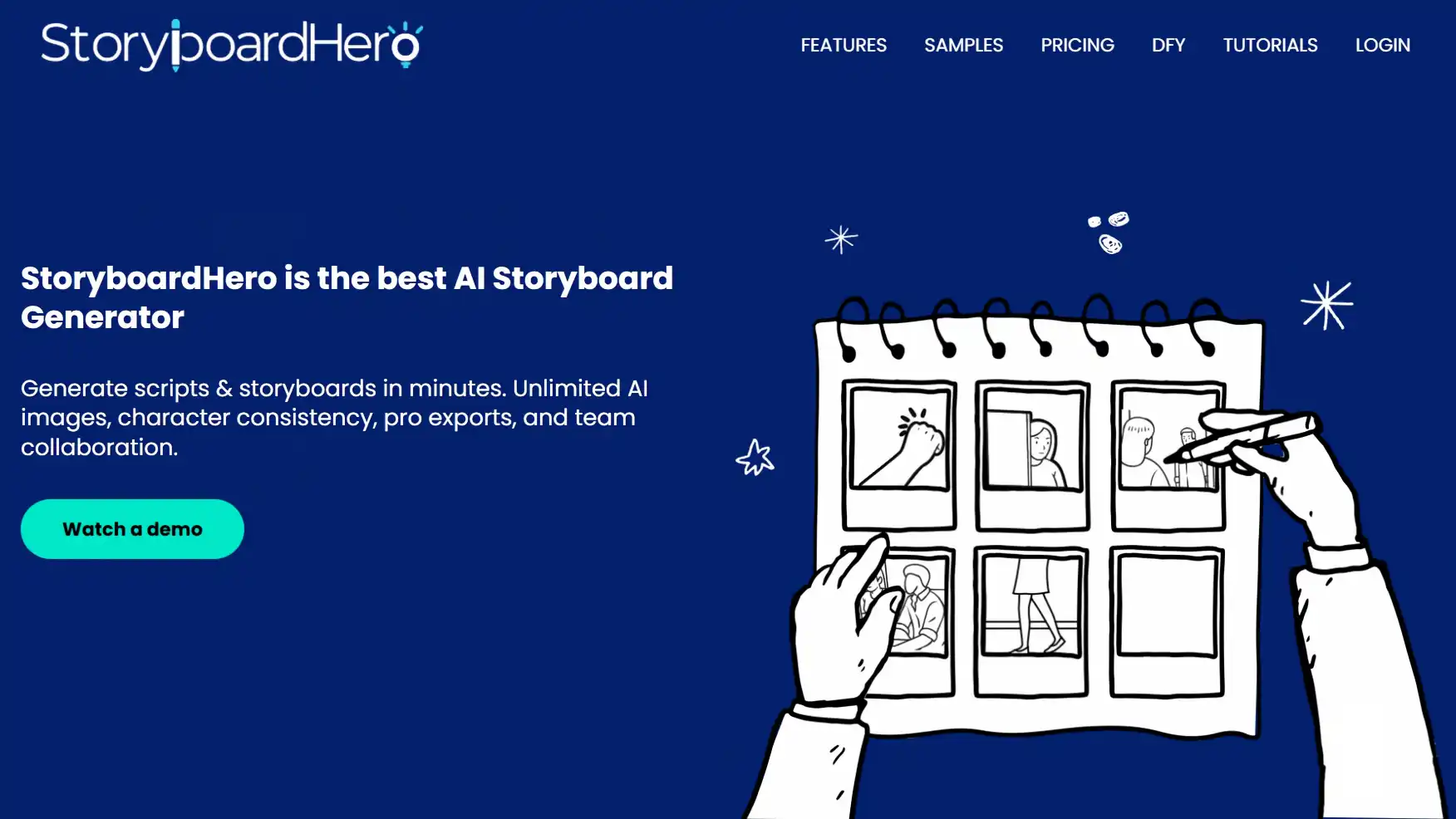
Key features:
- Brief-to-script: writes a script from a short brief, or imports one via CSV or a formatted PDF.
- Client-ready output: white-label PDF, shotlist export, and password-protected sharing with guest comments.
- Human backup: optional hand-drawn frames from its in-house artists when the AI result isn’t right.
Best for: video agencies, filmmakers and corporate teams that deliver client-ready, branded storyboards.
Drawstory AI
Drawstory AI is an AI storyboard generator and built around one idea: upload your script and get a storyboard without writing a prompt for every panel. Upload or paste the script, and the tool breaks it into scenes and shots with no per-panel prompting, then lets you fine-tune each shot’s cast, wardrobe, camera and mood.
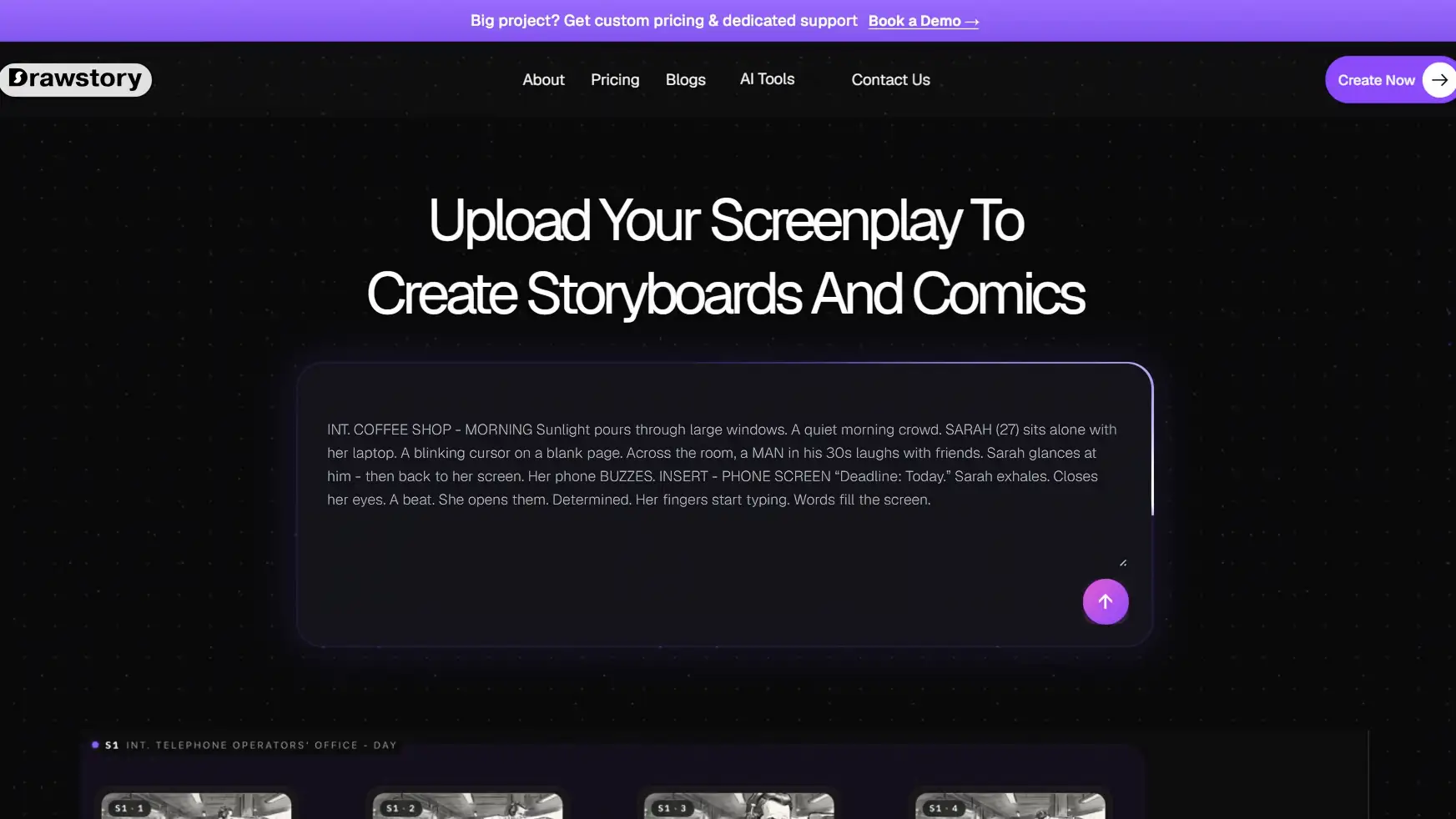
Key features:
- No per-panel prompting: upload or paste a full script (up to 100 pages) and get a storyboard.
- Deep shot-level editing: adjust description, cast, wardrobe, setting, camera, style, mood and composition, then regenerate.
- Style control: set styles and color palettes per scene, or define your own style from uploaded references.
Best for: writers and directors who already have a full script.
Higgsfield AI
Higgsfield AI video generator offers a storyboard tool, Popcorn that is built around sequences rather than single images, carrying character, lighting and space across up to 8 connected frames. Its auto mode expands one prompt into a sequence, while manual mode lets you direct details in each scene.
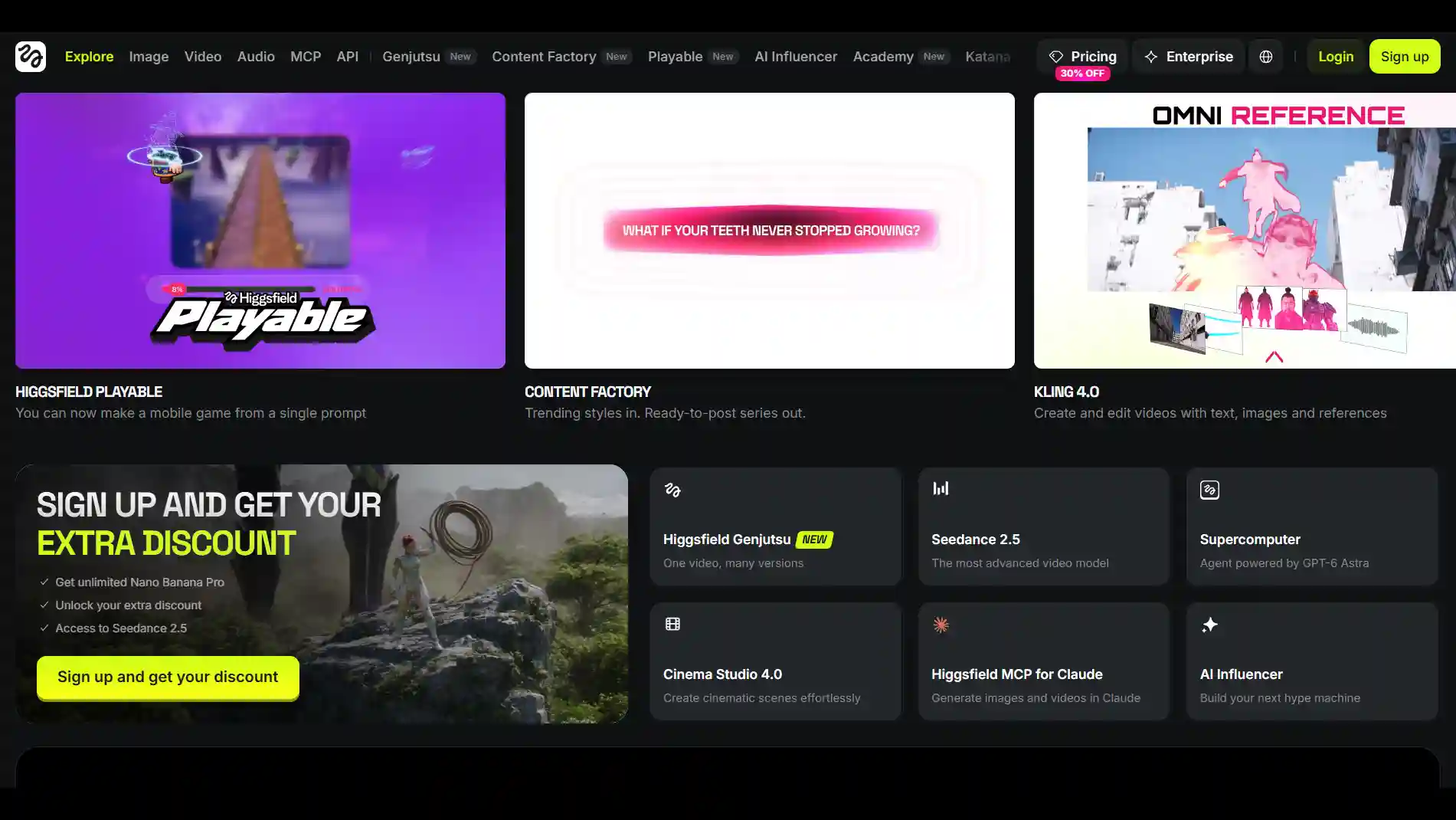
Key features:
- Auto mode & Manual mode: expands one text prompt into a set of connected frames or lets you prompt every frame.
- Connected frames: keeps character identity, clothing, lighting and environment consistent across a sequence.
- Refine and extend: adjust lighting, background, composition or style and regenerate, and reuse the last frame as a reference to continue beyond eight frames.
Best for: visual-first creators who want tight camera control when they move from board to video.
How to Create a Storyboard with Anijam AI
Comparing tools is useful, but the best way to understand a storyboard workflow is to try it yourself. Here’s how to turn a script or a rough idea into an editable storyboard with Anijam AI.
Anijam’s AI Storyboard Generator works a bit like an AI storyboard studio and video maker rolled into one. You chat with an agent, review what it builds, and keep editing until the board feels right. Here’s the storyboard workflow.
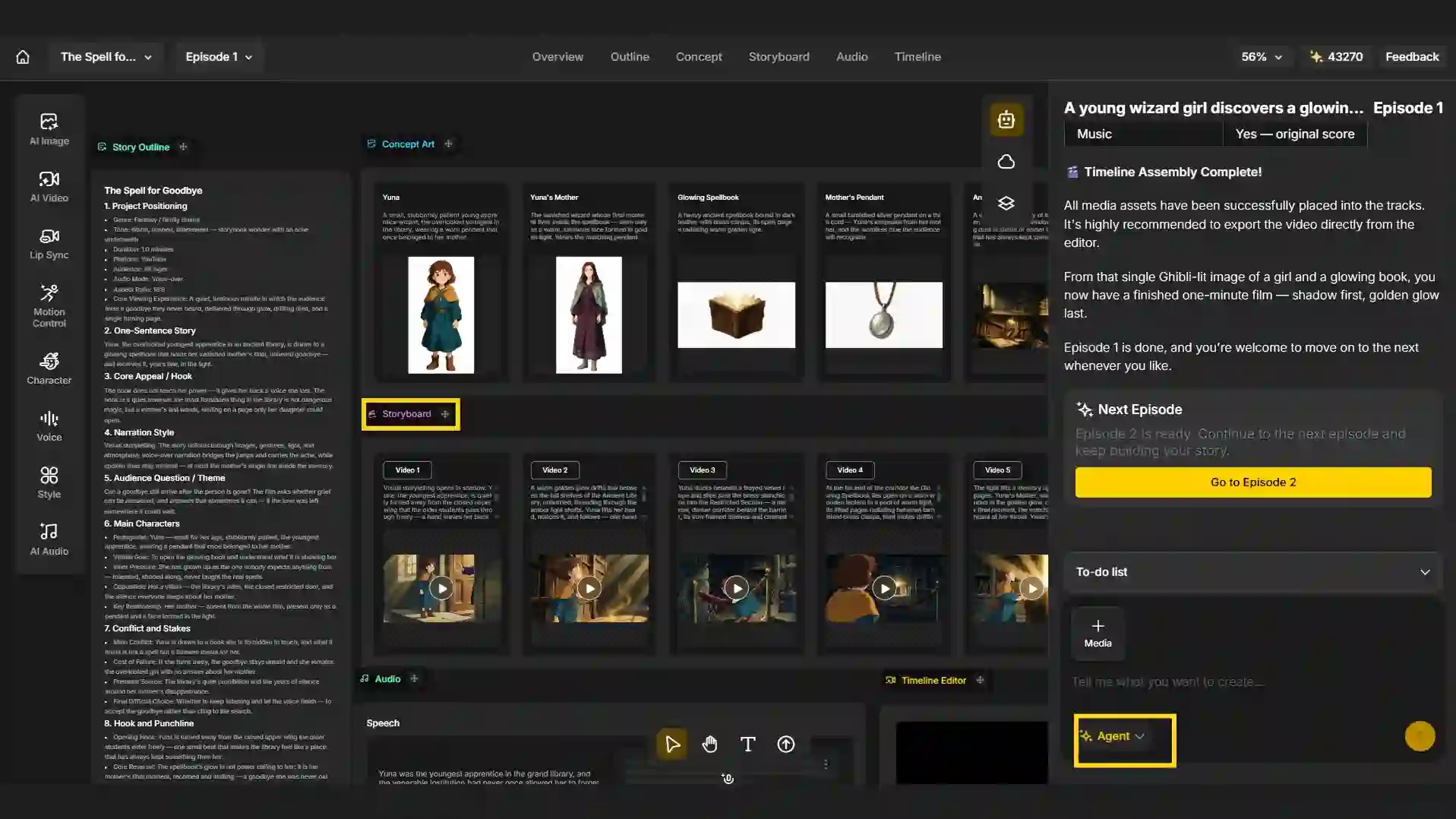
Step 1: Input Your Script or Describe Your Idea
- Open a new project to reach the canvas and choose the tool of “Agent”.
- Paste your script into the chat or describe a rough idea. Anijam AI has a dedicated Script to Video AI tool for turning a full script into scenes.
Step 2: Auto Scene Breakdown & Visual Panels
From there, the agent takes you through a workflow similar to the one discussed earlier in this article.
- Story Outline: from audience, duration, platform, aspect ratio to characters, hook, conflicts and visual memory points.
- Concept Art: a look for each character and key object, you can approve the design before anything moves.
- Style choice: a set of style thumbnails to pick from before the full shots are generated.
- Storyboard: editable videos each with a description and a generated preview.
Step 3: Review, Edit, and Generate a Full Video
You’re not locked into the first draft. You can:
- Edit the text inside any block, such as a scene description or the outline
- Upload your own reference images into a block
- Drag shots out onto the open canvas to compare them side by side or rearrange the sequence
- Use the manual tools, such as AI Image, Character and Style, to redo a single panel instead of asking the agent to start over
When the board is ready, share it with your team or client for review or approval, and then render each scene into a full video directly from your storyboard.
Example Storyboard Prompts to Try
Before the examples, here’s a simple template for a full storyboard prompt. It covers a whole sequence, where the formula from earlier covers a single frame:
Create a [number]-shot storyboard for [project type and length]. [Who] [does what, where and when]. Include [key shots]. [Visual style], [aspect ratio]. Keep [character details] consistent in every panel.
Here are four prompts you can copy, tweak and paste into Anijam AI or any AI storyboard tool:
Short Film Scene Prompt
Create a 6-shot storyboard for the opening of a short film. A lighthouse keeper finds a message in a bottle during a storm at dusk. Include a wide establishing shot, a close-up of the bottle and an over-the-shoulder shot. Moody cinematic style, 16:9, same character in every panel.
Product or Ad Video Prompt
Create an 8-shot storyboard for a 20-second vertical ad (9:16) for a reusable coffee cup. Show a rushed morning, the cup in use on a commuter train, and end on a close-up of the logo. Bright, warm lifestyle look. Keep the same woman in every shot.
Educational Explainer Prompt
Storyboard a 60-second explainer on how the water cycle works, for middle-school students. 6 scenes, flat 2D cartoon style, a friendly raindrop character, one key idea per scene, 16:9.
Anime or Cartoon Story Prompt
Create a 6-panel anime-style storyboard. A girl with short silver hair and a red scarf finds a glowing fox in a rainy alley at night. Include a close-up of her eyes, a low-angle shot of the fox and a final wide shot. Keep her hair, scarf and outfit identical in every panel.
Two habits can help you get better results from any of these prompts. Paste the same short character description into every prompt, for example “the courier: short dark hair, green raincoat, canvas shoulder bag.” And ask for a clean frame with no captions or panel numbers inside the image. If a result isn’t quite right, change one thing at a time, such as the shot size, the lighting or the style, so you can see what made the difference.
Conclusion
A strong AI storyboard starts with a clear script, well-planned shots, consistent character references and a round of human review. Getting these fundamentals right makes it easier to spot problems early and refine your visuals before moving into production.
If you want to take your storyboard all the way to a finished video, give Anijam AI a try. Start with the Story Agent, refine your scenes and panels, then bring your storyboard to life with voiceovers and more-all in one canvas.
Frequently Asked Questions
How can I turn my script into a storyboard using AI?
Break the script into scenes and visual beats, turn each beat into a shot with a size, angle and camera move, then generate one panel per shot, using reference images to keep characters consistent. In Anijam AI, you can paste the script into the Story Agent and it drafts the outline, concept art and storyboard for you to edit.
Can ChatGPT generate storyboards?
Partly. ChatGPT is handy for the planning side: splitting a script into scenes, writing a shot list and drafting prompts. It can create images too, but keeping the same character across many panels is hard, and faces or outfits tend to drift. It also won’t turn the panels into a finished video. Plenty of creators plan in ChatGPT and use a dedicated storyboard tool for the visuals.
Is there a free AI storyboard generator from script?
Yes, many offer a limited free trial. Anijam AI gives new accounts 500 sign-up credits, Storyboarder AI and Drawstory include limited free trials, and Higgsfield offers limited free access. For current free plan and limits, always check each tool’s official pricing page.
How many frames does a storyboard need for a short scene?
Four to eight panels covers most short scenes. A simple conversation can work with four, while an action sequence with several beats may need eight. The rule of thumb is one panel per beat, not one per line of dialogue.
How do I keep characters consistent across storyboard panels?
Anchor each character with a reference image or character sheet, reuse the same short description in every prompt, keep one visual style across the board, and approve the first panel before generating the rest. Tools with built-in character locking, like Anijam’s, take care of much of this for you.
by Evan
Evan is an AI content creator and video technology writer at Anijam AI, focused on how generative AI is transforming storytelling and video production. He shares social trends, creative workflows, prompt strategies, and practical insights to help creators turn ideas into engaging videos and visual content.